The Ultimate Guide to Live Chat
Proactively reach out to customers and cut response time with a feature-rich live chat tools.
No Credit Card Needed | Guided Setup
Trusted by Customer Centric Businesses Globally
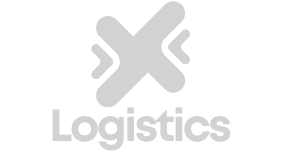




Proactively reach out to customers and cut response time with a feature-rich live chat tools.
No Credit Card Needed | Guided Setup
Support your customers across their entire journey to deliver a consistent brand experience with Omni24’s live chat platform
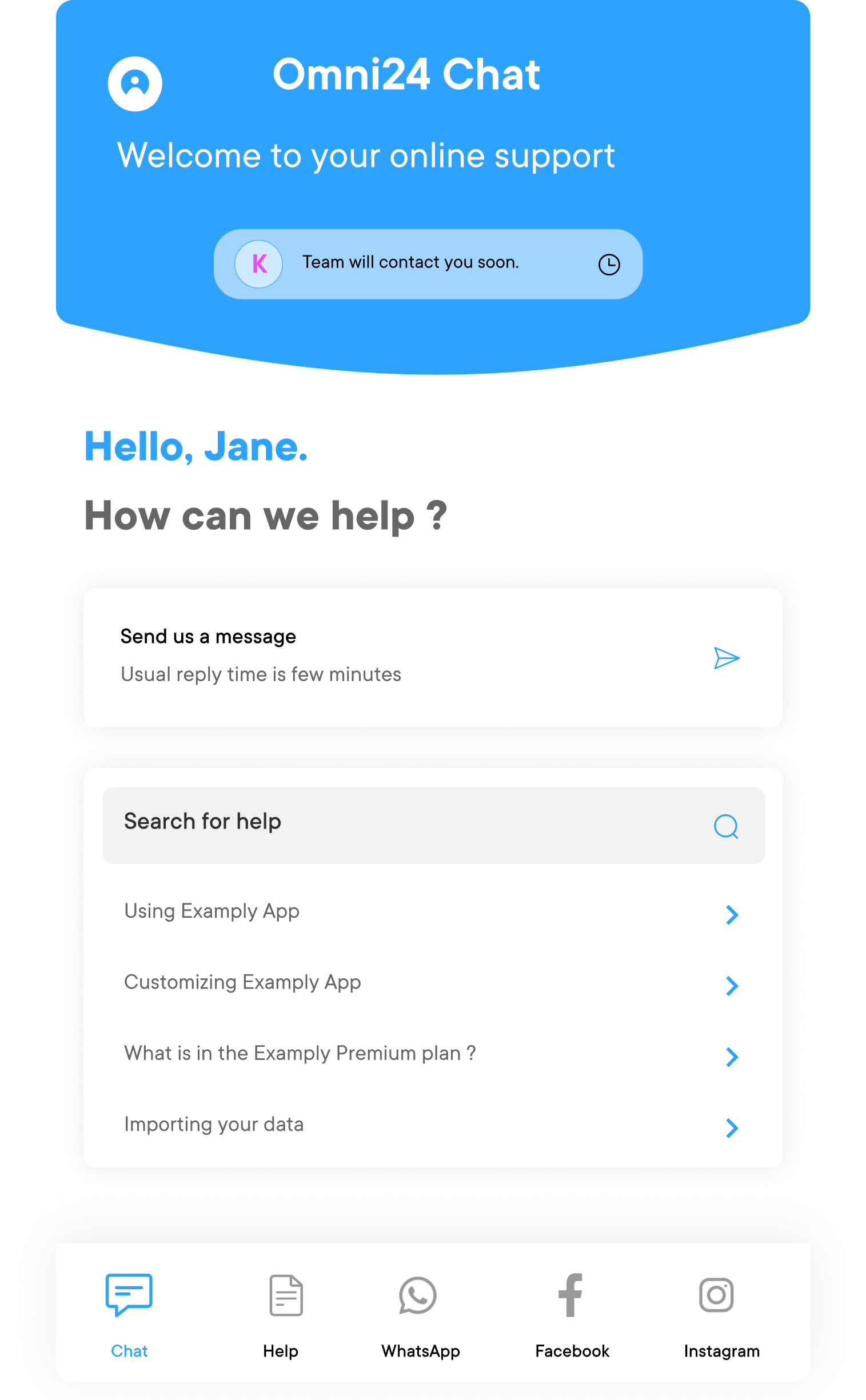
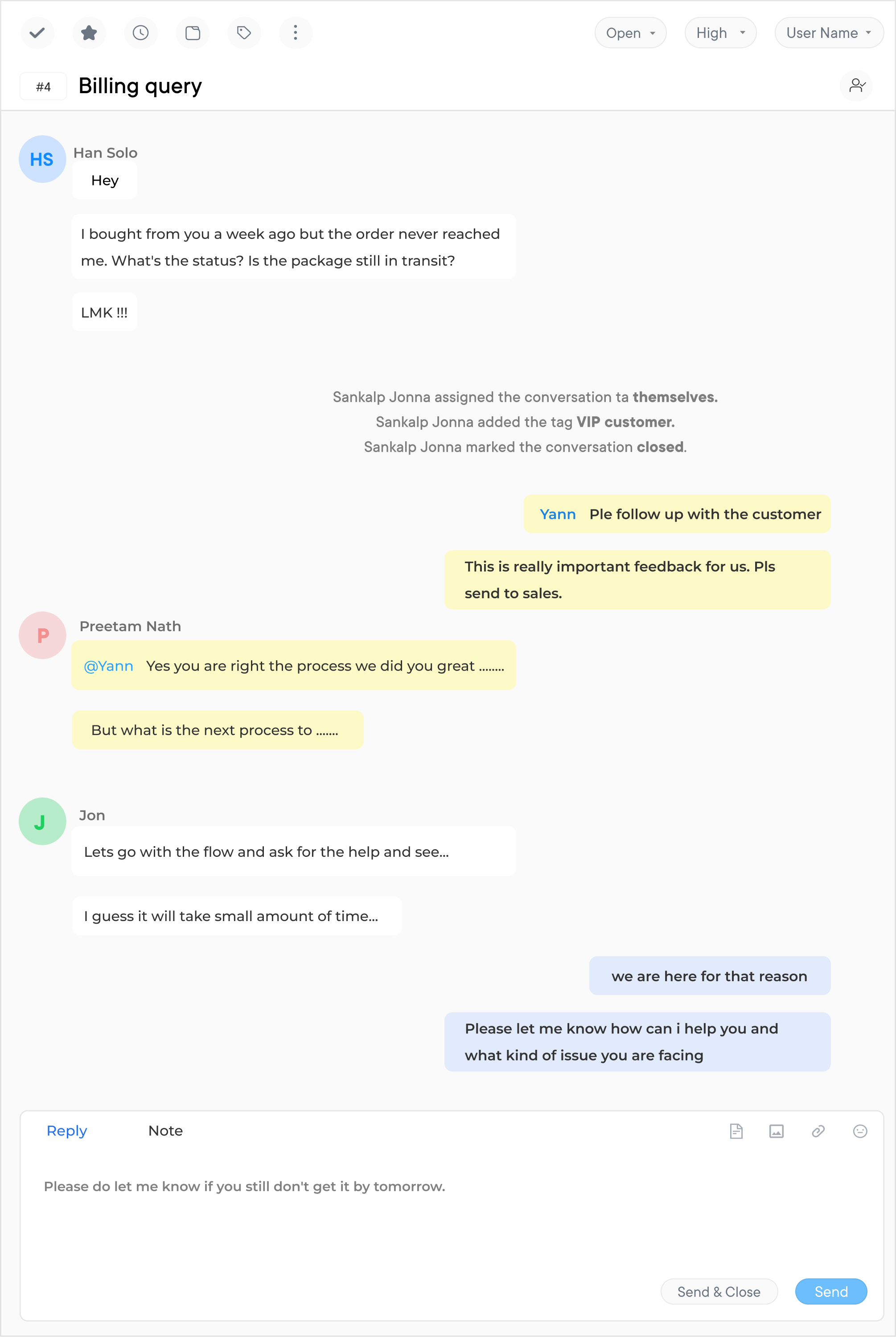
Slow support responses cost businesses 73% of customers churn after just a few poor experiences. Customers now expect answers in seconds and not in hours. Explore everything you need to know about live chat, such as how it works, key features, best practices, top tools and measurable ROI without covering channels like email or social messaging.
Live chat is an online communication channel embedded on a website that enables customers to interact with support agents in real time. Businesses that deployed live chat reported 48% increase in revenue per chat and 40% reduction in support costs compared to phone-based service. It is one of the highest-return investments in customer experience.
Live chat is defined as an online messaging channel that allows customers to directly interact with the support staff in real-time. It can be used to provide customer support, increase online conversions, make sale offers, redirect customers to helpful content on your website, share promotions and more.
Live chat software serves as a valuable tool for businesses to offer immediate support, answer questions and guide visitors through their website or app. It can significantly enhance customer service, improve user experience and increase conversion rates.
Key features:
Live chat delivers real-time value on both the business and customer side of the conversation.
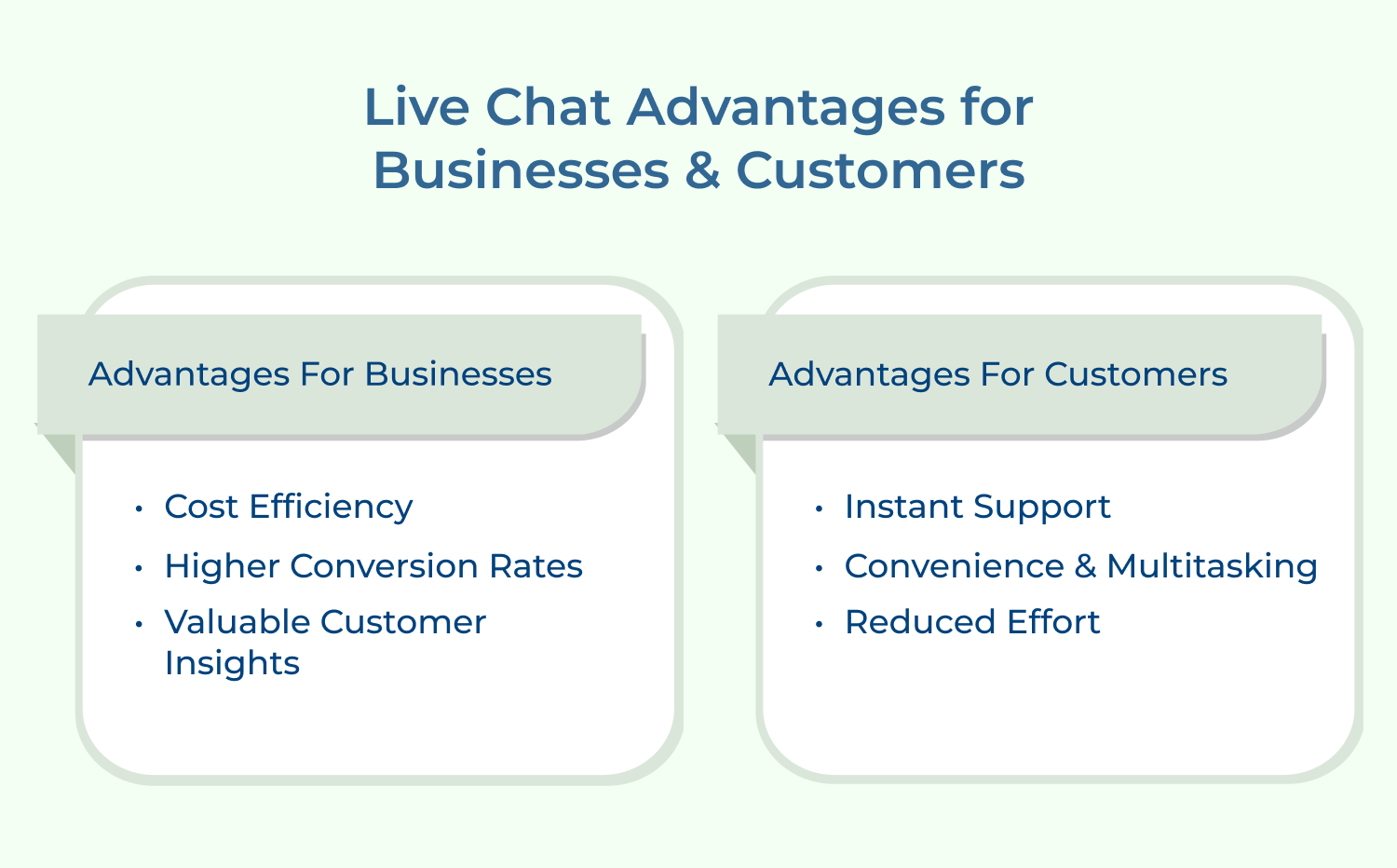
Live chat is a convenient way for customers to reach out to businesses with concerns. It takes the form of instant messaging but also includes text messages, video calls or voice calls depending on the platform.
A live chat strategy can be used to provide customers with options so they can find exactly what they need in less time and with fewer clicks compared to traditional phone/email contact methods.
Live chat support enables real-time communication between a website visitor and its operators. The used engagement becomes efficient with its prompt solution to sales & support-related queries.
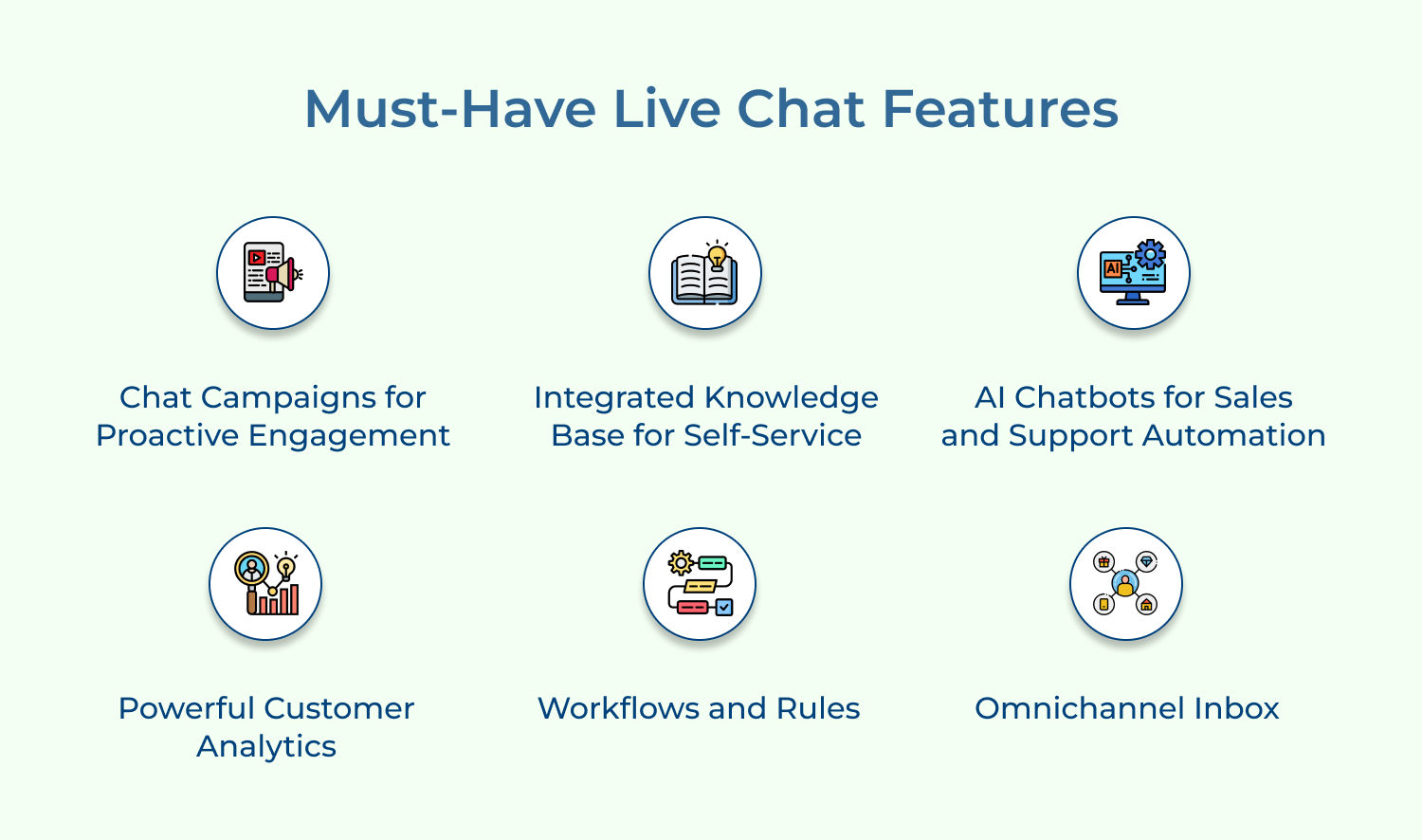
Live chat offers a unified omnichannel inbox that unifies all customer conversations from various channels like live chat, email and messaging apps into one single platform. It provides businesses with complete visibility to assign, monitor and measure the agent’s performance.
Online chat empowers businesses to be proactive by engaging with customers with automated campaigns by deploying conversational bots. They collect user data from past conversations and use it to personalize campaigns that offer relevant content based on customer needs.
Live chat tool includes an integrated knowledge base, which allows customers to find solutions without reaching out to the customer service agent. It boosts team productivity by enabling agents to quickly access relevant information when handling customer queries.
The workflows and rules capabilities within the live chat tool help teams respond quickly to customer concerns while promoting better organizational efficiency. Automated rules can be set up to organize, prioritize and route conversations as per team preferences.
Leveraging AI-enabled helps brands to improve customer service interactions through an automated approach. Bots can converse with the user through natural language processing, making it easier to find what they are looking for.
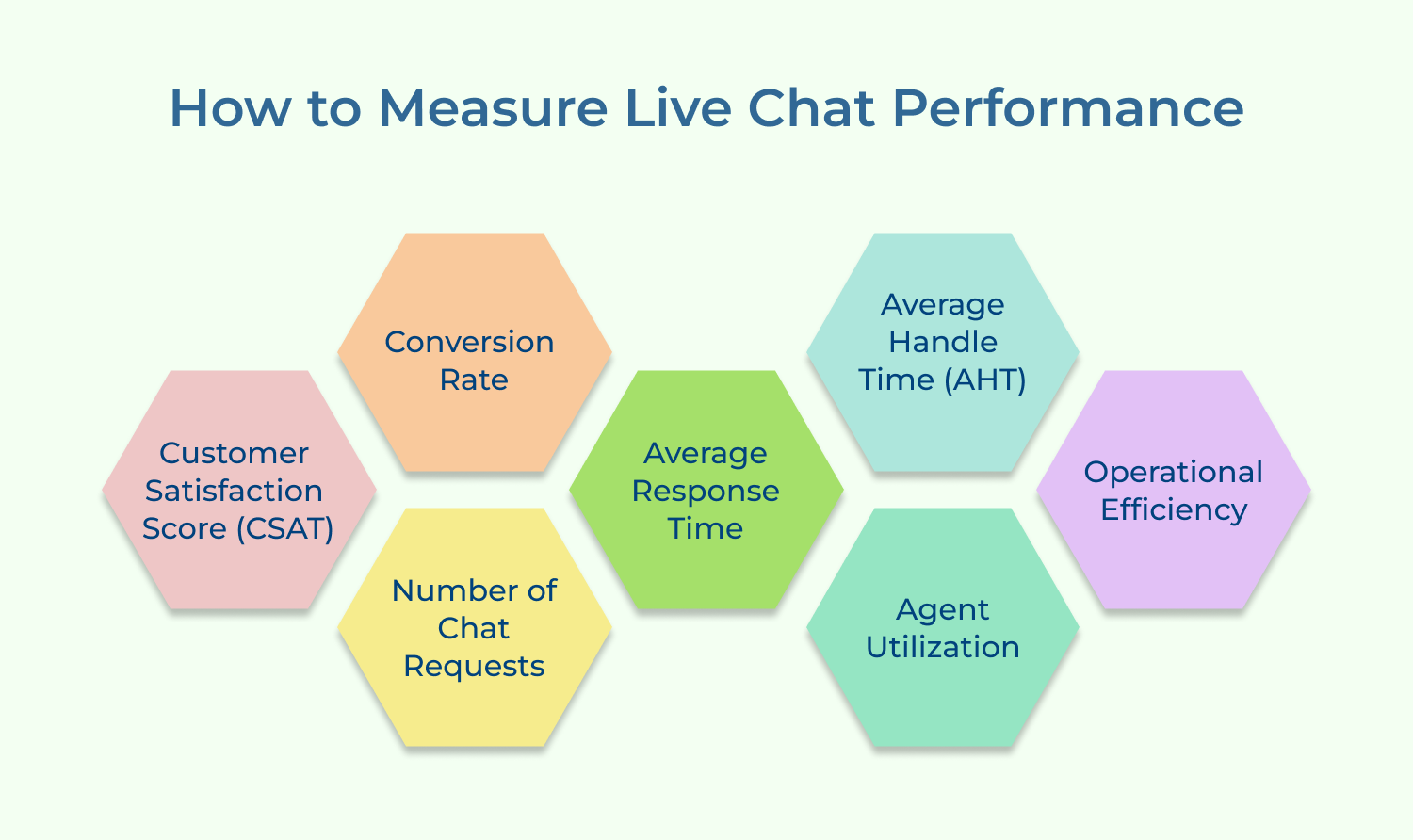
Live chat software helps in collecting data such as average handle time (AHT), first response time (FRT), percentage of resolved conversations, etc., which are key metrics used to measure the performance of an organization’s customer service operations.
Like any other tool, live chat must be used strategically to achieve the desired results. Here, we will discuss live chat best practices and tips for utilizing it effectively for sales, support and customer experience.
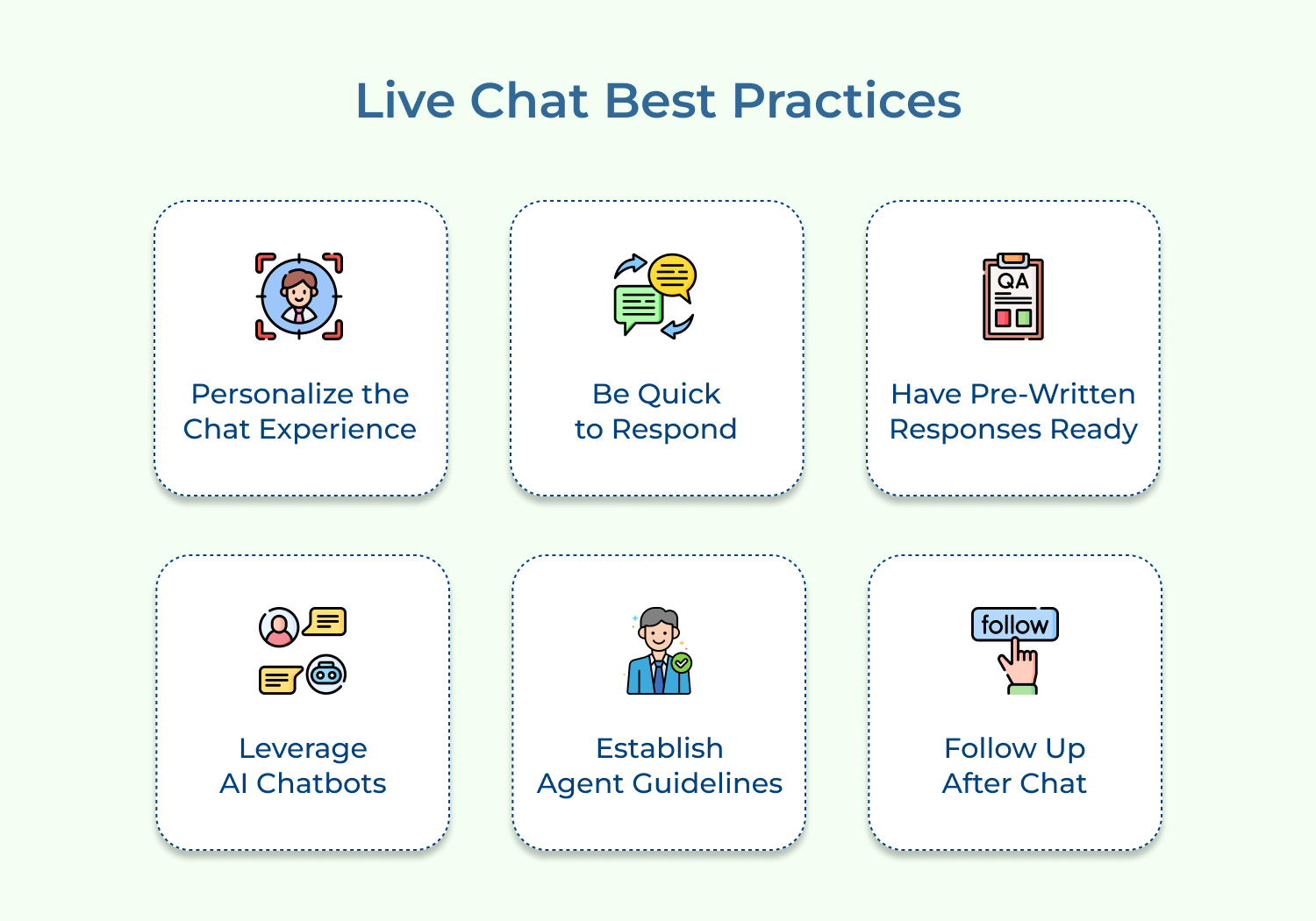
Ensure the chat widget is customized to reflect the brand’s tone of voice and deliver a personalized chat experience to the customers. Greet customers and use positive language as it shows empathy.
Small personal touches, such as addressing customers by name or referencing their previous purchases, make interactions feel less transactional. This attention to detail helps in build trust and encourages customers to return.
Pro tips:
Speed is crucial when it comes to live chat. Customers expect a quick response, so deliver instant responses when a chat comes in. Longer wait times frustrate the customer who eventually can abandon the chat.
Clear internal response-time benchmarks help teams to stay accountable during high-traffic periods. Even a brief acknowledgment message before a full response can significantly reduce perceived wait times.
Pro tips:
Having pre-draft answers can speed up the workflow and help agents respond more quickly. It can include standard replies to FAQs, such as delivery times or refund policies. Ensure that your responses are personalized and not robotic.
Canned response organization makes them faster to locate during live conversations. Reviewing which templates get used most often reveals gaps where new responses may be needed.
AI chatbots can manage chat volume and provide more precise answers to simple inquiries. A bot can be trained to automate the common queries without losing the human touch. Complex queries can be directed to the support team for an efficient response.
Key considerations:
Clear escalation rules ensure chatbots hand off conversations smoothly once a query exceeds capability. This balance keeps automation efficient while preserving the empathy only human agents provide.
Consistency is key to delivering excellent customer service. Agents should be trained to follow the brand’s tone of voice and have access to all necessary resources to provide the best possible support. Establish clear guidelines for your agents to follow during chat interactions.
Documented guidelines also help new agents ramp up faster without depending on shadowing experienced team members. These periodically ensure they stay aligned with evolving customer expectations.
Pro tips:
Following up after a chat conversation is an excellent way to reinforce client relationships. Thank them for their time, ask for feedback and ensure their issue has been fixed. It shows customers that you genuinely care about their experience and are committed to their satisfaction.
With so many options available, businesses can find it confusing to choose the right live chat software for your needs. We’ve curated an extensive list for you to refer and decide.
Great Live Chat Software for top-notch customer support
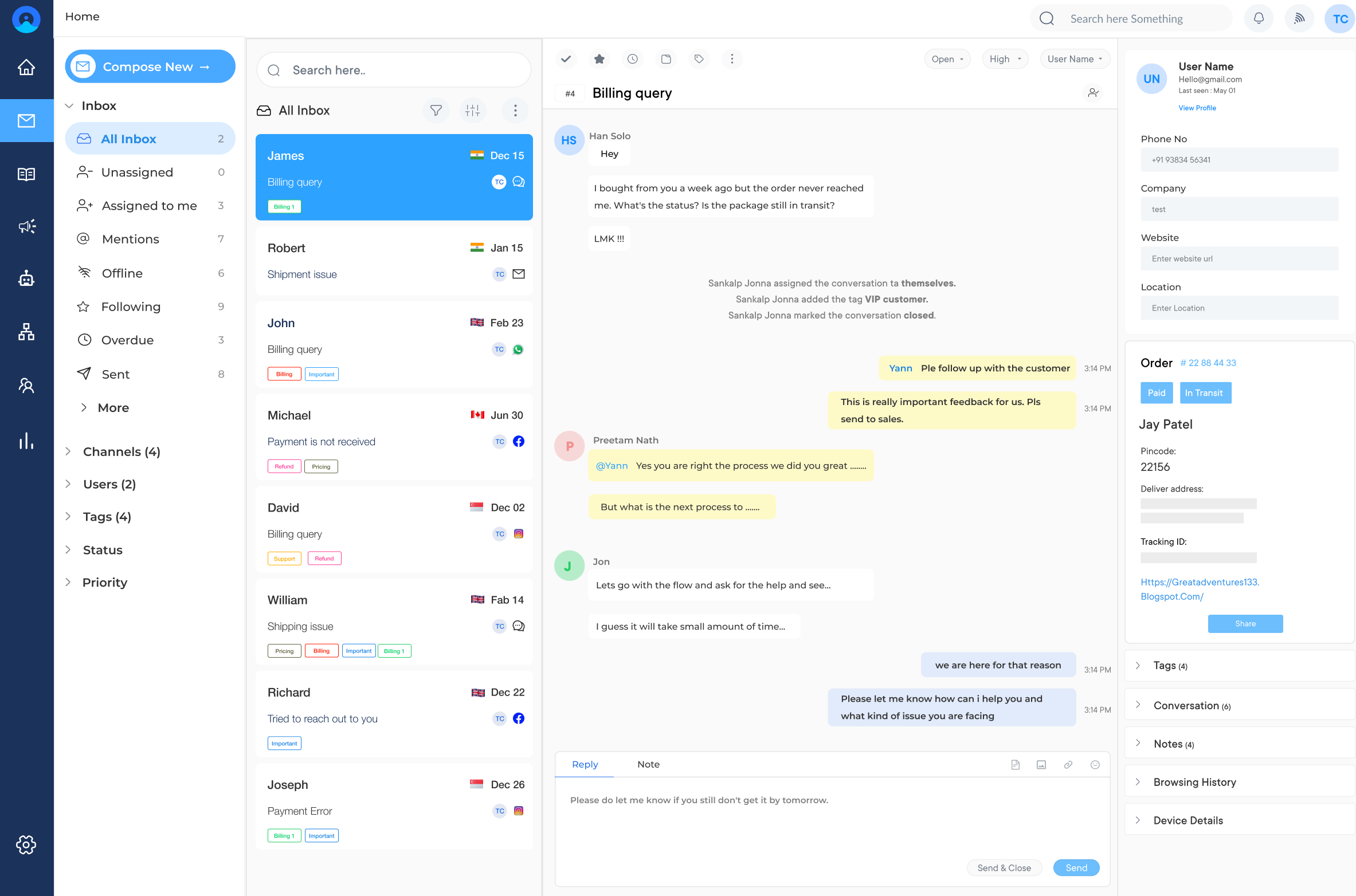
Omni24 is an AI-powered customer engagement platform combining three suites: support, sales, and marketing, unifying all customer data onto a single platform to give businesses a complete view of the customer journey.
Omni24’s live chat helps businesses resolve support queries, qualify sales leads and answer product questions in real time.
Key features:
Best Live Chat Platform with comprehensive messaging solutions
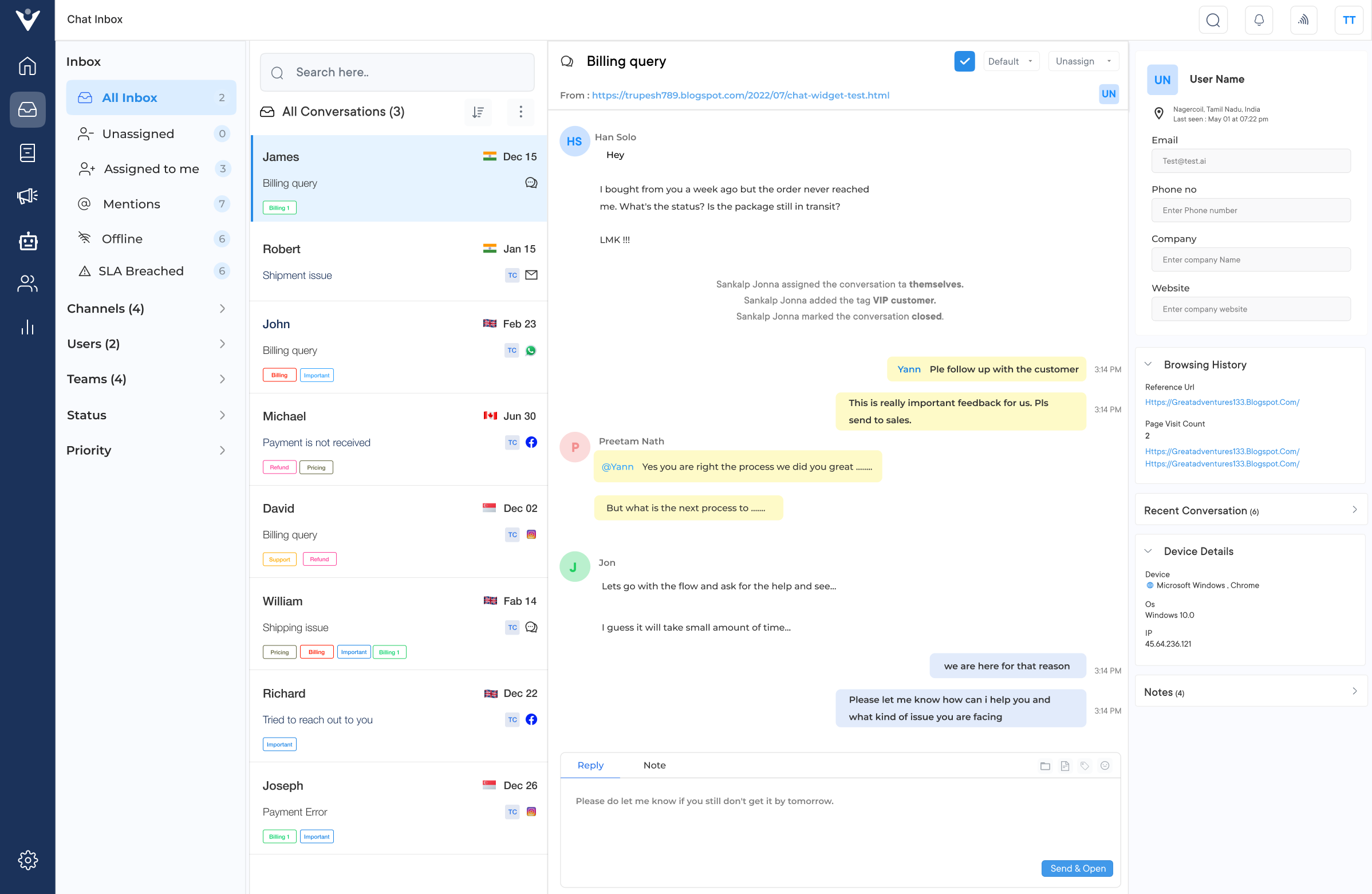
Veemo Chat is an omnichannel messaging software that helps businesses communicate with customers in real-time, providing a seamless support experience.
Its live chat offers instant support to website visitors and provides personalized recommendations. One of its use cases is sales, where businesses engage with potential customers to address concerns and guide them in making a purchase.
Key features:
Excellent Live chat tool for easy marketing solution
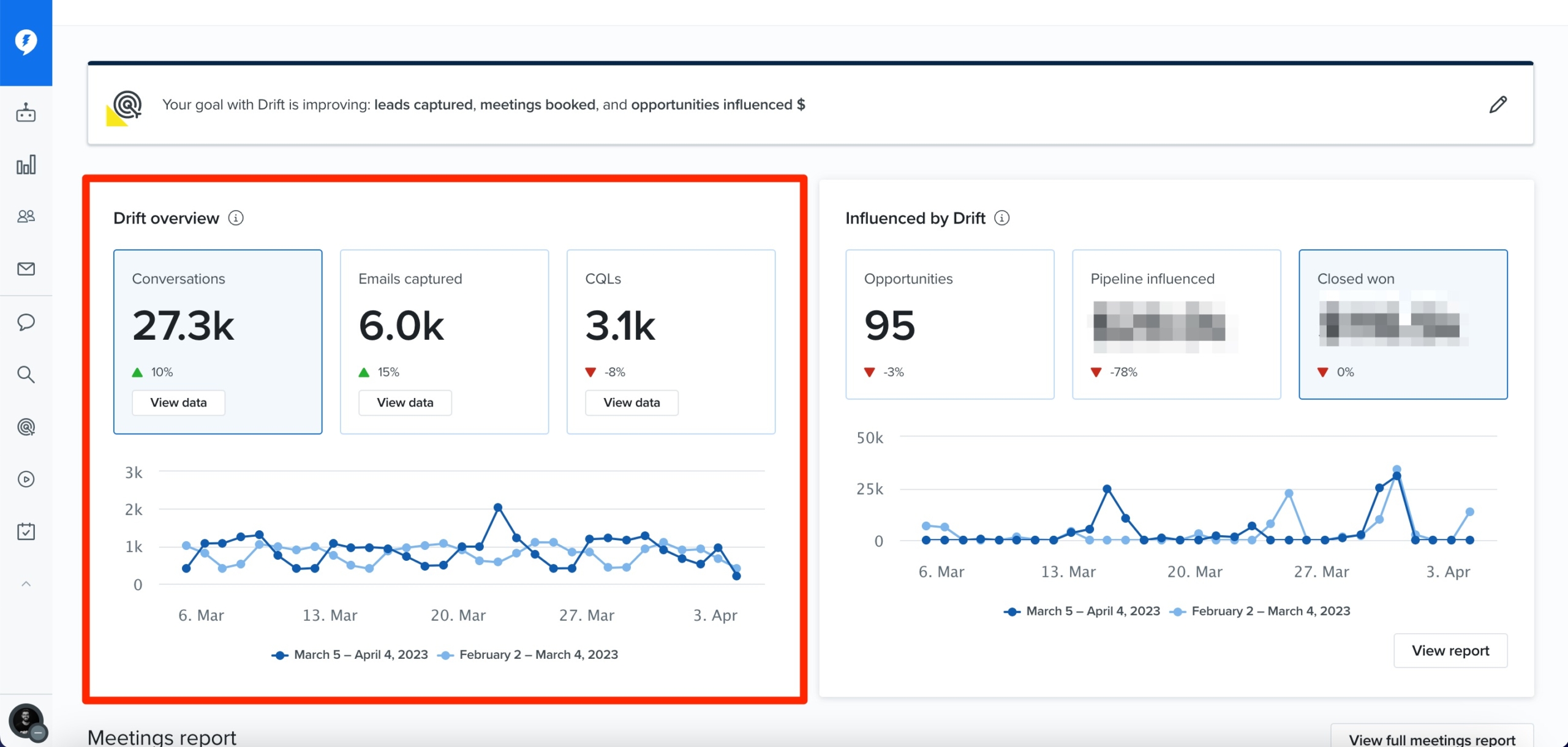
Drift is a conversational marketing and sales platform that includes live chat as one of its core features. It incorporates chatbots and artificial intelligence to handle routine queries and qualify leads before handing them off to human agents.
The software allows businesses to proactively engage website visitors with targeted messaging and offers based on their behavior and profile. Drift enables customers and prospects to easily schedule meetings with sales or support teams directly from the chat window.
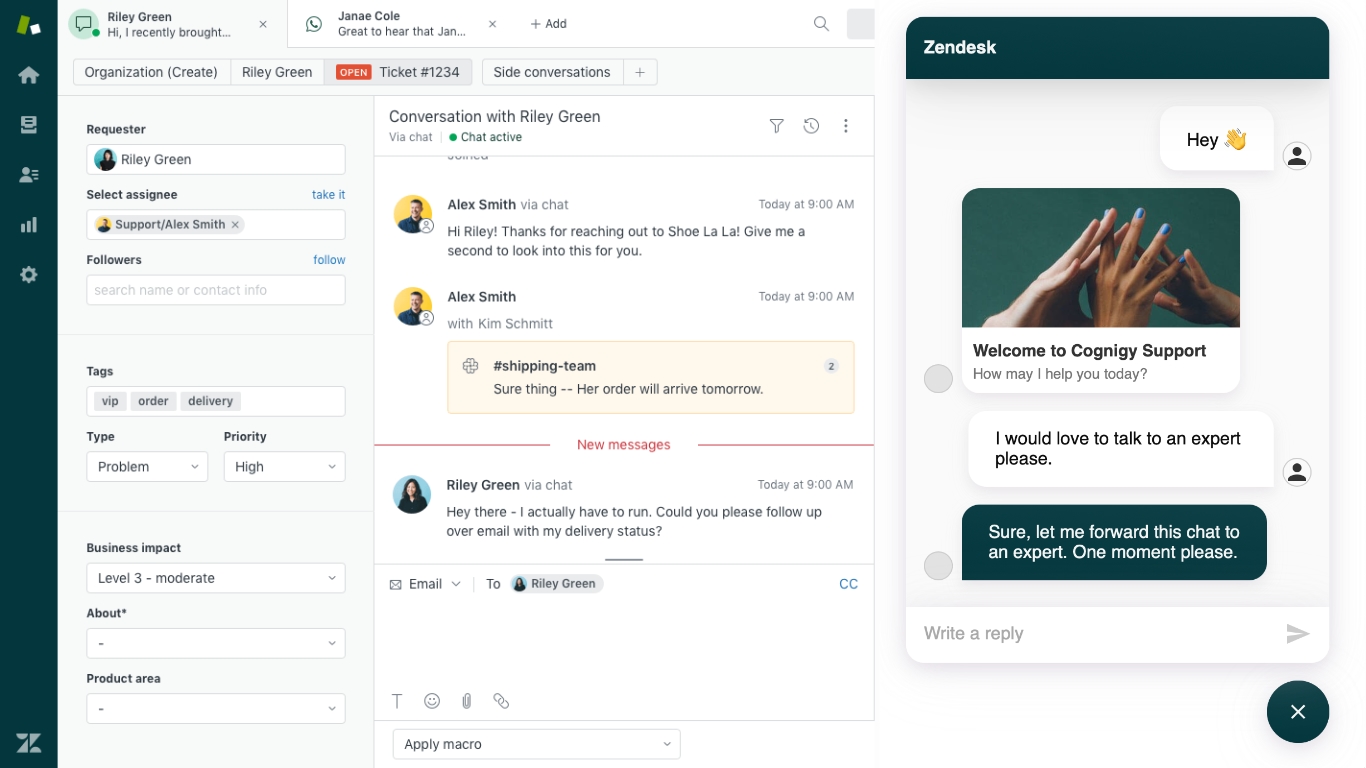
Zendesk Chat is a live chat solution that is part of the broader Zendesk customer service platform. It integrates with other Zendesk products, enabling businesses to provide seamless omnichannel support across multiple channels.
The software provides agents with customizable workspaces that display relevant customer data, knowledge base articles and chat history. It allows businesses to set up automated triggers based on visitor behavior, enabling proactive engagement and support.
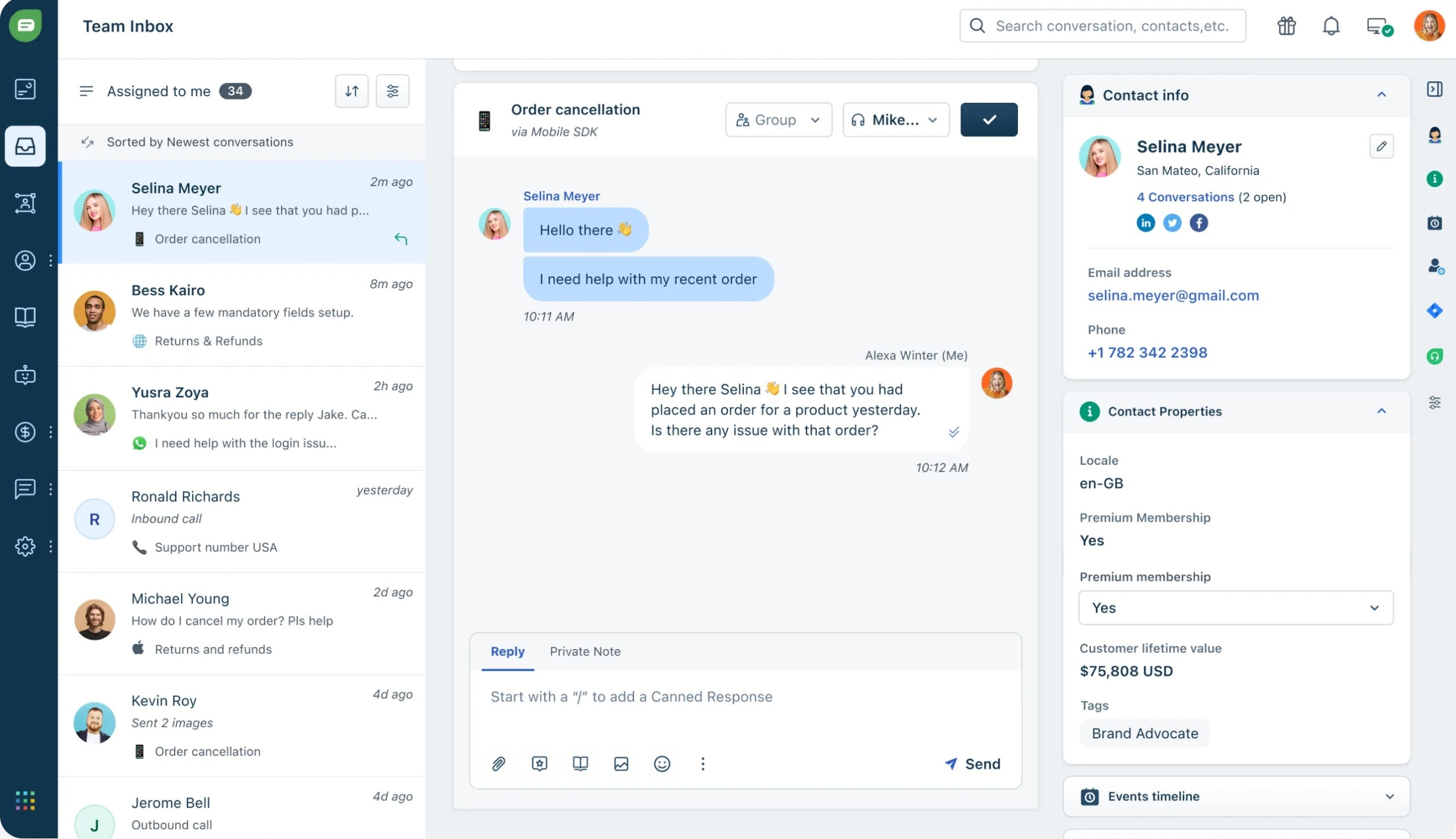
Freshdesk Messaging is a live chat solution from Freshworks that can be integrated with its customer service platform. The software enables agents to provide real-time co-browsing assistance to customers, allowing them to view and interact with the customer’s screen.
Freshdesk Messaging supports automated chat workflows, enabling businesses to streamline and standardize their support processes. The software integrates with various channels like email, social media, and messaging apps, providing a unified customer communication platform.
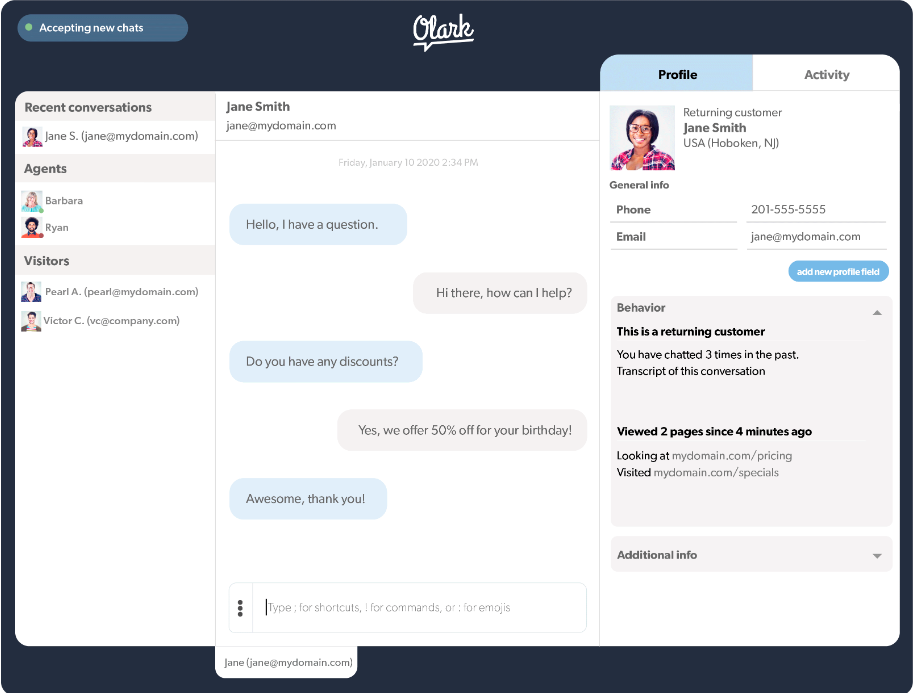
Olark is a live chat software that focuses on simplicity and ease of use. It allows businesses to monitor and track website visitors in real-time, enabling proactive engagement and support.
The software stores chat transcripts and history, enabling agents to quickly review previous interactions with customers. Olark offers a highly customizable chat box that can be tailored to match the brand’s design and user experience.
Live chat software is perfect for businesses looking to enhance overall user experience. While you’re familiar with the traditional uses, there are many creative ways to leverage this tool.
Live chat can be a powerful tool for online stores to provide real-time assistance to customers during the purchasing process. Agents can help with product inquiries, order placement or troubleshooting, which leads to increased sales and customer satisfaction.
Businesses can use live chat for lead generation to capture leads and nurture them through the sales funnel. Proactive chat invitations can be triggered based on visitor behavior, allowing sales teams to initiate conversations and qualify leads.
For SaaS companies live chat can be an efficient way to provide technical support and troubleshooting assistance to customers. Agents can share screenshots and resolve issues in real-time.
Live chat functionality can be used to assist customers with account inquiries, transaction support, and financial advisory services. Secure chat sessions can ensure the privacy and confidentiality of sensitive information.
Live chat can enhance the customer experience in the travel and hospitality industry by providing real-time assistance with bookings, itinerary changes and on-site support. Guests can easily connect with hotel staff or travel agents for a seamless experience.
Educational institutions and online tutoring platforms can leverage live chat to offer instant support to students. Instructors or tutors can clarify concepts, answer questions, and provide guidance during virtual learning sessions or homework assignments.
Live chat allows website visitors to communicate with customer service representatives in real-time, improving their overall experience.
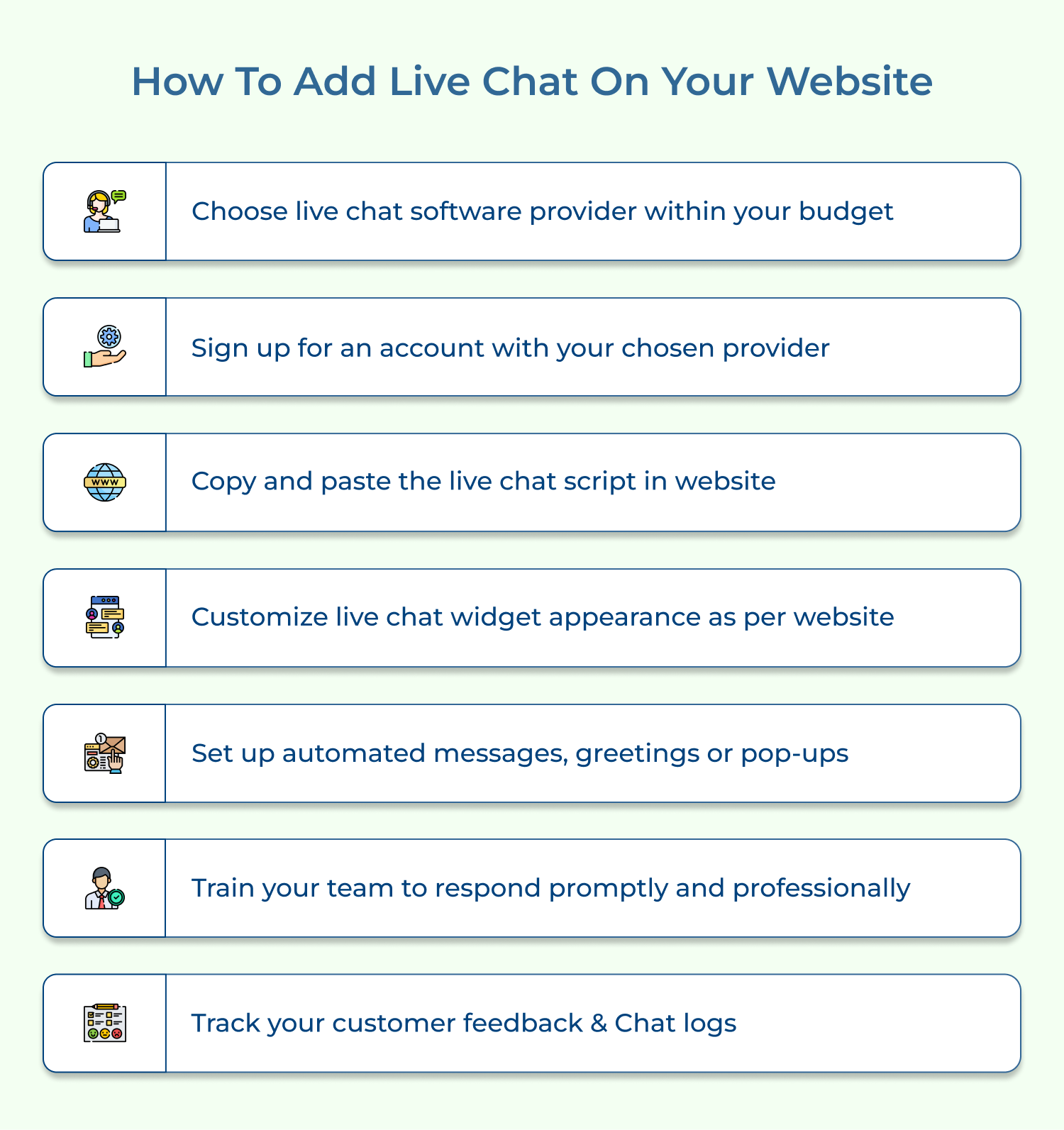
Here’s how to do it in just one line for each step:
If you’re considering implementing online chat for your organization, here are a few factors that should be taken into consideration before buying live chat software:
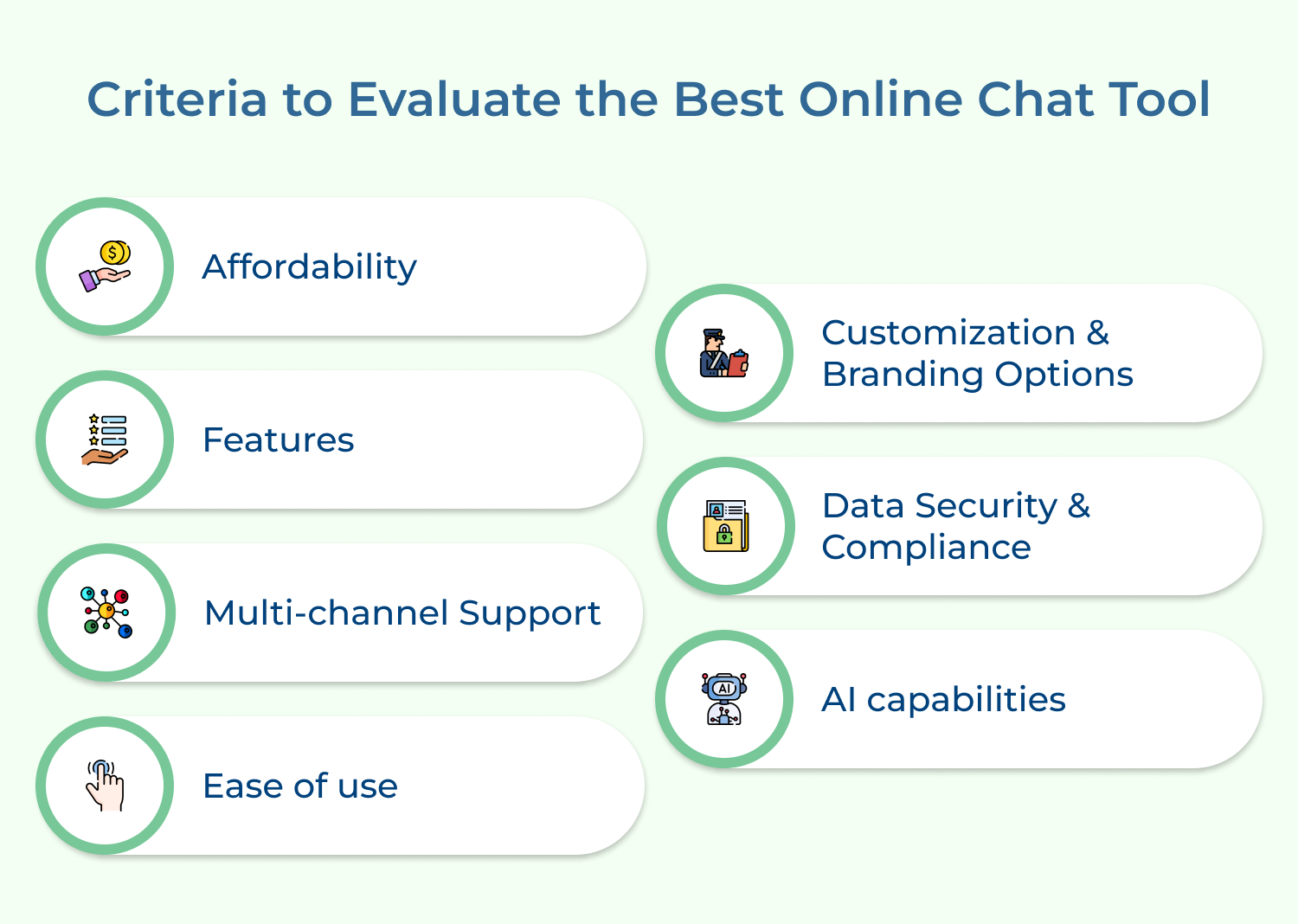
Pricing of the live chat software is an important factor when it comes to buying. You should research different providers and find one that has a plan that fits your budget as well as offers all the features you need.
Check what features are included in each provider’s plans and ensure they meet your specific requirements. These could include analytics tools, canned messages, automated triggers, integration with other platforms, etc.
Choose a live chat software with support for multiple channels so that you don’t miss out on any potential leads or customer queries over time due to lack of automation across different platforms like social media etc.
It is important to select a live chat software that is user-friendly so that you can easily onboard new agents on its platform without them needing prior technical expertise. An easy-to-use admin dashboard should allow you to access all the necessary reports with file-sharing capabilities built in.
Live chat box should have options for customization such as executing custom scripts on visitor browsers, altering themes or profiles, etc., and providing branding opportunities like securely embedding team logos into messages as per company standards.
Ensure the selected live chat software follows international compliance standards (GDPR/HIPAA) and uses secure encryption protocols for data storage, protecting customer data from third-party companies or even hackers who might try to gain access through your system’s vulnerabilities.
AI integration helps save time and money by letting customers resolve their queries without needing direct agent support 24/7. It leads to improved efficiency from agents since they can be better off dealing with complex inquiries than handling mundane tasks such as routine conversations.
Below are some key metrics to consider when it comes to measuring live chat performance.
Live chat is the most cost-effective way to deliver real-time customer support, reducing response times and turning website visitors into loyal customers. Omni24’s omnichannel live chat software brings it all together in one unified platform.
Start your 14-day free trial of Omni24 today. Businesses that invest in live chat software resolve queries faster, building lasting customer relationships that drive long-term revenue growth.
Omni24’s DCX platform harnesses automation and AI to deliver unified customer experiences across digital channels, while keeping human touch.
Yes, live chat is suitable for businesses of all sizes and industries. It helps to understand your customers’ concerns, needs and expectations so that you can align your brand messaging. it provides the capability to deliver instant responses to sales and support queries that increase sales.
Yes, most live chat platforms offer integrations with popular customer support tools like help desk software and CRM systems. This allows you to streamline your support processes and provide a seamless experience. Businesses, irrespective of their industry can integrate live chat to deliver a delightful customer service experience.
Training of support staff on how to use live chat effectively is extremely important. To train your team, provide them with thorough product knowledge, teach them proper etiquette and communication skills, and establish guidelines for responding to different types of inquiries. Regular training sessions and ongoing feedback can also help improve their performance.
Yes, many live chat platforms offer automation features such as canned responses, chatbots, and proactive messaging. These can help save time and provide quick answers to common questions. Well-trained agents can further enhance these tools consistently. Key automation capabilities include:
Most platforms prioritize data security and privacy across every customer conversation as well as interactions handled by the team. Look for platforms compliant with industry standards and regulations relevant to your business. This compliance ensures customer information are managed responsibly at every stage.
End-to-end encryption and robust data protection measures further ensure customer information stays safe throughout transmission and storage. Select a vendor that offers proven security practices, reducing long-term risk. Regular security audits and updates also help maintain protection as threats continue to evolve.
Live chat involves real-time conversations between customers and live agents for personalized support. Chatbots, on the other hand, use artificial intelligence (AI) to simulate human-like conversations. Live chat relies on human agents to respond to queries, but chatbots handle common questions and tasks without human intervention.
 https://omni24.io/wp-content/uploads/2026/09/Social-commerce-scaled.png
1340
2560
Webvision Solution
https://omni24.io/wp-content/uploads/2023/04/Omni-Logo-1.svg
Webvision Solution2026-10-23 12:18:272026-10-23 12:18:27What is Social Commerce and Why Does It Matter?
https://omni24.io/wp-content/uploads/2026/09/Social-commerce-scaled.png
1340
2560
Webvision Solution
https://omni24.io/wp-content/uploads/2023/04/Omni-Logo-1.svg
Webvision Solution2026-10-23 12:18:272026-10-23 12:18:27What is Social Commerce and Why Does It Matter? https://omni24.io/wp-content/uploads/2026/08/AI-Customer-Service-Agents.png
1256
2400
Webvision Solution
https://omni24.io/wp-content/uploads/2023/04/Omni-Logo-1.svg
Webvision Solution2026-09-21 04:48:512026-09-21 04:48:51How to Build an AI Customer Service Agents: 8 Key Steps
https://omni24.io/wp-content/uploads/2026/08/AI-Customer-Service-Agents.png
1256
2400
Webvision Solution
https://omni24.io/wp-content/uploads/2023/04/Omni-Logo-1.svg
Webvision Solution2026-09-21 04:48:512026-09-21 04:48:51How to Build an AI Customer Service Agents: 8 Key Steps https://omni24.io/wp-content/uploads/2026/08/Omnichannel-Conversational-AI.png
1256
2400
Tushar Joshi
https://omni24.io/wp-content/uploads/2023/04/Omni-Logo-1.svg
Tushar Joshi2026-09-16 03:51:072026-09-16 03:51:07How to Build Omnichannel Conversational AI Strategy
https://omni24.io/wp-content/uploads/2026/08/Omnichannel-Conversational-AI.png
1256
2400
Tushar Joshi
https://omni24.io/wp-content/uploads/2023/04/Omni-Logo-1.svg
Tushar Joshi2026-09-16 03:51:072026-09-16 03:51:07How to Build Omnichannel Conversational AI Strategy
Whether it’s about acquire, engage or support – Omni24 covers all your customer engagement needs in one complete platform.

Copyright ©2026 Veemo All rights reserved.
CA, Los Angeles, Hall Ave, 19011