The Definitive Guide To Customer Support
Discover essential features like omnichannel support, AI automation, and analytics to enhance your customer support experience.
No Credit Card Needed | Guided Setup
Discover essential features like omnichannel support, AI automation, and analytics to enhance your customer support experience.
No Credit Card Needed | Guided Setup
Choosing the right support software? Look for ticketing, omnichannel integration, analytics, and automation to streamline service and boost efficiency.
Slow response times, fragmented channels and reactive-only workflows silently erode loyalty, leading to lost customers. Proper customer support is the direct assistance businesses need to provide to resolve issues that leverage CX investment.
Walking through the guide to build and optimize a customer support process, strategies and channel types. Focuses on the best actionable and operational depth for your business.
Customer support is the help that businesses give to buyers before, during and after they buy a thing or service. It covers many tasks such as helping with questions, fixing issues, giving advice and dealing with worries or complaints. Good customer support works as a link between buyers and the company, making sure that buyers get help fast, which makes their whole brand time better.
Key objectives
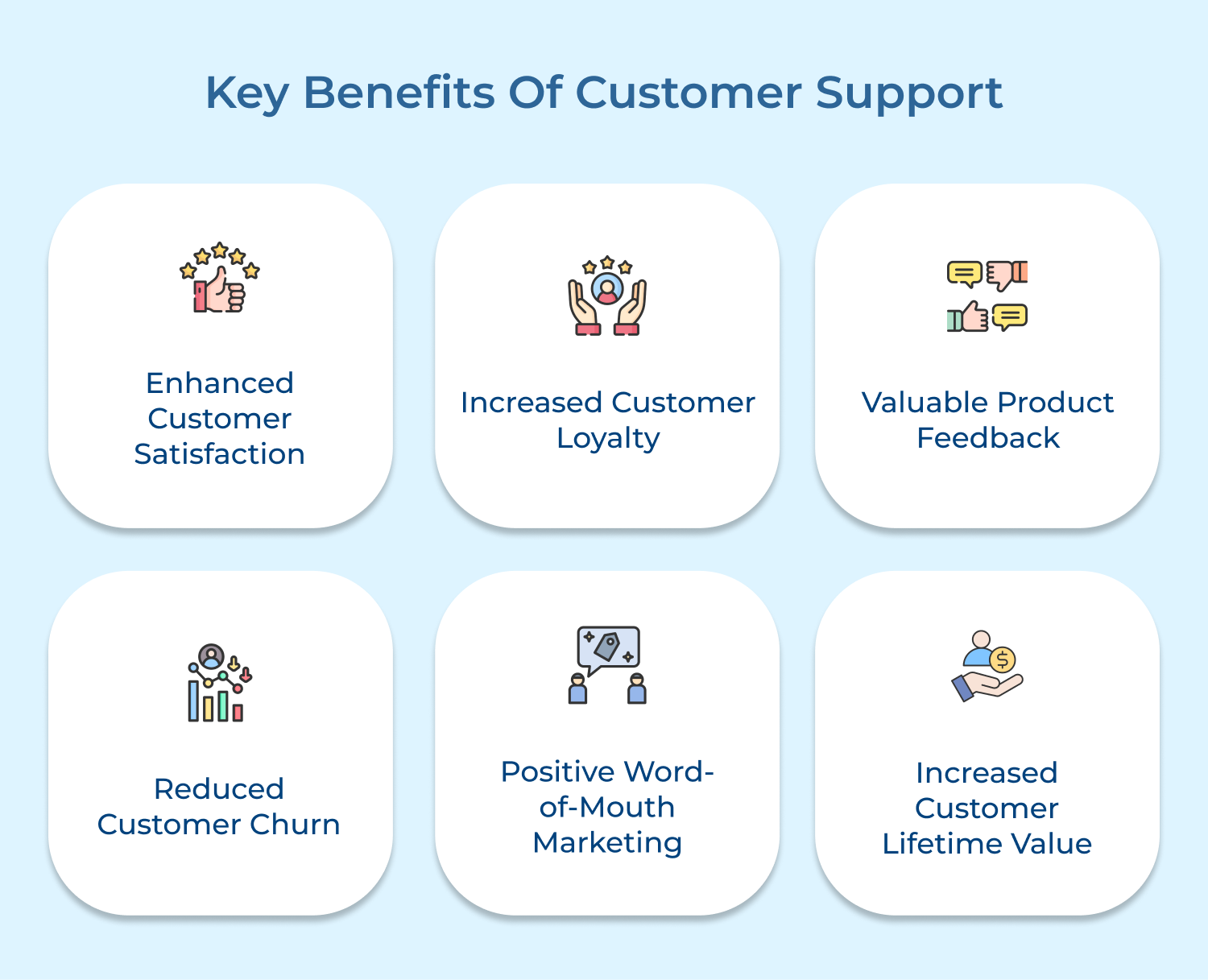
Effective customer support enhances customer satisfaction and loyalty. Let’s explore how it benefits your business in the long run.
Enhanced Customer Satisfaction
Effective customer support resolves issues promptly and efficiently, leaving customers feeling valued. Personalized attention and solutions to problems increase overall satisfaction dramatically, leading to a more positive perception of your brand as well as offerings.
Increased Customer Loyalty
Consistent, high-quality support creates an emotional connection with customers that transcends mere transactions. Customers who know they can rely on your team during difficulties develop deeper trust and commitment to your brand. Hence, making them less likely to switch to competitors despite potential price differences.
Valuable Product Feedback
Support interactions provide a goldmine of insights about how customers actually use your products and what issues they encounter. Frontline information highlights pain points, feature gaps, and improvement opportunities that might otherwise go unnoticed, allowing your development team to make targeted enhancements.
Reduced Customer Churn
Responsive support prevents minor issues from escalating into deal-breakers that cause customers to leave. Addressing concerns quickly and effectively removes friction points that might otherwise push customers away. It significantly improves retention rates and protects your revenue stream.
Positive Word-of-Mouth Marketing
Exceptional support experiences inspire customers to share their stories with friends, family and colleagues. Authentic testimonials carry tremendous weight in purchase decisions and extend your marketing reach without additional spending.
Increased Customer Lifetime Value
Support teams build relationships that encourage customers to stay longer and spend more. Understanding customer needs and helping them maximize value from your products creates opportunities for upselling and cross-selling that feel helpful rather than pushy, increasing overall customer value.
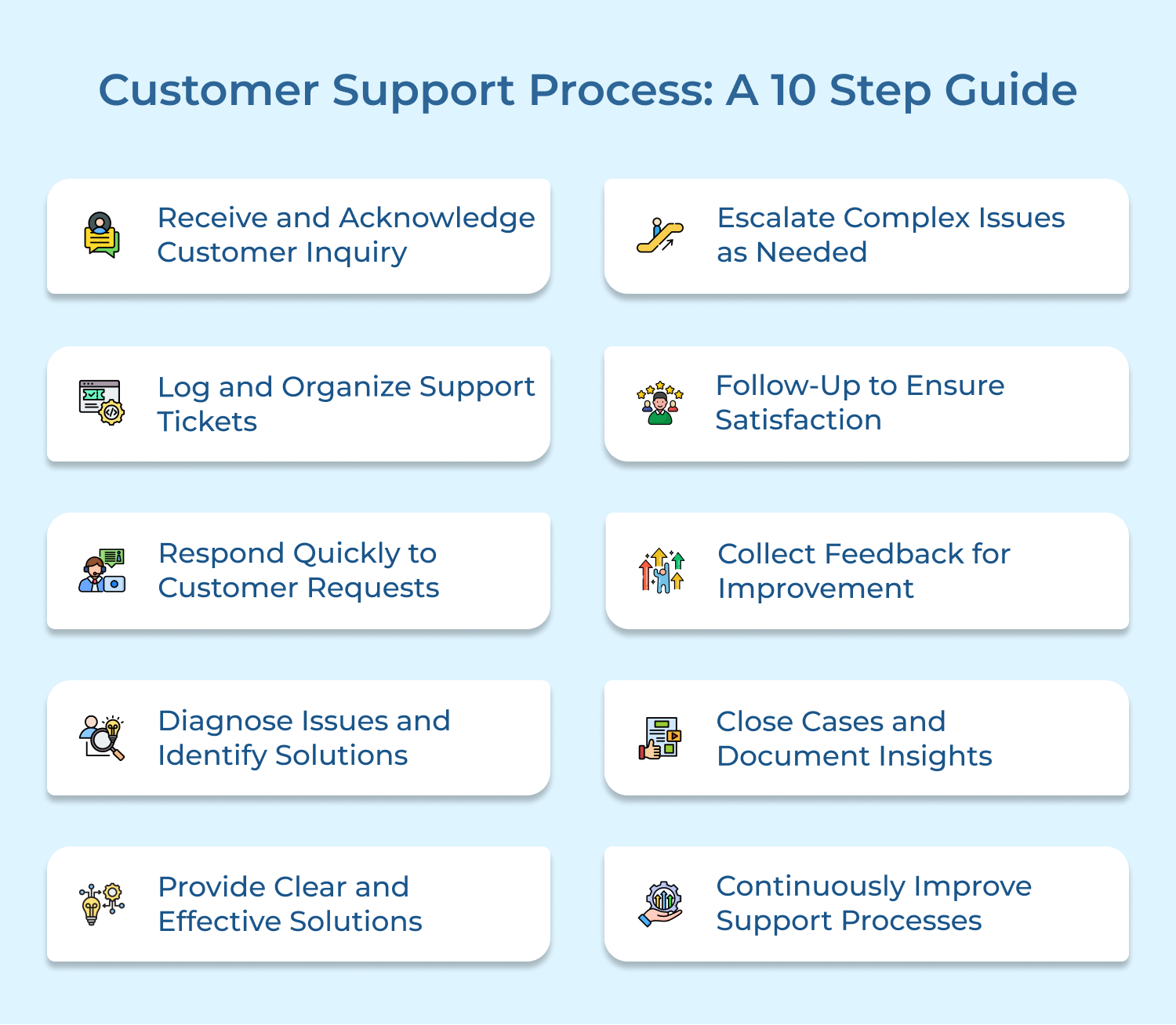
A well-structured customer support process ensures efficient issue resolution and a positive customer experience. Follow these 10 steps to optimize your support strategy.
Customer inquiries are received through various communication channels like phone, email, live chat or social media. Upon receipt, it’s essential to acknowledge the issue and confirm that the request has been logged for further processing.
Acknowledging inquiries builds trust and lets customers know their concerns are being addressed. It sets expectations on response times and helps avoid frustration from customers who may feel their issue is being ignored.
An acknowledgment response, whether automated or personal, should provide an estimated timeline for resolution. Automated responses help to manage high volumes efficiently while still keeping customers informed.
Actionable Tips:
Support requests are recorded and categorized into a ticketing system for easy tracking as well as management. Key details such as issue type, urgency, and customer information are stored for quick reference.
Organizing tickets ensures all issues are tracked properly, preventing them from being missed or overlooked. It helps prioritize tasks and ensures the right resources are allocated to resolve issues efficiently.
Use a helpdesk system to automatically categorize tickets based on type or urgency. Prioritize high-impact or time-sensitive issues while ensuring a systematic approach to resolving all requests.
Pro tips:
Addressing customer inquiries promptly involves providing a quick response to acknowledge the issue and indicate the next steps. It ensures customers feel valued and reduces any frustration due to delayed responses.
Rapid responses signal to customers that their time is respected, helping to improve satisfaction and trust. Delays can create frustration, leading to negative experiences that harm the company’s reputation.
Support teams should utilize automated tools to quickly respond to routine inquiries, enabling agents to focus on complex issues. It’s essential to maintain a quick turnaround time, especially for critical cases.
Actionable Tips:
Problem diagnosis involves identifying the root cause of customer issues. Support agents assess the details of the inquiry, conduct troubleshooting, and determine the best solution for the customer.
Accurate diagnosis prevents miscommunication and resolves issues more efficiently. When agents correctly identify the problem, customers experience faster resolutions as well as avoid unnecessary back-and-forth with support teams.
Encourage agents to follow a structured troubleshooting process, asking relevant questions to get to the root of the problem. Providing diagnostic tools and resources can help streamline the investigation process.
Pro tips:
Providing clear and actionable solutions involves giving the customer straightforward, easy-to-understand guidance on how to resolve their issue. Solutions should be relevant, detailed as well as efficient.
Clear instructions reduce the likelihood of follow-up questions and frustrations. Customers appreciate straightforward solutions that help them resolve their problems quickly without confusion or ambiguity.
Once the issue is identified, communicate the solution clearly, breaking it down into easy steps if necessary. Ensure the customer understands the resolution and offer further assistance if needed.
Actionable Tips:
Escalation refers to passing complex or unresolved cases to more experienced support staff. It ensures that difficult issues are handled by the most qualified team members.
Escalating issues ensures that customers receive the best possible resolution for complex problems. It prevents frustration and delays, ensuring that customers receive expert solutions when needed.
Establish a clear escalation process, defining which issues require escalation and to whom. This avoids confusion and ensures customers are transferred smoothly to the appropriate team without losing context.
Pro tips:
Follow-up is a critical step in the customer support process, ensuring that the resolution effectively meets the customer’s needs. It confirms issue resolution and reinforces customer satisfaction.
Proactive follow-ups demonstrate a commitment to service excellence, offering an opportunity to address any lingering concerns. This approach enhances customer loyalty while minimizing churn.
A structured strategy, such as an email or call, ensures clients are satisfied with the outcome. It also allows for additional assistance, strengthening long-term customer relationships.
Actionable Tips:
Feedback collection is essential for evaluating customer support effectiveness. It involves gathering customer insights through surveys or direct communication to improve service quality.
Through identification of recurring issues and improvement areas, feedback enhances support strategies, refines agent performance as well as optimizes the overall customer experience.
Implement post-interaction surveys and analyze responses to drive improvements. Use insights to enhance training, streamline processes, and refine support strategies for greater customer satisfaction.
Actionable Tips:
Case closure involves finalizing the support request once the customer’s issue has been resolved. It also includes documenting key insights and solutions to build a knowledge base for future reference.
Proper case closure ensures that no issues are left unresolved. Documenting key insights and solutions allows the team to handle similar issues more efficiently in the future and improves overall service quality.
Once the issue is resolved, close the case in the CRM system. Ensure agents document the resolution and any important details that may help with similar inquiries in the future.
Actionable Tips:
Continuous improvement involves reviewing and refining customer support processes regularly. It includes analyzing performance metrics, customer feedback, and support trends to make ongoing adjustments for better efficiency as well as customer satisfaction.
Regular improvements ensure that the support process remains effective as customer needs evolve. It helps in eliminating inefficiencies, improving agent skills, and staying competitive by consistently delivering high-quality support.
Conduct regular performance reviews, analyze customer feedback, and monitor common issues to identify areas for improvement. Implement changes based on these insights to optimize processes and enhance overall support effectiveness.
Pro tips:
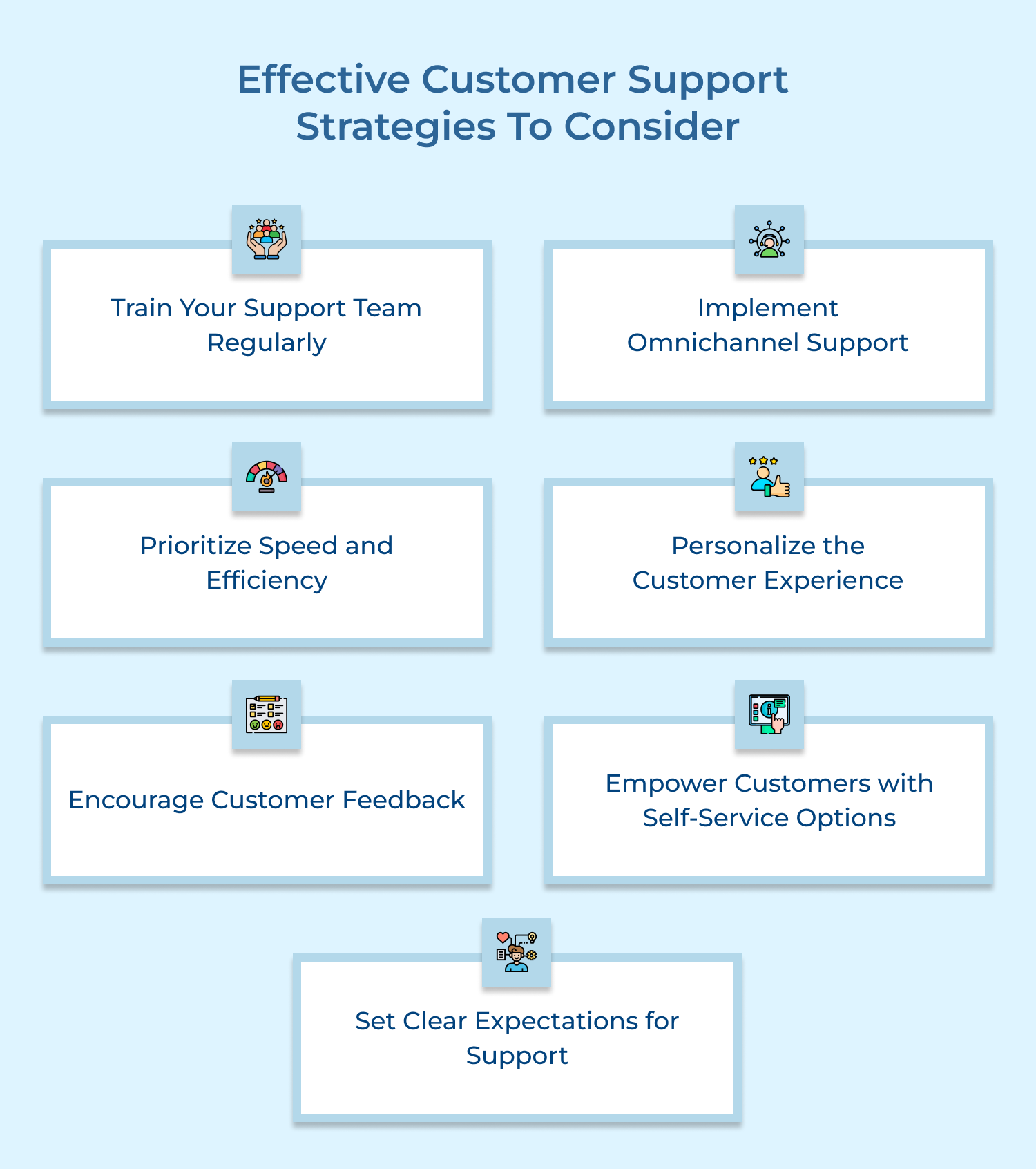
Implementing effective customer support strategies enhances satisfaction and loyalty. These seven strategies help optimize service, streamline processes and improve retention.
Ongoing training ensures support teams stay updated on product knowledge, troubleshooting techniques and customer service skills. It enhances agents’ ability to handle diverse issues effectively and adapt to evolving customer needs.
Well-trained agents reduce errors, ensuring consistent, high-quality support. Regular sessions should cover both technical as well as interpersonal skills, incorporating role-playing and case studies.
Offering online learning platforms and scheduling monthly or quarterly training keeps agents equipped with practical, up-to-date problem-solving as well as communication skills.
Omnichannel support unifies email, chat, phone and social media into a single system, ensuring seamless customer interactions. It allows customers to switch between channels without losing context while improving convenience.
A well-integrated approach enhances flexibility, letting customers engage through their preferred platform while maintaining consistent service quality.
Use a unified CRM or helpdesk software with real-time updates to manage interactions efficiently. Train teams to handle queries across all platforms, ensuring a cohesive and professional customer experience across touchpoints.
Efficient customer support focuses on minimizing response and resolution times through streamlined processes. Automation tools like AI chatbots and ticketing systems handle routine queries, allowing agents to focus on complex issues.
Customers expect quick responses and delays can lead to frustration. Faster support enhances satisfaction as well as strengthens brand reliability. Implement automated systems to manage basic inquiries and assign tickets efficiently.
Regularly review workflows to identify time-saving opportunities, such as using pre-written templates. Prioritizing speed ensures a seamless experience while improving overall support efficiency.
Personalized customer support tailors interactions to individual needs by leveraging past interactions, preferences, and history. This approach makes customers feel valued, leading to increased trust as well as satisfaction.
A personalized experience builds deeper connections, strengthening loyalty and encouraging brand advocacy. Using CRM systems, support teams can access customer data to provide relevant solutions.
Agents should reference previous interactions to ensure continuity and recognition. Implementing a CRM and training agents to anticipate customer needs enhances the overall support experience.
Encouraging feedback means actively seeking customer opinions through surveys, emails, or social media. It assesses satisfaction levels and uncover areas for improvement. Gathering feedback allows businesses to refine support strategies, enhance service quality, and better meet customer expectations.

Following up after each support interaction enables companies gain valuable insights and make data-driven decisions. Using surveys or direct communication ensures continuous improvement. Regularly analyzing feedback trends helps identify recurring issues and optimize customer support.
Self-service options allow customers to resolve issues independently using FAQs, knowledge bases and video tutorials. This reduces dependency on support agents and speeds up problem-solving.
Many customers prefer quick, self-guided solutions over waiting for assistance. Providing self-service tools enhances efficiency, reduces wait times and improves customer satisfaction.
Businesses can create a well-organized knowledge base with step-by-step guides, troubleshooting tips and video tutorials. Keeping these resources updated ensures relevance and usability, empowering customers to find solutions easily while enhancing their overall support experience.
Setting clear expectations ensures customers understand response times, support hours and resolution processes, reducing uncertainty. Transparency builds trust and improves patience during support interactions.
When customers are informed upfront, they are less likely to feel frustrated, even during delays. Clear communication builds confidence in your support system and enhances satisfaction.
Businesses should display estimated response times, support hours and escalation procedures on their website. Keeping customers updated on any delays with realistic timelines ensures a smoother experience and strengthens trust in the support process.
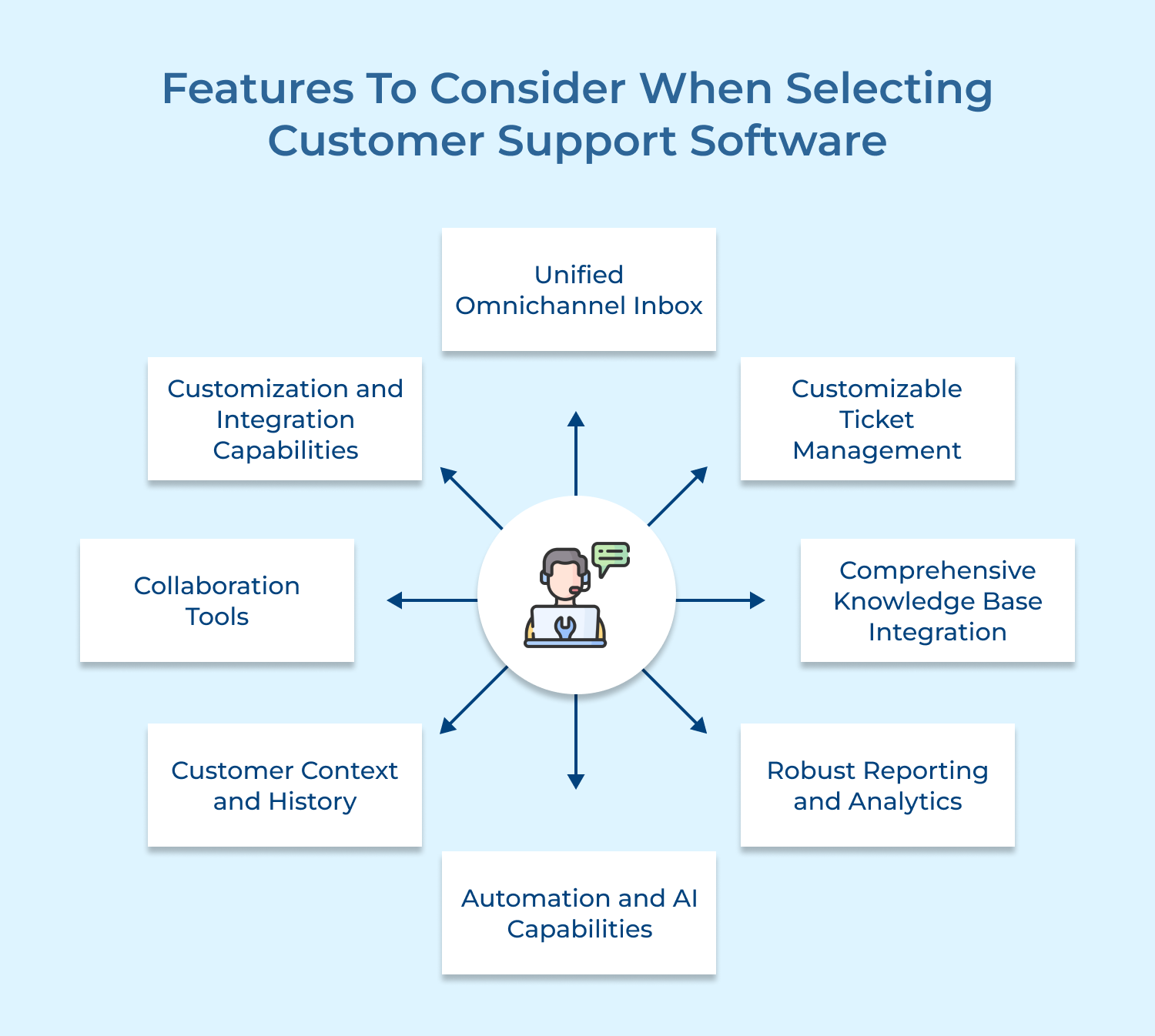
Choosing the right customer support software is crucial for delivering efficient and seamless service. Here’s the list of features you should consider while selecting the software:
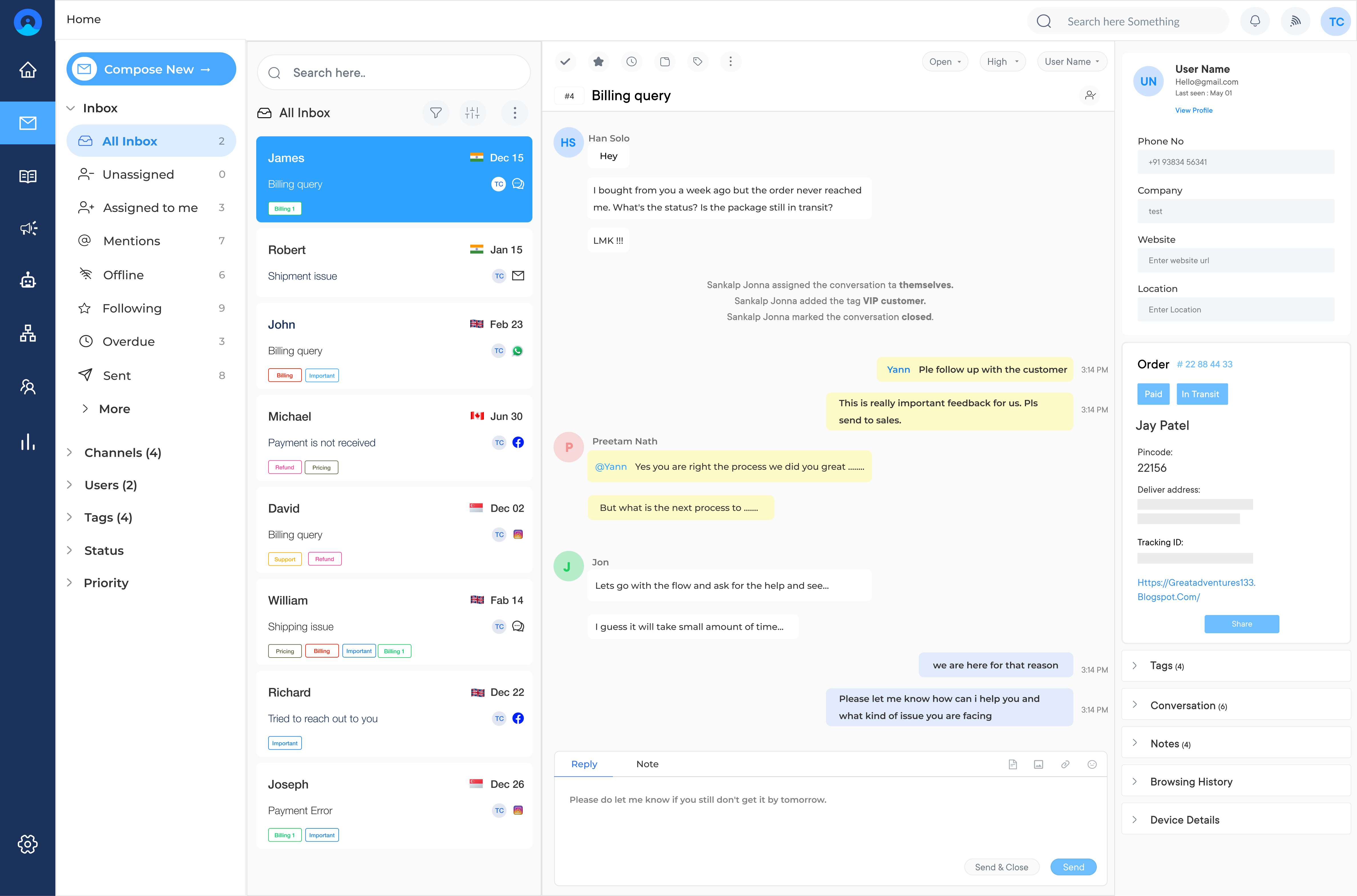
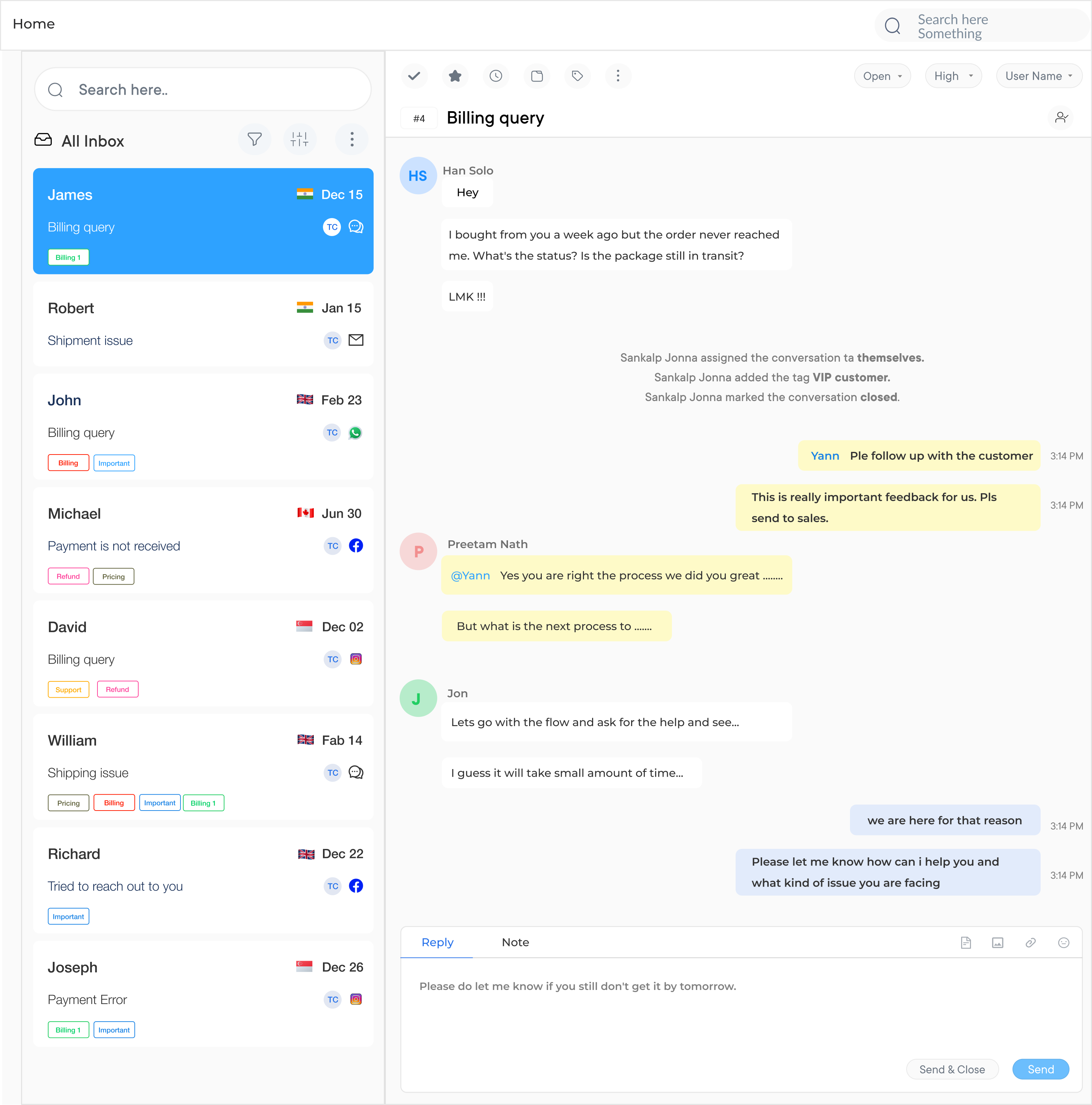
A consolidated inbox integrating all communication channels (email, chat, phone, social media) allows agents to manage customer interactions from a single interface. The system should maintain conversation history across channels, enabling seamless transitions.
Robust ticket management capabilities should include automated routing based on issue type, customer segment, or agent skill set. Advanced systems offer customizable fields, statuses and workflows that adapt to your specific support processes.
Effective support software seamlessly integrates with your knowledge base, allowing agents to quickly search and insert relevant articles into customer communications. Consider platforms that enable agents to create or update knowledge articles directly from support tickets when they discover gaps in documentation.
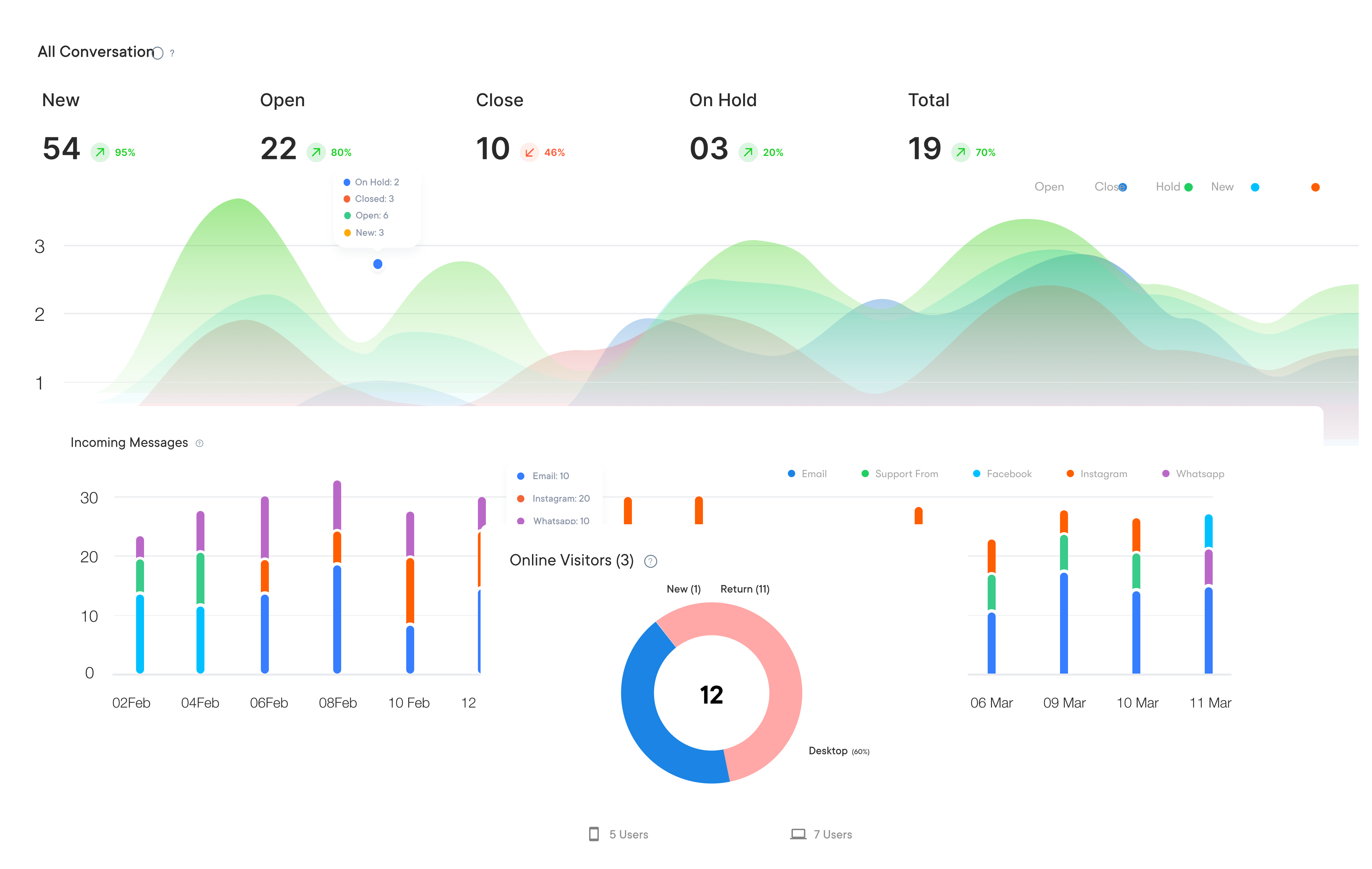
Analytics capabilities should go beyond basic metrics to provide actionable insights about support performance, customer satisfaction and emerging trends. Advanced systems offer predictive analytics for forecasting support volume to identify customer emotions with business intelligence tools.
Modern support platforms leverage automation to handle routine tasks and AI to enhance agent capabilities. Seek systems with AI-powered features like chatbots for handling common questions, suggested responses based on ticket content and automatic categorization of incoming issues to streamline workflow.
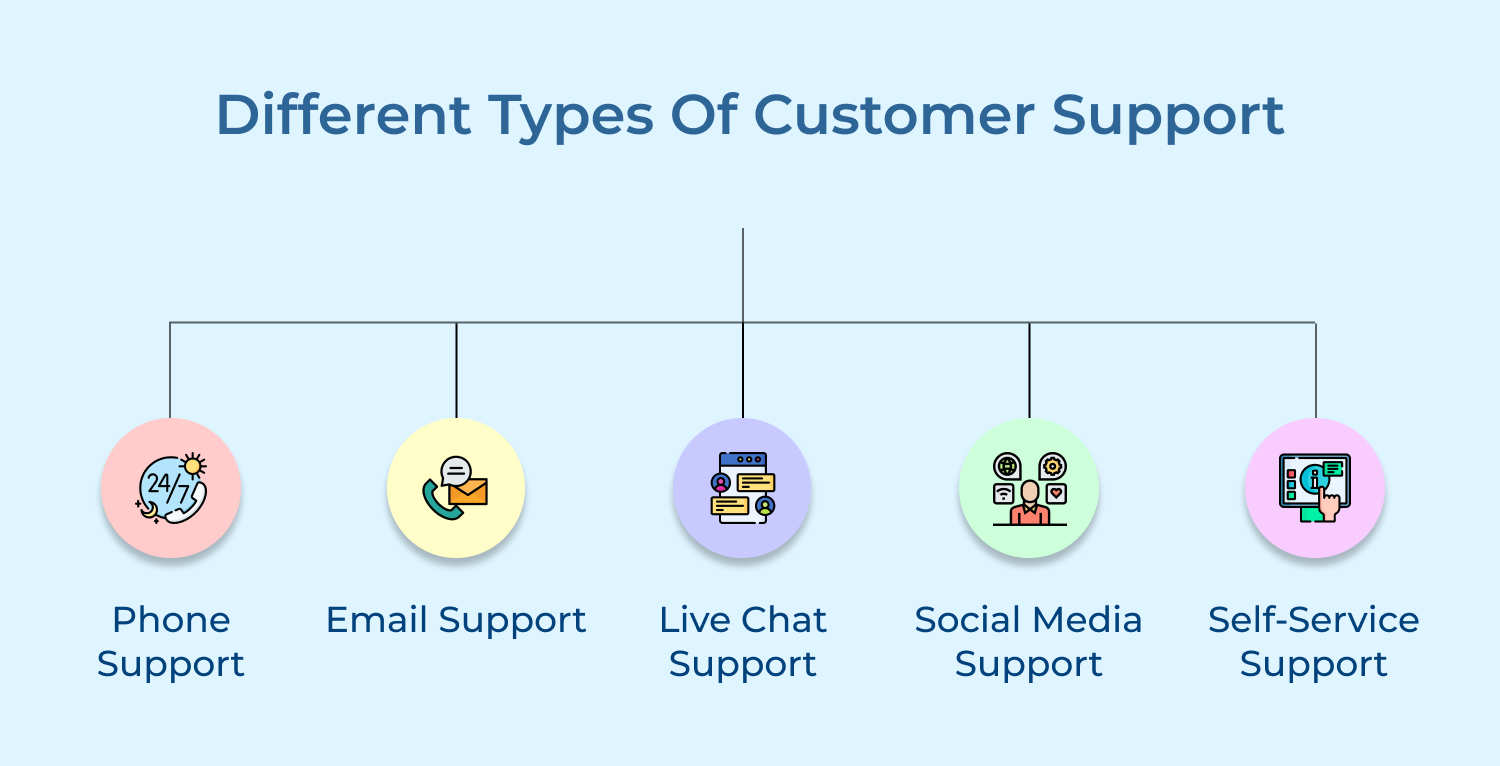
Customer support comes in various forms, each designed to meet different needs and preferences. Understanding these customer support types helps businesses provide better service experiences.
Phone support provides real-time voice communication for complex issues, offering personalized assistance and immediate human connection. It builds customer rapport but can be costly and lead to long wait times.
Businesses enhance efficiency using IVR systems and call routing to direct queries effectively, improving response times along with overall service quality.
Email support allows for detailed, asynchronous communication, ideal for non-urgent issues. It enables documentation sharing and creates a record of interactions. While response delays can frustrate customers, clear expectations and ticket management improve efficiency.
Companies use structured workflows to ensure timely replies and organized handling of customer inquiries.
Live chat blends real-time interaction with written communication, allowing agents to manage multiple inquiries simultaneously. It efficiently handles simple questions and supports multimedia sharing.
AI-powered chatbots enhance chat support by addressing routine queries, gathering initial details, and escalating complex concerns to human agents for quicker resolutions.
Social media support enables brands to address customer queries on platforms like Twitter and Facebook. It plays a key role in reputation management by responding quickly to public and private messages.
Organizations use social listening tools to proactively engage with customers, resolve issues, and maintain positive brand perception.
Self-service support includes FAQs, knowledge bases and video tutorials, helping customers find solutions independently. It reduces support costs and allows agents to focus on complex issues.
Effective self-service tools require easy navigation, regularly updated content and AI-powered search functionality for quick access to relevant resources.
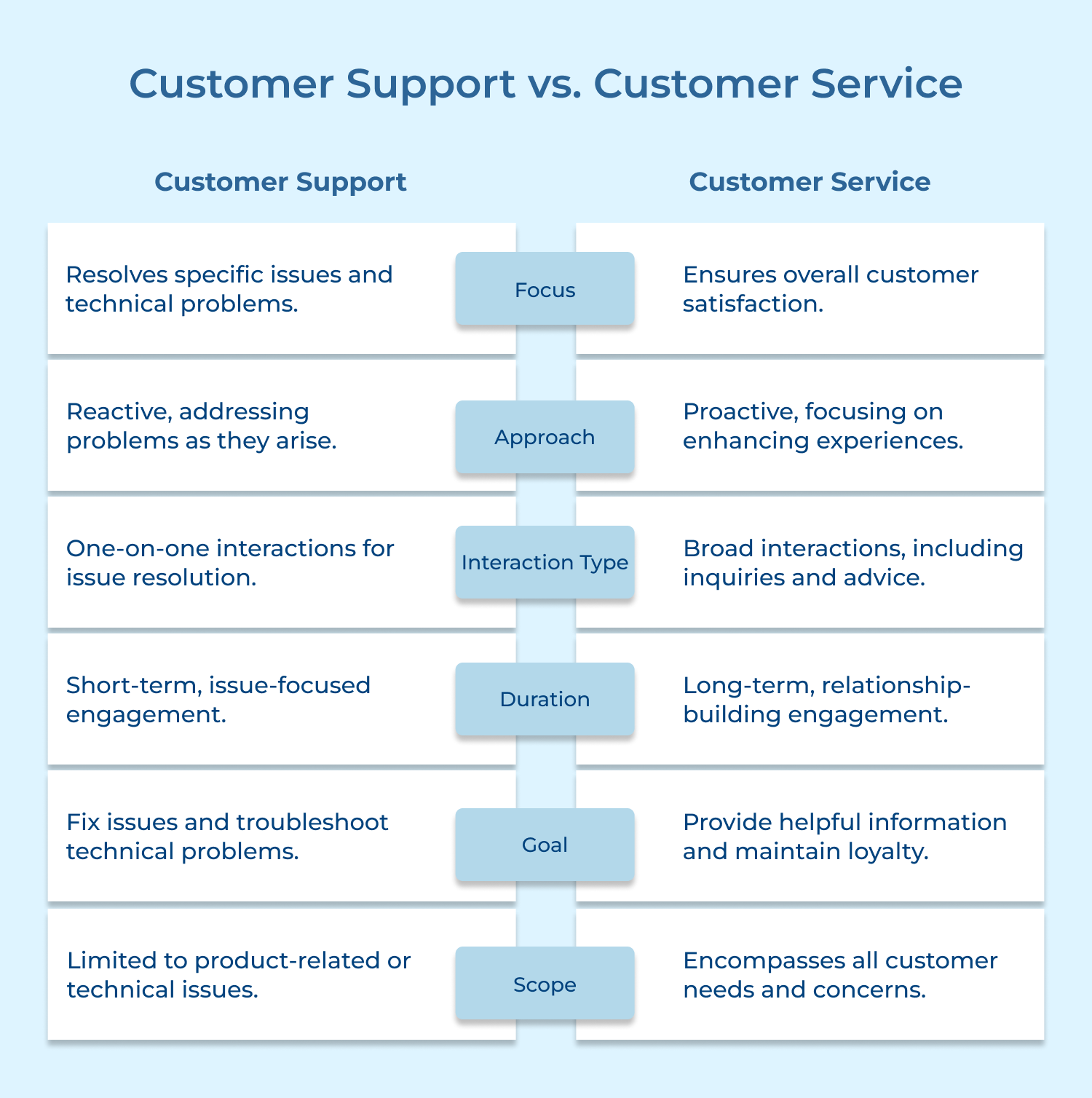
Customer support and customer service are often used interchangeably, but they serve different roles. Understanding the differences between customer support vs customer service helps businesses enhance customer interactions.
1. Scope of Responsibilities
Customer support is primarily concerned with resolving specific problems or technical issues customers encounter with a product or service. It focuses on troubleshooting, guiding customers through processes and fixing product-related concerns.
Consisting of assisting with inquiries, offering advice, handling complaints, customer service encompasses a broader scope. Hence, providing an overall positive experience throughout the customer’s journey, before and after a purchase.
2. Approach: Reactive vs. Proactive
As being reactive, customer support steps in only when the customer encounters a problem or needs help with something technical. The goal is to resolve issues that affect the product’s functionality or usage.
Customer service is proactive, aiming to enhance the customer experience by anticipating needs, offering recommendations and ensuring satisfaction throughout the entire customer lifecycle.
3. Interaction Type
Customer support typically involves focused, one-on-one interactions to address specific technical issues. These interactions are often solution-driven with clear steps aimed at resolving a customer’s problem.
Customer service covers a wide range of interactions, including answering product inquiries, assisting with returns, helping with purchases and following up post-purchase to ensure the customer is satisfied with the product or service they received.
4. Duration and Frequency
The interactions in Customer support are usually short-term and occur when a customer faces a problem. The frequency of these interactions is low, as it’s centered on resolving issues as they arise.
Involving ongoing interactions over the entire customer lifecycle, customer service takes care from the initial purchase to post-purchase assistance. It’s aimed at building long-term relationships with customers through consistent, positive engagement.
5. Goal and Outcome
The primary goal of customer support is to fix specific issues, like troubleshooting product malfunctions, answering technical questions, or resolving errors. Once the issue is resolved, the interaction typically ends.
It aims to provide an overall satisfying experience, customer service ensures customers are happy with every step of their journey. This leads to long-term loyalty and advocacy for the company.
6. Skill Set and Expertise
Customer support requires specialized technical knowledge, especially when dealing with product-related issues or troubleshooting. Support teams need to understand the intricacies of the product or service and be able to resolve problems efficiently.
Customer service focuses on understanding customer needs and building relationships. It involves offering solutions and handling general inquiries.
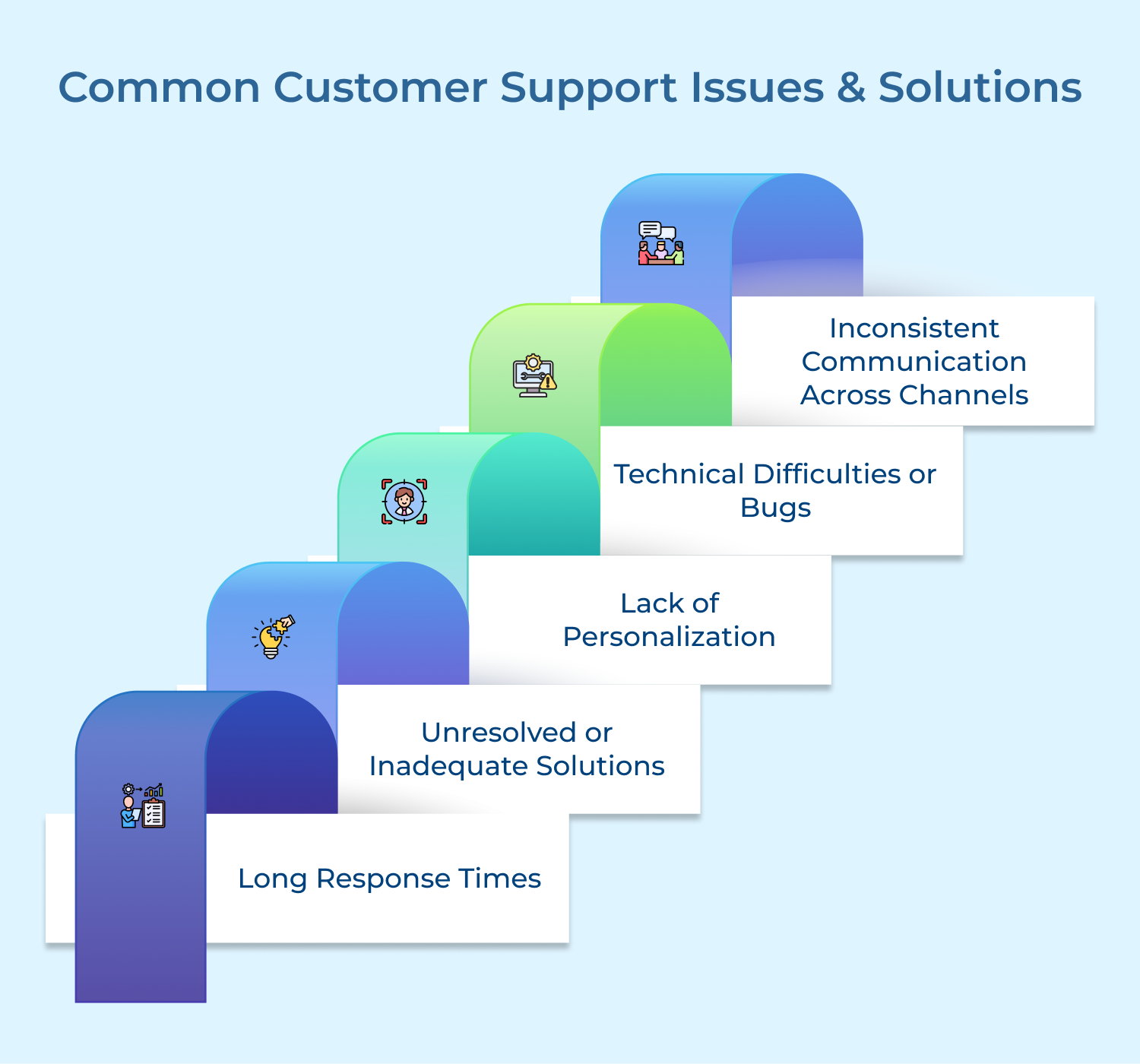
Support teams often face recurring challenges that impact service quality. Identifying common issues and applying effective solutions ensures smoother customer interactions. Here’s the list:
1. Long Response Times
Customers often experience frustration when they have to wait too long for support. Delayed responses can lead to dissatisfaction and lost trust.
Implementing a ticketing system with priority levels helps ensure timely responses. Offering self-service options, such as a knowledge base or FAQ, also reduces wait times. Utilizing automated responses for common queries can quickly address basic customer needs.
2. Unresolved or Inadequate Solutions
Sometimes, support teams fail to fully resolve customer issues or provide solutions that don’t meet expectations, leading to recurring problems.
Ensure support staff are thoroughly trained and have access to updated product knowledge. Follow a structured escalation process for complex issues. Always confirm that the customer is satisfied with the resolution and offer additional assistance if necessary.
3. Lack of Personalization
Generic responses or robotic interactions can make customers feel undervalued and ignored, negatively impacting their experience.
Support teams should use customer data to personalize interactions. Address customers by name, reference their previous interactions and tailor responses to specific issues. Training agents to show empathy and actively listen also enhances personalization as well as builds stronger customer relationships.
4. Technical Difficulties or Bugs
Customers may face issues such as glitches, bugs, or technical failures with a product or service, which can disrupt their experience and usage.
Regular product testing and maintenance can minimize technical issues. When bugs do occur, provide clear instructions for troubleshooting and offer workarounds or temporary fixes until a permanent solution is found. Keeping customers updated on progress can help manage expectations.
5. Inconsistent Communication Across Channels
Customers often have different experiences when contacting support through various channels, leading to confusion and frustration if they receive inconsistent or contradictory information.
Create a unified support strategy across all communication channels, ensuring consistency in responses and messaging. Implementing an integrated customer relationship management (CRM) system helps agents access relevant customer history, ensuring that any team member can provide the same high-quality, consistent support across different platforms.
Effective customer support is the backbone of sustainable business growth. Teams that resolve issues fast and operate across channels consistently outperform. A clear framework helps retain customers and drives revenue.
Ready to put this into practice? Book a demo to see how its omnichannel platform can transform your customer support operations.
Read more: Enhance your customer support with simple yet powerful customer service tips.
Omni24’s customer engagement platform harnesses automation and AI to deliver unified customer experiences across digital channels, while keeping human touch.
Many organizations also track support-influenced retention rates, knowledge base effectiveness and agent productivity metrics to gain comprehensive performance insights. Key performance indicators for support include:
Small businesses can maximize support efficiency by creating comprehensive self-service resources, using shared inbox tools to manage inquiries across channels, establishing clear prioritization guidelines and leveraging automation for routine tasks. Building a searchable knowledge base, implementing chatbots for common questions and focusing on first-contact resolution helps smaller teams deliver quality support.
AI enhances customer support through chatbots handling routine inquiries, sentiment analysis identifying dissatisfied customers, automatic ticket categorization and intelligent routing to appropriate agents.
Advanced systems provide agents with suggested responses, automatically summarize conversations, identify knowledge gaps and analyze trends to improve overall support processes without replacing human connection.
Handling upset customers requires active listening without interruption, acknowledging emotions and taking ownership of finding a solution. Maintaining a calm, empathetic tone across the entire interaction helps de-escalate tension before it grows into a bigger problem.
Few practices make de-escalation effective:
Industry benchmarks suggest responding to phone calls within 20-30 seconds, live chat within 30 seconds to 2 minutes, social media within 1-2 hours and emails within 4-24 hours. Optimal response times vary by industry, customer expectations, as well as issue urgency. Setting and consistently meeting clear response time expectations is more important than achieving arbitrary benchmarks.
Reducing support volume requires identifying and addressing root causes of common issues through product improvements, clearer documentation, or process changes. Developing comprehensive self-service resources, implementing proactive notification systems for known issues, creating onboarding materials that anticipate common questions and analyzing support trends to identify preventable problems can significantly decrease ticket volume.