9 Best Customer Service Software & Tools Reviewed
Deliver exceptional support experience to clients by implementing the best customer support software.


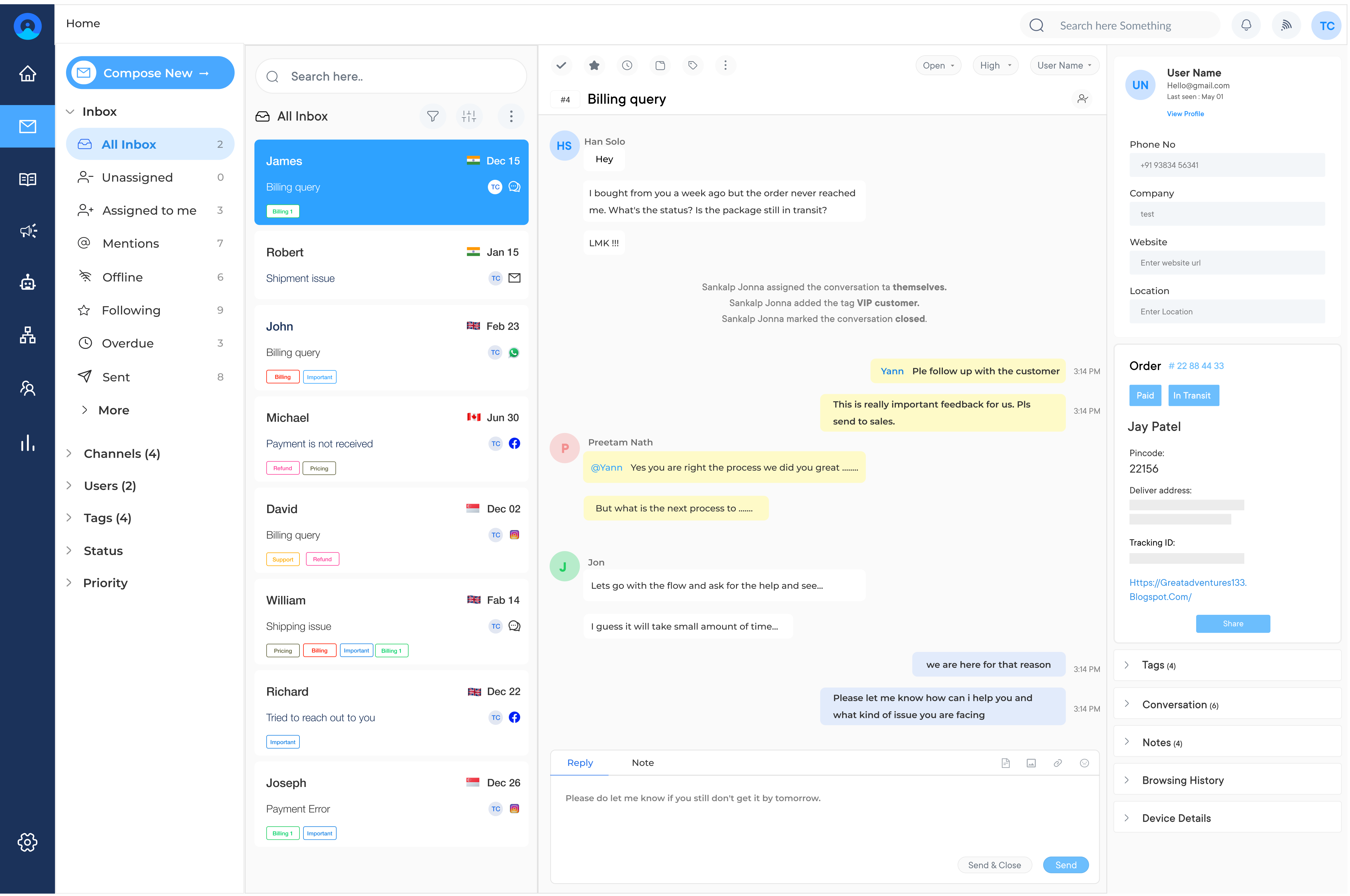
Deliver exceptional support experience to clients by implementing the best customer support software.
Implement customer support software to deliver service more efficiently, resolve issues quickly and build better customer relationships.
Deliver prompt responses across all channels round the clock. With customer support software, all incoming queries are automatically registered as tickets and followed up by the support team.
Empower your business with customer-service agility by deploying the best customer service software. Enables to grow and scale based on the needs of customers.
Integrate the best client services software to your website so that clients can easily send businesses a message. Getting real-time answers helps make a quick purchase decision.
Route all customer service requests to the right team. Customer support software allows businesses to deliver the best solution without the needless forwarding.
Missed tickets, slow response times and agents juggling five disconnected tools are the daily realities that lose customer trust before a single resolution. Customer service software unifies customer communications, automates ticket routing and equips support teams to resolve issues faster across all channels.
Companies using an integrated solution report faster resolution times that directly impacts revenue and lifetime value. Compare the top platforms based on features, pricing and use-case fit to choose the right customer service software for your team.
Customer service software program is a specialized tool designed to streamline and enhance interactions between businesses and their customers. It centralizes customer communications, inquiries, and support tickets across various channels into a single platform, enabling support teams to efficiently manage and resolve customer issues.
The importance of customer support applications is its ability to increase support team productivity and provide valuable insights into client needs and pain points. By offering a seamless support experience, businesses can build stronger customer relationships and drive business growth.
Explore our comparison chart of top customer service software to help you choose the best solution for your business needs.
| Software | Key Features | Price | Trial |
|---|---|---|---|
| Omni24 |
|
Starter: $29/agent/month | 14 days |
| Veemo |
|
Starter: $29/agent/month | 14 days |
| Salesforce Service Cloud |
|
Starts at $25/user/month | 30-day free trial |
| HubSpot Service Hub |
|
Starter: $45/month Professional: $450/month Enterprise: $1,200/month |
14 days |
| Salesforce Service Cloud |
|
Essentials: $25/user Professional: $75/user Enterprise: $150/user |
30 days |
| Intercom |
|
Starter: $74/month Pro: $499/month Enterprise: Custom |
14 days |
| Groove |
|
Starter: $12/agent Plus: $20/agent Pro: $35/agent |
15 days |
| Gorgias |
|
Basic: $60/month Pro: $300/month Advanced: $750/month |
7 days |
| HappyFox |
|
Mighty: $39/agent Fantastic: $59/agent Enterprise: Custom |
14 days |
| Customerly |
|
Free plan available Starter: $39 per month |
14 days |
Customer service software typically offers a range of features to streamline customer support operations and enhance the customer experience.
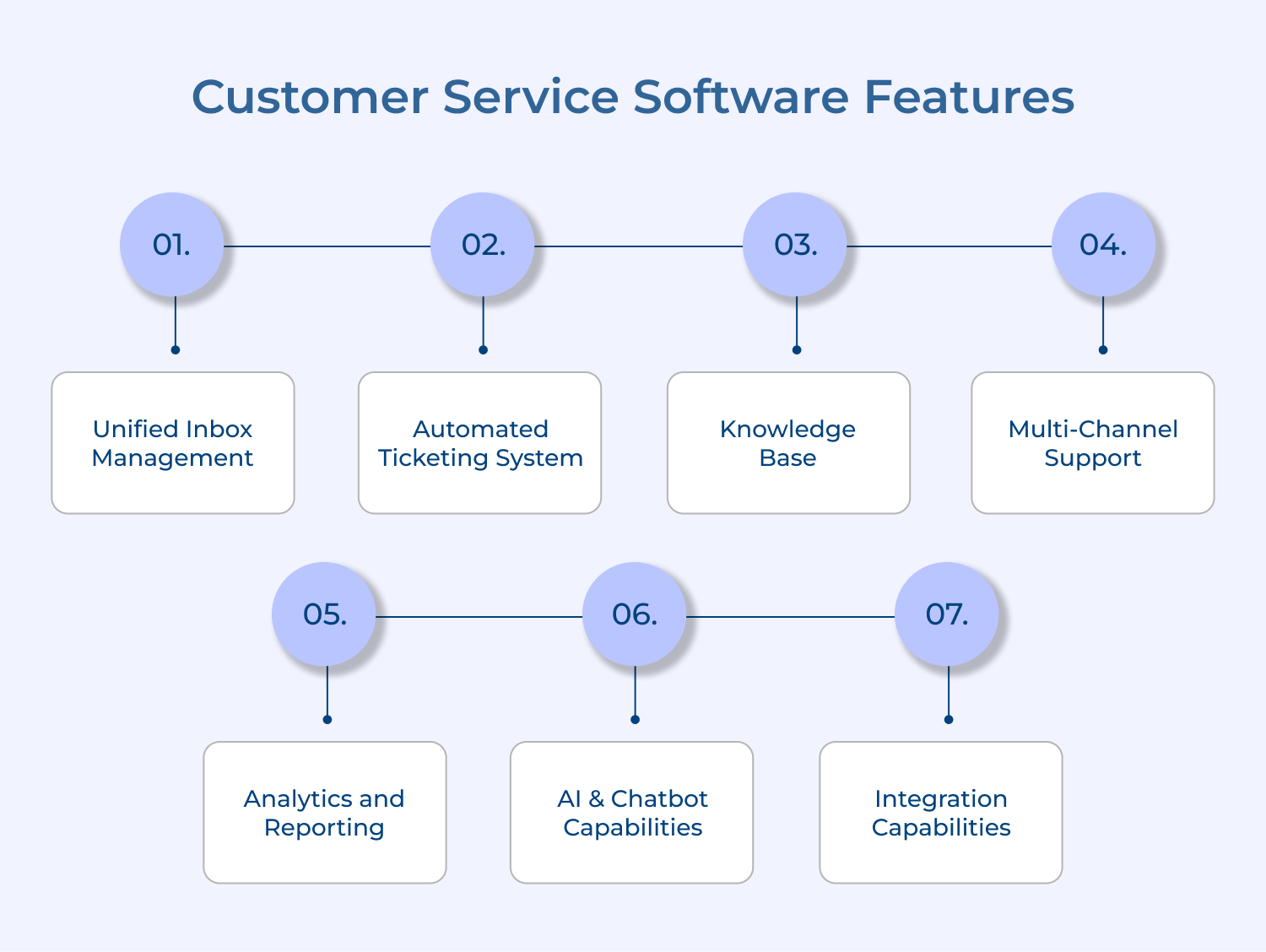
Customer communications from emails, social media messages, chat conversations, and phone calls merge into a single, manageable interface through unified inbox consolidation. Support teams can efficiently track, prioritize, and respond to all customer interactions from one dashboard.
Staff members save valuable time previously spent switching between platforms. Streamlined operations lead to faster response times and improved team collaboration while maintaining consistent customer service quality across all channels.
Modern ticketing systems transform incoming customer inquiries into organized, trackable tickets for efficient routing, prioritization, and resolution. Smart automation assigns tickets to appropriate agents based on expertise, workload, and availability. Complete interaction histories maintain clear accountability and tracking.
Intelligent categorization and tagging features help identify common issues, monitor resolution times, and ensure service level agreements stay on target, creating systematic as well as accountable customer support.
Comprehensive knowledge bases serve as self-service portals where customers find answers to common questions, troubleshooting guides, and product documentation. Support agents gain quick access to accurate, standardized responses for customer queries through searchable information repositories.
Regular content updates driven by usage analytics ensure relevant, effective solutions remain accessible. Customer empowerment through self-service resources naturally reduces overall support ticket volume.
Sophisticated support capabilities enable businesses to meet customers across email, live chat, social media, phone, and messaging apps seamlessly. Service quality remains consistent across all communication channels while maintaining valuable conversation context and customer history.
Teams move smoothly between channels during customer interactions as needed. Flexible support experiences adapt naturally to customer preferences and communication styles.
Powerful analytics and reporting tools deliver crucial insights into support team performance, customer satisfaction metrics, along with common issue patterns. Data-driven decisions emerge from tracking key performance indicators like response times, resolution rates, and satisfaction scores.
Custom reports as well as dashboards reveal operational bottlenecks, forecast support needs, and measure customer service initiative impacts. Strategic improvements flow naturally from comprehensive performance analysis.
Advanced virtual assistants provide 24/7 customer support, handling routine inquiries while human agents focus on complex issues. Natural language processing enables instant responses to common questions through intelligent systems that learn from each interaction.
Machine learning algorithms suggest relevant solutions to agents, predict customer needs, and route inquiries automatically. Support efficiency reaches new levels through strategic AI implementation.
Seamless connections between customer service software and other business tools create a unified operational environment. Customer data flows smoothly between CRM systems, e-commerce platforms, and communication tools.
Automated workflows emerge from strategic system integration. Comprehensive customer information remains readily available to agents through connected platforms. Enhanced customer experiences result from well-orchestrated system interoperability across the support ecosystem.
Read more: Before choosing a tool, it’s important to know the actual customer service challenges these platforms solve.
Providing excellent customer service is crucial for building a loyal customer base and standing out from the competition.
Best customer care software to deliver exceptional service experience
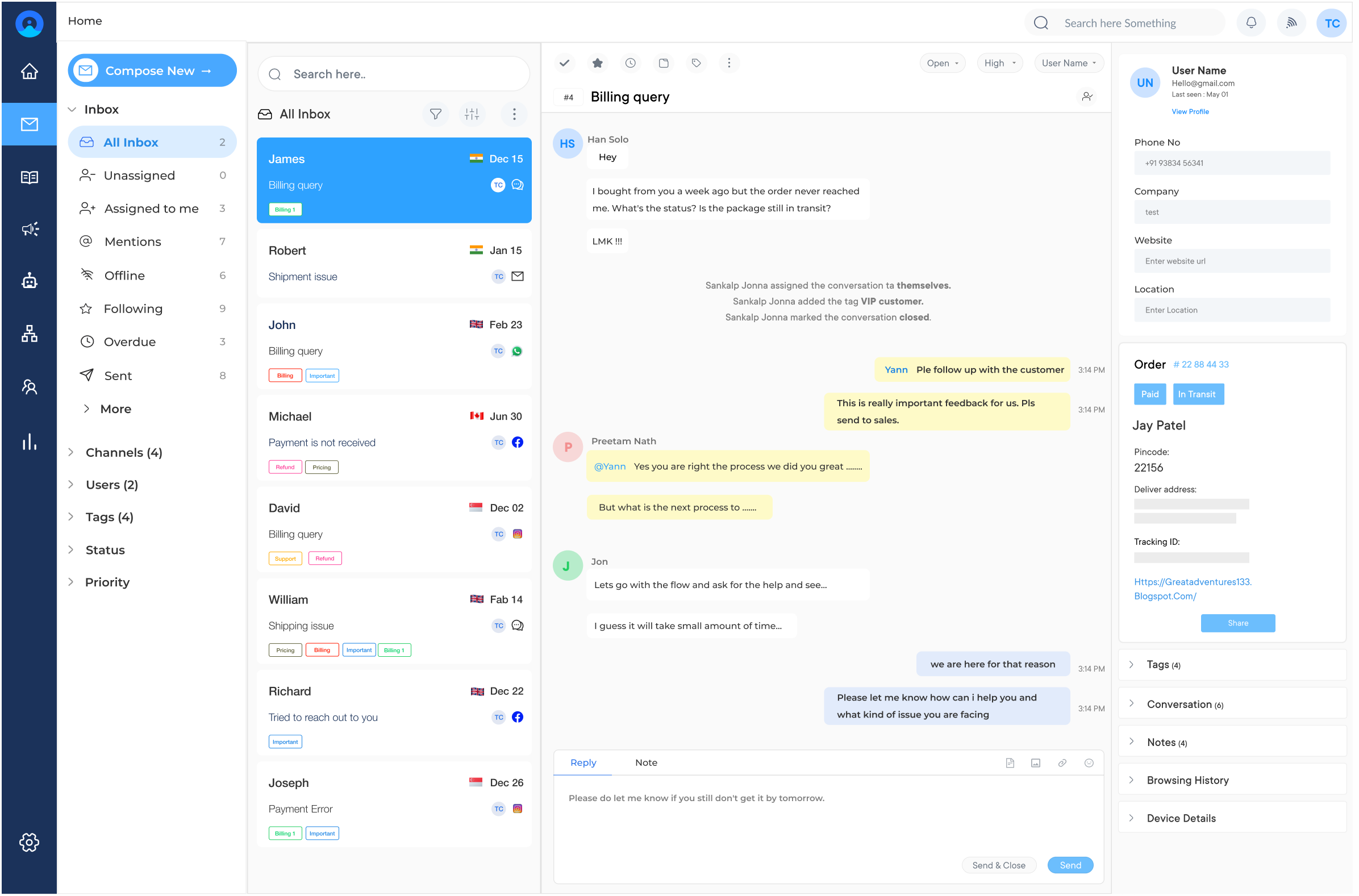
Omni24 is an AI-powered customer engagement platform that unifies three suites support, sales and marketing under one interface. It consolidates customer data, giving every team the same complete visibility and powering AI automation across the customer journey.
Omni24’s Support suite includes customer service functionalities that enable agents to have everything they need from a shared inbox and knowledge base to AI Copilot suggesting the right response in real time to resolve issues efficiently. Unified customer view enables agents to walk into every conversation and know customer commitment.
Key features:
Pricing: The pricing starts from $29/user/month with one inbox feature to unlimited inbox for $149/user/month. The pricing depends on factors like the number of users, the level of features required and the scale of customer support operations. Omni24 also offers a 14-day free trial for businesses. Check out their pricing for more detailed comparison.
Great software for building long lasting client relationships
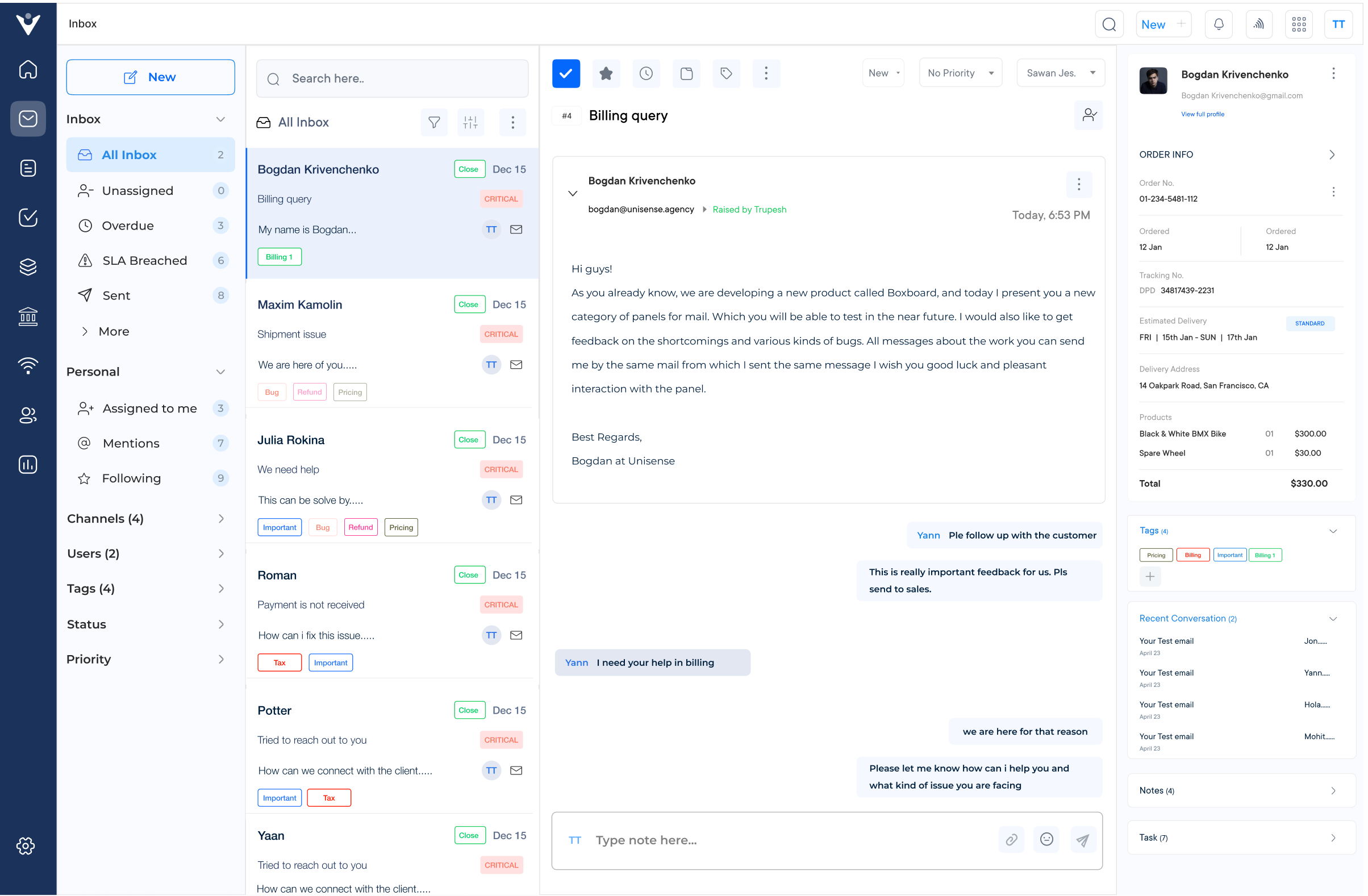
Veemo Support is one of the best AI-powered customer support and help desk software to streamline customer service operations for growing businesses. It combines ticketing, omnichannel communication and advanced reporting to help teams deliver effective support at scale.
Businesses of any size can use Veemo Support to manage every customer conversation from a unified inbox to resolving support tickets or guiding customers through self-service options. Its Intelligent routing makes sure each inquiry reaches the right agent, keeping response times consistent even when ticket volume scales.
Key features:
Pricing: Veemo’s pricing plans start from $29/user/month and go up to $129/user/month based on the features and add-ons. .
Customer service solution to deliver unified CX
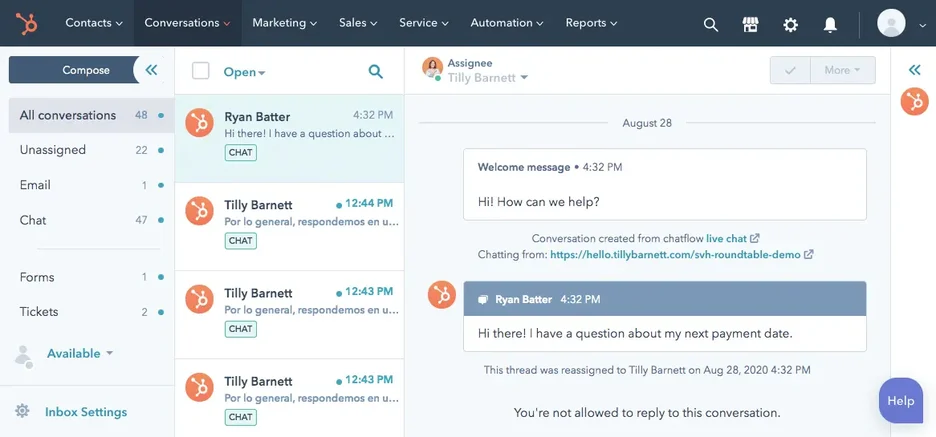
HubSpot Service Hub is part of the HubSpot CRM platform and provides a comprehensive customer service solution. It integrates seamlessly with HubSpot’s marketing and sales tools, enabling a unified customer experience. Some of the key features include a ticketing system and a conversation inbox, live chat, a knowledge base and customer surveys.
Pricing: HubSpot Service Hub is available as part of the HubSpot CRM suite. Pricing starts at $45 per month for the Starter plan with additional features and capabilities available in higher-tier plans.
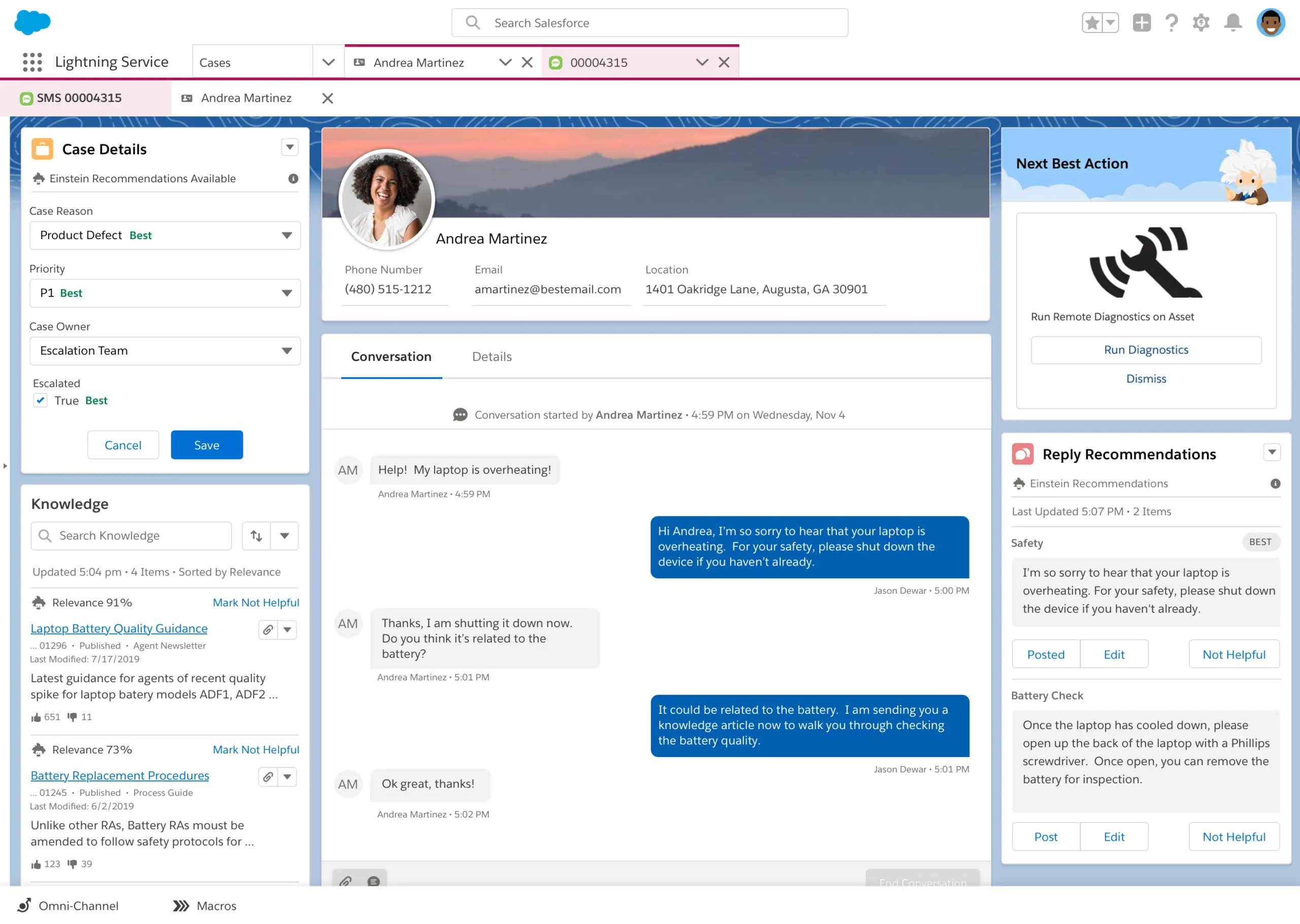
Salesforce Service Cloud is a powerful customer service solution that is part of the Salesforce CRM platform. It provides a comprehensive set of tools for managing customer interactions, cases and support processes.
Key Features: Omnichannel routing and case management. Knowledge base and self-service communities. Automated workflows and case assignments. Robust reporting and analytics capabilities
Pricing: Salesforce Service Cloud pricing varies based on the required features and number of users. It typically starts at $25 per user per month for the Essentials plan with higher-tier plans offering additional capabilities.
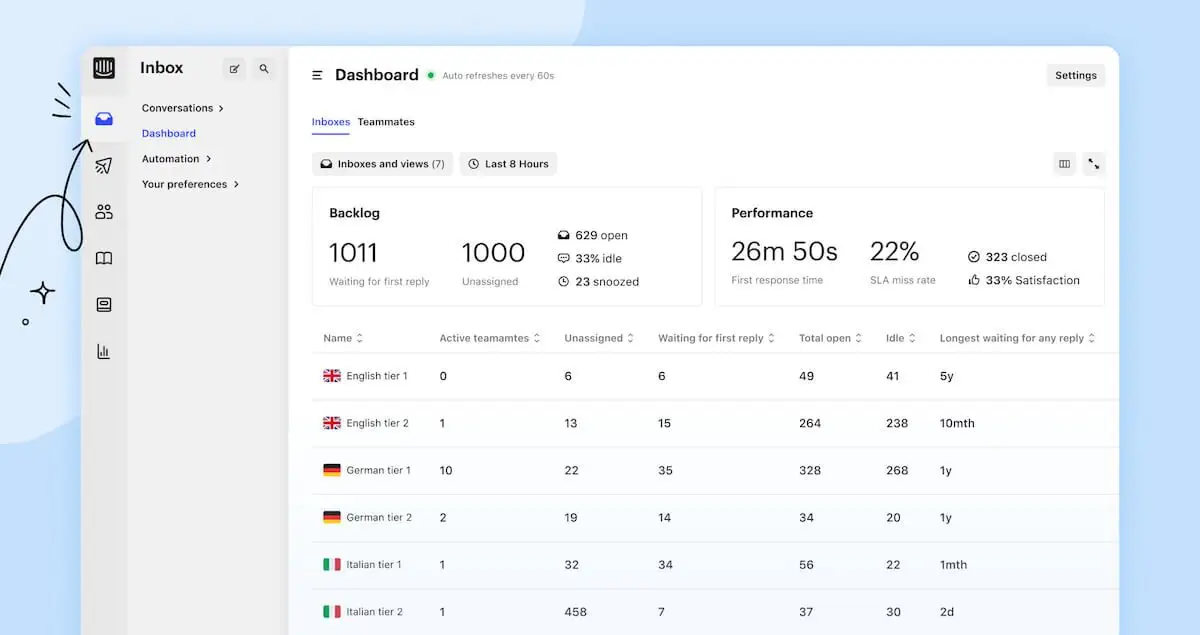
Intercom is a customer messaging platform that focuses on providing a seamless customer experience through conversational support. It combines live chat, email, and self-service capabilities into a unified solution.
Key Features: Conversational messaging and live chat. Knowledge base and help center. Customer data and segmentation tools. Product tours and in-app messaging.
Pricing: Intercom offers a free plan for small teams. Paid plans start at $67 per month for the Starter plan with pricing scaling up based on the number of users and additional features required.
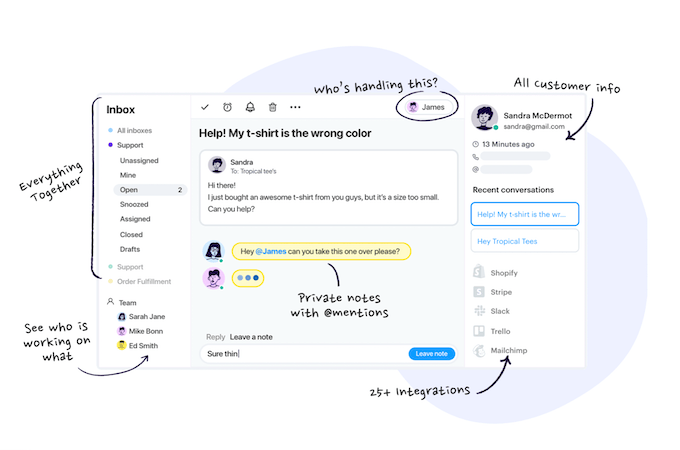
Groove is a user-friendly customer service software designed to handle customer support for small businesses and startups. It prioritizes email-based support and provides a streamlined ticketing system.
Key Features: Email-based ticketing system. Knowledge base and self-service portal. Collision detection (to avoid duplicate responses). Basic reporting and analytics
Pricing: Groove offers a free plan for a single user. Paid plans start at $15 per user per month for the Groove plan, with additional features available in higher-tier plans.
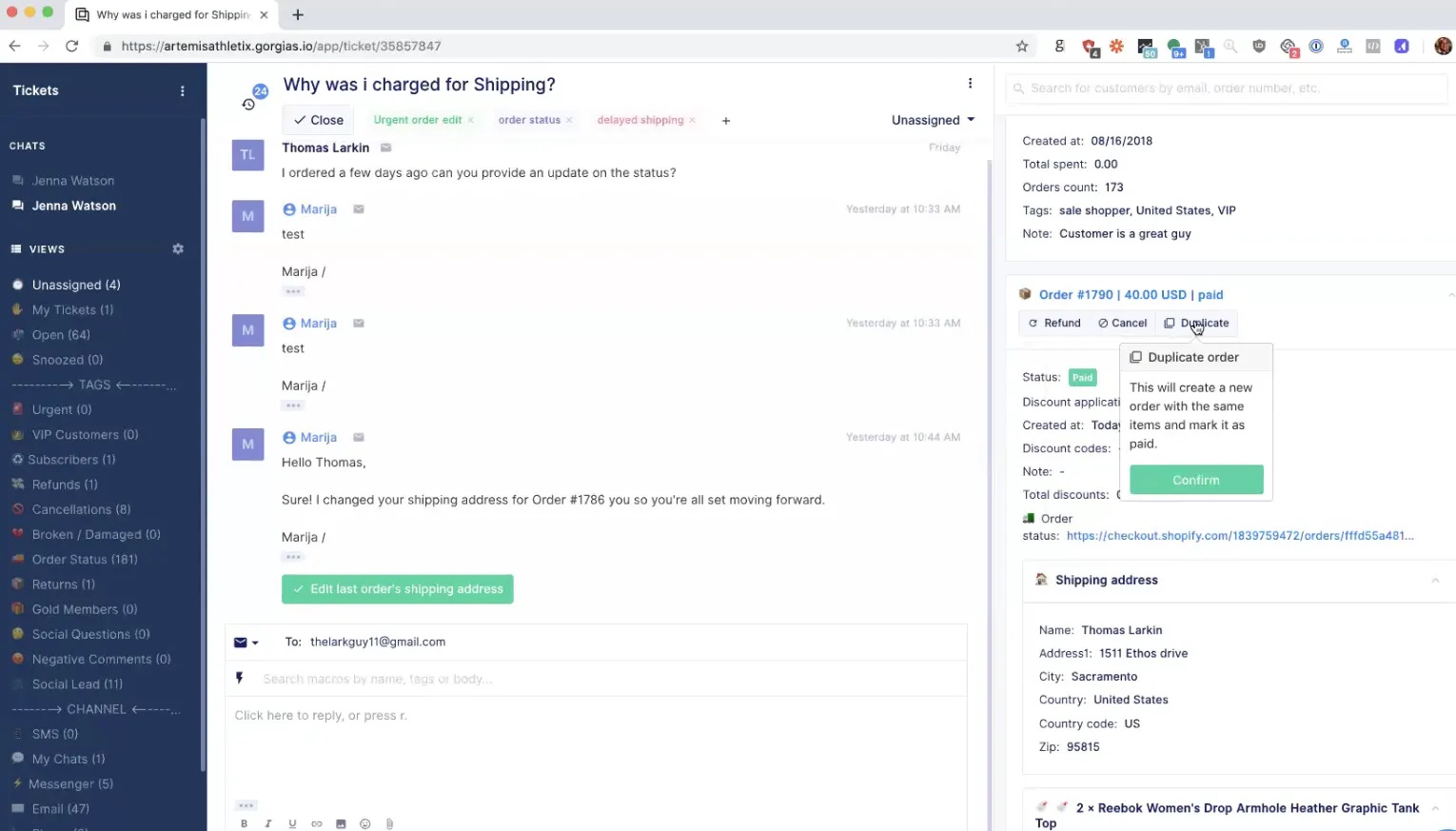
Gorgias is an omnichannel customer service platform tailored for e-commerce businesses. It provides a centralized solution for managing customer inquiries, orders and support across various channels.
Key Features: Omnichannel support (email, chat, social media, helpdesk). It allows integration with popular e-commerce platforms (e.g., Shopify, Magento). Provides automated rules and workflows. Has self-service knowledge base
Pricing: Gorgias offers a free plan for up to two users. Paid plans start at $60 per month for the Basic plan with pricing scaling up based on the required features and number of users.
Read more: Not sure if Gorgias is right for you? Here are some powerful Gorgias alternatives worth considering.
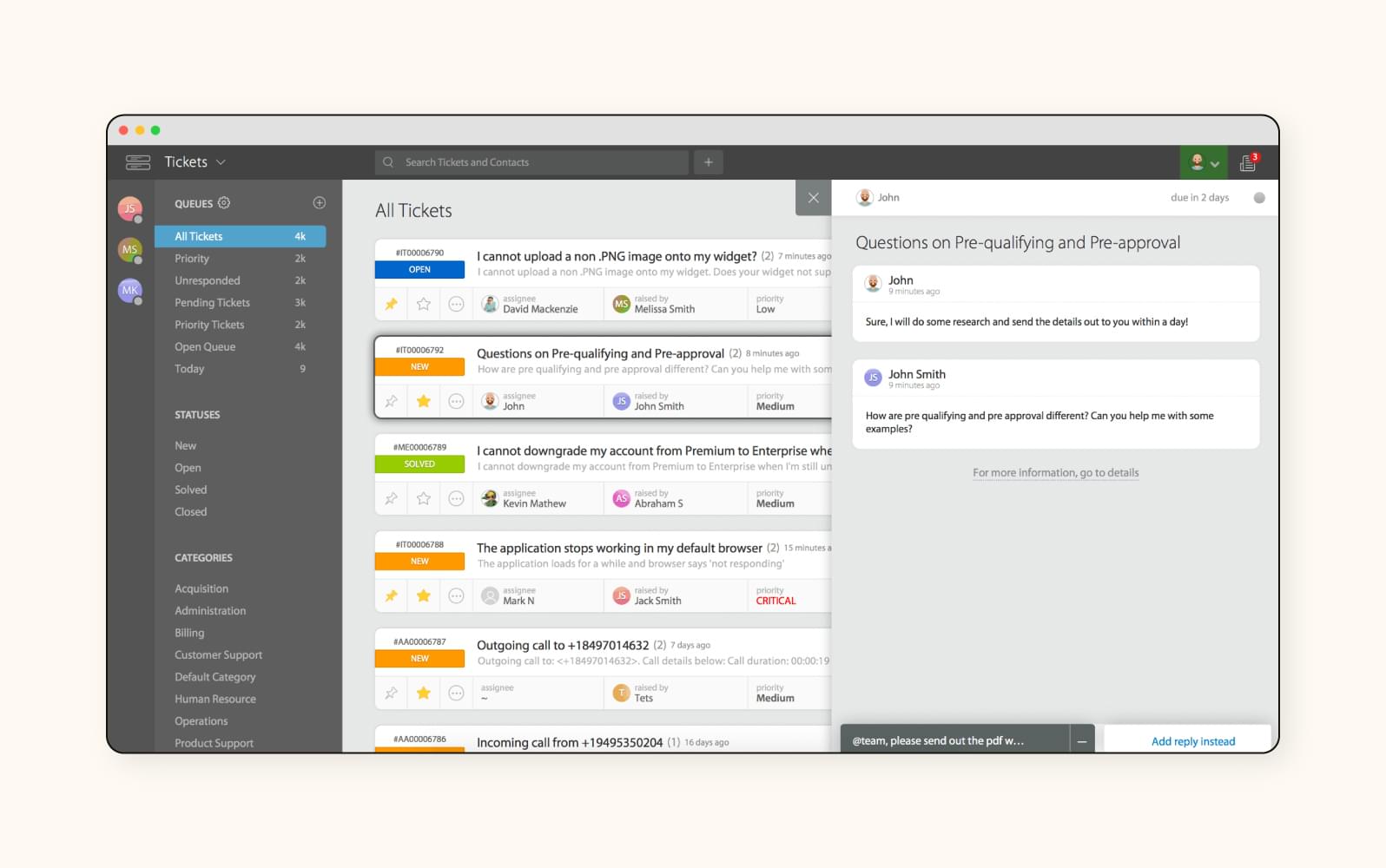
HappyFox is a customer service solution and help desk management software provider. It features a ticketing system that helps teams organize requests and features a single customer view for omnichannel support. With automation, customizable workflows, and AI-powered chatbots, HappyFox helps automate everyday tasks.
Key features: Unified ticket management, automated workflows, multilingual knowledge base, SLA management, custom reporting and integrated live chat support.
Pricing: Starts at $29/agent/month for the Fantastic plan, with Enterprise plans available for custom pricing.
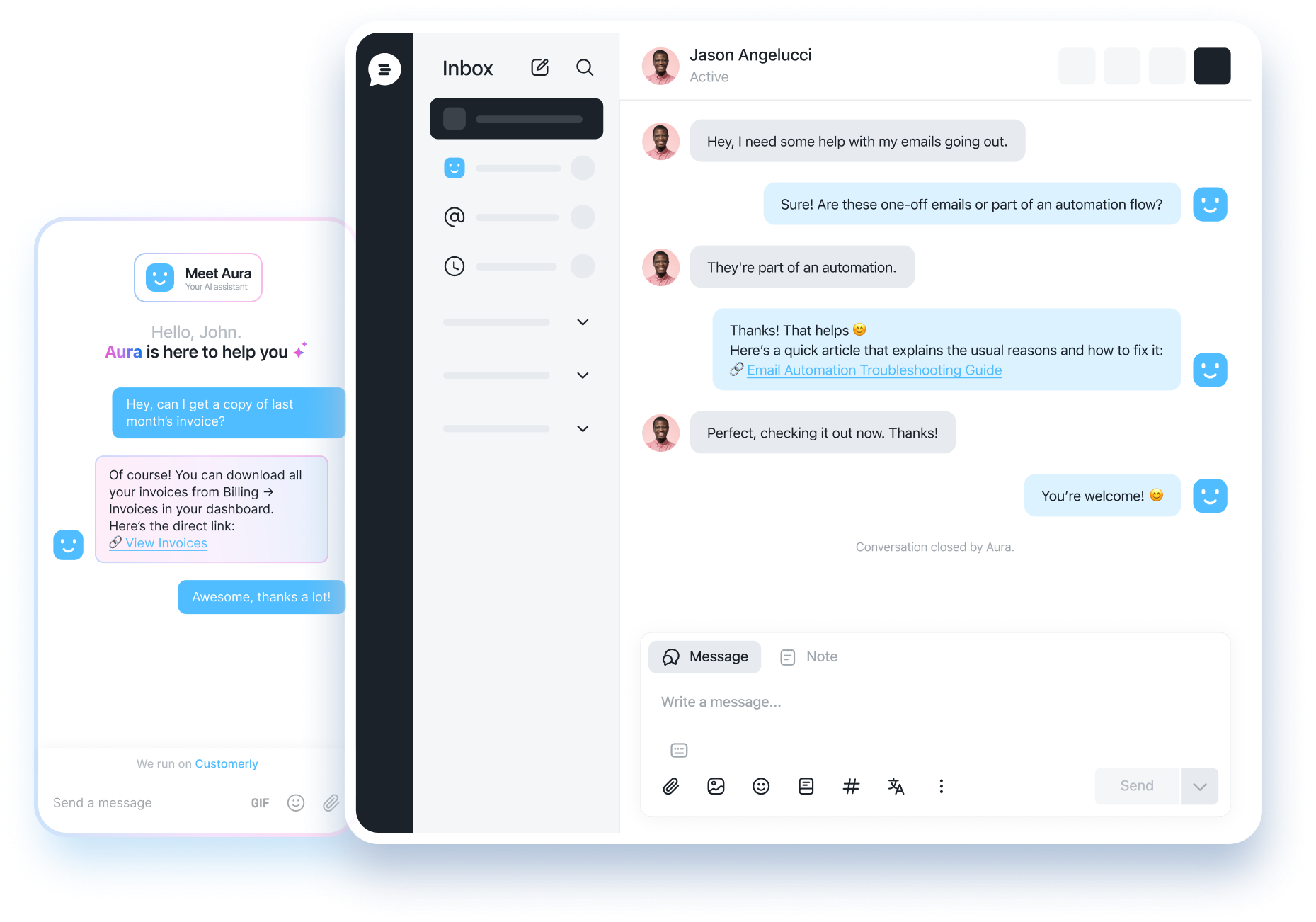
Customerly is a modern customer service software solution tailored for businesses that want to combine live chat, email support and automated customer engagement in one platform. It enables teams to deliver personalized support at scale, while also helping companies strengthen customer relationships through data-driven insights.
Key features: AI-powered live chat and email automation. Built-in surveys and NPS tools. Seamless CRM and marketing automation integration.
Pricing: The entry-level plan starts at $39 per month, providing core live chat and help desk capabilities.
Read more: Looking to compare tools? Our guide to Customerly alternatives highlights the best options for your business.
The right customer service software can significantly impact your business operations. Consider the key factors to making your decision.
1. Business Alignment
Map your specific support needs such as ticket volume, team size and the complexity of typical customer inquiries. Look of are a good a tool that as one software that is built for simple FAQ handling might not suit businesses requiring detailed technical troubleshooting.
2. Ease of Adoption
Consider how quickly your support team can learn and start using the software without affecting ongoing customer conversations. A steep learning curve slows adoption, especially for teams without dedicated technical support.
3. Omnichannel Capabilities
Look for software that combines conversations across email, chat, phone and social media into one connected system. It makes sure agents maintain full context regardless of channel a customer chooses to engage.
4. Automation and AI Capabilities
Evaluate the automation capabilities such as intelligent chatbots, ticket routing and automated workflows to reduce manual effort. Strong automation improves response times while freeing agents for high-value conversations.
5. Scalability
The software should manage growing ticket volumes and expanding teams without any performance issues over time. Businesses experiencing rapid growth need a solution built to scale smoothly based on increasing demand.
6. Total Cost of Ownership
Look beyond the subscription price to evaluate implementation costs, training time and pricing as your team grows. An affordable plan can become expensive quickly once add-ons and scaling costs are considered.
Customer service software is designed to enhance the customer support process by providing a centralized platform for managing customer interactions. Here’s how the software works,
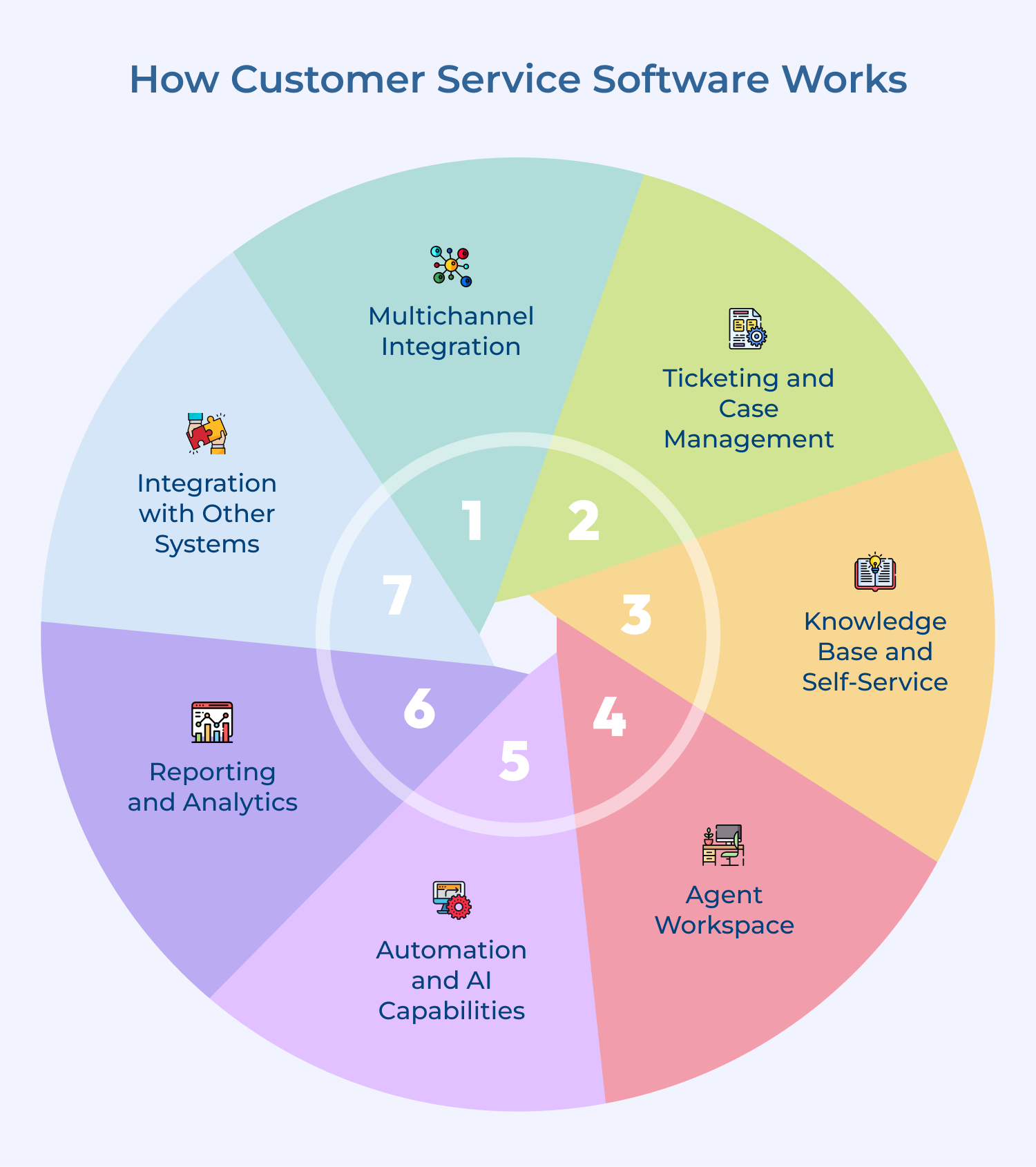
1. Multichannel Integration
Customer service software integrates with various communication channels, such as email, phone, live chat, social media and self-service portals. It allows customers to reach out through their preferred channel and all interactions are funneled into a unified inbox or ticketing system.
2. Ticketing and Case Management
When a customer issue is received, the software automatically creates a ticket/case. Each ticket is assigned a unique identifier then categorized, prioritized and assigned to the appropriate agent/team based on predefined rules or workflows.
3. Knowledge Base and Self-Service
Many customer service solutions include a built-in knowledge base or integrate with knowledge base software. It allows customers to access self-service resources, such as FAQs, troubleshooting guides and product documentation, potentially resolving their issues without needing direct agent assistance.
4. Agent Workspace
Customer service agents have access to a centralized workspace within the software, where they can manage their assigned tickets, access customer information & interaction history and collaborate with teammates or subject matter experts when needed.
5. Automation and AI Capabilities
Advanced customer service software may incorporate automation features like chatbots, virtual assistants or AI-powered capabilities for tasks such as email routing, sentiment analysis or suggesting response templates based on the inquiry context.
6. Reporting and Analytics
The software provides reporting & analytics capabilities, enabling managers to monitor key performance indicators (KPIs) such as response times, resolution rates, customer satisfaction scores and agent productivity. The data can be used to identify areas for improvement and optimize customer service operations.
7. Integration with Other Systems
Customer care software often integrates with other business systems, such as CRM, marketing automation, e-commerce platforms or enterprise resource planning (ERP) systems, allowing for a seamless flow of data and streamlining operations.
Read more: Explore how customer service software for insurance providers is transforming policyholder experiences and boosting operational efficiency.
Good customer service software improves how businesses support and retain customers. Let’s explore the key benefits in detail.
1. Improved Response Times
Customer service software centralizes inquiries into one platform, enabling agents to respond faster across every channel. Faster responses improve customer satisfaction while reducing the risk of missed messages entirely.
2. Enhanced Customer Satisfaction
Consistent communication across channels builds stronger customer relationships over time. It keeps customers more likely to stay loyal to a brand and recommend it to others.
3. Increased Team Productivity
Support teams accomplish more in less time when repetitive work is handled efficiently. Agents can then dedicate their energy to complex, high-value conversations that require genuine human judgment and empathy.
4. Better Data-Driven Decision Making
Good customer service software helps businesses gain clear visibility into how well support operations are performing over time. The insight helps identify performance gaps early and guides evidence-based operational improvements across the team.
5. Cost Savings at Scale
Businesses manage rising customer demand without constantly increasing operational costs or hiring additional staff. The scalability enables support teams to grow efficiently along with the business rather than being a constant expense.
The right customer service software is when it watches with your team’s size, channel mix and growth goals. Businesses that want an all-in-one solution, Omni24 is best for its in-built features such as omnichannel inbox, AI automation and built-in analytics.
Ready to see it live? Start your free trial of Omni24. The best customer service software builds lasting customer relationships.
Omni24’s customer engagment platform harnesses automation and AI to deliver unified customer experiences across digital channels, while keeping human touch
The ease of implementation depends on the specific software chosen and your team’s level of technical expertise across the organization. Most customer service software options are designed to be user-friendly that offers support resources to help teams get started confidently.
The setup instructions provided by the vendor help make sure a smooth rollout across every department. Reach out to customer support whenever issues arise, reducing friction during the initial implementation period.
Several free customer service software options exist for businesses looking to get started without a large upfront budget or long-term commitment to a paid plan. This process makes it easier for growing teams to test capabilities before boosting. Popular choices include:
Most reputable customer service software providers take data security seriously and implement measures to protect customer data. Be sure to review the security features of any software you are considering and choose a provider that offers encryption, secure data storage as well as compliance with industry regulations.
Yes, many platforms include built-in analytics and reporting tools for tracking key performance metrics across every customer interaction and support channel handled by the team. It makes sure that managers have clear visibility into daily operations. Some key functionality typically includes:
When switching to a new customer service software, it’s important to plan a data migration strategy to ensure a smooth transition. Most software providers offer tools and support to help you migrate your data from your existing system to the new platform. Be sure to back up your data before starting the migration process and follow the instructions provided by the software provider.
To manage customer data securely, it’s important to follow best practices for data protection, such as implementing strong passwords, restricting access to sensitive information, and regularly updating your software to address security vulnerabilities.
 https://omni24.io/wp-content/uploads/2026/08/AI-Customer-Service-Agents.png
1256
2400
Webvision Solution
https://omni24.io/wp-content/uploads/2023/04/Omni-Logo-1.svg
Webvision Solution2026-09-21 04:48:512026-09-21 04:48:51How to Build an AI Customer Service Agents: 8 Key Steps
https://omni24.io/wp-content/uploads/2026/08/AI-Customer-Service-Agents.png
1256
2400
Webvision Solution
https://omni24.io/wp-content/uploads/2023/04/Omni-Logo-1.svg
Webvision Solution2026-09-21 04:48:512026-09-21 04:48:51How to Build an AI Customer Service Agents: 8 Key Steps https://omni24.io/wp-content/uploads/2026/08/Omnichannel-Conversational-AI.png
1256
2400
Tushar Joshi
https://omni24.io/wp-content/uploads/2023/04/Omni-Logo-1.svg
Tushar Joshi2026-09-16 03:51:072026-09-16 03:51:07How to Build Omnichannel Conversational AI Strategy
https://omni24.io/wp-content/uploads/2026/08/Omnichannel-Conversational-AI.png
1256
2400
Tushar Joshi
https://omni24.io/wp-content/uploads/2023/04/Omni-Logo-1.svg
Tushar Joshi2026-09-16 03:51:072026-09-16 03:51:07How to Build Omnichannel Conversational AI Strategy https://omni24.io/wp-content/uploads/2026/08/Customer-Service-Teams.png
1256
2400
Tushar Joshi
https://omni24.io/wp-content/uploads/2023/04/Omni-Logo-1.svg
Tushar Joshi2026-09-15 04:01:522026-09-15 04:02:16How to Build Customer Service Teams: 6 Key Steps
https://omni24.io/wp-content/uploads/2026/08/Customer-Service-Teams.png
1256
2400
Tushar Joshi
https://omni24.io/wp-content/uploads/2023/04/Omni-Logo-1.svg
Tushar Joshi2026-09-15 04:01:522026-09-15 04:02:16How to Build Customer Service Teams: 6 Key Steps
Whether it’s about acquire, engage or support – Omni24 covers all your customer engagement needs in one complete platform.

Copyright ©2026 Veemo All rights reserved.
CA, Los Angeles, Hall Ave, 19011