11 Best Customer Communication Management (CCM) Software & Tools
Get a single view of customer interactions across all channels with the right customer communications management (CCM) software


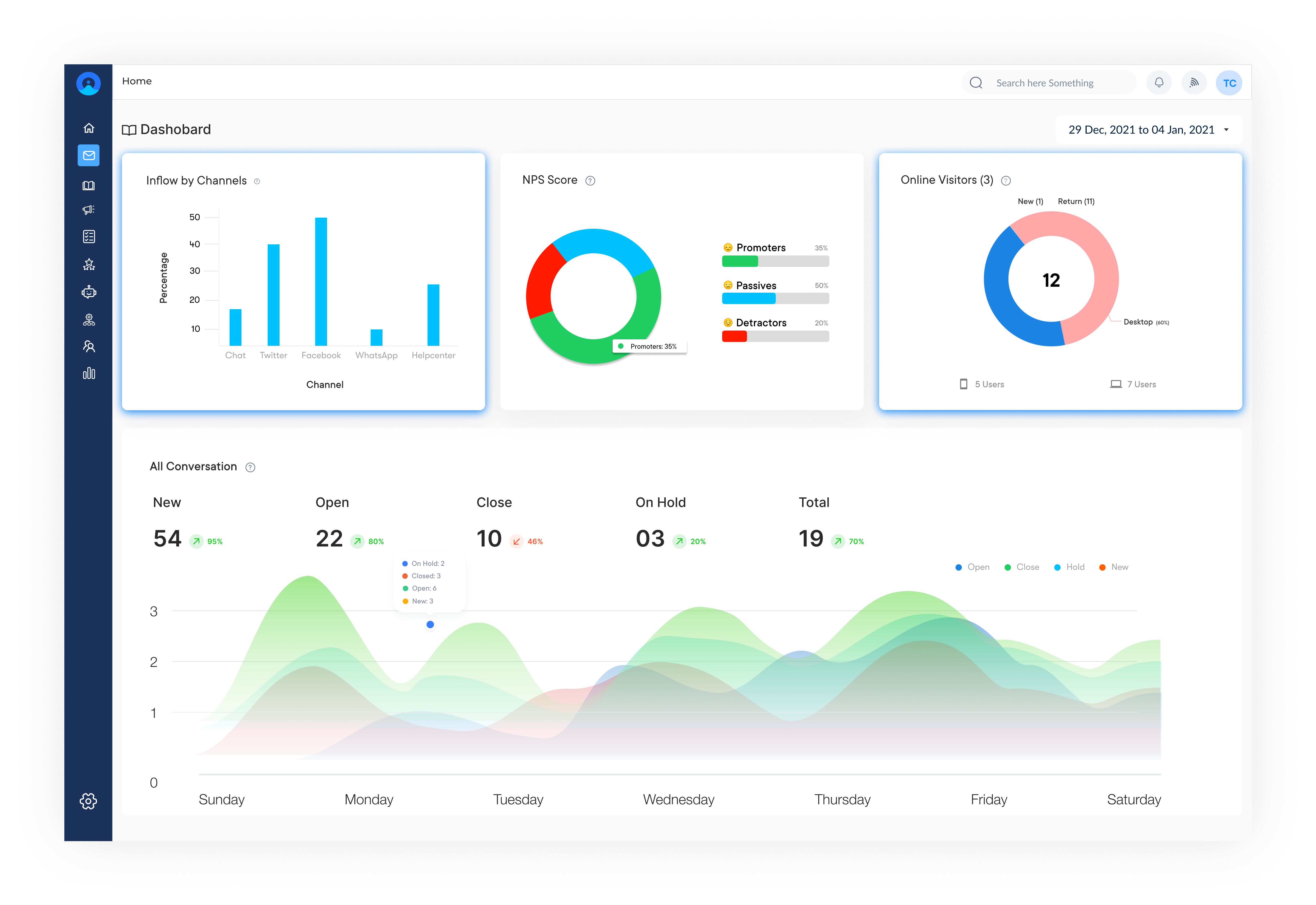
Get a single view of customer interactions across all channels with the right customer communications management (CCM) software
Customer communications management (CCM) software provides companies with a single view of client interactions across multiple channels.
CCM platforms allow business users to personalize and automate customer interactions, helping them optimize company-wide communication systems and processes.
A communication management solution reduces the lead time and tracks all communications between customers across all departments. It streamlines all interactions and ensures that every engagement is taken into account.
The fundamental factor in a communication strategy is building good customer relationships. A well-developed CCM strategy enables you to predict changing consumer needs and expectations.
Businesses now need to go where their customers are and communicate with them through their preferred methods of communication, which are more or less digital.
Scattered customer messages across email, chat, SMS and social media with no unified view, lead to missed queries, duplicate responses with every dropped interaction. Customer communication management (CCM) software solves this by creating, managing and delivering personalized interactions at scale.
Reviews the best CCM tools based on the key features, pricing and selection criteria to help you choose the right customer communication management software for your team.
CCM software refers to an omnichannel platform that allows businesses to streamline the delivery of personalized customer communications across various channels. It includes document creation, content management, multi-channel delivery and interactive engagement.
The software integrates with various data sources to gain customer information to generate highly personalized and targeted communications. These communications can then be distributed across multiple channels such as email, SMS, social media and web portals.
There are so many communication management software available in the market. Here’s the table explaining the key features and pricing plans of tools to help you make informed decisions.
| SL. No | Customer Communication Engagement Tool | Key Features | Pricing |
|---|---|---|---|
| 1 | Omni24 |
|
Starts at $29 /user per month
|
| 2 | Veemo |
|
Starts at $29/per user/mo for the Growth plan and $149/ per user/mo for the Enterprise plan. |
| 3 | Podium |
|
Essentials plan starts at $249/mo, the Standard plan is at $409/mo, and the Professional plan is at $599/mo. |
| 4 | Gupshup |
|
Contact Gupshup to obtain current pricing |
| 5 | Helpcrunch |
|
The Basic plan is at $12/mo/1 team member, the Pro plan is at $20/mo, and the unlimited plan is at $495/mo/unlimited team leaders |
| 6 | Acquire.io |
|
Acquire.io had three pricing tiers: Basic, Pro, and Enterprise. The Basic plan starts at $300/mo, the Pro is at $950/mo. Contact Acquire sales team for Enterprise plan. |
| 7 | Moxo |
|
The Starter plan starts at $100/month and the Business plan at $480/month. For advanced customer packages contact the sales team. |
| 8 | Front |
|
Growth at $59/Billed annually/minimum 5 seats; Scale at $99/Billed annually/minimum 20 seats; Premier at $220/Billed annually/minimum 50 seats. |
| 9 | Bitrix24 |
|
The basic plan starts at Rs 1590/mo/5 users, the standard plan at Rs 3990/mo/50 users, the professional plan at Rs 7990/mo/100 users, and the enterprise plan at Rs 15,990/mo/250 users. |
| 10 | Zendesk |
|
Suite Team is at US$ 55/per agent/month, Suite Growth is US$ 89/per agent/month, Suite Professional is US$ 89/per agent/month, and for Suite Enterprise you have to connect with the sales team. |
| 11 | Zoho |
|
The basic plan starts at 999/month/organization/billed annually, the standard plan at 1999/month/organization/billed annually, and the professional plan at 6999/month/organization/billed annually. |
The increasing reliance on digital channels for communication and having the right customer communication management tool in place is crucial for providing a seamless customer experience.
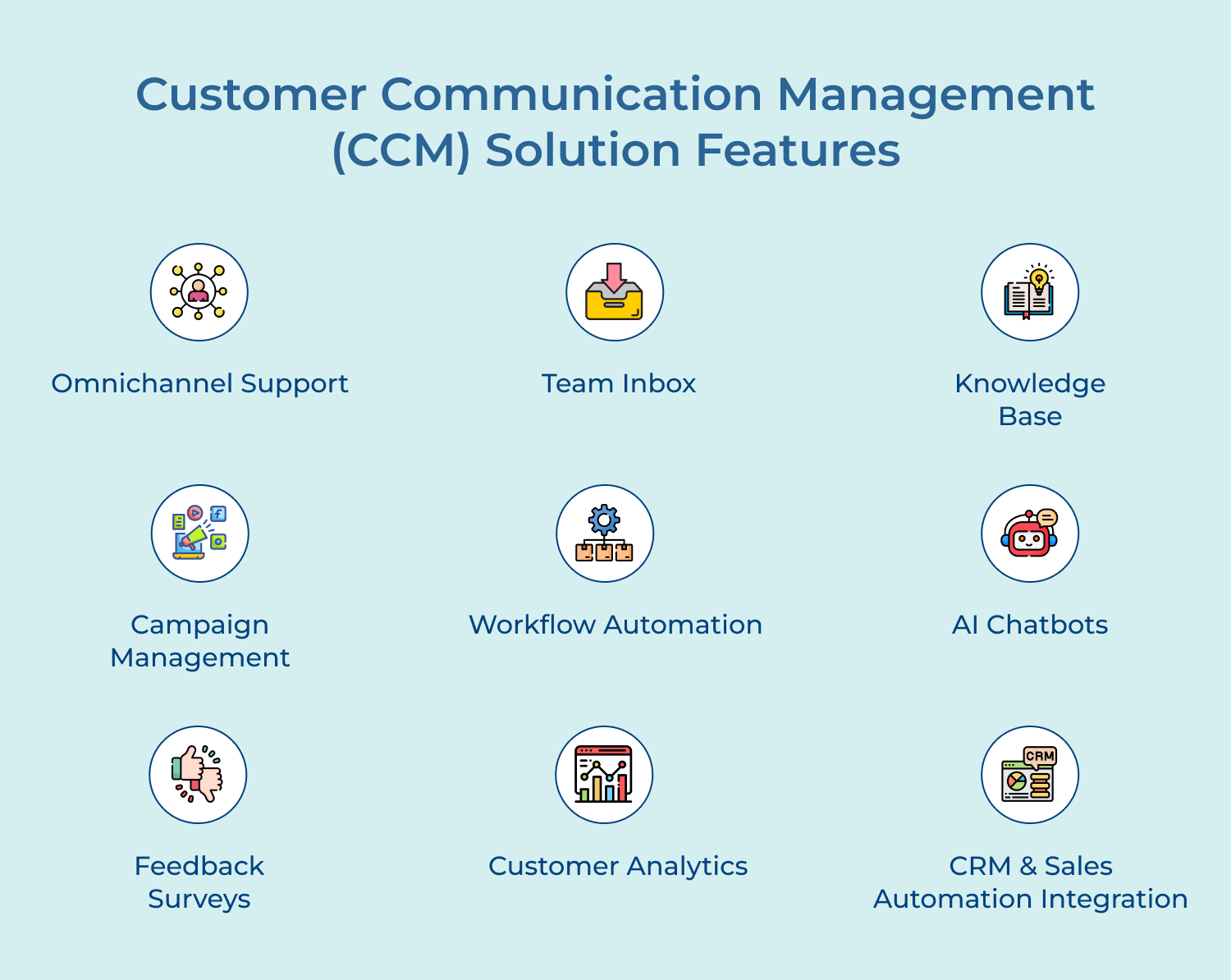
The tool has the potential to support multiple channels. Whether it is email, social media, messaging apps or phone calls, it allows businesses to manage customer interactions across all channels in a centralized platform.
Team inbox enables efficient management of customer inquiries. It provides a shared inbox where customer messages can be assigned, tracked, and responded to by the team members, ensuring all the customer messages are answered.
A knowledge base feature allows businesses to create a repository of FAQs, how-to guides, and other resources. The self-service option empowers customers to find answers independently, reducing the need for support and freeing up valuable resources.
CCM software often includes campaign management tools that enable businesses to create targeted marketing campaigns. The tools help businesses deliver tailored content to specific customer segments, increasing engagement and driving conversions.
Workflow automation features allow businesses to set up predefined actions & triggers based on customer interactions. It streamlines the processes, improves response times, and ensures consistent communication across different touchpoints.
AI-powered chatbots are available 24/7, providing instant responses to common customer queries and routing more complex issues to human agents. Chatbots not only improve efficiency but also enhance the overall customer experience.
Collecting feedback is essential for businesses to identify areas for improvement. Usually, CCM software includes built-in feedback survey tools that allow businesses to gain feedback, helping them make data-driven decisions.
A good CCM tool provides valuable insights into customer behavior and preferences. By analyzing data such as response and conversion rates, businesses can identify trends, allowing them to optimize their communication strategies and personalize interactions.
Integration with CRM and sales automation systems is a key feature of the CCM software. The integration allows businesses to consolidate customer data and align customer communication with sales processes, resulting in a more seamless CX.
As one size does not fit all likewise, businesses differ in requirements and goals to accomplish. We have narrowed down the top tools that will help businesses to engage customers better.
Best customer communication management software with user-friendly interface
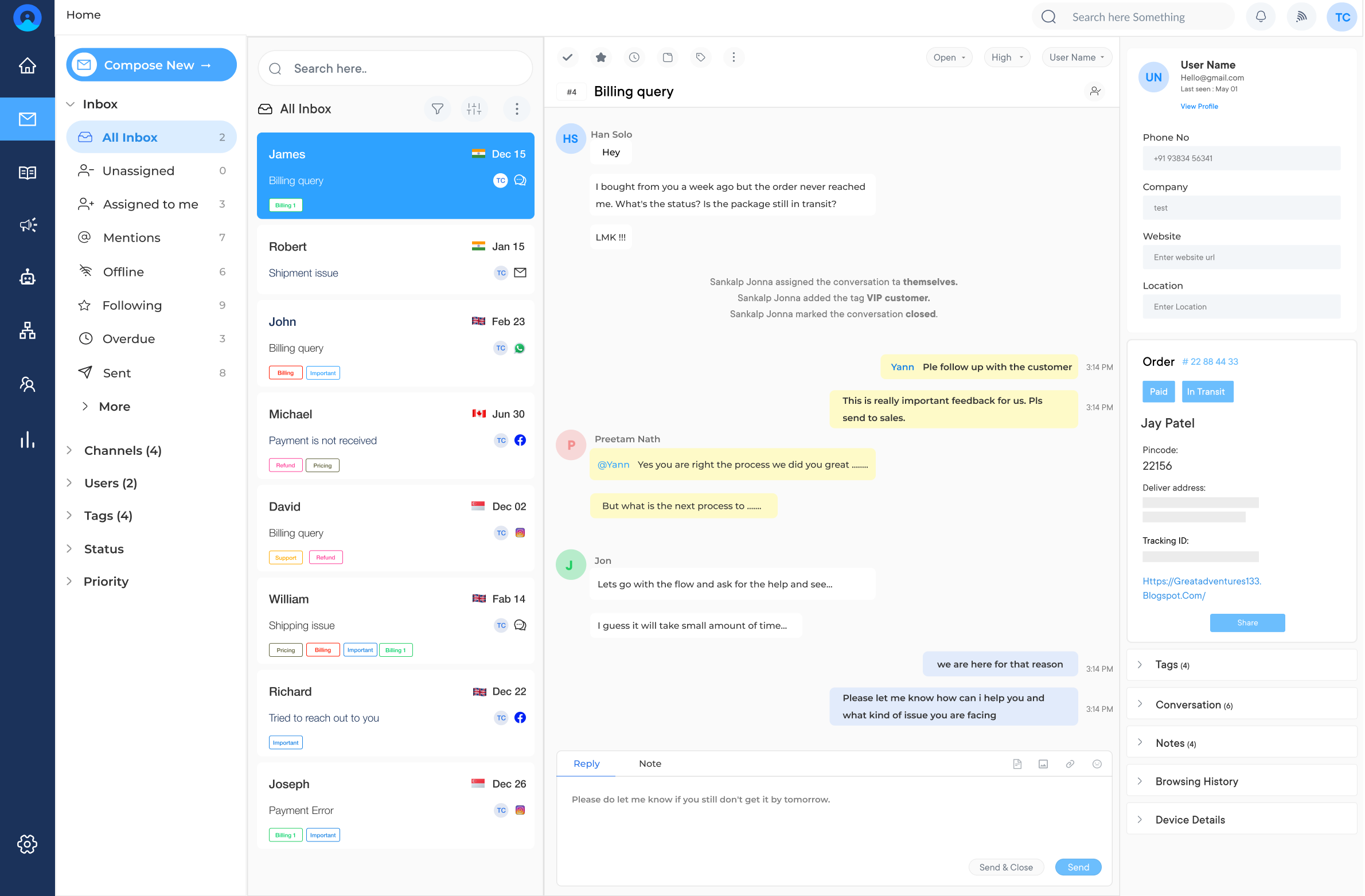
Omni24 is an AI-powered customer engagement platform for businesses to connect, convert and support customers seamlessly. Omni24 combines three suites Support, Sales and Marketing to engage, nurture, as well as retain customers from first contact to long-term loyalty.
Omni24’s Support Suite powers omnichannel communication that unifies chat, email and social channels into one seamless experience. It enables consistent conversations across the customer journey and support lifecycle.
Key Features:
Pricing: Omni24’s pricing starts from $29/user/month and goes up to $149/user/month based on the features. All plans come with a 14-day free trial.
Top customer communication management tool for real-time interaction
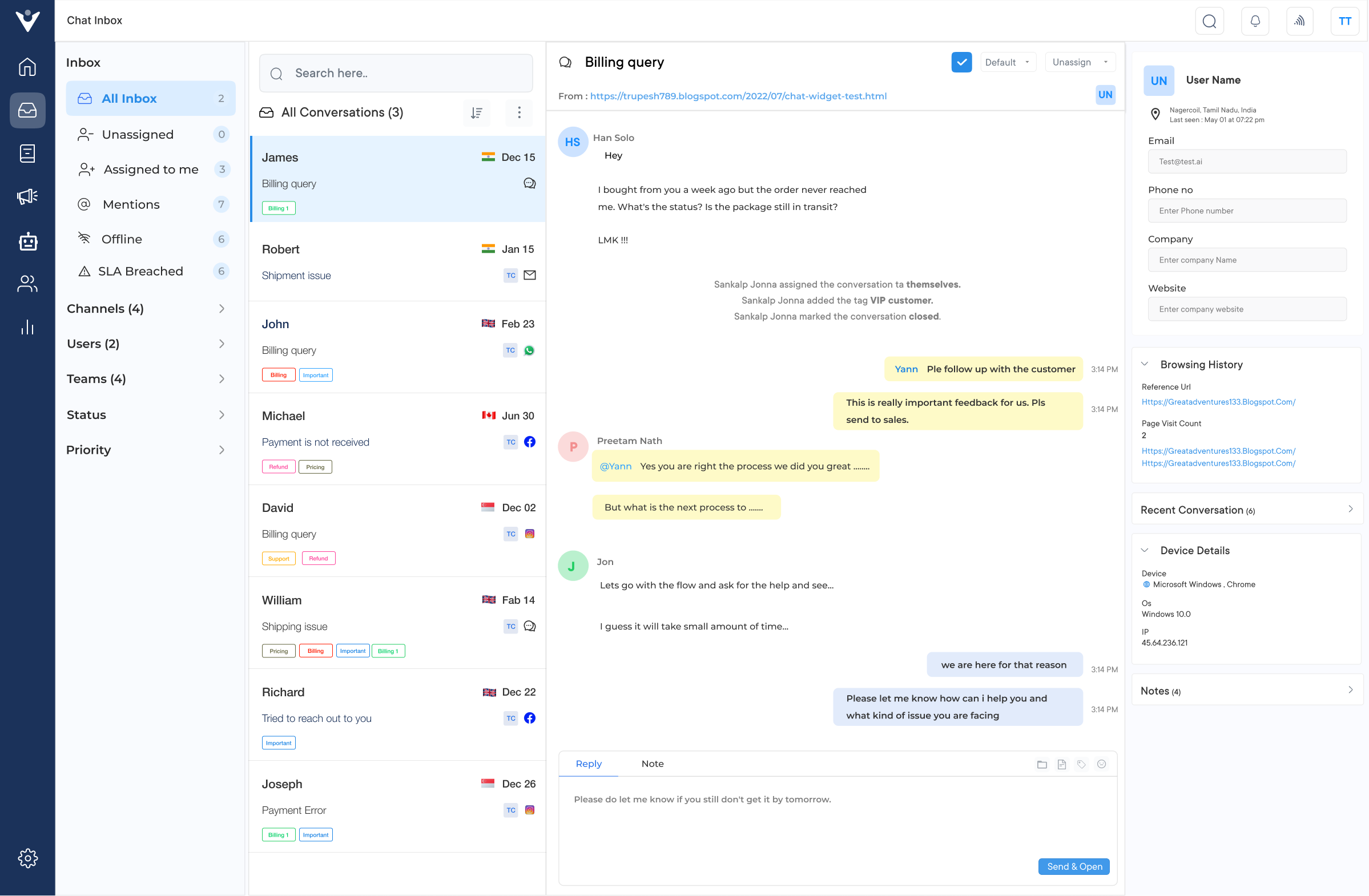
Veemo Chat is the best business messaging platform for communicating with customers across every channel. It unifies emails, social media and live chat into one shared inbox to engage visitors as well as resolve issues. Businesses can deliver personalized recommendations without ever switching between disconnected tools.
Key features:
Pricing: Veemo’s pricing plans start from $29/user/month and go up to $129/user/month based on add-ons. The software pricing is also customizable as per business requirements. Sign up to learn more!
Ultimate CCM platform to enhance customer experience
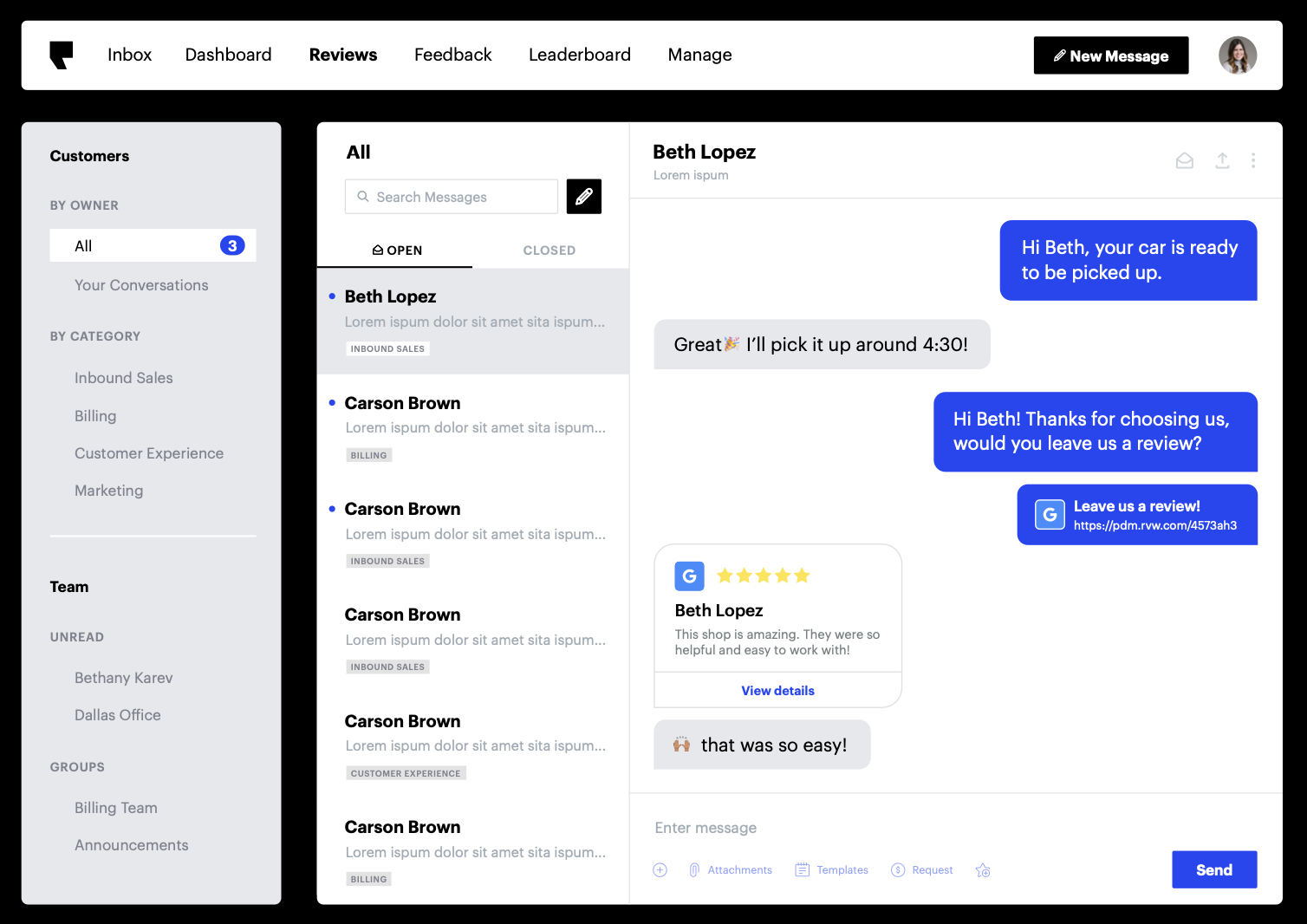
Podium is a leading customer communication management software designed to help businesses interact with their customers through multiple channels. It offers various features to enhance communication and improve customer experience.
Key features: Podium enables businesses to interact with customers through messaging apps like SMS, Google’s Business Messages, Facebook Messenger and more. It allows businesses to manage and respond to online reviews from platforms like Google and Facebook, helping them build a positive online reputation.
Pricing: There are three pricing plans offered by Podium. The Essentials plan starts at $249/mo, the Standard plan is at $409/mo, and the Professional plan is at $599/mo.
Read more: Looking beyond Podium? These Podium alternatives may be a better fit.
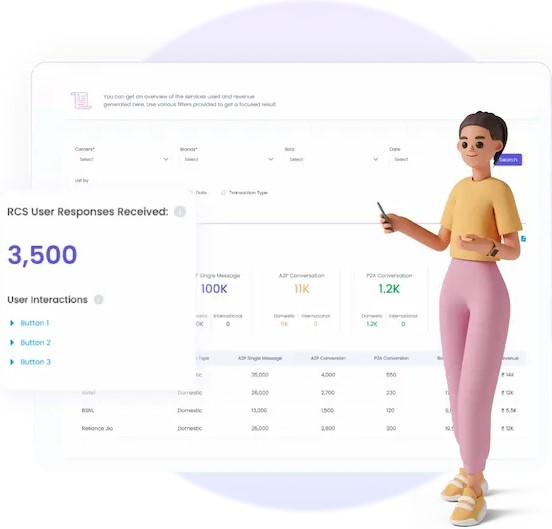
Gupshup is a powerful customer communication management software that focuses on enabling businesses to communicate with their customers through chatbots, SMS, and other messaging platforms.
Key features: Gupshup provides tools to develop and deploy AI-powered chatbots for personalized and automated customer interactions. It offers robust SMS campaign management capabilities, allowing businesses to send targeted messages and promotional offers to customers.
Pricing: Gupshup has not provided pricing information for this product or service. This is a common practice for software sellers and service providers. Contact Gupshup to obtain current pricing.
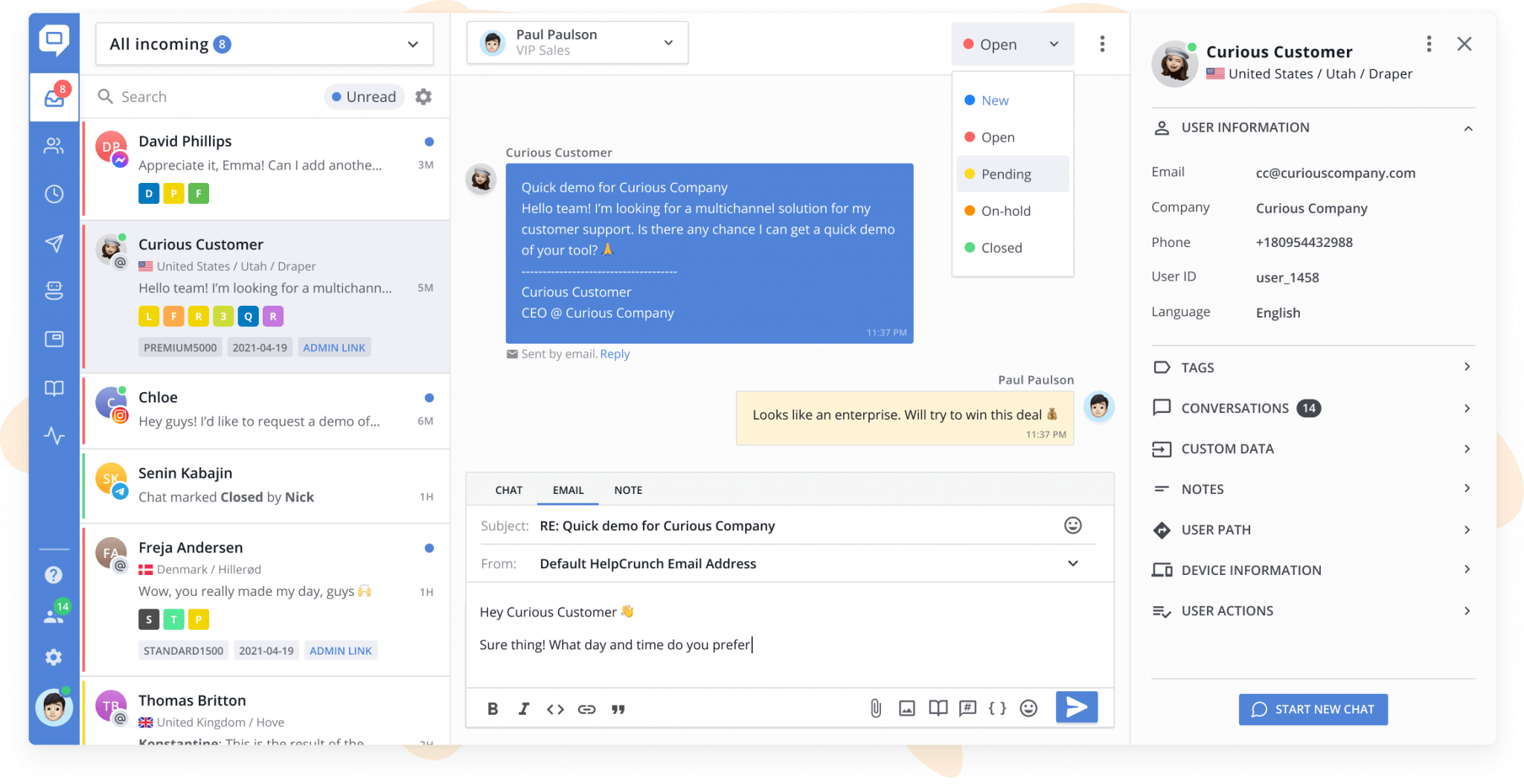
Helpcrunch is a comprehensive customer communication management software that combines live chat, email marketing automation, and helpdesk features.
Key features: Helpcrunch enables businesses to provide real-time support and communicate with customers through a customizable live chat widget. It offers advanced email marketing automation tools that help businesses send personalized messages and targeted campaigns.
Pricing: Helpcrunch offers flexible pricing plans. The Basic plan is at $12/mo/1 team member, the Pro plan is at $20/mo, and the unlimited plan is at $495/mo/unlimited team leaders. Sign up for a free 14-day trial today.
Read more: Many businesses often compare HelpCrunch with other tools—discover the leading HelpCrunch alternatives in our guide.
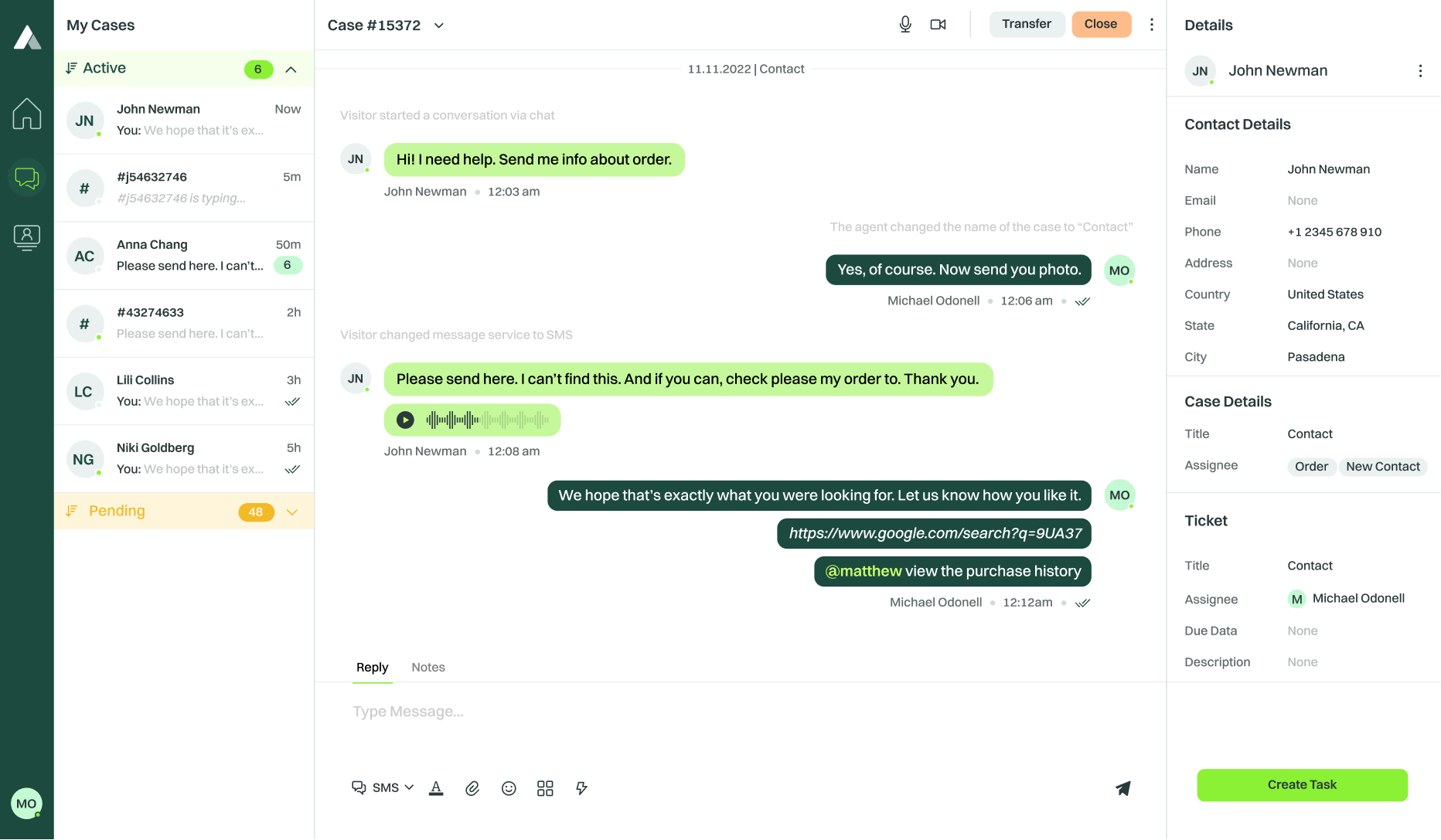
Acquire.io is an all-in-one customer communication platform designed to facilitate seamless communication between businesses and their customers. It offers various communication channels like live chat, video, voice calls, and co-browsing, creating a comprehensive omnichannel experience.
Key features: Allows customers to interact with support agents in real-time, enabling prompt issue resolution and enhanced customer satisfaction. Enables agents to view customers’ screens and guide them through complex processes, improving the overall customer experience.
Pricing: Acquire.io had three pricing tiers: Basic, Pro, and Enterprise. The Basic pricing plan starts at $300 per month + $40/mo per additional agent, the Pro pricing plan is at $950 per month + $50/mo per additional agent, and for the Enterprise pricing plan contact Acquire sales team.
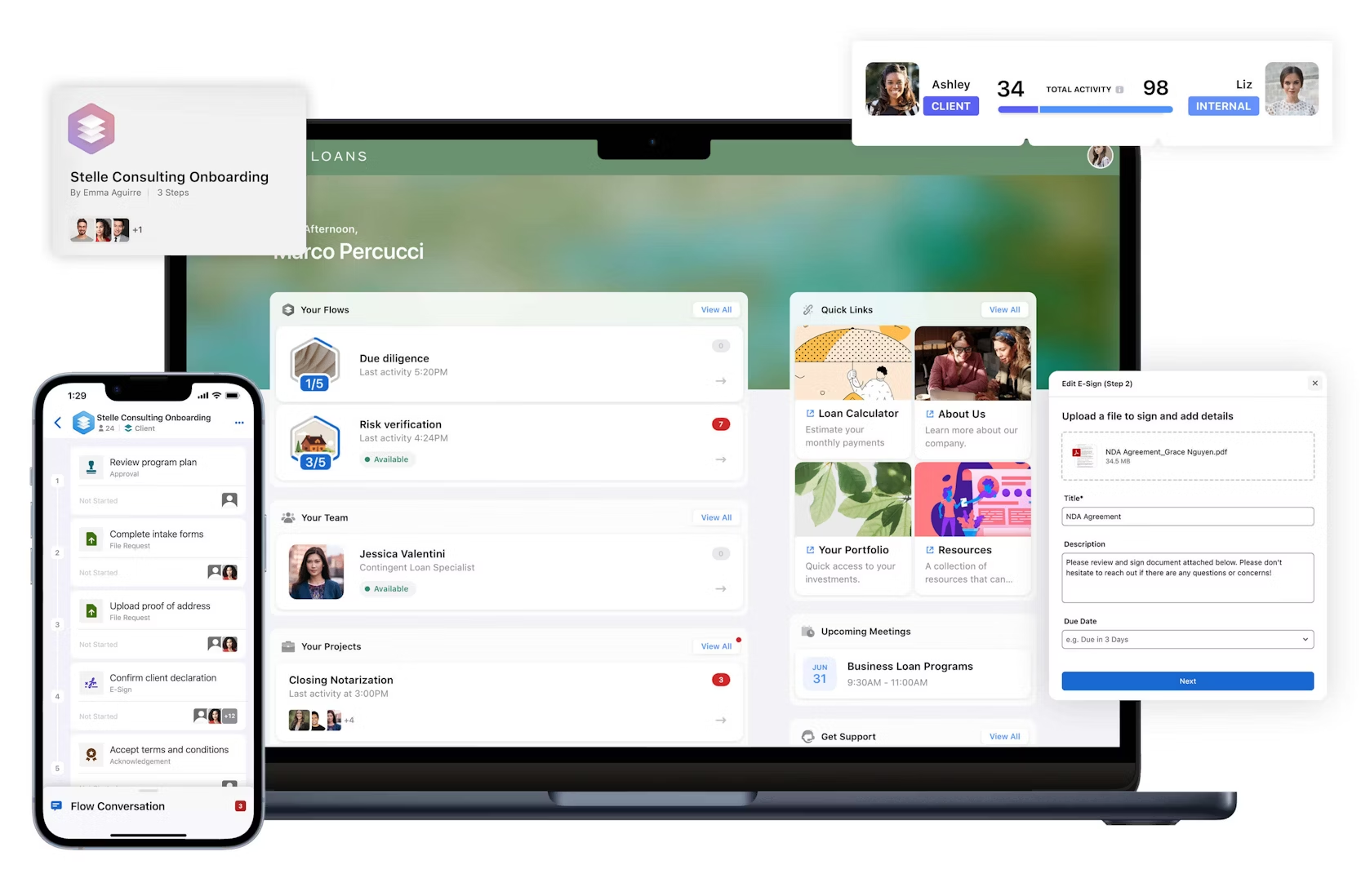
Moxo is a robust CCM software that focuses on simplifying and automating communication processes. It offers a wide range of features to help businesses streamline customer communication, enabling them to engage with customers effectively while saving time and resources.
Key features: Provides intuitive email marketing tools to create personalized email campaigns and reach targeted audiences. Enables businesses to send automated SMS messages, improving customer engagement and communication.
Pricing: Moxo offers three pricing plans to fit your business. The Starter plan starts at $100/month, the Business plan at $480/month, and for the advanced customer package contact the sales team.
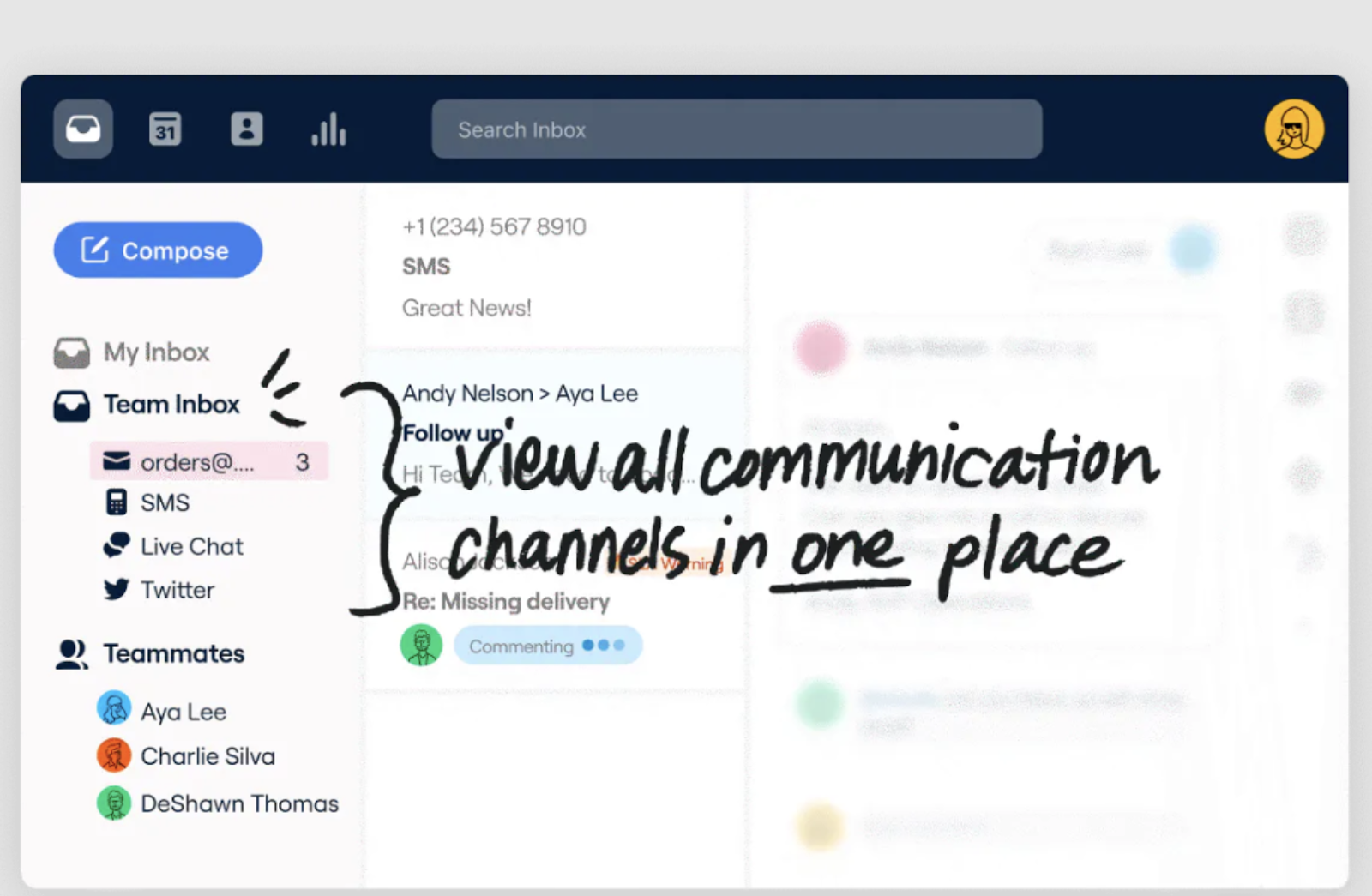
Front is a collaborative inbox software that serves as a centralized hub for all customer communications. It allows teams to manage emails, social media messages, and other customer interactions in one place ensuring efficient and organized communication across the organization.
Key features: Provides a shared inbox where teams can collaborate, assign, and track customer conversations, avoiding duplication and ensuring prompt responses. Helps integrate multiple email accounts, allowing teams to manage all customer emails from a single platform.
Pricing: The only complete solution for your customer operations; Growth at $59/Billed annually/minimum 5 seats; Scale at $99/Billed annually/minimum 20 seats; Premier at $220/Billed annually/minimum 50 seats.
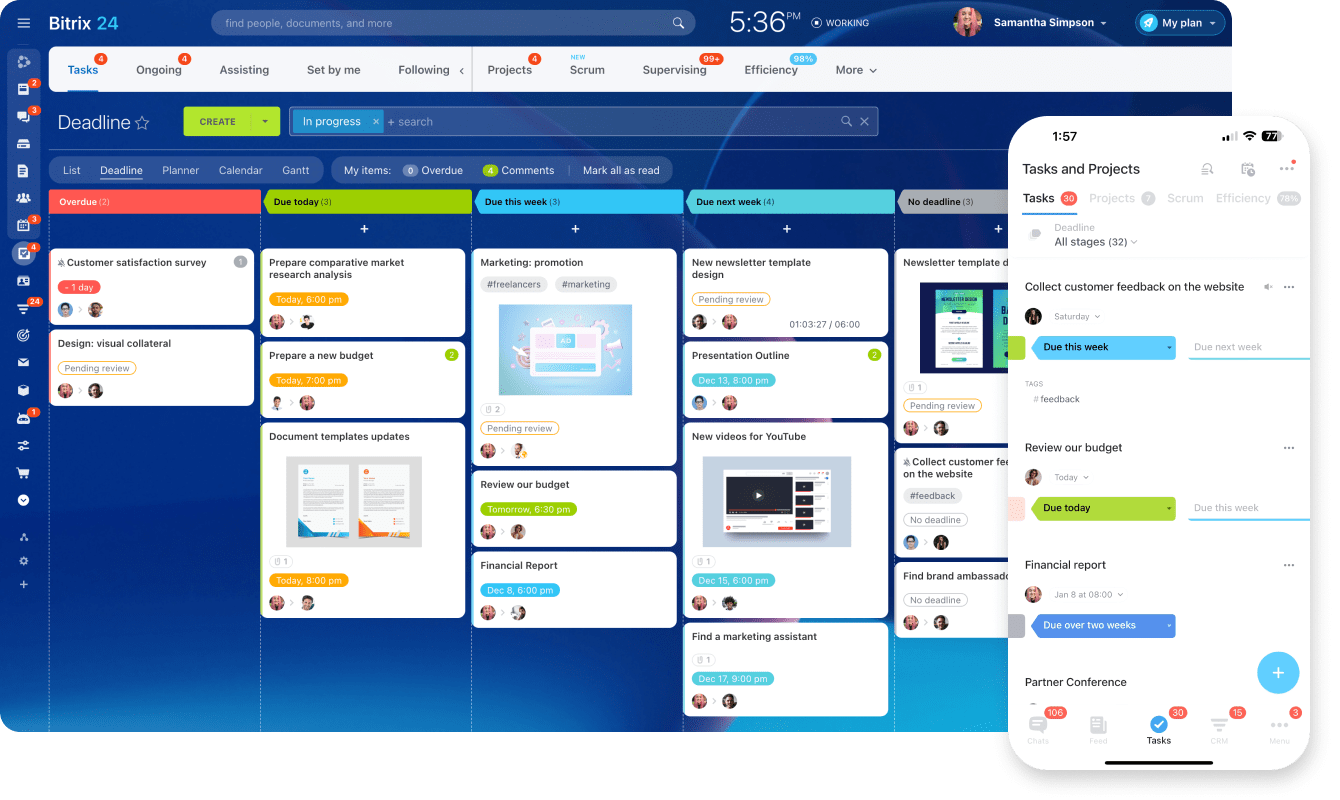
Bitrix24 is a comprehensive CCM software that offers a wide range of features to enhance customer communication. It provides tools for email marketing, live chat, telephony, CRM integration, and more. With Bitrix24, businesses can easily manage and track customer interactions across various channels.
Key features:The CCM software allows businesses to communicate with customers through various channels such as email, telephone, social media, and live chat, ensuring a seamless and integrated experience.
Pricing: Bitrix24 offers four pricing plans – The basic plan starts at Rs 1590/mo/5 users, the standard plan at Rs 3990/mo/50 users, the professional plan at Rs 7990/mo/100 users, and the enterprise plan at Rs 15,990/mo/250 users.
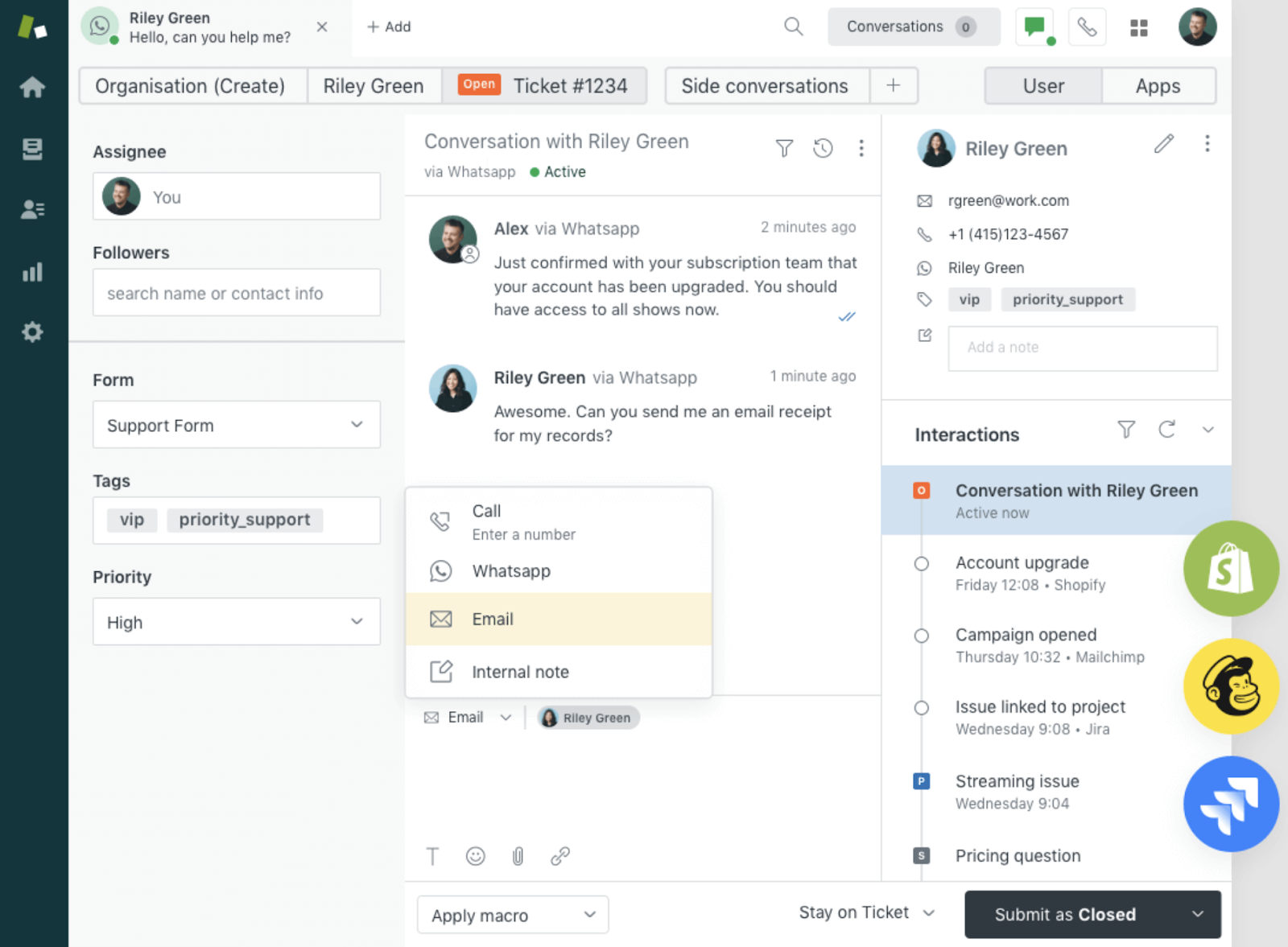
Zendesk is a popular CCM software known for its user-friendly interface and range of customer support features. It offers a comprehensive suite of tools to manage and improve customer communication.
Key features: It allows businesses to track and manage customer inquiries effectively. The software enables businesses to create a knowledge base or FAQ section, empowering customers to find answers to their queries independently.
Pricing: Zendesk offers four plans – Suite Team is at US$ 55/per agent/month, Suite Growth is US$ 89/per agent/month, Suite Professional is US$ 89/per agent/month, and for Suite Enterprise you have to connect with the sales team.
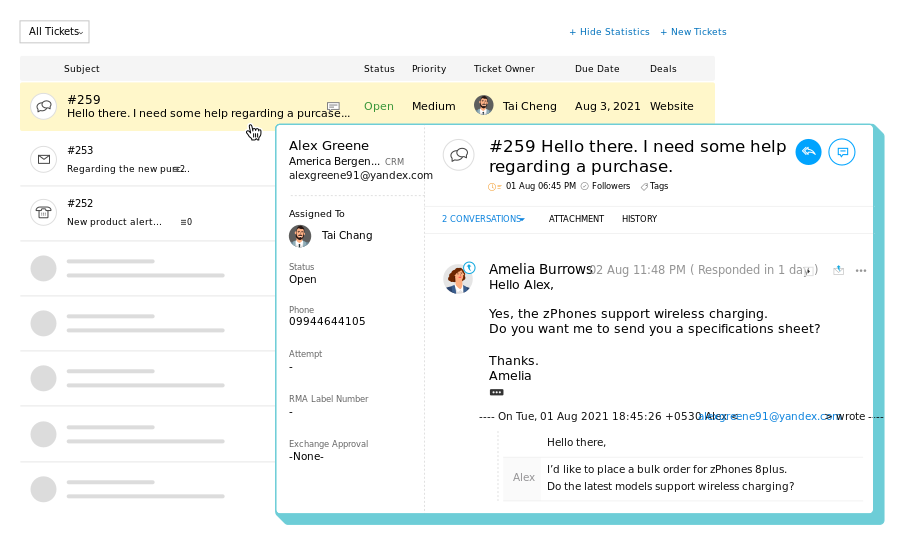
Zoho offers a suite of customer communication and engagement tools that help businesses deliver exceptional customer experiences. It provides features such as email marketing, live chat, social media engagement, and surveys.
Key features: Zoho enables businesses to create and manage email campaigns, ensuring targeted and personalized communication with customers. The live chat feature allows businesses to engage with customers in real-time, providing instant support and assistance.
Pricing: Zoho offers simple pricing plans. The basic plan starts at 999/month/organization/billed annually, the standard plan at 1999/month/organization/billed annually, and the professional plan at 6999/month/organization/billed annually.
When it comes to selecting the right customer communication management (CCM) software for your business, there are several important criteria to consider.
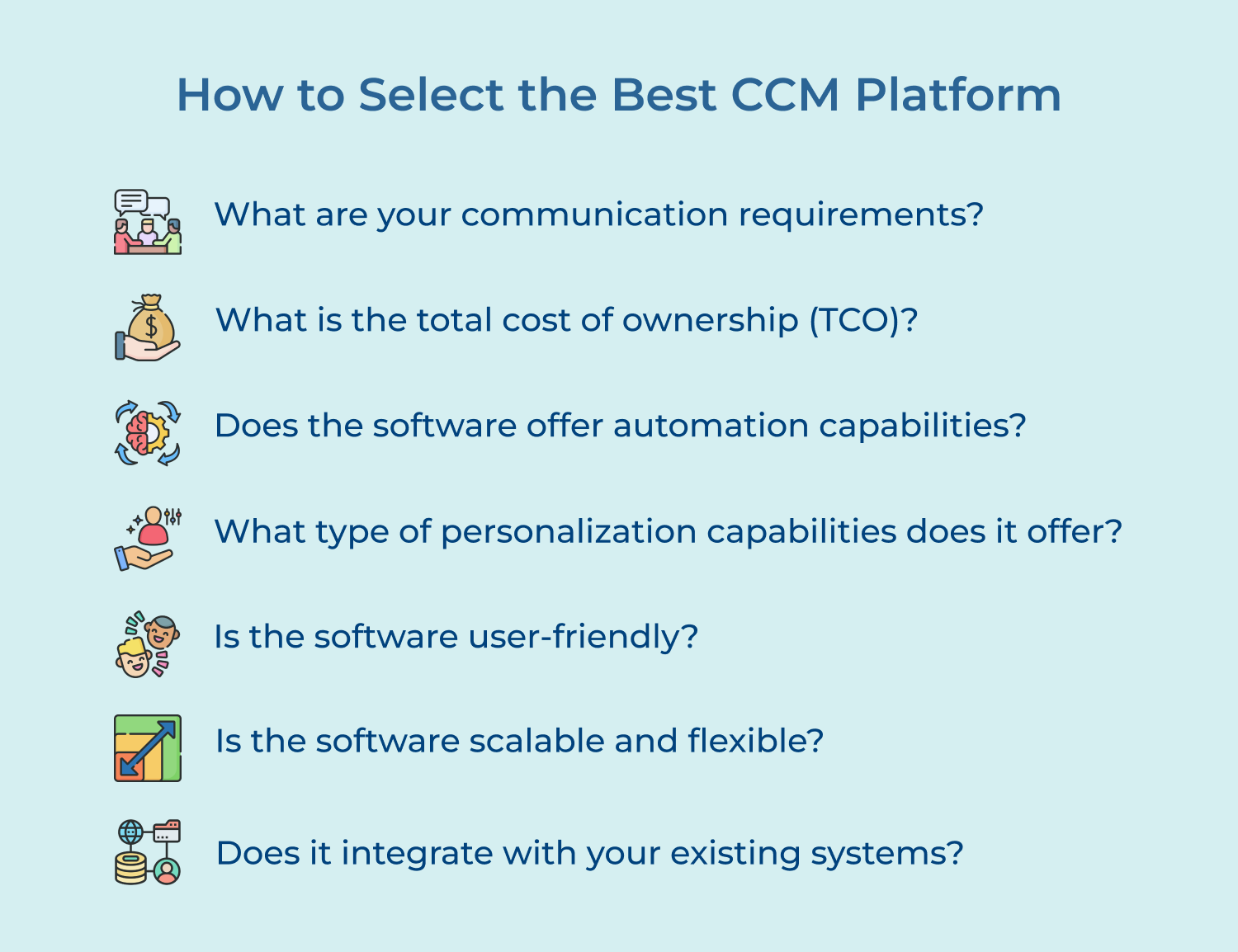
1. What are your communication requirements?
Start by analyzing the communication needs of your business. Identify the channels you engage with customers such as emails, SMS, social media, or direct mail. Understanding your needs will help you select the tool that offers the necessary features to effectively communicate with your customers.
2. What is the total cost of ownership (TCO)?
Consider both the initial cost and the long-term cost of implementing and maintaining the CCM software. Look for a solution that offers a reasonable pricing structure, taking into account factors such as licensing, implementation, customization, ongoing support, and maintenance.
3. Does the software offer automation capabilities?
Automation can greatly streamline your customer communication processes. Look for a tool that provides automation features such as workflow management, document generation, and scheduling. It will save time and improve efficiency in your communication workflows.
4. What type of personalization capabilities does it offer?
Personalized communication can significantly enhance customer engagement. Invest in a tool that enables dynamic content insertion, data merging, and segmentation capabilities to deliver tailored messages that resonate with your customers.
5. Is the software user-friendly?
An intuitive UI/UX design is essential for maximizing productivity and minimizing training time. Select software that has an intuitive interface and provides easy navigation. A steep learning curve may hinder adoption and slow down your communication processes.
6. Is the software scalable and flexible?
Consider your current and future needs when selecting CCM software. Look for software that offers scalability and flexibility in terms of users, data volume, and customization options.
7. Does it integrate with your existing systems?
Consider the software’s compatibility with your existing systems such as customer relationship management (CRM) software or enterprise resource planning (ERP) systems. Seamless integration will enable data synchronization and create a unified view of customer information.
Effective communication with customers is crucial for the success of any business. If you are still relying on manual methods to handle consumer interactions, it’s time to consider the benefits of adopting customer communication management software.
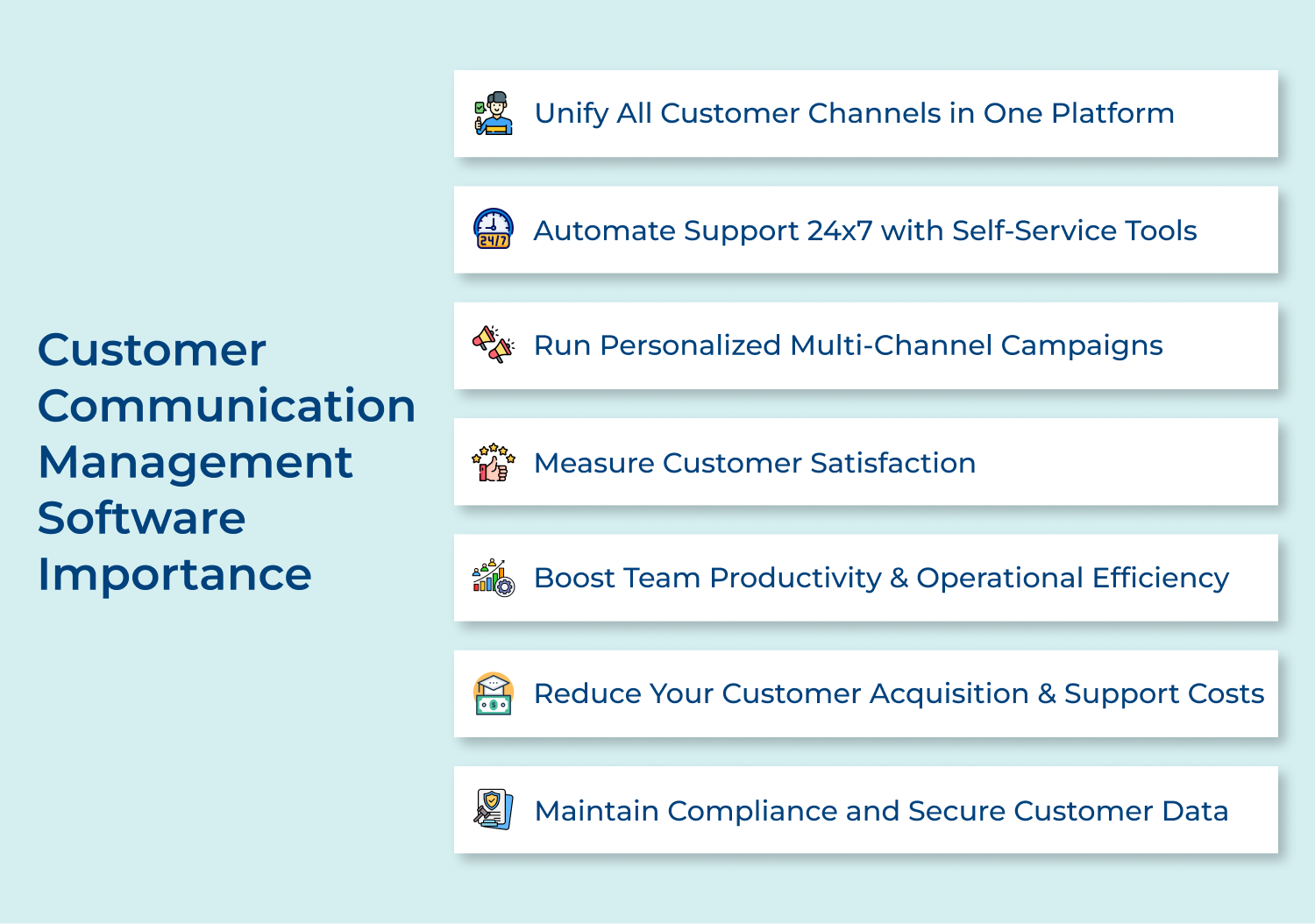
1. Unify All Customer Channels in One Platform
Customer communication management software allows you to manage all customer channels, such as email, social media, live chat, and SMS, in one place. The integration ensures consistent communication across all channels, providing a unified customer experience.
2. Automate Support 24×7 with Self-Service Tools
The CCM tool includes self-service tools, such as knowledge bases and chatbots. These tools empower customers to find answers on their own, outside business hours. By automating support, you can provide 24/7 assistance, enhancing customer satisfaction.
3. Run Personalized Multi-Channel Campaigns
Businesses can create highly targeted, personalized campaigns across multiple channels. The software allows you to segment your customer base and tailor your messaging based on individual preferences.
4. Measure Customer Satisfaction for Continuous Improvement
The software provides analytics and reporting capabilities that allow you to measure customer satisfaction and track key performance indicators. By analyzing customer feedback you can identify areas for improvement and refine your communication strategies.
5. Boost Team Productivity & Operational Efficiency with Workflows
Customer communication management software streamlines various communication processes by automating repetitive tasks and providing workflow management features. Automation reduces manual effort, minimizes errors, and boosts team productivity.
6. Reduce Your Customer Acquisition & Support Costs
Effective customer communication leads to client loyalty and increased retention rates. By using CCM software, you can nurture existing customer relationships and reduce customer churn.
7. Maintain Compliance and Secure Customer Data
A CCM tool includes features to help you comply with data protection regulations and maintain customer data security. You can ensure that sensitive information is handled securely and that proper consent is obtained for communication purposes.
The right customer communication management software transforms scattered, siloed interactions into seamless, brand-consistent conversations across every channel. Omni24 delivers exactly that: unifying your inbox, automating workflows and giving your team the context they need to resolve issues faster.
Key takeaways:
Ready to see it in action? Start your 14-day free trial of Omni24. Customer communication management software helps businesses of every size build faster, smarter and more loyal customer relationships.
Omni24’s DCX platform harnesses automation and AI to deliver unified customer experiences across digital channels, while keeping human touch.
The best customer communication management software brings several benefits to growing businesses that are managing interactions at scale. Message volume and channel complexity increase across departments over time, which makes streamlined tools an essential choice. Some of the key benefits include:
CCM software works by integrating with your existing customer data sources, such as CRM systems to gather relevant customer information. With this data, the software enables you to create templates for different communication types. You can personalize these templates based on customer preferences and target specific segments. The software then automates the delivery of these communications through various channels.
CCM software is important for businesses of every size, such as a small startup or a large enterprise. Proper implementation helps in streamlining customer communication processes and improving overall efficiency.
Automation and personalization features are more beneficial for smaller businesses benefit as they reduce manual effort. Larger organizations use it to scale communication efforts across multiple departments and teams.
CCM software prioritizes security to protect sensitive customer data. It often includes features such as data encryption, secure file transfer protocols, and access controls to ensure that only authorized personnel can access and modify customer communications. The software complies with data protection regulations such as GDPR to safeguard customer data.
Yes, most CCM supports seamless integration with tools already in use across multiple teams. It connects with CRM systems, helpdesk platforms and marketing automation tools for unified data flow. Key integrations include:
CCM software can be integrated with existing systems through APIs (Application Programming Interfaces). The integration allows businesses to leverage customer data from their CRM (Customer Relationship Management) systems or other databases enabling personalized and targeted communication.
 https://omni24.io/wp-content/uploads/2026/08/AI-Customer-Service-Agents.png
1256
2400
Webvision Solution
https://omni24.io/wp-content/uploads/2023/04/Omni-Logo-1.svg
Webvision Solution2026-09-21 04:48:512026-09-21 04:48:51How to Build an AI Customer Service Agents: 8 Key Steps
https://omni24.io/wp-content/uploads/2026/08/AI-Customer-Service-Agents.png
1256
2400
Webvision Solution
https://omni24.io/wp-content/uploads/2023/04/Omni-Logo-1.svg
Webvision Solution2026-09-21 04:48:512026-09-21 04:48:51How to Build an AI Customer Service Agents: 8 Key Steps https://omni24.io/wp-content/uploads/2026/08/Omnichannel-Conversational-AI.png
1256
2400
Tushar Joshi
https://omni24.io/wp-content/uploads/2023/04/Omni-Logo-1.svg
Tushar Joshi2026-09-16 03:51:072026-09-16 03:51:07How to Build Omnichannel Conversational AI Strategy
https://omni24.io/wp-content/uploads/2026/08/Omnichannel-Conversational-AI.png
1256
2400
Tushar Joshi
https://omni24.io/wp-content/uploads/2023/04/Omni-Logo-1.svg
Tushar Joshi2026-09-16 03:51:072026-09-16 03:51:07How to Build Omnichannel Conversational AI Strategy https://omni24.io/wp-content/uploads/2026/08/Customer-Service-Teams.png
1256
2400
Tushar Joshi
https://omni24.io/wp-content/uploads/2023/04/Omni-Logo-1.svg
Tushar Joshi2026-09-15 04:01:522026-09-15 04:02:16How to Build Customer Service Teams: 6 Key Steps
https://omni24.io/wp-content/uploads/2026/08/Customer-Service-Teams.png
1256
2400
Tushar Joshi
https://omni24.io/wp-content/uploads/2023/04/Omni-Logo-1.svg
Tushar Joshi2026-09-15 04:01:522026-09-15 04:02:16How to Build Customer Service Teams: 6 Key Steps
Whether it’s about acquire, engage or support – Omni24 covers all your customer engagement needs in one complete platform.

Copyright ©2026 Veemo All rights reserved.
CA, Los Angeles, Hall Ave, 19011