9 Best Email Collaboration Software & Tools
Explore the best email collaboration software and tools to streamline communication, boost team productivity, while enhancing customer service efficiency.


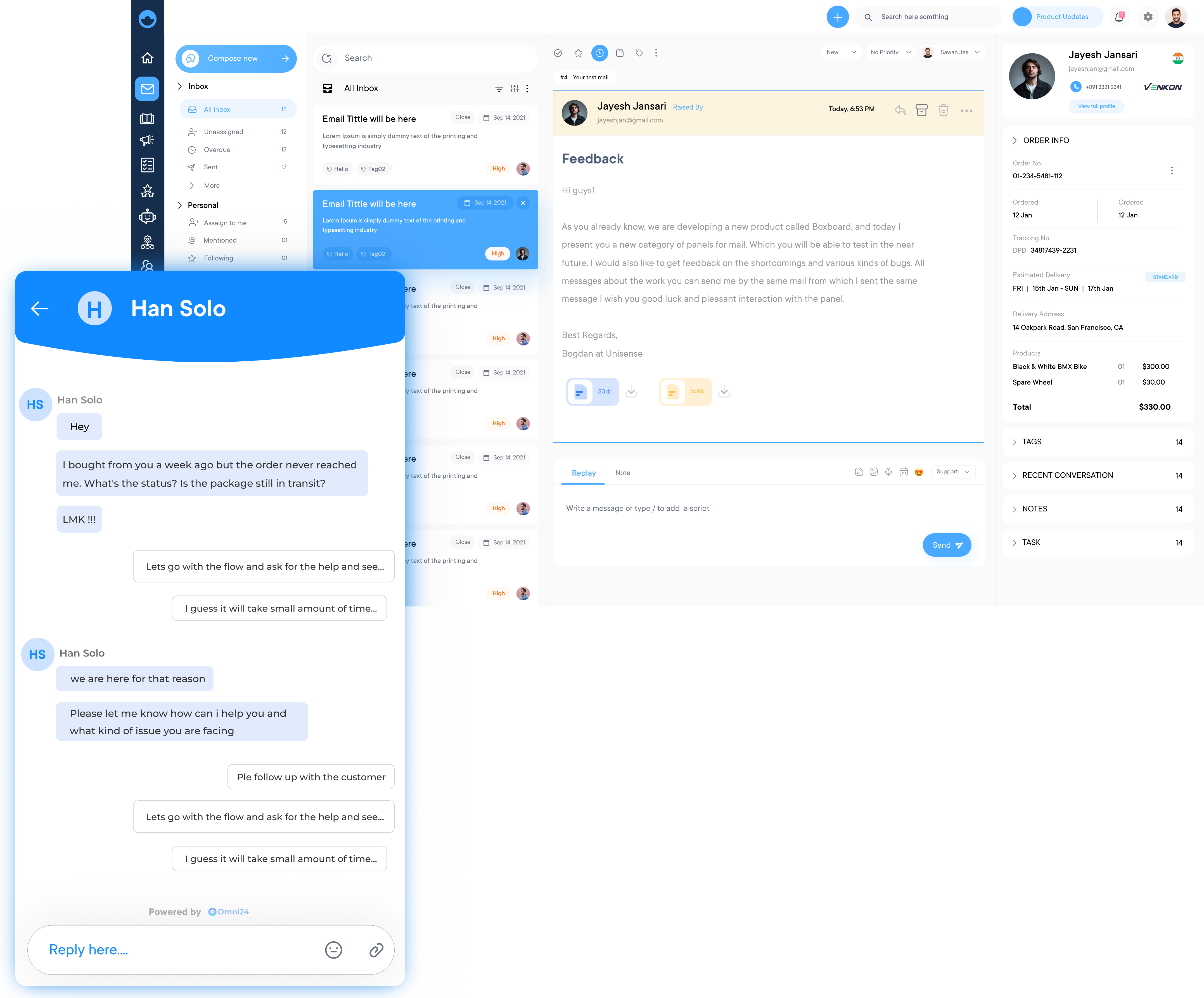
Explore the best email collaboration software and tools to streamline communication, boost team productivity, while enhancing customer service efficiency.
Email collaboration software simplifies team communication, enhances productivity, and centralizes project management for seamless, efficient workflows.
Brings all team communication into one unified platform, ensuring that every member has access to the same information and can easily track conversations.
Enables seamless collaborative editing of documents, reducing the need for back-and-forth email attachments as well as version confusion.
Allows teams to assign tasks, set deadlines, and monitor the progress within the software, ensuring that nothing falls through the cracks.
Seamless integration with other essential tools, ensuring a smooth workflow all while eliminating the need for constant app-switching.
Most teams face the issue of juggling dozens of threads across forwarded inboxes, duplicate replies and missed follow-ups. Email collaboration software enables multiple team members to respond to all emails from a centralized interface, replacing the chaos of fragmented inboxes.
The guide helps you find the best ECS tools available, with key features and selection criteria as well as use cases for choosing the best solution for your business.
Traditional methods of collaboration, such as meetings and phone calls are time-consuming while also being inefficient. Email collaboration software is a system that restructures the way teams communicate and work together.
Simply put, email collaboration is a platform or application that allows multiple users to collaborate on email-based tasks. It provides a centralized hub for team members to exchange messages, share files and manage tasks, all within the familiar environment of their email inbox.
Below is a side-by-side comparison of the top email collaboration platforms based on strengths, weaknesses and unique advantages to make the right choice.
| Software | Key Features | Price | Trial |
|---|---|---|---|
| Omni24 |
|
$29/user/month | 14 days |
| Veemo Support |
|
$29/user/month | 14 days |
| Gmelius |
|
$19/user/month | 7 days |
| HiverIQ (Hiver) |
|
$19/user/month | Available (no free plan) |
| Zendesk |
|
$19/agent/month | 14 days |
| Groove |
|
$20/user | 15 days |
| Zoho Desk |
|
$14/user/month | 15 days |
| Freshdesk |
|
$19/agent/month | 14 days |
| Front |
|
$10/user | 30 days |
Choosing the right email collaboration tool not only streamlines communication but also builds effective teamwork within an organization.
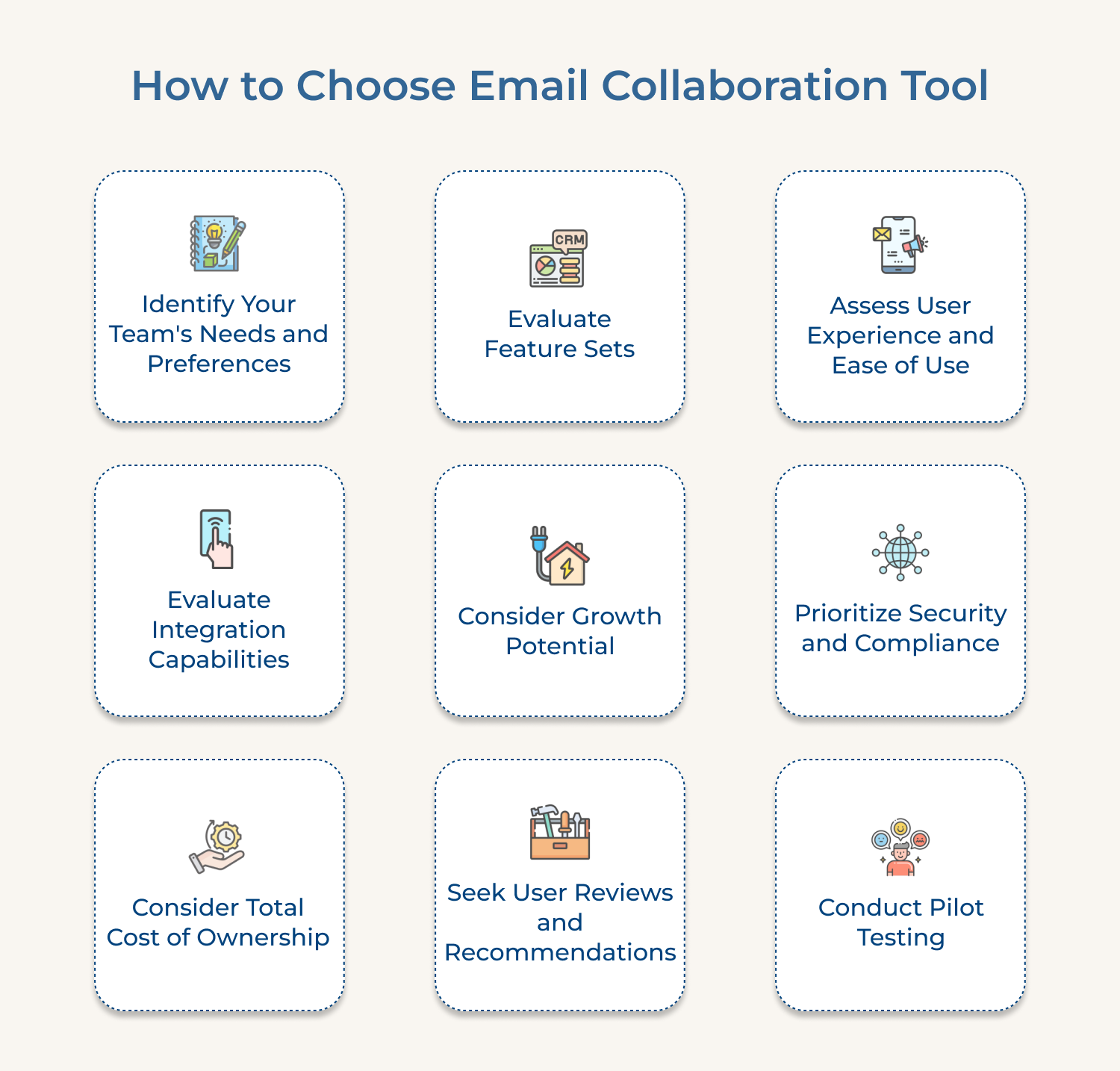
Identify Your Team’s Needs and Preferences
Begin by conducting a thorough assessment of your team’s preferences. Consider factors such as the size of your team, the nature of your projects, the level of collaboration required and the existing communication channels used. Gather input from team members to understand their pain points along with any specific requirements they may have.
Evaluate Feature Sets
Compare core functionalities across different tools, focusing on features that directly solve your identified challenges. Look for essential capabilities like shared inboxes, email delegation, task tracking, and automated workflows. Consider advanced features such as analytics, collision detection, and template management.
Assess User Experience and Ease of Use
User experience plays a significant role in ensuring adoption and utilization of the tool. Look for a solution with an intuitive as well as user-friendly interface that minimizes the learning curve. Consider tools that offer customizable layouts and integration with existing applications for a seamless workflow.
Prioritize Security and Compliance
Ensure that the email collaboration tool you choose adheres to industry-standard security protocols and complies with relevant regulations. Look for features like end-to-end encryption, two-factor authentication and granular access controls to protect sensitive information.
Consider Total Cost of Ownership
While cost should not be the sole determining factor, it is essential to evaluate the pricing model and total cost of ownership (TCO) of the email collaboration tool. Consider factors such as upfront costs, subscription fees, additional charges for advanced features or user licenses and potential hardware or infrastructure requirements.
Seek User Reviews and Recommendations
Leverage others’ experiences by seeking user reviews, testimonials and recommendations from industry peers, online forums, professional networks etc. These insights can provide insightful perspectives on the tool’s strengths, weaknesses and real-world performance.
Email collaboration software has become an essential part of business communication. Having the right email collaboration software greatly enhances your productivity and efficiency.
Best email collaboration software with a wide range of customizations
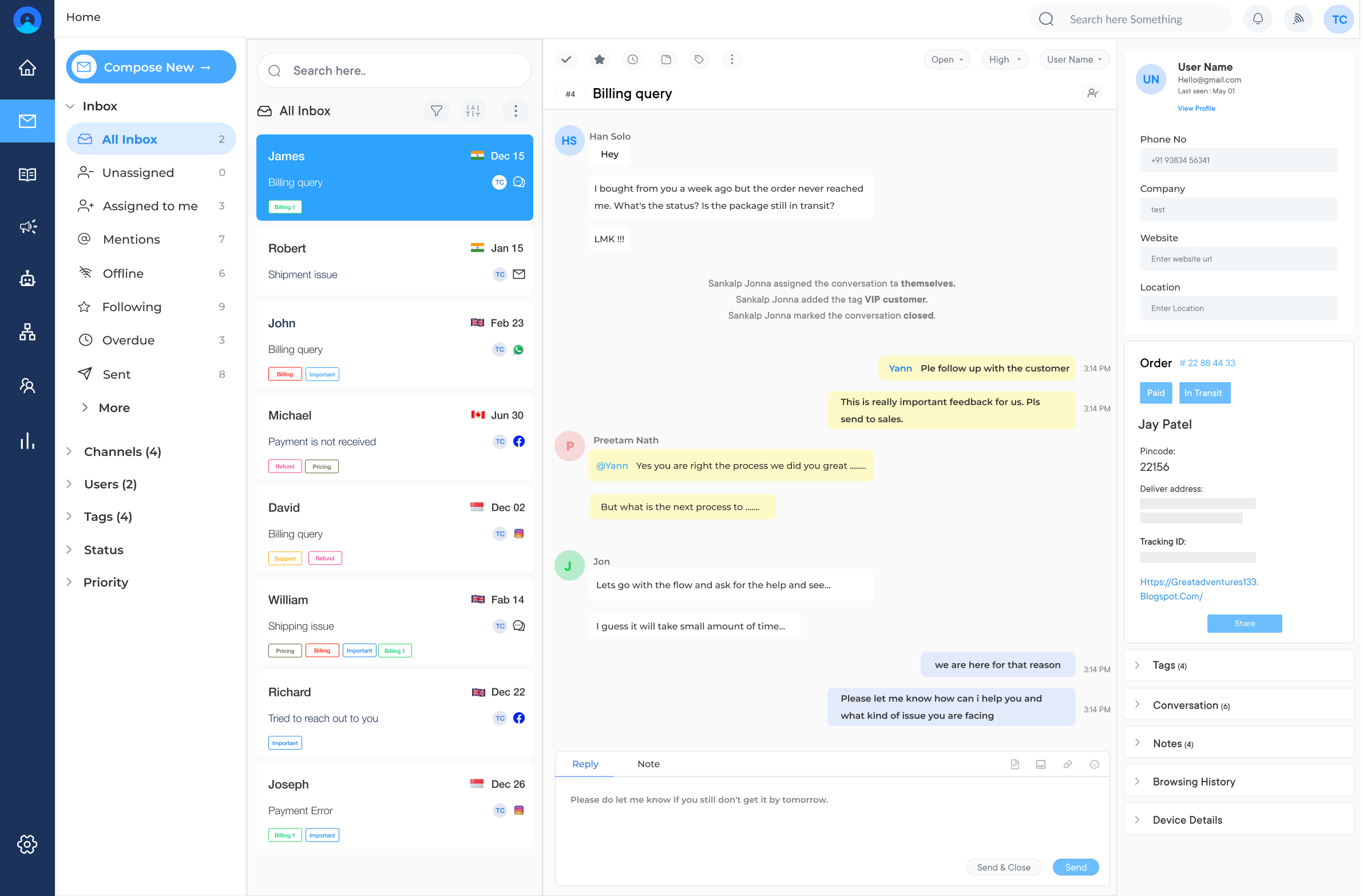
Omni24 is an omnichannel customer engagement platform that unifies three suite support, sales, and marketing under one interface. It gives every team the same unified customer view and powers AI automation across the entire customer journey.
Omni24’s shared inbox brings every email conversation, support tickets, sales replies and marketing responses into one unified view. Support teams manage help desk emails while sales reps track prospect conversations, deal context and marketing handles campaign replies from the inbox without switching between channels.
Key features:
Pricing: The pricing starts from $29/month/user and goes up to $149/month/user. Check out their pricing for more details.
Top email collaboration platform with easy user experience
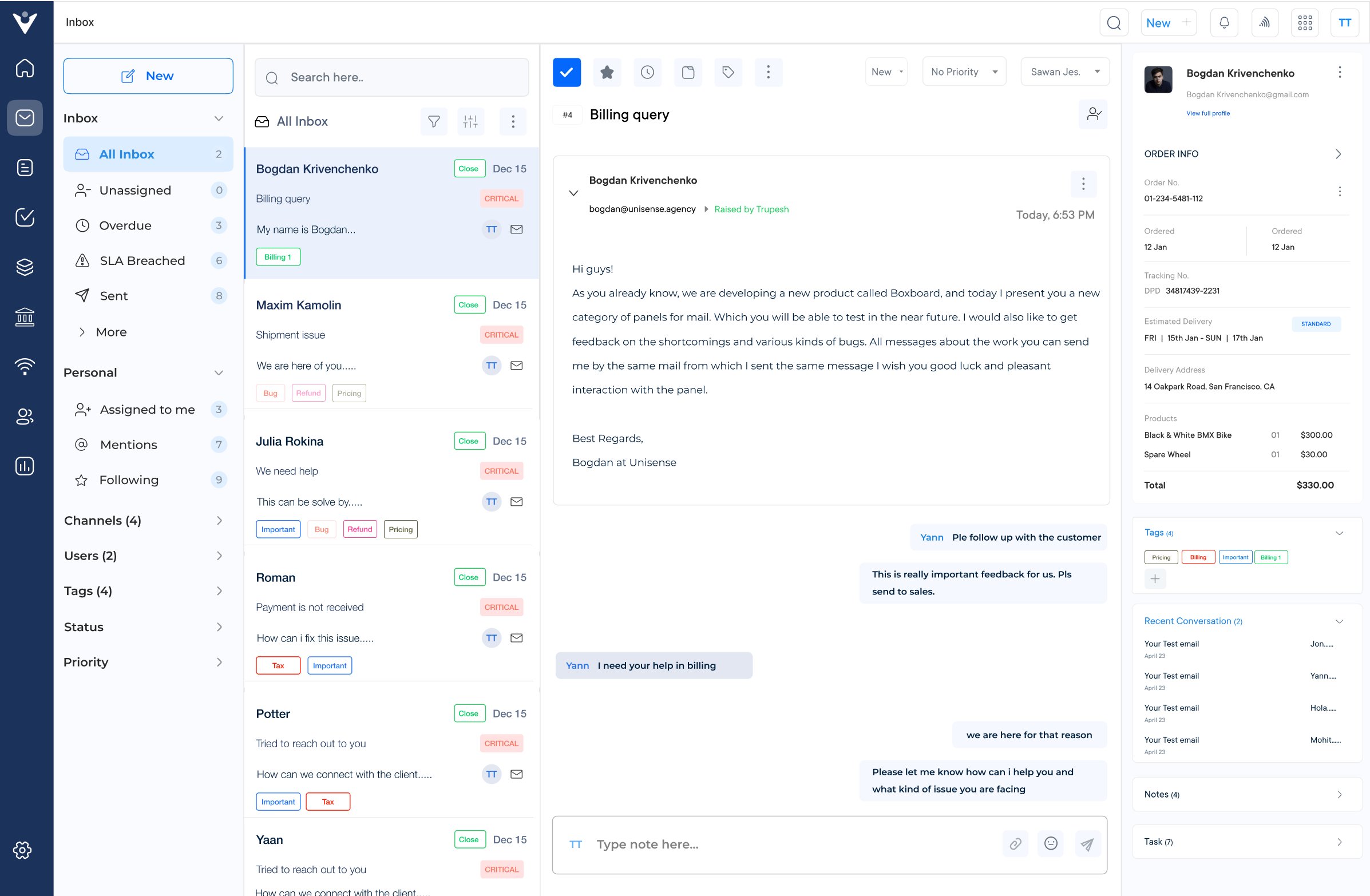
Veemo Support is one of the best customer support and help desk platforms that streamlines communication across every channel a business uses. It combines ticketing, automation and shared inbox into one connected system for managing customer conversations.
The platform includes a shared inbox that brings every email conversation into one centralized view, letting agents collaborate without duplicating replies. Internal notes and assignment rules ensure the right agent handles each email, while preventing multiple team members from responding to the same customer.
Key features:
Pricing: Veemo offers plans ranging between $29/month/user and $129/month/user. Businesses can avail their 14-day free trial offer.
Best online collaboration tools for emails
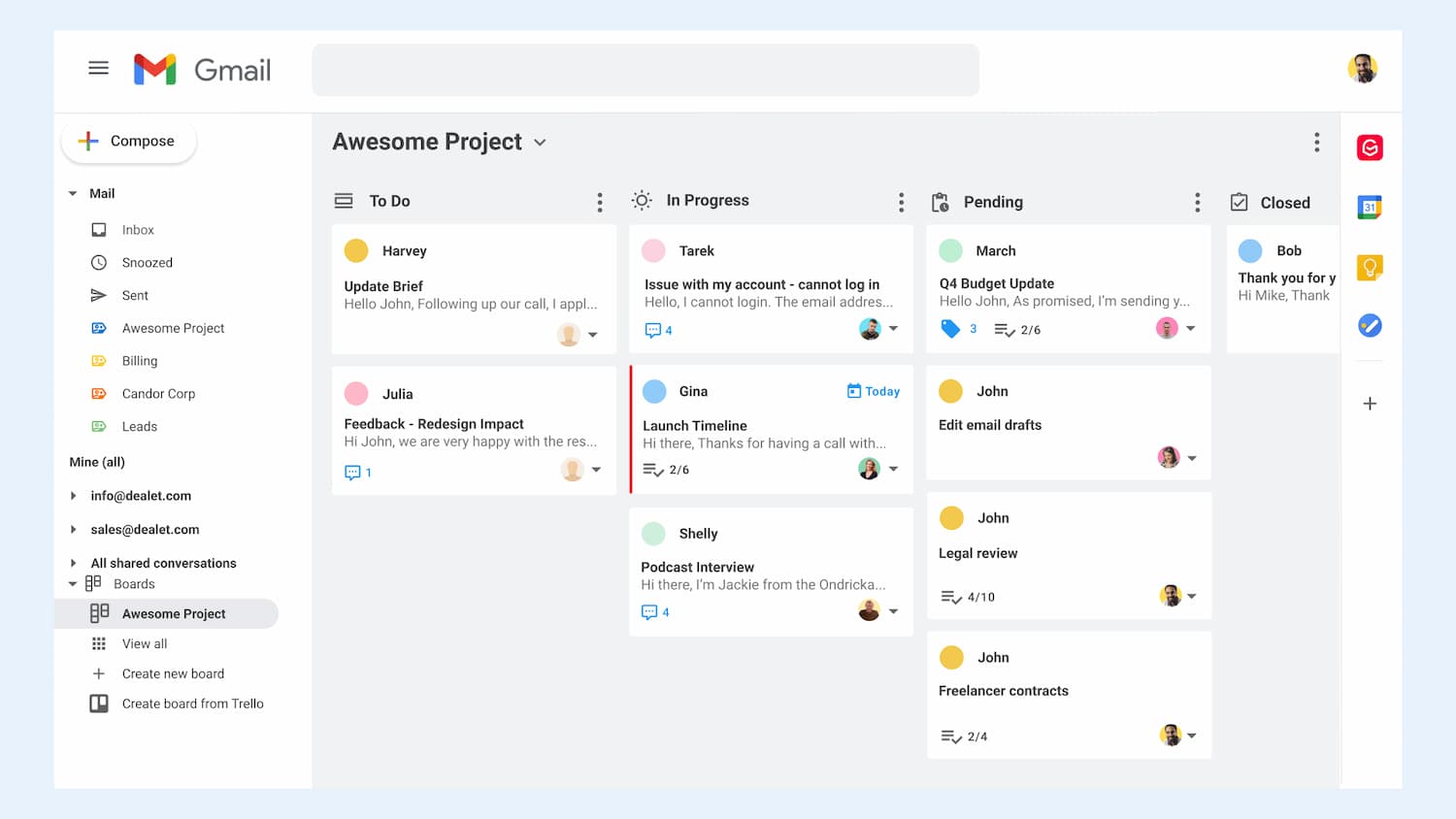
Gmelius is a feature-rich email collaboration software that focuses on enhancing team collaboration within Gmail. It offers features like shared inboxes, email notes and real-time collaboration. It also provides email tracking, allowing you to monitor email performance and optimize your communication strategies.
Gmelius allows teams to manage their shared inbox seamlessly. Pre-built email templates enable users to save time responding to repetitive emails and improve consistency across communication.
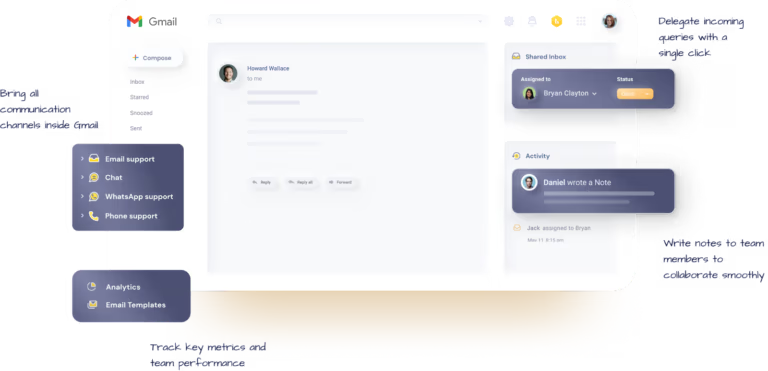
HiverIQ is an email collaboration platform specifically designed for teams working in customer support and help desk environments. It offers email assignment as well as tracking and collaborative email notes. It also provides analytics features to help you measure overall team performance and identify areas for improvement.
Users can assign emails to specific team members, making it easier to organize and prioritize tasks. Assign conversations to team members, add private notes and collaborate on responses in real time.
Read more: Managing team inboxes more efficiently? Check these Hiver alternatives for smarter workflows.
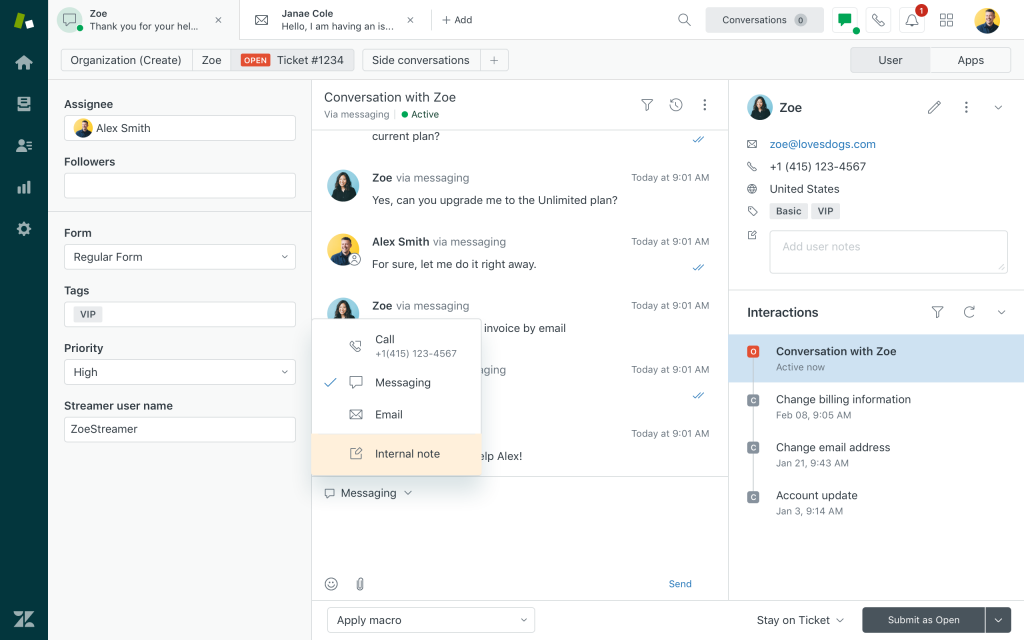
Zendesk is a popular customer service software that also includes robust email collaboration capabilities. It manages shared inboxes, tracks customer conversations and collaborates with your team members seamlessly. It also offers automation features, ticket management and customizable workflows to streamline your customer support operations.
Users can create automation rules and macros to streamline repetitive tasks while reducing response times. Zendesk offers features that help businesses track customer satisfaction.
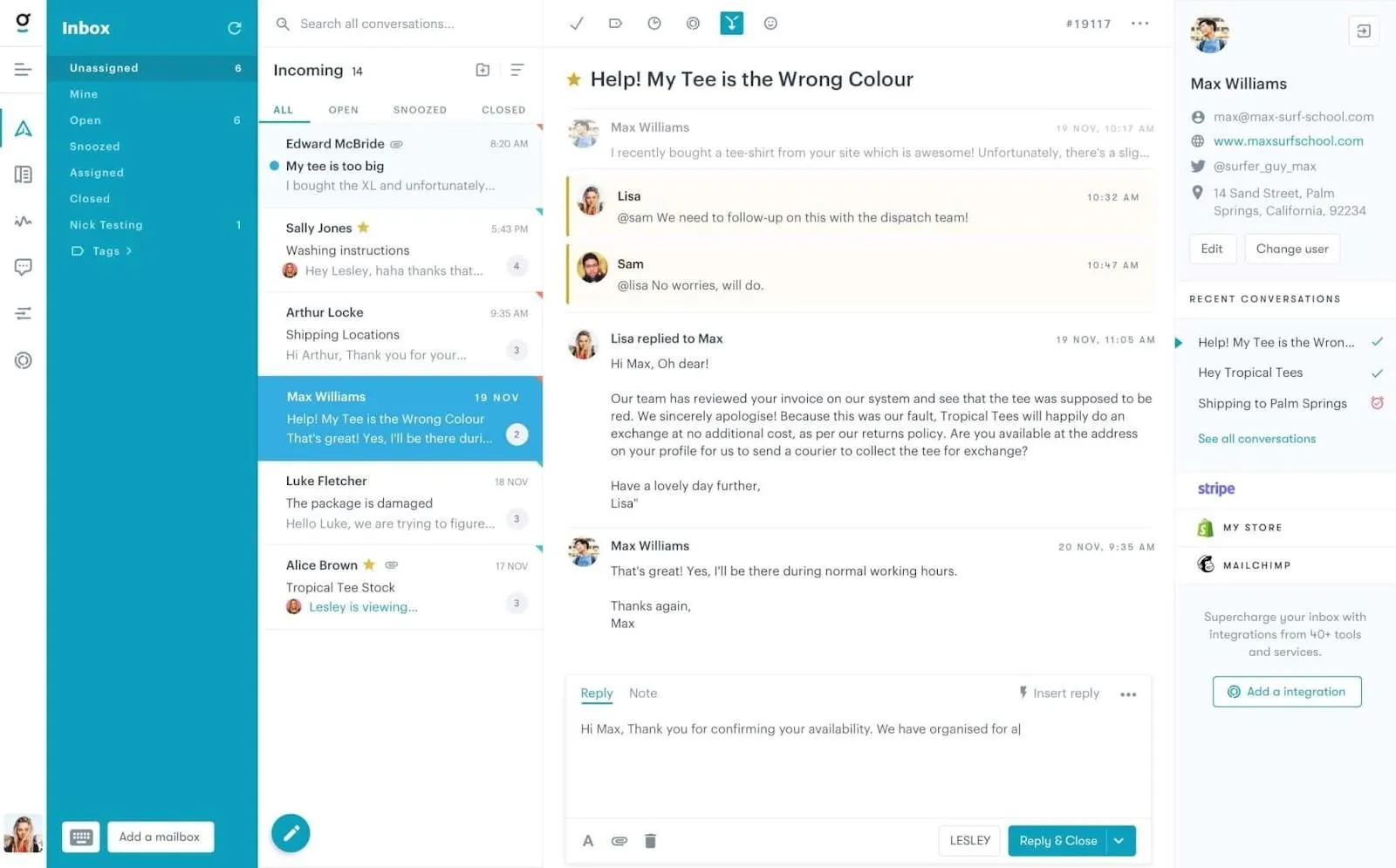
Groove is a versatile tool designed for managing shared inboxes, encompassing emails, social media messages and live chats.
Its key features include the ability to allocate conversations to specific team members for clarity, mention and notify support teams to keep them informed, and engage in internal discussions via private notes regarding customer inquiries.
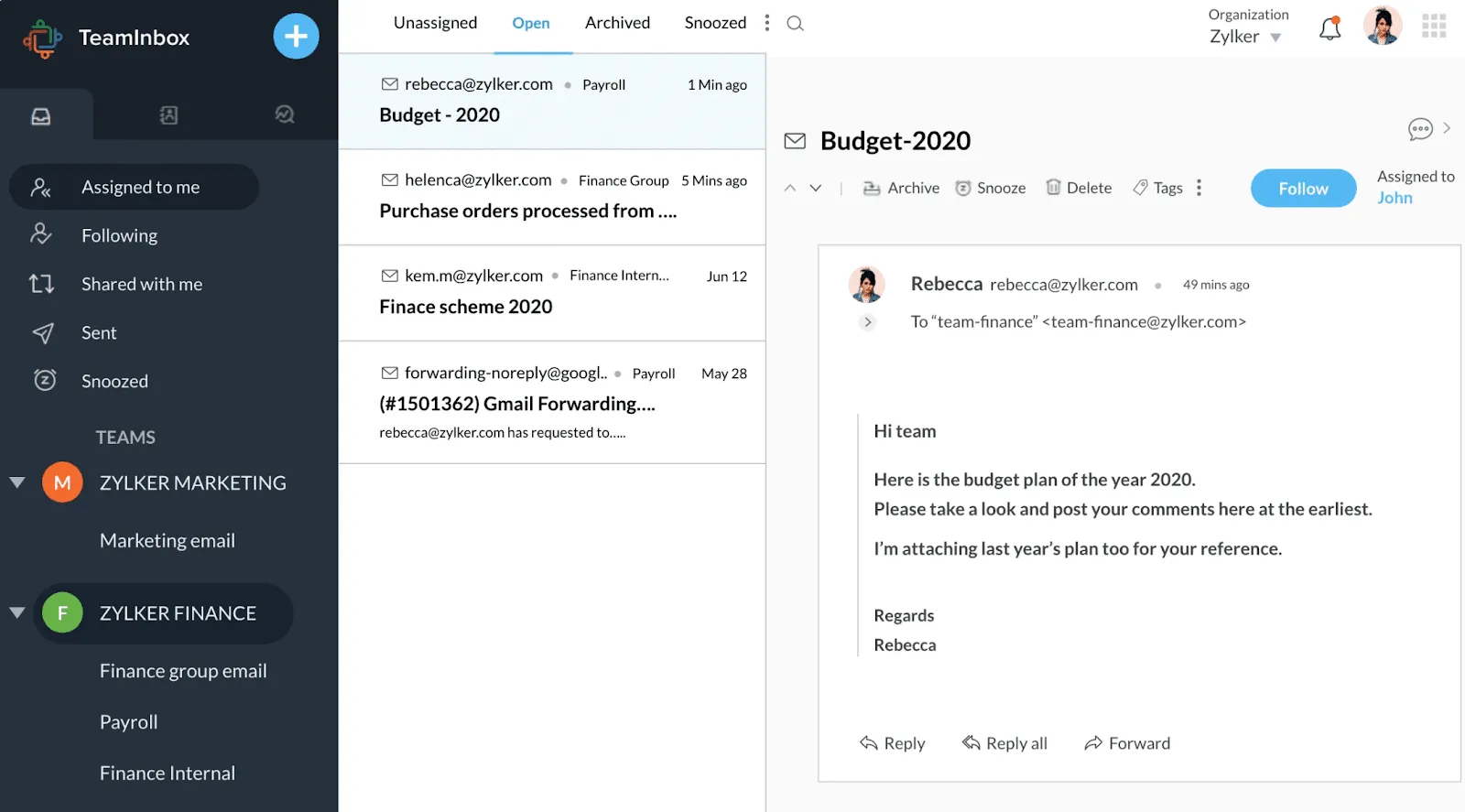
Zoho Desk is an email collaboration suite that offers shared inboxes, team calendars, and project management tools. It integrates seamlessly with other Zoho apps, enabling teams to centralize communication, track tasks, and collaborate on projects within a unified platform.
Its features are guided conversations, the ASAP plug-in, a multi-brand, help desk call center and a knowledge base.
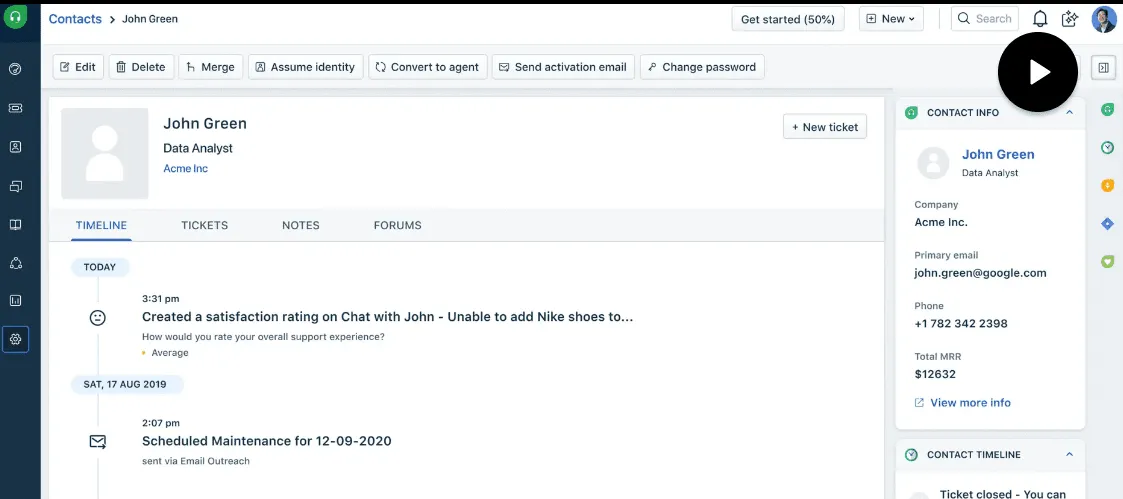
Freshdesk is an all-in-one customer service and email collaboration platform. It provides shared inboxes, collision detection, canned responses and robust reporting features, helping teams respond to customer inquiries more efficiently and maintain consistency in communication.
Shared inboxes, collision detection, canned responses, and robust reporting for efficient and consistent customer service email management.
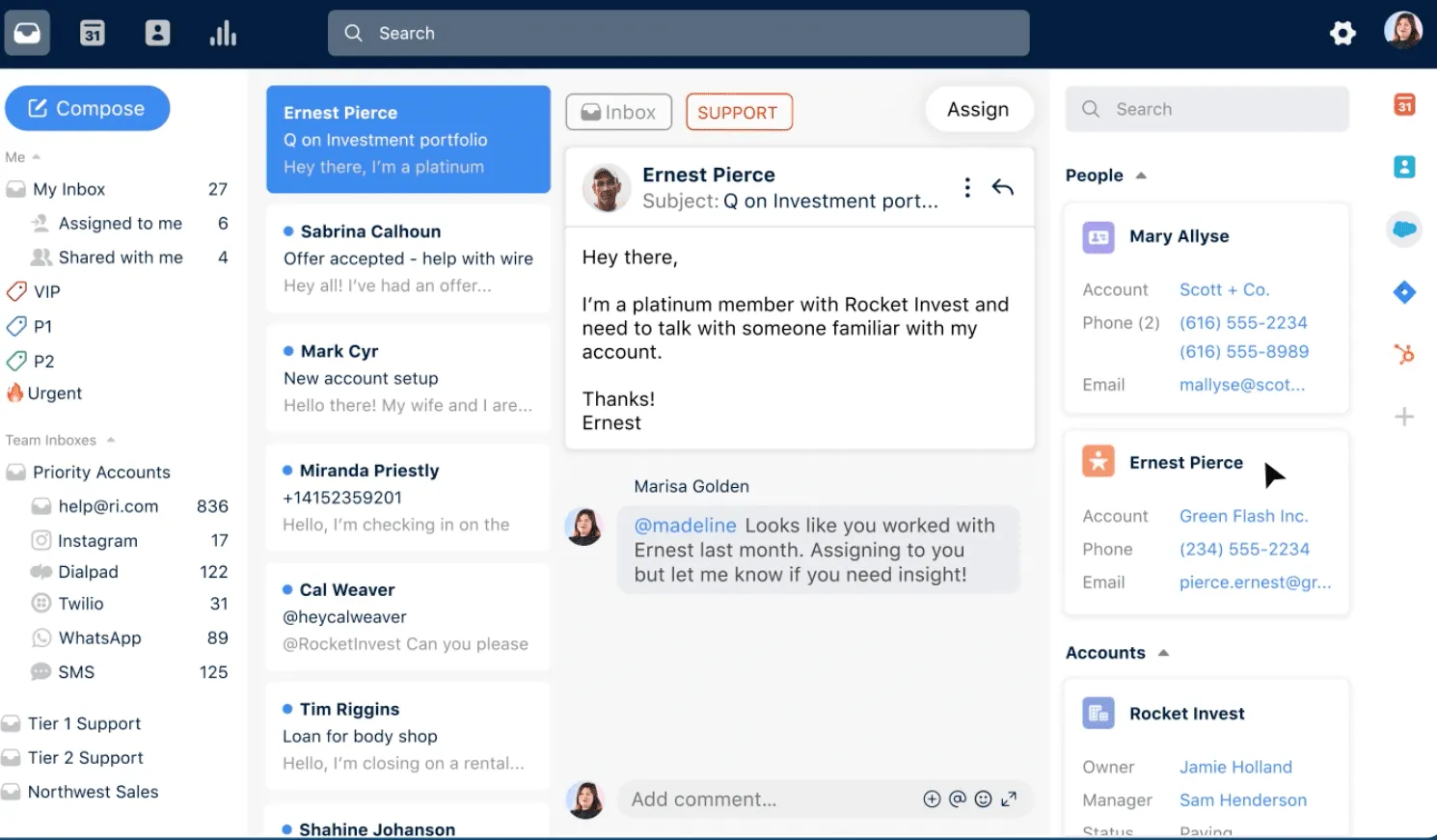
Front is a collaborative email platform that allows teams to share inboxes, assign messages, and communicate in real-time. Its intuitive interface, powerful automation, and integrations with other business tools make it an ideal solution for streamlining email workflows and improving team productivity.
Shared inboxes, real-time team collaboration, automation, and third-party integrations for streamlined email workflows and improved productivity.
Discover the key features of email collaboration software that streamline communication, enhance productivity, and improve team coordination in real-time. Here are the details.
Multiple team members can access and manage common email accounts simultaneously through a centralized collaborative workspace. Staff members view, respond to, and track all communications from a unified platform, creating consistent response handling and preventing duplicate replies. Support and customer service teams find exceptional value in collaborative inbox management.
Managers distribute email tasks among team members with clear ownership and accountability mechanisms. Task allocation happens based on expertise, workload, or availability, ensuring important messages receive proper attention. Systematic workload distribution keeps teams balanced and responsive across all communications.
Internal notes, @mentions, and shared drafts make instant communication possible within the email environment. Staff members discuss email content, share context, and craft responses together without creating separate threads. Direct collaboration leads to faster decision-making and maintains consistent, high-quality responses.
Customizable workflow stages allow teams to monitor email progress from receipt to resolution. Response times, bottlenecks, and follow-ups remain visible through comprehensive tracking systems. Smart features like automated reminders, SLA tracking, and performance analytics maintain service quality standards throughout operations.
Standardized email templates serve common responses and situations through a centralized library. Team members access shared, customizable templates to maintain brand voice and ensure communication consistency. Quick access to pre-approved content reduces response time while upholding quality standards across departments.
Built-in analytics tools provide comprehensive insights into email performance, team productivity, and customer engagement metrics. Performance indicators like response times, resolution rates, and workload distribution guide operational improvements. Data-driven decisions emerge from clear visibility into team and system performance.
Smooth connections with CRM systems, help desk software, and project management tools create a unified workflow environment. Data flows seamlessly between platforms, enabling efficient automated processes. Connected systems enhance operational effectiveness across all business applications.
Smart rules and triggers handle repetitive tasks automatically, from email assignments to common inquiry responses. Manual workload decreases as routine tasks move through predetermined processes. Teams focus on complex issues while automated systems manage standard operations efficiently.
Investing in an email collaboration tool can greatly enhance productivity. It helps companies streamline both external and internal communication in the workplace.
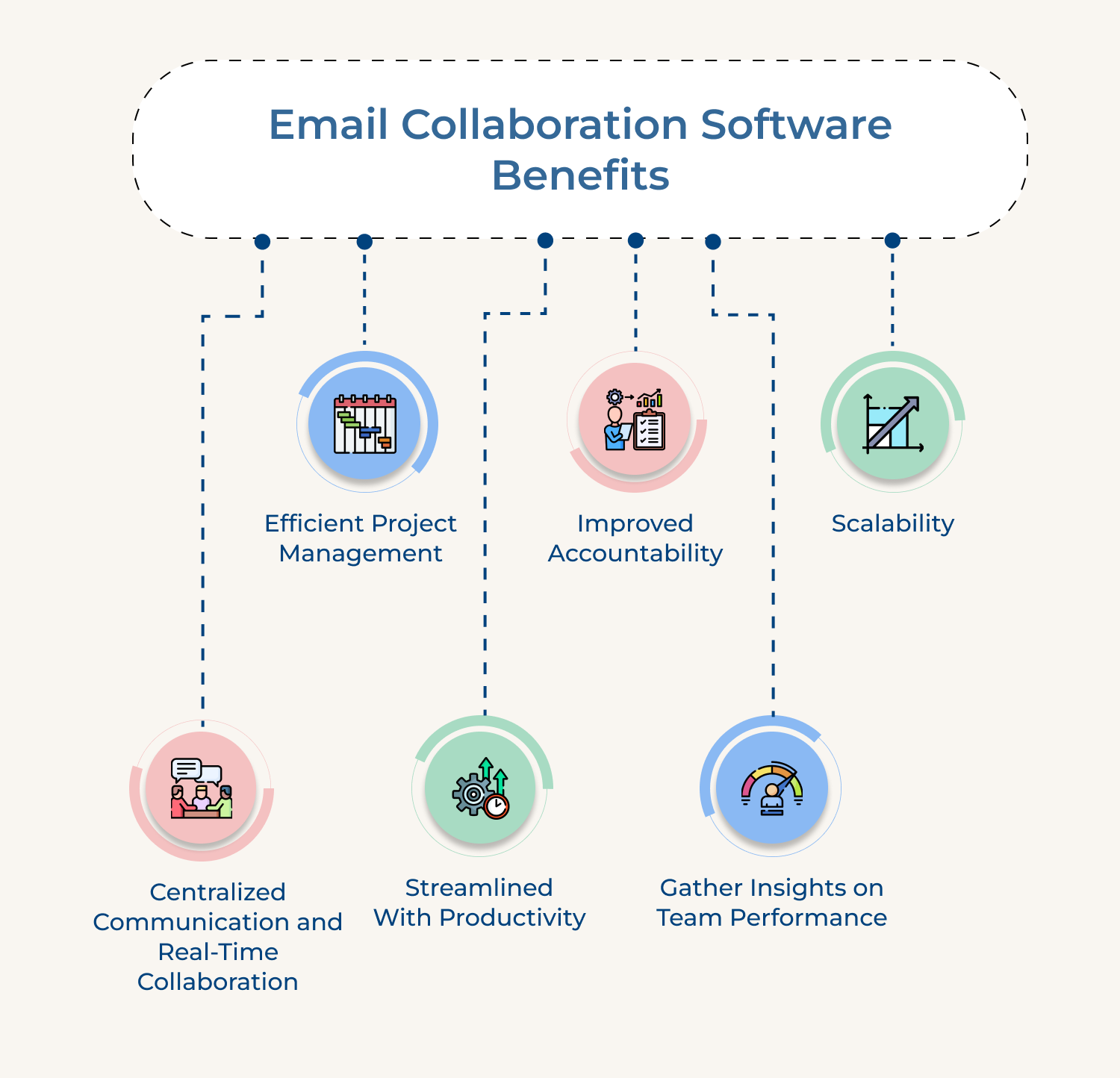
1. Centralized Communication and Real-Time Collaboration
One of the significant advantages of email and collaboration is that brings all customer communicatio it ns into a centralized platform. It ensures that all team members are on the same page and have access to the same information.
The unified approach helps to eliminate confusion and allows for a seamless flow of information between team members, resulting in a more efficient customer service experience.
2. Efficient Project Management
Email collaboration significantly improves customer support operations by enabling teams to efficiently manage and prioritize customer inquiries. Here, support agents can assign emails to specific team members and track progress, ensuring that every customer request is handled promptly.
Seamlessly integrating with other online collaboration tools, this one helps in streamlining the processes. Eventually, it leads to a higher customer satisfaction and retention rates.
3. Streamlined With Productivity
Efficiency is key for customer support. Email collaboration tools provide features such as automated email routing and pre-written templates, which significantly reduce, response times.
Offering such automation ensures that the customers receive the responses quickly and how, while also maintaining the high-quality levels of SLA’s set by the company.
4. Improved Accountability
Email collaboration platforms provide a clear record of every conversation and action taken, ensuring accountability within the team. Team members can easily track who has responded to specific emails, view the status of ongoing discussions and avoid miscommunication.
The transparency forges a sense of ownership, promoting effective teamwork as well as preventing customer requests from falling through the cracks.
5. Gather Insights on Team Performance
Email team collaboration tools provide useful insights into team performance. Managers can track metrics such as response times, resolution rates and customer satisfaction scores. The metrics allow businesses to identify areas of improvements, provide targeted training and recognize high-performing team members.
When you measure team performance, businesses will continually get opportunities to optimize their customer support operations while also striving for excellence.
Whether you’re working on a project collaboration or simply keeping your team in the loop, email collaboration tools can help streamline communication and improve productivity.
Enterprise help desk software not only manages tickets. It scales your entire support operation. Omni24 stands out for its omnichannel inbox, AI-powered automation and deep customization capabilities built for scalability.
Ready to see it in action? Start your 14-day free trial. The best enterprise help desk software transforms reactive support into a strategic process.
Omni24’s DCX platform harnesses automation and AI to deliver unified customer experiences across digital channels, while keeping human touch
Anyone who relies on email communication for their work benefits from an email collaboration tool. It includes individuals, teams, as well as organizations of all sizes and industries. Whether you are a freelancer, a small business owner, or part of a large corporation an email collaboration tool enhances productivity, streamline communication and improves collaboration among team members.
Measuring the success of an email collaboration tool requires tracking several key indicators consistently across the entire team’s usage over time. It ensures the platform genuinely improves outcomes instead of simply adding another tool to daily workflows. Some metrics to monitor are:
The platform plays a critical role for remote and hybrid teams working across different locations and time zones. It makes sure that every team member stays updated on customer conversations despite physical location or working hours.
Shared visibility into email threads eliminates the coordination gaps that often arise when colleagues can’t simply be around. The centralized approach helps distributed teams stay aligned and accountable, even without frequent interaction.
The right platform prioritizes data security through several measures built into core infrastructure. It is because teams often exchange sensitive customer and business information across shared inboxes without a second thought. Key security practices to consider are:
The standard way of doing email often fails when it comes to collaboration due to inherent limitations. Traditional email platforms were primarily built for one-to-one communication and lack the necessary features to support effective teamwork.
Managing multiple email threads, tracking changes, coordinating tasks as well as sharing files quickly become overwhelming and lead to confusion. Email collaboration tools address these limitations by providing a centralized and collaborative workspace within the email environment.
 https://omni24.io/wp-content/uploads/2026/09/Social-commerce-scaled.png
1340
2560
Webvision Solution
https://omni24.io/wp-content/uploads/2023/04/Omni-Logo-1.svg
Webvision Solution2026-10-23 12:18:272026-10-23 12:18:27What is Social Commerce and Why Does It Matter?
https://omni24.io/wp-content/uploads/2026/09/Social-commerce-scaled.png
1340
2560
Webvision Solution
https://omni24.io/wp-content/uploads/2023/04/Omni-Logo-1.svg
Webvision Solution2026-10-23 12:18:272026-10-23 12:18:27What is Social Commerce and Why Does It Matter? https://omni24.io/wp-content/uploads/2026/08/AI-Customer-Service-Agents.png
1256
2400
Webvision Solution
https://omni24.io/wp-content/uploads/2023/04/Omni-Logo-1.svg
Webvision Solution2026-09-21 04:48:512026-09-21 04:48:51How to Build an AI Customer Service Agents: 8 Key Steps
https://omni24.io/wp-content/uploads/2026/08/AI-Customer-Service-Agents.png
1256
2400
Webvision Solution
https://omni24.io/wp-content/uploads/2023/04/Omni-Logo-1.svg
Webvision Solution2026-09-21 04:48:512026-09-21 04:48:51How to Build an AI Customer Service Agents: 8 Key Steps https://omni24.io/wp-content/uploads/2026/08/Omnichannel-Conversational-AI.png
1256
2400
Tushar Joshi
https://omni24.io/wp-content/uploads/2023/04/Omni-Logo-1.svg
Tushar Joshi2026-09-16 03:51:072026-09-16 03:51:07How to Build Omnichannel Conversational AI Strategy
https://omni24.io/wp-content/uploads/2026/08/Omnichannel-Conversational-AI.png
1256
2400
Tushar Joshi
https://omni24.io/wp-content/uploads/2023/04/Omni-Logo-1.svg
Tushar Joshi2026-09-16 03:51:072026-09-16 03:51:07How to Build Omnichannel Conversational AI Strategy
Whether it’s about acquire, engage or support – Omni24 covers all your customer engagement needs in one complete platform.

Copyright ©2026 Veemo All rights reserved.
CA, Los Angeles, Hall Ave, 19011