9 Best Knowledge Base Software & Tools for Businesses
Invest in top knowledge base software to boost productivity, enhance employee engagement, prevent knowledge loss, and elevate the customer experience.


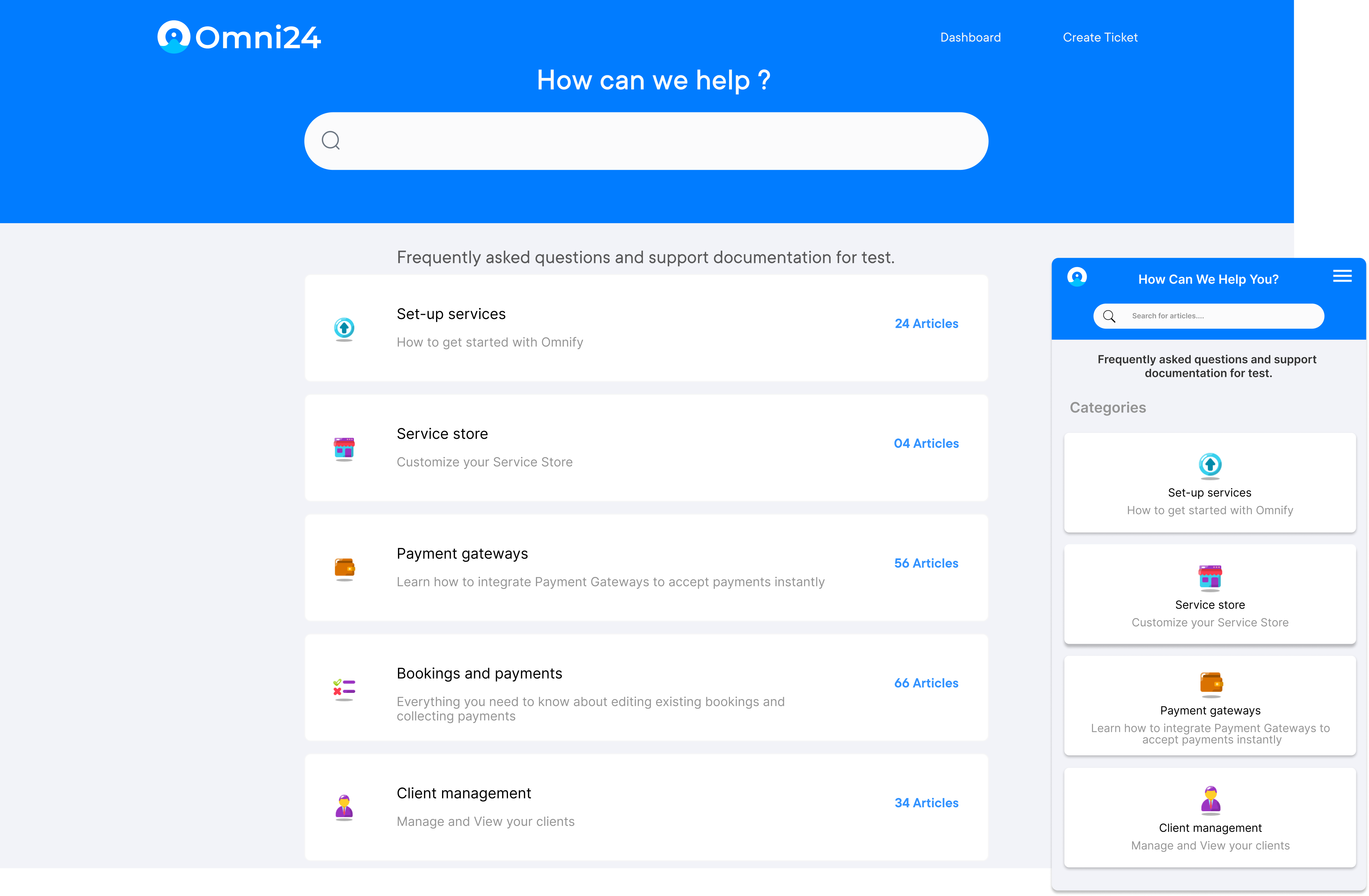
Invest in top knowledge base software to boost productivity, enhance employee engagement, prevent knowledge loss, and elevate the customer experience.
Empower employees to make informed decisions and resolve customer service problems faster with kb software.
Increase team productivity with the best knowledge base software. It centralizes all articles, reducing the time spent on information and allowing more time for priority work.
Deploying a good knowledge base solution provides a central source of information to all teams communicating with customers, leading to a more consistent, unified customer experience.
Businesses can deliver on-demand training, which is an impactful way for people to learn. A searchable knowledge base helps in directly jumping to the information that is most relevant.
A knowledge database software reduces time spent searching for details, making them more productive in doing high-quality work. A better understanding of work leads to revenue growth.
Most support teams receive the same questions every day and new hires spend weeks hunting scattered files, leading to a reduction in efficiency. A good Knowledge Base Software (KBS) helps in overcoming this by storing, organizing and delivering organizational knowledge efficiently.
Organizations leveraging KBS reduce support ticket volume, cut agent resolution time and retain knowledge through staff turnover to deliver consistent experiences. Explore a list of best knowledge base software tools based on features, pricing and selection criteria to help make the right choice.
Knowledge base software is a tool that helps businesses store, organize and share information in one place so that customers and teams can find the answers they need quickly and easily. It brings together FAQs, how-to guides, product documentation and troubleshooting articles into a single searchable hub, reducing search time.
Key objectives:
The below chart compares top knowledge base software, highlighting key features, pricing, and integration options to help you choose. Here are the details.
| Software | Key Features | Price | Trial |
|---|---|---|---|
| Omni24 |
|
$29/agent/month | 14 days |
| Veemo |
|
$29/agent/month | 14 days |
| ServiceNow |
|
Custom pricing | 30 days |
| Document360 |
|
$99/month | 14 days |
| HelpCrunch |
|
$15/agent | 14 days |
| Help Scout |
|
$20/user | 15 days |
| HelpJuice |
|
$120/month | 14 days |
| HelpJuice |
|
$120/month | 14 days |
| Zendesk |
|
$19/agent | 14 days |
| Guru |
|
$10/user | 30 days |
Deploying the best knowledge base platform provides a convenient self-help service to users. It saves time of resources that is otherwise spent answering common user questions.
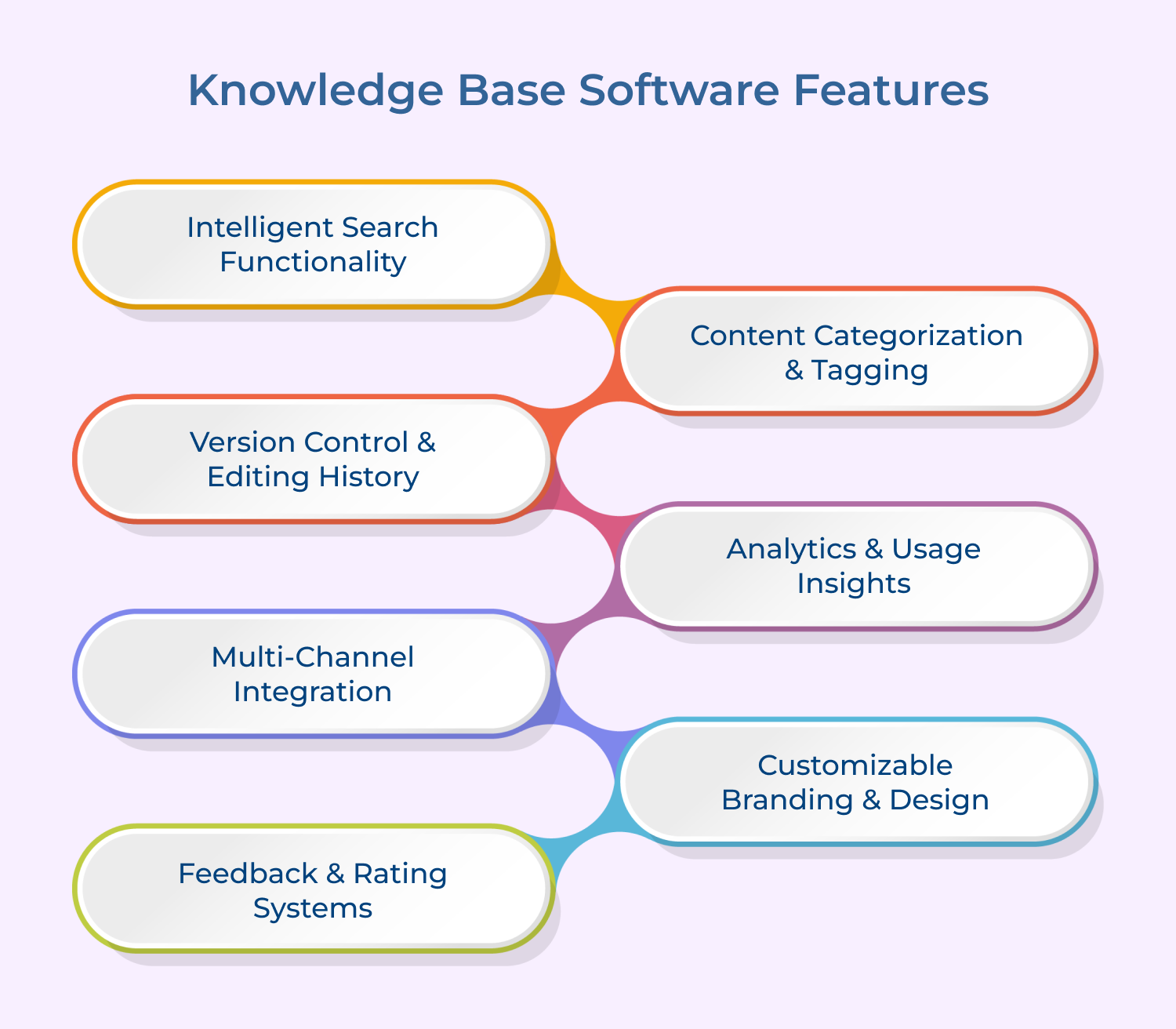
Strong search capabilities use natural language processing to understand user intent, even with or vague phrasing. This ensures customers and agents find relevant articles efficiently, without guessing exact keywords or navigating complex category structures manually.
Effective organization through categories, tags and subcategories makes large content libraries easily navigable as they scale over time. Clear structure enables users to locate relevant information, reducing frustration and preventing valuable articles from getting buried.
Version control feature in knowledge base software tracks changes made to articles over time, allowing teams to revert outdated edits easily. This accountability ensures content accuracy remains intact even as multiple team members update articles.
Real-time analytics reveal articles that are most viewed, where searches fail and which content needs updates. The advanced insights enable teams to prioritize revisions based on genuine usage patterns instead of assumptions about customer needs.
Seamless integration with live chat, chatbots and ticketing systems lets agents find relevant articles instantly during conversations. It ensures accurate answers regardless of the support channel a customer chooses to engage.
Businesses need the flexibility to align the knowledge base’s appearance with their brand identity and visual style. The flexibility helps in creating a seamless experience that feels like a natural extension of the company’s website.
Enable customers to rate articles as helpful or not to reveal content gaps that analytics alone cannot do in the in-depth process. This direct feedback helps teams continuously refine their content and improve the knowledge base based on real user experiences.
A good knowledge base software tool can be incredibly helpful when it comes to providing efficient solutions.
Excellent knowledge base support platform
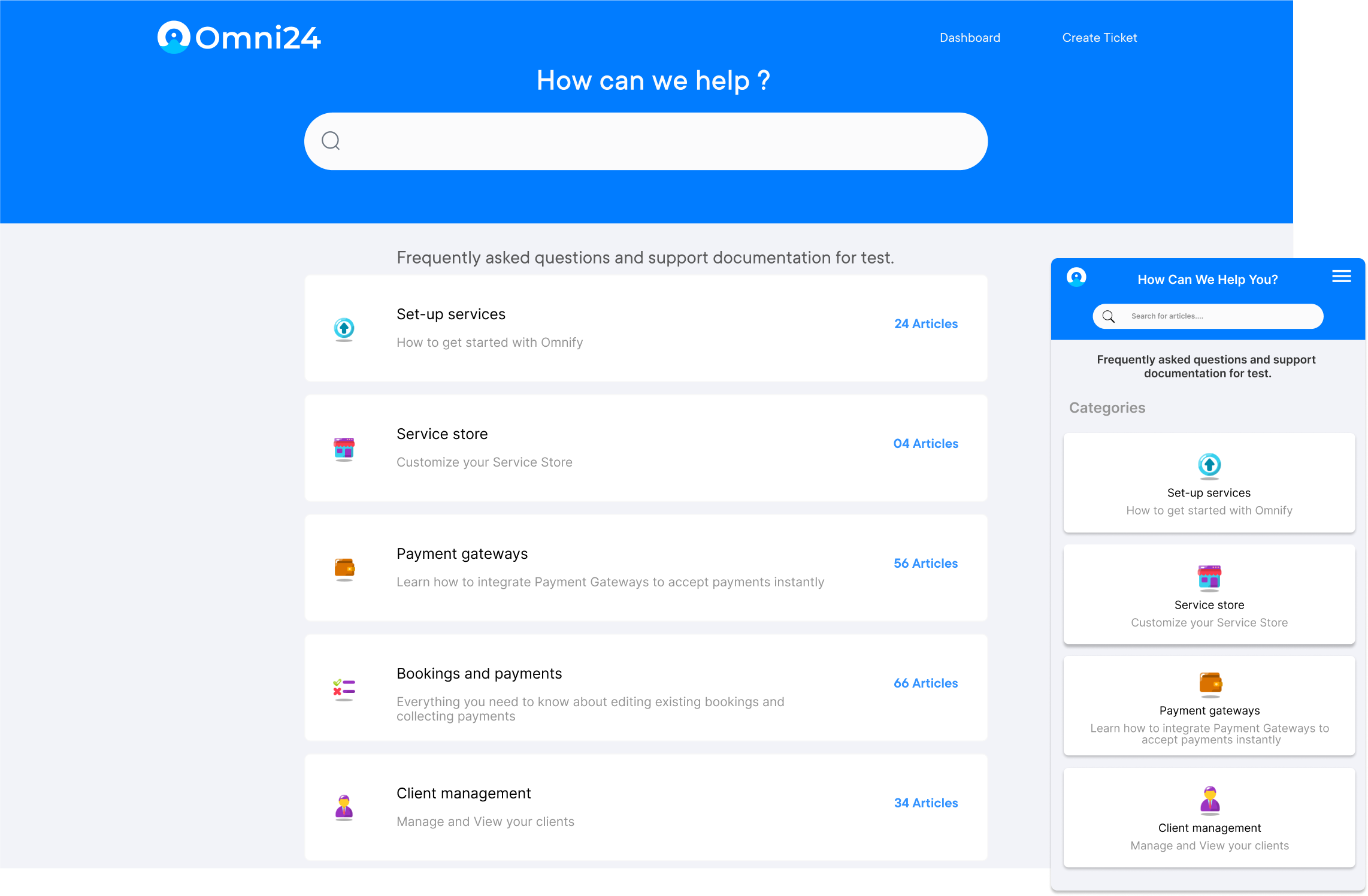
Omni24 is an AI-powered omnichannel customer engagement platform that unifies support, sales and marketing under one suite of tools. Instead of juggling separate apps for each team, it centralizes customer data and conversations in one interface, powering AI and automation across the entire customer journey.
Omni24’s support suite includes a knowledge base that lets customers find answers independently without a human agent, directly reducing ticket volume. Agents responding to a query can pull relevant articles through AI Copilot, as it is connected to the same customer record across sales and marketing.
Key features:
Pricing: Omni24’s pricing starts from $29/user/month and goes up to $149/user/month based on the features. All plans come with 14 days free trial and include a shared inbox, knowledge base and omnichannel support.
Best knowledge base platform for businesses of all sizes

Veemo Support is an AI-powered customer support and help desk platform that streamlines customer service operations. The software provides an omnichannel ticketing system combined with advanced reporting and analytics tools to help businesses deliver tailored as well as effective support.
The platform offers knowledge base functionality that helps in building a searchable library of articles that customers can browse independently during peak hours. The help center is also useful for agents to reference the same content mid-conversation through AI-Copilot and categorization, ensuring every response is consistent across the support team.
Key features:
Pricing: Veemo’s pricing plans start from $29/user/month and go up to $129/user/month based on the features.
Best AI powered knowledge base tool
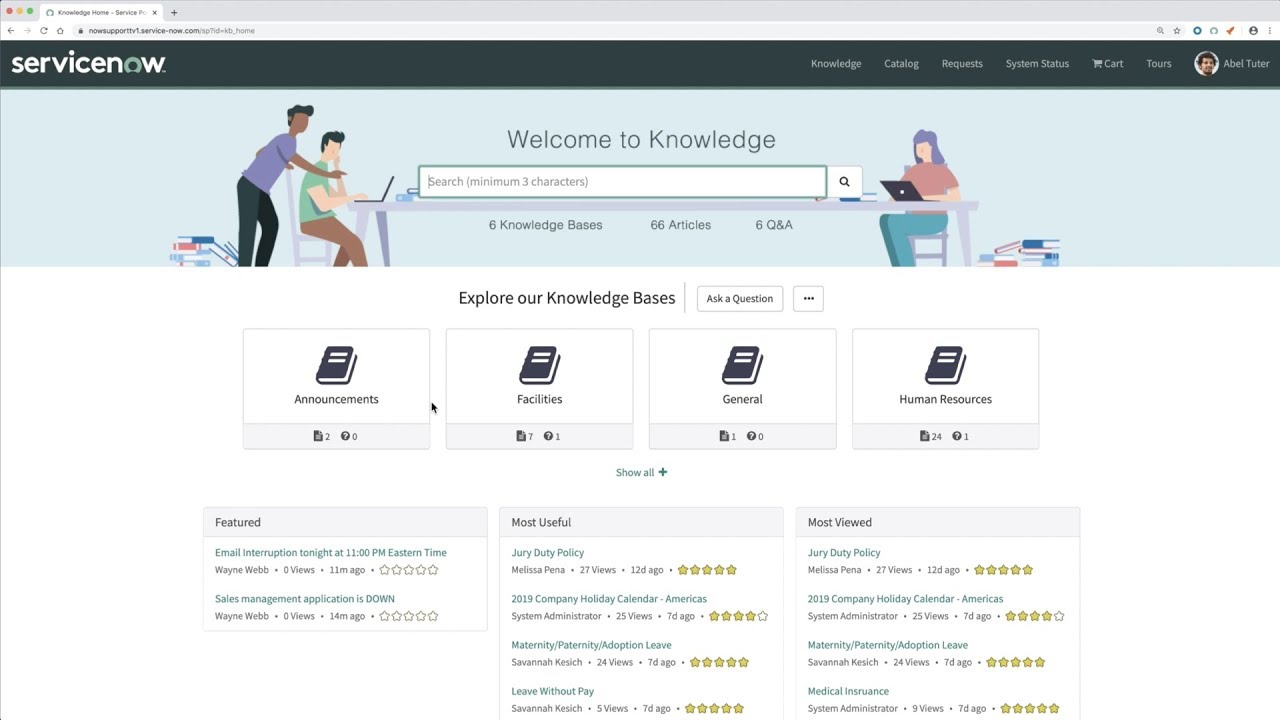
Deploy the ServiceNow platform to create a private knowledge base for your company team. ServiceNow is a complete platform that allows companies to digitize their customer management and workflows. Provides external facing knowledge bases to serve customers. It even includes an app store with integrations made specifically for creating advanced knowledge databases.
It helps in creating a self service portal where users can access your knowledge base, customer support and support tickets from one place. The platform also features a brilliant innovative search function that matches terms with previous incidents to provide better results.
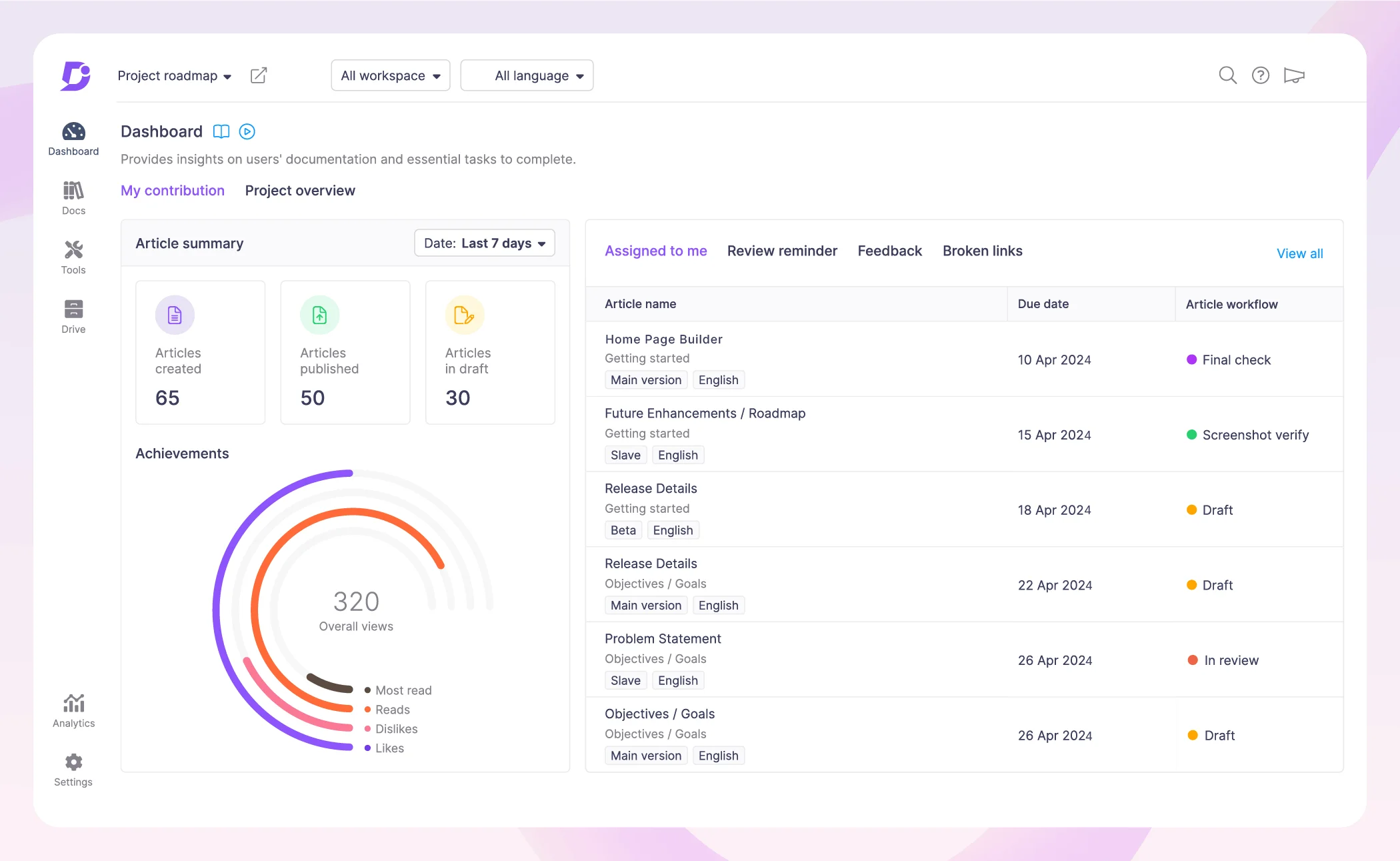
Document360 is a dedicated knowledge base platform that makes it easy to create, manage, and publish content for both internal and external audiences. Its key features include a Markdown-based article editor, white-labeled customer portals, version control and integrations with various tools.
Key features include Intuitive Markdown-based article editor, customizable white-labeled portals, version control and audit history, integrations with help desk and code repositories.
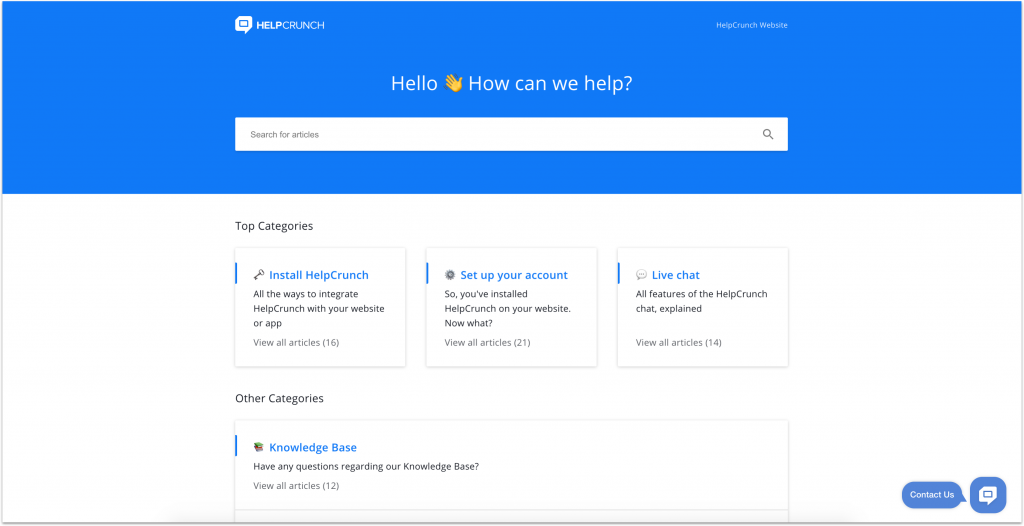
HelpCrunch is an all-in-one customer communication platform that includes a robust knowledge base. It allows you to create a self-service portal with an intuitive article editor, smart search, multilingual support, and customer feedback functionality.
Key features include drag-and-drop article editor, smart search with auto-suggestions, multilingual content support, customer feedback and ratings system, integrations with messaging and ticketing tools.
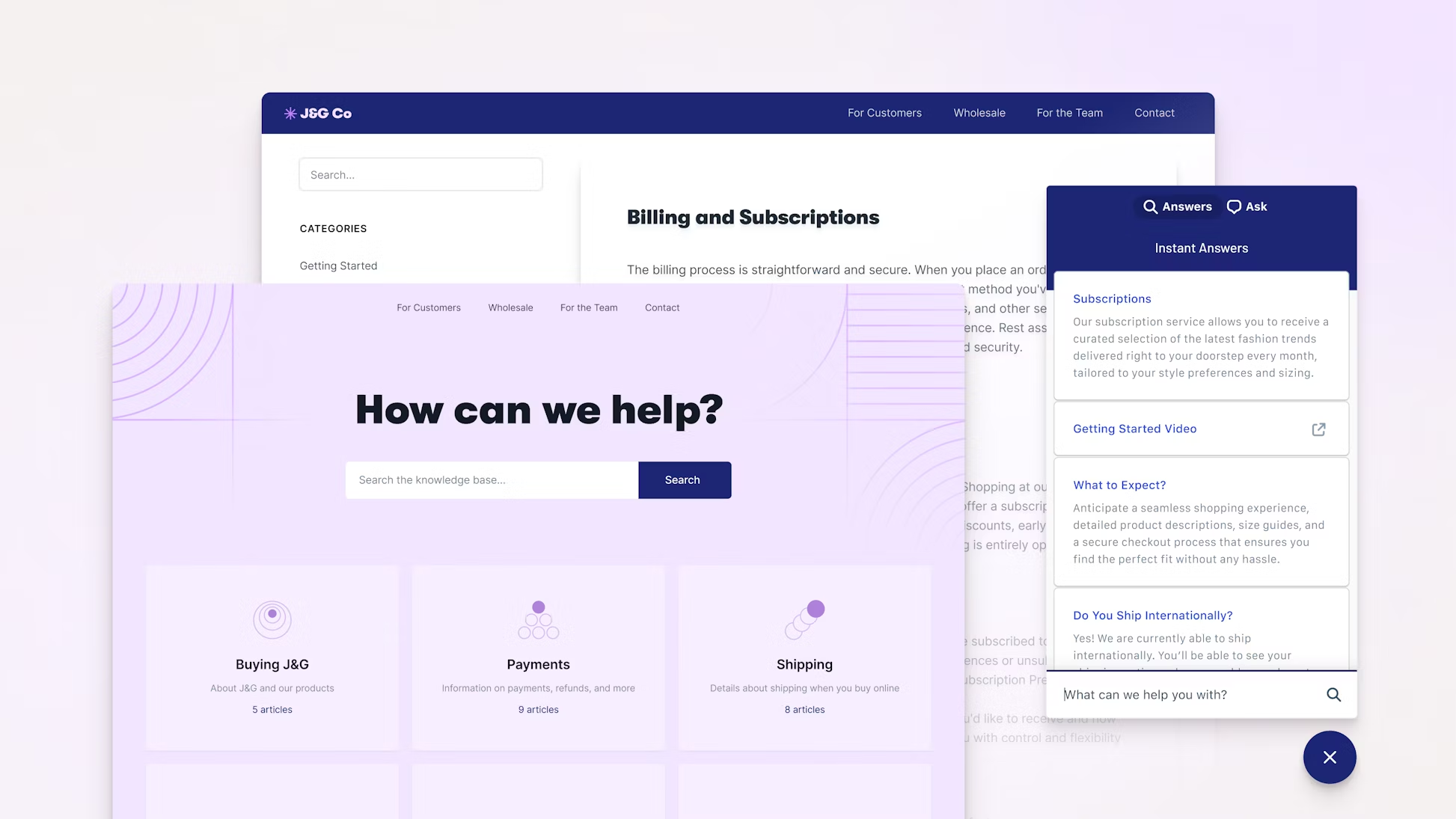
Help Scout is a help desk solution that also provides a powerful knowledge base. Its key knowledge base features include a drag-and-drop editor, customizable templates, version history, and integrations with other Help Scout products.
The platform offers drag-and-drop knowledge base editor, customizable templates and branding, version history and collaboration tools, integrated with Help Scout’s help desk and customer communications.
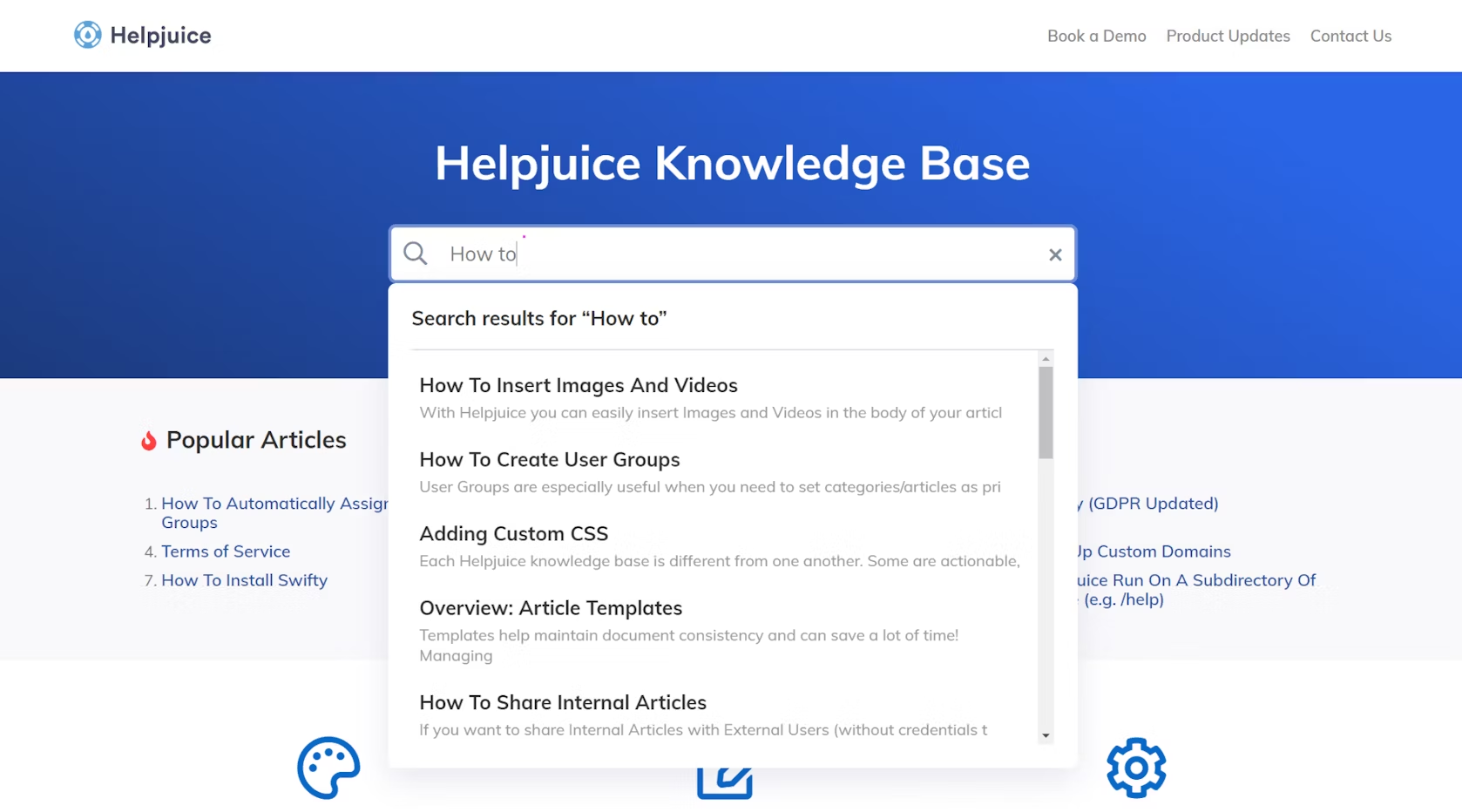
HelpJuice is a knowledge base and documentation platform designed to help teams create, organize, and publish content. Notable features include a WYSIWYG editor, team collaboration tools, version control, and detailed analytics.
The platform includes features such as a WYSIWYG editor, team collaboration features, version control and history, detailed analytics and reporting, seamless integration with other business systems.
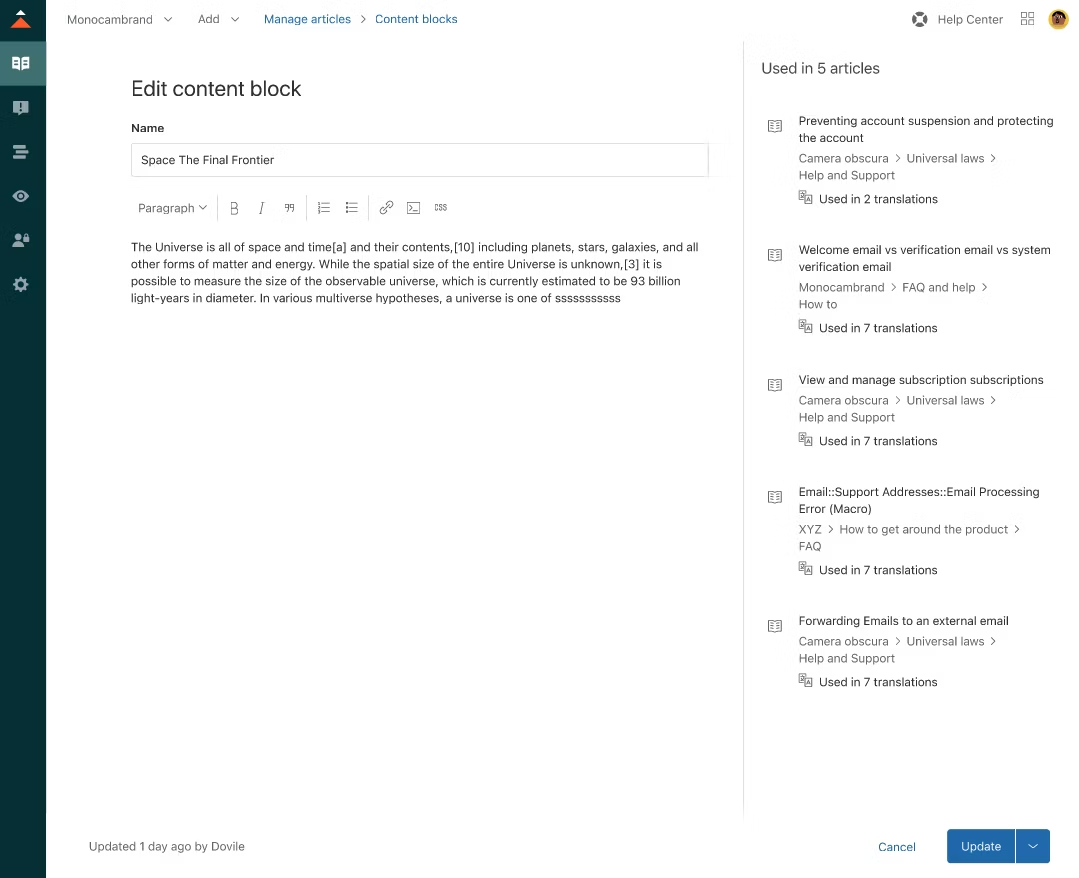
Zendesk Guide is Zendesk’s knowledge base and help center software. It allows you to build self-service portals, publish content, and leverage powerful search, analytics, and integrations with other Zendesk products.
The platform’s powerful content management system, customizable themes and branding, smart search functionality, advanced analytics and reporting, deep integration with Zendesk Support.
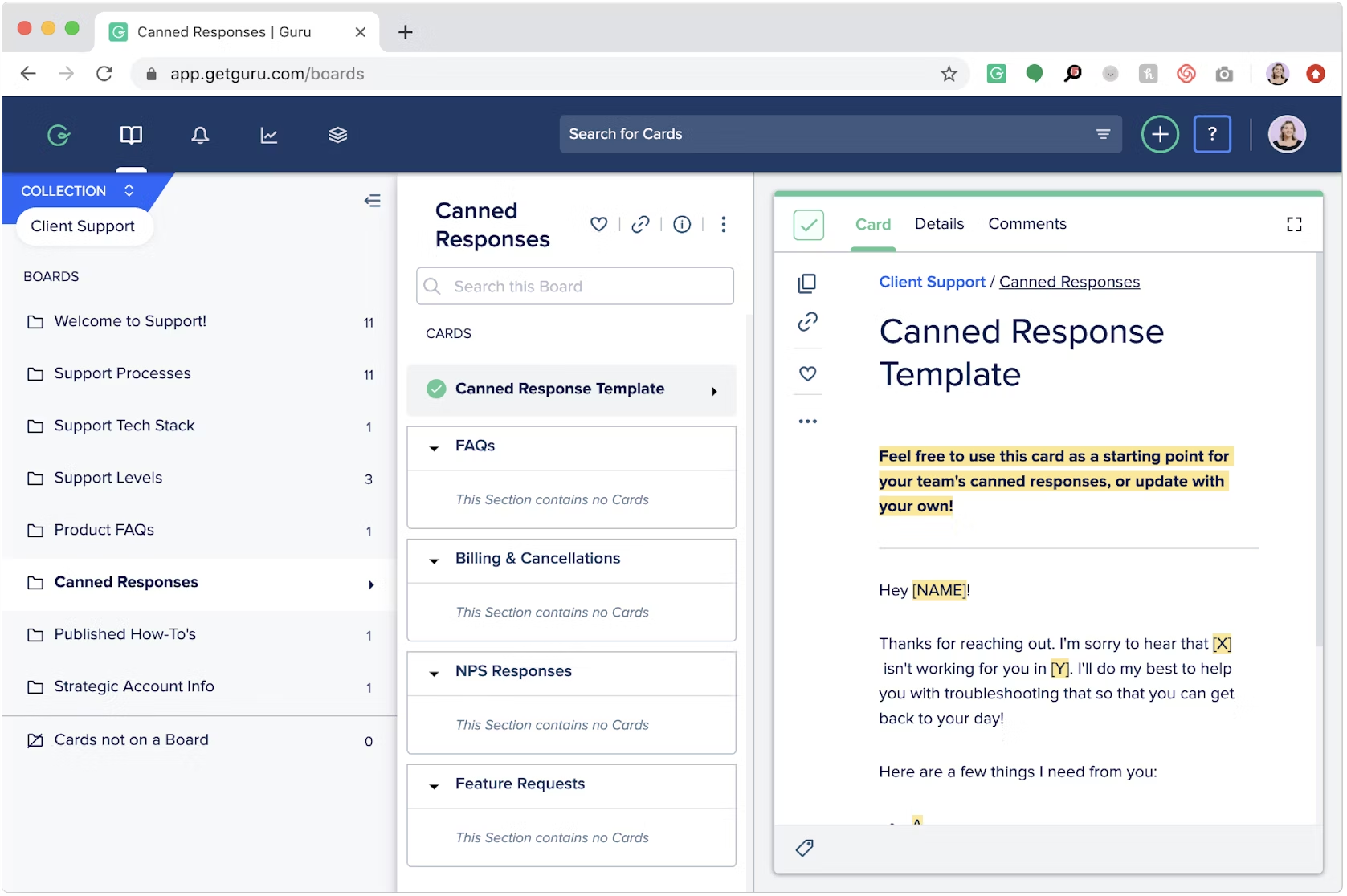
Guru is a knowledge management platform that makes it easy to create, find, and share organizational knowledge. Key features include a user-friendly article editor, smart search, authentication options and integrations with popular business tools.
Key features it offers are user-friendly article creation and editing, smart search with autocomplete, authentication and access control options, integrations with productivity apps and business tools.
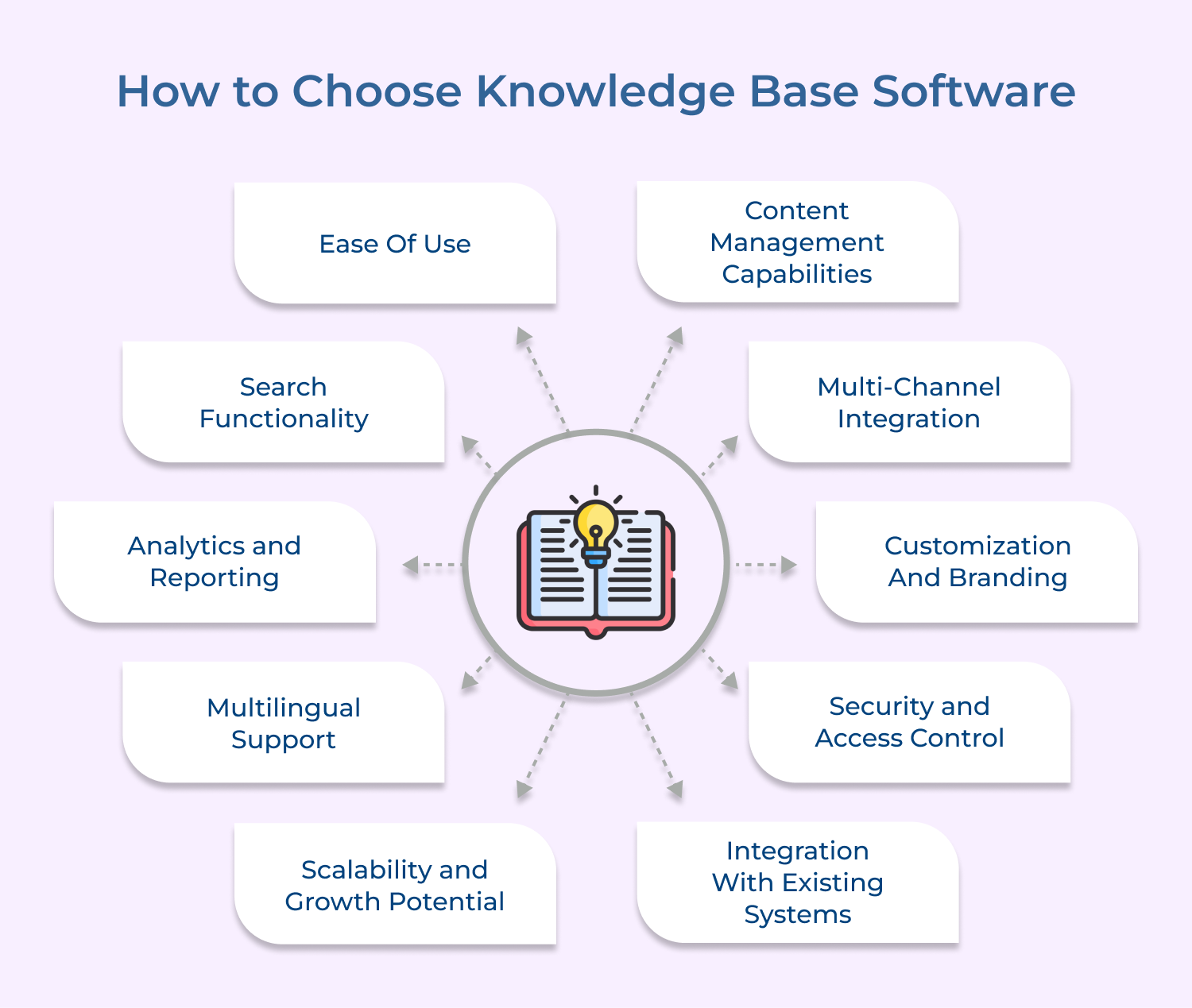
Choosing the right knowledge base software is crucial for businesses that aim to empower their customer service teams with access to accurate information. Here are the tips to consider.
The right knowledge base software is the difference between a support team that scales and one that struggles. Omni24 stands out as a well-rounded solution for businesses needing omnichannel support, AI-powered search and actionable analytics.
Start your 14-day free trial of Omni24. The right knowledge base software transforms how your team delivers support, retains knowledge and grows customer trust.
Omni24’s customer engagement platform harnesses automation and AI to deliver unified customer experiences across digital channels, while keeping human touch
Knowledge base software works as a centralized platform that stores and organizes information in a structured as well as searchable manner. It gives both employees and customers a reliable single source of truth for reference. Key capabilities of this include:
The main purpose of knowledge base application is to provide a self-service platform that allows users to find answers to their questions independently. It eliminates the need for repetitive customer support queries and empowers employees to access relevant information quickly. Hence, improving overall efficiency and productivity.
The best knowledge base software plays a crucial role in improving customer satisfaction and reducing support costs. Providing customers with a well-organized as well as easily searchable knowledge base, businesses can offer instant solutions to common problems. It reduces response times and enhances the customer experience.
A good solution reduces support costs by letting customers resolve common issues independently without agent involvement. It directly translates into lower staffing needs as customer volume grows over time, with fewer tickets reaching the support team
The self-service approach also shortens resolution times that do require agents, since they can reference the same content instantly. Businesses can handle higher inquiry volumes without proportionally increasing operational costs.
The knowledge base services encourage seamless internal knowledge sharing within organizations. It allows employees to access valuable information, such as company policies, or training materials, when they need it. It promotes collaboration, reduces duplication of efforts, and ensures that teams are aligned with the most up-to-date information. It also aids in onboarding new employees, as they can quickly familiarize themselves with relevant resources.
The right solution enhances collaboration by giving team members a shared platform to contribute, edit and refine content consistently over time. It ensures that the knowledge base can scale long-term with real team expertise. Some common collaboration benefits are:
Security is a vital aspect when it comes to knowledge base software. Businesses should ensure that the software they choose offers strong security features such as role-based access control, encryption and regular backups. It is also important to regularly update the software to patch any vulnerabilities and protect sensitive information.
Help desks and knowledge base systems serve different purposes within an organization. A help desk is a system used to provide support and assistance to users, often through a ticketing system that tracks issues. Whereas a knowledge base system is a repository of information that can be accessed by users to find answers to commonly asked questions or to learn more about a particular topic.
 https://omni24.io/wp-content/uploads/2026/09/Social-commerce-scaled.png
1340
2560
Webvision Solution
https://omni24.io/wp-content/uploads/2023/04/Omni-Logo-1.svg
Webvision Solution2026-10-23 12:18:272026-10-23 12:18:27What is Social Commerce and Why Does It Matter?
https://omni24.io/wp-content/uploads/2026/09/Social-commerce-scaled.png
1340
2560
Webvision Solution
https://omni24.io/wp-content/uploads/2023/04/Omni-Logo-1.svg
Webvision Solution2026-10-23 12:18:272026-10-23 12:18:27What is Social Commerce and Why Does It Matter? https://omni24.io/wp-content/uploads/2026/08/AI-Customer-Service-Agents.png
1256
2400
Webvision Solution
https://omni24.io/wp-content/uploads/2023/04/Omni-Logo-1.svg
Webvision Solution2026-09-21 04:48:512026-09-21 04:48:51How to Build an AI Customer Service Agents: 8 Key Steps
https://omni24.io/wp-content/uploads/2026/08/AI-Customer-Service-Agents.png
1256
2400
Webvision Solution
https://omni24.io/wp-content/uploads/2023/04/Omni-Logo-1.svg
Webvision Solution2026-09-21 04:48:512026-09-21 04:48:51How to Build an AI Customer Service Agents: 8 Key Steps https://omni24.io/wp-content/uploads/2026/08/Omnichannel-Conversational-AI.png
1256
2400
Tushar Joshi
https://omni24.io/wp-content/uploads/2023/04/Omni-Logo-1.svg
Tushar Joshi2026-09-16 03:51:072026-09-16 03:51:07How to Build Omnichannel Conversational AI Strategy
https://omni24.io/wp-content/uploads/2026/08/Omnichannel-Conversational-AI.png
1256
2400
Tushar Joshi
https://omni24.io/wp-content/uploads/2023/04/Omni-Logo-1.svg
Tushar Joshi2026-09-16 03:51:072026-09-16 03:51:07How to Build Omnichannel Conversational AI Strategy
Whether it’s about acquire, engage or support – Omni24 covers all your customer engagement needs in one complete platform.

Copyright ©2026 Veemo All rights reserved.
CA, Los Angeles, Hall Ave, 19011