9 Best Customer Survey Tools & Software for Businesses(2026)
Streamline feedback collection with the top survey tool to quickly address issues and improve customer experiences.


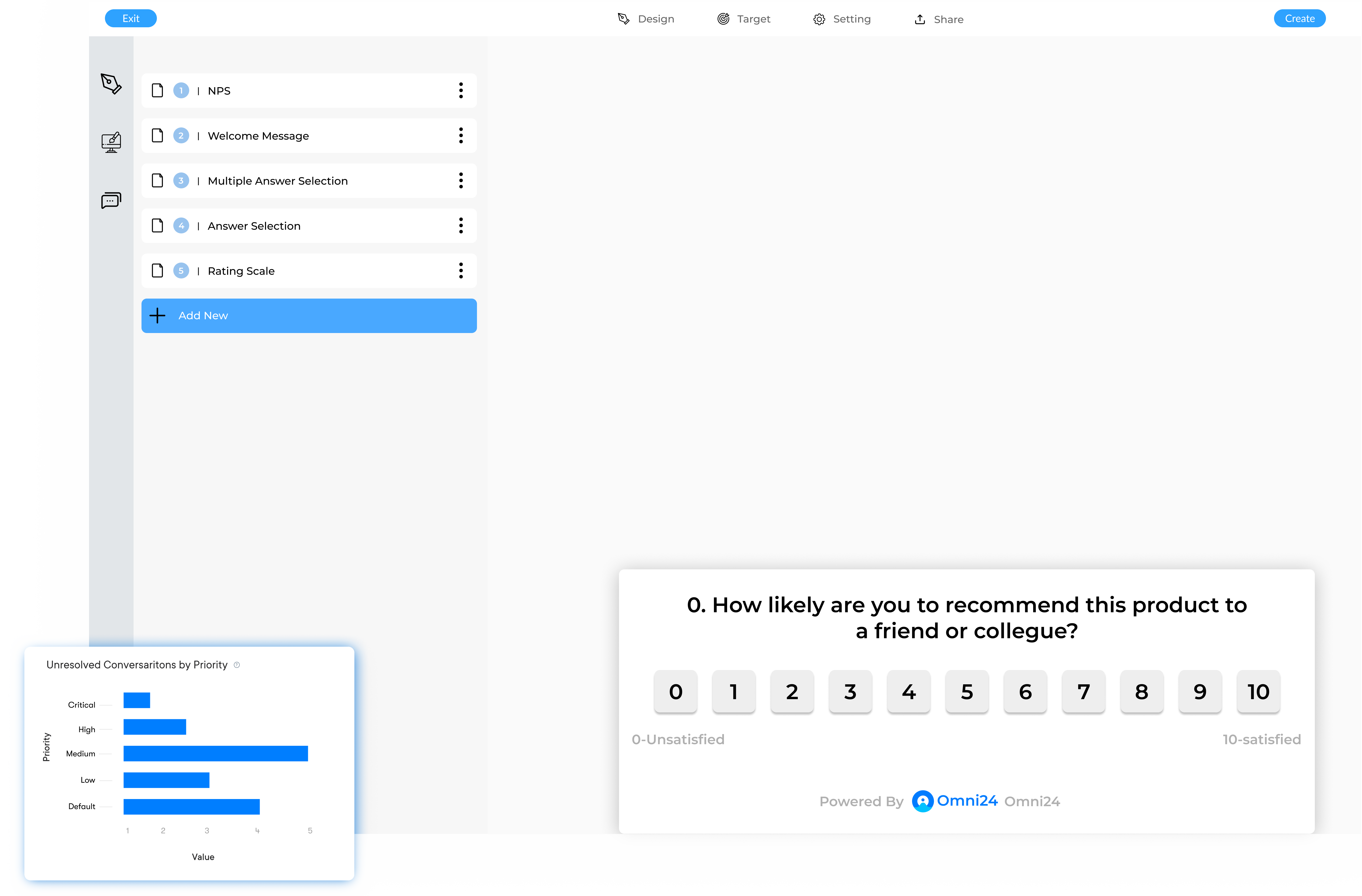
Streamline feedback collection with the top survey tool to quickly address issues and improve customer experiences.
Turn customer feedback into actionable data with real-time analytics and intuitive reporting tools.
Capture real-time data with the best survey software that enables businesses to make informed, data-driven decisions. Companies can understand customer preferences for strategic decision-making.
Regularly soliciting feedback through surveys helps businesses address customer and employee concerns promptly. The proactive approach to problem-solving enhances satisfaction, encouraging loyalty and reducing turnover rates.
Leveraging a survey software reduces the need for costly traditional data collection methods. Automating the survey processes help businesses save time while reaching a larger audience more efficiently.
The best survey software can streamline the entire feedback management process. It enables quicker analysis and response to feedback, helping businesses stay responsive to stakeholder needs.
A lack of a reliable system for capturing feedback and acting on it in time can lead to customer dissatisfaction. Good survey software is used by most businesses to create, distribute and analyze feedback at scale. It replaces scattered spreadsheets by centralizing responses from email and mobile channels.
Businesses that leverage customer feedback report lower churn rates, faster product iteration cycles and stronger retention. Explore the tools based on features, pricing, use cases and selection criteria to choose the right solution for your business.
A survey software refers to a tool used to create, distribute and analyze surveys to gather feedback data from a targeted audience. Businesses can use survey tools to collect information, opinions and preferences from customers, employees or the general public.
Survey tool enables businesses to make data-driven decisions, improve products/services based on user feedback and measure customer satisfaction or employee engagement. It also allows for more complex survey designs and larger sample sizes than traditional methods, leading to more reliable data.
When it comes to conducting surveys, choosing the right platform can make all the difference. Here’s the list of platforms compared for your comparison.
| Software | Key Features | Price | Trial |
|---|---|---|---|
| Omni24 |
|
Basic: $34/user/month | 14-day free trial for Team plans |
| Veemo |
|
Basic: $34/user/month | 14-day free trial |
| Google Forms |
|
Free | N/A (Always free) |
| Typeform |
|
Basic: $25/month Plus: $50/month Business: $83/month | 14-day free trial |
| Zoho Survey |
|
Free plan available Plus: $25/month Pro: $35/month Enterprise: $75/month | 15-day free trial for paid plans |
| Respond.io |
|
Essential Plan: $79/month Pro Plan: $129/month |
7-day free trial |
| LimeSurvey |
|
Community Edition: Free Basic: €29/month Expert: €69/month Enterprise: Custom pricing | 30-day free trial for paid plans |
| SurveyMonkey |
|
$25/month/user | 14-day free trial |
| Qualtrics |
|
|
30-day free trial |
Leveraging the right customer survey tool, you can create, distribute and analyze the surveys quickly and efficiently.
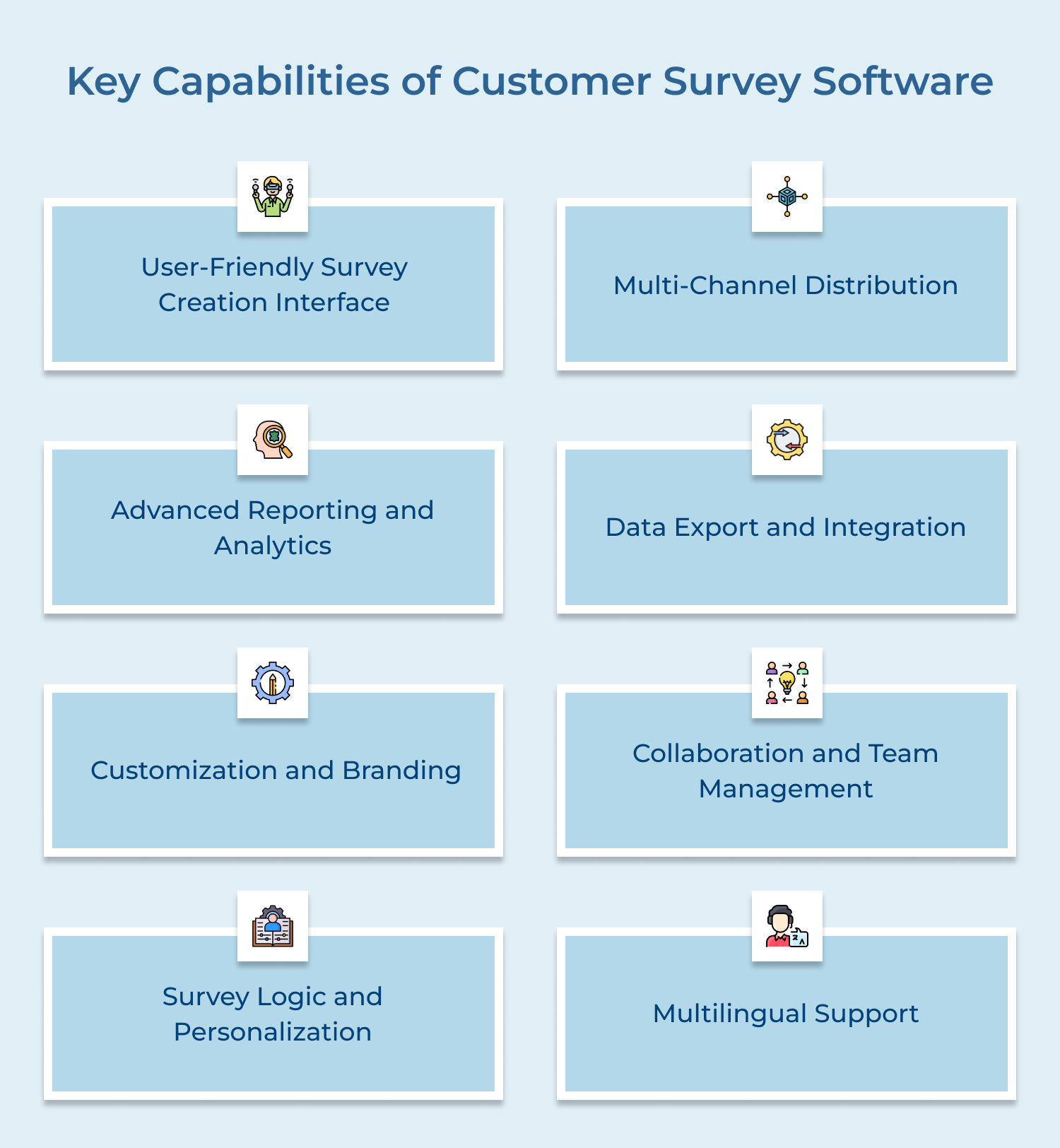
A crucial feature of any survey software is an intuitive, user-friendly interface for creating surveys. It includes drag-and-drop functionality for users to easily add, remove and reorder questions. Advanced software may also provide question branching enabling the creation of dynamic surveys that adapt based on respondents’ answers.
Effective client survey software supports multiple distribution channels to reach respondents. It includes email invitations, web links, SMS and social media sharing options. Some platforms integrate with customer relationship management (CRM) systems or other databases to streamline contact list management and distribution.
Robust reporting and analytics tools are essential for deriving insights from survey data. Advanced software may offer statistical analysis tools, text analysis for open-ended responses and data filtering options to segment results. Some platforms also provide sentiment analysis or AI-powered insights to help interpret data.
The ability to customize survey appearance and branding is important for maintaining a consistent look and feel with an organization’s identity. There are options to add logos, adjust color schemes, and customize fonts. Some software allows for white-labeling, enabling users to remove the platform’s branding entirely.
Collaboration features are valuable for organizations with multiple survey creators or stakeholders. This includes the ability to set user roles and permissions, share survey drafts for review, and collaborate on survey design and analysis. Version control and the ability to clone or template surveys can also improve efficiency for teams.
Advanced survey logic features enable the creation of more engaging and relevant surveys. Some software offers advanced personalization options, such as displaying custom content based on respondent characteristics or previous answers, which can increase engagement and completion rates.
For organizations operating globally or in diverse markets, multilingual support is crucial. This includes the ability to create surveys in multiple languages, automatic translation features, and support for right-to-left languages. Advanced platforms may offer region-specific question types or culturally appropriate response options.
When it comes to conducting surveys, choosing the right survey software is crucial. With so many options available in the market.
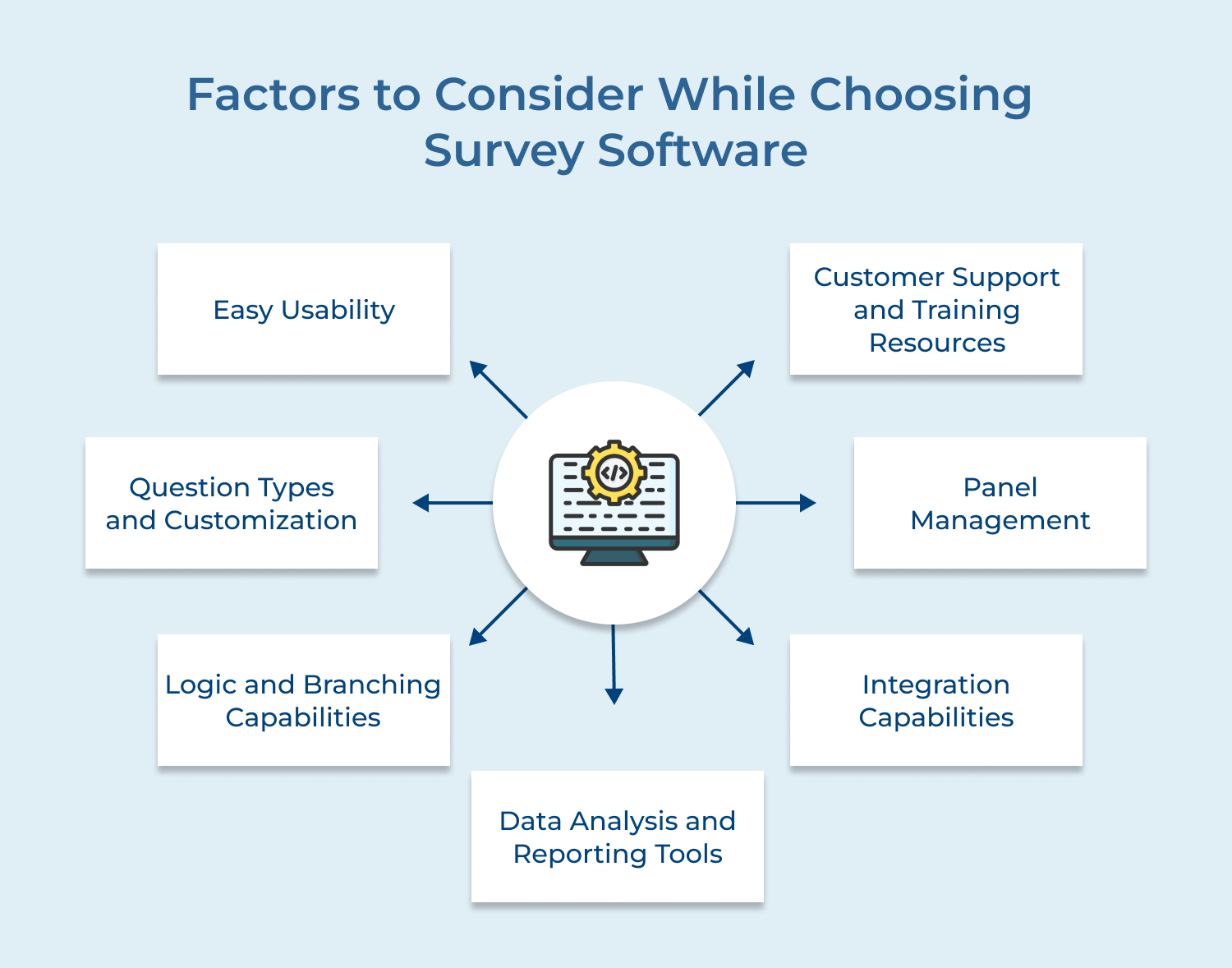
The customer survey software’s user interface should be intuitive and user-friendly. It applies both to survey creation and response collection. Look for features like drag-and-drop question builders, pre-made templates, and a visual editor for customization.
The easier the software is to use, the more time you’ll save and the less training you’ll need to provide to team members. Also, consider the respondent experience – a clean, straightforward interface can improve response rates and data quality.
Different research objectives require different types of questions. Ensure the software offers a wide variety of question types, including multiple choice, rating scales, open-ended text boxes, and more advanced options like matrix questions or slider scales.
Look for customization options that allow you to tailor the look and feel of your surveys to match your brand identity. It includes the ability to add logos, change colors, and modify fonts.
Advanced survey logic can significantly improve the quality of your data and the respondent experience. Look for software that offers:
These features create a more personalized, relevant survey experience and can lead to higher completion rates.
The ability to effectively analyze and present your survey data is crucial. Consider the built-in analysis tools offered by the software. Look for features like real-time reporting, customizable dashboards, and various chart types for data visualization.
Some advanced platforms offer statistical analysis tools, text analysis for open-ended responses, and even AI-powered insights. Also, check if the software allows for easy data export in various formats for further analysis in other tools.
The availability and quality of customer support can significantly impact your experience with survey tools, especially during initial setup and when troubleshooting issues. Look for providers that offer multiple support channels (email, phone, chat), extensive documentation, and training resources like webinars or video tutorials.
Whether you’re conducting market research, gathering feedback, or trying to understand your audience better, having the right survey platform can make a big difference. Here’s the list:
Best online customer survey tool
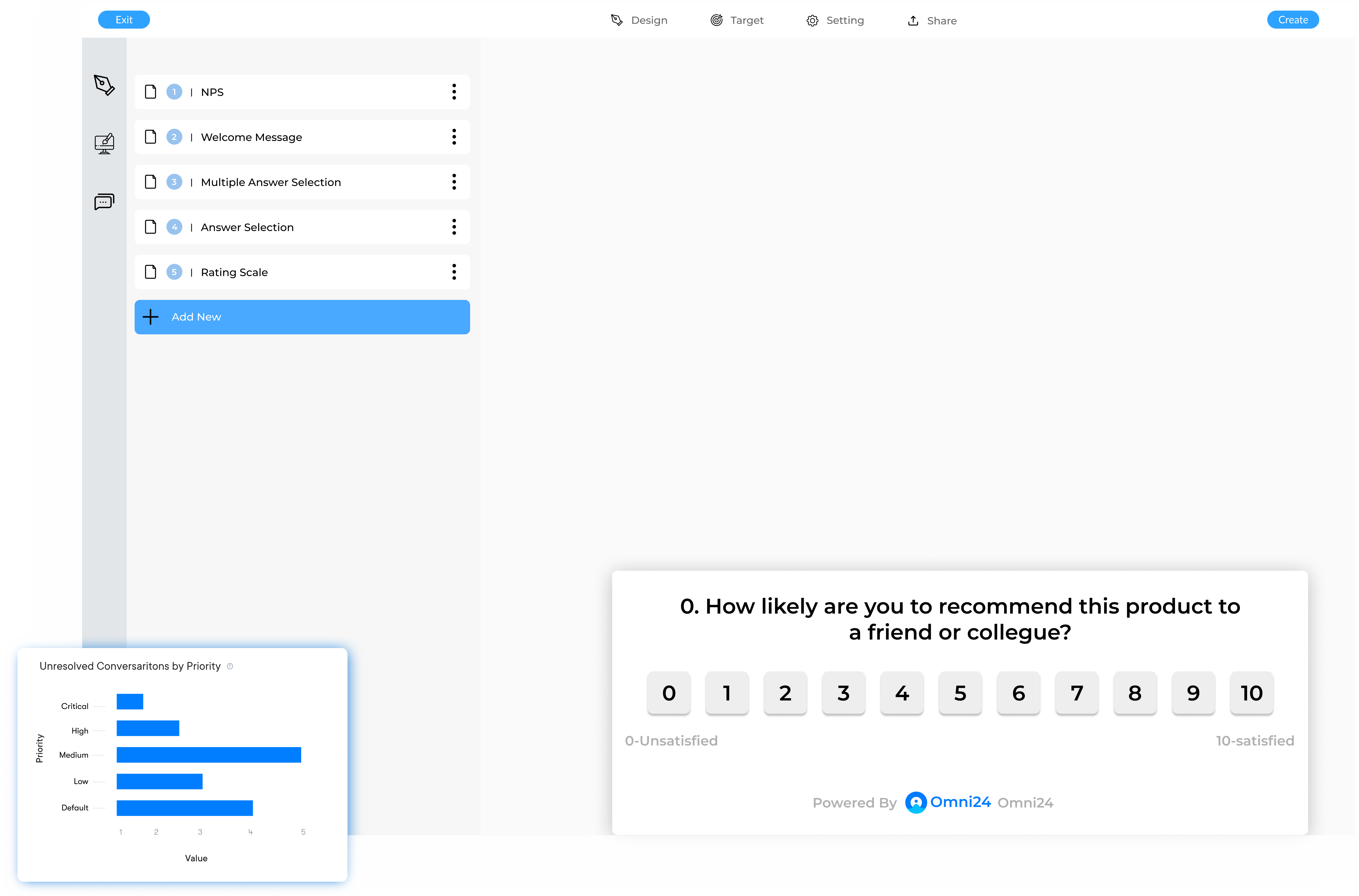
Omni24 is an AI-powered omnichannel customer engagement platform that combines three suites: support, sales and marketing in one unified interface. Omni24 goes beyond simple surveys, combining advanced research tools with customer experience management and employee insights. It’s built to help businesses gather meaningful feedback across entire customer lifecycle.
Omni24’s surveys let businesses connect feedback data with real customer conversations and support history. This unified approach turns survey responses into actionable insights, powering in-depth market research and customer analysis without switching between separate tools.
Key features:
Pricing: Omni24’s pricing starts from $29/user/month and goes up to $149/user/month based on the features and add-ons. All plans come with 14 days free trial and include a shared inbox, known base base and omnichannel support.
Excellent client survey platform with omnichannel distribution
Veemo Survey is a customer satisfaction platform that offers a suite of products to create engaging surveys and collect feedback across various touchpoints. The software provides conversational interface that improves survey completion rates and gives actionable insights for better decision-making
Key features:
Pricing: Veemo’s pricing plans start from $29/user/month and go up to 129/user/month based on the features and add-ons. The software pricing is also customizable as per business requirements.
Best tool for basic surveys and data collection

Google Forms is a free, easy-to-use survey tool that’s part of the Google Workspace suite. It’s ideal for basic surveys and data collection, offering seamless integration with other Google products.
Key Features: Google Forms provides a simple interface, real-time collaboration, automatic response collection in Google Sheets, and basic data visualization. It offers various question types and the ability to add images and videos to surveys.
Pricing: Google Forms is completely free for individual users. For businesses, it’s included in Google Workspace plans, starting at $6 per user per month.
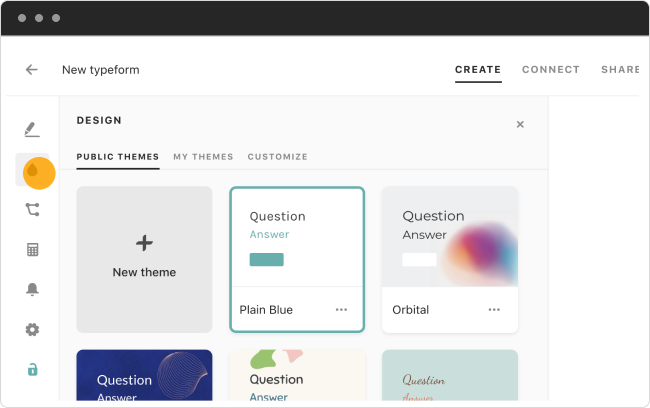
Typeform is known for its visually appealing, conversational survey format. It focuses on creating engaging user experiences with a modern, minimalist design that works well on mobile devices.
Key Features: Typeform offers a unique one-question-at-a-time interface, conditional logic, and customizable designs. It provides features like quiz scoring, payment collection, and various integrations with other business tools.
Pricing: Typeform offers a limited free plan. Paid plans start at $25/month, with higher tiers offering more responses and advanced features.
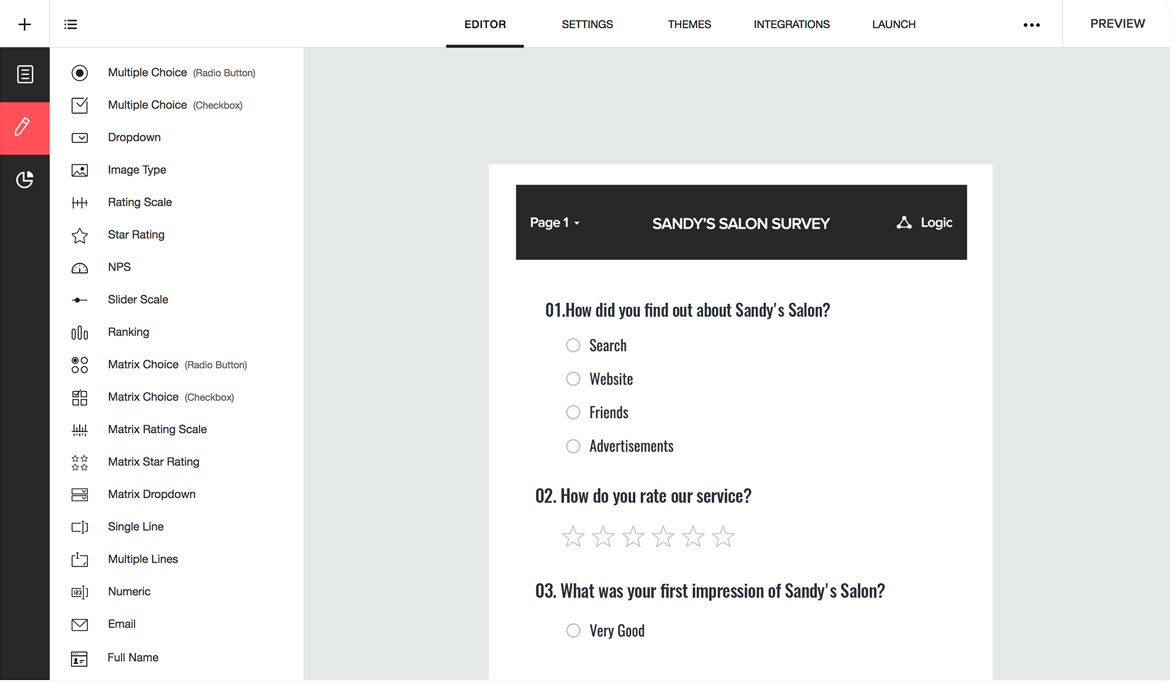
Zoho Survey is part of the broader Zoho suite of business tools. It offers a comprehensive set of features for creating and distributing surveys, with strong integration capabilities within the Zoho ecosystem.
Key Features: Zoho Survey provides multilingual surveys, offline data collection, advanced reporting, and customizable templates. It offers features like question piping, email embedment, and integration with other Zoho products and third-party tools.
Price: Zoho Survey has a free plan with limited features. Paid plans start at $25/month, with discounts for annual subscriptions and nonprofit organizations.
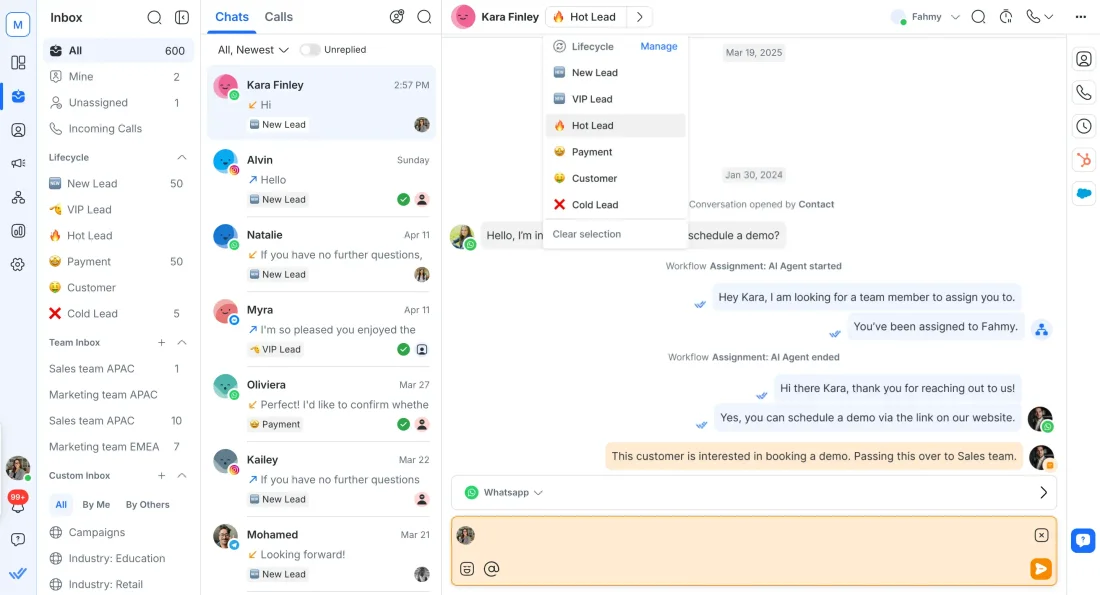
Respond.io is a versatile survey software and customer communication platform designed for businesses that want to collect, organize and act on customer feedback from multiple channels. It streamlines survey distribution across email, SMS, WhatsApp, and social platforms, helping organizations turn responses into actionable insights in real time.
Key features: Intuitive survey builder with customizable templates. Real-time reporting dashboards. Advanced analytics to identify sentiment trends and measure campaign performance.
Pricing: The Essential Plan starts at $79 per month, including survey distribution across major channels. The Pro Plan starts at $129 per month per workspace.
Read more: Thinking about switching from Respond.io? Explore these Respond.io alternatives before making your decision.
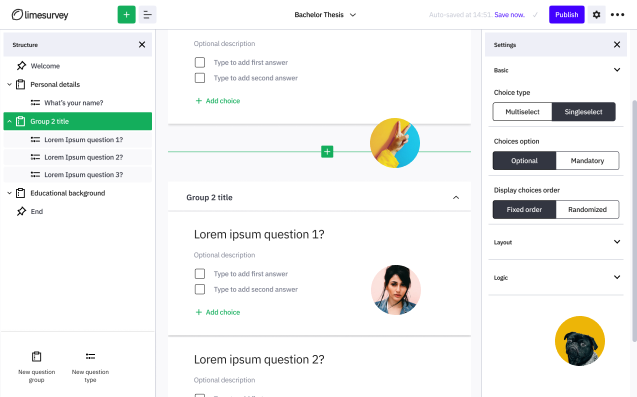
LimeSurvey is an open-source survey software that offers both self-hosted and cloud-based options. It provides a high degree of customization and control, making it popular among developers and organizations with specific needs.
Key Features: LimeSurvey offers unlimited questions and responses, 28+ question types, and multilingual surveys. It provides features like assessment surveys, participant management, and the ability to create custom themes and plugins.
Pricing: LimeSurvey offers a free, self-hosted community edition. Cloud-based plans start at $29/month, with higher tiers offering more responses and advanced features.

Industry-leading survey platform offering intuitive interface and robust analytics. Perfect for businesses of all sizes, with templates spanning customer feedback, market research, and employee engagement.
Key Features: Pre-built templates, skip logic, customizable branding, real-time results, advanced data analysis, and multilingual support.
Pricing: Plans start at $25/month for individuals. Team plans from $75/month. Enterprise pricing available on request.
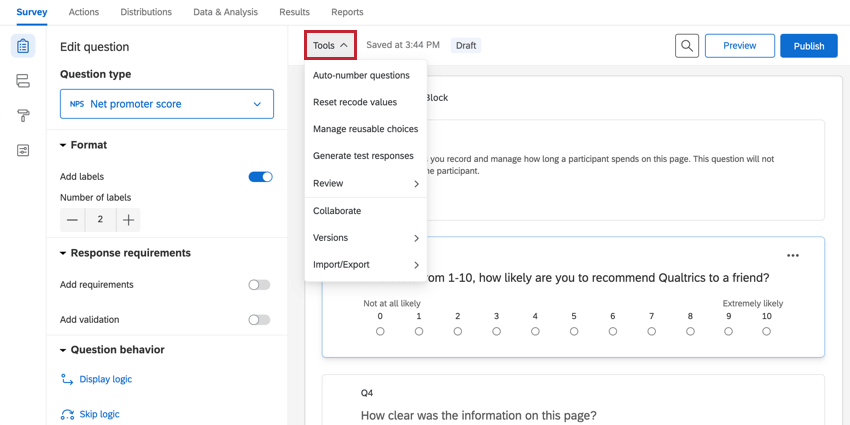
Enterprise-grade experience management platform providing comprehensive survey tools. Excels in advanced research capabilities and sophisticated data analysis for large organizations.
Key Features: Advanced question logic, AI-powered analytics, heat maps, predictive analytics, sentiment analysis, extensive integration options, and custom branding.
Pricing: Custom pricing based on needs. Basic license starts around $1,500/year. Enterprise solutions vary significantly.
Read more: Looking for survey tools beyond Qualtrics? Here’s our list of the best Qualtrics alternatives worth exploring.
Survey software has become an essential tool for businesses and organizations looking to gather valuable feedback from their customers, employees, or any target audience.
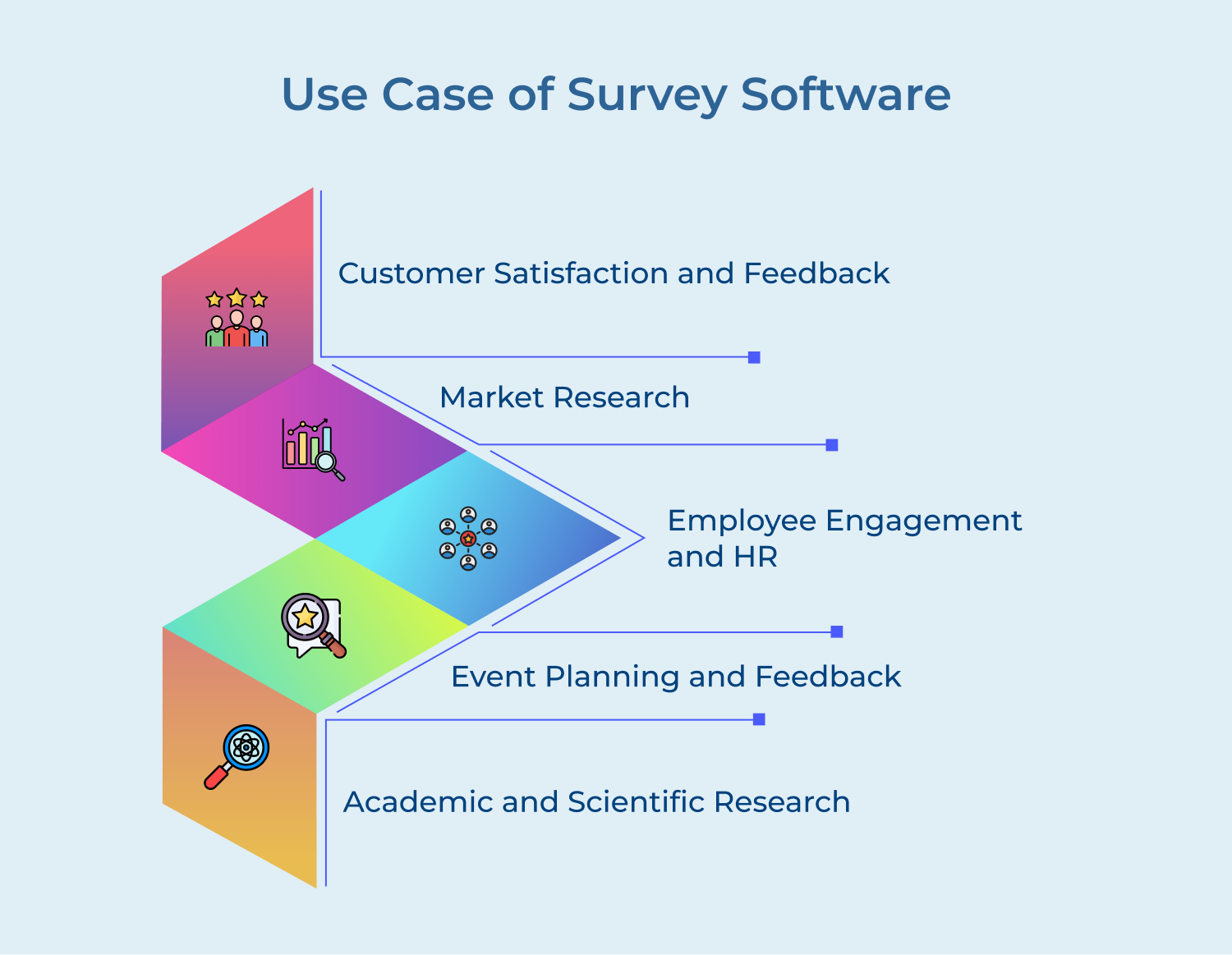
One of the most common applications of survey software is measuring customer satisfaction and gathering feedback. Companies use surveys to understand customer experiences, preferences, and pain points.
It can include:
These surveys help businesses identify areas for improvement, track satisfaction trends over time, and make data-driven decisions to enhance customer experience and retention.
Survey software is a crucial tool for market research, helping businesses understand their target audience, market trends, and competitive landscape. Market research surveys can provide valuable insights to inform product development, marketing strategies, and business expansion plans.
Use cases include:
Human Resources departments frequently use survey software to measure and improve employee engagement, satisfaction, and overall workplace culture.
The applications include:
These surveys help businesses identify areas for big in workplace policies, management practices, and company culture, ultimately aiding in employee retention and productivity.
Survey software is valuable for event organizers in both the planning and evaluation stages of events.
Use cases include:
The feedback helps organizers improve future events, justify sponsorships, and demonstrate value to stakeholders.
In academic and scientific fields, survey software is an essential tool for data collection.
Researchers use surveys for various purposes:
Creating an effective survey solution requires more than just throwing together a few questions. To ensure that your surveys yield valuable insights, follow these customer survey best practices:
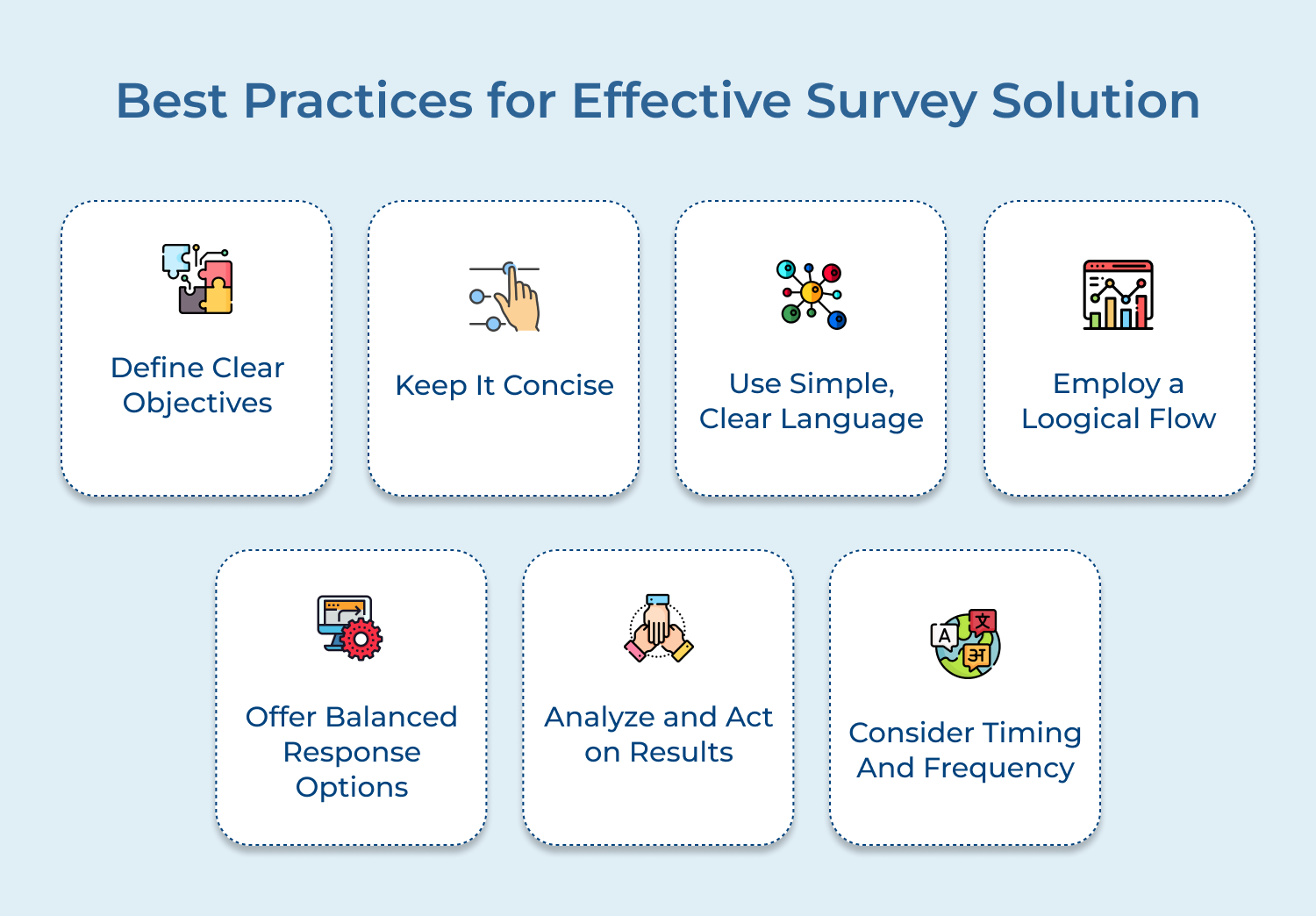
Define Clear Objectives
Having a clear purpose will guide your question design and ensure you collect relevant, actionable data. Avoid the temptation to ask unnecessary questions just because you can. Every question should serve your defined objectives.
Keep It Concise
Respect your respondents’ time by keeping your survey as short as possible while still meeting your objectives. Long surveys can lead to respondent fatigue, resulting in abandoned surveys or less thoughtful responses.
Aim for a completion time of 5-10 minutes for general surveys. If you need more time, consider offering incentives or breaking the survey into multiple parts.
Use Simple, Clear Language
Write questions in plain language that’s easy for all respondents to understand. Avoid jargon, technical terms or complex phrasing that might confuse participants. Ensure that each question asks about only one thing to avoid confusion and maintain data clarity.
Employ a Logical Flow
Start with easier, less personal questions to build rapport and confidence. Group related questions together and use section headers to provide context. If using skip logic, ensure that the flow remains smooth for all possible paths through the survey.
Offer Balanced Response Options
When using closed-ended questions, provide a balanced set of response options. For example, in a Likert scale, ensure you have an equal number of positive and negative options. Include a neutral option when appropriate, and consider adding an “Not applicable” or “Prefer not to say” option for sensitive questions.
Analyze and Act on Results
The survey process doesn’t end when responses come in. Have a plan for analyzing the data and acting on the insights. It might include using statistical tools to identify trends as well as combining quantitative data with qualitative insights from open-ended responses.
The right survey software turns responses into decision-making. Omni24 provides omnichannel reach, automation and real-time analytics under one centralized platform.
Book a live demo of Omni24 to see how Omni24 works. The best customer survey tool helps in closing the loop between feedback and business growth.
Omni24’s customer engagement platform harnesses automation and AI to deliver unified customer experiences across digital channels, while keeping human touch
Survey software is a valuable tool for businesses of all sizes to gather feedback, opinions, and insights from their customers, employees, and target audience. By using survey software, businesses can easily create, distribute, and analyze surveys to make informed decisions, improve products or services, and enhance the overall customer experience. It also helps in measuring customer satisfaction, employee engagement, and market trends.
Survey software provides businesses with a platform to create customized surveys using a variety of question types, such as multiple choice, rating scales, and open-ended questions. Once created, surveys can be distributed through channels including email, social media, websites, and mobile apps.
Respondents complete the survey online, and the software compiles and analyzes the data automatically, generating clear insights and reports that businesses can act upon quickly, without needing separate analysis tools.
Survey software allows businesses to create a wide range of survey types tailored to specific goals, from measuring satisfaction to gathering deeper market insights across different departments and use cases.
Each survey type can be customized to match the specific objectives of the business, ensuring the data collected is relevant and genuinely actionable for informed, confident decision-making across every team.
Most reputable survey software providers take data security and privacy seriously by implementing encryption protocols, secure servers, and compliance with data protection regulations such as GDPR. It’s important to choose a survey software provider that prioritizes data security and offers features like secure data storage, data encryption, and user permissions to ensure the protection of sensitive information.
Survey software can be integrated with other tools and systems, such as CRM software, email marketing platforms, analytics tools, and project management systems, to streamline data collection, analysis, and reporting processes. Integration allows businesses to access survey data in real-time, track responses, and automate processes for efficient decision-making and action planning. It also helps in improving data accuracy, reducing manual tasks, and enhancing overall productivity.
 https://omni24.io/wp-content/uploads/2026/09/Social-commerce-scaled.png
1340
2560
Webvision Solution
https://omni24.io/wp-content/uploads/2023/04/Omni-Logo-1.svg
Webvision Solution2026-10-23 12:18:272026-10-23 12:18:27What is Social Commerce and Why Does It Matter?
https://omni24.io/wp-content/uploads/2026/09/Social-commerce-scaled.png
1340
2560
Webvision Solution
https://omni24.io/wp-content/uploads/2023/04/Omni-Logo-1.svg
Webvision Solution2026-10-23 12:18:272026-10-23 12:18:27What is Social Commerce and Why Does It Matter? https://omni24.io/wp-content/uploads/2026/08/AI-Customer-Service-Agents.png
1256
2400
Webvision Solution
https://omni24.io/wp-content/uploads/2023/04/Omni-Logo-1.svg
Webvision Solution2026-09-21 04:48:512026-09-21 04:48:51How to Build an AI Customer Service Agents: 8 Key Steps
https://omni24.io/wp-content/uploads/2026/08/AI-Customer-Service-Agents.png
1256
2400
Webvision Solution
https://omni24.io/wp-content/uploads/2023/04/Omni-Logo-1.svg
Webvision Solution2026-09-21 04:48:512026-09-21 04:48:51How to Build an AI Customer Service Agents: 8 Key Steps https://omni24.io/wp-content/uploads/2026/08/Omnichannel-Conversational-AI.png
1256
2400
Tushar Joshi
https://omni24.io/wp-content/uploads/2023/04/Omni-Logo-1.svg
Tushar Joshi2026-09-16 03:51:072026-09-16 03:51:07How to Build Omnichannel Conversational AI Strategy
https://omni24.io/wp-content/uploads/2026/08/Omnichannel-Conversational-AI.png
1256
2400
Tushar Joshi
https://omni24.io/wp-content/uploads/2023/04/Omni-Logo-1.svg
Tushar Joshi2026-09-16 03:51:072026-09-16 03:51:07How to Build Omnichannel Conversational AI Strategy
Whether it’s about acquire, engage or support – Omni24 covers all your customer engagement needs in one complete platform.

Copyright ©2026 Veemo All rights reserved.
CA, Los Angeles, Hall Ave, 19011