10 Best Customer Service Apps for Your Businesses
Boost customer satisfaction, retention and loyalty significantly by deploying the best customer support apps.


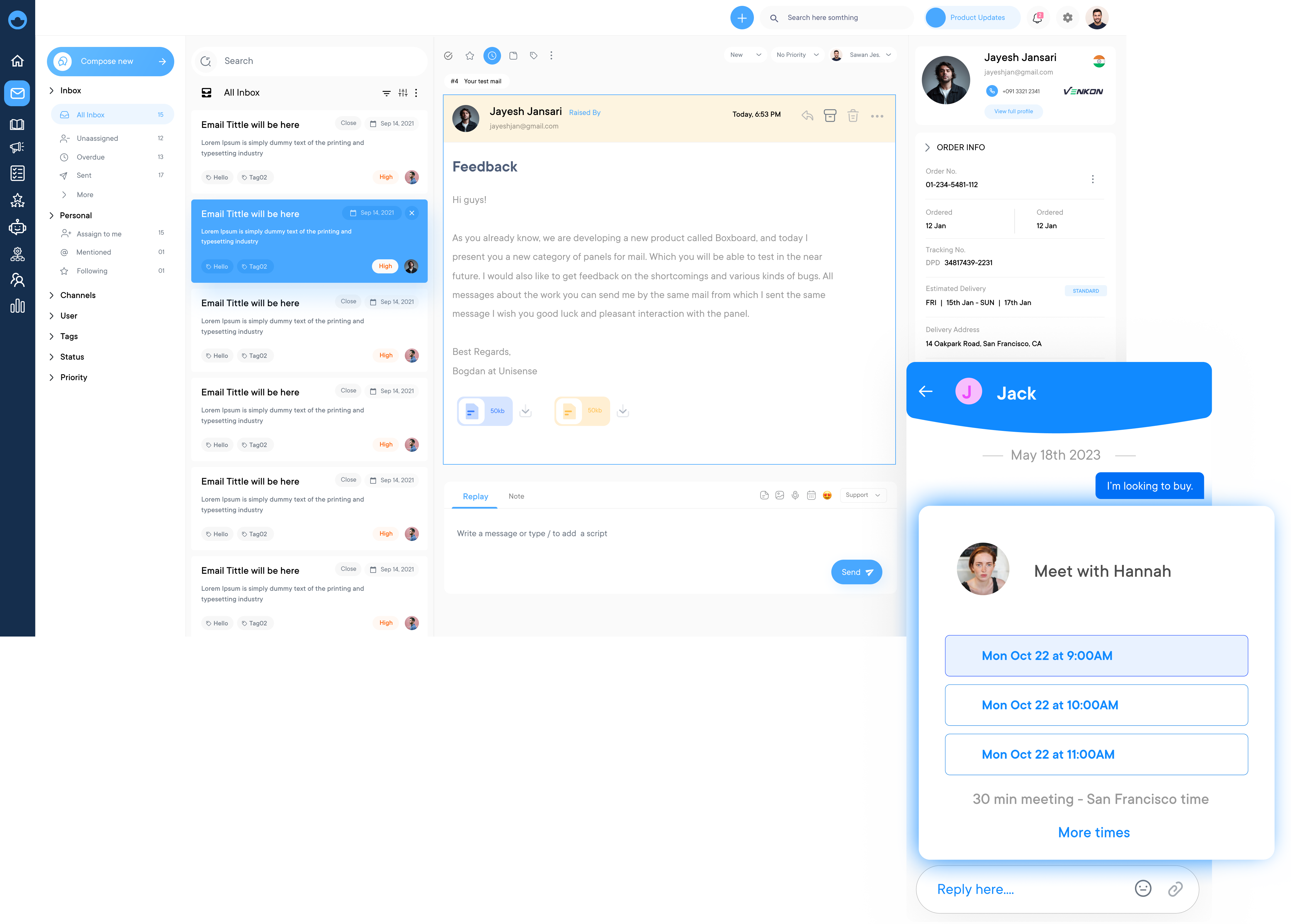
Boost customer satisfaction, retention and loyalty significantly by deploying the best customer support apps.
Interact with your customer base effectively using customer service applications and develop strong relationships.
Modern consumer behavior prioritizes convenience, apps make that available at the customer’s fingertips. Meet your customer expectations by implementing the best customer service app.
Enable effective collaboration among your service team with customer support apps, maintaining high levels of client satisfaction. Businesses can easily scale based on customer needs.
Respond and resolve customer issues faster with customer service apps to meet the personalized customer needs. The app enables agents to contribute towards delivering amazing customer service.
Leveraging the best customer support application significantly impacts the customer retention rate metric. Handle customer requests efficiently with the apps ensuring that they are always satisfied.
Support teams juggling across email, chat and social media without a system face backlogs, missed tickets, as well as customers who simply won’t wait. Customer service applications act as a game changer here that centralizes, automates and streamlines every customer interaction.
Explore the top-rated customer service applications on the market based on features, pricing and integration capabilities to help you choose the best. Scale a startup or optimize an enterprise help desk, find the best solution here.
A customer support application is defined as software especially designed to help businesses manage and improve their interactions with customers. These apps typically offer a range of features to streamline customer support processes, enhance communication and improve overall customer satisfaction.
The importance of customer service apps lies in their ability to streamline support processes, improve response times, and enhance overall customer satisfaction. Centralizing customer data and communication empowers businesses to provide personalized and timely assistance, building customer loyalty and driving business growth.
The key objectives include:
Discover the leading customer support applications that enhance service efficiency and improve customer satisfaction. Here is the table:
| Software Name | Key Features | Price | Free Trial |
|---|---|---|---|
| Omni24 |
|
Starting at $34/month/user | 14 days |
| Veemo |
|
Starting at $29/month/user | 14 days |
| Salesforce Service Cloud |
|
Starting at $25/month/user | 30 days |
| Help Scout |
|
Starting at $20/month/user | 15 days |
| Intercom |
|
Starting at $39/month/seat | 14 days |
| LiveAgent |
|
Starting at $15/month/agent | 14 days |
| Kayako |
|
Starting at $30/month/agent | 14 days |
| HappyFox |
|
Custom pricing | 14 days |
| Groove |
|
Starting at $12/month/user | 15 days |
| Freshcaller |
|
Starting at $15/month/user | 21 days |
The right customer service app can significantly impact a team’s ability to resolve issues and build lasting relationships. Below are key factors to guide your decision.
Consider the number of agents who will use the platform and whether your team is centralized across departments. The right customer service app should match your current structure while accommodating growth, without forcing complexity on smaller teams.
Look for the preference of your customers to reach out, whether through email, social media or live chat. Understanding the preferences helps you choose a platform that meets customers where they want instead of forcing a specific channel.
Apart from the initial subscription price, consider how costs evolve as your business scales. Factor in expenses tied to additional agents, features or usage volume, which makes sure the platform remains affordable well into the future.
Research the dependability of the provider, including their platform uptime, customer reviews and responsiveness to support requests. A reliable vendor relationship matters just as much as the software itself when issues inevitably arise.
The best customer service should meet where your business is headed, not just where it stands today. Choosing a platform aligned with future goals such as expansion into new markets or channels prevents the need for a disruptive switch in the future.
Look at how quickly your team can adopt the platform, such as setup time and the learning curve involved. A user-friendly interface reduces training time, helping agents become productive faster and minimizing disruption to ongoing support operations.
Customer support apps have become essential tools for businesses looking to provide excellent customer support and maintain customer satisfaction.
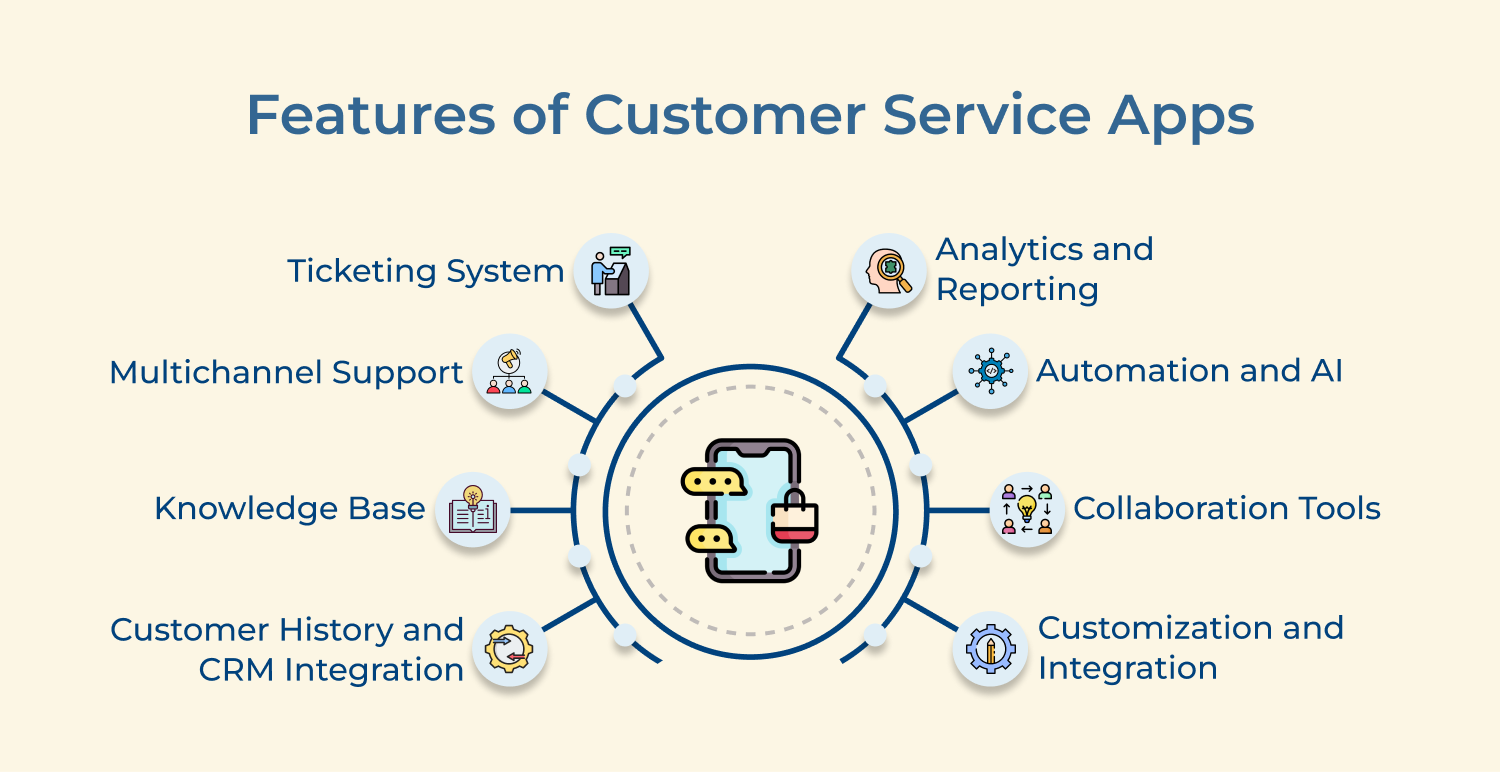
The feature allows customer queries to be captured, categorized and tracked from initial contact to resolution. The ticketing system often includes automation capabilities for routing tickets to appropriate agents, setting priorities and tracking response times. It ensures that no customer query falls through the cracks and that service level agreements (SLAs) are met.
Multichannel support allows agents to manage all customer interactions from a single interface, providing a unified view of the customer’s history across channels. It also enables seamless channel switching, allowing conversations to continue naturally even if the customer changes communication methods.
An integrated knowledge base is crucial for both customers and agents. For customers, it serves as a self-service portal where they can find answers to common questions, reducing the need for direct agent intervention. For agents, it provides quick access to information, enabling them to resolve issues more efficiently.
Data-driven decision-making is essential for improving customer service. These provide insights into key metrics such as response times, resolution rates, customer satisfaction scores and agent performance. Advanced analytics helps in anticipating future service needs or potential issues.
To improve response times, many customer service apps incorporate automation and artificial intelligence. It can include chatbots for automated ticket routing based and AI-powered suggestions for responses. Some apps also use machine learning to continually improve their automated responses and predictions based on historical data.
Customer service apps typically include collaboration features that allow agents to easily communicate with each other, share information and work together on tickets. Collaboration tools include internal chat systems, the ability to add notes to tickets and features for escalating or transferring tickets to other team members or departments.
Customer service applications are more important than ever. With customers expecting quick and efficient responses to their inquiries, having the right tools at your fingertips is crucial.
Customer service application for all businesses
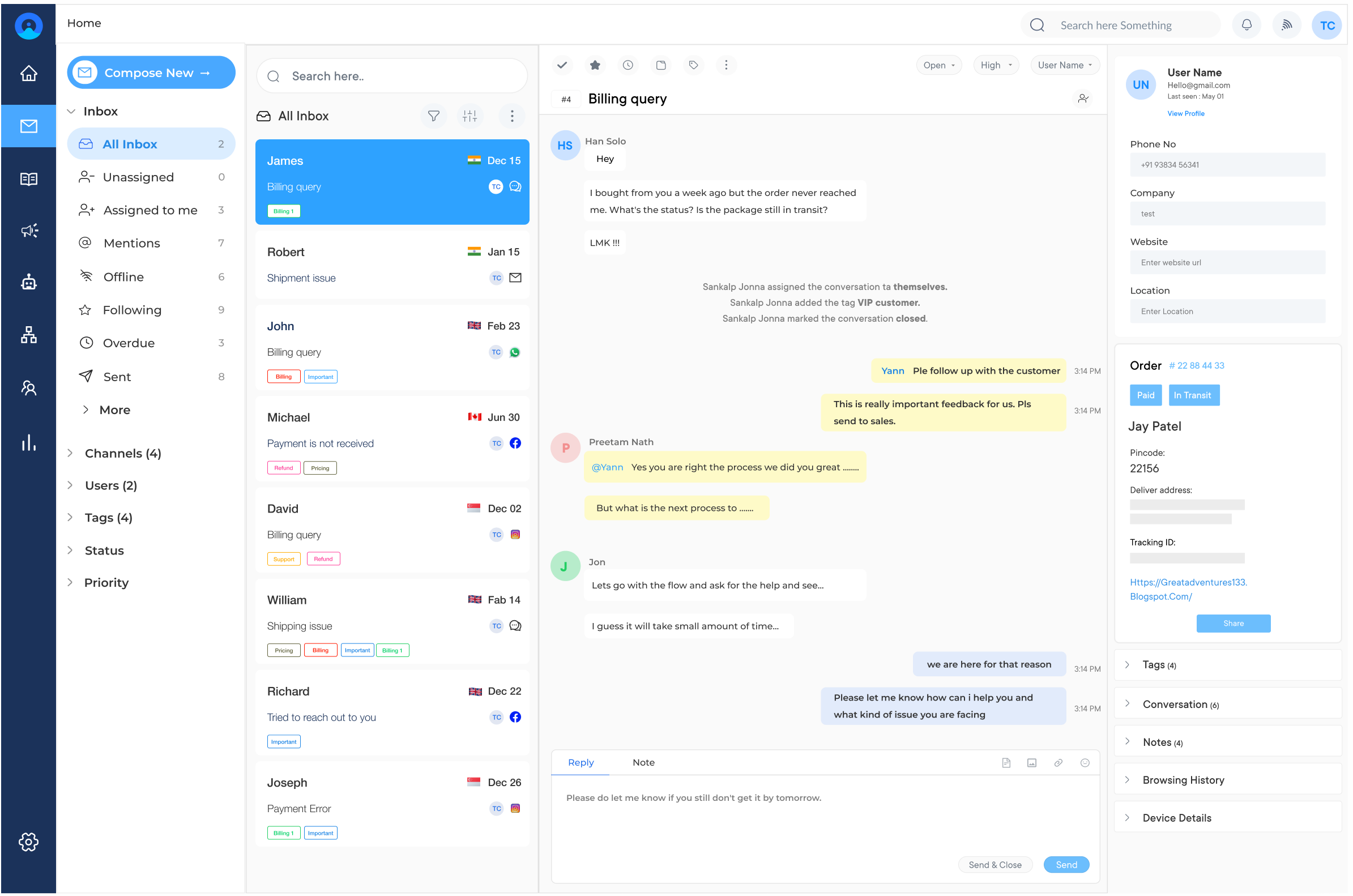
Omni24 is an AI-powered omnichannel customer engagement platform that unifies support, sales, and marketing suite in one interface across entire customer lifecycle. It acts as a single customer data platform, keeping every interaction, from initial inquiry through resolution. It provides support teams with full context to deliver more personalized service.
Omni24 gives support teams a shared inbox to manage every customer conversation that starts on chat, email or social media. Automation handles routine queries instantly, while agents step in for issues that need a human touch, supported by full customer context from every interaction across the customer journey.
Key features:
Pricing: Omni24’s pricing starts from $29/user/month and goes up to $149/user/month based on the features and add-ons. All plans come with 14 days free trial and include a shared inbox, knowledge base and omnichannel support.
Top customer service app with robust features

Veemo Support is a customer support and help desk software built to streamline service operations at scale. It combines a customizable ticketing system with omnichannel support, giving teams a unified space for handling every customer request.
Veemo Support adapts across customer service operations, from handling high-volume ticket queues to managing complex escalations that require specialized attention. Agents work from a shared team inbox with full ticket history coming from chat, email or another channel, helping resolve issues faster without switching tools.
Key features:
Pricing: Veemo’s pricing plans start from $29/user/month and go up to $129/user/month based on the features and add-ons. The software pricing is also customizable as per business requirements.
Best customer service app for unified support experience
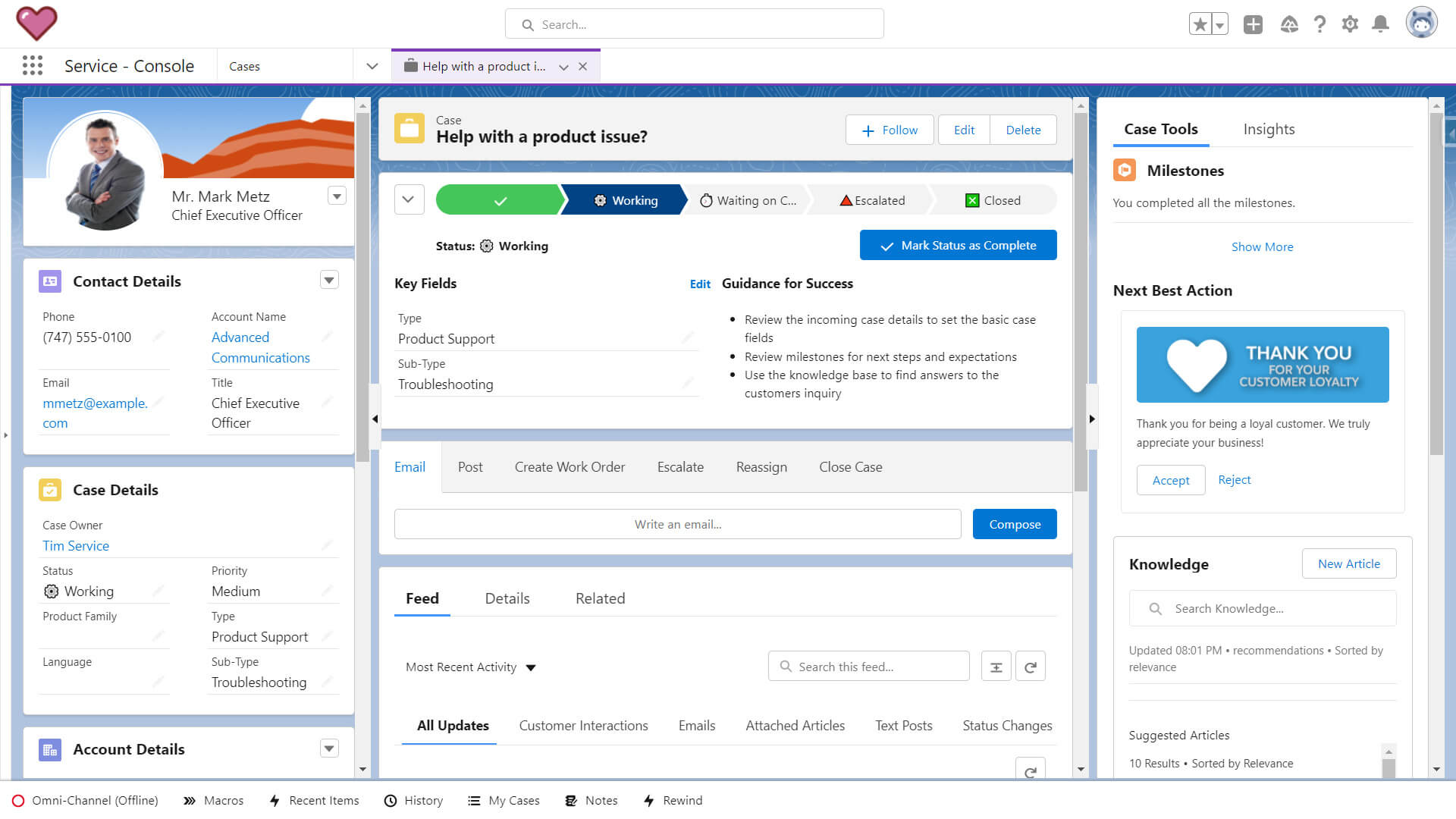
Salesforce Service Cloud is a comprehensive customer service solution from the CRM giant, Salesforce. Its mobile app is designed to give support agents the tools they need to provide excellent service from anywhere. The app is particularly powerful for businesses already using other Salesforce products.
Key features: The top features of the Salesforce Service Cloud mobile app include omni-channel routing, which directs customer inquiries to the most appropriate agent based on skill set and availability. It uses AI to provide recommendations to agents, helping them resolve issues more quickly.
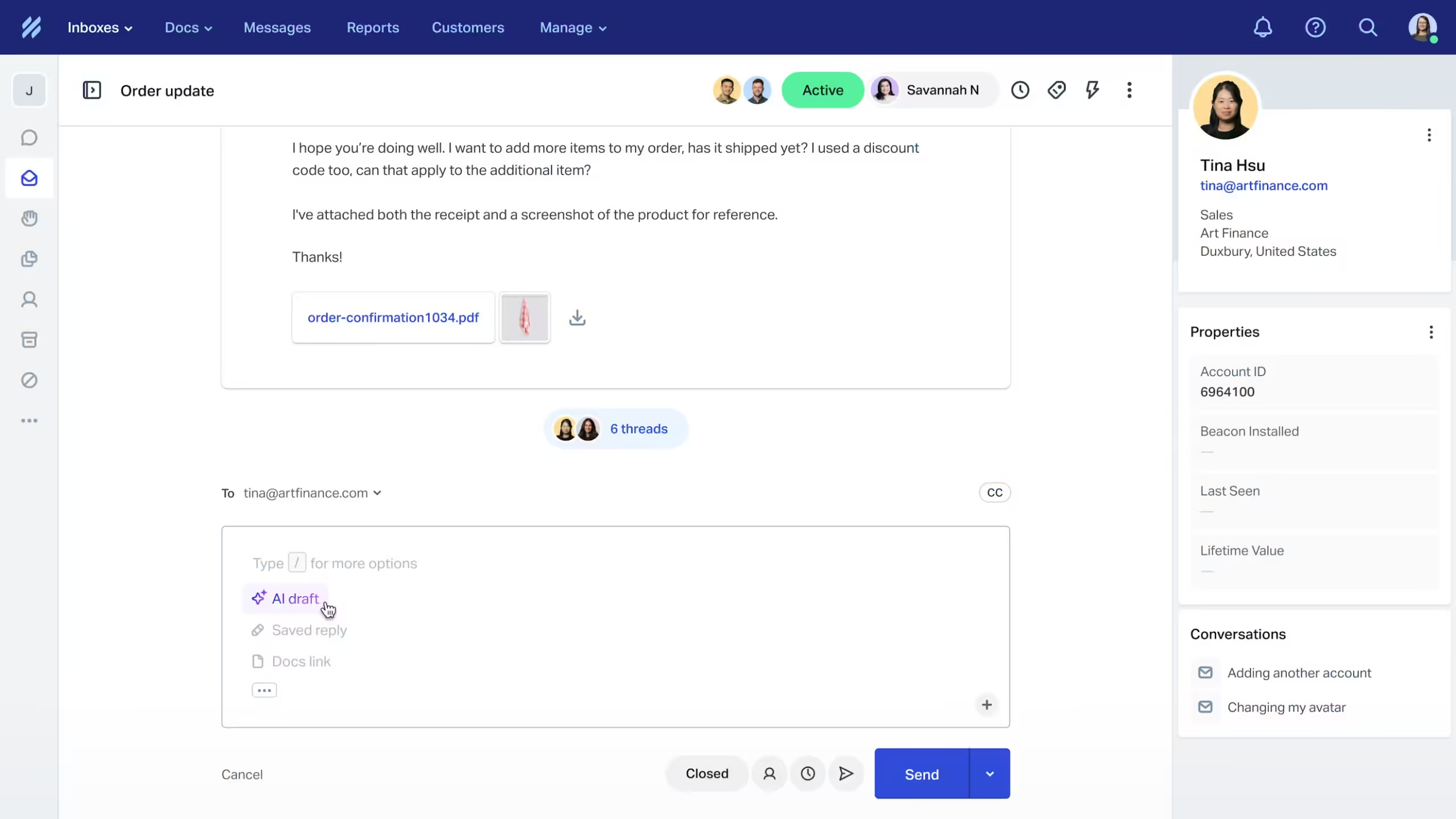
Help Scout is a customer service platform known for its simplicity and ease of use. Its mobile app is designed to help support teams manage customer communications efficiently, even when they’re on the move. The app particularly has its benefits in small business customer service and other medium-sized businesses.
Key features: The Help Scout mobile app features a shared inbox, allowing multiple team members to collaborate on customer inquiries. It provides detailed customer profiles, giving agents context for each interaction. The app allows for the creation and management of a knowledge base, enabling self-service options for customers.
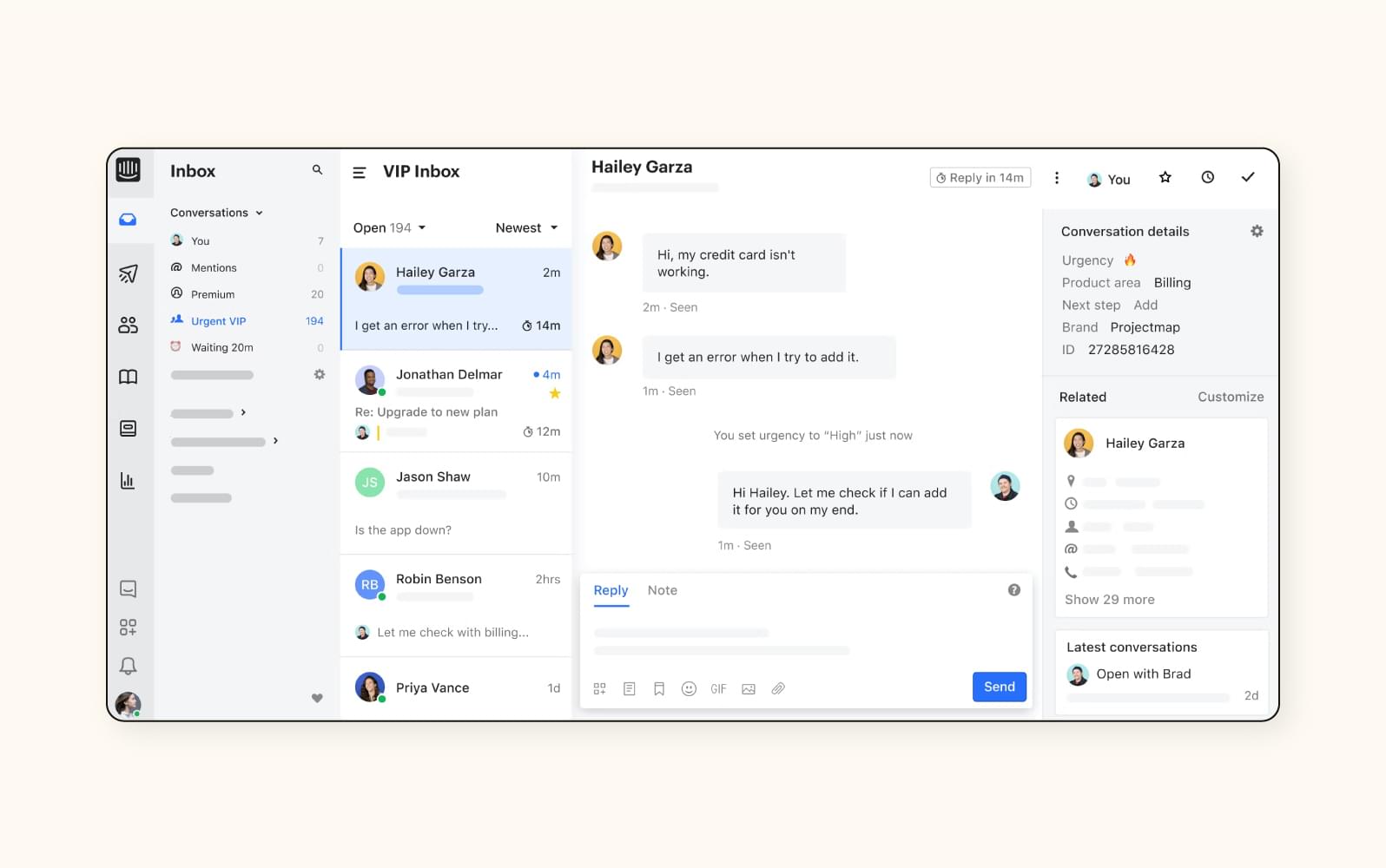
Intercom is a conversational relationship platform that offers a mobile app focused on customer messaging and engagement. It’s designed to help businesses communicate with customers through in-app and web messaging putting a strong emphasis on proactive support and engagement.
Key features: The Intercom mobile app includes in-app messaging, allowing businesses to communicate with customers directly within their own apps or websites. It offers chatbots/automation capabilities to handle routine inquiries and qualify leads.
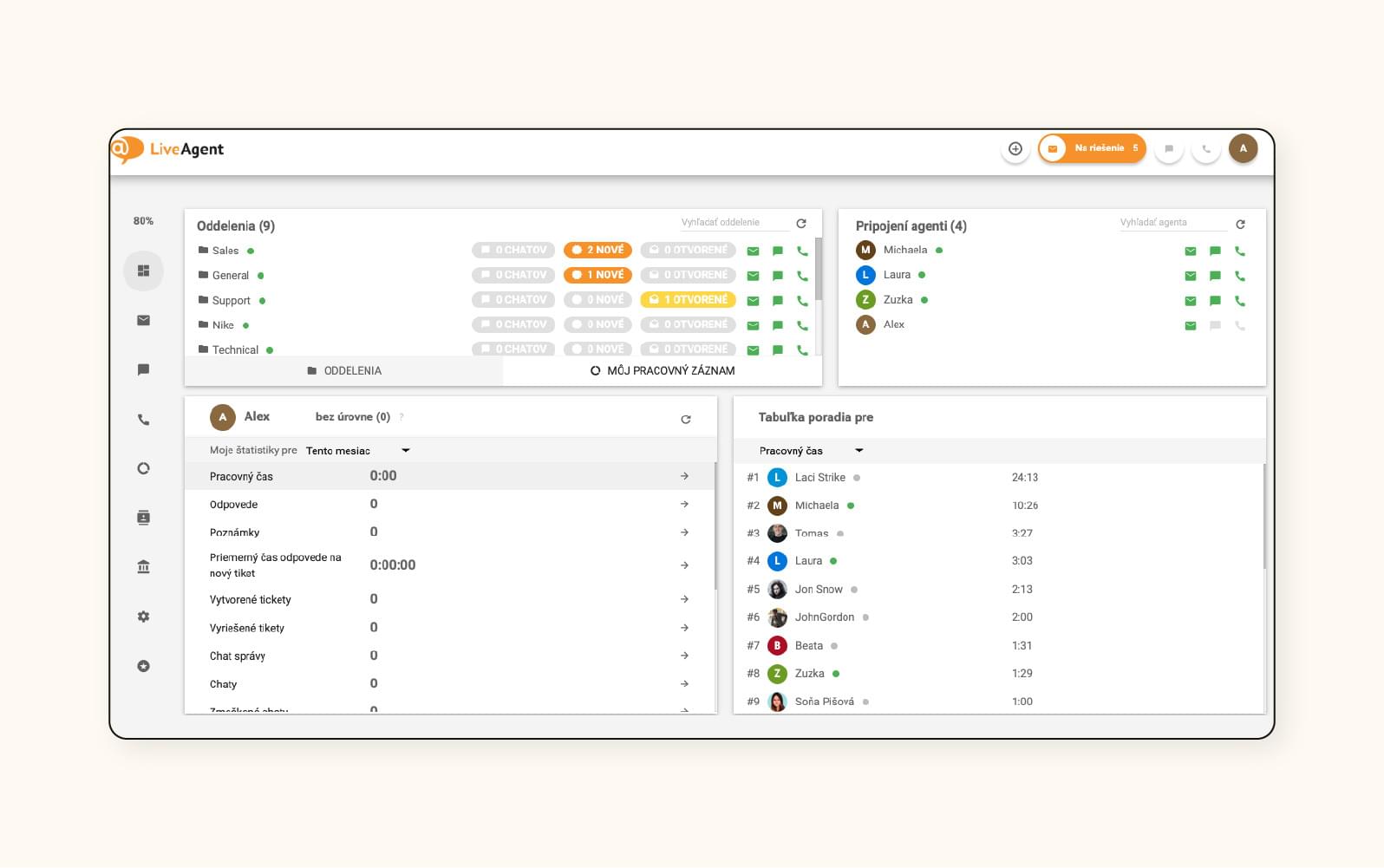
LiveAgent is a help desk software that offers a comprehensive mobile app for customer service. It’s designed to provide businesses with a unified platform for managing customer interactions across multiple channels. The LiveAgent mobile app is known for its robust feature set and flexibility.
Key features: The key features include real-time visitor monitoring, allowing agents to proactively engage with website visitors. It offers video calling capabilities, enabling face-to-face customer support when needed. The app includes time tracking features to help manage agent productivity. It provides automated ticket distribution to ensure efficient workload management.
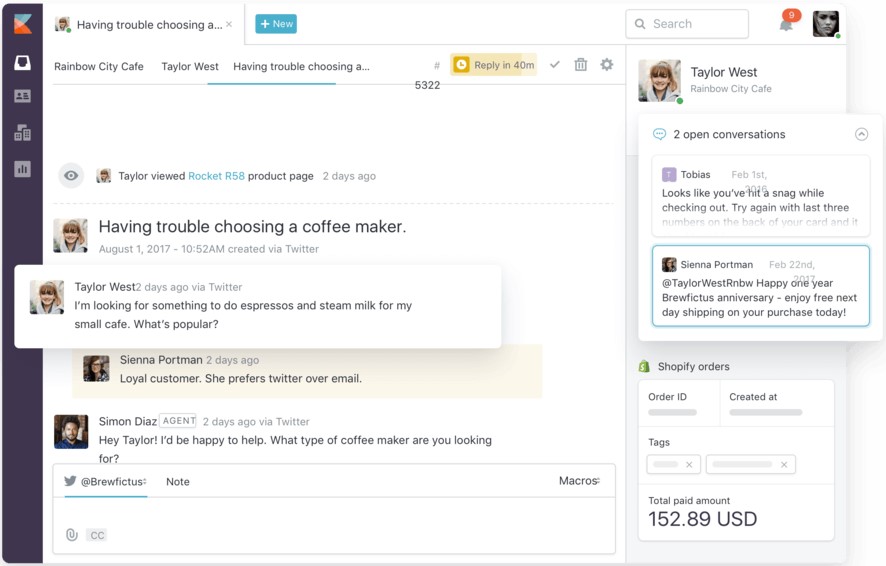
Kayako is a customer service platform that offers a mobile app designed to provide a unified view of the customer. It’s known for its ability to consolidate customer data from multiple sources, providing agents with comprehensive customer context.
Key features: The Kayako mobile app features a unified customer view, bringing together all customer interactions and data in one place. It offers automated workflows to streamline support processes. The app includes a self-service portal, allowing customers to find answers to their questions independently.
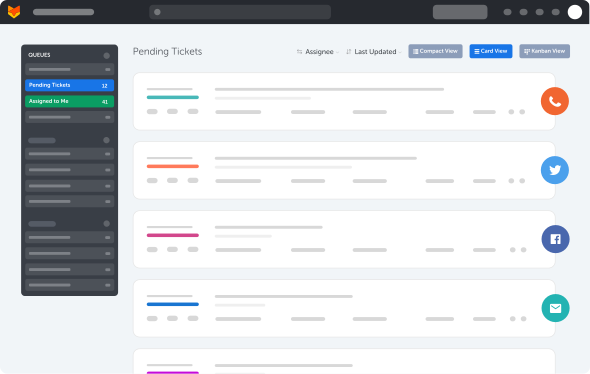
HappyFox is a help desk as well as customer support software that offers a mobile app designed to help support teams manage tickets and customer interactions on the go. It’s known for its user-friendly interface and comprehensive feature set.
Key features: The HappyFox mobile app includes robust ticket management capabilities, allowing agents to create, update and resolve tickets from their mobile devices. It offers a knowledge base feature, enabling the creation and management of self-service resources.
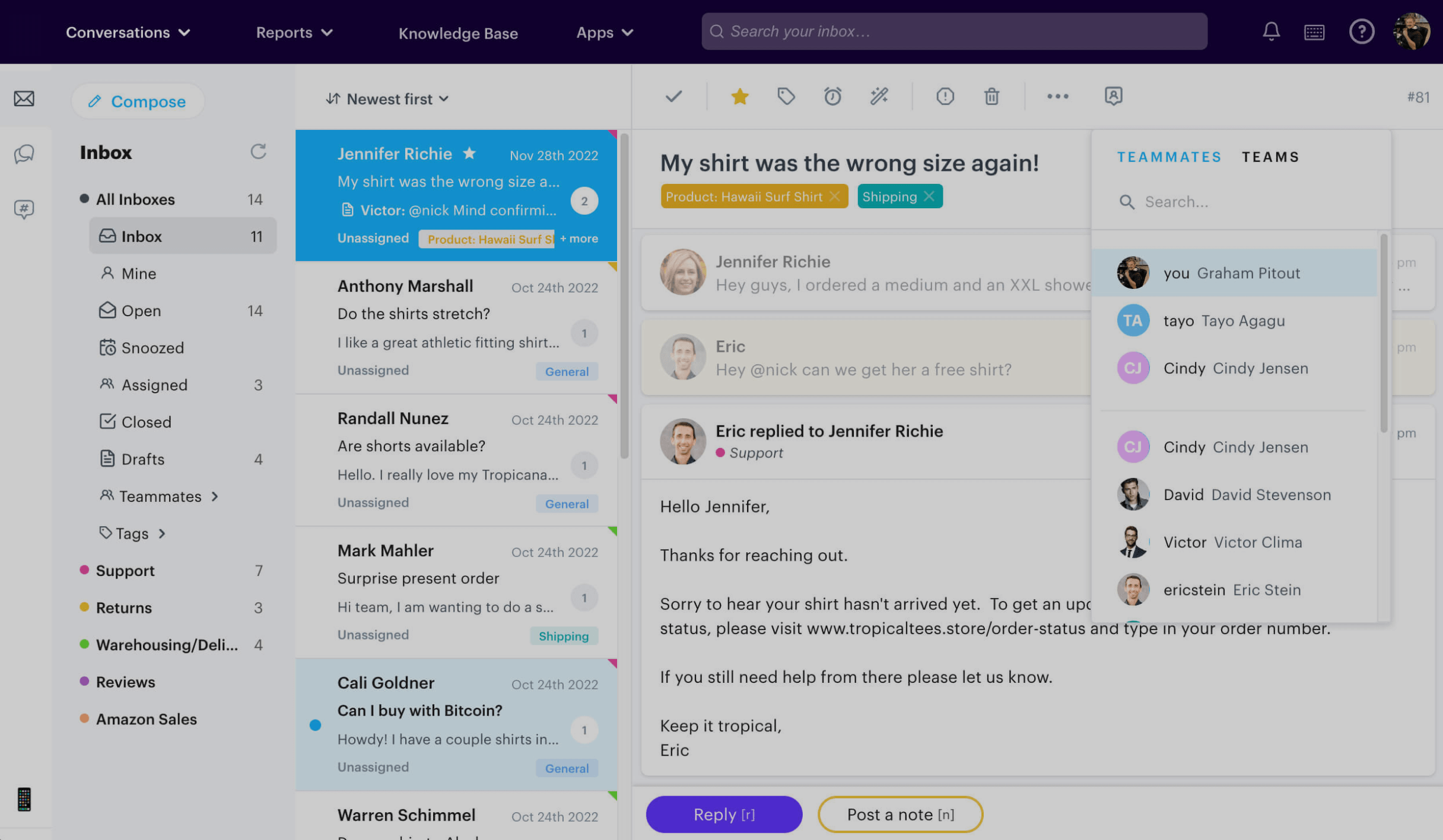
Groove is a customer service platform designed primarily for small to medium-sized businesses. Its mobile app offers a straightforward, easy-to-use interface for managing customer support on the go.
Key features: The Groove mobile app features a shared inbox, allowing team collaboration on customer inquiries. It offers a knowledge base tool for creating and managing self-service content. The app includes canned replies, enabling quick responses to common questions.
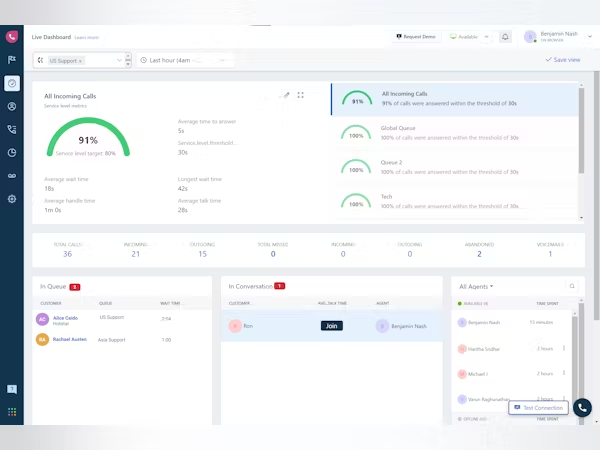
Freshcaller, part of the Freshworks suite, is a cloud-based phone system designed specifically for customer support teams. Its mobile app allows support agents to handle calls and manage their phone system from anywhere.
Key features: The key features of the Freshcaller mobile app include call routing and IVR (Interactive Voice Response) management, allowing businesses to direct calls efficiently. It offers call recording and monitoring capabilities for quality assurance. The app provides real-time analytics on call volumes and agent performance.
Mobile apps have become an integral part of our daily lives, providing convenience and accessibility at our fingertips.
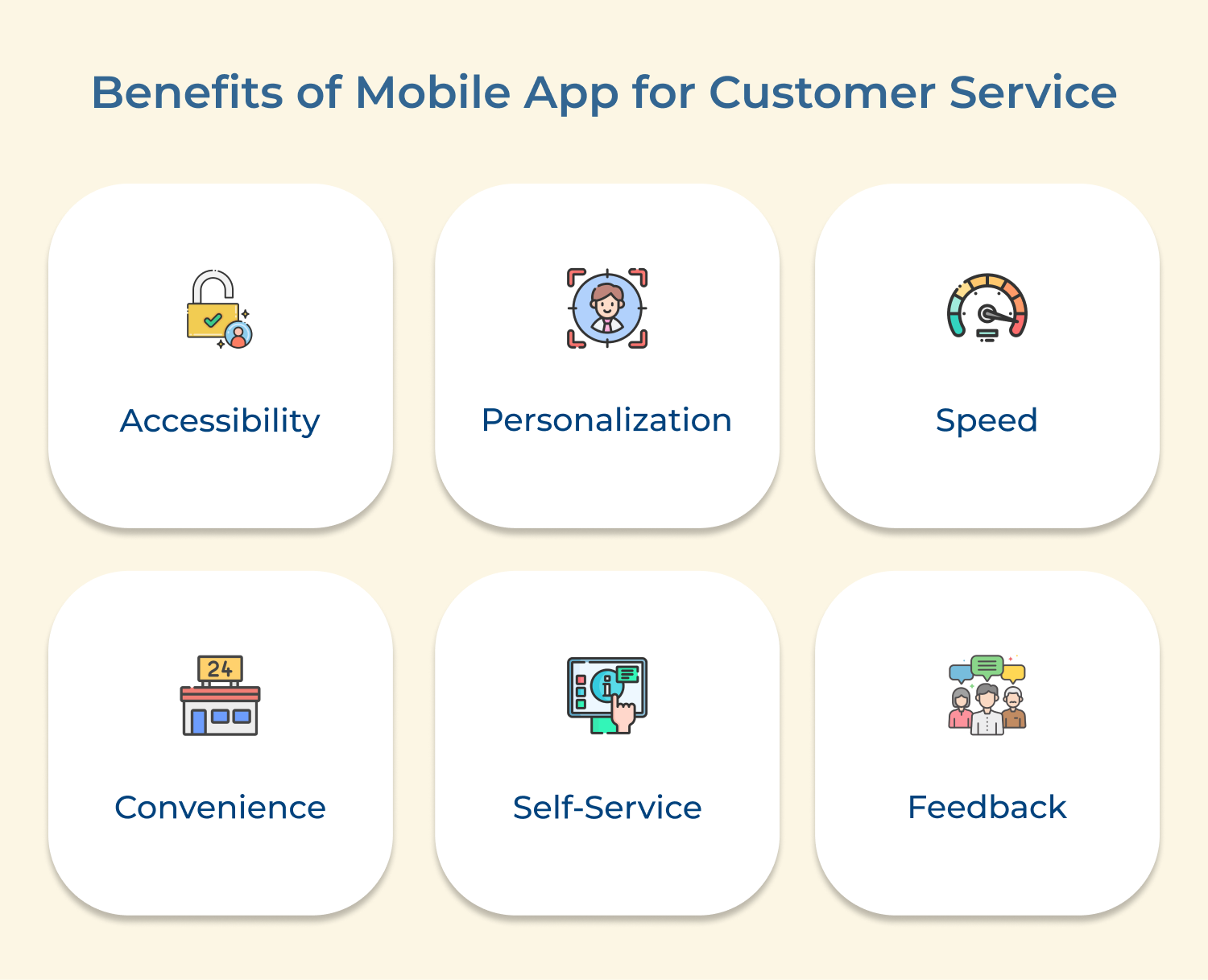
1. Accessibility: Customers can access customer service anytime, anywhere with mobile apps. Whether they have a question or need assistance outside of business hours, having a mobile app provides round-the-clock support.
2. Personalization: Allow companies to personalize the customer service experience. By collecting data and understanding customer behavior, companies can tailor their responses and recommendations to meet the individual needs of each customer.
3. Speed: Customer service apps can streamline the customer service process, allowing for quicker response times and resolution of issues. Customers no longer have to wait on hold or navigate through complicated phone menus – they can simply send a message and receive a prompt reply.
4. Convenience: Make it easy for customers to communicate with companies. Whether they prefer to chat, email or make a phone call, all options can be integrated into the app for a seamless experience.
5. Self-Service: Mobile apps empower customers to solve their own problems. Through FAQ sections, troubleshooting guides and online resources, customers can find answers to common questions without the need to contact customer service.
6. Feedback: Provide a platform for customers to provide feedback and suggestions. Companies can use this valuable information to improve their products and services, ultimately enhancing the customer experience.
The right customer service app determines the quick process of your team resolving issues and building loyalty. Omni24 is the best all-in-one solution for businesses that need omnichannel coverage, AI-powered automation and real-time analytics in one place.
Ready to see it live? Book a personalized demo today. The best customer service application is not just a support tool. It’s your competitive edge.
Omni24’s customer engagement platform harnesses automation and AI to deliver unified customer experiences across digital channels, while keeping human touch
Great help desk software is user-friendly, customizable to meet the specific needs of your business and provides comprehensive tracking & reporting features. It should also offer multichannel support, allowing customers to reach out via email, chat, social media or phone. Automation capabilities can also streamline processes and improve efficiency.
Popular customer service apps for businesses include Omni24, Veemo support, Zendesk, Freshdesk, Intercom and Help Scout. Each platform offers unique strengths suited to different business sizes, industries and support needs. This makes it important to evaluate your specific requirements before committing to one.
Factors to consider when comparing options:
The best apps improve response times by centralizing all customer inquiries into one place, allowing agents to easily prioritize and respond to tickets. It does not require switching between disconnected tools, platforms or communication channels.
Automation features also play a vital role in routing inquiries to the appropriate team member automatically and providing standardized responses to common questions. This reduces wait times significantly for customers across every support channel.
Most customer service apps offer integrations with popular tools such as CRM systems, email marketing software and e-commerce platforms to make sure seamless data sharing and improved collaboration. This gives businesses a holistic view of customer interactions across every touchpoint.
Common integrations include:
 https://omni24.io/wp-content/uploads/2026/08/AI-Customer-Service-Agents.png
1256
2400
Webvision Solution
https://omni24.io/wp-content/uploads/2023/04/Omni-Logo-1.svg
Webvision Solution2026-09-21 04:48:512026-09-21 04:48:51How to Build an AI Customer Service Agents: 8 Key Steps
https://omni24.io/wp-content/uploads/2026/08/AI-Customer-Service-Agents.png
1256
2400
Webvision Solution
https://omni24.io/wp-content/uploads/2023/04/Omni-Logo-1.svg
Webvision Solution2026-09-21 04:48:512026-09-21 04:48:51How to Build an AI Customer Service Agents: 8 Key Steps https://omni24.io/wp-content/uploads/2026/08/Omnichannel-Conversational-AI.png
1256
2400
Tushar Joshi
https://omni24.io/wp-content/uploads/2023/04/Omni-Logo-1.svg
Tushar Joshi2026-09-16 03:51:072026-09-16 03:51:07How to Build Omnichannel Conversational AI Strategy
https://omni24.io/wp-content/uploads/2026/08/Omnichannel-Conversational-AI.png
1256
2400
Tushar Joshi
https://omni24.io/wp-content/uploads/2023/04/Omni-Logo-1.svg
Tushar Joshi2026-09-16 03:51:072026-09-16 03:51:07How to Build Omnichannel Conversational AI Strategy https://omni24.io/wp-content/uploads/2026/08/Customer-Service-Teams.png
1256
2400
Tushar Joshi
https://omni24.io/wp-content/uploads/2023/04/Omni-Logo-1.svg
Tushar Joshi2026-09-15 04:01:522026-09-15 04:02:16How to Build Customer Service Teams: 6 Key Steps
https://omni24.io/wp-content/uploads/2026/08/Customer-Service-Teams.png
1256
2400
Tushar Joshi
https://omni24.io/wp-content/uploads/2023/04/Omni-Logo-1.svg
Tushar Joshi2026-09-15 04:01:522026-09-15 04:02:16How to Build Customer Service Teams: 6 Key Steps
Whether it’s about acquire, engage or support – Omni24 covers all your customer engagement needs in one complete platform.

Copyright ©2026 Veemo All rights reserved.
CA, Los Angeles, Hall Ave, 19011