10 Best Shared Inbox Software and Tools for Team Collaboration
Unlock outstanding customer service & collaboration with Omni24 manage emails and social media messages in one unified inbox.


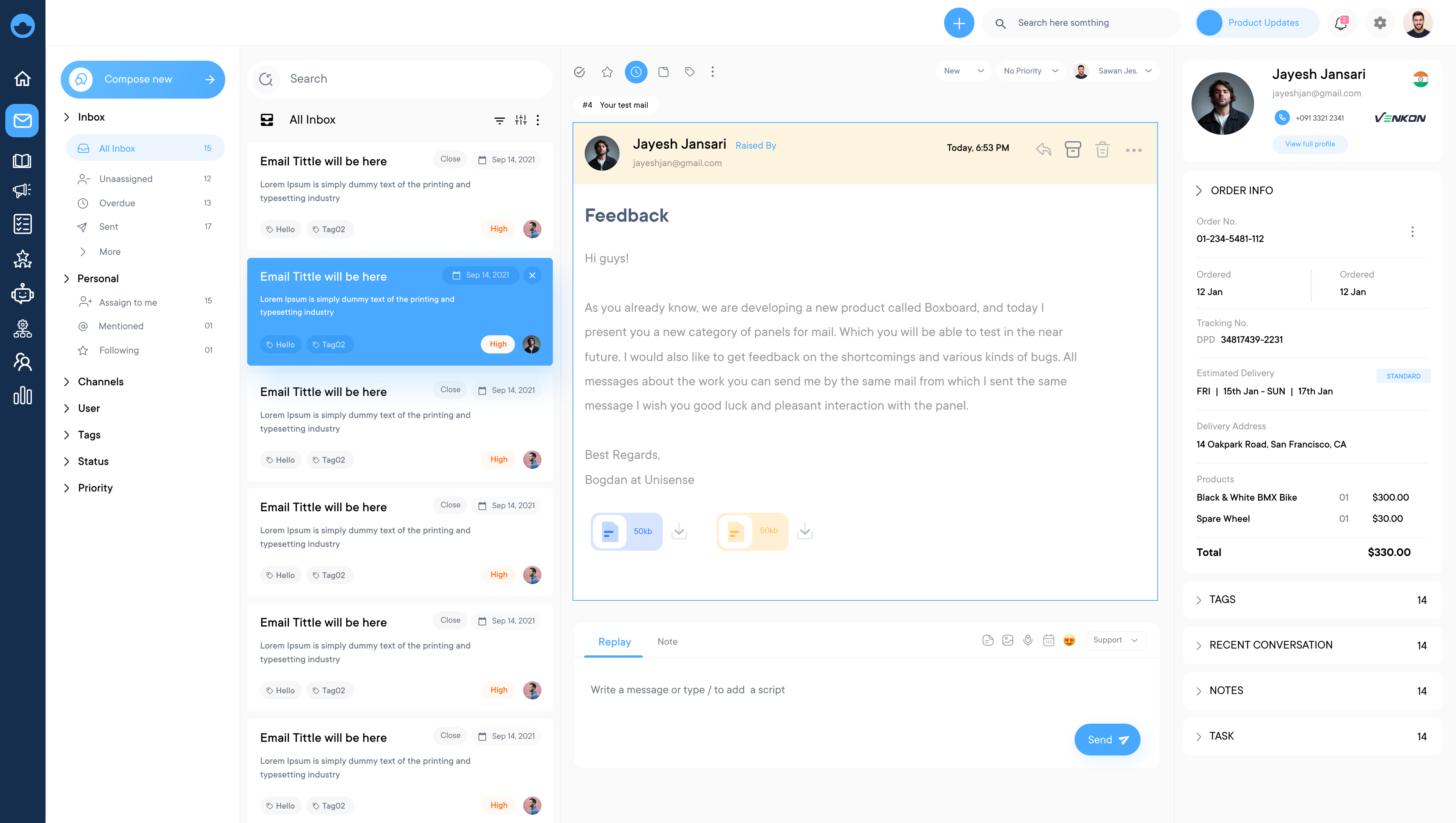
Unlock outstanding customer service & collaboration with Omni24 manage emails and social media messages in one unified inbox.
Empower your team’s customer communication with top shared inbox tools. Leverage automation, real-time collaboration, and in-depth analytics for excellence.
Omni24 seamlessly integrates email, social media, chat, and other channels into one inbox, providing customers with a consistent experience.
Real-time collaboration features, such as assignments, notes, and team mentions, ensure your team is always on the same page.
Automate repetitive tasks like routing, tagging, and follow-ups, freeing up time for more valuable customer interactions.
Gain insights into team performance, response times, and customer satisfaction, allowing you to continuously improve your support and communication strategies.
Scattered customer emails across multiple channels can overwhelm growing teams, leading to delayed responses. A shared inbox software that allows teams to manage emails, chats and customer conversations from one unified place. It enables automated routing and workflow management along with performance tracking metrics to improve response times.
Businesses use it to streamline communication, increase accountability and deliver consistent support. Explore the top tools, features and benefits to choose the best shared inbox software for your team.
Shared inbox software enables teams to work together using emails, chats and customer conversations. It also replaces scattered individual inboxes with one common place and teams can delegate messages to each other, track conversations without redundancy. This provides enhanced visibility in support, sales and operations.
Key objectives:
Shared inbox software helps teams to collaborate, communicate, and stay organized. To help make the decision easier, here is a comparison chart for some of the best shared inbox tools:
| Software | Key Features | Price | Trial |
|---|---|---|---|
| Omni24 | • Multi-channel support • Automated workflows • Team collaboration tools • Analytics dashboard • Customizable templates |
Starting at $34/user/month | 14-day free trial |
| Veemo Support | • Unified inbox • Ticket management • Knowledge base • Customer portal • SLA management |
Starting at $19/user/month | 14-day free trial |
| Kayako | • Omnichannel support • Automated ticket routing • Self-service options |
$30/agent/month | 14-day free trial |
| HelpMonk | • Shared inbox • Task management • Canned responses |
$15/user/month | 14-day free trial |
| Missive App | • Collaborative email • Chat integration • Task assignment |
$14/user/month | 14-day free trial |
| Gmelius | • Gmail integration • Kanban boards • Email tracking |
$12/user/month | 14-day free trial |
| HelpScout | • Shared inbox • Knowledge base • Live chat |
$20/user/month | 15-day free trial |
| HiverHQ | • Ticket management • Automation rules • Reporting |
$13/agent/month | 14-day free trial |
| Mojo Helpdesk | • Ticket management • Automation rules • Reporting |
$13/agent/month | 14-day free trial |
| Zendesk | • Omnichannel support • AI-powered answers • Advanced analytics |
$49/agent/month | 14-day free trial |
Ensure you make the best decision for your organization by selecting the right shared inbox software. Here, we’ve provided you with valuable tips on the key features you should look for.

A right shared team inbox tool supports multiple channels such as email, chat, social media, and messaging apps to ensure that customers can reach out to the team. Thus, improving customer satisfaction by providing a consistent experience across all channels.
Here multiple team members can access, view, and respond to messages in real-time. A shared team inbox ensures that everyone is aware of the current status of a customer inquiry or request, and can assist in addressing it promptly.
You get the ability to automate repetitive tasks such as assignment, routing, and follow-up actions. It helps to improve efficiency and reduce the workload on the team. You will also handle customer inquiries in a timely manner.
A shared team inbox provides detailed metrics and analytics on team performance, such as response time, resolution time, customer satisfaction rate, etc. It allows teams to track their performance over time and identify areas for improvement.
Robust security features such as encryption, access controls, and audit trails protect your sensitive customer data. It also ensures compliance with relevant regulations. Manage user permissions with precision, ensuring that only authorized personnel can access sensitive information within the shared inbox environment.
A shared team inbox should integrate with other tools that teams use such as CRM, Ecommerce or customer data platforms to have a single source of truth. Hence, your team will provide a more efficient and effective customer service.
Let’s explore some of the best shared inbox tools available, each designed to empower teams and elevate customer communication to new heights.
Best shared inbox tool for efficient unified inbox features
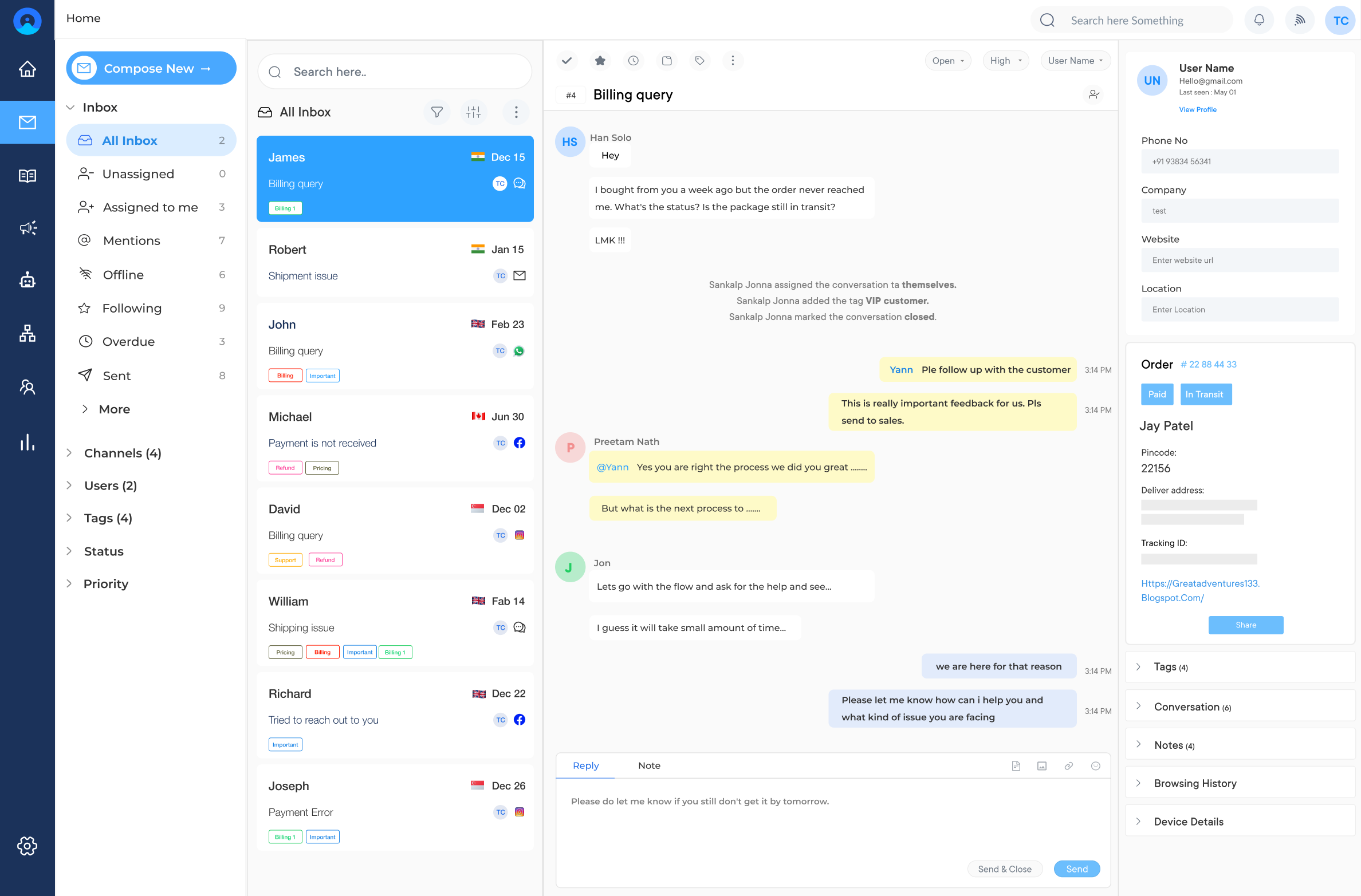
Omni24 is an AI-powered customer engagement platform that combines support, sales, and marketing into one unified suite. Its shared inbox consolidates inquiries from email, WhatsApp, social media, and chat into a single dashboard, making it ideal for team collaboration as well as seamless communication.
Businesses of all sizes can use Omni24’s shared inbox to manage customer communication across channels while maintaining internal collaboration through notes and assignment rules. This eliminates duplicate replies while keeping every team aligned, regardless of the channel customers prefer.
Key features:
Pricing: Omni24’s pricing starts from $29/user/month and goes up to $149/user/month based on the features and add-ons. All plans come with a 14 days free trial.
The top shared inbox software to enhance conversions
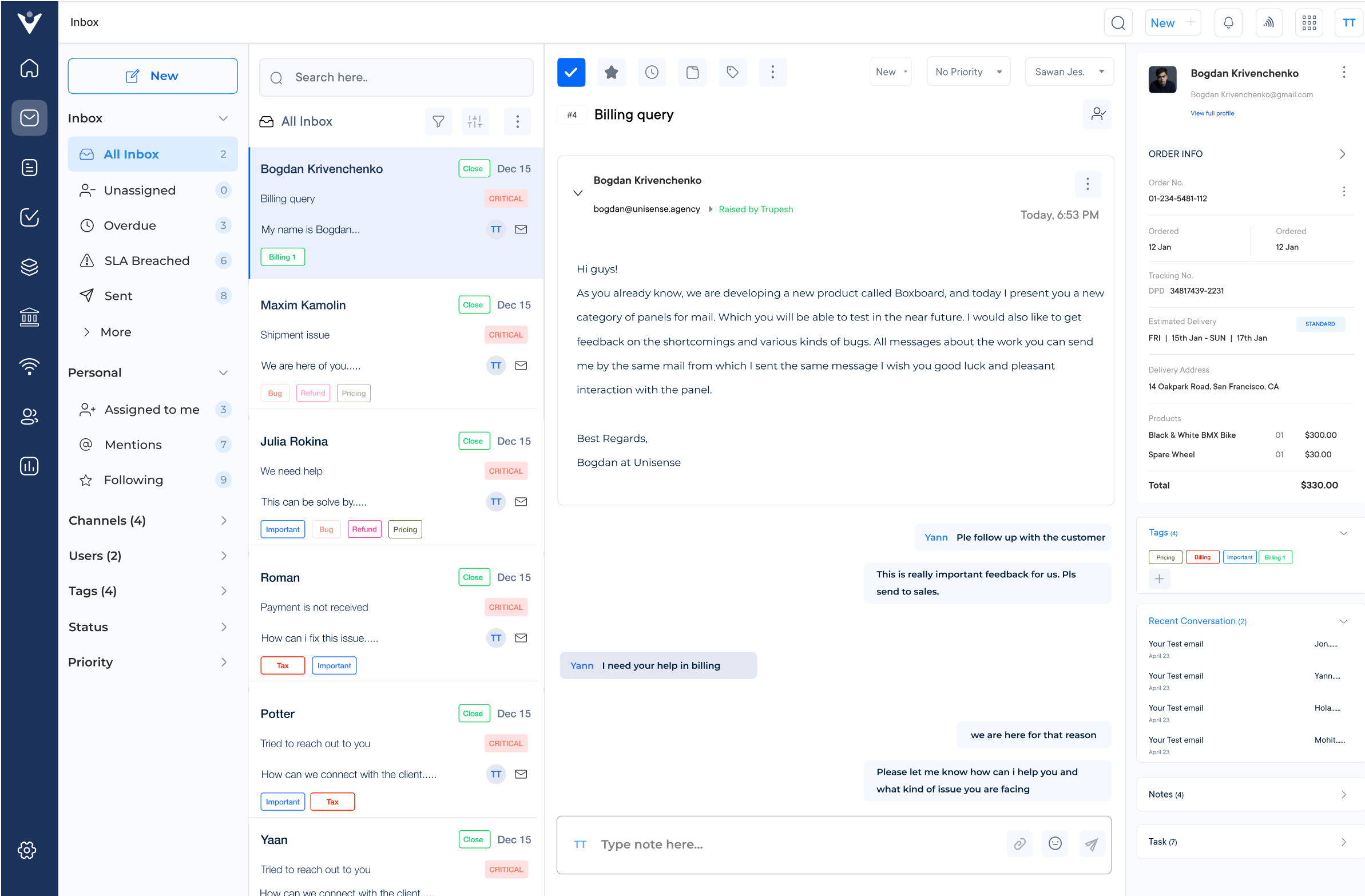
Veemo Support is an omnichannel help desk software to streamline support operations into a centralized interface. The software is a part of Veemo’s customer engagement suite of products designed to streamline and enhance various aspects of business operations.
Veemo Support offers a range of tools to automate workflows, manage tickets efficiently and provide self-service options to customers. It helps businesses of all sizes improve response times, reduce customer churn, as well as enhance customer satisfaction.
Key features:
Pricing: Veemo offers prices starting from $34/user/month, $79/user/month, $149/user/month to custom prices depending on your requirements. Try its 14-day free trial along and check its pricing plans to find what suits your business best!
The top shared inbox tool to elevate omnichannel lead conversions
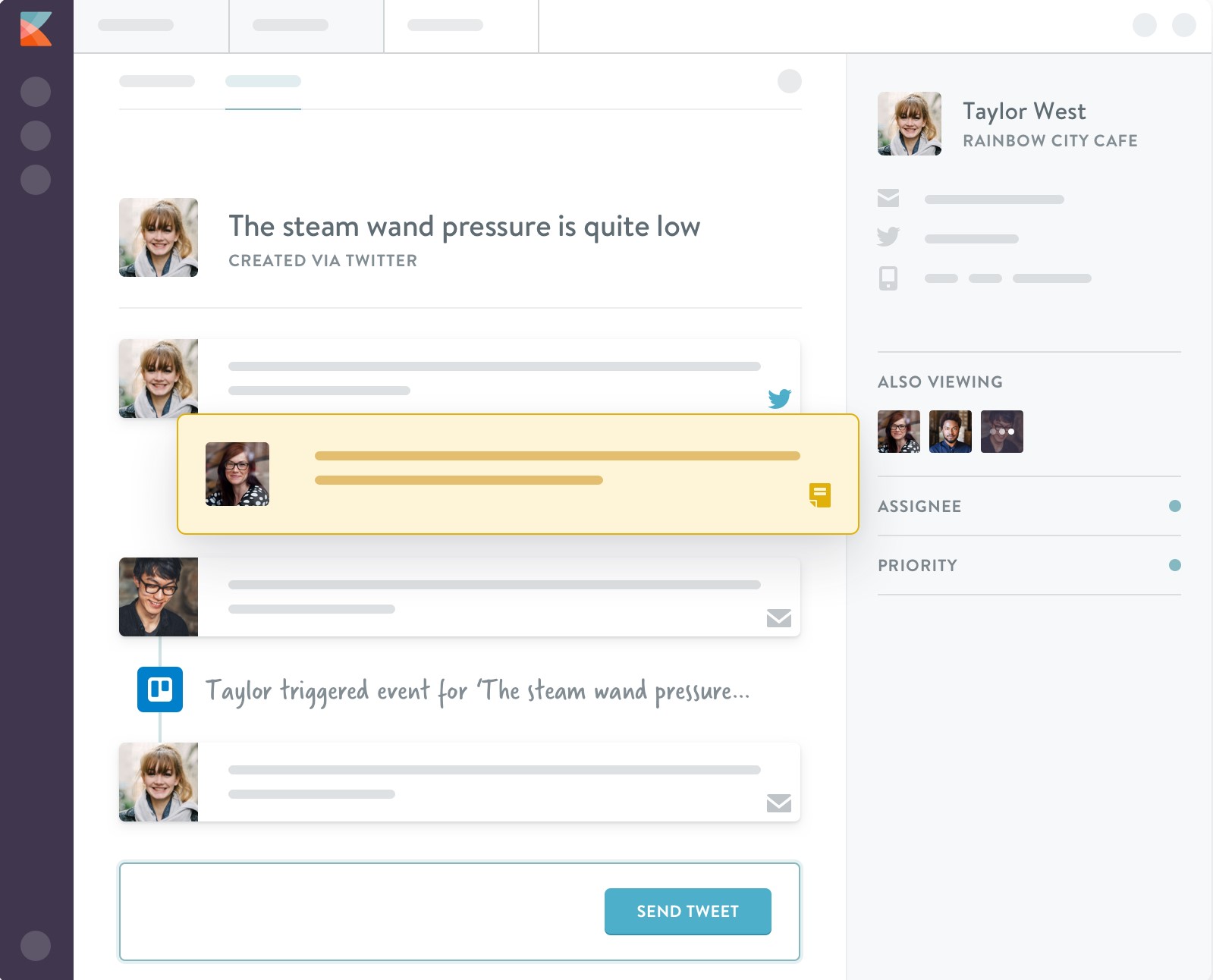
Kayako is a shared inbox tool for businesses to manage customer conversations across multiple channels in one place. It also offers reporting and analytics features to help businesses improve their customer service/support.
Key features: Access all customer conversations from email, chat, social media, and more in one shared inbox with your team. Set up custom rules and workflows to automate repetitive tasks as well as improve productivity. Track your team’s performance with real-time dashboards and reports.
Pricing: Kayako offers three pricing plans, starting at $15/user/month for the Basic plan, which includes email support and a shared inbox. The Growth as well as Scale plans, starting at $30/user/month and $60/user/month respectively, offer additional features.

HelpMonk allows teams to handle all of their customer communication in one place. It enables teams to manage multiple email accounts and chat channels seamlessly, ensuring that no customer query goes unanswered. HelpMonk lets you manage all your email accounts from one place. Collaborate with your team members and work together to resolve customer issues.
Pricing: HelpMonk offers a range of pricing tiers, starting from $32/month for up to 3 users. The higher tiers offer additional features, including team and customer insights, custom branding, along with API access. A free trial is also available for 14 days, giving businesses the chance to try out the features before making a commitment.
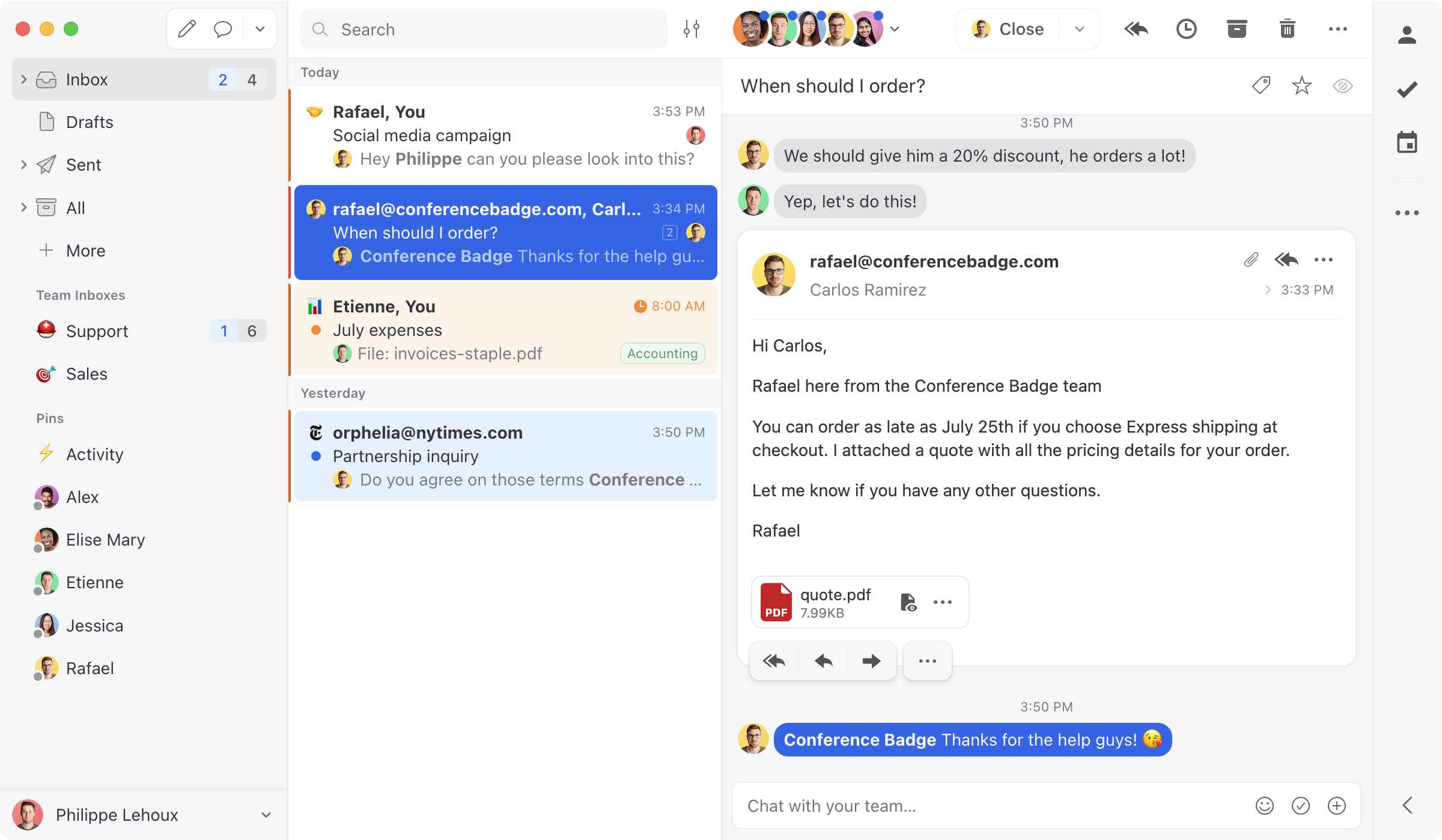
Missive App enables teams to collaborate on emails and other messaging platforms in real time. It allows multiple users to access as well as respond to the same conversations, streamlining communication and productivity. Teams can work together on the same conversations, assign tasks and share comments in real time.
Pricing: Missive App offers a 14-day free trial, after which it offers two pricing plans – Standard and Pro. The Standard plan starts at $9/month/user and offers basic features. The Pro plan starts at $20/month/user and offers advanced features like detailed analytics as well as integrations with other tools.

Gmelius is a top shared inbox tool that helps teams collaborate efficiently by turning their inboxes into a shared workspace. With features such as team email management, email templates and workflow automation, streamline your team’s communication. Pre-built email templates enable users to save time responding to repetitive emails and improve consistency across communication.
Pricing: Gmelius offers three pricing plans, starting from a free plan that includes basic features for up to 5 users. The paid plans start from $9 per user per month, offering more advanced features tailored to the needs of larger teams or businesses.
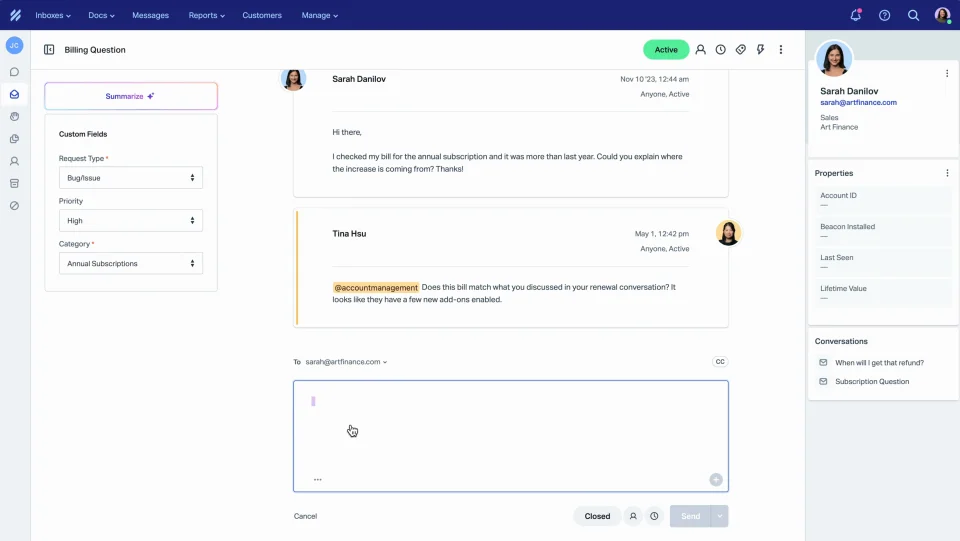
HelpScout is a shared inbox tool designed to streamline customer support communication. With its simple and efficient interface, businesses can manage email conversations, chat, along with social media messages all in one place. It automates repetitive tasks such as tagging, assigning, and closing conversations to increase efficiency.
Pricing: HelpScout offers a variety of pricing plans starting at $20 per month for up to three users. Custom pricing is also available for businesses with larger teams and additional features needed. A free 15-day trial is also available for those wanting to try before committing to a subscription.

Hiver is a shared inbox tool designed for teams that use Gmail. It helps teams collaborate, streamline communication, and manage email efficiently. With HiverHQ, users can assign emails to team members, track progress, and collaborate within the inbox itself. Users can assign emails to specific team members, making it easier to organize and prioritize tasks.
Pricing: HiverHQ offers pricing plans starting at $14/month for the Basic plan. The Plus plan is $22/month, and the Premium plan is $34/month. These plans include features such as email assignment, collaboration tools, shared labels, and more. HiverHQ also offers a free trial so users can try before they buy.
Read more: For more options, read our breakdown of the top Hiver alternatives.
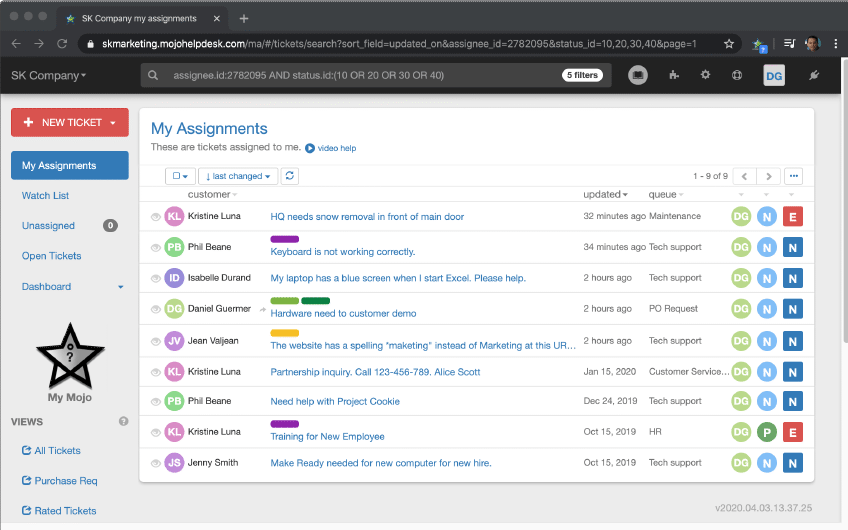
Mojo Helpdesk is a shared inbox tool that allows teams to manage support tickets and emails in one place. It offers features such as automated workflows, customizable forms and integrations with popular applications like Slack as well as Zapier. It allows for the creation of customizable workflows to automate processes and increase efficiency.
Pricing: Mojo Helpdesk offers a free trial for 14 days, after which users can choose between two plans: the Basic ($24/month) and Plus ($49/month) plans. Both plans include email integration and knowledge base support, but the Plus plan includes additional features such as custom branding and custom ticket statuses.

Zendesk is a popular shared inbox tool used by businesses to manage customer support emails and inquiries from multiple platforms in one place. It offers a range of features to help streamline workflow, improve collaboration, as well as enhance customer experiences.
Key features: Users create automation rules and macros to streamline repetitive tasks while reducing response times. It offers detailed reporting and analytics features that help businesses track customer satisfaction, team productivity as well as identify areas for improvement.
Pricing: Zendesk offers various pricing plans starting from $5 per agent per month for the Essential plan which includes basic features like an email ticketing system and knowledge base.
An array of shared inbox tools are available, making it challenging to identify which one is the best. We’ve identified the key criteria to help you select the best shared inbox tool.
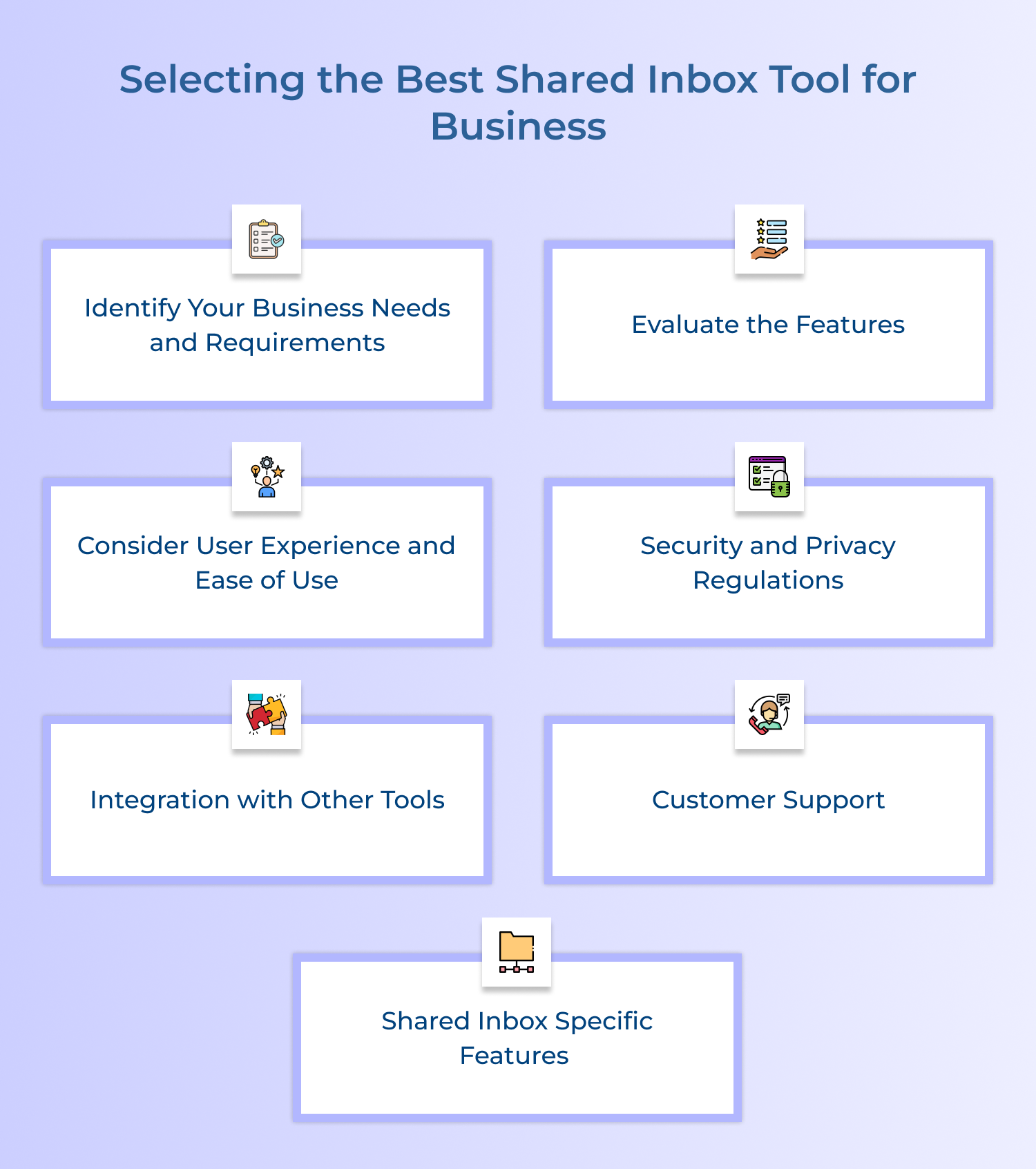
Before selecting a shared inbox tool, it is necessary to establish your business’s needs and requirements. Determine the channels that you need to connect to your shared inbox to manage emails, messages, and social media platforms.
Shared inbox tools come with various features that aim to optimize communication processes. You need to evaluate these features and determine which ones are best suited for your business. Some shared inbox tools offer features such as tagging, canned responses, collaboration tools, and analytics, among others.
User experience and usability play a crucial role in selecting the best shared inbox tool. Select an email management software tool that is easy to navigate and use, one that will not disrupt your team’s productivity. Ensure that the tool is user-friendly as well as accessible on different devices such as desktops, mobile phones and tablets.
Selecting a shared inbox tool that is secure and compliant with privacy regulations is essential. Ensure that the tool you choose provides encrypted communication and data protection. Additionally, check whether the tool complies with data privacy regulations such as GDPR and CCPA.
A shared inbox tool should integrate seamlessly with other software tools that your business uses. Check for integration capabilities with tools such as Customer Relationship Management (CRM), Enterprise Resource Planning (ERP) and digital signature software.
Consider the customer support offered by the shared inbox tool provider. Select a tool that provides comprehensive support, including a knowledge base, email support and chat support. You need a tool that ensures smooth functionality and any issues that may arise can be resolved promptly.
If you’re going to invest time and resources into upgrading to a shared inbox tool, it’s useful to consider which features might be crucial for your team. The most useful shared inbox features include assigning & resolving emails, internal team chat, collision detection, automated rules and round-robin functionality.
A shared inbox tool for teams allows multiple users to manage the same group of email accounts. Let’s learn more about the tools key benefits and how it improves your business.
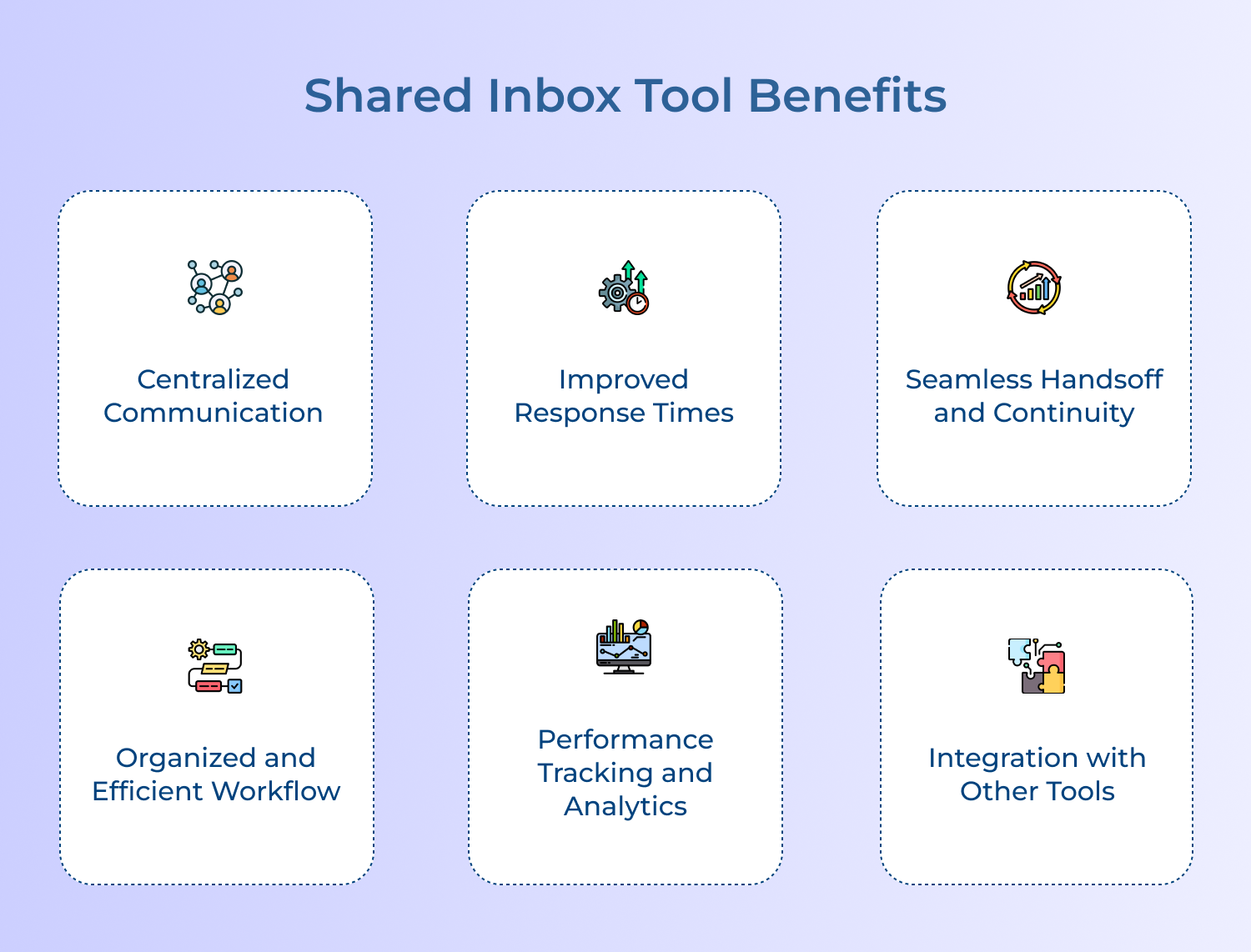
Here are some key benefits of using a shared inbox tool:
Shared inboxes offer a cost-effective solution for managing multiple communication channels. They are convenient, efficient and ideal for businesses of all sizes. explore some of the areas for shared inboxes and how they can benefit various business solutions:

The right shared inbox software differentiates between a team that responds and the team that resolves. Scale support desk or tighten cross-functional collaboration with features such as automation, analytics and integrations.
Ready to see the difference? Start your 14-day free trial of Omni24. The best shared inbox software doesn’t just organise your messages, it empowers your entire team to deliver faster, smarter and more consistent customer experiences at scale.
Omni24’s customer engagement platform harnesses automation and AI to deliver unified customer experiences across digital channels, while keeping human touch.
A shared inbox tool directs all incoming emails to a central inbox where team members can view and respond in collaboration. It eliminates the confusion caused by scattered individual inboxes and repeated forwarding across teams. Key functionalities to consider:
For customer support teams, a shared inbox tool is a game-changer. It enables seamless collaboration, allowing team members to assist each other, share information, and maintain continuity in customer interactions. With shared visibility of conversations, team members can avoid duplication, resolve issues faster, and provide a superior customer experience.
Yes, most shared inbox tools are specifically designed to facilitate seamless collaboration for distributed remote teams. It helps teams spread across different locations or time zones stay updated on customer queries.
This structure promotes transparency and eliminates communication gaps that often arise across scattered teams. Productivity increases are seen at scale since anyone can contribute regardless of their physical location or working hours.
Yes, shared inbox tools are not limited to specific industries or team sizes. They can be used by teams of all types, including customer support teams, sales teams, marketing teams, and even small businesses or startups. Any team that deals with a high volume of emails and requires collaboration can benefit from using a shared inbox tool.
The security of shared inbox software depends on the specific provider you choose to work with. This makes it essential to evaluate and track record before trusting them with sensitive customer and business communication data. Key security processes to prioritize include:
Yes, most shared inbox software solutions integrate with other productivity and collaboration tools, such as project management platforms, CRM systems, as well as team messaging apps. The integrations allow for seamless information sharing and enhanced productivity across different tools.
 https://omni24.io/wp-content/uploads/2026/09/Social-commerce-scaled.png
1340
2560
Webvision Solution
https://omni24.io/wp-content/uploads/2023/04/Omni-Logo-1.svg
Webvision Solution2026-10-23 12:18:272026-10-23 12:18:27What is Social Commerce and Why Does It Matter?
https://omni24.io/wp-content/uploads/2026/09/Social-commerce-scaled.png
1340
2560
Webvision Solution
https://omni24.io/wp-content/uploads/2023/04/Omni-Logo-1.svg
Webvision Solution2026-10-23 12:18:272026-10-23 12:18:27What is Social Commerce and Why Does It Matter? https://omni24.io/wp-content/uploads/2026/08/AI-Customer-Service-Agents.png
1256
2400
Webvision Solution
https://omni24.io/wp-content/uploads/2023/04/Omni-Logo-1.svg
Webvision Solution2026-09-21 04:48:512026-09-21 04:48:51How to Build an AI Customer Service Agents: 8 Key Steps
https://omni24.io/wp-content/uploads/2026/08/AI-Customer-Service-Agents.png
1256
2400
Webvision Solution
https://omni24.io/wp-content/uploads/2023/04/Omni-Logo-1.svg
Webvision Solution2026-09-21 04:48:512026-09-21 04:48:51How to Build an AI Customer Service Agents: 8 Key Steps https://omni24.io/wp-content/uploads/2026/08/Omnichannel-Conversational-AI.png
1256
2400
Tushar Joshi
https://omni24.io/wp-content/uploads/2023/04/Omni-Logo-1.svg
Tushar Joshi2026-09-16 03:51:072026-09-16 03:51:07How to Build Omnichannel Conversational AI Strategy
https://omni24.io/wp-content/uploads/2026/08/Omnichannel-Conversational-AI.png
1256
2400
Tushar Joshi
https://omni24.io/wp-content/uploads/2023/04/Omni-Logo-1.svg
Tushar Joshi2026-09-16 03:51:072026-09-16 03:51:07How to Build Omnichannel Conversational AI Strategy
Whether it’s about acquire, engage or support – Omni24 covers all your customer engagement needs in one complete platform.

Copyright ©2026 Veemo All rights reserved.
CA, Los Angeles, Hall Ave, 19011