How to Build an AI Customer Service Agents: 8 Key Steps
AI customer service agents automate support with intelligent real-time responses, improving speed, consistency and customer experience.

AI customer service agents automate support with intelligent real-time responses, improving speed, consistency and customer experience.
Customers expect instant answers at midnight and your support team can’t keep up with demand. Long wait times frustrate people and drive them straight to your competitors who respond faster.
Almost 95% of customer interactions will be AI-handled, with 75% of inquiries resolved without humans and 69% of consumers preferring AI self-service for quick issues.
Traditional customer service struggles with inconsistent quality across different agents and shifts. AI customer service agents solve these problems by delivering instant support. They handle routine questions consistently while your human team focuses on complex issues.
Going through the guide shows you how AI transforms customer support from a cost center into a competitive advantage.
AI customer service agents are software programs that handle customer interactions without human involvement. They understand questions and provide answers through chat or voice interfaces. These systems learn from past conversations to improve their responses over time. They work around the clock to help customers with common problems and requests.
When a customer reaches out, the AI agent analyzes their message to understand what they need. It pulls relevant information from databases and past interactions to form a helpful response.
The system decides whether it can solve the issue itself or needs to connect the customer with a human agent. It learns which responses work best and adjusts its approach based on customer feedback.
AI customer service agents transform how businesses interact with customers. Here’s what they bring to your operation.
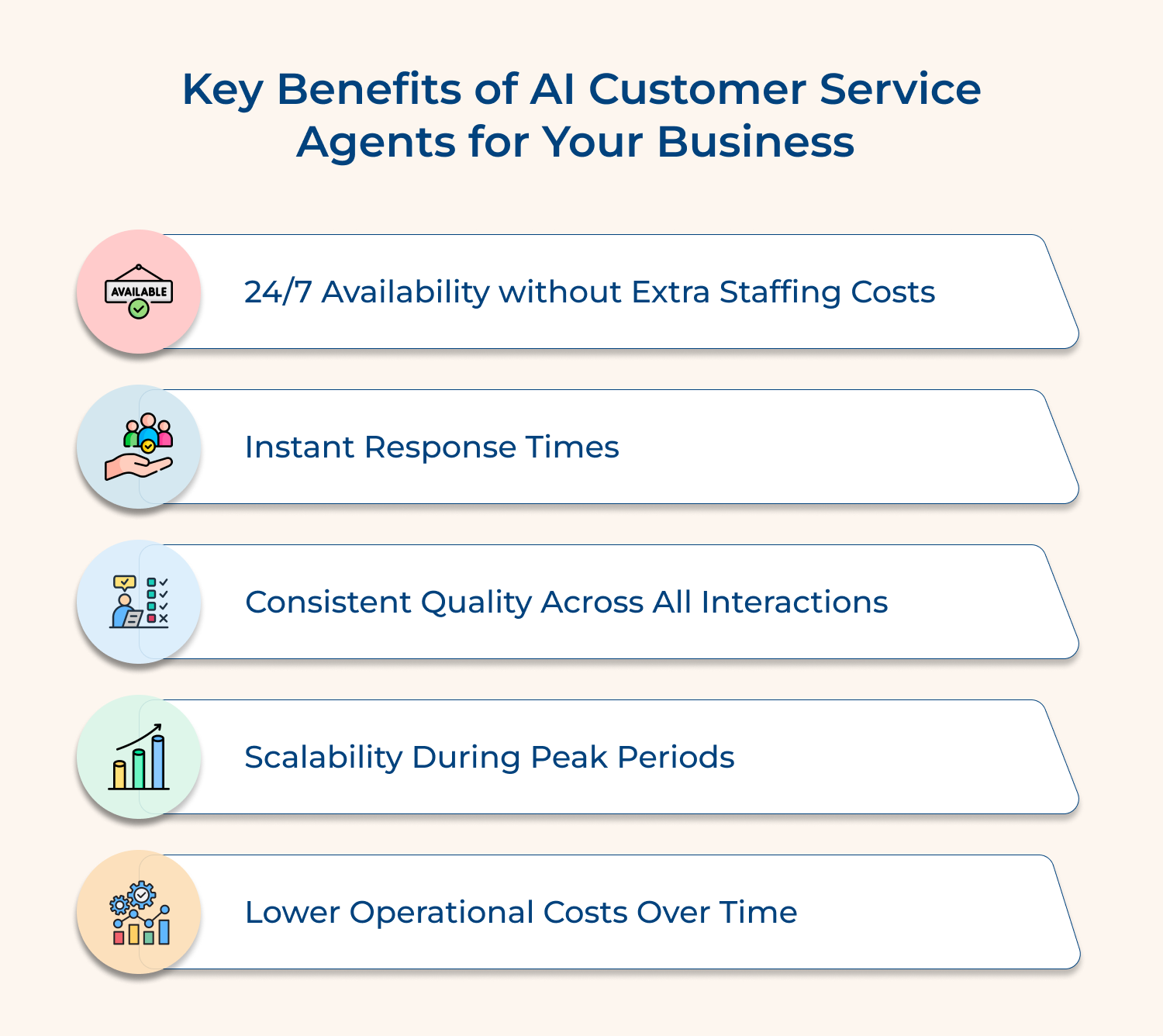
1. 24/7 Availability Without Extra Staffing Costs
Your customers can get help at three in the morning or during holidays without you paying overtime. AI agents never need sleep or vacation days. This means better service coverage without the expense of round-the-clock human staffing.
2. Instant Response Times
Customers hate waiting on hold or for email replies. AI agents answer questions immediately and can handle multiple conversations at once. This speed keeps customers happy and reduces the frustration that leads to abandoned purchases or negative reviews.
3. Consistent Quality Across All Interactions
Human agents have bad days or forget details from training. AI delivers the same level of service every single time. Your customers get accurate information whether they’re the first inquiry of the day or the thousandth.
4. Scalability During Peak Periods
Black Friday or a product launch can overwhelm your support team. AI agents handle sudden spikes in customer inquiries without breaking a sweat. You don’t need to hire temporary staff or worry about long wait times during busy seasons.
5. Lower Operational Costs Over Time
While there’s an upfront investment, AI agents cost less than maintaining a large support team. They handle routine questions so your human agents can focus on complex issues. This efficiency means you need fewer employees to serve more customers.
Here’s a guide to developing an AI customer service agent that not only improves efficiency but also elevates your customer’s support journey.
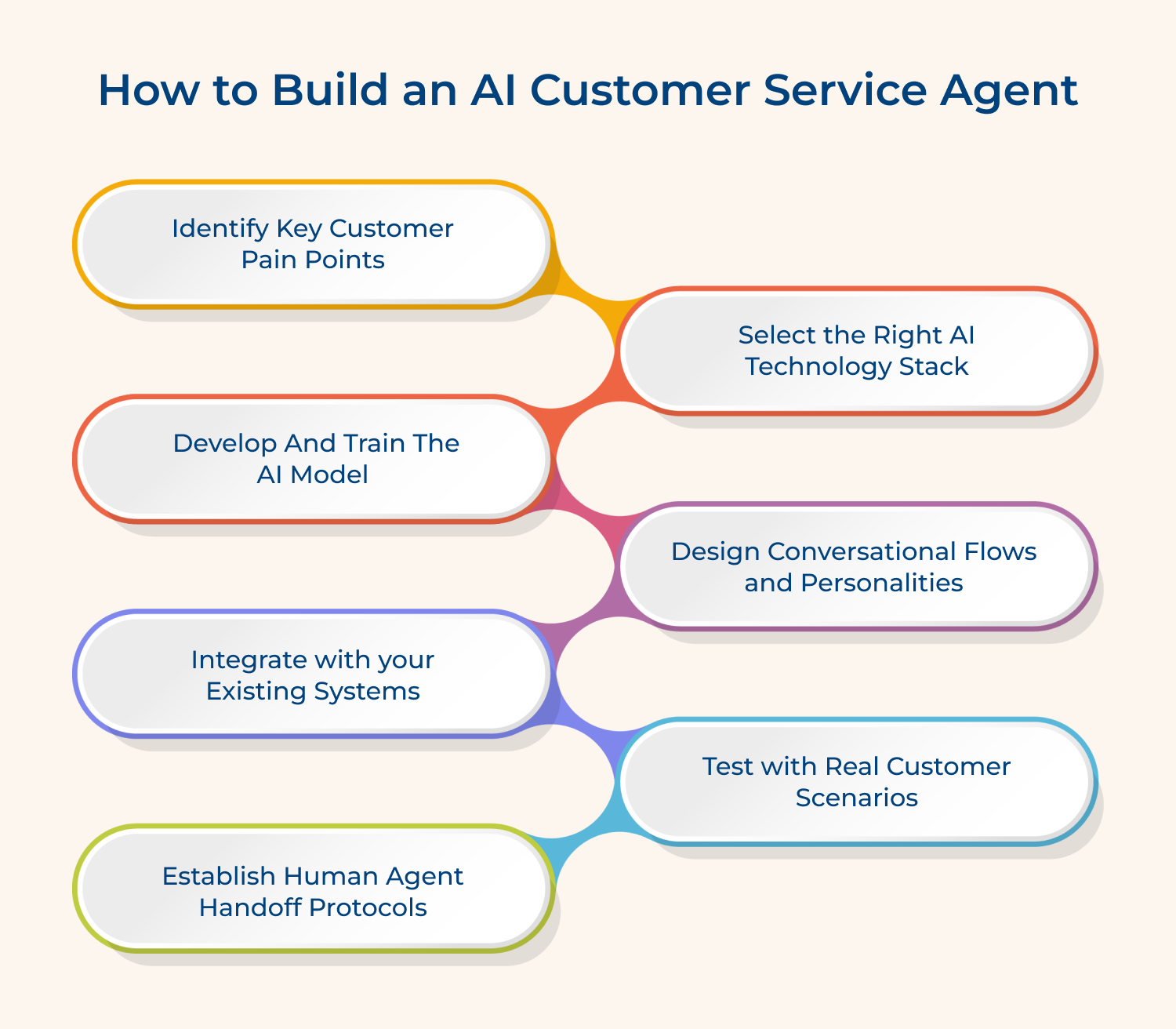
Understanding where your customers struggle is the foundation of building effective AI support. Without this knowledge, you’re creating solutions for problems that might not exist. This step ensures your AI agent addresses real needs instead of wasting resources on irrelevant features.
Three methods to uncover what frustrates your customers:
For example an online retailer discovered through ticket analysis that 40% of inquiries were about order tracking. They built their AI agent to handle shipping questions first. This single focus resolved nearly half their support volume immediately.
Should you also look at negative reviews? Absolutely. Reviews often reveal pain points customers never report directly to support. They complain publicly about issues they don’t think you’ll fix anyway.
Choosing the right technology determines whether your AI agent actually works or becomes an expensive disappointment. The wrong stack leads to poor performance and frustrated customers who’d rather talk to humans. Your choice affects costs and how quickly you can adapt to changing needs.
Four key considerations when evaluating your options:
Pre-built platforms get you running faster while custom solutions offer flexibility for unique requirements. Most businesses find success starting with established platforms and customizing specific workflows. The technology should fade into the background and just work.
What if you’re a small business with a limited budget? Start with affordable pre-built solutions like chatbot platforms that integrate to your website. You can always upgrade to custom solutions as revenue grows and needs become more complex.
Training your AI model is where your customer service agent learns to actually help people. Poor training results in confused customers and an AI that creates more problems than it solves. The quality of your training data directly determines how well your agent performs in real conversations.
How does the training process actually work in practice? You feed the AI thousands of past customer conversations so it learns patterns in questions and appropriate responses. The system identifies which answers resolved issues successfully and applies those lessons to new inquiries.
Pro tips:
Conversational design shapes how customers experience interactions with your AI agent every single day. Skip this step and you’ll end up with a robotic assistant that technically works but frustrates people. The personality and flow determine whether customers trust your AI or immediately demand a human.
Your AI needs clear pathways for different conversation types to guide customers efficiently toward solutions. Each flow should feel natural while moving people closer to resolving their issues. The design prevents endless loops where customers repeat themselves without getting anywhere.
Here are ideal conversational personalities that work across different industries:
Even the best AI hits situations it can’t handle without human judgment or authority. Build escalation paths to human agents so customers don’t get trapped in frustrating loops. Define clear triggers like repeated failed attempts or specific keywords that immediately connect people to real support staff.
Integration connects your AI agent to the tools and data it needs to actually help customers. Without proper integration, your AI operates in isolation and can’t access customer information. This step transforms your AI from a basic chatbot into a knowledgeable assistant.
Connect to Knowledge Bases and Databases
Your AI needs access to product information and company policies to answer questions accurately. Link it to your documentation so it pulls current details instead of outdated information. This ensures customers receive consistent answers that match your actual offerings.
Link With Ticketing and CRM Platforms
Integration with your CRM lets the AI see past purchases and previous interactions instantly. This context helps provide personalized responses instead of treating every customer like a stranger. The ticketing connection also creates seamless records when issues get escalated.
Set Up Analytics and Monitoring Tools
Tracking tools show you how well your AI performs and where it struggles. Connect analytics platforms to measure resolution rates and identify patterns that need improvement. This visibility helps you spot problems before they frustrate customers.
Testing reveals whether your AI agent actually solves problems or creates new frustrations for customers. Skipping thorough testing means launching an agent that confidently gives wrong answers. Real scenario testing catches issues before they damage your customer relationships.
Test your AI with these essential customer situations:
Start with internal team members testing the AI before exposing it to actual customers gradually. Begin with a small percentage of inquiries and expand as confidence grows.
How long should the testing phase last before full launch? Run pilots for at least two to four weeks to capture different scenarios and usage patterns. You need enough data to identify trends rather than isolated incidents.
Handoff protocols determine when customers move from AI to human support without frustrating experiences. Poor handoff creates angry customers who waste time explaining problems twice. Clear protocols ensure customers get the right level of help.
Your AI needs specific rules about when it’s reached its limits and should transfer conversations. Define these boundaries based on complexity and customer emotion. Setting clear transfer triggers prevents customers getting stuck in unhelpful loops.
Here are critical moments when handoff should happen immediately:
The transition moment shapes whether customers feel rescued or abandoned by your support system. Create smooth transition processes so the handoff feels helpful rather than like starting over. A jarring switch makes people question whether your company cares.
Use these phrases to ease customers through the transition:
Should human agents see the AI conversation history immediately? Yes. Train human agents on AI capabilities so they understand what the AI already attempted. Agents who know the AI’s strengths avoid repeating useless troubleshooting steps that failed.
Monitoring shows whether your AI agent improves customer experience or quietly frustrates people over time. Without regular review, your AI becomes outdated as products change and expectations evolve. This ongoing attention separates successful implementations from expensive failures.
Track metrics like resolution rates and satisfaction scores to understand performance trends. Compare AI-handled conversations against human-handled ones to identify where the AI excels or falls short.
Pro tips:
AI customer support agents deliver practical value across different sectors. Here’s how various industries put them to work.
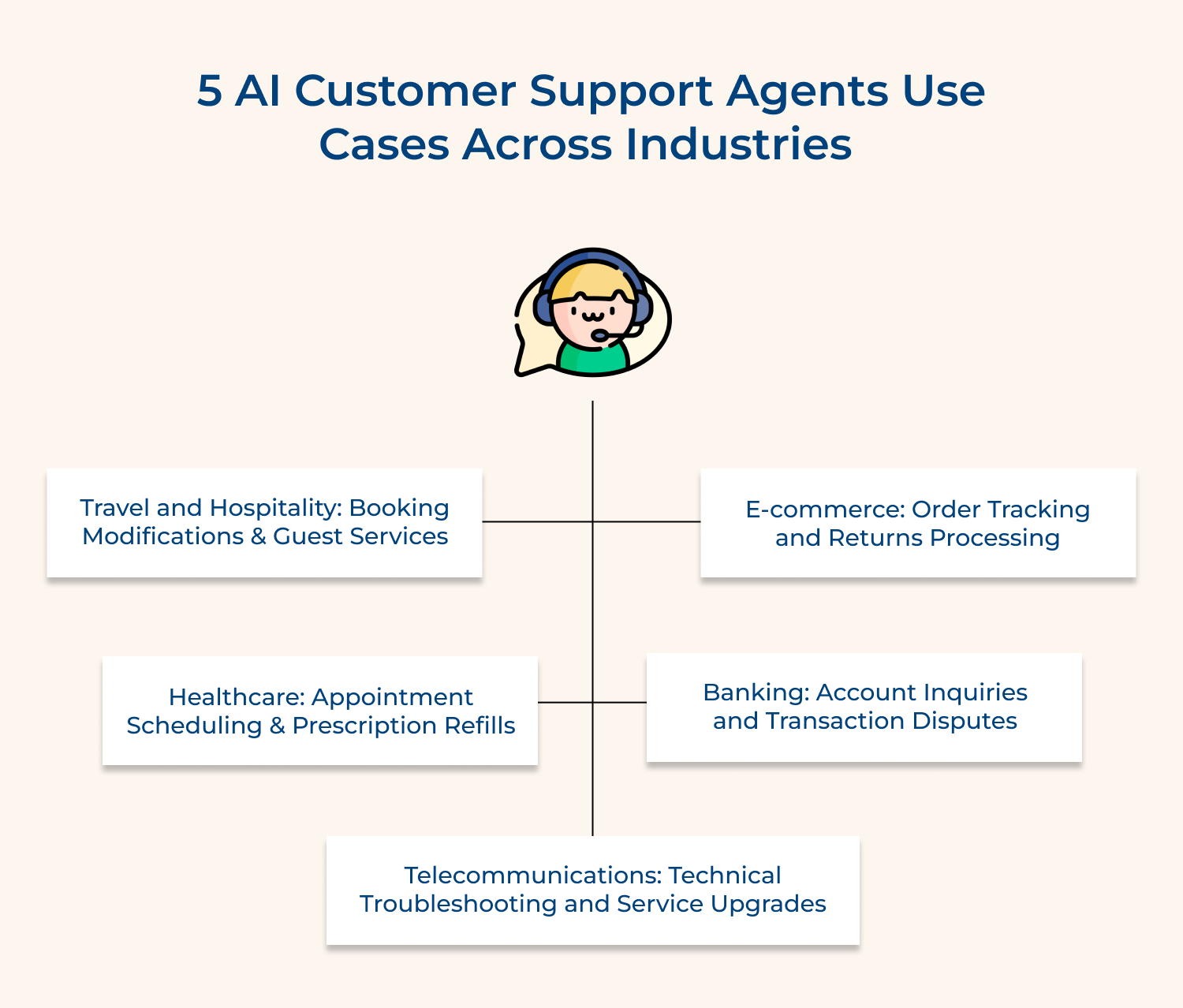
Online retailers use AI agents to handle the endless stream of “where’s my order” questions instantly. The AI accesses shipping databases and provides real-time updates without human intervention. It also processes return requests and generates shipping labels automatically for customers.
Banks deploy AI agents to check account balances and explain recent transactions around the clock. The AI handles password resets and card activations without security risks. It also flags suspicious activity and guides customers through the initial steps of dispute resolution.
Medical practices use AI to book appointments and send reminders that reduce no-shows significantly. The AI answers questions about office hours and insurance acceptance without tying up front desk staff. It also processes routine prescription refill requests and forwards them to appropriate medical personnel.
Telecom companies use AI agents to walk customers through basic router resets and connectivity issues. The AI diagnoses common problems by asking targeted questions about symptoms and error messages. It also explains plan options and processes upgrade requests without involving sales representatives.
Hotels and airlines deploy AI agents to handle reservation changes to answer property-specific questions instantly. The AI provides directions and local recommendations to guests exploring new cities. It also processes special requests like early check-ins or dietary accommodations before guests arrive.
Following proven practices ensures your AI agent delivers excellent service consistently. Here’s what separates effective implementations from disappointing ones.
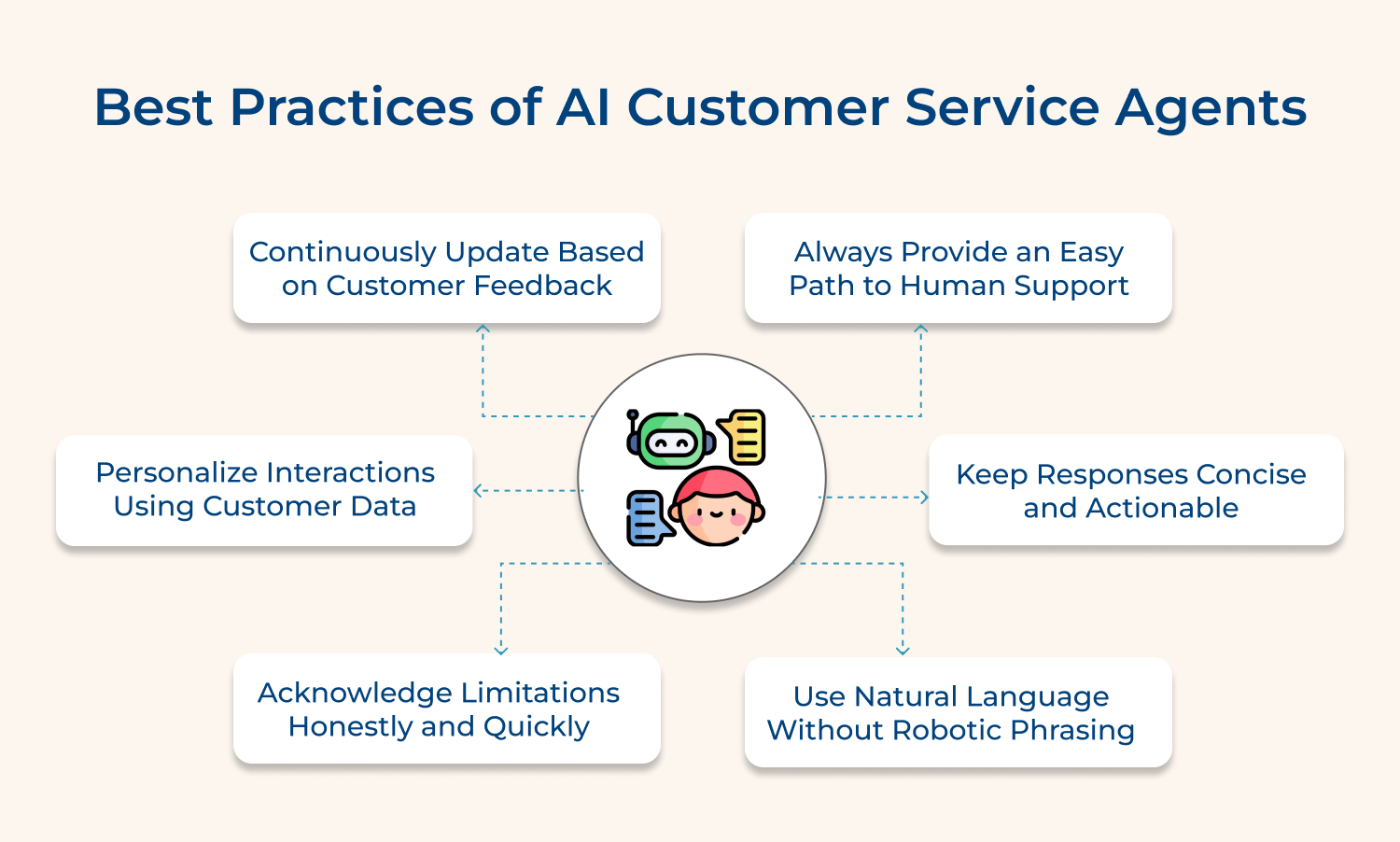
Always provide an easy path to human support: Never trap customers with an AI that can’t help them escape to a real person. Clear exit options build trust and prevent frustration.
Keep responses concise and actionable: Avoid lengthy explanations that overwhelm customers seeking quick answers. Provide direct solutions first and offer additional details only when requested.
Use natural language without robotic phrasing: Write responses that sound like a helpful colleague rather than a machine. Conversational tone makes interactions feel less transactional and more human.
Acknowledge limitations honestly and quickly: Don’t let the AI pretend it understands when it’s confused or uncertain. Admit gaps immediately and offer to connect customers with someone who can help.
Personalize interactions using customer data: Reference past purchases and previous conversations to show you recognize the customer. This context makes responses more relevant and demonstrates you value their history.
Continuously update based on customer feedback: Review failed conversations and negative ratings to identify where your AI falls short. Regular improvements keep the agent relevant as customer needs change over time.
AI customer service is evolving rapidly beyond simple chatbots. Here’s where the technology is heading next.
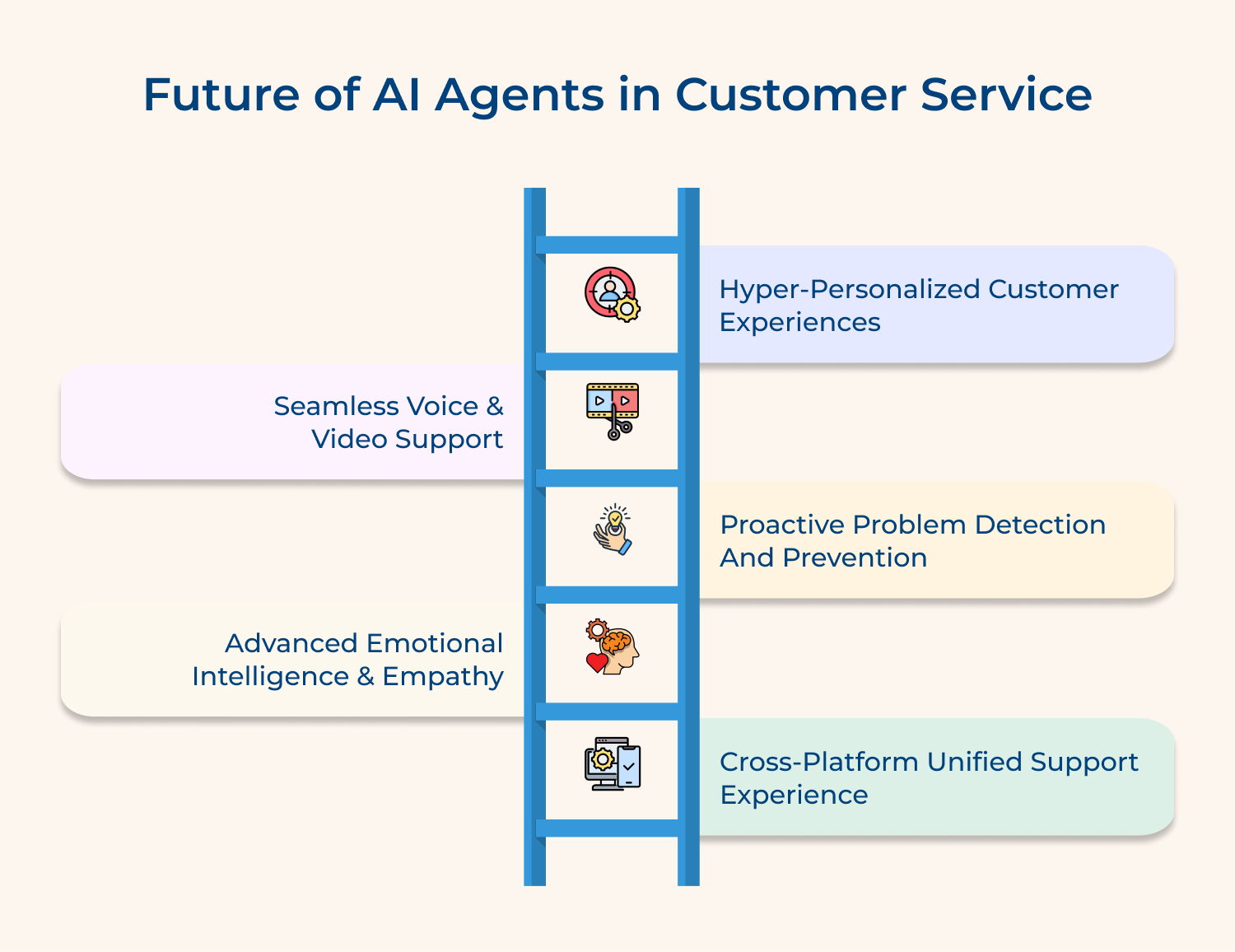
1. Hyper-Personalized Customer Experiences
Future AI agents will remember individual preferences and communication styles across all interactions throughout your relationship. They’ll anticipate needs based on past behavior and proactively offer solutions before customers even ask. This deep personalization makes every conversation feel tailored specifically to you.
2. Seamless Voice and Video Support
AI agents will handle complex support calls with natural speech patterns and emotional intelligence that rivals humans. Video support will let AI analyze visual problems like damaged products or technical setup issues. These capabilities eliminate the need to describe problems through text alone.
3. Proactive Problem Detection and Prevention
AI will identify potential issues before they impact customers by monitoring usage patterns and system health. It will reach out with preventive solutions rather than waiting for complaints to arrive. This shift from reactive to proactive support dramatically improves customer satisfaction.
4. Advanced Emotional Intelligence and Empathy
Future AI will detect subtle emotional cues and adjust tone accordingly to comfort frustrated customers effectively. It will recognize when someone needs reassurance versus quick facts and adapt its approach. This emotional awareness closes the empathy gap between human and AI support.
5. Cross-Platform Unified Support Experience
AI agents will provide consistent service whether customers reach out via chat or social media or phone. Conversations will continue seamlessly across channels without customers repeating information or losing context. This unified experience eliminates the frustration of fragmented support interactions.
AI customer service agents transform how businesses connect with their customers every single day. They handle routine inquiries while freeing your human team to solve complex problems that truly need personal attention.
The technology continues advancing rapidly but the fundamentals remain consistent across successful implementations. Start with clear customer pain points and build gradually. Your AI agent should enhance human service rather than replace the personal touch that builds lasting relationships.

What’s the difference between an AI customer service agent and a chatbot?
AI customer service agents understand context and learn from interactions while basic chatbots follow pre-programmed scripts. Agents access customer data to provide personalized help. Chatbots typically handle simple keyword-based responses without understanding nuance.
Will AI agents replace human support agents?
AI agents handle routine inquiries but humans remain essential for complex situations requiring judgment and empathy. The technology works best alongside human agents rather than replacing them. AI reduces repetitive work so humans can focus on challenging cases.
How do AI Customer Service Agents improve response times?
AI agents answer questions instantly without wait times since they handle multiple conversations simultaneously. They don’t need breaks or shifts so customers get immediate help anytime. This eliminates hold queues and reduces the frustration of waiting.
What types of issues can AI Customer Service Agents resolve?
AI agents excel at order tracking, password resets, and appointment scheduling effectively. They handle product information requests, process returns, and answer frequently asked questions. Complex problems requiring authorization or emotional support still need human agents.
Are AI Customer Service Agents secure with customer data?
Reputable AI agents follow the same security standards as other business systems with encryption. They’re designed to comply with data protection regulations like GDPR and handle sensitive information appropriately. However you should verify your provider’s security certifications regularly.
https://omni24.io/wp-content/uploads/2026/08/AI-Customer-Service-Agents.png
1256
2400
Webvision Solution
https://omni24.io/wp-content/uploads/2023/04/Omni-Logo-1.svg
Webvision Solution2026-09-21 04:48:512026-09-21 04:48:51How to Build an AI Customer Service Agents: 8 Key Steps https://omni24.io/wp-content/uploads/2026/08/Omnichannel-Conversational-AI.png
1256
2400
Tushar Joshi
https://omni24.io/wp-content/uploads/2023/04/Omni-Logo-1.svg
Tushar Joshi2026-09-16 03:51:072026-09-16 03:51:07How to Build Omnichannel Conversational AI Strategy
https://omni24.io/wp-content/uploads/2026/08/Omnichannel-Conversational-AI.png
1256
2400
Tushar Joshi
https://omni24.io/wp-content/uploads/2023/04/Omni-Logo-1.svg
Tushar Joshi2026-09-16 03:51:072026-09-16 03:51:07How to Build Omnichannel Conversational AI Strategy https://omni24.io/wp-content/uploads/2026/08/Customer-Service-Teams.png
1256
2400
Tushar Joshi
https://omni24.io/wp-content/uploads/2023/04/Omni-Logo-1.svg
Tushar Joshi2026-09-15 04:01:522026-09-15 04:02:16How to Build Customer Service Teams: 6 Key Steps
https://omni24.io/wp-content/uploads/2026/08/Customer-Service-Teams.png
1256
2400
Tushar Joshi
https://omni24.io/wp-content/uploads/2023/04/Omni-Logo-1.svg
Tushar Joshi2026-09-15 04:01:522026-09-15 04:02:16How to Build Customer Service Teams: 6 Key Steps
Whether it’s about acquire, engage or support – Omni24 covers all your customer engagement needs in one complete platform.

Copyright ©2026 Veemo All rights reserved.
CA, Los Angeles, Hall Ave, 19011