How Knowledge Management Automation Improves Customer Service
Knowledge management automation preserves expertise, boosts collaboration and productivity, strengthening decisions for long‑term business growth.

Knowledge management automation preserves expertise, boosts collaboration and productivity, strengthening decisions for long‑term business growth.
Effective knowledge management automation is essential for organizations seeking to enhance efficiency in a fast-paced business environment. By streamlining the collection of information, businesses can empower employees and clients alike.
According to Gartner, “Organizations that adopt AI and advanced KM are expected to outperform peers by at least 25%”.
Knowledge management automation not only facilitates quicker access to critical data but also encourages collaboration and innovation across teams. As organizations strive to remain competitive, leveraging automated systems can lead to better decision-making, reduced operational costs and improved customer satisfaction.
In this blog, we will explore the key benefits, best practices and real-world applications of knowledge management automation in various business contexts.
Knowledge management automation (KMA) refers to the use of technology to streamline and enhance the processes of capturing, storing, sharing, as well as utilizing knowledge within an organization. This approach enables businesses to create a centralized knowledge base, making it easier for employees to access critical information and collaborate effectively.
KMA significantly improves operational efficiency, reduces redundancy and encourages a culture of continuous learning. Automating knowledge management processes ensures that valuable insights and expertise are readily available, leading to better decision-making with enhanced productivity.
Key objectives:
Knowledge management automation enhances customer experience by streamlining information access, reducing response times and ensuring consistent support.
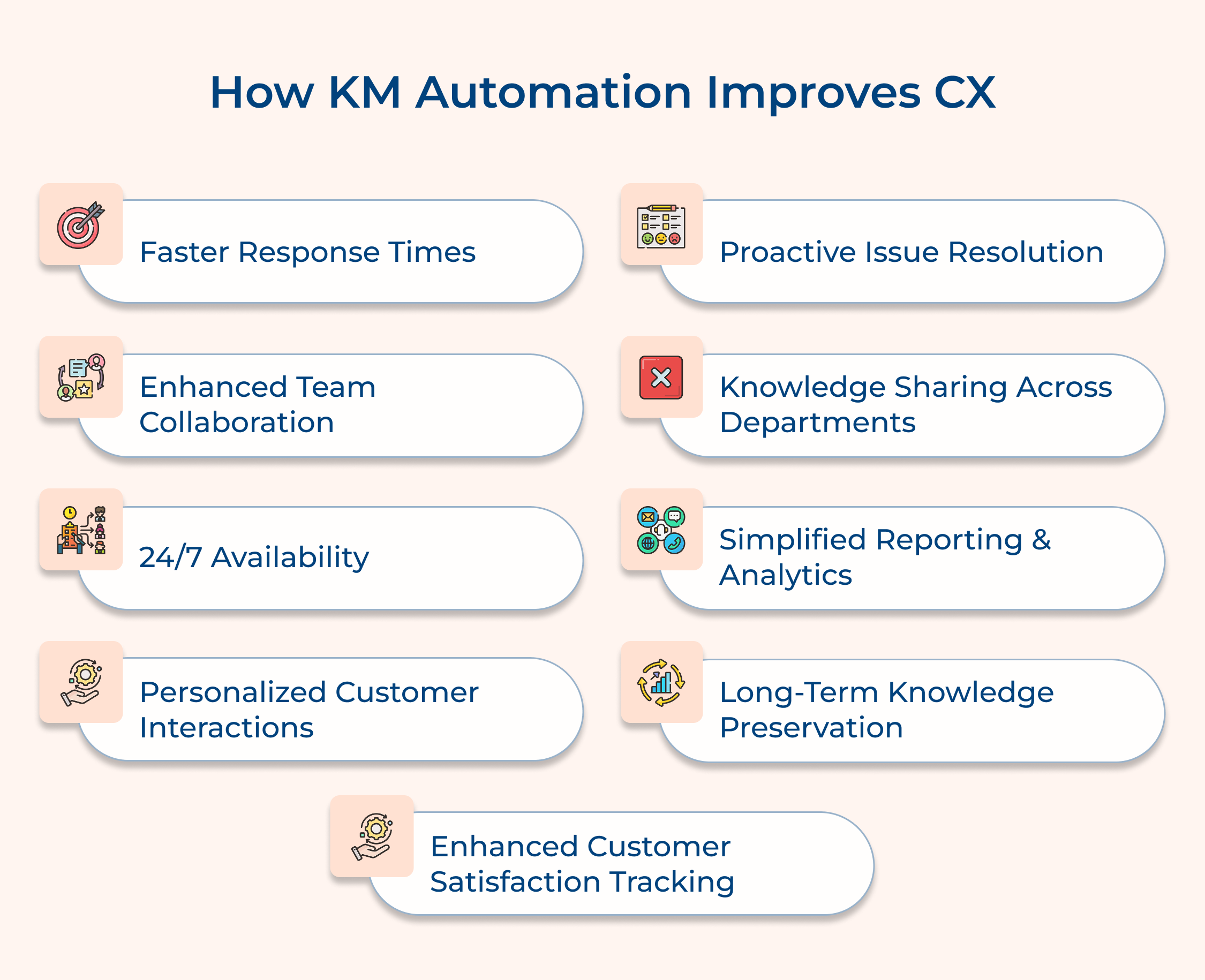
Modern customers expect quick solutions. Slow responses can lead to frustration, decreased satisfaction and potential customer loss. Faster response times are crucial for maintaining customer loyalty, reducing churn and enhancing overall CX. It shows that the company values customers’ time and is committed to efficient service.
Knowledge management automation can categorize and prioritize incoming queries, automatically routing them to the most appropriate agent or resource. It can provide agents with instant access to relevant information and pre-written responses, allowing them to quickly address customer issues without extensive searching or delays, significantly reducing response times.
Actionable tips:
Support teams often work in silos, leading to inconsistent responses and duplicated efforts. Enhanced collaboration ensures that all team members have access to the latest information and can learn from each other’s experiences. This leads to more efficient problem-solving, improved knowledge sharing and a more cohesive support experience for customers.
Automated knowledge management systems can create centralized platforms where support agents can share insights, discuss complex cases and collaboratively develop solutions. These systems can also track and highlight frequently encountered issues, allowing teams to work together on developing standardized responses as well as proactive solutions.
Actionable tips:
In a globalized business world, customers expect support to be available around the clock. However, maintaining 24/7 human support can be costly and challenging. Automated 24/7 availability ensures that customers can always access help, regardless of time zones or business hours, improving satisfaction and reducing frustration.
Knowledge management automation can power self-service portals and AI-driven chatbots that provide instant responses at any time. These systems can handle basic inquiries, offer troubleshooting guides and even escalate complex issues to human agents during business hours, ensuring continuous support availability while improving overall customer experience.
Actionable tips:
Customers appreciate support that recognizes their unique situations and history. Personalized interactions lead to higher customer satisfaction, increased loyalty and more efficient problem resolution. It shows customers that the company values their business and enhances the overall CX.
Automated knowledge management systems can store and analyze customer interaction history, preferences as well as past issues. The information can be instantly provided to support agents or used to tailor automated responses, ensuring that each interaction is personalized to the customer’s specific context and needs, creating a more engaging experience.
Actionable tips:
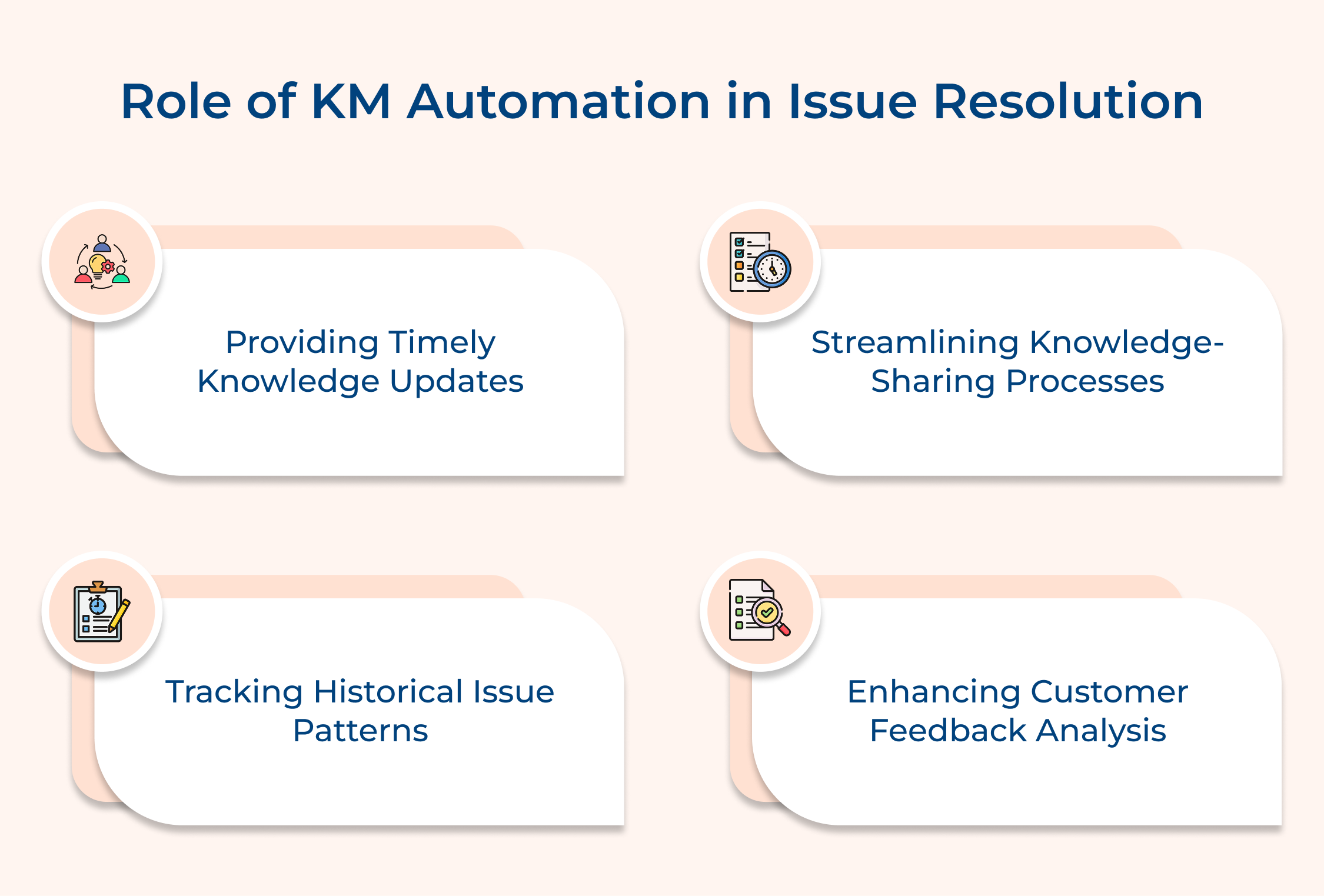
Waiting for customers to report problems can lead to frustration and damage to the company’s reputation. Proactive issue resolution allows companies to address potential problems before they impact customers, demonstrating attentiveness and care. This approach can significantly reduce support tickets, improve overall CX.
Knowledge management automation can analyze patterns in customer data, product usage and support tickets to identify potential issues before they become widespread. It can then trigger alerts to the support team or automatically send preventive information to customers, helping to resolve issues proactively and creating a more positive customer experience.
Actionable tips:
Information silos between departments can lead to inconsistent customer experiences and inefficient problem-solving. Cross-departmental knowledge sharing ensures that all customer-facing teams have access to the same up-to-date information. It leads to more coherent customer interactions, faster issue resolution and improved overall service quality, enhancing the CX.
Automated knowledge management systems can create centralized repositories accessible to all relevant departments. They can facilitate automatic updates and notifications when new information is added or changed. It ensures that whether a customer is talking to sales, support, or product teams, they receive consistent and accurate information, creating a seamless CX.
Actionable tips:
Without clear insights into customer interactions and service performance, it’s challenging to identify areas for improvement or make data-driven decisions to enhance the customer experience. Simplified reporting and analytics provide valuable insights into support efficiency, common customer problems as well as overall service quality, enabling continuous improvement of the customer experience.
Automated knowledge management systems can track key metrics such as response times, resolution rates and customer satisfaction scores. They can generate real-time dashboards and regular reports, highlighting trends and areas needing attention. The data can inform decision-making, resource allocation and strategic planning for continuous improvement.
Actionable tips:
In many organizations, crucial knowledge about customer preferences, successful problem-solving strategies and product history is lost when experienced employees leave or when information becomes outdated. Long-term knowledge preservation ensures that valuable insights, best practices and historical data are retained and remain accessible, supporting consistent high-quality customer experiences over time.
Automated systems can continuously capture, organize and store knowledge from various sources within the organization. They can prompt regular reviews and updates of stored information, ensuring its relevance. These systems can also track the usage and effectiveness of stored knowledge, helping to prioritize what information is preserved and highlighted for optimal customer service.
Actionable tips:
Understanding customer satisfaction levels is crucial for improving service quality and overall customer experience. Enhanced tracking provides real-time insights into customer sentiment, allowing for quick adjustments to support strategies. It helps identify both areas of excellence and those needing improvement, enabling targeted efforts to enhance customer satisfaction as well as loyalty.
Automated systems can send post-interaction surveys, analyze customer feedback in real-time and correlate satisfaction scores with specific support actions or knowledge base articles. This data can be used to automatically update knowledge bases, alert managers to potential issues and provide targeted coaching to support agents, continuously improving the customer experience.
Actionable tips:
Knowledge management automation offers numerous advantages, including increased efficiency, better collaboration and enhanced decision-making. These benefits contribute to overall organizational success.
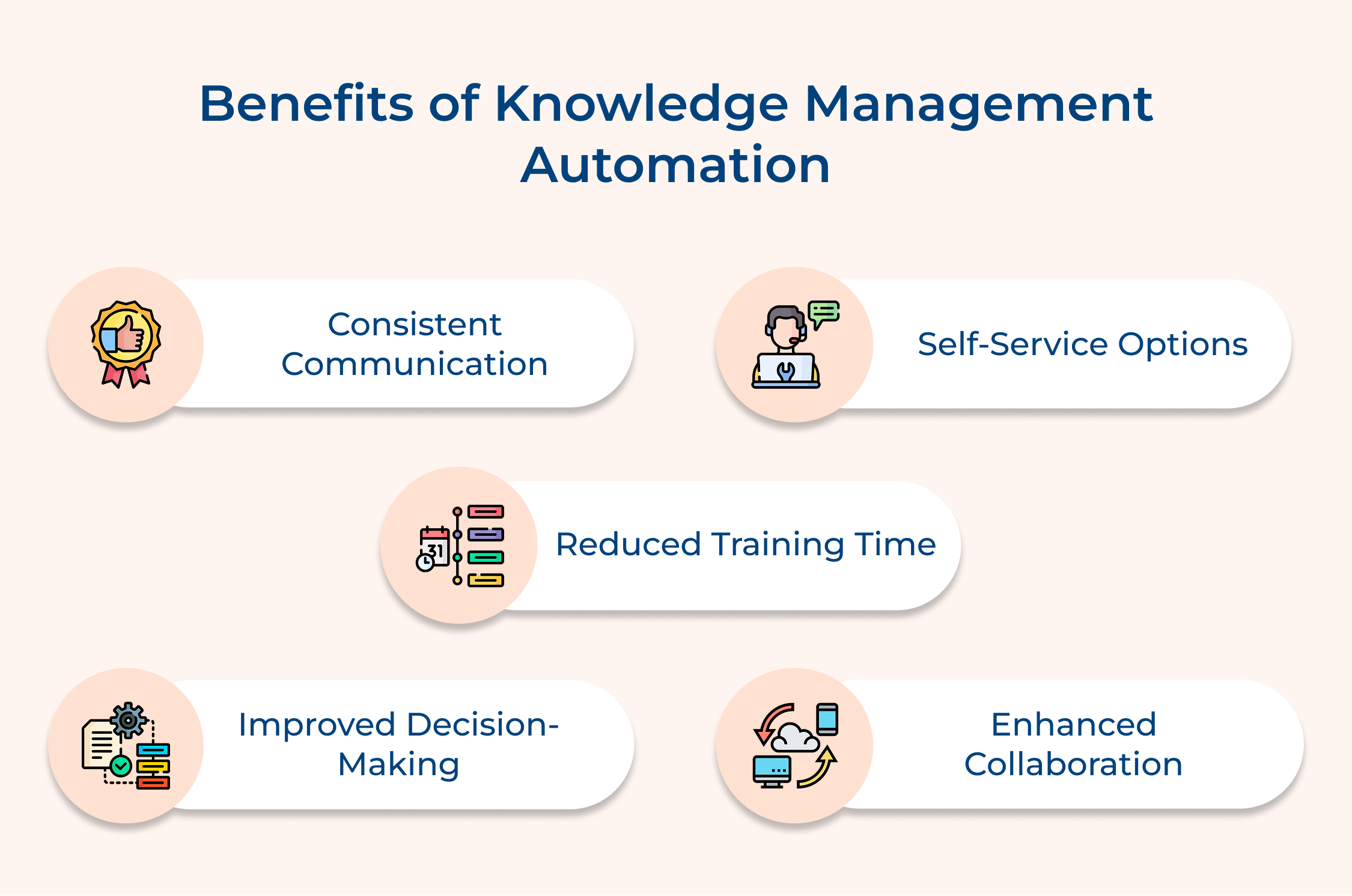
Consistent Communication
Automation ensures that customers receive consistent and accurate information across all channels. This uniformity builds trust and reliability, making customers feel valued and understood.
Self-Service Options
With a robust knowledge base, customers can access information independently through FAQs or tutorials. This empowers them to solve issues quickly and conveniently, leading to increased satisfaction with reduced dependency on support teams.
Reduced Training Time
Automated knowledge systems simplify onboarding and training for new employees. Access to a centralized repository of information accelerates the learning curve, allowing new hires to become productive faster.
Improved Decision-Making
With easy access to critical data and insights, employees can make informed decisions quickly. This agility enhances responsiveness to market changes and encourages a proactive business environment.
Enhanced Collaboration
Automated systems facilitate better communication and collaboration among teams. Employees can easily share knowledge, leading to innovative solutions and a more cohesive work culture that drives organizational success.
Examples of knowledge management automation showcase its practical applications across various industries, demonstrating its impact on operational efficiency and client relations.
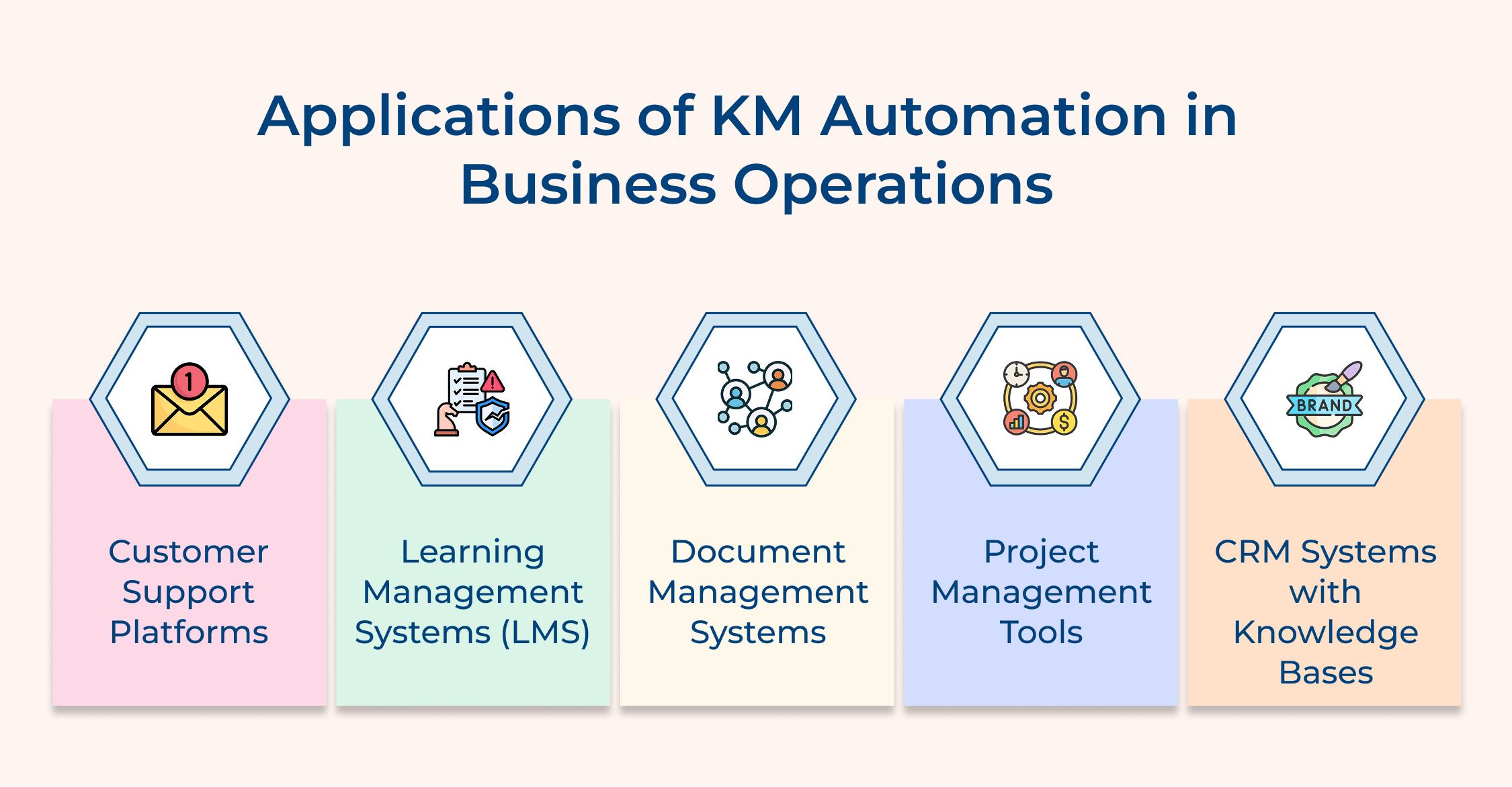
1. Customer Support Platforms
Many companies implement automated customer support platforms like Omni24 or Veemo Support. These systems allow organizations to create a centralized knowledge base that clients can access for self-service support. Automated ticketing systems categorize inquiries, helping support teams prioritize and respond efficiently. By providing clients with immediate access to troubleshooting guides and FAQs, businesses reduce response times while enhancing customer satisfaction.
2. Learning Management Systems (LMS)
Organizations often utilize Learning Management Systems (LMS) such as TalentLMS or Cornerstone OnDemand for employee training and client education. These platforms automate the creation, distribution and tracking of training materials. For instance, a software company might use an LMS to provide comprehensive training to its clients on how to use their products effectively. This not only streamlines the onboarding process but also ensures that clients are well-equipped to maximize the value of the software.
3. Document Management Systems
Document Management Systems (DMS) like M-Files or DocuWare help organizations automate the organization and retrieval of essential documents. For example, a legal firm can automate the storage of contracts, case files and compliance documents. This centralization saves time when searching for documents and ensures that all team members have access to the latest versions, enhancing collaboration while reducing the risk of errors.
4. Project Management Tools
Companies frequently adopt project management tools like Asana or Trello that incorporate KMA features to streamline team collaboration. These platforms allow teams to document project processes, share insights and store important resources in a centralized location. Automation of notifications and updates ensures that all team members are informed about project statuses as well as deadlines, promoting transparency and accountability while improving overall project outcomes.
5. CRM Systems with Knowledge Bases
Customer Relationship Management (CRM) systems like Salesforce often integrate knowledge management automation to enhance client interactions. Organizations can automate the storage of client information, communication history and support resources. For instance, a marketing agency can use a CRM with a knowledge base to track client preferences and past campaigns, allowing for personalized marketing strategies. This not only strengthens client relationships but also enables the agency to provide tailored solutions based on historical data.
Knowledge management automation significantly transforms business operations, enhancing efficiency, collaboration and customer satisfaction. Streamlining the collection and sharing of information empowers employees to make informed decisions quickly.
Automation reduces operational costs and minimizes the risk of errors, leading to more consistent service delivery. It encourages a culture of knowledge sharing, ensuring valuable insights are preserved and accessible across teams.
Knowledge management automation improves internal processes while strengthening client relationships, driving long-term success in an increasingly competitive landscape. Embracing this approach is essential for businesses aiming for growth and innovation in today’s dynamic environment.

Can knowledge management automation integrate with existing customer service tools?
Yes, most knowledge management automation solutions are designed to integrate seamlessly with existing customer service tools such as CRM systems, help desk software and communication platforms. This integration allows for a unified view of customer interactions, enables data sharing between systems and creates a cohesive ecosystem that enhances overall customer service efficiency as well as effectiveness
How does knowledge management automation support remote or distributed teams?
Knowledge management automation is particularly beneficial for remote or distributed teams. It provides a centralized, accessible repository of information, enabling consistent knowledge sharing regardless of location. It supports collaboration through shared platforms, ensures all team members have access to the latest information and facilitates asynchronous work by providing 24/7 access to crucial data as well as resources.
What’s the return on investment (ROI) for implementing knowledge management automation?
The ROI for knowledge management automation can be significant. It typically includes reduced operational costs through improved efficiency, increased customer satisfaction leading to higher retention rates and enhanced employee productivity. While initial implementation costs can be substantial, businesses often see returns through reduced training time, faster issue resolution and improved decision-making capabilities.
Can knowledge management automation adapt to changing business needs?
Yes, modern knowledge management automation systems are designed to be flexible and scalable. They can be easily updated with new information, adapt to changing business processes and integrate into other systems as the company grows. Machine learning capabilities allow these systems to continuously improve and refine their performance based on usage patterns as well as feedback.
Will automated knowledge management replace human customer service agents?
No, automated knowledge management complements rather than replaces human agents. It handles routine queries, freeing up human agents to focus on complex issues that require empathy and critical thinking. This synergy between automation and human expertise results in more efficient, personalized customer service, combining the speed of automation with the nuanced understanding of human agents.
 https://omni24.io/wp-content/uploads/2026/09/Social-commerce-scaled.png
1340
2560
Webvision Solution
https://omni24.io/wp-content/uploads/2023/04/Omni-Logo-1.svg
Webvision Solution2026-10-23 12:18:272026-10-23 12:18:27What is Social Commerce and Why Does It Matter?
https://omni24.io/wp-content/uploads/2026/09/Social-commerce-scaled.png
1340
2560
Webvision Solution
https://omni24.io/wp-content/uploads/2023/04/Omni-Logo-1.svg
Webvision Solution2026-10-23 12:18:272026-10-23 12:18:27What is Social Commerce and Why Does It Matter? https://omni24.io/wp-content/uploads/2026/08/AI-Customer-Service-Agents.png
1256
2400
Webvision Solution
https://omni24.io/wp-content/uploads/2023/04/Omni-Logo-1.svg
Webvision Solution2026-09-21 04:48:512026-09-21 04:48:51How to Build an AI Customer Service Agents: 8 Key Steps
https://omni24.io/wp-content/uploads/2026/08/AI-Customer-Service-Agents.png
1256
2400
Webvision Solution
https://omni24.io/wp-content/uploads/2023/04/Omni-Logo-1.svg
Webvision Solution2026-09-21 04:48:512026-09-21 04:48:51How to Build an AI Customer Service Agents: 8 Key Steps https://omni24.io/wp-content/uploads/2026/08/Omnichannel-Conversational-AI.png
1256
2400
Tushar Joshi
https://omni24.io/wp-content/uploads/2023/04/Omni-Logo-1.svg
Tushar Joshi2026-09-16 03:51:072026-09-16 03:51:07How to Build Omnichannel Conversational AI Strategy
https://omni24.io/wp-content/uploads/2026/08/Omnichannel-Conversational-AI.png
1256
2400
Tushar Joshi
https://omni24.io/wp-content/uploads/2023/04/Omni-Logo-1.svg
Tushar Joshi2026-09-16 03:51:072026-09-16 03:51:07How to Build Omnichannel Conversational AI Strategy
Whether it’s about acquire, engage or support – Omni24 covers all your customer engagement needs in one complete platform.

Copyright ©2026 Veemo All rights reserved.
CA, Los Angeles, Hall Ave, 19011