What is Automated Ticket Routing and How to Set it Up?
Automated ticket routing assigns queries to the best agents using smart rules, speeding resolutions and improving support efficiency.

Automated ticket routing assigns queries to the best agents using smart rules, speeding resolutions and improving support efficiency.
Every support team hits the same wall: tickets piling up, agents pulling in different directions, and customers waiting longer than they should for something as simple as reaching the right person.
AI-powered routing cuts manual processing time by 65%, combining agent skills, workload and policy logic for optimal queue assignment.
The root cause is almost always the same. Without a structured routing system, tickets land wherever they land and your team spends more time redirecting work than actually resolving it.
Automated ticket routing fixes that at the source. This guide walks you through exactly what it is, how it works and the steps to set it up in a way that actually holds together at scale.
Automated ticket routing assigns incoming support tickets to the right agent or team without any manual triage. It reads ticket data the moment it arrives and makes a routing decision based on logic you define or patterns it learns. At scale, manual triage becomes the single biggest bottleneck between a customer’s problem and its resolution.
The moment a ticket enters your system, routing logic kicks in before any agent sees it. It parses signals like issue type, customer tier, language and interaction history then makes an assignment decision in milliseconds. That speed is what separates a well-routed queue from one that hemorrhages first response time.
Most teams underestimate where the real complexity lives. Rule-based systems grow brittle as your product scales, rules multiply, conflict and nobody fully owns the logic anymore. AI routing solves some of that but struggles on ambiguous tickets it has not seen enough of to predict confidently.
Key objectives:
Routing is where support operations either hold together or quietly fall apart. Get it right and everything downstream – improves without you having to chase each metric individually.
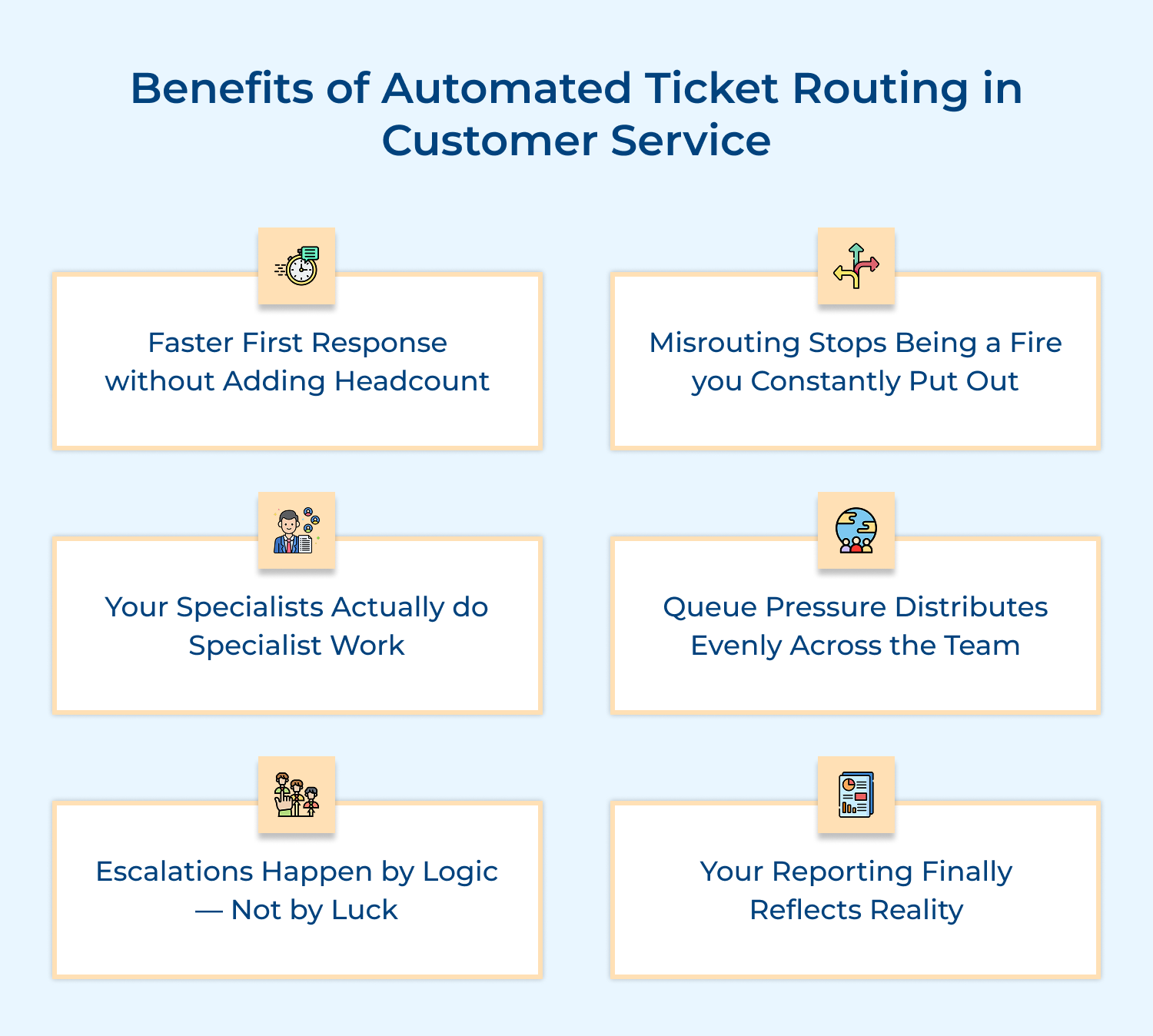
1. Faster First Response Without Adding Headcount
Tickets reach the right agent immediately instead of sitting in a general queue waiting for someone to manually read and redirect them. That speed compounds across every single ticket your team handles daily.
2. Misrouting Stops Being a Fire You Constantly Put Out
Every misrouted ticket creates a transfer chain that burns agent time and signals to the customer that nobody knows what they are doing. Automated routing kills that pattern before it starts.
3. Your Specialists Actually Do Specialist Work
When routing is manual or inconsistent, billing experts end up handling onboarding questions and technical engineers get pulled into account queries. Proper routing keeps your skilled agents working inside their actual domain.
4. Queue Pressure Distributes Evenly Across the Team
Automated load balancing ensures the same reliable agents absorb the most tickets while others stay underutilized. That imbalance quietly drives burnout in your highest performers first.
5. Escalations Happen by Logic — Not by Luck
High-stakes tickets outages, security issues and at-risk enterprise accounts need a guaranteed path to the right person. Automated routing makes that path consistent regardless of who is on shift.
6. Your Reporting Finally Reflects Reality
When tickets land in the right queues from the start, your performance data becomes trustworthy. You can measure what is actually happening not a distorted picture shaped by misassignments and manual corrections.
The gap between manual and automated routing is not just about speed. It is about what breaks, what scales and what silently costs you every single day.
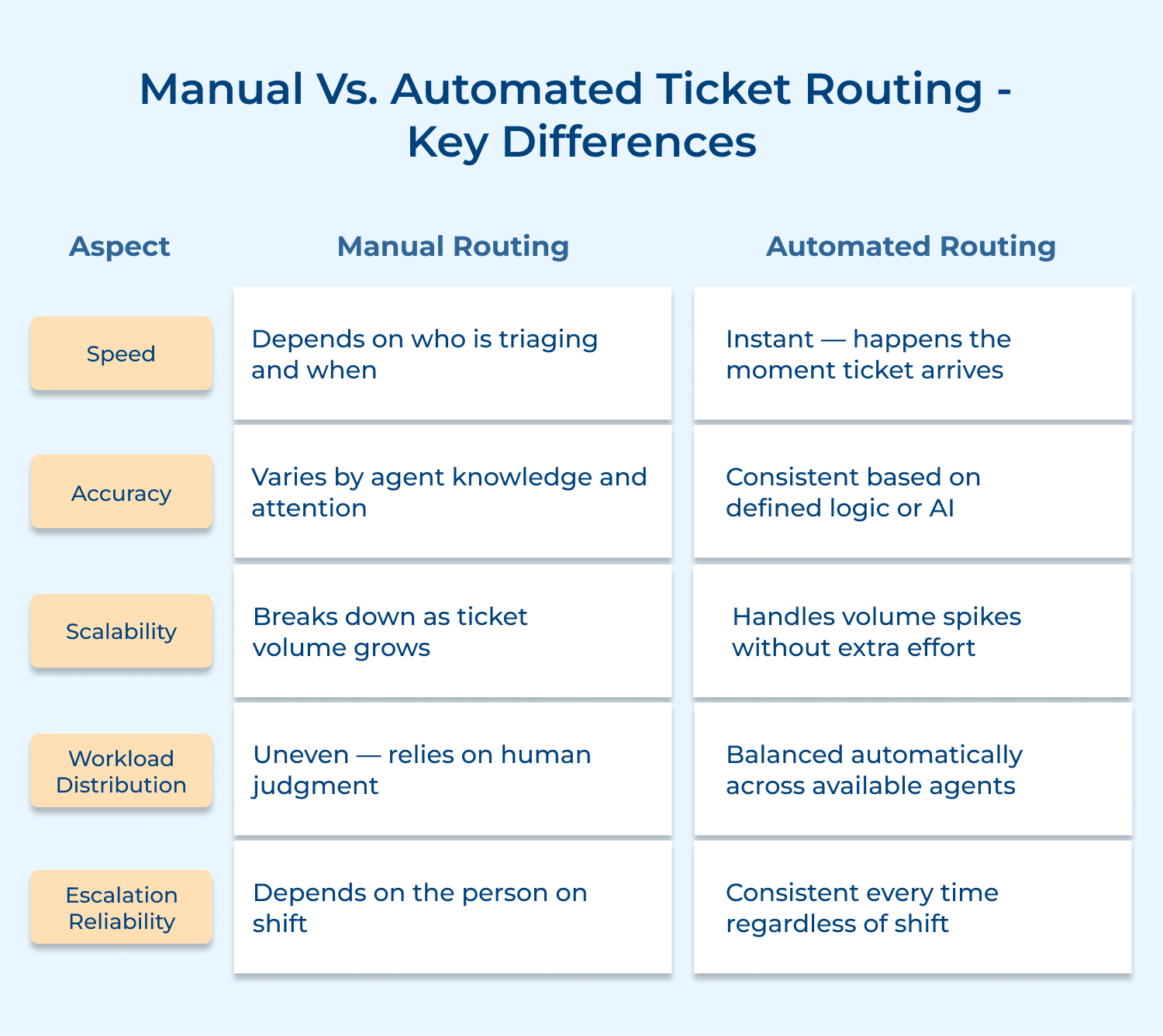
1. Speed
Manual routing helps to open the ticket, read it and decide where it goes. That step alone adds minutes to every single ticket and those minutes stack up fast across a high-volume queue.
Automated routing makes that decision the moment a ticket lands. Your agents start working on solutions instead of waiting for an assignment that should have happened already.
2. Accuracy
Manual routing accuracy depends entirely on the person triaging. A new team member misreads the issue. A tired agent sends it to the wrong queue. These are not exceptional cases; they are daily realities in most support operations.
Automated routing applies the same logic every single time. It does not have an off day and it does not guess. The decision is based on what the data says, not on who is triaging that morning.
3. Scalability
Manual routing works fine when you are handling fifty tickets a day. The moment volume spikes, a product outage, a seasonal rush, a bad launch your triage process becomes the bottleneck that slows everything else down.
Automated routing does not feel volume. It processes ten tickets logic. Your team absorbs the spike without the operation buckling under it.
4. Workload Distribution
In a manual setup the most experienced agents tend to get the most tickets either because they are trusted or because they are simply the ones visible to whoever is triaging. That pattern burns out your best people fastest.
Automated routing distributes based on availability and capacity not visibility or habit. Your workload data starts reflecting actual team performance instead of who happened to sit closest to the triage queue.
5. Escalation Reliability
Manual escalation depends on the person triaging knowing what a critical ticket looks like and caring enough to act on it immediately. That is a risky dependency when the stakes are high.
Automated routing removes that dependency entirely. A ticket from an at-risk enterprise account or flagged as a security issue follows a guaranteed path every time, on every shift, without anyone having to make that call.
Ticket routing is not a single-use feature; it solves different operational problems depending on where and how you apply it. Here is where it actually moves the needle.
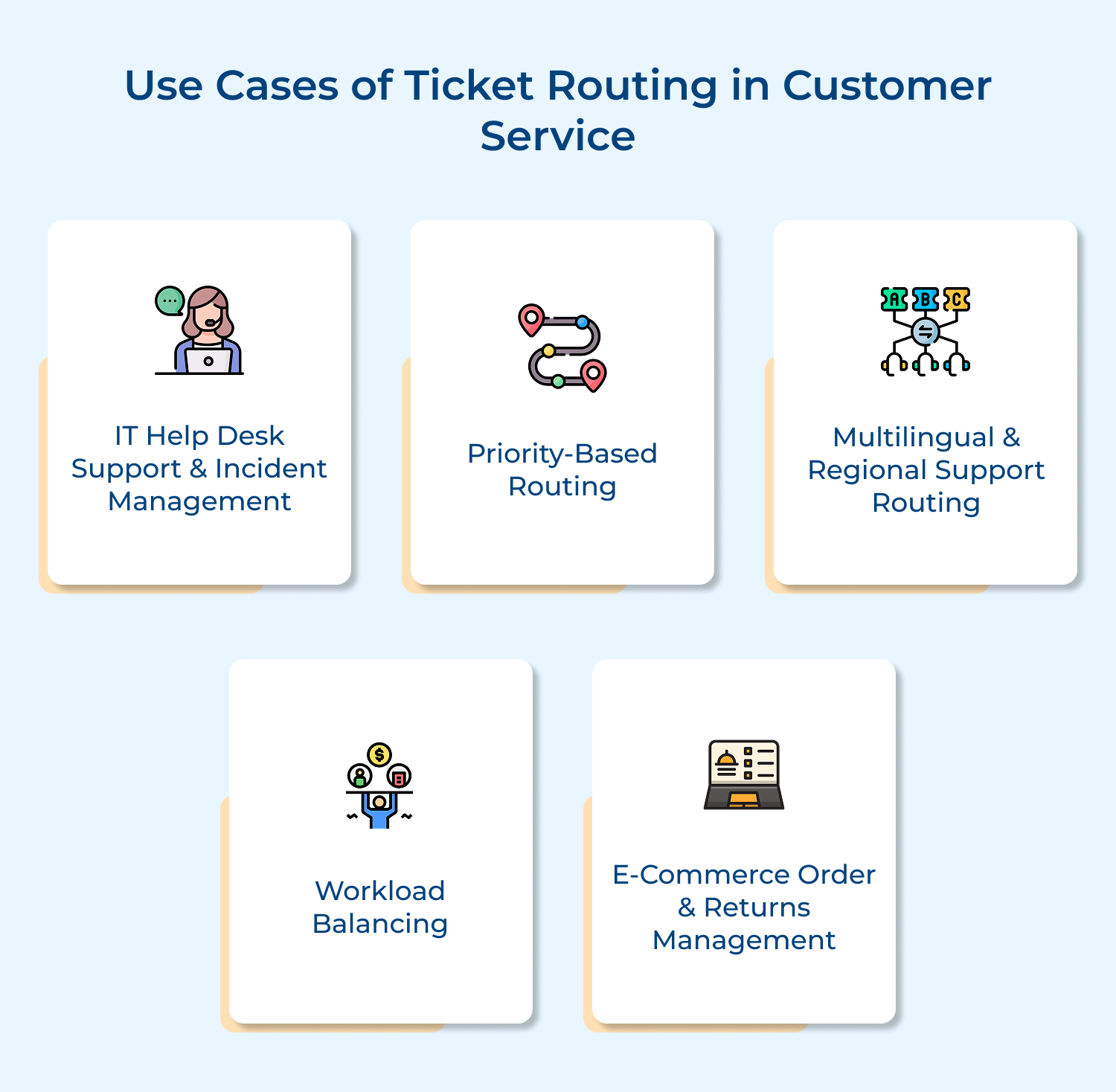
When a P1 incident hits, every minute it spends in a general queue is a minute your engineering team is not working on containment. The triage step that feels small is often what turns a 20-minute fix into a 2-hour outage.
How routing tightens IT incident response:
The structure ensures your best engineers spend the first portion of every major incident waiting for the right ticket to find them. That delay is where containment windows get missed.
Treating every ticket equally sounds fair but operationally it means your enterprise account with a payment failure waits behind a password reset. That trade-off has a real cost that rarely shows up until a renewal conversation goes badly.
Priority-based routing lets you encode business context directly into your assignment logic. Account tier, issue severity and contract value become routing inputs — so your most consequential tickets move through a dedicated path instead of competing in a shared queue.
A language mismatch is not just an inconvenience — it is an invisible driver of transfer rate inflation that most teams only catch when they start digging into why AHT is higher on certain segments. The ticket gets routed, the agent cannot handle it and the clock resets entirely.
Where language-aware routing pays off operationally:
The deeper operational value here is in your staffing decisions. When routing data shows you which language queues consistently overflow you stop guessing about where to hire next.
The failure mode most teams miss is this — unbalanced queues do not just burn out agents, they also corrupt your performance data. When one agent handles three times the volume of another, your resolution time metrics stop reflecting capability and start reflecting distribution.
What balanced routing actually protects:
The retention angle here is underrated. Agents who feel the workload is consistently fair stay longer and that stability in your tenured team is what holds service quality together during high-growth periods.
Post-purchase tickets carry an emotional urgency that most other ticket types do not. The customer is already past the point of patience and a routing delay that adds even a few minutes of triage time lands on top of frustration that is already peaked.
How routing keeps post-purchase support tight:
The operational signal to watch here is contact-to-resolution path length. When post-purchase routing is working, that path shortens — not because agents get faster but because they stop handling ticket types they are not equipped to close on first contact.
In this article, we will guide you through seven actionable steps to seamlessly set up automated ticket assignment, ensuring your team can focus more on solving customer issues than sorting tickets.
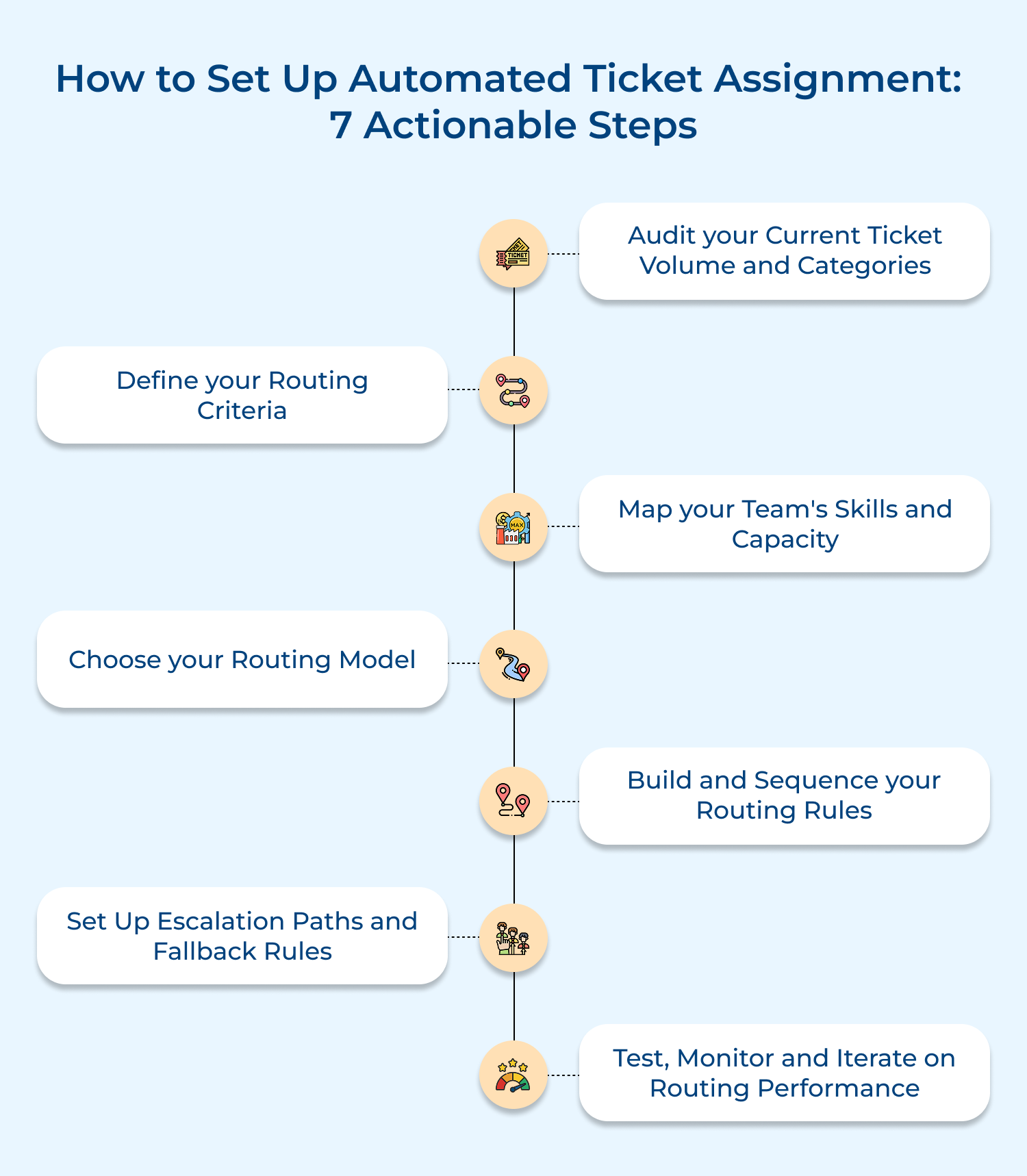
Before you configure a single routing rule you need to know exactly what is coming into your queue. Most teams skip this step and build routing logic on assumptions.
Pull your last 90 days of ticket data and look for patterns. Transfer patterns alone will tell you where your current routing is breaking down and that is where your new logic needs to start.
Ask yourself before you build anything:
For example — if 40% of your billing tickets are being transferred to a second team, that is not a coincidence. That is a routing gap telling you exactly where to start.
Routing criteria are the inputs your system uses to make assignment decisions. The mistake most teams make is starting with too many variables — the logic becomes tangled and hard to troubleshoot when something breaks.
Start with the three or four signals that have the highest impact on whether a ticket reaches the right person. Build from there once your core logic is stable.
Core criteria to define before you configure anything:
So what happens when you define too many criteria upfront? Your routing logic becomes a maze and the first time a ticket falls through a gap, nobody can find where the logic broke without spending hours inside the configuration.
The right approach is to keep your initial criteria lean and deliberately expand them as your routing data matures. Elements to keep your criteria clean and maintainable:
Routing logic is only as good as the agent profile data sitting behind it. If your system does not have an accurate picture of who can handle what it will make technically correct but practically wrong assignments.
This is where most customer service operations underinvest. Teams spend weeks configuring routing rules and then point them at agent profiles that were last updated during onboarding profiles that no longer reflect what agents actually know or handle today.
What your agent profiles need to reflect accurately:
Before you go live, have your team leads validate every agent profile against these four elements. Stale profile data will silently undermine even the most well-designed routing logic — and the failure will show up in your transfer rate long before anyone traces it back to a profile problem.
Best practices to maintain profile accuracy over time:
The routing model you choose is not just a technical decision — it is an operational commitment that will shape how your team manages, maintains and scales support assignments over time.
How to choose the right model for your operation:
For example — a SaaS support team handling five distinct product lines with varying complexity is a strong candidate for hybrid routing. A focused e-commerce team with three predictable ticket types is not.
Types of routing models to choose from:
So which model should you actually start with? If you are setting up automated routing for the first time, start rule-based. Get your core logic working correctly before you introduce model complexity you cannot yet diagnose when it breaks.
And what about switching models later? You can but migrate gradually. Run both models in parallel on a subset of tickets before fully transitioning, so you catch performance gaps before they affect your entire queue.
The sequence of your routing rules matters as much as the rules themselves. When multiple conditions apply to the same ticket the system needs a clear hierarchy without it rules conflict and tickets land in wrong places for reasons nobody can diagnose quickly.
Start with your highest-volume and highest-stakes ticket types. Build narrow, test thoroughly and expand deliberately rather than trying to cover every scenario upfront.
Before finalizing your rule sequence ask:
Undocumented routing logic becomes a liability the moment the person who built it leaves the team. Every rule needs a written rationale not just a configuration sitting inside your helpdesk platform.
Escalation routing is where the stakes are highest and where most setups are the least rigorous. A missed escalation on a critical ticket does not just create a bad experience it can cost you an account entirely.
Every escalation path needs a defined trigger, a defined destination and a backup if the primary agent is unavailable. An unmonitored fallback queue is just a slower version of no routing at all.
Escalation elements to define explicitly before launch:
So what happens when none of your escalation destinations are available? That is exactly the gap most teams never define and it is where critical tickets quietly stall. Your fallback rule needs a named owner and a response SLA just like any primary queue does.
Best practices to keep escalation paths reliable over time:
Going live is not the finish line — it is the beginning of the real work. Routing logic that performs well at launch will drift as your ticket mix evolves, your team changes and your product grows.
Before launch run your routing logic against a sample of real historical tickets and check where they would have landed. After launch track misrouting rate, transfer rate and time-to-first-assignment weekly for the first 60 days.
Metrics to monitor once routing is live:
Choosing the right platform is not just a software decision — it is an operational one. The platform you pick will either support the routing logic you have built or work against it.
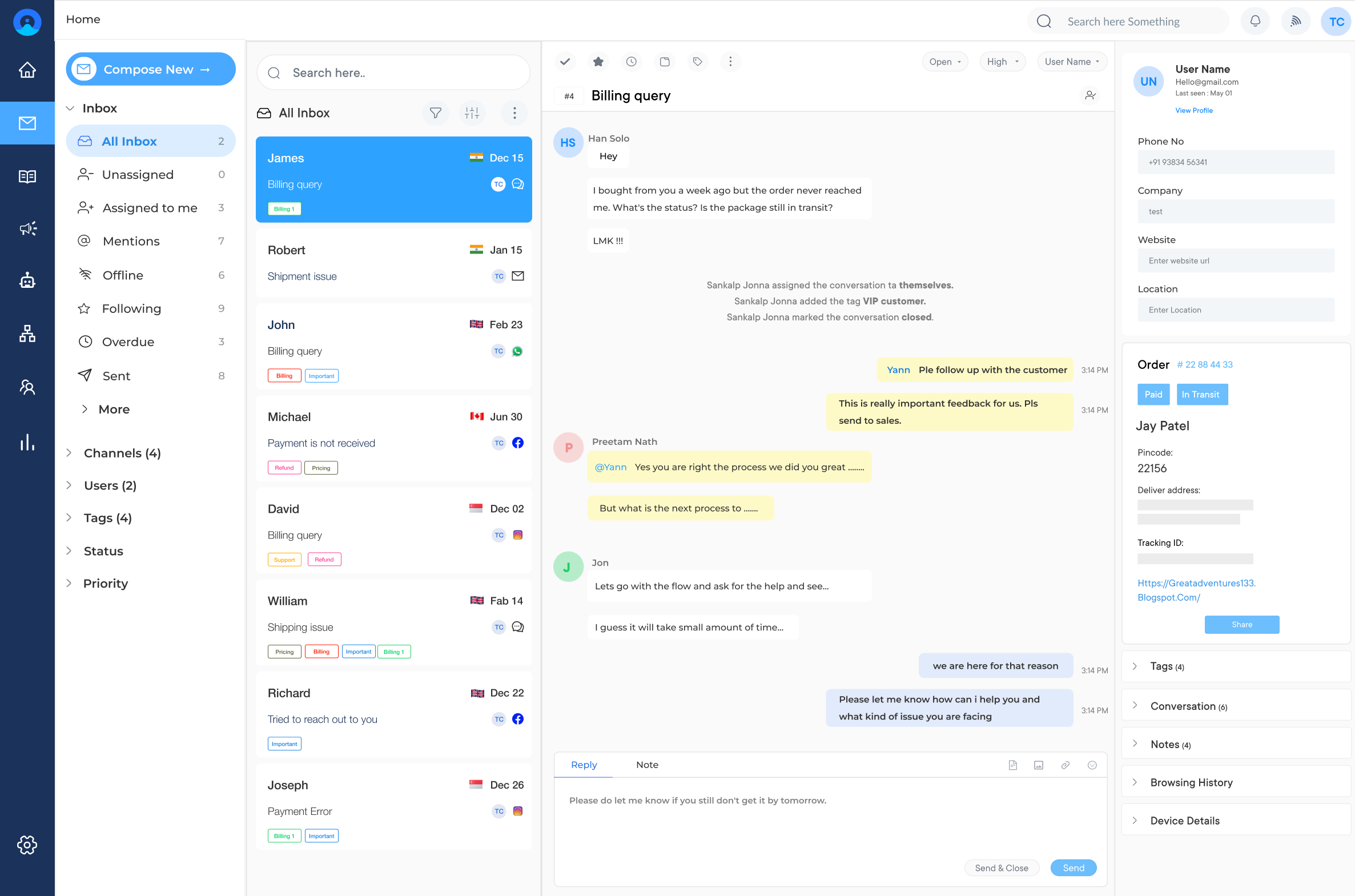
Omni24 is a leading customer engagement platform that offers omnichannel customer support solutions for businesses of all sizes combining automated ticket routing, AI assistance and real-time analytics into a single unified platform that keeps support operations running without the manual overhead.
Key Features:
Veemo Support is an AI-Powered customer support software that centralizes requests from email, chat and social media into a unified ticketing system with automated routing built to handle high-volume support without manual overhead.
Key Features:
Zendesk’s omnichannel routing assigns tickets based on agent skill, capacity, status and ticket priority. Where it stands out operationally is the unified agent workspace, customer history, ticket context and routing signals all sit in one place without agents switching tools.
Freshdesk uses AI and rules-based workflows to automate ticket triaging or route tickets to the most suitable agent. Its strength is that routing accuracy holds up at high volume without constant manual rule maintenance to keep it working correctly.
Automated ticket routing is not just a feature you switch on — it is an operational decision that changes how your entire support team functions. When the right ticket reaches the right agent instantly, everything downstream improves.
The teams that get the most out of routing treat it as a system they actively maintain not a one-time setup. Start with clean data, build logic deliberately and your support operation will reflect that discipline directly.

What is the difference between automated ticket routing and manual ticket routing?
Manual routing depends on a human reading every ticket and deciding where it goes. Automated routing makes that decision instantly based on logic or AI the moment a ticket arrives.
Can automated ticket routing work across multiple channels?
Yes and it should. Whether a ticket comes in via email, chat, social media or phone, your routing logic should apply the same assignment rules regardless of where the conversation started.
What happens when automated routing makes a wrong assignment?
A misrouted ticket gets transferred manually which is why tracking your transfer rate post-launch matters. High transfer rates on specific ticket types signal exactly which routing rules need refinement.
Does automated ticket routing work for small support teams?
Absolutely. Even a five-person team benefits from routing that eliminates triage time and distributes workload evenly. The efficiency gains are proportional to your volume, not just your team size.
nto customers.
How do you measure if automated ticket routing is working?
Track three metrics closely: time-to-first-assignment, transfer rate and misrouting rate. If all three drop after launch your routing logic is working. If they do not, your rules need revisiting.
 https://omni24.io/wp-content/uploads/2026/08/AI-Customer-Service-Agents.png
1256
2400
Webvision Solution
https://omni24.io/wp-content/uploads/2023/04/Omni-Logo-1.svg
Webvision Solution2026-09-21 04:48:512026-09-21 04:48:51How to Build an AI Customer Service Agents: 8 Key Steps
https://omni24.io/wp-content/uploads/2026/08/AI-Customer-Service-Agents.png
1256
2400
Webvision Solution
https://omni24.io/wp-content/uploads/2023/04/Omni-Logo-1.svg
Webvision Solution2026-09-21 04:48:512026-09-21 04:48:51How to Build an AI Customer Service Agents: 8 Key Steps https://omni24.io/wp-content/uploads/2026/08/Omnichannel-Conversational-AI.png
1256
2400
Tushar Joshi
https://omni24.io/wp-content/uploads/2023/04/Omni-Logo-1.svg
Tushar Joshi2026-09-16 03:51:072026-09-16 03:51:07How to Build Omnichannel Conversational AI Strategy
https://omni24.io/wp-content/uploads/2026/08/Omnichannel-Conversational-AI.png
1256
2400
Tushar Joshi
https://omni24.io/wp-content/uploads/2023/04/Omni-Logo-1.svg
Tushar Joshi2026-09-16 03:51:072026-09-16 03:51:07How to Build Omnichannel Conversational AI Strategy https://omni24.io/wp-content/uploads/2026/08/Customer-Service-Teams.png
1256
2400
Tushar Joshi
https://omni24.io/wp-content/uploads/2023/04/Omni-Logo-1.svg
Tushar Joshi2026-09-15 04:01:522026-09-15 04:02:16How to Build Customer Service Teams: 6 Key Steps
https://omni24.io/wp-content/uploads/2026/08/Customer-Service-Teams.png
1256
2400
Tushar Joshi
https://omni24.io/wp-content/uploads/2023/04/Omni-Logo-1.svg
Tushar Joshi2026-09-15 04:01:522026-09-15 04:02:16How to Build Customer Service Teams: 6 Key Steps
Whether it’s about acquire, engage or support – Omni24 covers all your customer engagement needs in one complete platform.

Copyright ©2026 Veemo All rights reserved.
CA, Los Angeles, Hall Ave, 19011