The Ultimate Guide to Knowledge Base
Effective knowledge base management helps businesses create and distribute organizational information on all touchpoints.
No Credit Card Needed | Guided Setup
Trusted by Customer Centric Businesses Globally





Effective knowledge base management helps businesses create and distribute organizational information on all touchpoints.
No Credit Card Needed | Guided Setup
Automate your customer support for 24×7 self-service and reduce ticket volume with Omni24’s knowledge base
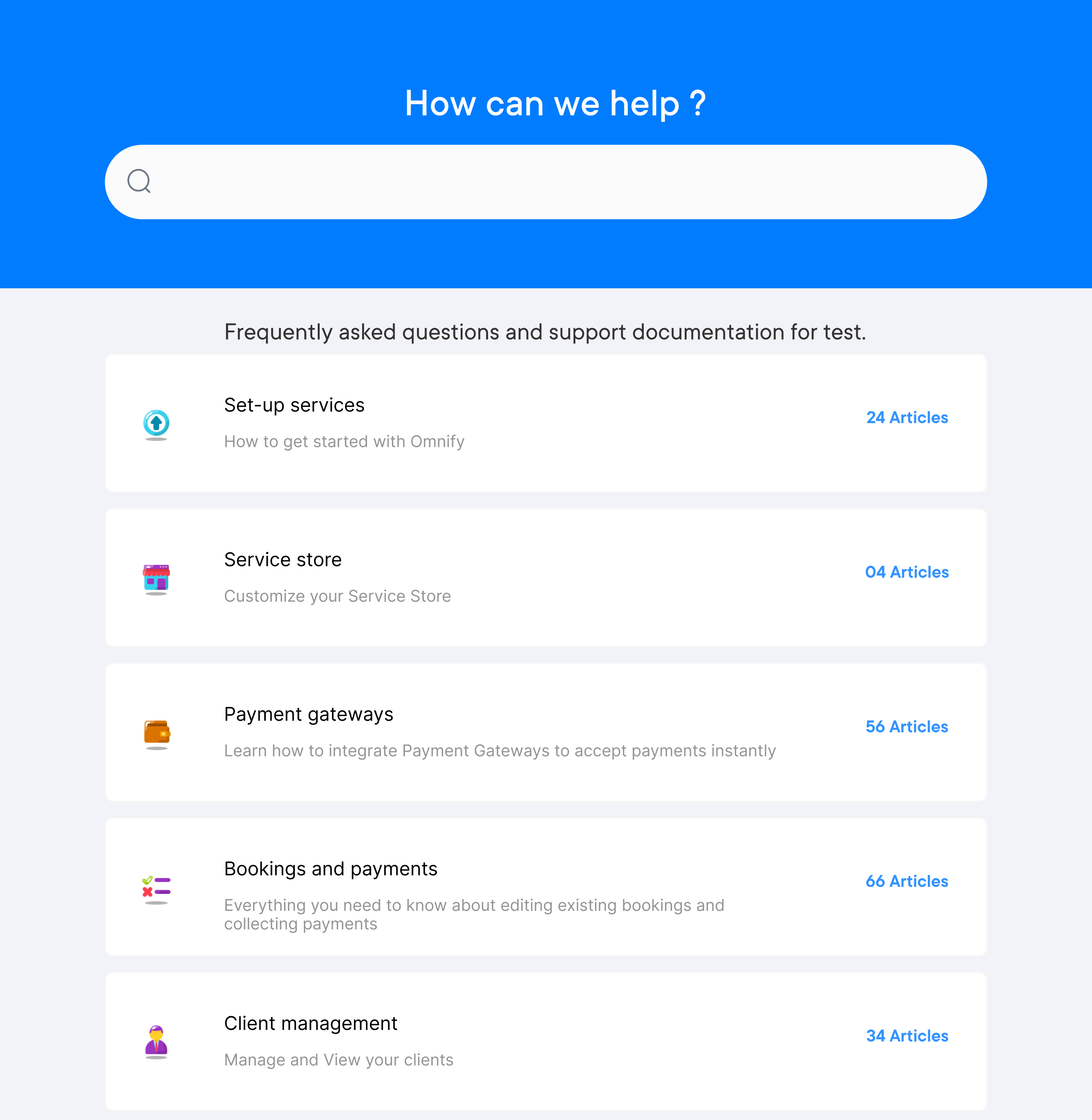
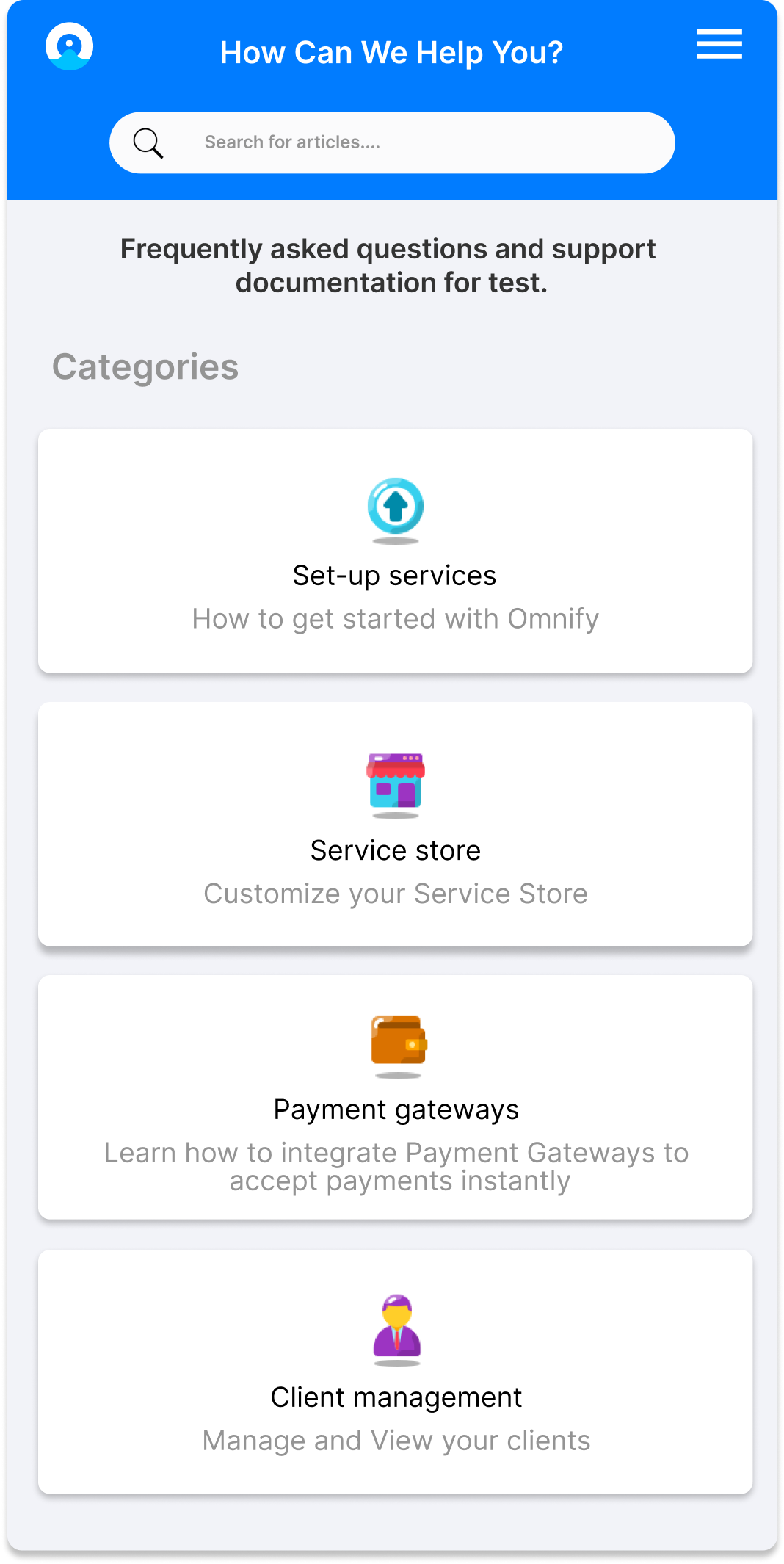
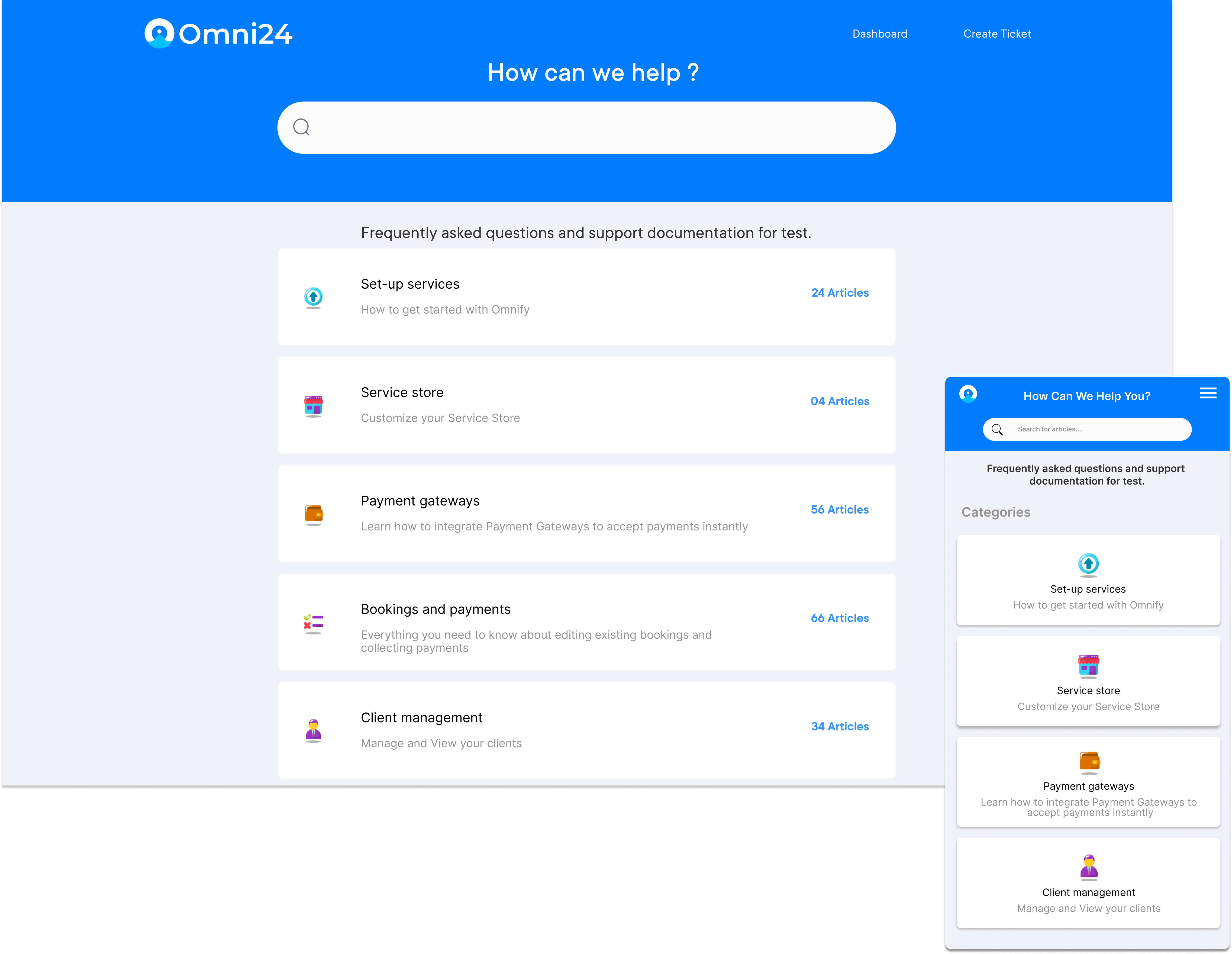
Your support team can’t answer every question and customers aren’t willing to wait, leading to 81% of customers attempting self-service before contacting support. Businesses without a structured knowledge base pay the price in ticket volume and increased churn rate.
A knowledge base stores articles related to FAQs and guides that help customers and employees find answers independently. Explore a complete guide to why it is important, how to set it up for your business and track key metrics for success.
A knowledge base is a digital repository that stores organizational information, processes and expertise. It enables teams and customers to retrieve accurate answers without depending on individual memory or repeated queries.
Unlike scattered documents, a knowledge base organizes information into searchable formats. This structure reduces retrieval time and ensures consistency when multiple people rely on the same source daily.
Key objectives:
A knowledge base is a centralized repository of information, often used by organizations to store and share knowledge with employees and customers. Let’s explore its various types.
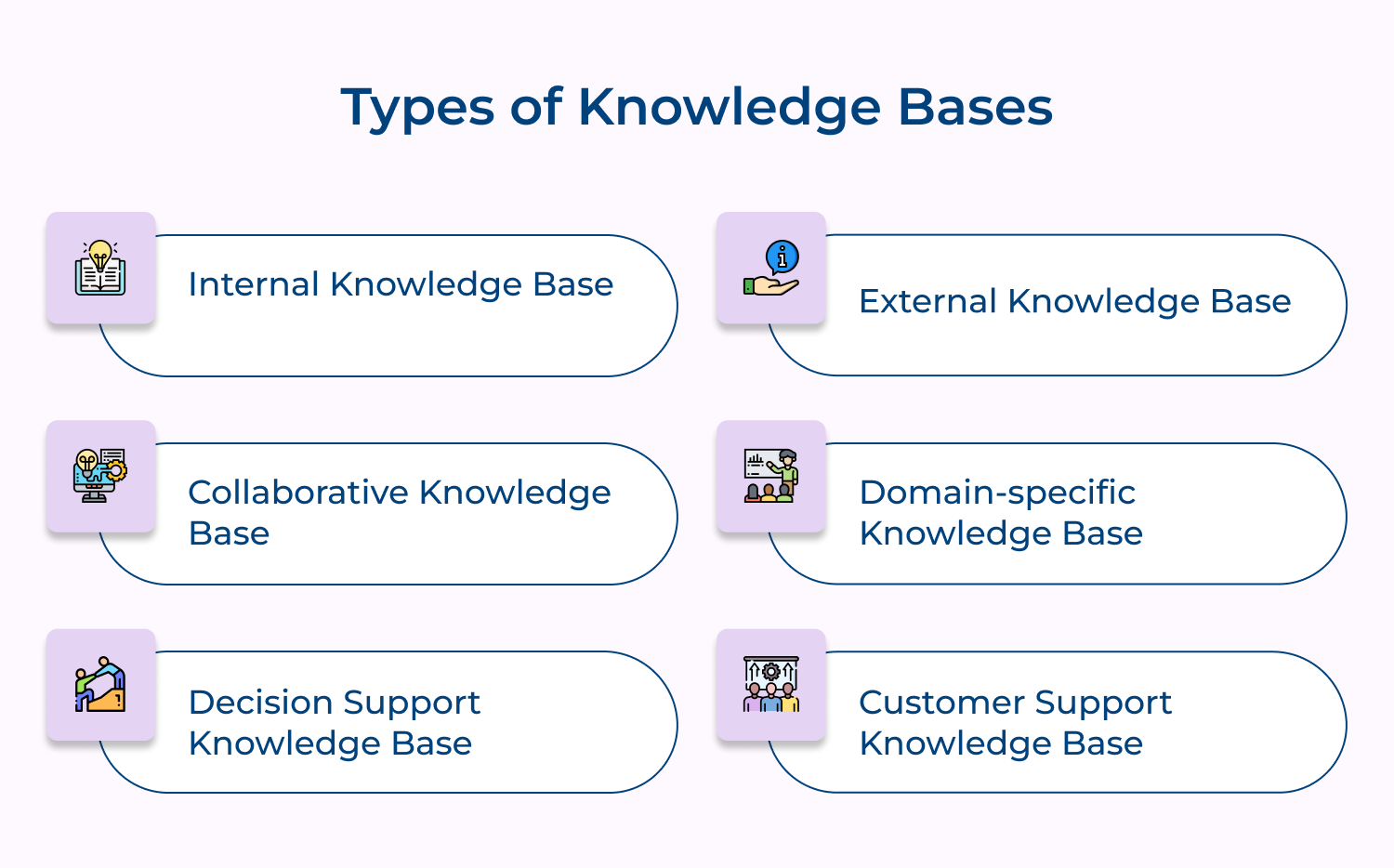
Here are some common types of knowledge bases:
1. Internal Knowledge Base
An internal knowledge base is used by employees within an organization to access information such as company policies, procedures, best practices, and training materials. This type of knowledge base helps employees quickly find the information they need to perform their jobs effectively.
2. External Knowledge Base
An external knowledge base is typically used by customers or external stakeholders to access information about a product or service. These types of knowledge base templates include FAQs, troubleshooting guides, product manuals, and other helpful resources for customers looking for support.
3. Collaborative Knowledge Base
A collaborative knowledge base allows multiple users to contribute and edit information, creating a shared repository of knowledge. This type of knowledge base facilitates collaboration and knowledge sharing among teams, making it easier for employees to work together and access the information they need.
4. Domain-specific Knowledge Base
A domain-specific knowledge base focuses on a specific subject or industry, such as healthcare, IT, or finance. This type of knowledge base contains specialized information and resources tailored to the needs of professionals in that particular domain.
5. Decision Support Knowledge Base
A decision-support knowledge base provides information and tools to help users make informed decisions. It includes knowledge base analytics, market research and other resources to assist users in analysing information and making strategic decisions.
6. Customer Support Knowledge Base
A customer support knowledge base is designed to provide customers with self-service support options, helping them troubleshoot issues and find answers to common questions without having to contact customer support. This type of knowledge base can improve customer satisfaction and reduce support costs for businesses.
A knowledge base is a powerful tool for improving collaboration and knowledge-sharing within an organization. Let’s learn how to create an effective knowledge base.
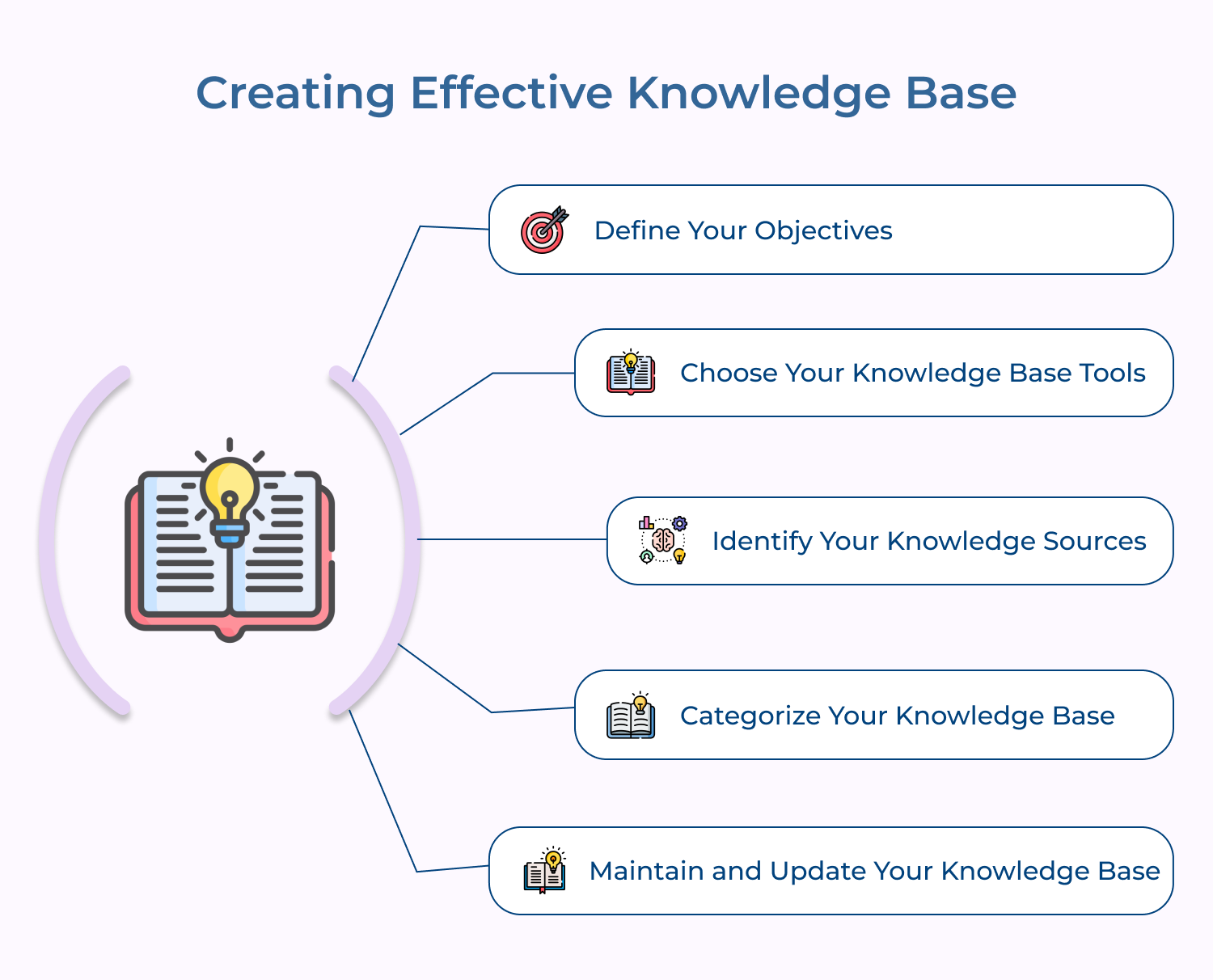
The first and foremost is to define your objectives. Outlining the objectives gives clarity on the answers to the below questions.
The answers to those questions will help you understand if you do need a knowledge base and begin thinking about how it should be structured so that it meets your business needs and expectations.
A well-defined objective acts as a decision filter for every step, starting from tool selection to content structure. It keeps everyone focused and prevents scope creep.
Implementation Tips:
There are so many knowledge base software available in the market. It is recommended to evaluate several knowledge base tools to know the right fit for your businesses.
Knowledge base tools include open-source software, cloud-based platforms, and proprietary solutions. The selection of the knowledge base tool should depend on your defined objectives, available resources, and expected outcomes.
Based on your business needs, if it is just basic, you can use free tools like Google Docs or Microsoft SharePoint or you can invest in premium solutions like Confluence, Freshdesk, or Zendesk if you are looking for advanced features or customizations.
Before defining an objective, choosing a tool often leads to costly migrations later, once teams realize it cannot scale as needed. Treating this as a deliberate evaluation instead of a quick purchase saves significant rework.
How to implement?
Identifying your knowledge sources is a critical step in creating your knowledge base. It can also be a self-hosted knowledge base or a generic hosted knowledge base as well. The sources of knowledge could be internal, external or both.
Internal knowledge sources may include customer support data, employee manuals, etc. while external sources include vendor information, customer feedback, etc. By identifying your knowledge sources, you can structure your knowledge base to retrieve and store information efficiently.
A mix of internal and external sources produces a more complete knowledge base than just one type. Internal data includes day-to-day operations, while external data captures concerns customers express.
Categorizing your knowledge base into topics and subcategories is a great way to ease information management. Developing your custom knowledge base structure at the beginning of your process will not only help you organize your content but will inform navigation design and help make it more intuitive for users.
Consider grouping your knowledge base into logical categories that resonate with your target audience. For example, you could group your articles into topics like product features, troubleshooting, customer service or industry news.
Pro tips:
Maintaining and updating your knowledge base is a continuous process. With time, the information stored in your knowledge base may become obsolete, inaccurate or irrelevant. Therefore, it is essential to ensure that you regularly update, review and verify the information in your knowledge base.
You should also encourage your employees and customers to provide feedback and suggestions for improving your knowledge base. It will ensure that your knowledge base is more valuable to your target audience.
Not all knowledge bases are equally effective. Here are seven knowledge-base best practices to ensure that it provides value to both your customers and agents.
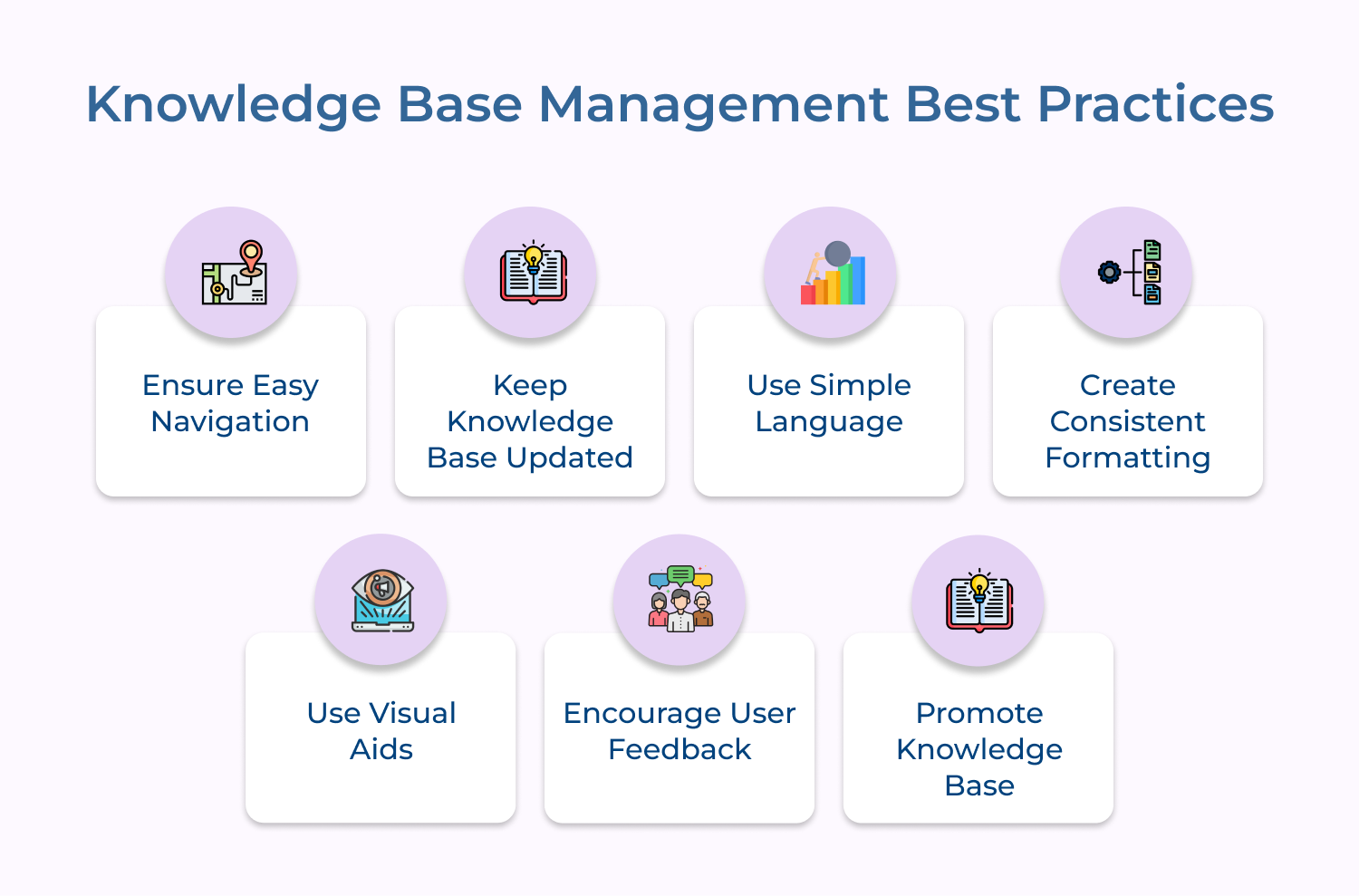
A well-organized knowledge base means having clear categories and subcategories that enable users to locate relevant information. Poor navigation discourages self-service and increases support tickets.
Search functionality with filters and auto-suggestions helps in finding answers instantly. A strong search experience reduces bounce rates, making visitors less likely to abandon the help center due to confusion.
Outdated information always undermines customer trust, so regular reviews and updates make sure articles accurately reflect product changes or policy revisions. Assigned content ownership maintains accuracy as an ongoing priority.
Static content contributes to higher support volumes since customers cannot rely on outdated resources. Maintain periodic audits of obsolete articles and version tracking to preserve consistency.
Knowledge base articles with clear language improve engagement. It should adopt an accessible tone using terminology that is known to the average customer. Maintain concise sentences and plain phrasing to increase accessibility across audiences. This approach reduces the volume of follow-up inquiries by letting them resolve issues independently.
Consistent formatting across all articles increases readability, allowing users to quickly identify steps within any article.
A uniform structure also streamlines content creation for internal teams, along with standardized templates to make sure every article meets the same quality benchmark.
Visual elements such as images, screenshots and instructional videos help in understanding complex topics more effectively. Strategically placing aid in content reduces cognitive load and minimizes the risk of misinterpretation. It keeps customers focused and helps them complete tasks without requiring additional clarification.
Readers can rate articles and submit comments, which provides valuable insight into content performance. It helps in identifying gaps where information may be unclear or outdated.
Consistent review of feedback allows organizations to refine their knowledge base over time. This practice also demonstrates how customer input is valued.
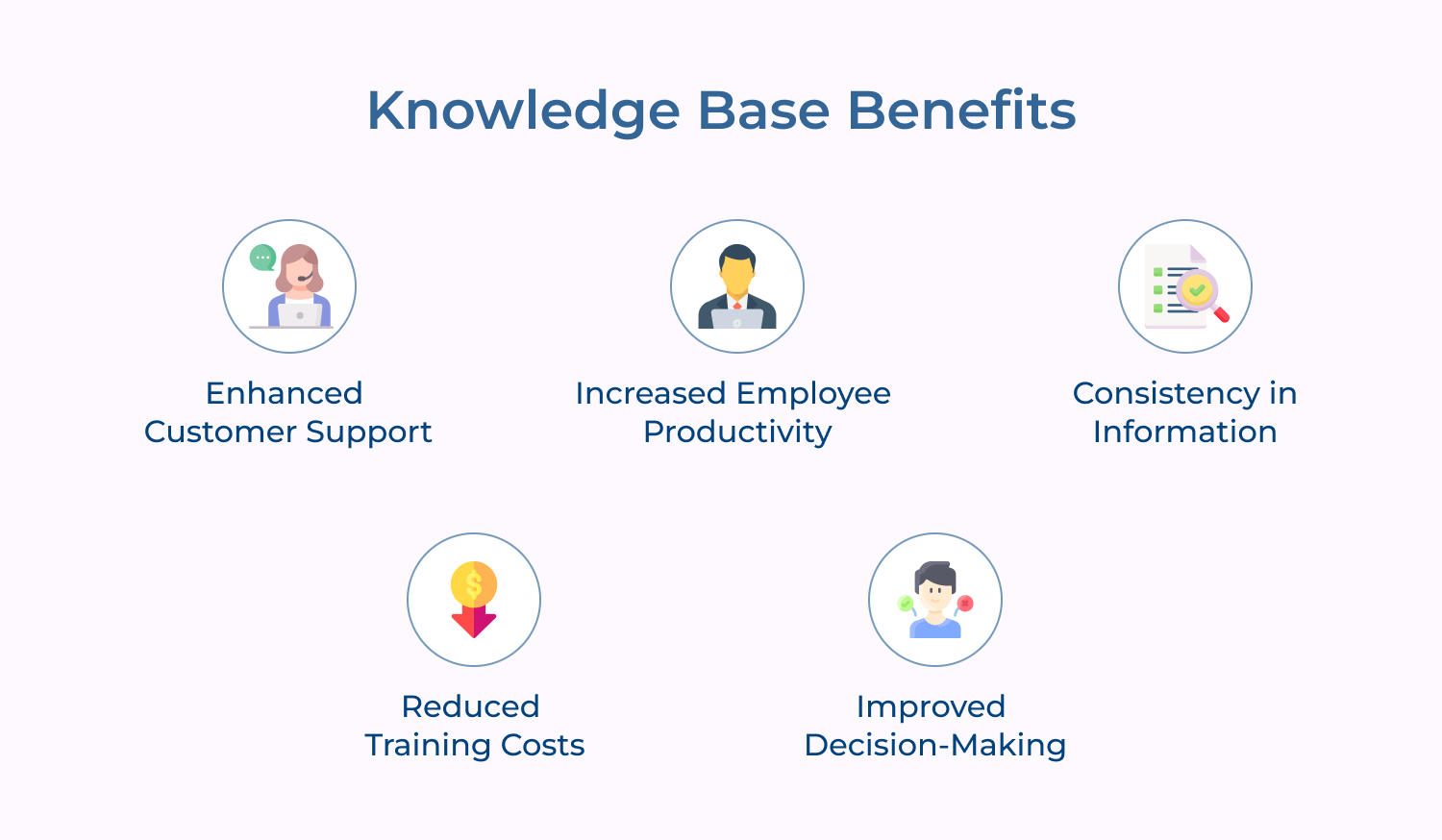
One way to achieve business goals is by implementing a knowledge base. But you might be asking yourself, “Why does my business need a knowledge base?” Let’s explore the benefits of knowledge base.
Having a strong knowledge base can be invaluable for any business. We discuss several use cases for knowledge bases that can help you get the most out of this powerful resource.
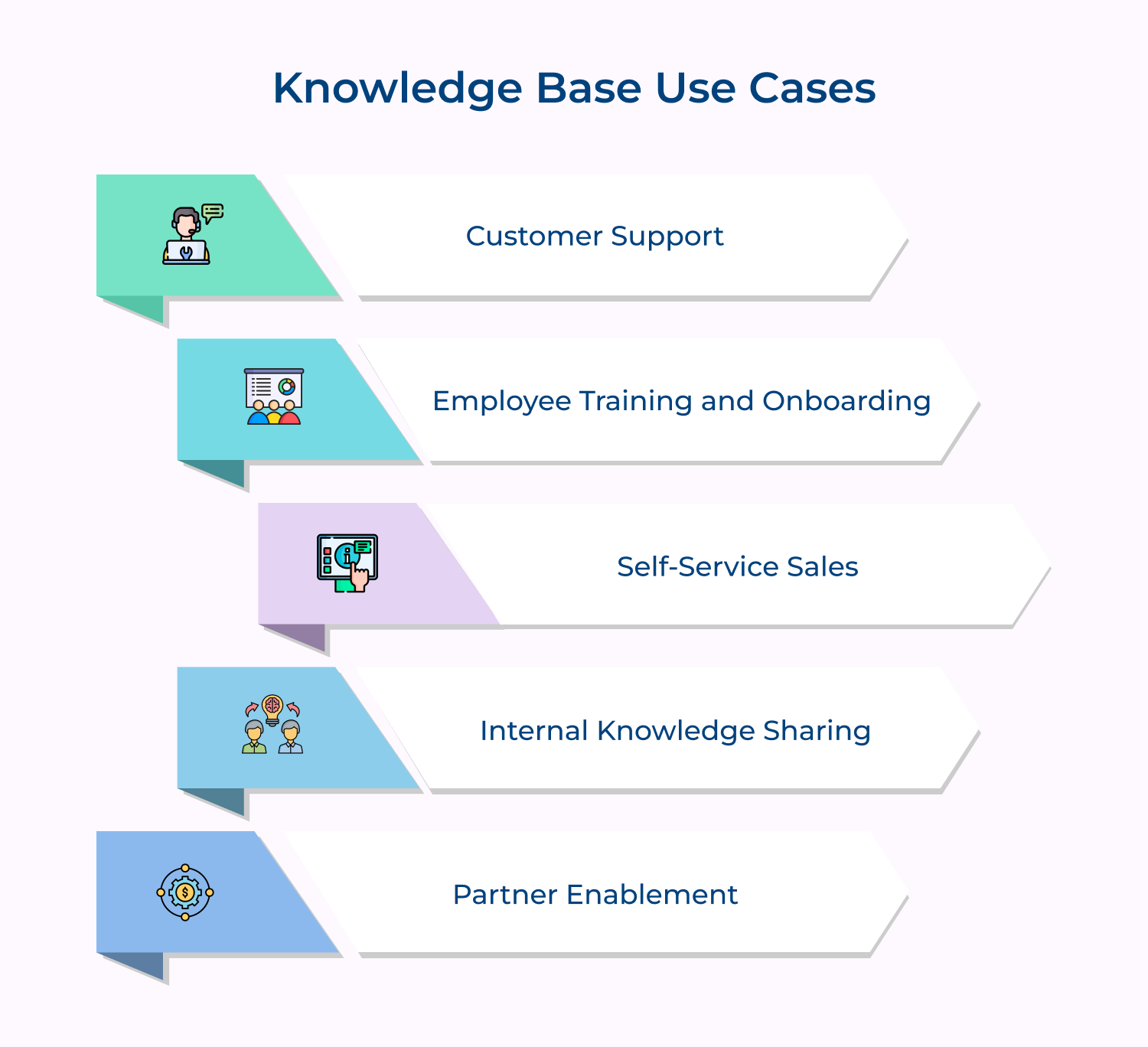
Customer service is the primary use case for a knowledge base. A well-designed knowledge base can empower your customers to find answers to their questions without reaching out to the support team. When you provide customers with an intuitive and easy-to-use knowledge base, it improves the overall customer experience and reduces the number of support calls you receive.
Knowledge bases are highly effective for employee training and onboarding. It can provide new employees with the information they need quickly. This can include company policies, procedures and best practices. A knowledge base can also be used to train existing employees on new products, services, or processes.
A knowledge base can also be a powerful tool for self-service sales. When you provide customers with detailed product information and reviews, it helps them in making quick and informed purchasing decisions. This can lead to increased sales and customer satisfaction.
A structured knowledge base can also be a valuable tool for internal knowledge sharing. By creating a centralized repository of information, you can promote collaboration and knowledge sharing among your employees. This can help to break down silos and increase efficiency.
Having a knowledge base can be used to enable your partners. By providing your partners with the information they need to sell your products and services, you can increase sales and build stronger relationships with your partners. It comprises product information, sales collateral, and training materials.
A knowledge base is a centralized system that houses information and expertise about a particular subject, product or service. Here are the essential elements of a knowledge base.
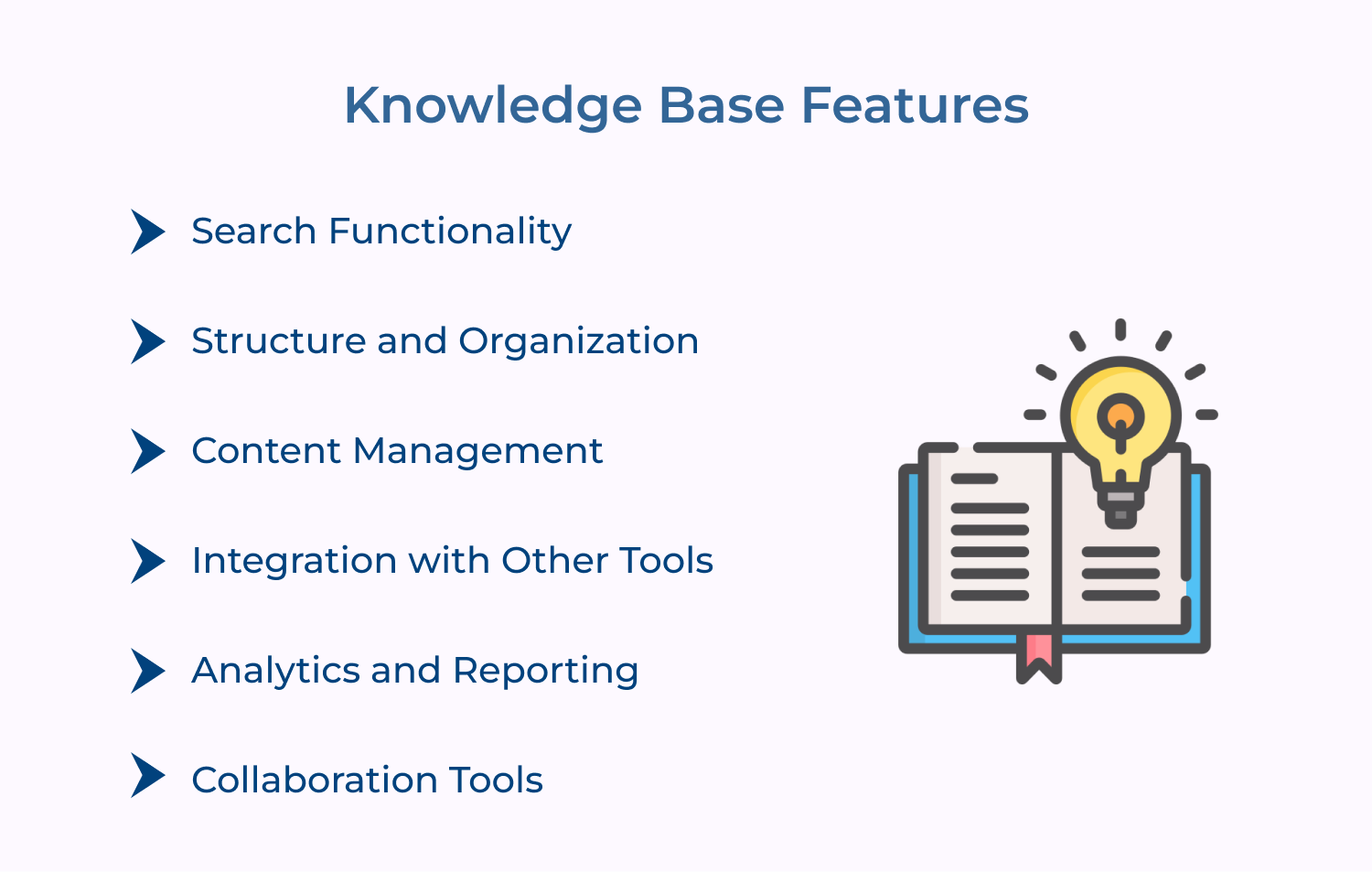
A search function is an essential element of a knowledge base feature. A robust search function can enable users to find relevant information by searching for keywords, phrases, or even complex queries.
The ability to manage and update content regularly is crucial to keeping a knowledge base relevant and useful. Content management ensures that new information can be added, outdated to be removed, modified as required.
A knowledge base should integrate with other systems, such as customer relationship management (CRM) software, to help streamline processes and ensure that information in other systems is up-to-date.
The ability to track and analyse usage patterns is an essential element of a knowledge base. Analytics and reporting features can provide insight into areas that require more attention or areas that are working well.
Collaboration tools, such as commenting features or discussion forums, can encourage users to contribute their knowledge and expertise to the knowledge base. It ensures that the knowledge base stays current and offers a diverse range of perspectives.
When it’s about managing customer support and providing efficient solutions, a best knowledge base software tool can be incredibly helpful. Let us delve into the details.
Best knowledge base software for great CX
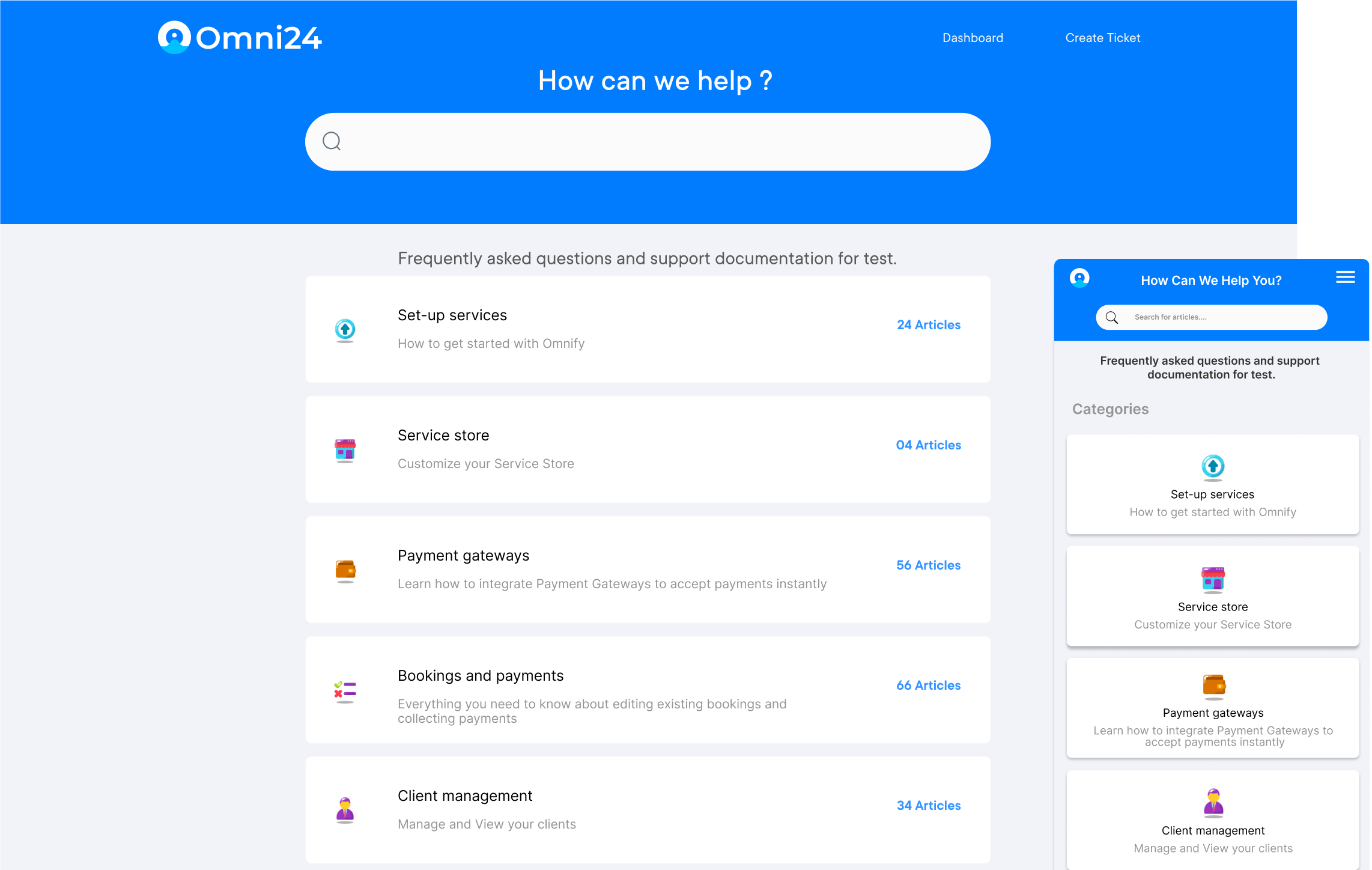
Omni24 is an AI-powered customer engagement platform that includes support, sales and marketing suites to improve customer experience. Its Support suite includes a knowledge base feature that helps in creating, organizing and sharing self-service content to reduce ticket volume.
Key features:
Top knowledge base solution with excellent customer support
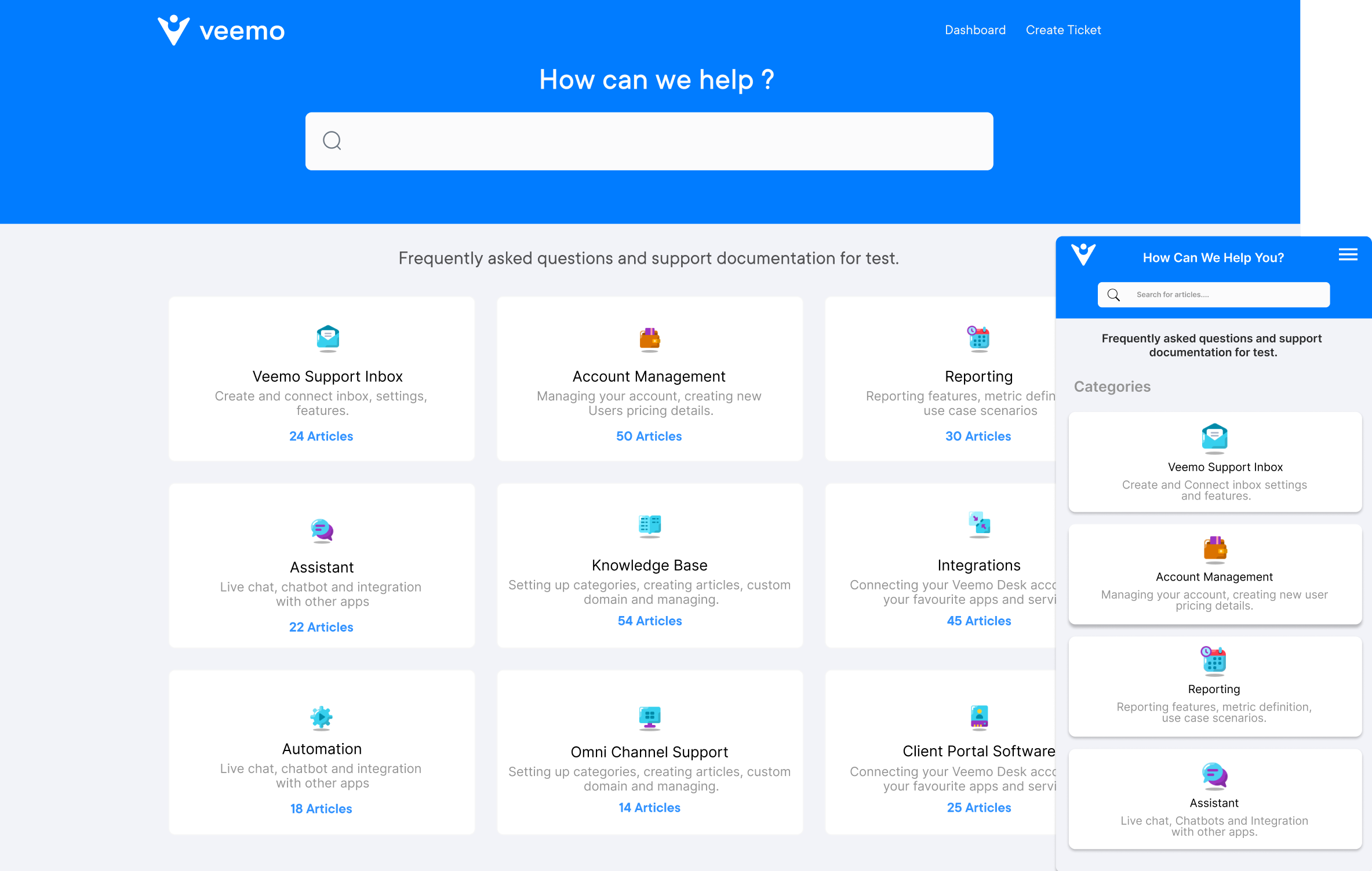
Veemo Support is an omnichannel help desk software to streamline support operations into a centralized interface. The software is a part of Veemo’s customer engagement suite of products designed to streamline and enhance various aspects of business operations. Veemo Support offers a range of tools to automate workflows, manage tickets efficiently and provide self-service options to customers.
Key capabilities:
Best knowledge base platform to minimize the rate of queries
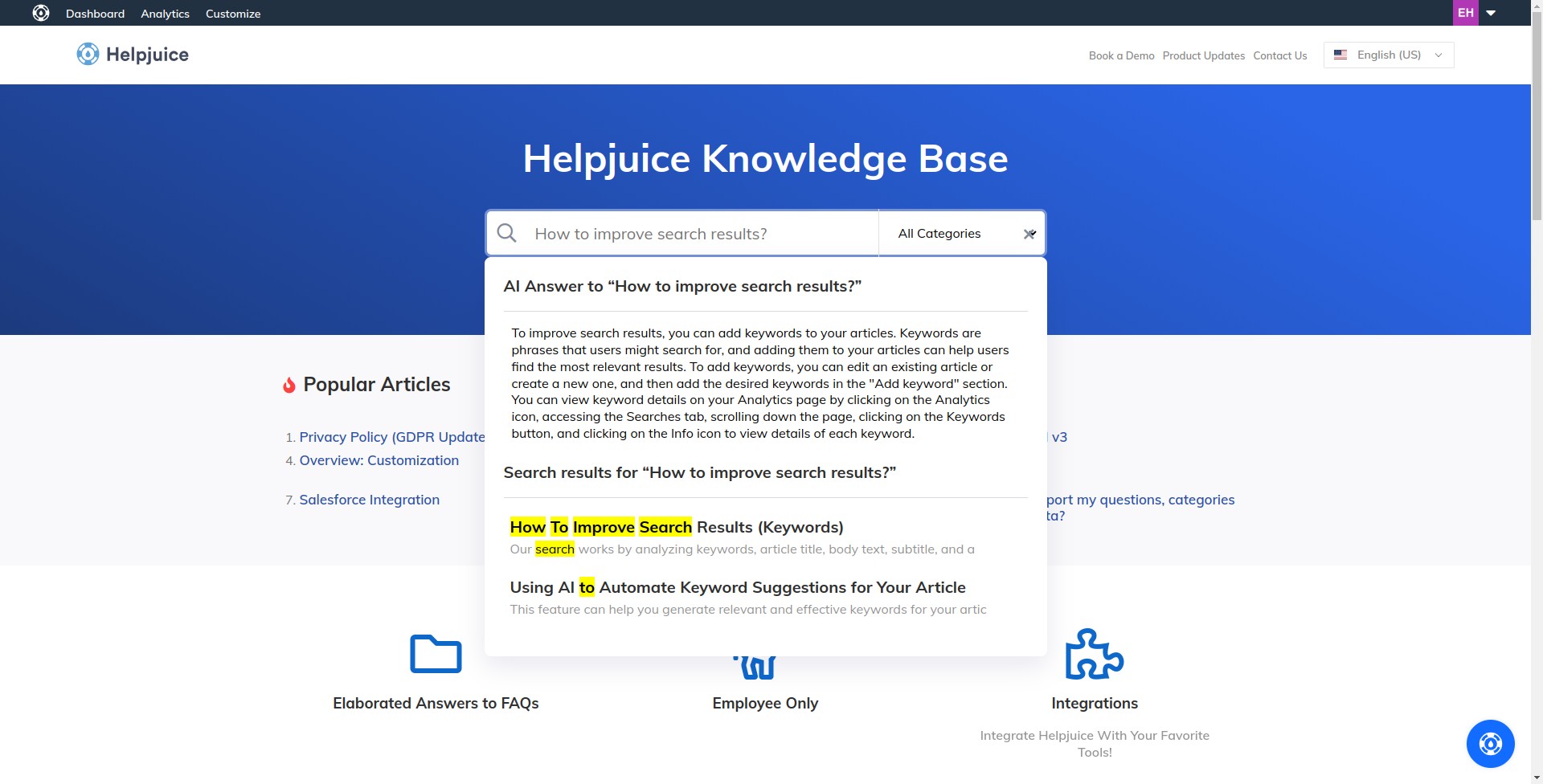
Helpjuice is a powerful and easy-to-use knowledge base software tool that helps businesses create a comprehensive knowledge base in a matter of minutes. It offers a range of customization options for branding and provides a user-friendly interface for creating and managing articles.
Helpjuice also offers a powerful search feature that returns relevant results for customer queries quickly. It also provides analytics to track article performance and user behaviour.
Knowledge management is the process of creating, sharing, using, and managing the knowledge of an organization. Let’s delve into the details of its role in knowledge management.
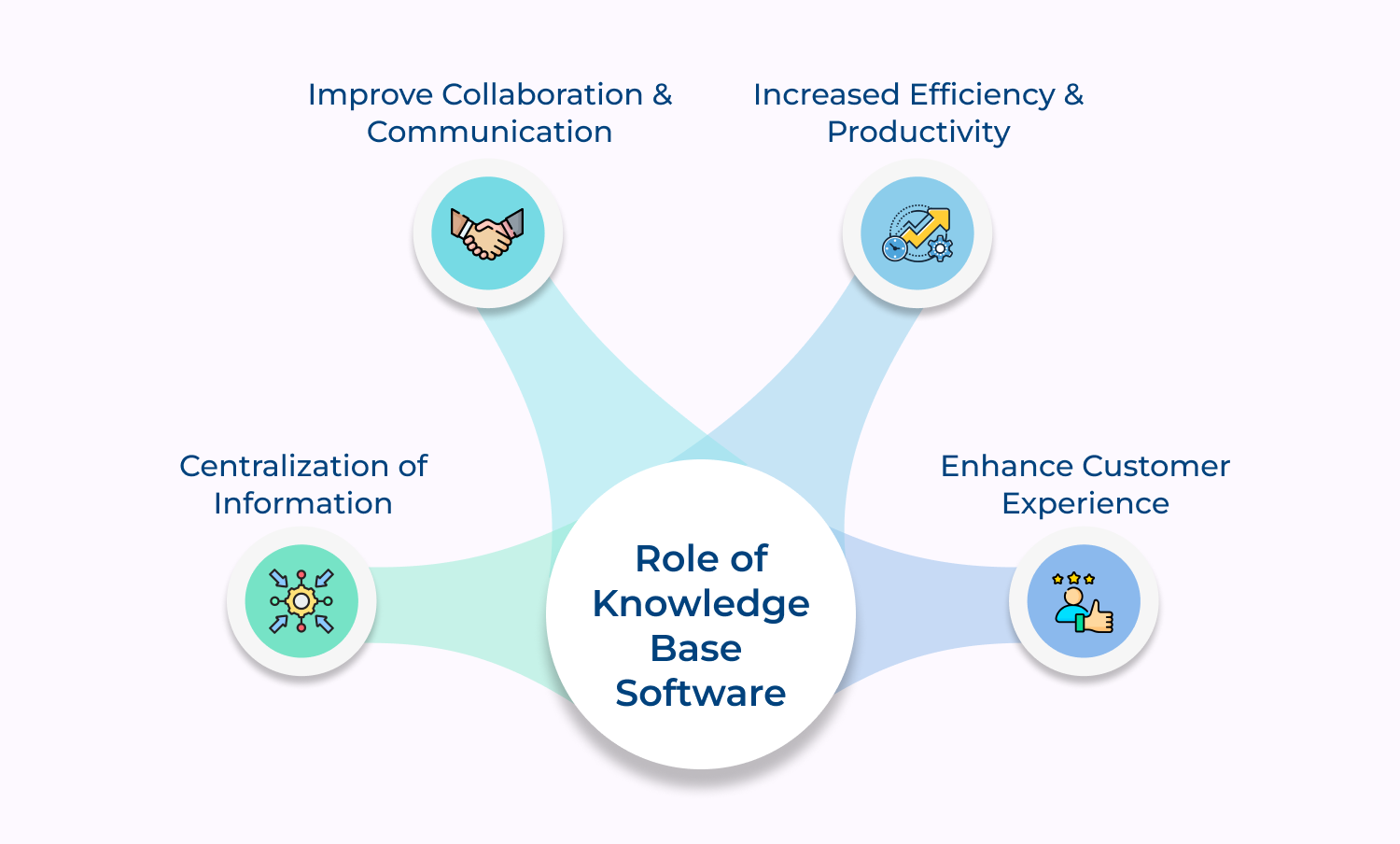
1. Centralization of information: Leveraging a knowledge base software helps organizations to store all their information in one centralized location, making it easy to access and share within the organization. The centralization also makes it easier to update and maintain information.
2. Improve collaboration and communication: A knowledge base software can help team members to share information and collaborate on projects more effectively. It is particularly important when working with remote teams, as it makes it easier to share information, ideas, and feedback.
3. Increased efficiency and productivity: Knowledge base tool makes it easy to find information, which can save time and increase productivity. By having all information in one place, employees no longer need to waste time searching for information, allowing them to focus on other tasks.
4. Enhance customer experience: A knowledge base platform can also be used to improve customer service by providing customers with self-service support, such as FAQs or step-by-step guides. This can reduce the number of support requests, freeing up time for customer service teams to focus on more complex issues.
A well-structured knowledge base is the cornerstone of self-serve customer support centralizing information. It helps teams to resolve issues faster and customers to find answers independently.
Ready to put customer support on autopilot? Book a demo to see the best knowledge base tool in action. A knowledge base is not only a support but also a strategic asset that drives customer satisfaction and long-term business growth.
Omni24’s DCX platform harnesses automation and AI to deliver unified customer experiences across digital channels, while keeping human touch.
A comprehensive knowledge base should include a frequently asked questions (FAQs) section, troubleshooting guides, product or service documentation, video tutorials, user manuals, and a search function to allow users to quickly find the information they need.
Knowledge base accessibility depends on your business and the target audience. While some companies prefer to have public knowledge bases that can be accessed by anyone, others may have specific sections that are only available to registered users or paying customers. Consider your industry, customer base and overall objectives when deciding on the accessibility of your knowledge base.
Knowledge base promotion ensures users remain aware of its existence and utilize it effectively. Queries such as website navigation links, educational blog posts and instructional videos are directed toward available self-service resources consistently.
Periodic newsletters highlighting new articles keep customers informed of updates. Businesses that integrate a knowledge base within support interactions reinforce visibility and encourage continued self-service adoption
Knowledge bases require regular updates to reflect changes in products, services or industry standards. Maintain a structured review schedule to ensure accuracy and relevance, while user feedback helps in tracking content gaps where improvement is needed. Recommended update practices include:
Absolutely! There are numerous software and tools available that can help you create, organize and manage your knowledge base effectively. Some popular options include help center platforms, content management systems, and knowledge base software that offer user-friendly interfaces and features designed specifically for knowledge base management.
An internal knowledge base serves your organization’s employees with confidential information, processes and policies. However, an external knowledge base is publicly accessible, providing product documentation, FAQs and support content for customers, partners as well as other external stakeholders.
 https://omni24.io/wp-content/uploads/2026/09/Social-commerce-scaled.png
1340
2560
Webvision Solution
https://omni24.io/wp-content/uploads/2023/04/Omni-Logo-1.svg
Webvision Solution2026-10-23 12:18:272026-10-23 12:18:27What is Social Commerce and Why Does It Matter?
https://omni24.io/wp-content/uploads/2026/09/Social-commerce-scaled.png
1340
2560
Webvision Solution
https://omni24.io/wp-content/uploads/2023/04/Omni-Logo-1.svg
Webvision Solution2026-10-23 12:18:272026-10-23 12:18:27What is Social Commerce and Why Does It Matter? https://omni24.io/wp-content/uploads/2026/08/AI-Customer-Service-Agents.png
1256
2400
Webvision Solution
https://omni24.io/wp-content/uploads/2023/04/Omni-Logo-1.svg
Webvision Solution2026-09-21 04:48:512026-09-21 04:48:51How to Build an AI Customer Service Agents: 8 Key Steps
https://omni24.io/wp-content/uploads/2026/08/AI-Customer-Service-Agents.png
1256
2400
Webvision Solution
https://omni24.io/wp-content/uploads/2023/04/Omni-Logo-1.svg
Webvision Solution2026-09-21 04:48:512026-09-21 04:48:51How to Build an AI Customer Service Agents: 8 Key Steps https://omni24.io/wp-content/uploads/2026/08/Omnichannel-Conversational-AI.png
1256
2400
Tushar Joshi
https://omni24.io/wp-content/uploads/2023/04/Omni-Logo-1.svg
Tushar Joshi2026-09-16 03:51:072026-09-16 03:51:07How to Build Omnichannel Conversational AI Strategy
https://omni24.io/wp-content/uploads/2026/08/Omnichannel-Conversational-AI.png
1256
2400
Tushar Joshi
https://omni24.io/wp-content/uploads/2023/04/Omni-Logo-1.svg
Tushar Joshi2026-09-16 03:51:072026-09-16 03:51:07How to Build Omnichannel Conversational AI Strategy
Whether it’s about acquire, engage or support – Omni24 covers all your customer engagement needs in one complete platform.

Copyright ©2026 Veemo All rights reserved.
CA, Los Angeles, Hall Ave, 19011