How to Create Knowledge Base: The Ultimate Guide
In the information‑driven era, learn how to create a knowledge base to manage overwhelming business data beyond traditional filing or individual knowledge.

In the information‑driven era, learn how to create a knowledge base to manage overwhelming business data beyond traditional filing or individual knowledge.
How to create knowledge base that helps both business and customers is an important thing to be considered because customers prefer knowledge bases over all other self-service channels, according to Forrester.
Simply improving the help section, businesses can reduce the number of calls by 5%. Building and maintaining a perfect knowledge base requires careful planning and execution.
Whether you are new to the concept or looking to improve your existing knowledge base, this definitive guide will provide you with the necessary steps and strategies to create and manage a knowledge base that is efficient, user-friendly, and beneficial for your organization’s success.
The definition of a knowledge base refers to a centralized repository of information that provides users with easy access to valuable resources and solutions. It is essentially a digital library that contains articles, documents, videos, and other types of content that help users find answers to their questions or solve problems on their own.
A well-designed knowledge base is crucial for modern organizations as it transforms scattered information into a valuable asset. It eliminates the need to repeatedly solve the same problems, reduces dependency on specific individuals, and ensures consistent information delivery across the organization.
The impact of an effective knowledge base:
For Organizations:
For Customers:
Use Cases:
1. Customer self-service: A knowledge base allows customers to find answers to their questions without the need for direct assistance from customer support. By providing comprehensive and easily accessible information, it empowers customers to resolve their own queries quickly and efficiently.
2. Employee training and onboarding: Organizations can utilize a knowledge base to store and share internal knowledge and processes. It becomes a valuable tool for employee training and onboarding, enabling new hires to quickly access relevant information and streamline their learning curve.
3. Problem resolution and troubleshooting: A diy knowledge base serves as a repository for troubleshooting guides, FAQs, and solutions to common issues. It allows organizations to provide step-by-step instructions and self-help resources for customers, reducing the strain on customer support teams and enhancing the overall customer experience.
Having a knowledge base can be a game-changer. More than 55% of customers say easy access to information and support can make them fall in love with a brand.
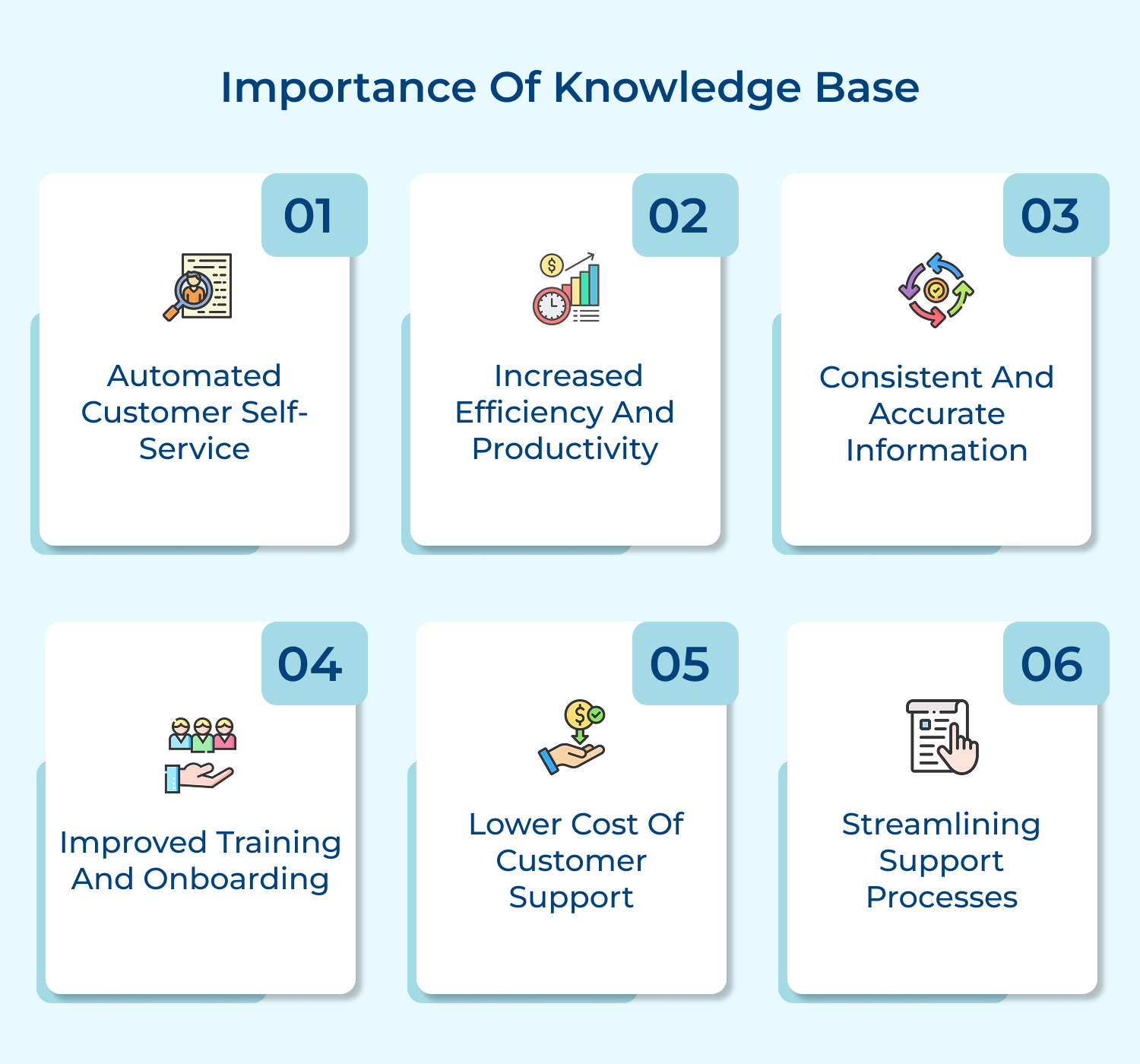
1. Automated Customer Self-Service
A knowledge base allows customers to find answers to their queries independently, saving time for both customers and support teams. Customers appreciate the convenience and autonomy that comes with being able to find solutions on their own.
2. Increased Efficiency and Productivity
For employees, a knowledge base streamlines processes and reduces the time spent searching for information. It serves as a single source of truth, ensuring that accurate and up-to-date information is readily available. This improves productivity and allows employees to focus on more complex tasks.
3. Consistent and Accurate Information
By centralizing information in a knowledge base, organizations can ensure that the provided information is consistent, accurate and aligned with company policies and practices. This reduces confusion, improves user experience, and builds trust with customers.
4. Improved Training and Onboarding
A knowledge base is an invaluable resource for training new employees and onboarding them effectively. It provides a comprehensive repository of resources and materials, allowing new hires to quickly learn about products, services and best practices.
5. Lower Cost of Customer Support
Implementing a knowledge base can reduce support costs by decreasing the number of repetitive customer inquiries. Instead of allocating resources to answer the same questions repeatedly, customer support teams can focus on more complex issues, resulting in greater efficiency and cost savings.
6. Streamlining Support Processes
A robust knowledge base allows customer support teams to provide quick and accurate solutions by centralizing all relevant information in one place. It helps in reducing response times and minimizing the need for repetitive tasks, ultimately leading to improved efficiency.
Whether you’re a small startup or a well-established brand, setting up a comprehensive knowledge base can streamline processes and improve overall customer experience.
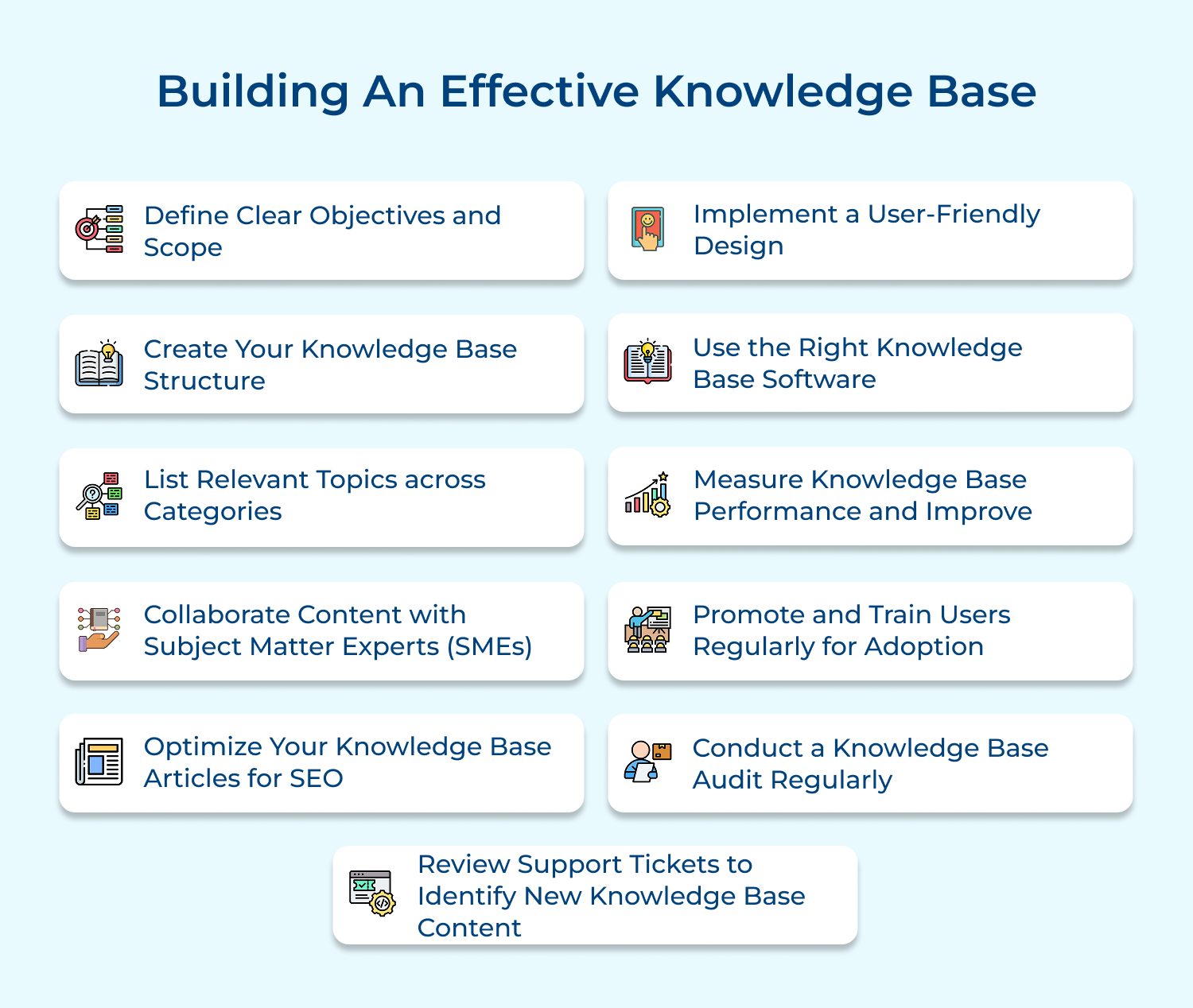
When building a knowledge base, it is essential to define clear objectives to have a clear vision of what you want to achieve. With clear objectives, it is easy to measure the success of your knowledge base or determine if it is meeting its intended purpose.
Setting specific goals and objectives allows you to track progress, make adjustments if needed, and ensure that your knowledge base is aligned with your overall business strategy.
Defining the scope of your knowledge base helps to provide clarity and focus on the information that will be included. It helps to establish boundaries and ensures that only relevant and valuable content is included.
By defining the scope, you can prioritize information that is most important to your target audience. It enhances the user experience and contributes to the overall effectiveness of your knowledge base by ensuring that it provides the right information at the right time.
Best practices:
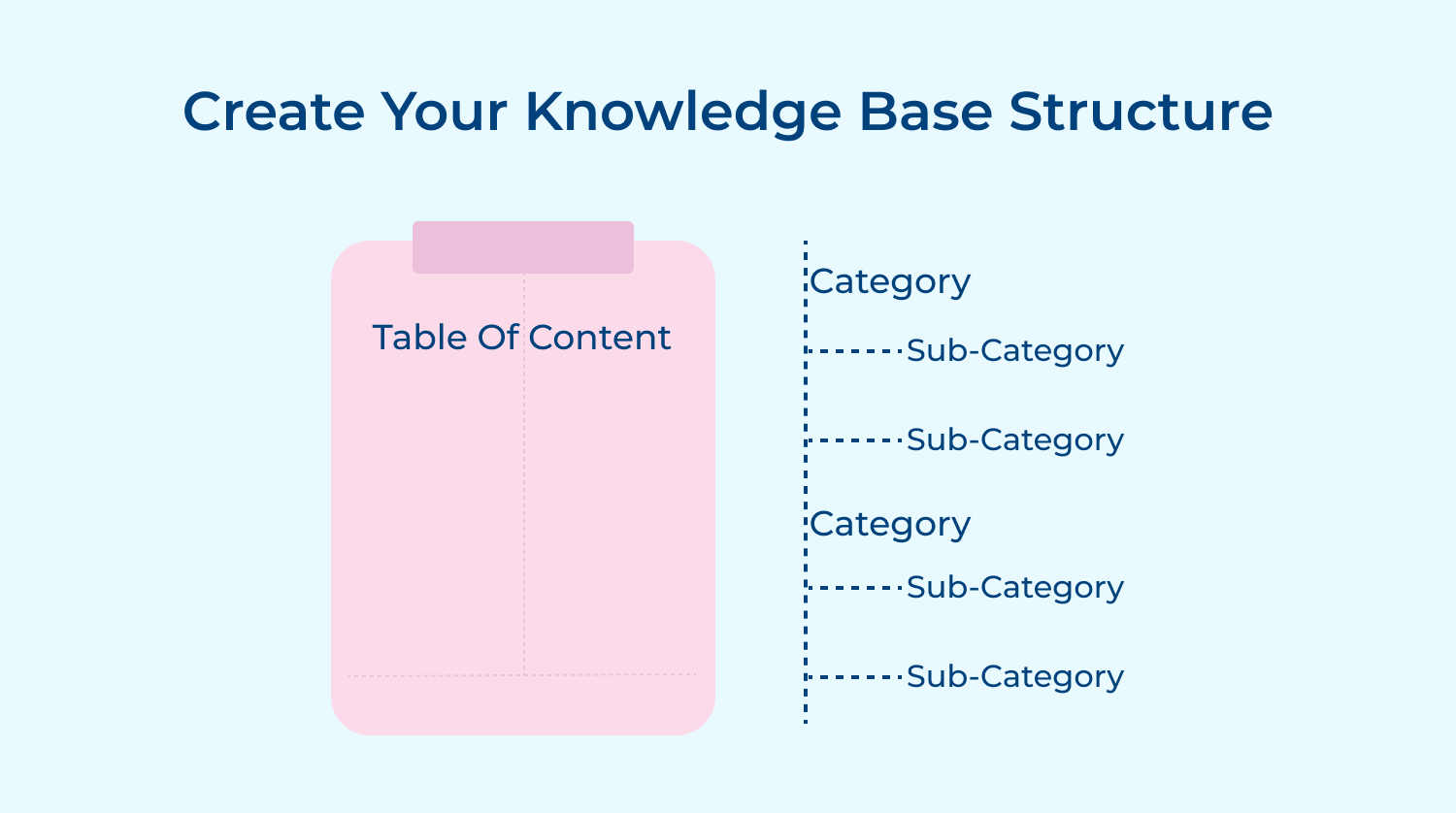
When it comes to building an effective knowledge base, having a well-organized structure is key. A structured knowledge base not only allows for easy navigation and searchability but also ensures that your information is presented in a logical and user-friendly manner.
A knowledge base also allows for better content management. With a clear structure in place, you can easily manage and update your knowledge base content. By assigning ownership of sections or categories to specific team members, you ensure that the information stays up-to-date and accurate.
Best practices:
Categories help to ensure that the knowledge base is well-structured and users can navigate through the knowledge base more efficiently. It eliminates the need for users to scroll through large amounts of irrelevant information, saving them time and improving their overall experience.
Moreover, categorizing topics allows businesses to cover a wide range of subjects and provide comprehensive information in their knowledge base. It helps to build trust and credibility, as users can rely on the knowledge base to provide accurate and relevant information on a variety of topics.
Best practices:
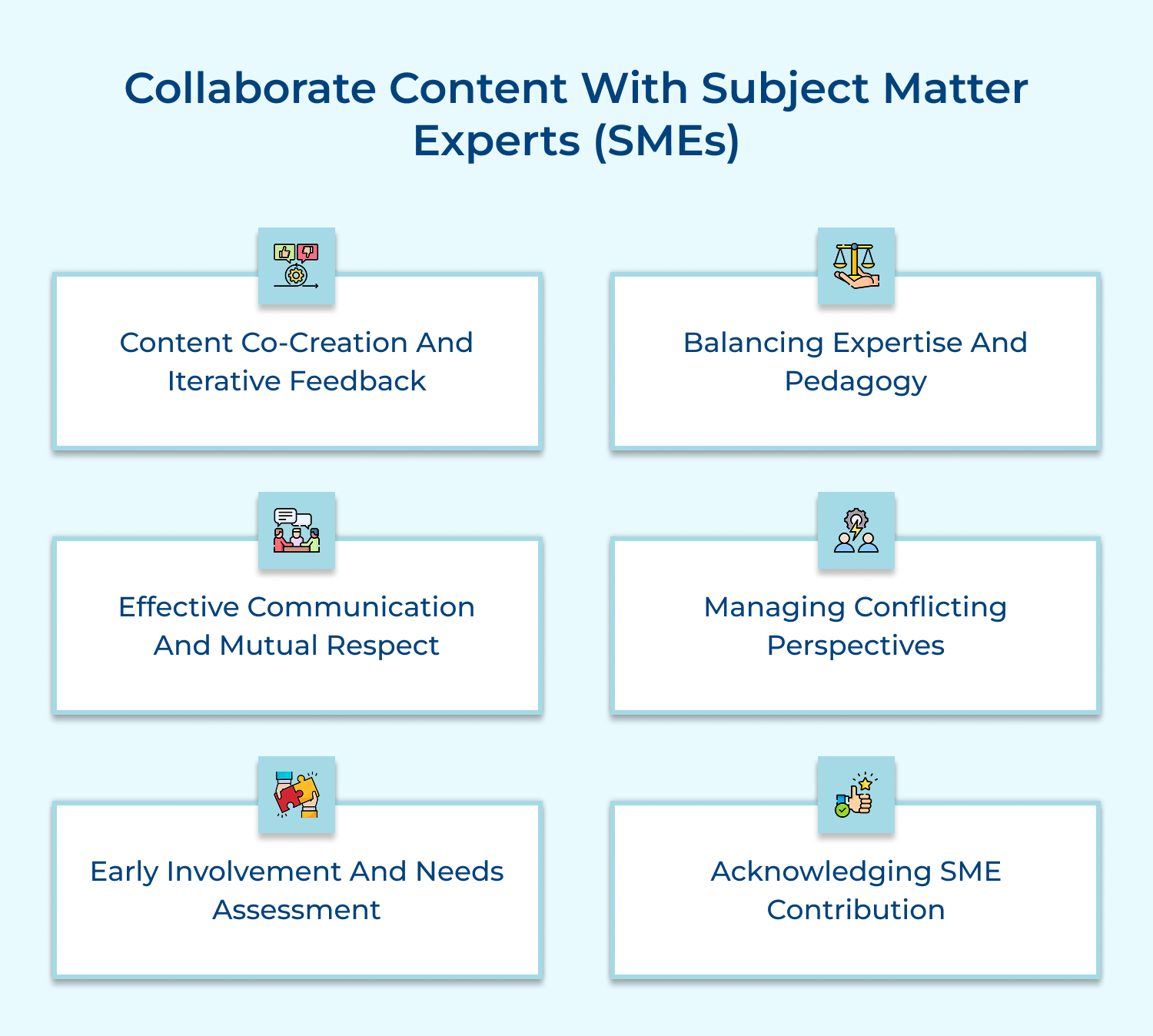
Subject Matter Experts (SMEs) possess deep knowledge and expertise in a particular field/subject. Including SMEs in the content creation process helps to establish credibility and build trust with your audience.
When users come across your knowledge base and see that it has been developed with the input of industry experts, they are more likely to perceive it as a reliable source of information.
SMEs bring a level of authority and expertise that can elevate your content and make it more valuable to your users.
Best practices:
When optimizing your knowledge base articles for SEO, it is important to focus on key elements like keyword research, meta tags, and internal linking. Conducting keyword research will help you identify the specific search terms or queries that your target audience is using.
SEO optimization of your knowledge base articles enables you to provide a better user experience. When customers search for information, they expect to find relevant and comprehensive answers quickly.
Additionally, effective internal linking within your knowledge base can improve SEO by providing search engines with a clear understanding of the structure and depth of your content.
Best practices:
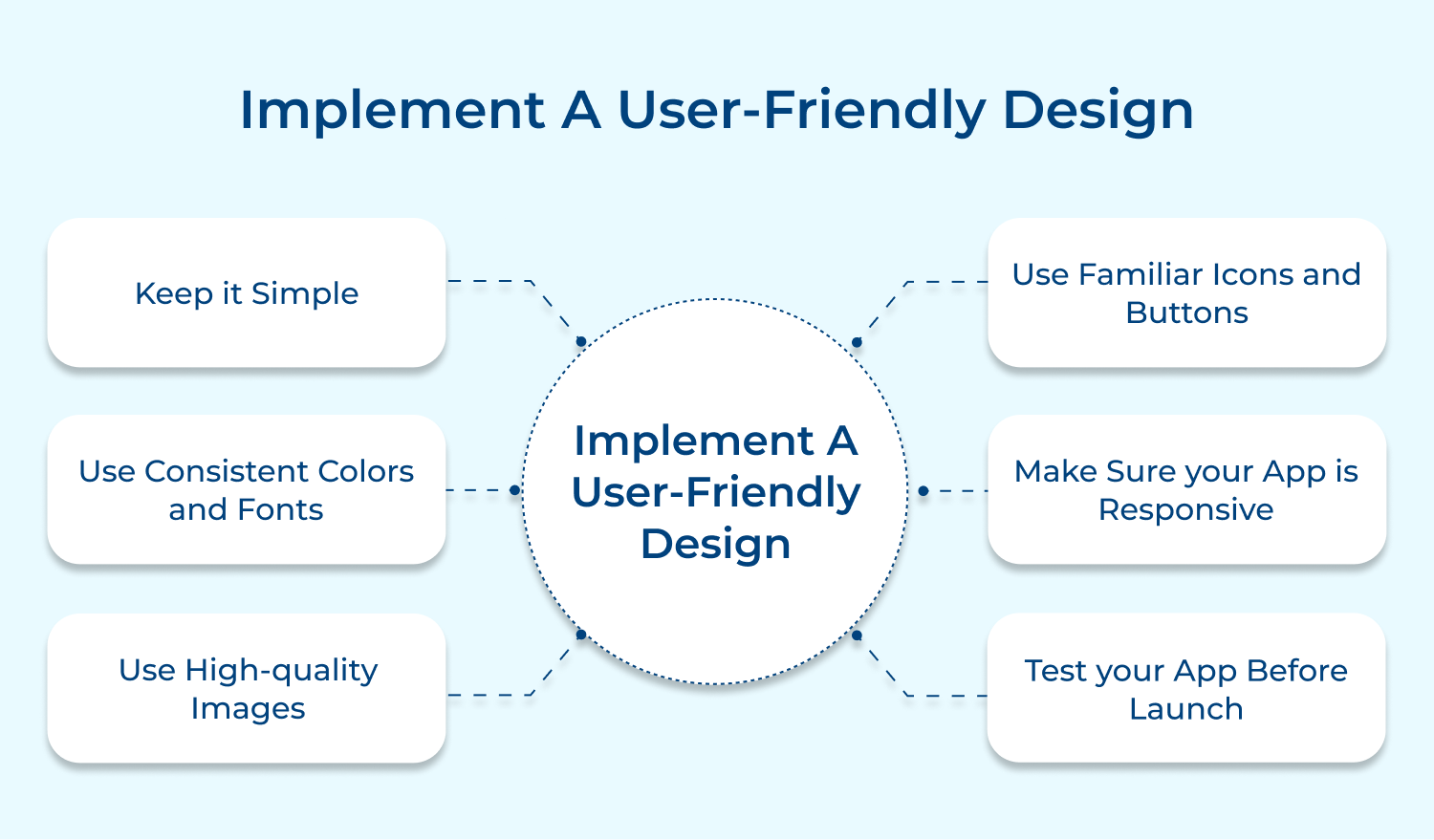
A user-friendly design also helps to establish a positive perception of your brand. When users can easily navigate and access the information they need, it reflects positively on your organization and its commitment to customer satisfaction.
A smooth and intuitive user experience builds trust and credibility, making users more likely to return to your knowledge base for future inquiries.
A well-designed and intuitive interface allows users to quickly locate the information they are looking for and save them time. It also reduces the chances of user frustration and abandonment, ultimately leading to a higher retention rate.
Best practices:
A powerful knowledge base software provides a centralized platform to store and organize relevant information, making it easily accessible to both customers and employees. It allows businesses to create articles, FAQs, tutorials, and other resources in a structured manner, ensuring that users can quickly find the information they need.
With features like search functionality, categorization, and tagging, a knowledge base software streamlines the process of finding relevant information, saving time and increasing productivity.
The knowledge base tool also facilitates collaborative authoring and editing, allowing multiple team members to contribute and update content. It ensures that the knowledge base remains up-to-date and accurate. There is software that can track user engagement and analytics, enabling businesses to identify knowledge gaps and improve their support documentation.
Best practices:
Evaluating the knowledge base performance allows you to gauge the effectiveness of its content and identify areas for improvement.
By tracking metrics such as search success rate, article views, and user feedback, brands can gain insights into what information is successfully meeting customer needs and what may be lacking.
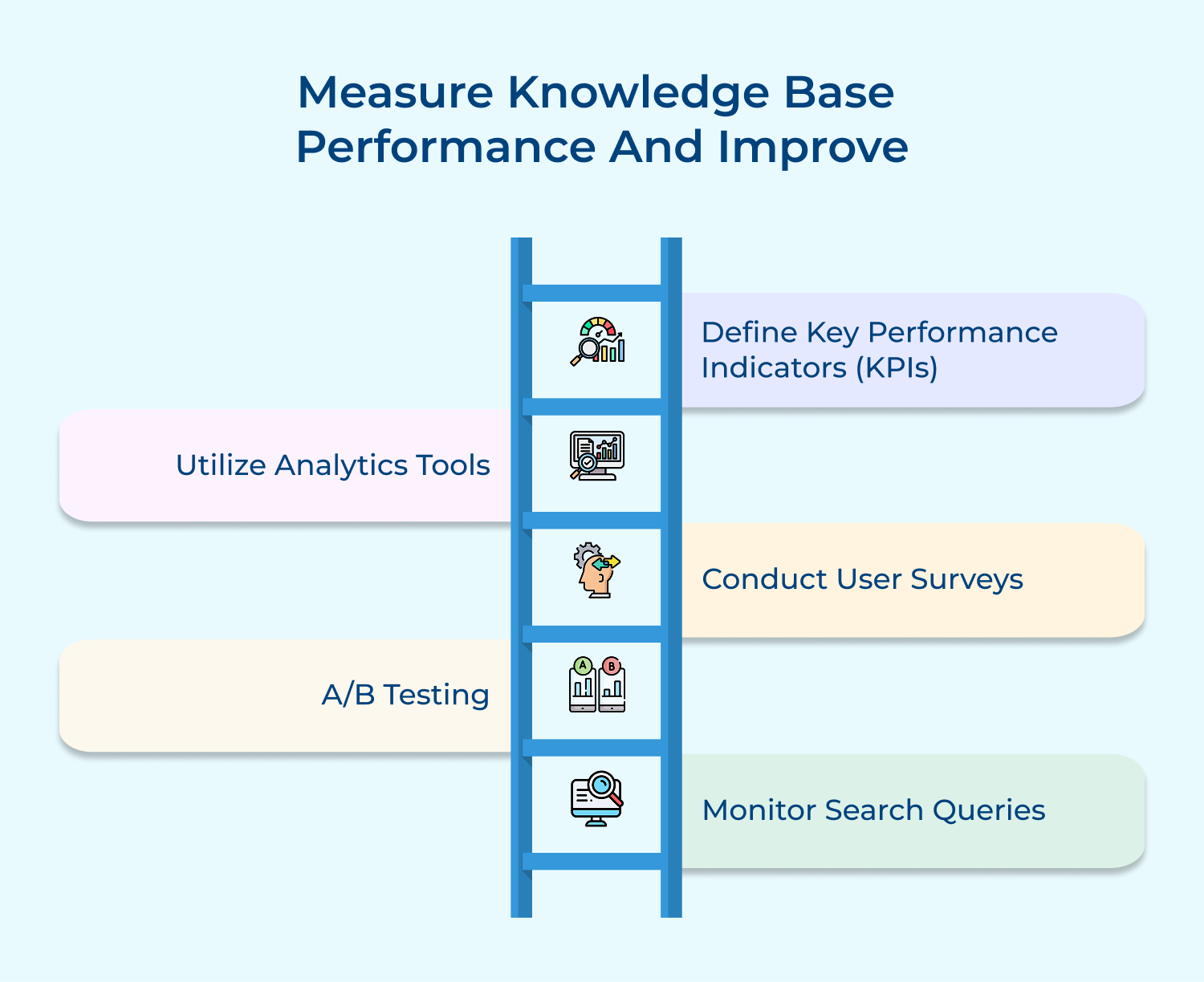
Some of the important metrics to evaluate performance are:
By analyzing user behavior and feedback, companies can identify common pain points or frequently asked questions.
The information can then be used to optimize existing content or create new that addresses these issues. The result is a more streamlined and user-friendly knowledge base that is better equipped to provide quick and accurate solutions to customers, reducing the need for additional support and creating a positive customer experience.
Best practices:
Promoting your knowledge base regularly helps to create awareness among employees about the existence and benefits of the knowledge base. Regular promotion can be done through internal communications, such as email newsletters or company-wide announcements.
Employees are more likely to utilize it in their daily work, improving efficiency and productivity by consistently highlighting the knowledge base’s value.
Users and support agents can be trained through training sessions, tutorials, or online resources. They gain a clear understanding of how to access and utilize the wealth of information available in the knowledge base with comprehensive training. It fosters a culture of learning and self-improvement and ensures that employees have the necessary tools to perform their tasks effectively.
Best practices:
In a dynamic business environment, processes, products, and policies can change frequently. If your knowledge base contains outdated information, it can lead to confusion and frustration among users.
By conducting regular audits, you can correct any outdated or inaccurate content, ensuring that users are accessing the most up-to-date information.
Moreover, a knowledge base audit allows you to identify knowledge gaps, about the addition of new information or certain topics that may become obsolete to your knowledge base. By reviewing the content, structure, and organization of the knowledge base, businesses can identify areas where important information may be missing or where the layout and navigation may not be intuitive.
Best practices:
Support tickets are a valuable source of information as they provide insights into the most common issues and queries faced by customers. By reviewing these tickets, you can identify patterns and trends that can help you determine the topics that need to be addressed in your knowledge base.
Following a proactive approach allows you to anticipate the needs of your users and provide them with the information they need before they even have to submit a support ticket. By reviewing support tickets, you can identify common pain points, so that will help you to create content that specifically addresses those areas.
Best practices:
Managing a powerful knowledge base is essential for businesses to provide efficient customer support and ensure internal knowledge sharing. Here are nine best practices to follow:
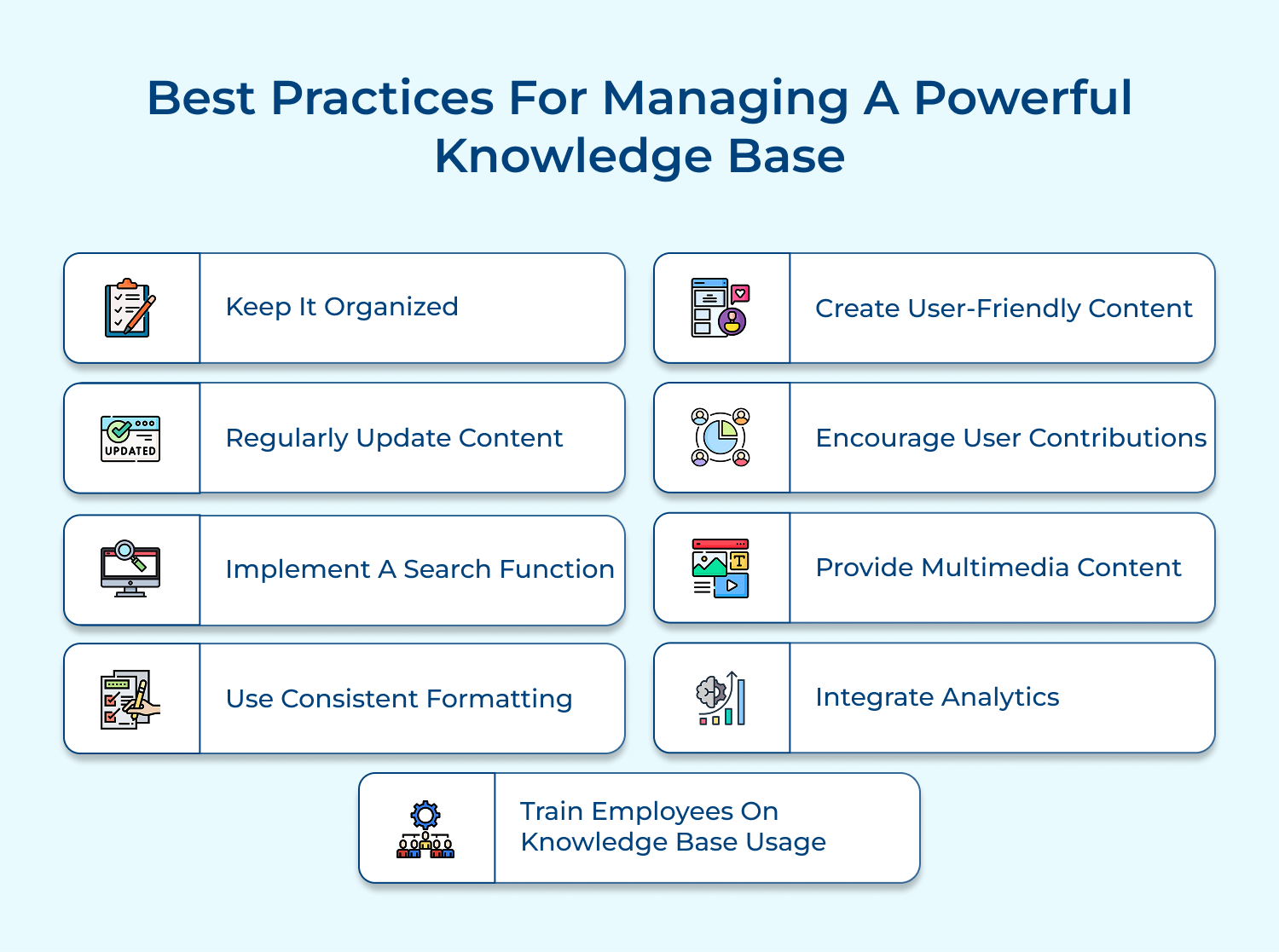
1. Keep it organized: Categorize information into relevant sections, use tags, and establish a clear structure that enables easy navigation.
2. Regularly update content: Ensure that information is accurate, up to date, and relevant by conducting regular audits and encouraging feedback from users.
3. Implement a search function: Include a robust search feature with filters to help users quickly find the information they need, saving time and improving satisfaction.
4. Use consistent formatting: Maintain a consistent style throughout the knowledge base, including headings, fonts, and colors, to enhance readability and visual appeal.
5. Create user-friendly content: Use concise and plain language to explain complex concepts, avoid jargon, and provide step-by-step instructions or FAQs for common issues.
6. Encourage user contributions: Allow users to submit suggestions, corrections, and additional content, fostering a collaborative environment and keeping the knowledge base dynamic.
7. Provide multimedia content: Support different learning styles by incorporating videos, images, screenshots, and diagrams to enhance understanding and engagement.
8. Integrate analytics: Track user behavior, analyze search queries, and identify popular articles to continuously improve the knowledge base and fill any knowledge gaps.
9. Train employees on knowledge base usage: Provide training sessions or resources to ensure that all employees understand how to effectively navigate and utilize the knowledge base in their work.
Building a comprehensive knowledge base is essential for any organization; however, the process of developing a knowledge base can be fraught with challenges.
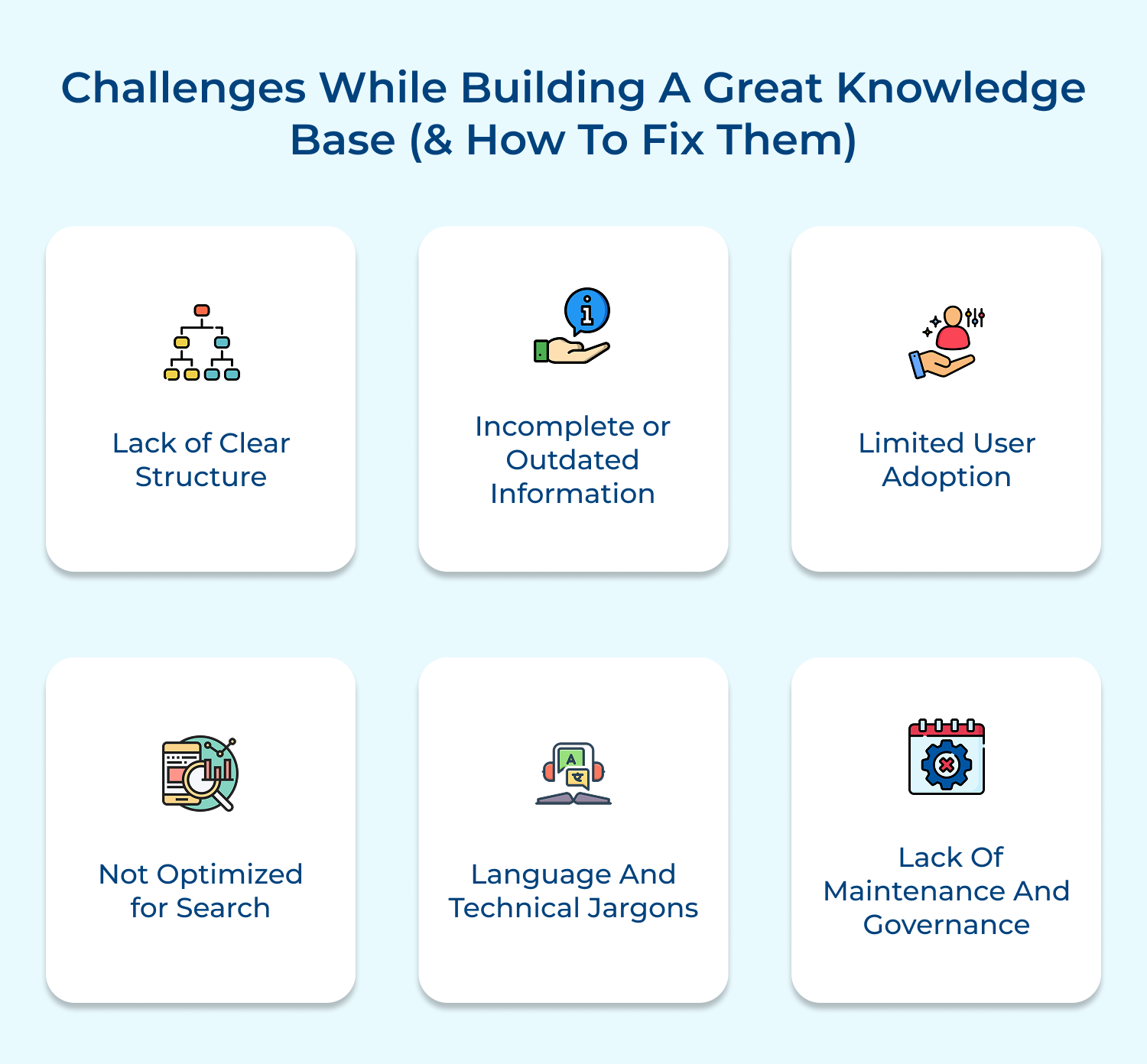
Let’s look at six common challenges faced during the building process and provide solutions to overcome them.
1. Lack of Clear Structure: One of the main challenges in building a knowledge base is organizing information in a structured and easily accessible manner. To overcome this, start by categorizing information into relevant topics and subtopics. Use clear headings, bullet points, and tables to make information more digestible.
2. Incomplete or Outdated Information: Another challenge is ensuring the accuracy and currency of the information in your knowledge base. Regularly review and update the content to reflect any changes or new developments. Encourage knowledge contributors to provide feedback and suggestions for improvement.
3. Limited User Adoption: If employees or customers are not using the knowledge base, it defeats its purpose. To increase user adoption, promote the benefits of the knowledge base and provide training on how to effectively use it. Consider creating interactive tutorials or hosting workshops to familiarize users with the platform.
4. Not Optimized for Search: A knowledge base is only as useful as its search functionality. If users struggle to find relevant information, frustration will ensue. Invest in a robust search engine that allows for advanced filtering and keyword-based searching. Implement tags and metadata to improve search results accuracy.
5. Language and Technical Jargons: When building a knowledge base for a global audience or a diverse user base, ensure that the information is presented in a language that is easily understood. Avoid excessive use of industry jargon and technical terms. Provide glossaries or tooltips to explain complex terminology.
6. Lack of Maintenance and Governance: Building a knowledge base is not a one-time effort; it requires ongoing maintenance and governance. Assign dedicated individuals or a team responsible for regularly reviewing and updating content. Implement a feedback system to capture user suggestions and ensure continuous improvement.
Building a powerful knowledge base is essential for customer support automation as it helps streamline the support process and provide prompt and accurate solutions to customer queries. It also plays a crucial role in enhancing the overall customer experience by ensuring consistent and reliable support across various communication channels.

How do I create a knowledge base?
To create a knowledge base, start by identifying the key topics and information your audience needs. Then, organize the content into categories and subcategories. Create informative and easy-to-understand articles and FAQs, and consider multimedia elements like videos and images. Choose a suitable platform or software to host and manage your knowledge base.
Why is creating and managing a knowledge base important?
Creating and managing a knowledge base is important because it provides a convenient and accessible source of information for customers. It reduces the need for repetitive support queries, empowers users to find solutions on their own, and improves customer satisfaction and loyalty.
What are the key elements of a knowledge base?
A knowledge base should have a user-friendly interface, well-structured categories, comprehensive search functionality, regularly updated articles, FAQs, tutorials, troubleshooting guides, and clear instructions. It should also include multimedia elements like videos and images for better understanding.
Why should I encourage user contributions to the knowledge base?
Encouraging user contributions to the knowledge base helps improve its quality and accuracy. Users can provide feedback, suggest improvements, or submit their own articles and solutions. This creates a sense of community and enhances collaboration, making the knowledge base more robust and valuable.
How can I promote my knowledge base to ensure user engagement?
Promote your knowledge base through various channels, such as your website, emails, social media, and support portals. Provide links to relevant articles within your product or service interfaces. Encourage user feedback and suggestions to continuously improve the knowledge base.
 https://omni24.io/wp-content/uploads/2026/08/AI-Customer-Service-Agents.png
1256
2400
Webvision Solution
https://omni24.io/wp-content/uploads/2023/04/Omni-Logo-1.svg
Webvision Solution2026-09-21 04:48:512026-09-21 04:48:51How to Build an AI Customer Service Agents: 8 Key Steps
https://omni24.io/wp-content/uploads/2026/08/AI-Customer-Service-Agents.png
1256
2400
Webvision Solution
https://omni24.io/wp-content/uploads/2023/04/Omni-Logo-1.svg
Webvision Solution2026-09-21 04:48:512026-09-21 04:48:51How to Build an AI Customer Service Agents: 8 Key Steps https://omni24.io/wp-content/uploads/2026/08/Omnichannel-Conversational-AI.png
1256
2400
Tushar Joshi
https://omni24.io/wp-content/uploads/2023/04/Omni-Logo-1.svg
Tushar Joshi2026-09-16 03:51:072026-09-16 03:51:07How to Build Omnichannel Conversational AI Strategy
https://omni24.io/wp-content/uploads/2026/08/Omnichannel-Conversational-AI.png
1256
2400
Tushar Joshi
https://omni24.io/wp-content/uploads/2023/04/Omni-Logo-1.svg
Tushar Joshi2026-09-16 03:51:072026-09-16 03:51:07How to Build Omnichannel Conversational AI Strategy https://omni24.io/wp-content/uploads/2026/08/Customer-Service-Teams.png
1256
2400
Tushar Joshi
https://omni24.io/wp-content/uploads/2023/04/Omni-Logo-1.svg
Tushar Joshi2026-09-15 04:01:522026-09-15 04:02:16How to Build Customer Service Teams: 6 Key Steps
https://omni24.io/wp-content/uploads/2026/08/Customer-Service-Teams.png
1256
2400
Tushar Joshi
https://omni24.io/wp-content/uploads/2023/04/Omni-Logo-1.svg
Tushar Joshi2026-09-15 04:01:522026-09-15 04:02:16How to Build Customer Service Teams: 6 Key Steps
Whether it’s about acquire, engage or support – Omni24 covers all your customer engagement needs in one complete platform.

Copyright ©2026 Veemo All rights reserved.
CA, Los Angeles, Hall Ave, 19011