9 Best Business Messaging Apps & Software For Your Business
Explore the top business messaging software for small companies and enterprises. The one-stop sales, support and marketing under one platform.


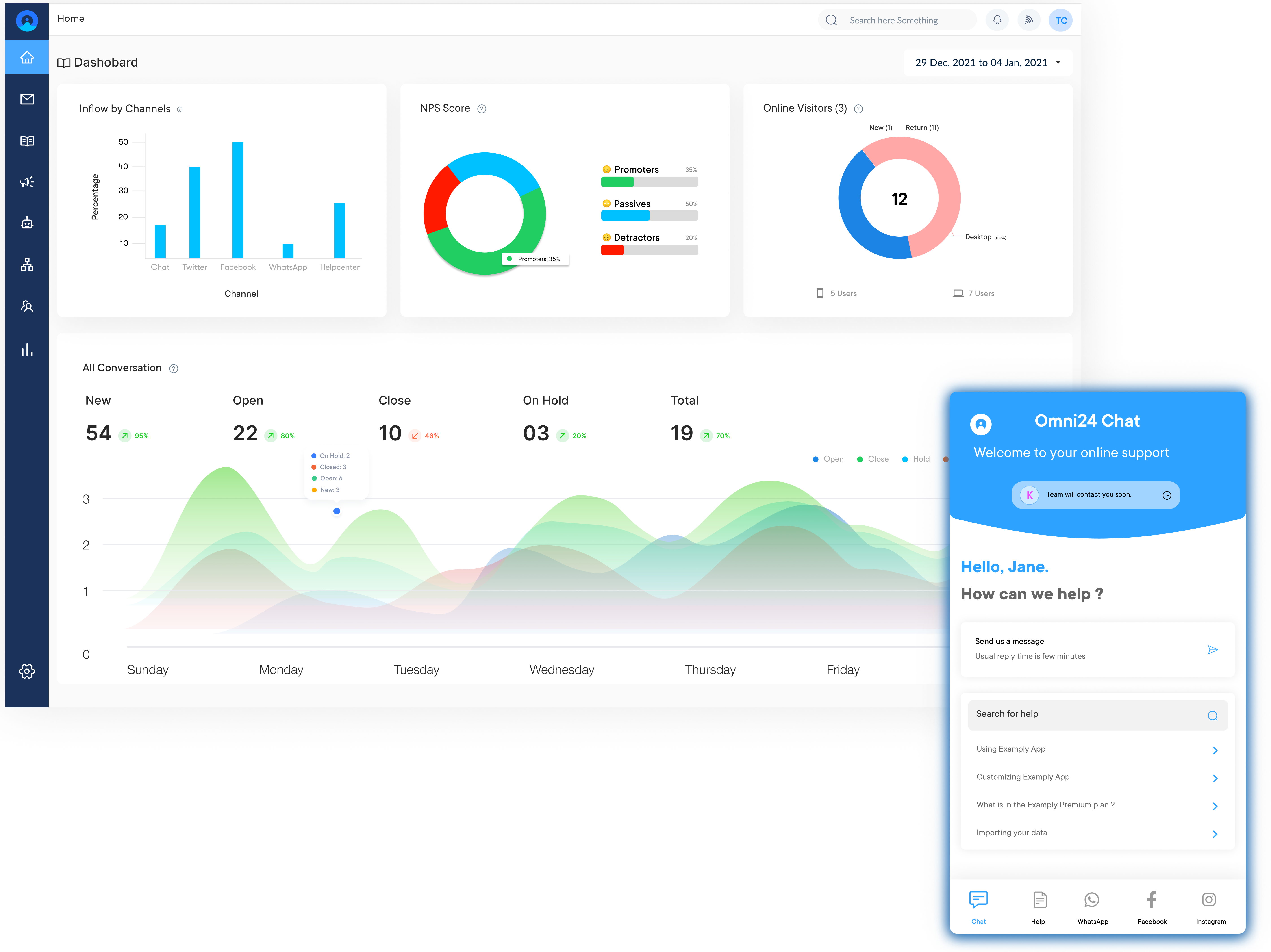
Explore the top business messaging software for small companies and enterprises. The one-stop sales, support and marketing under one platform.
Collaborate with clients and address their service or sales requests by using an excellent business messaging software.
Provide the ease of communication with business messaging software. It allows customers to submit requests around the clock without waiting for an agent to be ready.
Empowers customers to reach out to businesses through their preferred channels. It allows them to respond to conversations at their own pace.
Manage multiple customer service conversations at different stages of the journey. The multitasking ability speeds up the response time and improves efficiency.
Improve customers’ knowledge about products through instant messaging. Send a message while users are browsing a product on your website and provide personalized experiences.
Customers who ping you on live chat, email and social media without any accountability leading to revenue loss. Business messaging apps consolidate real-time communication across internal teams and external touchpoints into a unified workspace.
Businesses that centralize communication report faster response times, higher customer satisfaction scores and significant reductions in agent effort. Compare the best business messaging apps based on types, benefits, features and buying criteria to confidently select the right solution for your team.
Business messaging apps refer to communication tools that enable real-time messaging, collaboration and file sharing within teams or with external stakeholders. They aim to streamline communication, boost productivity and facilitate seamless exchange of information.
The platforms often integrate with other business software, enabling seamless workflow management and information sharing. By centralizing communication and reducing email dependency, business messaging apps increases productivity, enhance team collaboration and streamline project coordination.
Key objectives:
The right app can make or break how quickly your team responds to customers. Below are a comparison of top options to help you find one that fits your workflow.
| Software | Key Features | Price | Trial |
|---|---|---|---|
| Omni24 |
|
$29/user/month | 14 days |
| Veemo Chat |
|
$29/user/month | 14 days |
| Microsoft Teams |
|
$4/user/month | 1 month |
| Google Chat |
|
Free (with Workspace) | N/A |
| ClickUp |
|
Free plan available $7/user/month |
Available |
| Zoho Cliq |
|
Free plan available $1/user/month |
14 days |
| RingCentral Team Messaging |
|
$20/user/month | 14 days |
| Dialpad |
|
$15/agent/month | 14 days |
| Slack |
|
$7.25/user/month | 90 days |
Choosing the right business messaging platform is crucial for streamlining communication, enhancing collaboration and improving overall productivity within your organization.
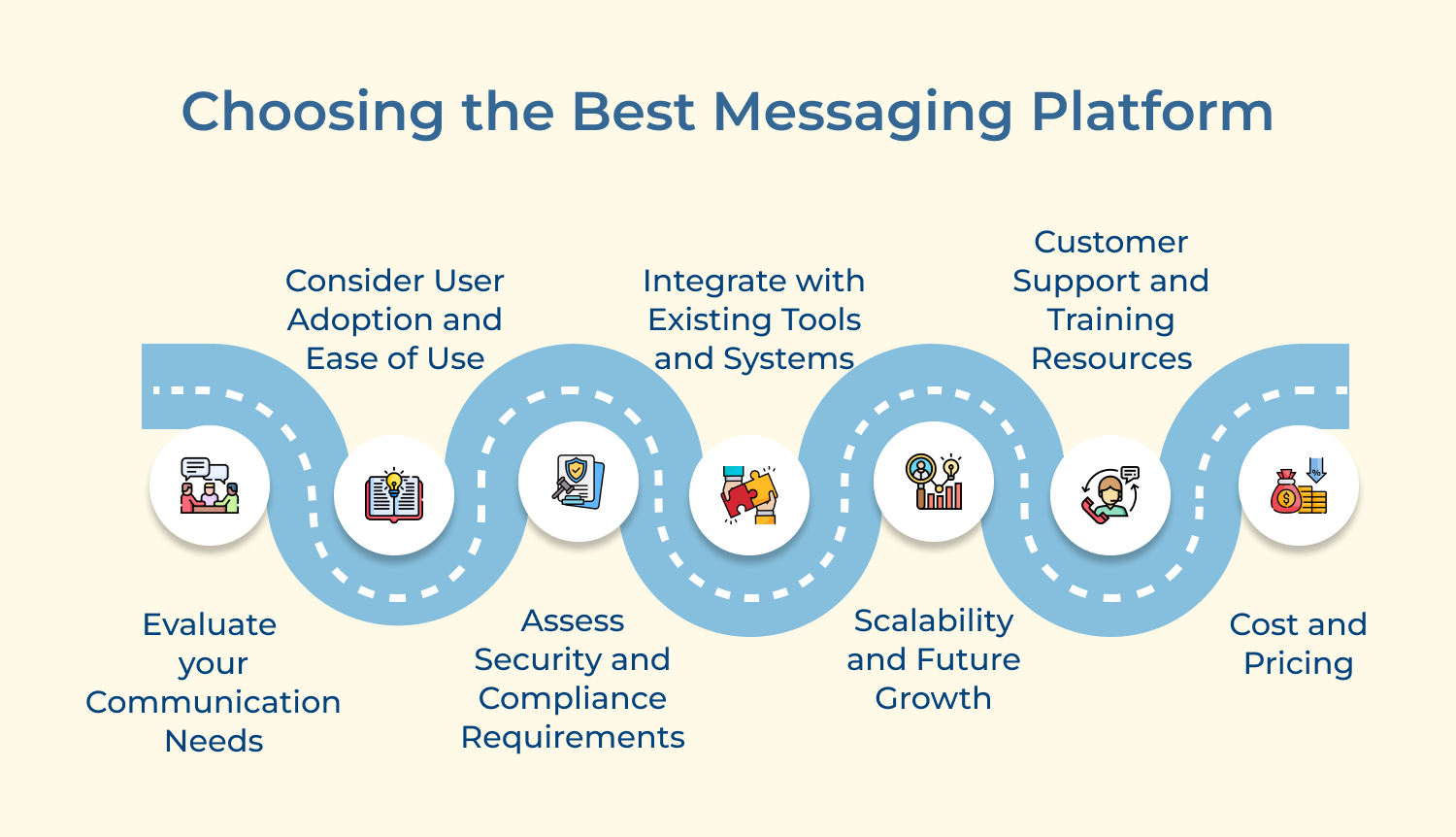
1. Evaluate your communication needs: Identify the primary use cases for messaging, such as team collaboration, customer support or a combination of these. Thereafter, determine whether you require additional features such as video conferencing, file sharing, or integrations with other business tools.
2. Consider user adoption and ease of use: Choose a business messaging platform with an intuitive and user-friendly interface to encourage adoption. Evaluate the platform’s mobile app compatibility to ensure seamless communication. Check if the platform offers customization options to align with workflow preferences.
3. Assess security and compliance requirements: Prioritize platforms with robust security features like end-to-end encryption, two-factor authentication and data control measures. Ensure the platform complies with relevant data privacy laws applicable to your business.
4. Integrate with existing tools and systems: Evaluate the platform’s ability to integrate with your current software ecosystem, such as customer relationship management (CRM) systems and productivity suites. Seamless integration can streamline workflows and eliminate data silos or manual data entry.
5. Scalability and future growth: Consider a platform that can accommodate your business’s growth and evolving needs. Look for platforms that offer flexible pricing plans and the ability to add or remove users as your team expands or contracts.
6. Customer support and training resources: Assess the level of customer support provided by the platform vendor, including availability of online resources and training materials. Reliable support ensures a smooth onboarding process and ongoing assistance as needed.
7. Cost and pricing: Evaluate the pricing models offered by different platforms, considering factors like the number of users, required features and potential add-ons. Compare the costs against your budget and the potential return on investment (ROI) in terms of increased collaboration.
Messaging software for business can be categorized into different types based on their features and intended use cases.
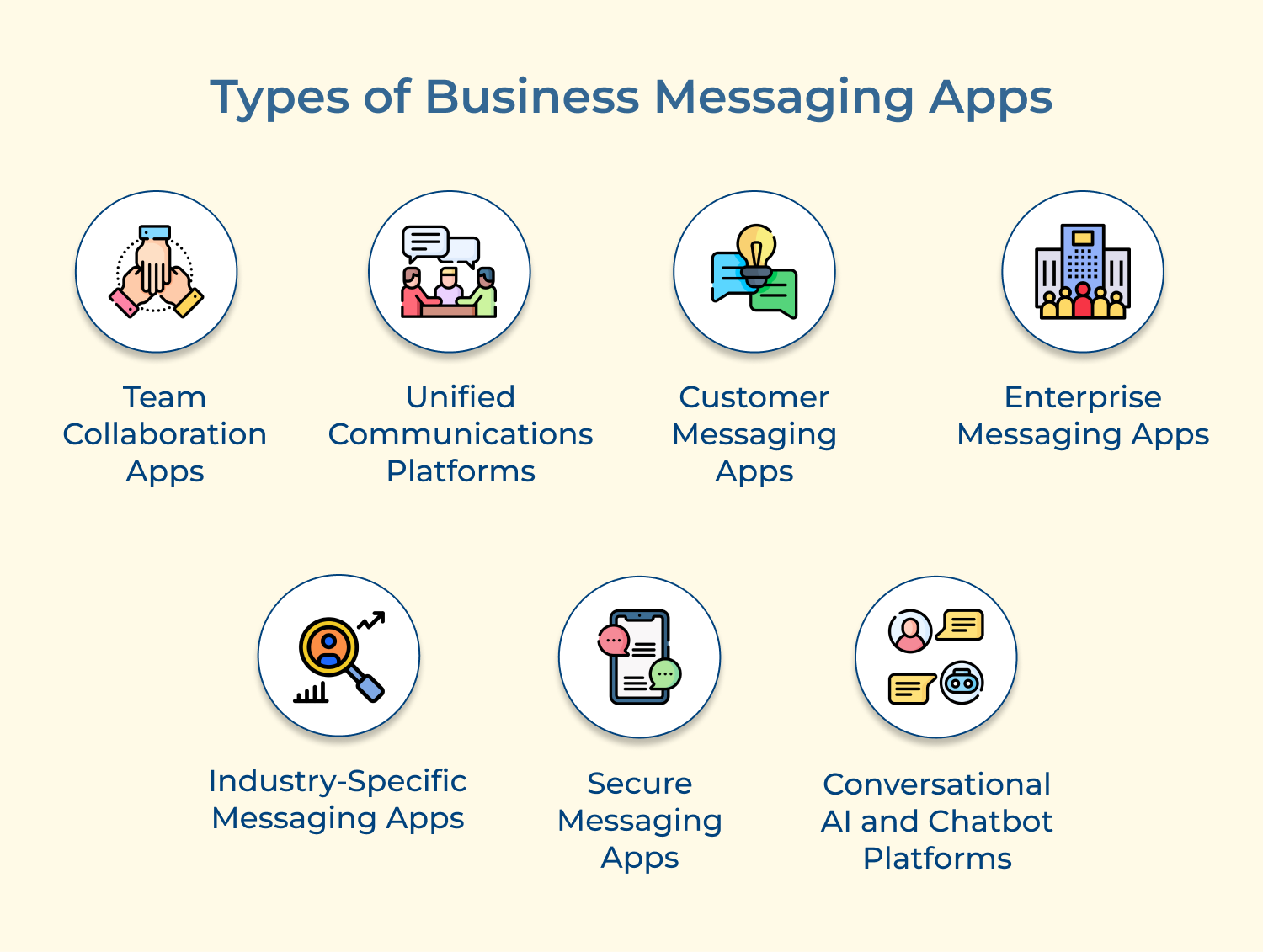
Team Collaboration Apps
Business messaging apps are designed for internal communication and collaboration within teams or organizations. For examples include Slack, Microsoft Teams, Google Chat and Flock.
Unified Communications Platforms
The instant messaging apps combine various communication channels like messaging, video conferencing and voice calling into a single platform. Some examples include Zoom, Cisco Webex Teams, RingCentral and 8×8 Work.
Customer Messaging Apps
The application facilitates real-time communication between businesses and their customers for support, sales, or engagement purposes. Some examples include Intercom, Drift, Crisp, and Zendesk Chat.
Enterprise Messaging Apps
These messaging apps are tailored for large enterprises and offer advanced features like compliance, security & integration with other enterprise systems. Some examples include Symphony, Cisco Jabber and Flock.
Industry-Specific Messaging Apps
Using messaging apps for business cater to specific industries or use cases, such as healthcare, logistics, or field services. Few examples include TigerConnect (healthcare), Crew (construction) and Vector (logistics).
Secure Messaging Apps
Business messaging apps prioritize end-to-end encryption and security features for sensitive communications within organizations or between businesses & clients. Some examples include Signal, WhatsApp for Business and Wickr.
Conversational AI and Chatbot Platforms
Leveraging messaging apps for business enable them to build chatbots for automated messaging and customer interactions. Some examples include Dialog Flow, Amazon Lex and IBM Watson Assistant.
Effective communication and collaboration have become paramount for organizational success. Business messaging apps have emerged as powerful tools, enabling seamless real-time interactions.
Best for project management, team collaboration & instant messaging
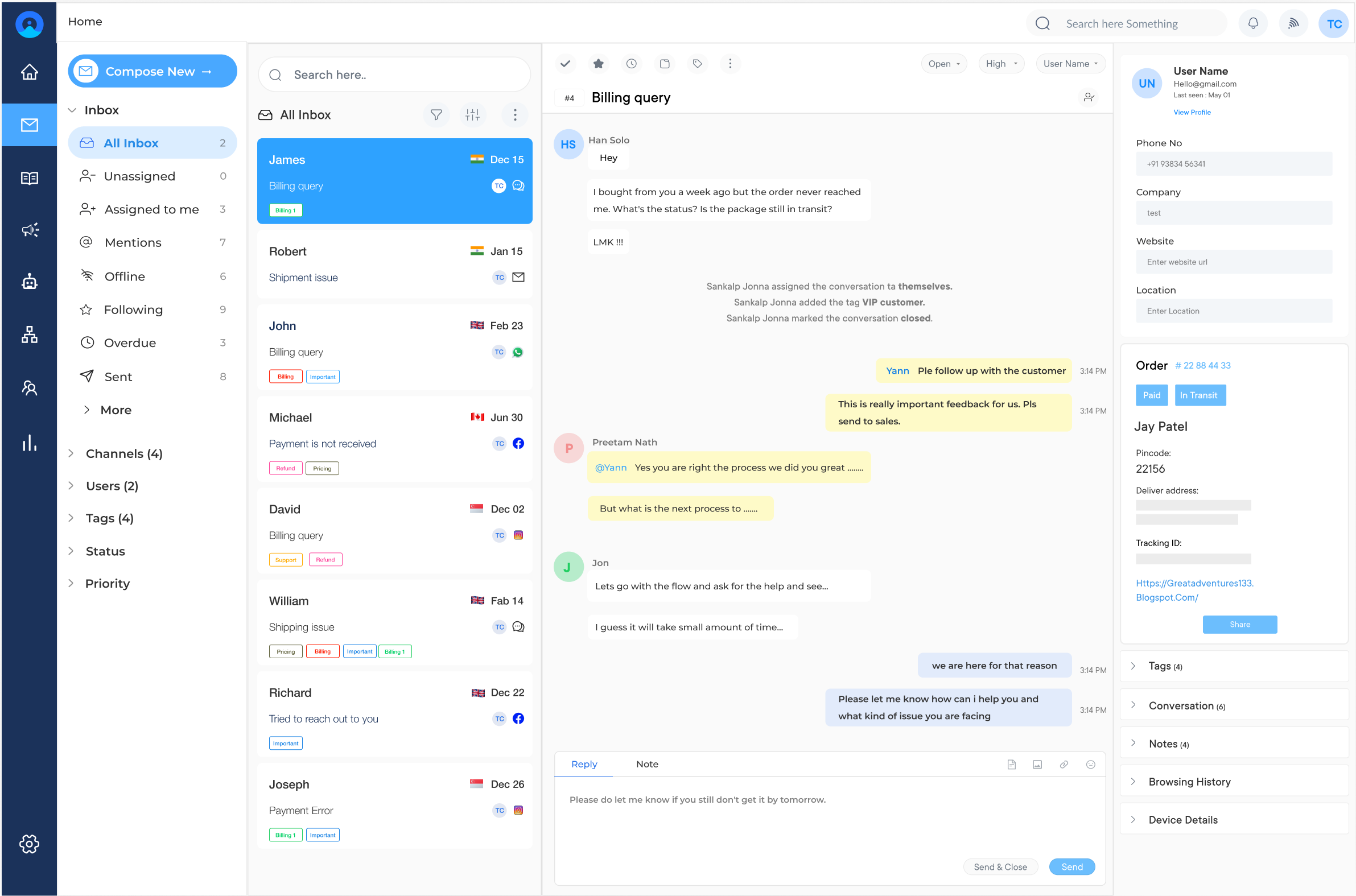
Omni24 is an omnichannel customer engagement platform that unifies support, sales and marketing under one interface. It centralizes conversations in one place combining with AI and automation across the entire journey for a seamless customer experience.
Omni24 lets teams communicate with customers across email, live chat, chatbot and social media without switching between disconnected tools. Support agents, sales reps and marketers all can communicate with customers from the same shared inbox. It maintains real-time customer context for each conversation regardless of the agent responding.
Key features:
Pricing: The pricing starts from $29/user/month with one inbox feature to unlimited inbox for $149/user/month. The pricing depends on factors like the number of users, the level of features required and the scale of customer support operations. Omni24 also offers a 14-day free trial for businesses to explore its features. Check out their pricing for more detailed comparison.
Top business communication and customer experience solution
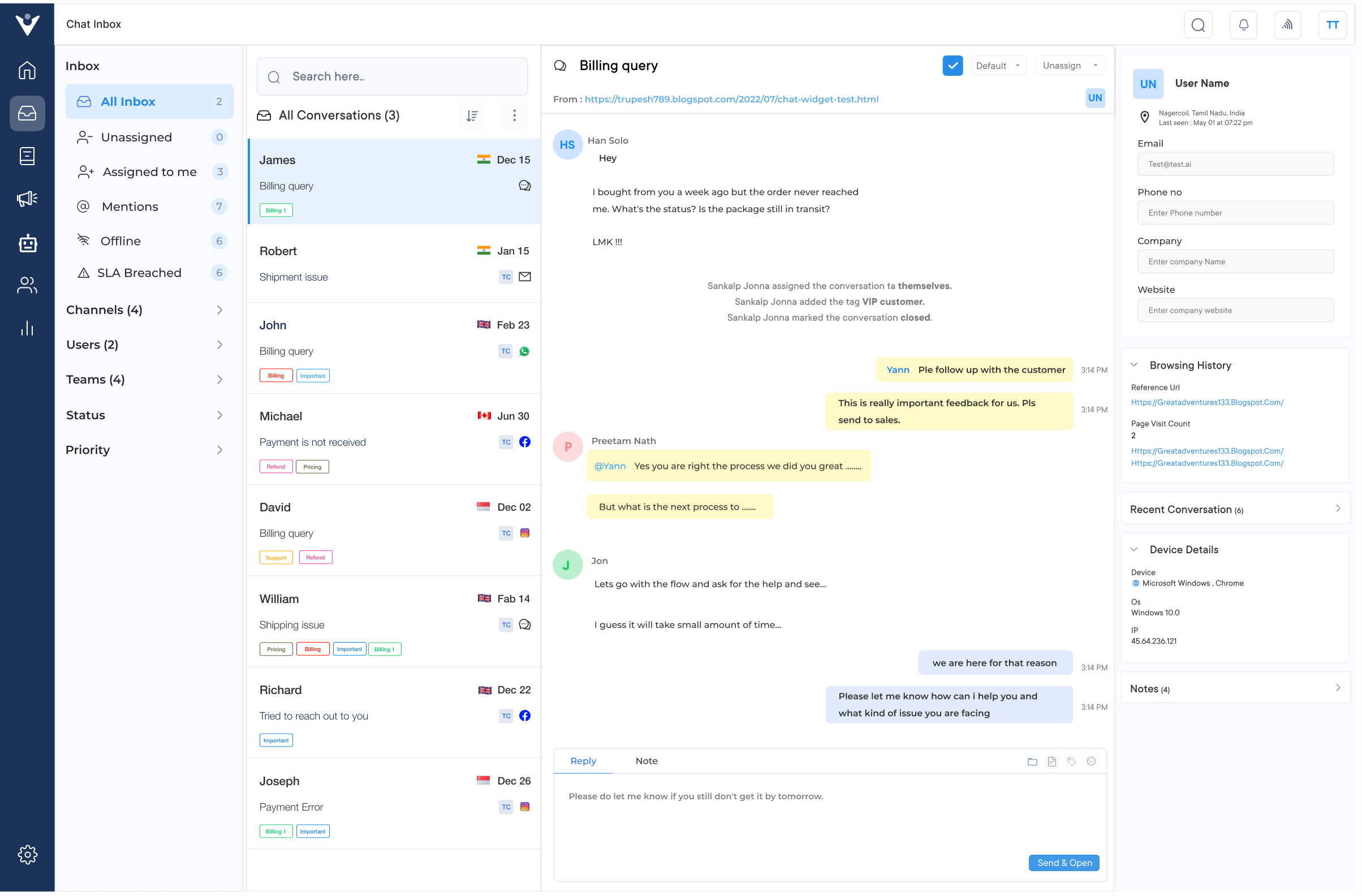
Veemo Chat is an omnichannel business messaging software that helps in seamless communication with their customers in real-time, providing a customer service experience. The software is a part of Veemo’s customer engagement suite of products designed to streamline and enhance various aspects of business operations.
Businesses rely on Veemo Chat to handle rising message volume as AI-powered chatbots absorb repetitive queries while agents focus on complex conversations. Its advanced analytics further reveal which channels drive most engagement, helping teams refine messaging strategy instead of guesswork.
Key Features:
Pricing: Veemo Chat’s pricing plans start from $29/user/month and go up to $129/user/month based on the features. The software pricing is also customizable as per business requirements. It also offers a 14-Day free trial. Checkout their pricing plans for a more detailed comparison.
Excellent collaboration features and seamless integration
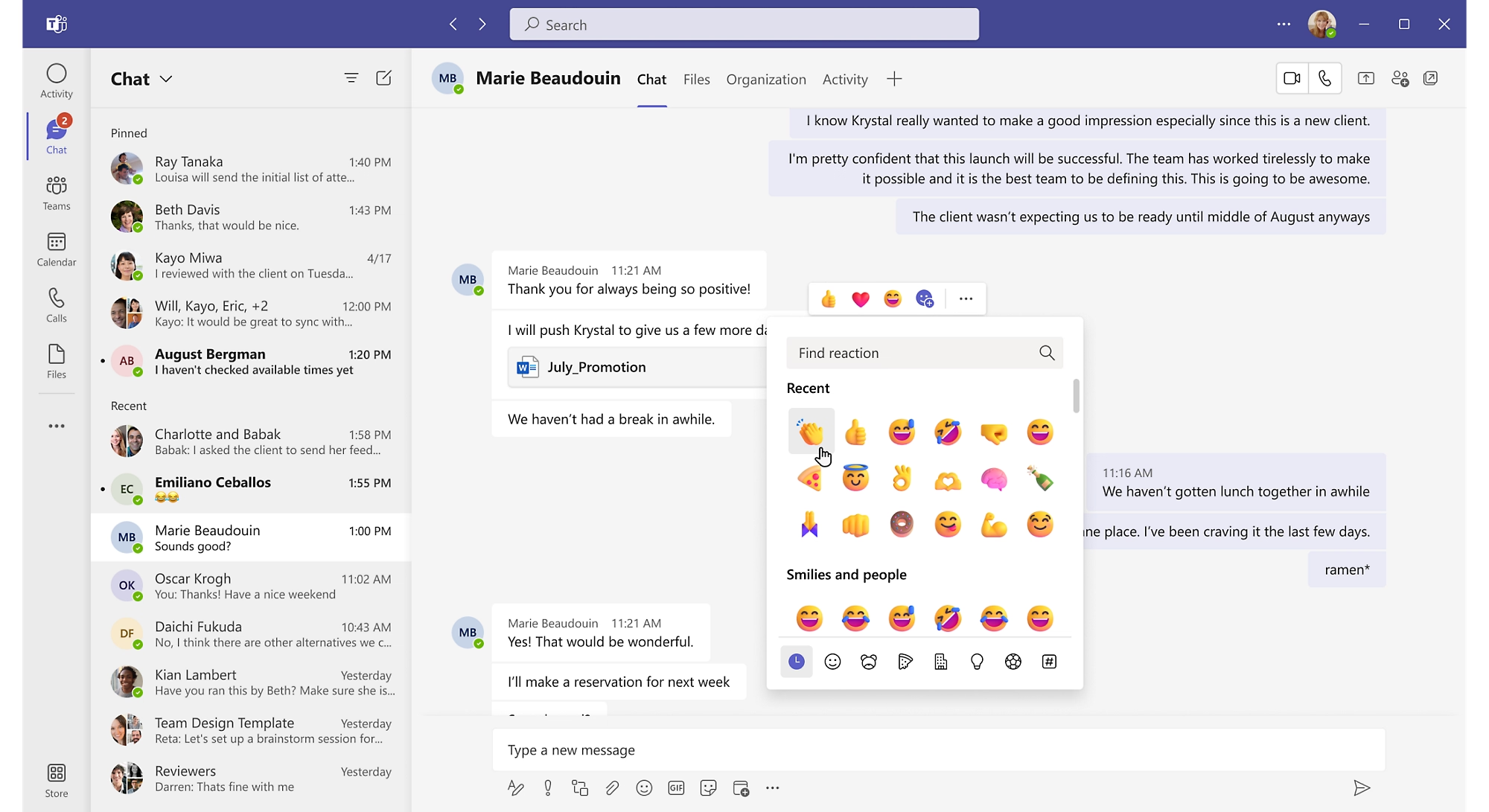
As part of the Microsoft 365 suite, Microsoft Teams is a live chat app that has emerged as a compelling choice for businesses deeply invested in the Microsoft ecosystem. It offer features such as collaboration, including video conferencing, file sharing, and real-time co-authoring. Seamless integration enabling efficient document collaboration.
Pricing: Microsoft Teams is included in various Microsoft 365 subscriptions with prices starting at $5 per user per month for the Business Basic plan and scaling up to $20 per user per month for the Enterprise E3 plan.
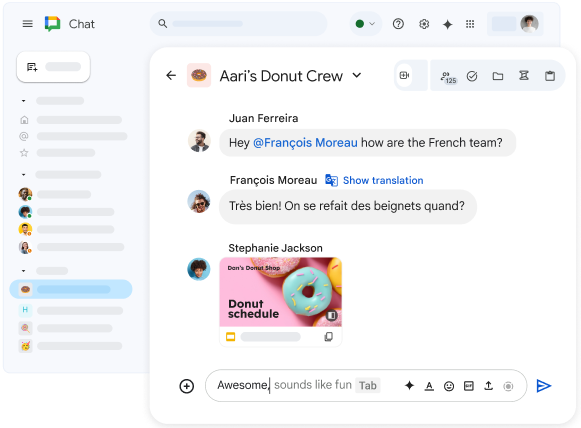
Google Chat, formerly known as Hangouts Chat, is a robust customer messaging platform from Google designed to work seamlessly with other G Suite (now Google Workspace) apps. Its tight integration with Gmail, Google Drive and Google Docs makes it an attractive choice for businesses already leveraging Google’s ecosystem. The platform offers seamless file sharing and collaboration directly from Google Drive.
Pricing: Google Chat is included in the Google Workspace subscription plans, which start at $6 per user per month for the Business Starter plan and go up to $18 per user per month for the Enterprise Plus plan.
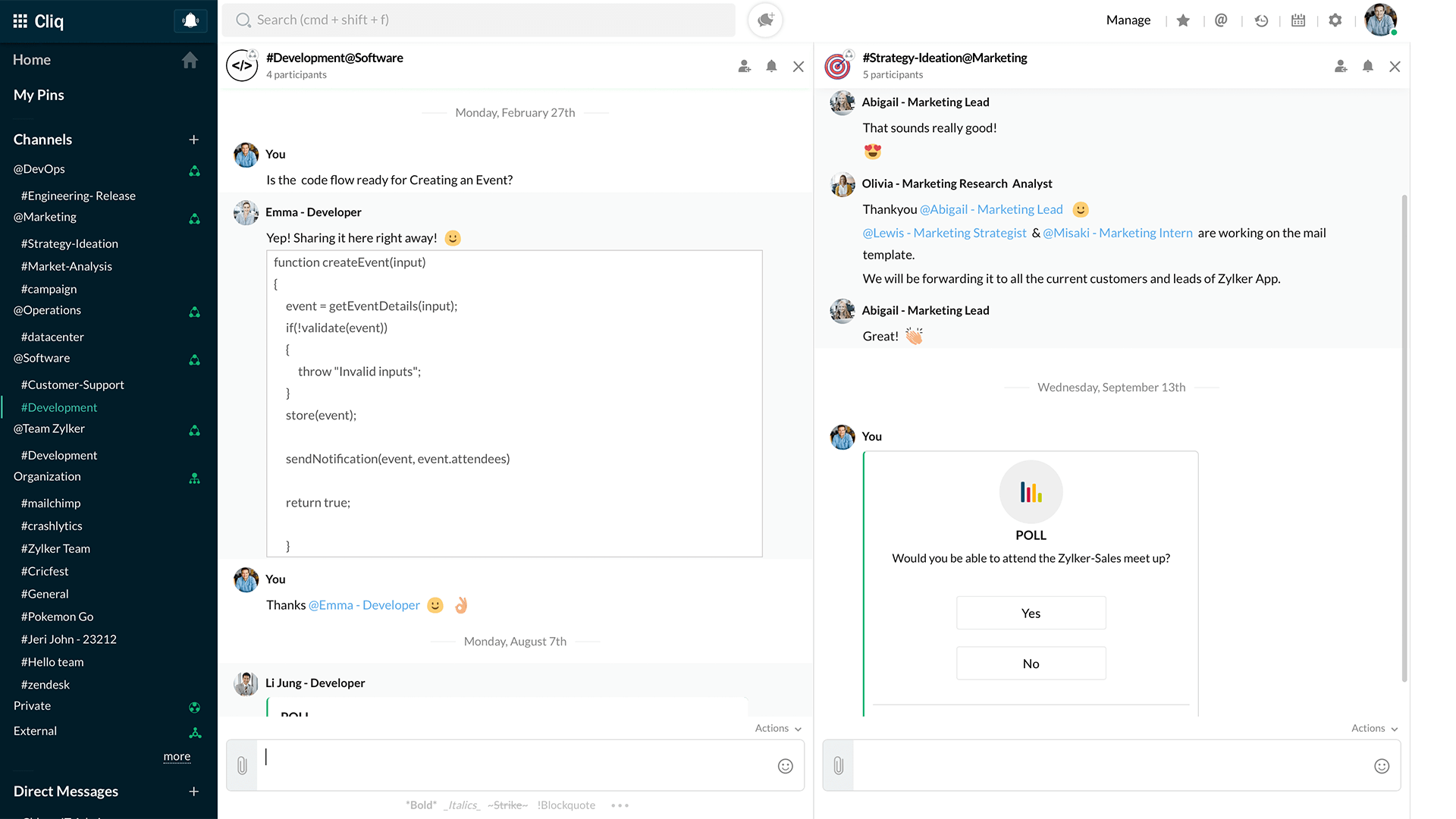
Zoho Cliq is a part of the Zoho suite of business applications, making it an excellent choice for organizations already utilizing other Zoho products. Its seamless integration with Zoho’s ecosystem creates a cohesive and efficient workflow experience. Multiple channels are provided for focused communication and collaboration.
Pricing: Zoho Cliq is available as a part of the Zoho Workplace suite, which starts at $3 per user per month for the Standard plan and goes up to $6 per user per month for the Professional plan, offering additional storage and user management features.
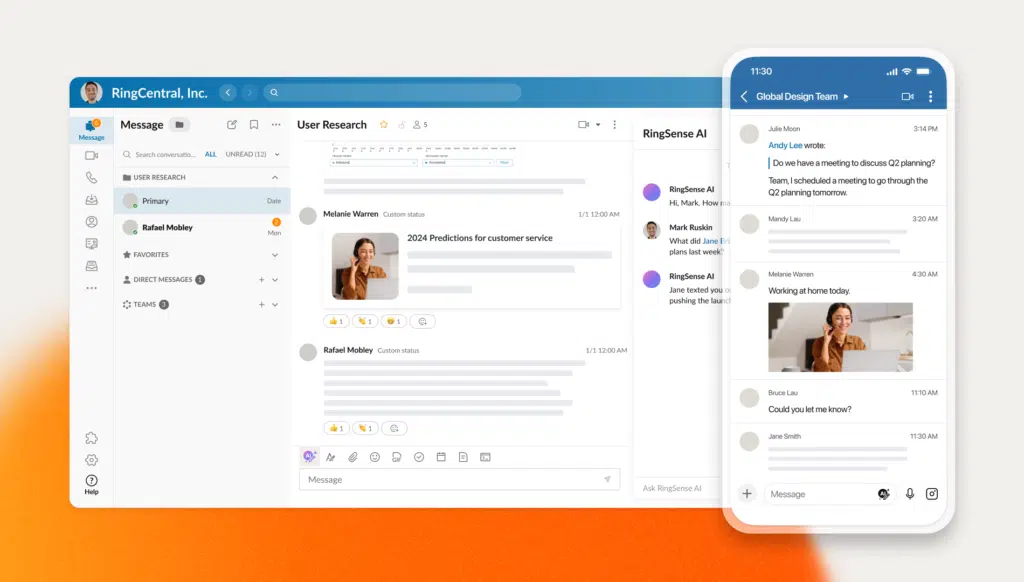
RingCentral is a leading provider of cloud-based unified communications solutions and its Team Messaging offering is a powerful addition to its portfolio. The tool is designed for businesses seeking a comprehensive customer communication platform. RingCentral Team Messaging seamlessly integrates with other RingCentral services, such as video meetings and VoIP phone systems.
Pricing: RingCentral Team Messaging is available as part of the RingCentral Office suite with pricing starting at $19.99/user/month for the Essentials plan and scaling up to $49.99 per user per month for the Ultimate plan, which includes advanced call management and analytics features.
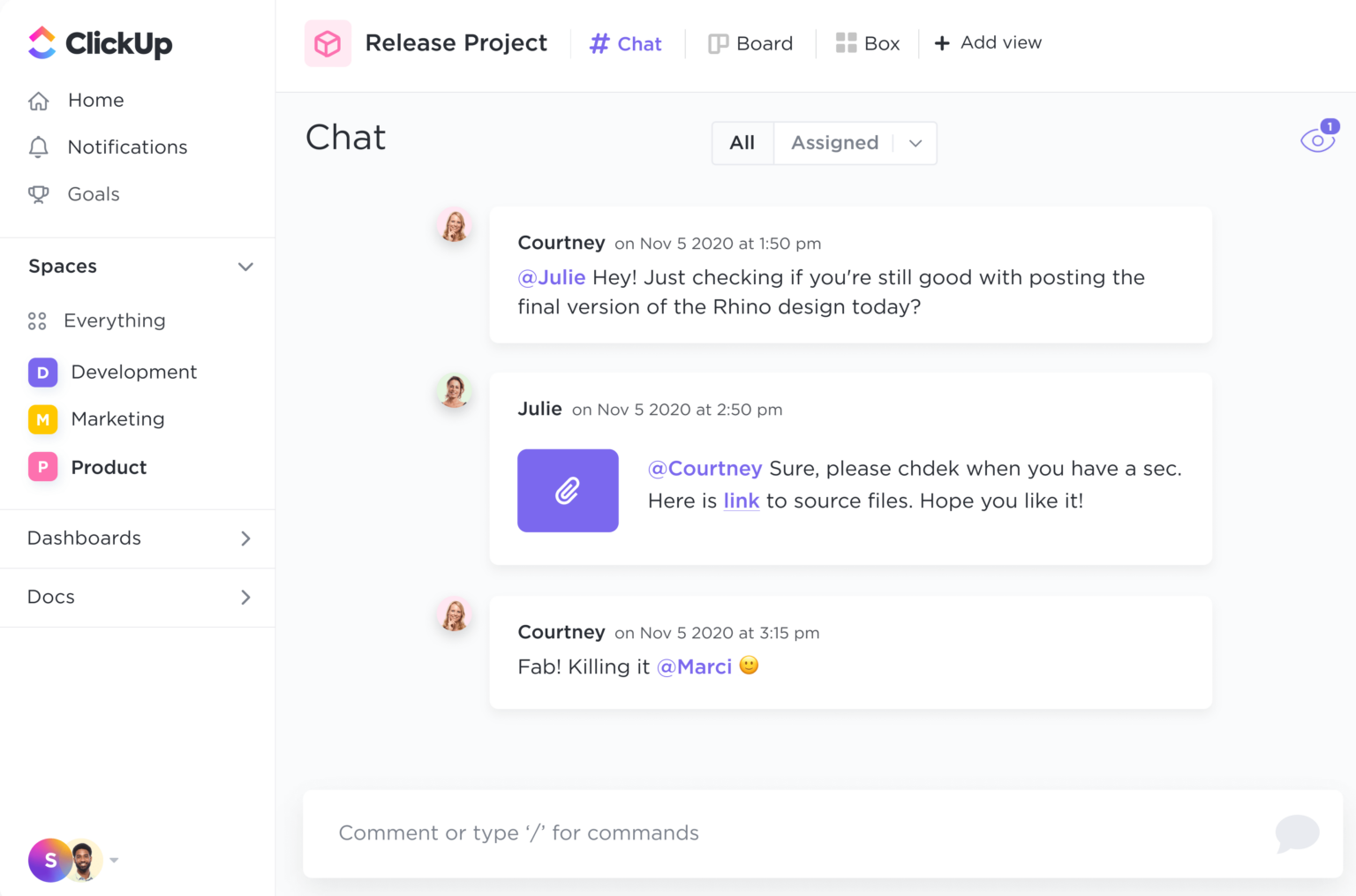
ClickUp revolutionizes team communication by combining chat functionality with comprehensive project management. Its real-time messaging system features threaded conversations, @mentions, and file sharing, all contextually linked to tasks and projects.
Teams can seamlessly switch between chat, video calls, and collaborative documents while maintaining organized communication channels. The platform’s integration capabilities ensure all conversations stay relevant to work objectives.
Key features: Real-time collaboration, custom notification settings, task-based chat rooms, file sharing with version control, and built-in document editing. Offers video conferencing and screen sharing directly within the platform.
Pricing: Free plan available; paid plans start at $7/user/month for Unlimited, $12/user/month for Business, and custom pricing for Enterprise.
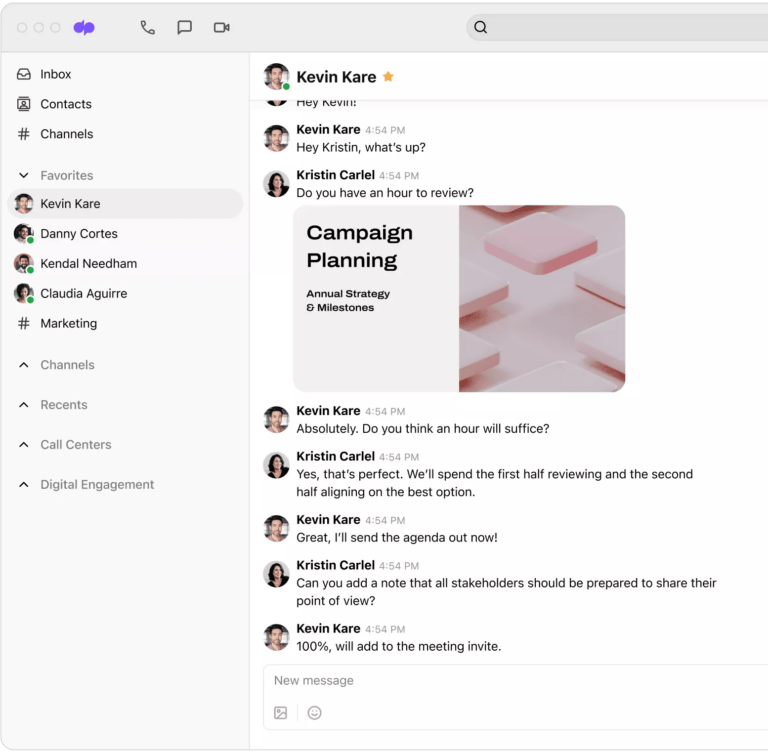
Dialpad stands out as a unified business communication platform that merges AI-powered voice, video, and messaging. With its built-in voice intelligence, it transcribes conversations in real-time and captures action items automatically.
The platform offers seamless mobile-desktop switching, SMS/MMS capabilities, and team messaging features. Its innovative AI assistant helps track customer sentiment and provides smart suggestions during conversations.
Key features: Voice Intelligence (Vi) for real-time transcription, sentiment analysis, custom routing, multi-channel messaging support, and automated call summaries. Features contact center capabilities and CRM integrations.
Pricing: Standard plan starts at $15/user/month, Pro at $25/user/month and Enterprise with custom pricing.
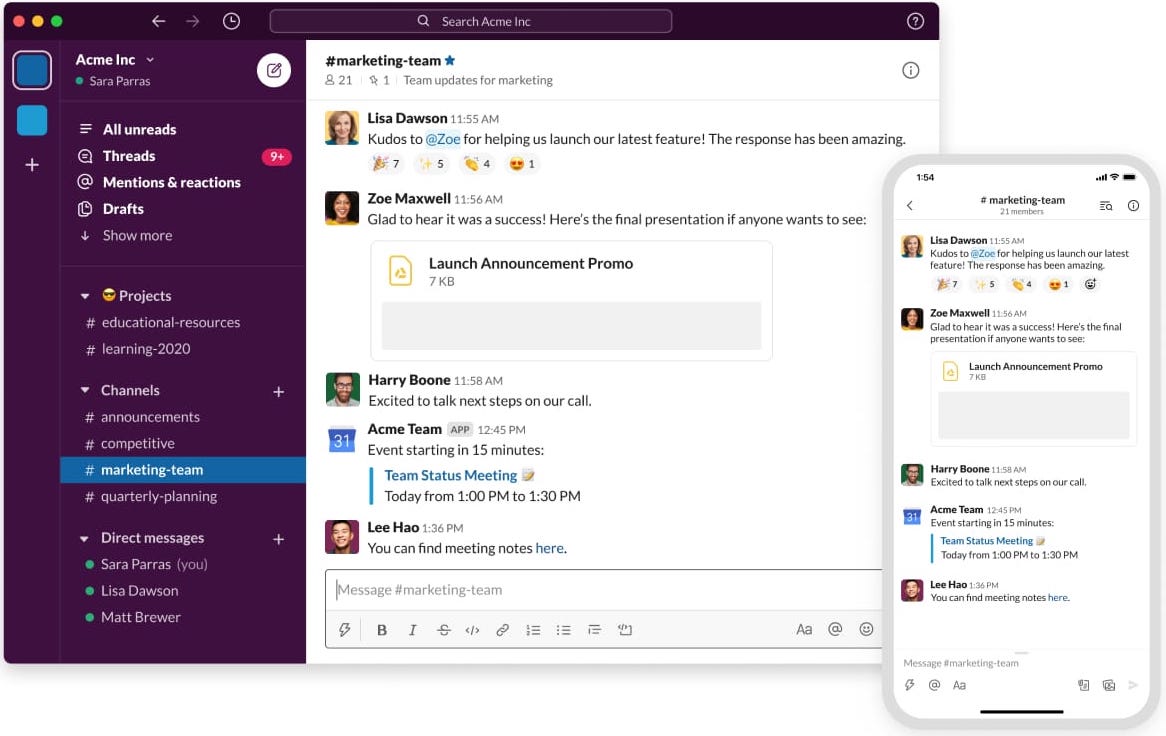
Slack transforms business communication through its channel-based messaging platform that organizes conversations by topics, projects or teams. With robust search functionality, file sharing, and over 2,400 app integrations, it creates a central hub for collaboration.
The platform features audio huddles, customizable notifications and powerful threading capabilities to keep discussions organized and accessible, while reducing email overload.
Key features: Organized channels, powerful search functionality, workflow automation tools, voice and video calls, extensive third-party integrations and enterprise-grade security with data encryption and compliance features.
Pricing: Free plan available; Pro plan at $7.25/user/month, Business+ at $12.50/user/month, and Enterprise Grid with custom pricing.
The right business messaging app depends on capabilities that genuinely improve team communication and productivity. Below are essential features to look for.
1. Real-Time Messaging and Channels
Real-time messaging lets teams communicate instantly without cluttering conversations across unrelated topics. Dedicated channels for specific departments keep discussions focused, making it easier for team members to find relevant information without going through irrelevant messages.
2. File Sharing and Document Collaboration
A built-in file sharing feature in a business messaging app allows teams to exchange documents, images, and files directly within conversations. This keeps collaboration centralized, reducing confusion that comes from managing attachments across scattered email threads.
3. Voice and Video Calling
Integrated voice and video calling lets teams move from text conversations into real-time discussions. The feature eliminates the friction of switching to separate conferencing tools for spontaneous collaboration, along with more natural distributed teams.
4. Third-Party Integrations
Seamless integration connects messaging apps with CRM and productivity tools already in daily use. This keeps teams working seamlessly within one central hub, reducing the need to switch between disconnected platforms across the workspace.
5. Searchable Message History
Business messaging apps offer advanced search functionality that lets team members quickly locate past conversations, shared files or decisions without scrolling long threads. This preserves institutional knowledge and prevents information from getting lost as conversations accumulate over time.
6. Automation and Bots
Custom chatbots and automated workflows handle repetitive tasks such as reminders, approvals or status updates directly within conversations. It reduces manual effort while keeping teams focused on higher-value work that requires human judgment.
Leveraging a business messaging software offers numerous benefits such as streamlining client communication, enhancing internal/external collaboration and boosting team productivity.

1. Improved team communication: Messaging apps provide a centralized platform for real-time communication, enabling teams to easily share information, ask questions and collaborate on projects. It helps to reduce email clutter and facilitates more efficient communication.
2. Enhanced collaboration: Many messaging apps for businesses offer features like file sharing, screen sharing, video conferencing and integrations with project management tools. These capabilities enable teams to collaborate more effectively, regardless of their location.
3. Increased productivity: By reducing the need for lengthy email threads and providing an interactive mode of communication, instant messaging apps can help teams work efficiently thereby make decisions faster.
4. Better organization and searchability: Instant messaging apps offer features like threaded conversations, channels as well as searchable message histories, making it easier to keep track of conversations and find relevant information.
5. Integration with other business tools: Most business messaging apps integrate with a wide range of productivity tools, such as project management software, customer relationship management (CRM) systems and cloud storage services. The integration helps streamline workflows and consolidate communication within a single platform.
6. Remote team collaboration: Using messaging apps helps remote teams communicate and collaborate effectively, encouraging a more inclusive and connected work environment, regardless of geographic location.
Instant messaging apps have become a popular platform for businesses to engage with customers and promote their products or services.
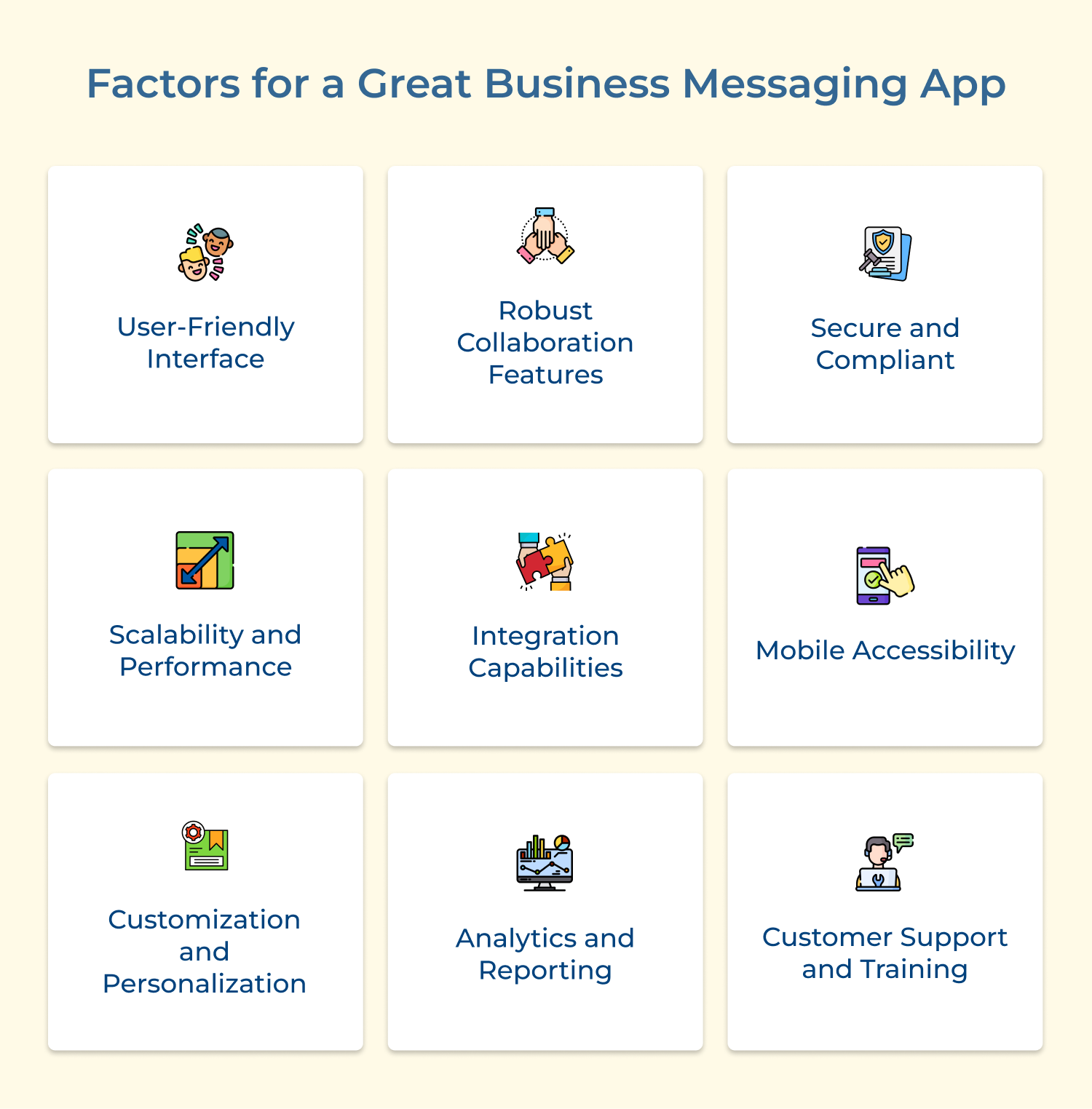
When evaluating business messaging apps, there are several key factors that contribute to a good and effective solution.
The right business messaging app is about finding a platform that unifies communication, is scalable and keeps customers at the center of interaction. Solutions such as Omni24 offer features such as omnichannel inbox, AI automation and real-time analytics under one roof.
Book a live demo to see Omni24 in action. The best business messaging apps turn every interaction into a growth and revenue opportunity.
Omni24’s customer engagement platform harnesses automation and AI to deliver unified customer experiences across digital channels, while keeping human touch
Pricing for business messaging software depends on features, team size and integration requirements required by the organization. This makes it worth comparing several providers before committing to a long-term subscription plan. Some of the key pricing factors include:
There are several popular instant messaging apps that businesses commonly use. Some of these include, Slack, A widely used messaging platform that offers channels, direct messaging, file sharing and integrations with various business tools.
Microsoft Teams, This app combines chat & video meetings, file storage and collaboration tools. Google Hangouts, part of the G Suite, Hangouts provides instant messaging, voice calls and video conferencing for businesses using Google Workspace.
Yes, most integrate with other systems already in daily use, enhancing productivity and streamlining workflows significantly across teams. Common integration benefits include:
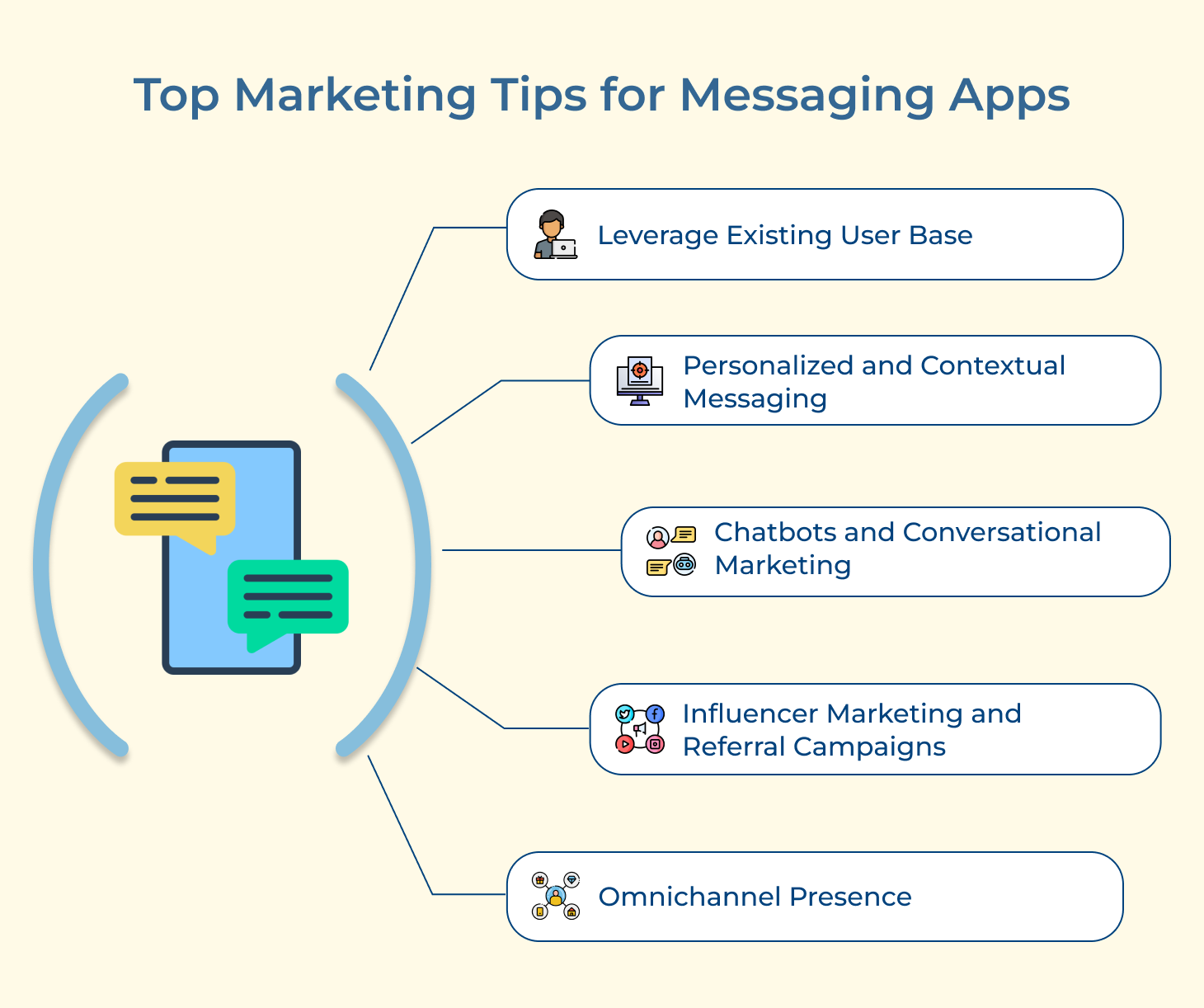
Business messaging platforms can greatly benefit marketing efforts in several ways. Instant messaging allows marketers to quickly collaborate with team members, providing instant feedback and making timely decisions.
Messaging platforms provide a centralized hub for marketing teams to discuss ongoing campaigns, share files and track progress. Many messaging apps offer customer support features, answer queries and build a stronger customer relationship
 https://omni24.io/wp-content/uploads/2026/09/Social-commerce-scaled.png
1340
2560
Webvision Solution
https://omni24.io/wp-content/uploads/2023/04/Omni-Logo-1.svg
Webvision Solution2026-10-23 12:18:272026-10-23 12:18:27What is Social Commerce and Why Does It Matter?
https://omni24.io/wp-content/uploads/2026/09/Social-commerce-scaled.png
1340
2560
Webvision Solution
https://omni24.io/wp-content/uploads/2023/04/Omni-Logo-1.svg
Webvision Solution2026-10-23 12:18:272026-10-23 12:18:27What is Social Commerce and Why Does It Matter? https://omni24.io/wp-content/uploads/2026/08/AI-Customer-Service-Agents.png
1256
2400
Webvision Solution
https://omni24.io/wp-content/uploads/2023/04/Omni-Logo-1.svg
Webvision Solution2026-09-21 04:48:512026-09-21 04:48:51How to Build an AI Customer Service Agents: 8 Key Steps
https://omni24.io/wp-content/uploads/2026/08/AI-Customer-Service-Agents.png
1256
2400
Webvision Solution
https://omni24.io/wp-content/uploads/2023/04/Omni-Logo-1.svg
Webvision Solution2026-09-21 04:48:512026-09-21 04:48:51How to Build an AI Customer Service Agents: 8 Key Steps https://omni24.io/wp-content/uploads/2026/08/Omnichannel-Conversational-AI.png
1256
2400
Tushar Joshi
https://omni24.io/wp-content/uploads/2023/04/Omni-Logo-1.svg
Tushar Joshi2026-09-16 03:51:072026-09-16 03:51:07How to Build Omnichannel Conversational AI Strategy
https://omni24.io/wp-content/uploads/2026/08/Omnichannel-Conversational-AI.png
1256
2400
Tushar Joshi
https://omni24.io/wp-content/uploads/2023/04/Omni-Logo-1.svg
Tushar Joshi2026-09-16 03:51:072026-09-16 03:51:07How to Build Omnichannel Conversational AI Strategy
Whether it’s about acquire, engage or support – Omni24 covers all your customer engagement needs in one complete platform.

Copyright ©2026 Veemo All rights reserved.
CA, Los Angeles, Hall Ave, 19011