Best 10 Customer Service Tools To Consider
Enhance communication and provide real-time support with customer service tools. Leverage automation and data analysis to deliver seamless service.


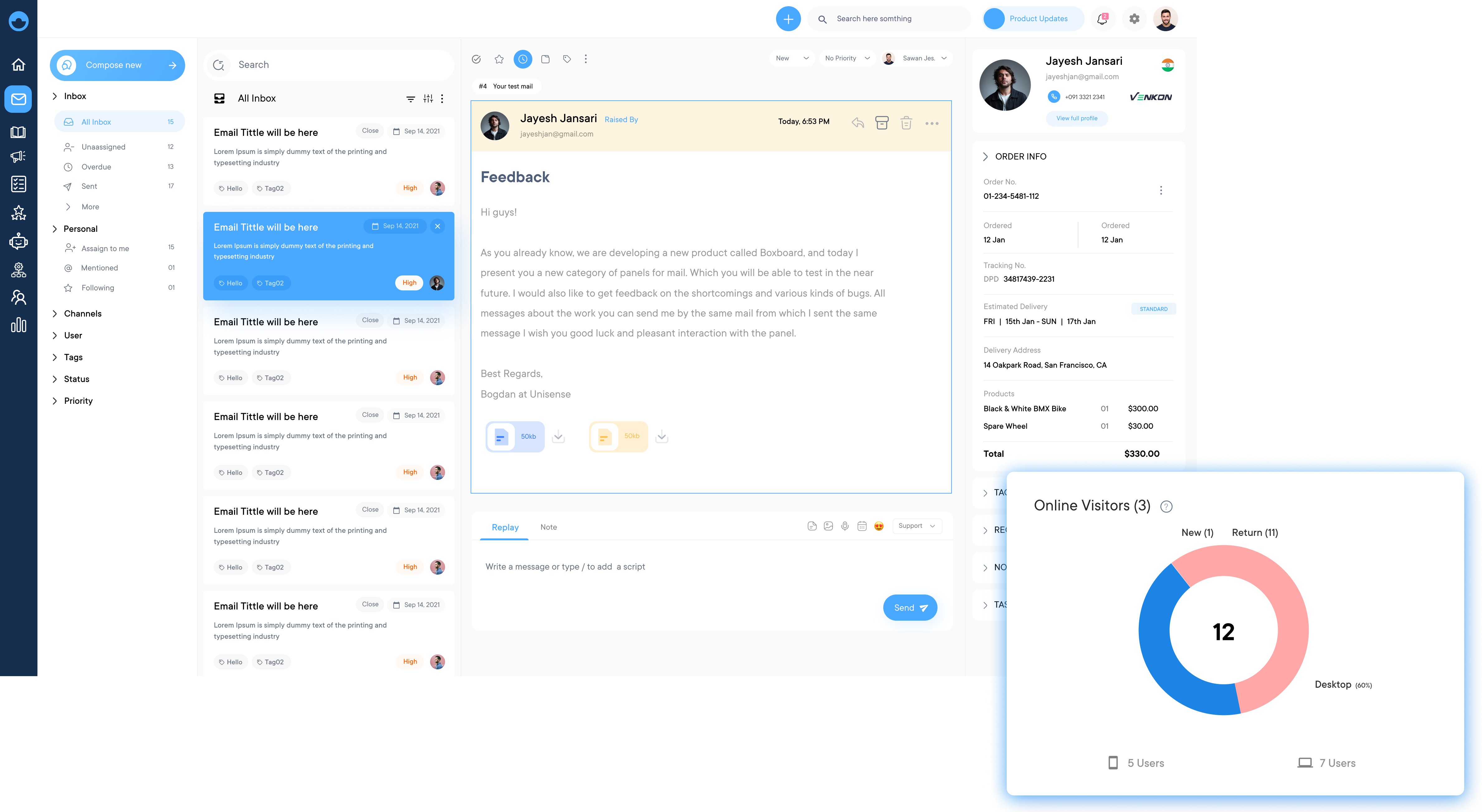
Enhance communication and provide real-time support with customer service tools. Leverage automation and data analysis to deliver seamless service.
Choose customer service tools that align with your business needs, offer easy integration, and scale with your growth to ensure efficient customer support.
Instantly connect with customers through live chat, offering immediate assistance and reducing wait times, enhancing customer retention.
Deploy AI-powered chatbots to handle routine inquiries and provide instant responses, freeing up human agents for more complex issues while improving overall efficiency.
Engage with customers across various platforms including websites, mobile apps and social media, ensuring a consistent customer experience.
Utilize comprehensive analytics to monitor customer interactions, track performance metrics, and gather insights, enabling data-driven decisions to improve service quality.
Support tickets pile up across multiple channels while agents waste hours switching between platforms, which quietly loses loyalty. A customer service tool comes to the rescue, helping businesses manage, streamline and elevate every customer interaction.
The right support infrastructure results in measurably higher retention, faster resolution and lower operational costs. Explore the must-have features and a practical framework for choosing the solutions based on your business needs.
Customer service tools and techniques are specially designed to assist businesses in delivering top-notch support to their customers. Managing inquiries efficiently to tracking customer interactions, these tools offer a range of features aimed at improving the overall customer experience.
Customers have high demands for quick and personalized support. To meet these expectations, organization’s need to leverage the right tools. Whether you’re a small startup or a multinational corporation, understanding these tools are instrumental in providing comprehensive customer service.
Key objectives:
The comparison below helps businesses make an informed decision to choose the right customer service tools that will elevate your service game to new heights.
| Software | Key Features | Price | Trial |
|---|---|---|---|
| Omni24 |
|
$29/user/month | 14 days |
| Veemo Support |
|
$29/user/month | 14 days |
| Salesforce (Service Cloud) |
|
$29/user/month | 30 day |
| HubSpot Service Hub |
|
Free version; premium from $45/month |
Yes (free version) |
| Front |
|
$59/user/month | Not specified |
| SupportBee |
|
$13/user/month | Not specified |
| Cerb |
|
$35/seat/month | Yes (free version) |
| Zendesk |
|
Suite plans from $55/agent/month |
Yes |
| Freshdesk |
|
$19/user/month | Yes |
| Help Scout |
|
Free (up to 5 users); paid plans scale with contacts |
Yes (on paid tiers) |
Explore the key features of customer service tools that boost efficiency, improve response times, and enhance overall customer satisfaction. Here are the details.
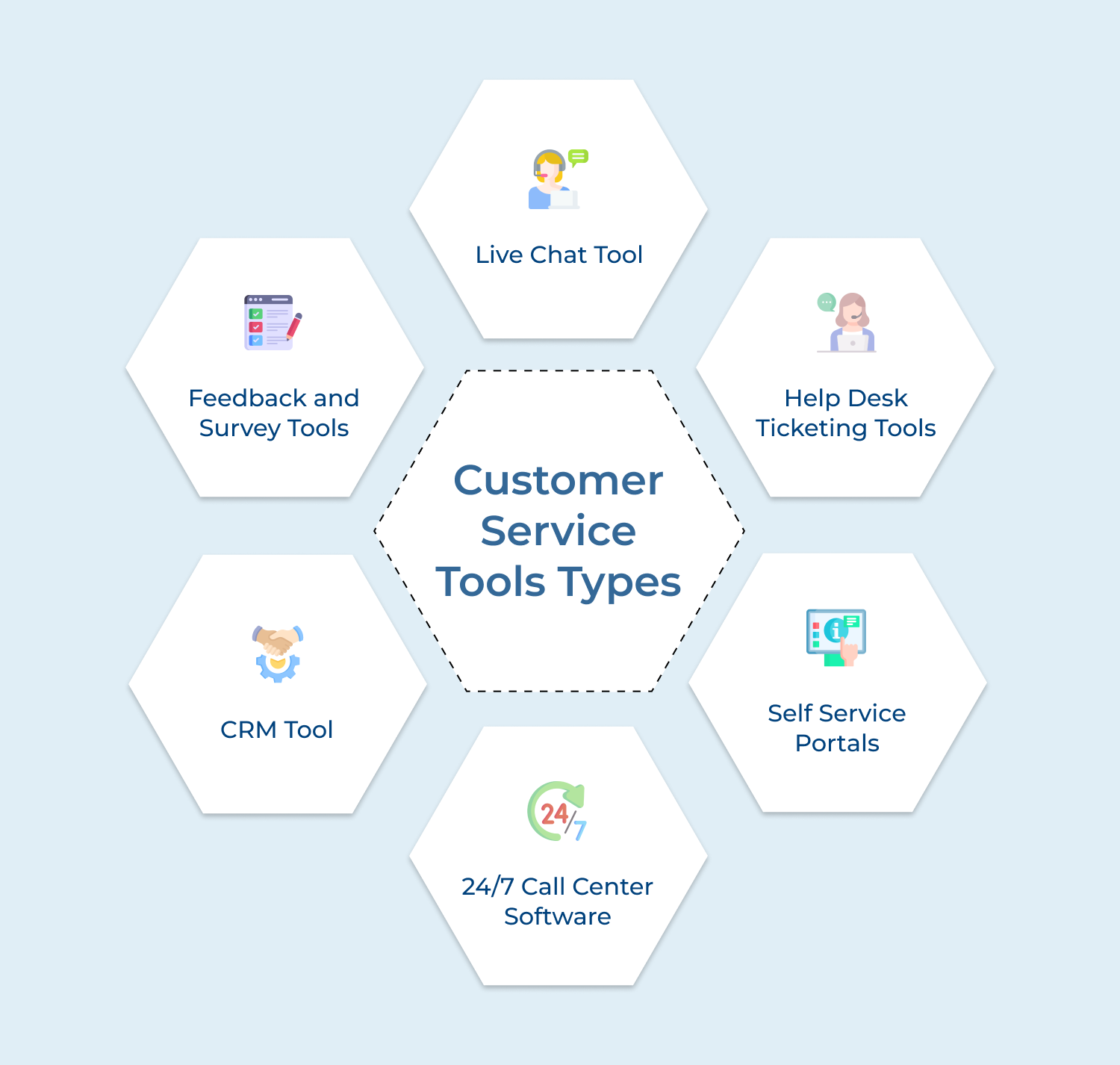
Multiple team members gain access to a centralized inbox for efficient customer communication management. Real-time visibility into customer interactions prevents duplicate responses and ensures message tracking. Team members collaborate on responses while maintaining consistent communication standards and clear message ownership status.
Incoming messages automatically convert into trackable tickets, complete with priority levels, status updates, and assignment capabilities. Following customer service workflow best practices helps in routing tickets to appropriate departments based on predefined rules. Systematic organization helps teams monitor response times and maintain proper follow-up procedures throughout the resolution process.
An in-depth guide to customer service analytics with advanced tools helps reveal valuable insights into team performance, response times, and customer satisfaction metrics. Managers leverage data-driven reports to optimize workflows and identify training opportunities. Regular performance tracking highlights key indicators and areas requiring improvement within the customer service operation.
Powerful automation features handle message routing, auto-responses, and template insertion seamlessly. Response times improve significantly through reduced manual workload. Smart workflows manage routine inquiries, urgent issue escalation, and consistent service delivery across customer interactions.
Searchable knowledge bases empower agents to access relevant information, templates, and solutions instantly while responding to customers. Quick information retrieval ensures consistent answers and reduced response times. Self-service options allow customers to find answers independently, improving overall service efficiency.
Integrated communication tools enable seamless task assignment and team cooperation on complex customer issues. Private discussion channels let agents seek colleague assistance while maintaining full context. Knowledge sharing features promote accurate resolution and team learning opportunities.
Complete interaction records provide agents with detailed customer communication history, purchases, and support issues. Personalized service becomes possible through immediate access to customer background information. Agents resolve issues efficiently without requesting repeated details from customers.
Unified platforms integrate various communication channels into a single, manageable interface. Consistent service flows across email, chat, social media, and phone interactions. Organized access to all customer touchpoints ensures seamless experience delivery regardless of communication method.
Getting your customer service right immediately reflects in increasing loyal customers and repeat business.
Best Customer Service Tool For Every Business
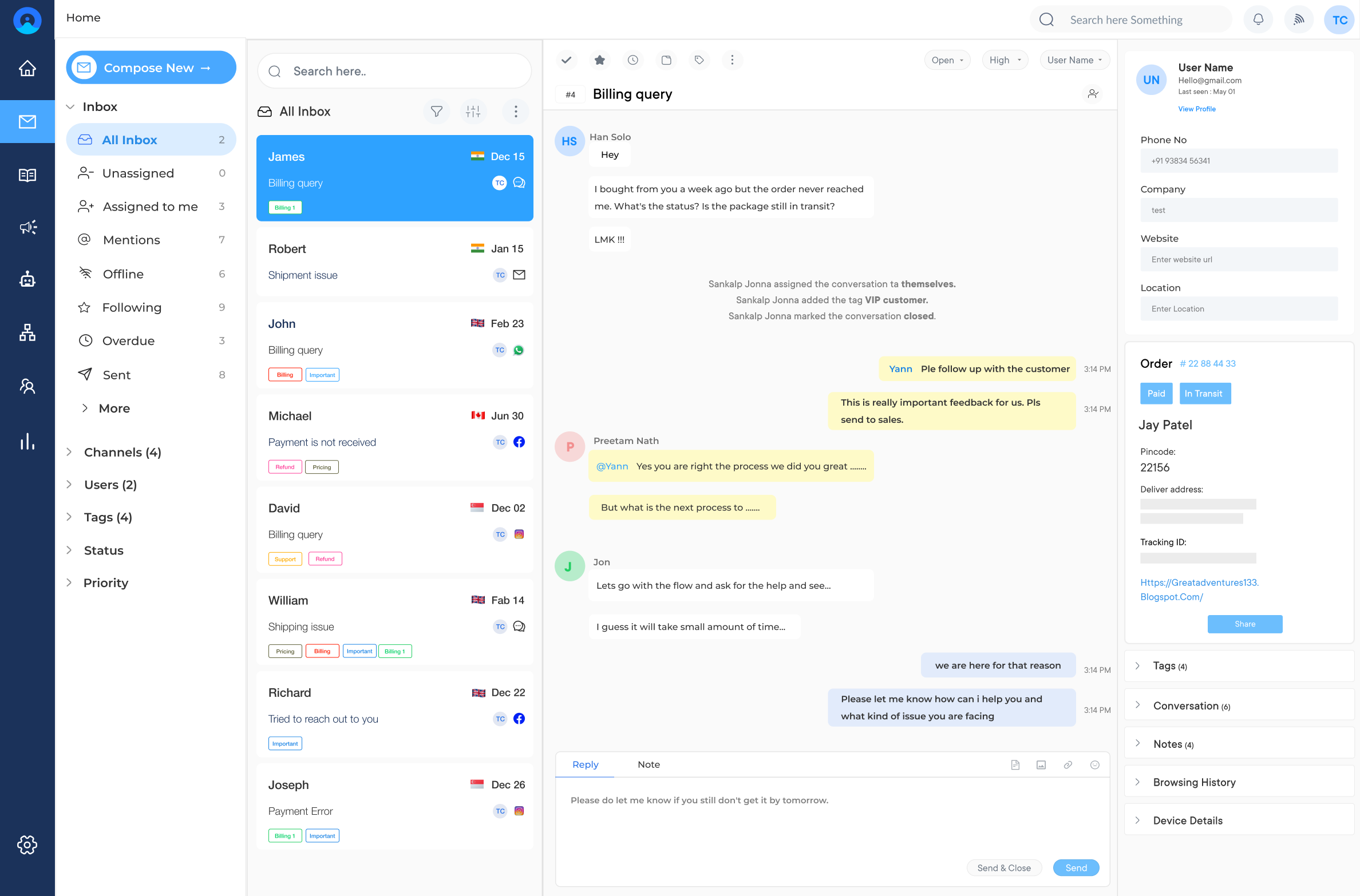
Omni24 is an AI-powered omnichannel customer engagement platform that combines three core suites: support, sales and marketing. Combining automation with omnichannel makes it a unified customer data platform, mapping the entire customer journey and consolidating every relevant touchpoint.
Omni24 fits seamlessly across multiple business use cases where support teams use it to resolve tickets faster with AI-assisted routing, sales teams track leads and consistent follow-ups and marketing teams personalize campaigns using shared customer data. Growing businesses rely on it to scale support operations without adding headcount.
Key features:
Pricing: The pricing starts from $29/user/month with one inbox feature to unlimited inbox for $149/user/month. The pricing depends on factors like the number of users, the level of features required and the scale of customer support operations. Omni24 also offers a 14-day free trial for businesses to explore its features before making a commitment. Check out their pricing for more detailed comparison.
The ultimate customer care service tool with unified inbox
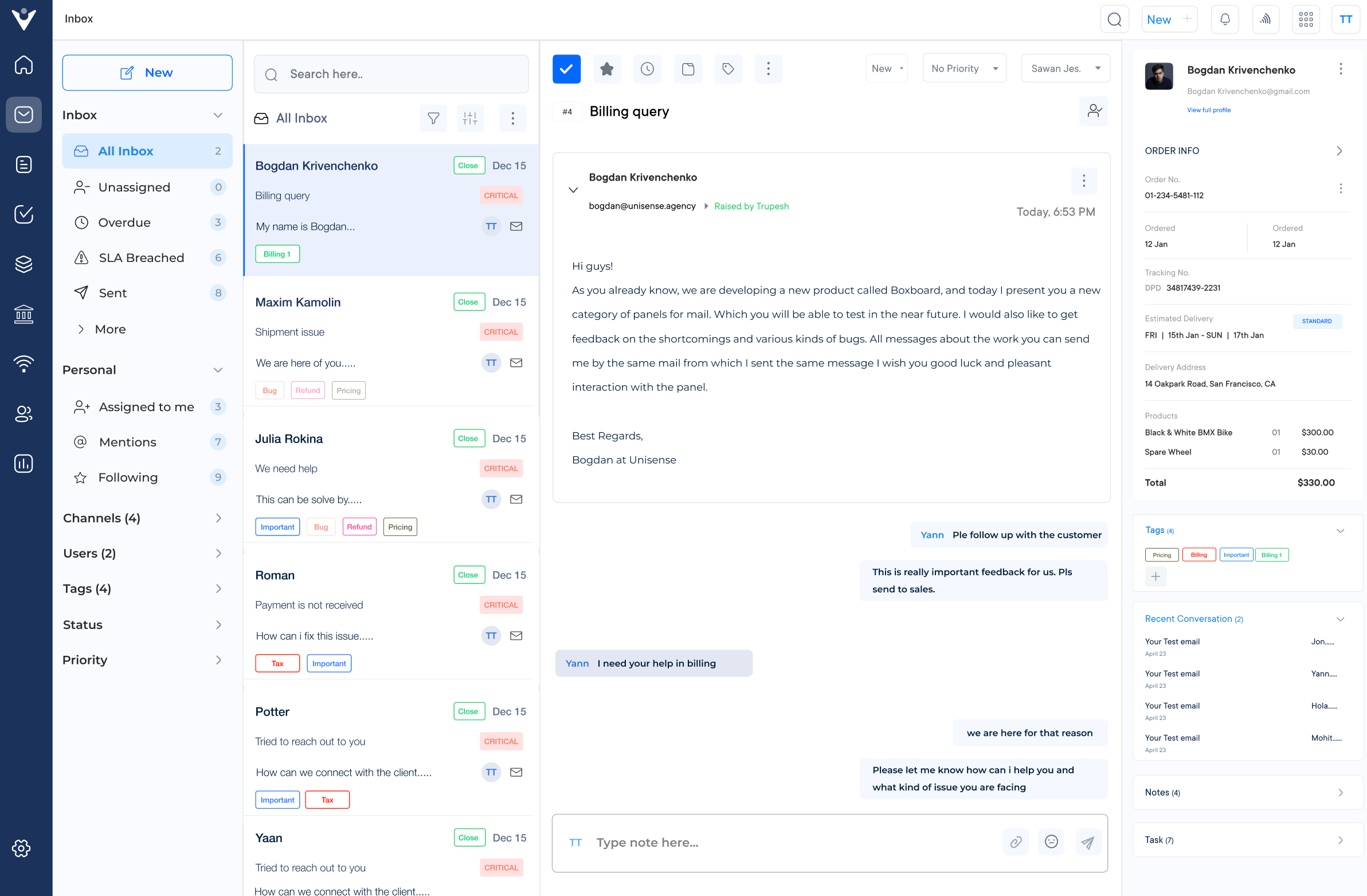
Veemo Support is the best AI-powered customer support and help desk software built to unify customer communication across every channel into a single inbox. It is part of Veemo’s customer engagement suite, designed to help businesses seamlessly manage their sales, marketing and support operations.
Packed with automation and AI-powered chatbots, it strengthens customer service by centralizing conversations from email, SMS and chat, letting agents respond faster. Veemo Support enables teams to collaborate directly on tickets while routine queries get handled automatically, freeing agents to focus on complex issues.
Key features:
Pricing: Veemo’s pricing plans start from $29/user/month and go up to 129/user/month based on the features. Checkout their pricing plans for a more detailed comparison.
Right Customer Service Tools For Small Business
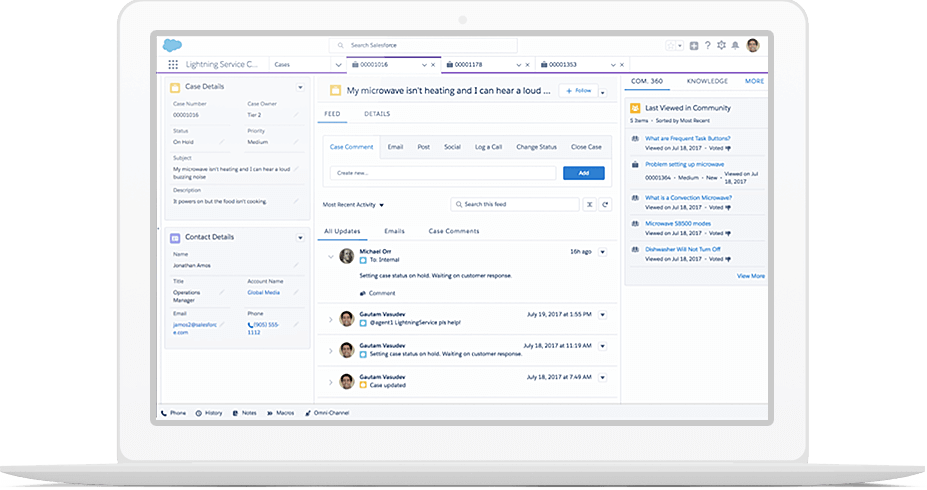
Salesforce is best known for its CRM product. They have offered different suites of customer service software for quite some time. Service Cloud is their current offering, and it’s an omnichannel support tool. The software offers a number of basic customer service tools like a knowledge base builder, and live chat software.
Automate certain manual tasks with AI-powered workflows, like conversation routing to save time. Configurable email alerts when the issues are updated and there are optional emails to send the reminder for overdue tasks.
Pricing: You can schedule a free demo or a free 30-day trial. The starter pack can cost you around $29.

HubSpot Service Hub is a part of HubSpot’s suite of tools designed to provide an all-in-one customer service solution. It enables businesses to manage customer conversations, track issues and provide personalized support across multiple channels, including email, live chat, social media, etc. It leverages automation and AI capabilities to streamline workflows as well as deliver efficient customer service.
A unified inbox that consolidates customer conversations from various channels. A centralized repository for storing and organizing support documentation, FAQs and other resources, empowering agents with access to relevant information.
Pricing: You can avail the free version, but the premium version starts at $45/month.
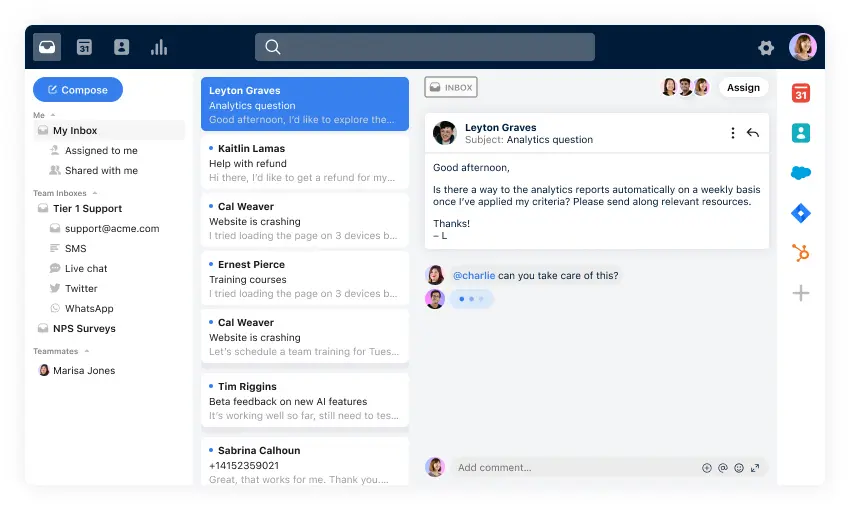
Front is a collaborative email and customer communication platform designed specifically for customer service teams. It streamlines customer communication by bringing all channels (email, live chat, SMS, social media) into one common inbox. It allows teams to work collaboratively, assign as well as share conversations and ensure no customer inquiry goes unanswered.
A centralized inbox where teams can collaborate on customer conversations, assign tasks and share context. Customizable automations for prioritizing and responding to customer inquiries.
Pricing: The software’s basic pricing starts from $59 per seat/month.
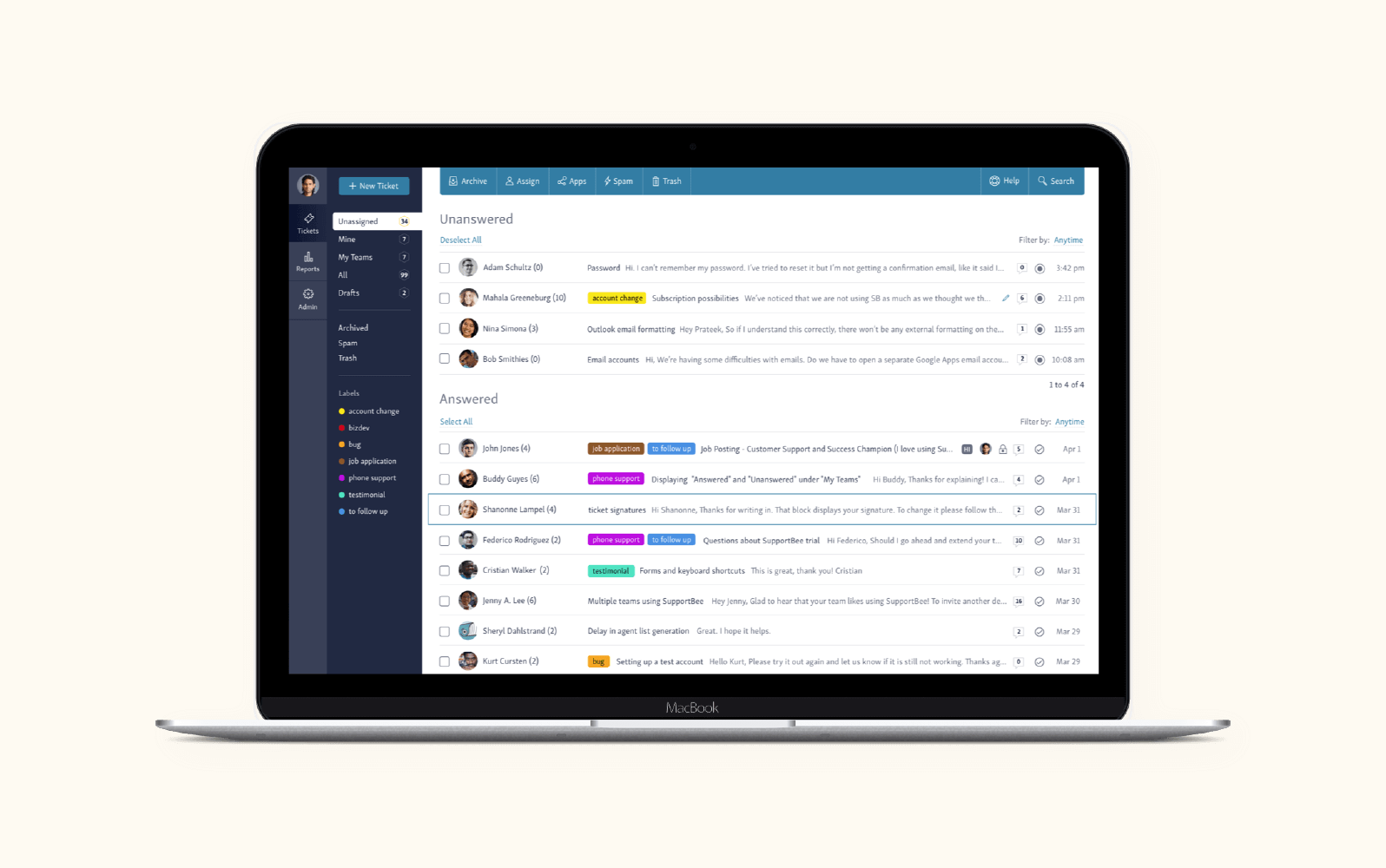
SupportBee is a customer support software platform that focuses on simplifying and streamlining the support process for businesses of all sizes. It offers a range of features designed to help teams deliver exceptional customer service. The tool also provides a centralized platform for managing customer inquiries, tracking issues and team collaboration.
Ticketing system that allows agents to organize, prioritize and track customer inquiries, ensuring no issue falls through the cracks. The tool offers lightning-fast results, which boosts team productivity and ensures they manage their workflows with finesse.
Pricing: The software’s starting price is $13 per user/month.
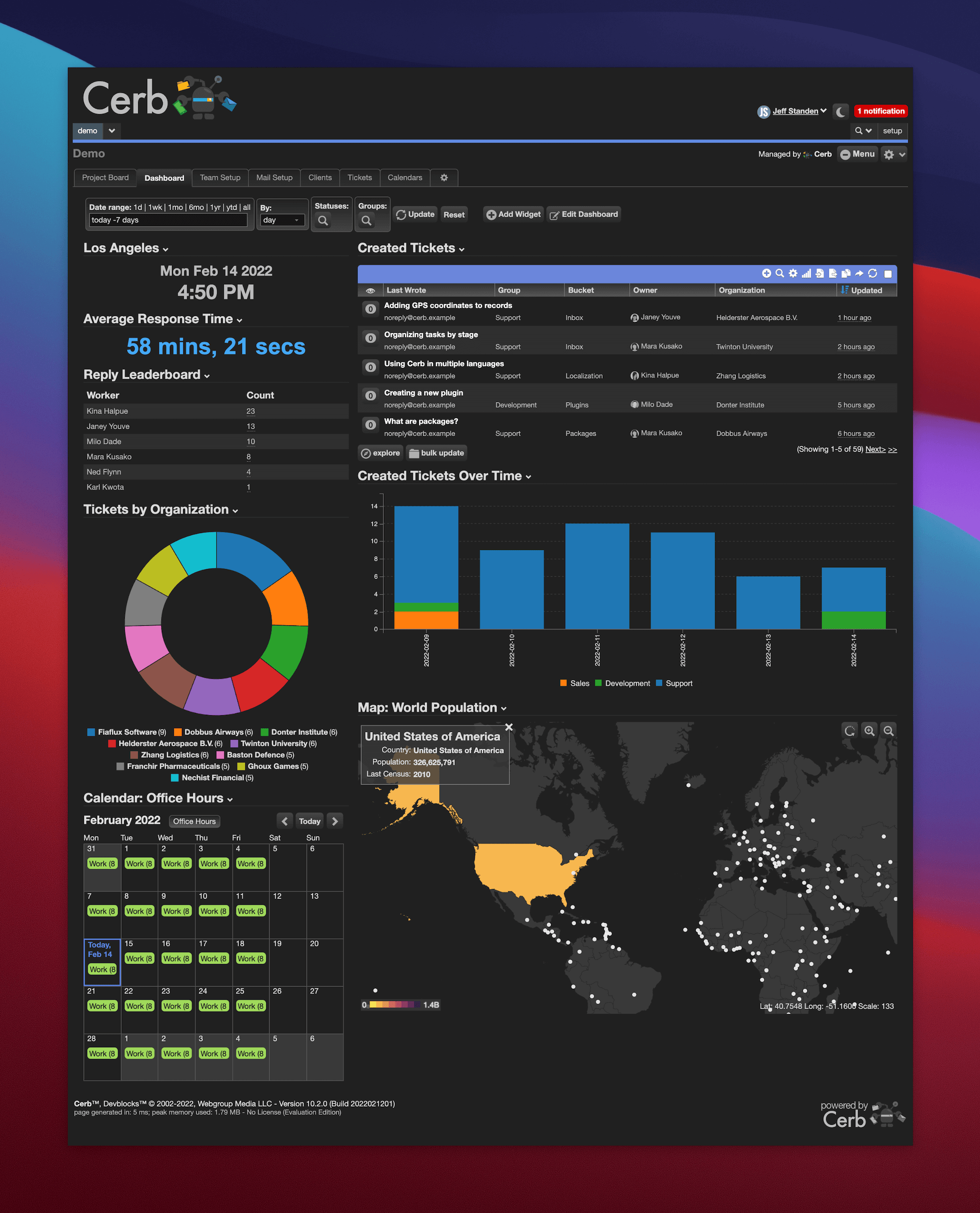
Cerb is a versatile customer service app that offers a comprehensive suite of tools for managing customer interactions and internal workflows. It combines help desk functionality with collaboration tools, knowledge management and automation capabilities. It provides a centralized hub for teams to handle customer inquiries, share information and streamline processes.
A knowledge base that allows teams to create, organize, as well as share support documentation, best practices and other valuable resources. Customizable workflows and automations that enable teams to automate routine tasks, trigger actions based on specific conditions, optimize processes, etc.
Pricing: You can try out the free version of Cerb to get hands-on experience with the software.
The software starting price is $35/seat-month (billed monthly).
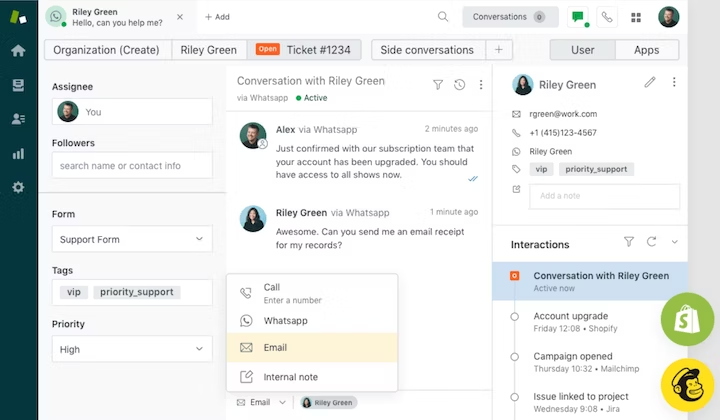
Zendesk stands as an industry-leading customer service platform that transforms how businesses interact with their customers. This comprehensive solution streamlines support operations through a unified workspace, making it easier for teams to deliver exceptional customer experiences.
Zendesk offers a powerful suite of features including omnichannel support management, automated ticket routine and customizable knowledge base solutions. The platform provides robust reporting tools, team collaboration features, and workflow automation capabilities, all while supporting seamless third-party integrations.
Pricing: Free trial available. Suite plans start at $55/agent per month.
Related Reading: Zendesk Alternatives – Explore 11 top competitors with side-by-side comparisons.
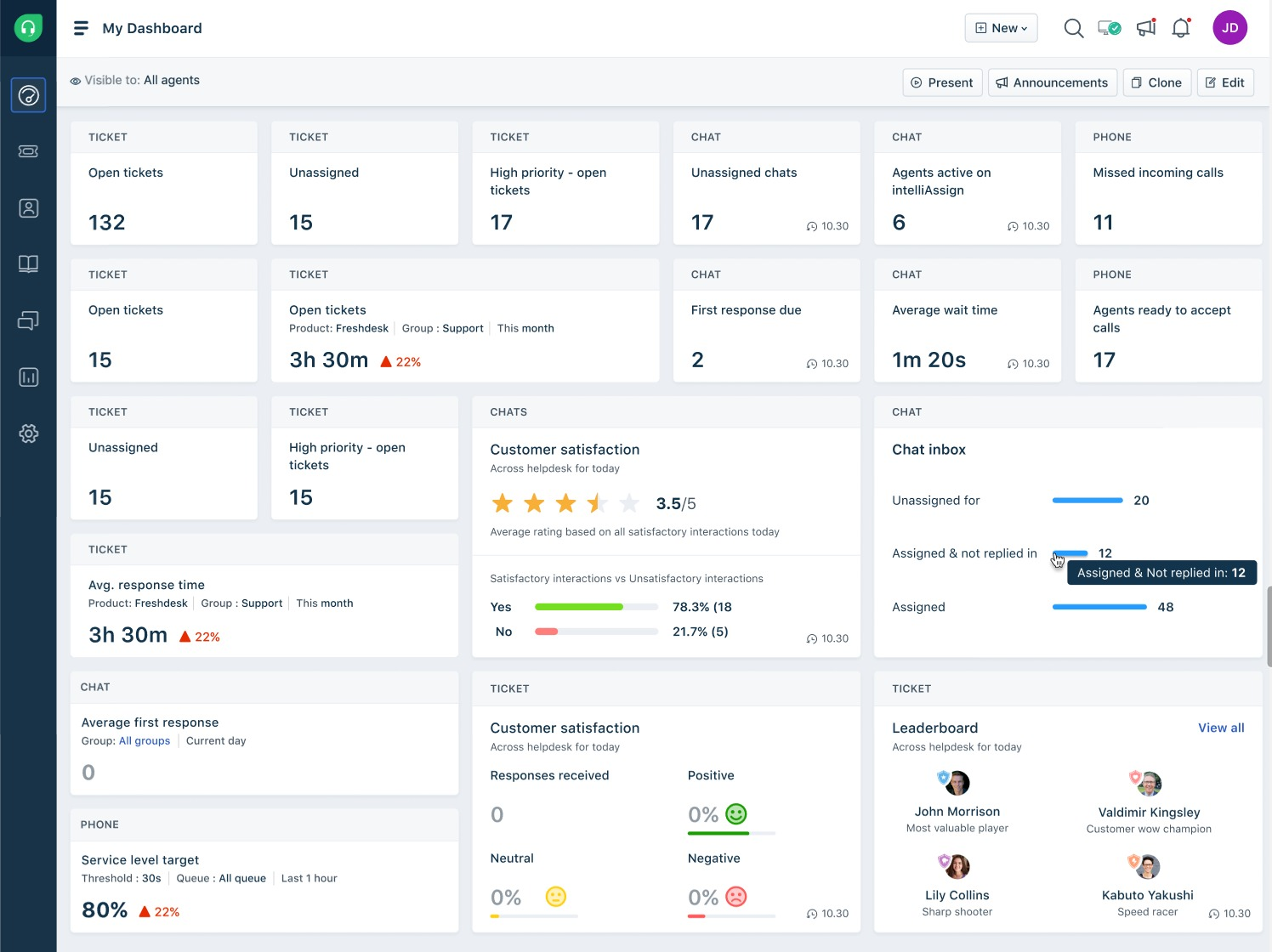
Freshdesk is a widely adopted customer support platform built around AI-powered ticketing. It helps teams consolidate support requests from email, chat, phone and social media into one organized workspace, so nothing is missed.
Freshdesk offers omnichannel ticket management, AI-powered automation for repetitive tasks and a shared inbox for real-time collaboration. It also includes a self-service knowledge base, SLA management and reporting dashboards, along with integrations such as Microsoft Teams and Genesys Cloud.
Pricing: Free trial available. Plans start at $19/user per month, which is billed annually.
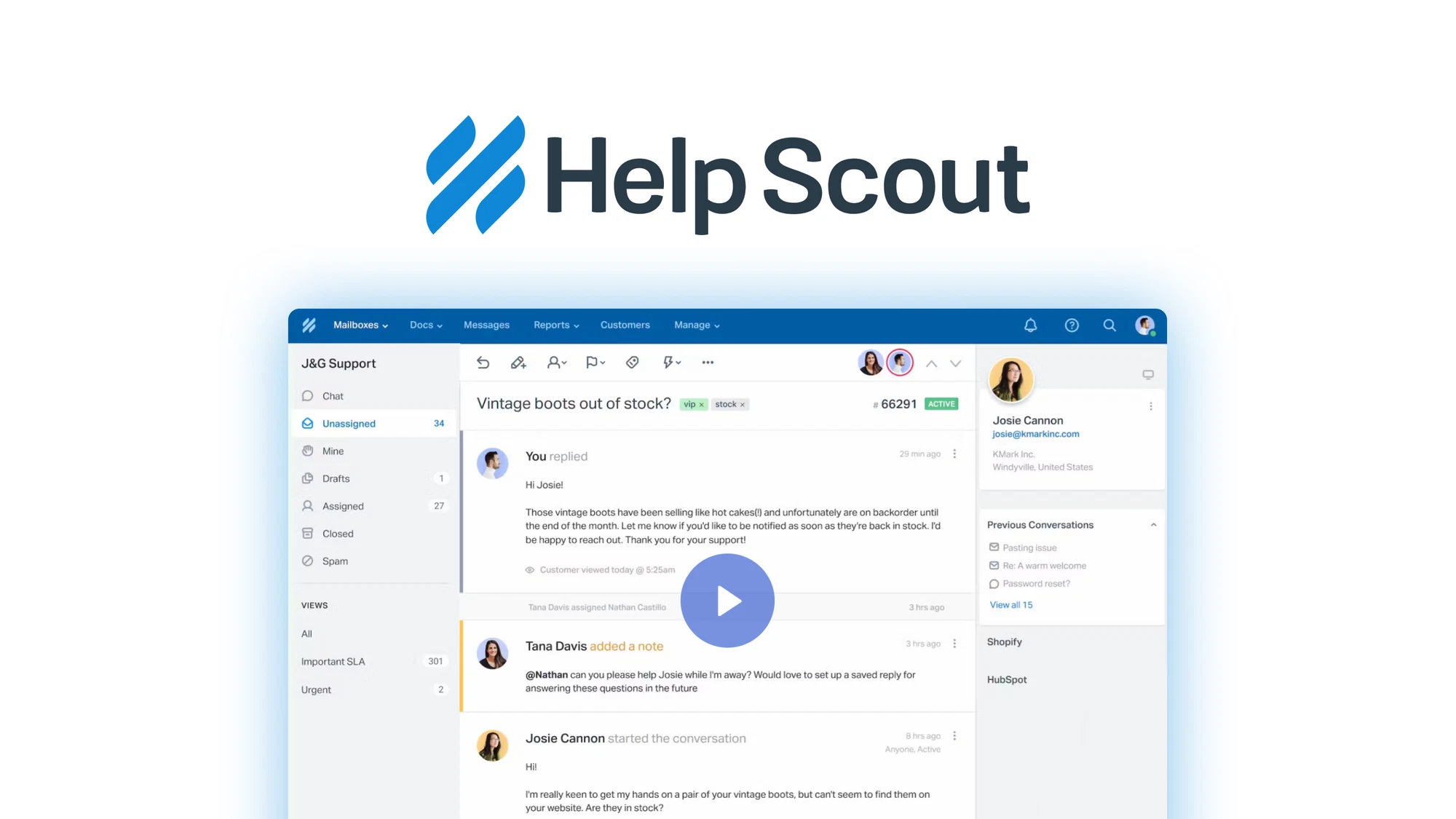
Help Scout is a customer support platform built to keep conversations personal and organized. It favors a simple, email-like shared inbox over a traditional ticket system, which makes it easy for small teams to collaborate without losing context.
Help Scout offers a shared team inbox, AI-assisted reply drafting and a self-service Docs knowledge base to deflect common questions. It also combines with reporting and analytics to streamline conversation volume and response times.
Pricing: Free trial available. Free plan for up to 5 users, where a paid plans scale with contact volume.
Providing excellent customer service is crucial for any business. It can be overwhelming to choose the best tool that suits your specific needs.
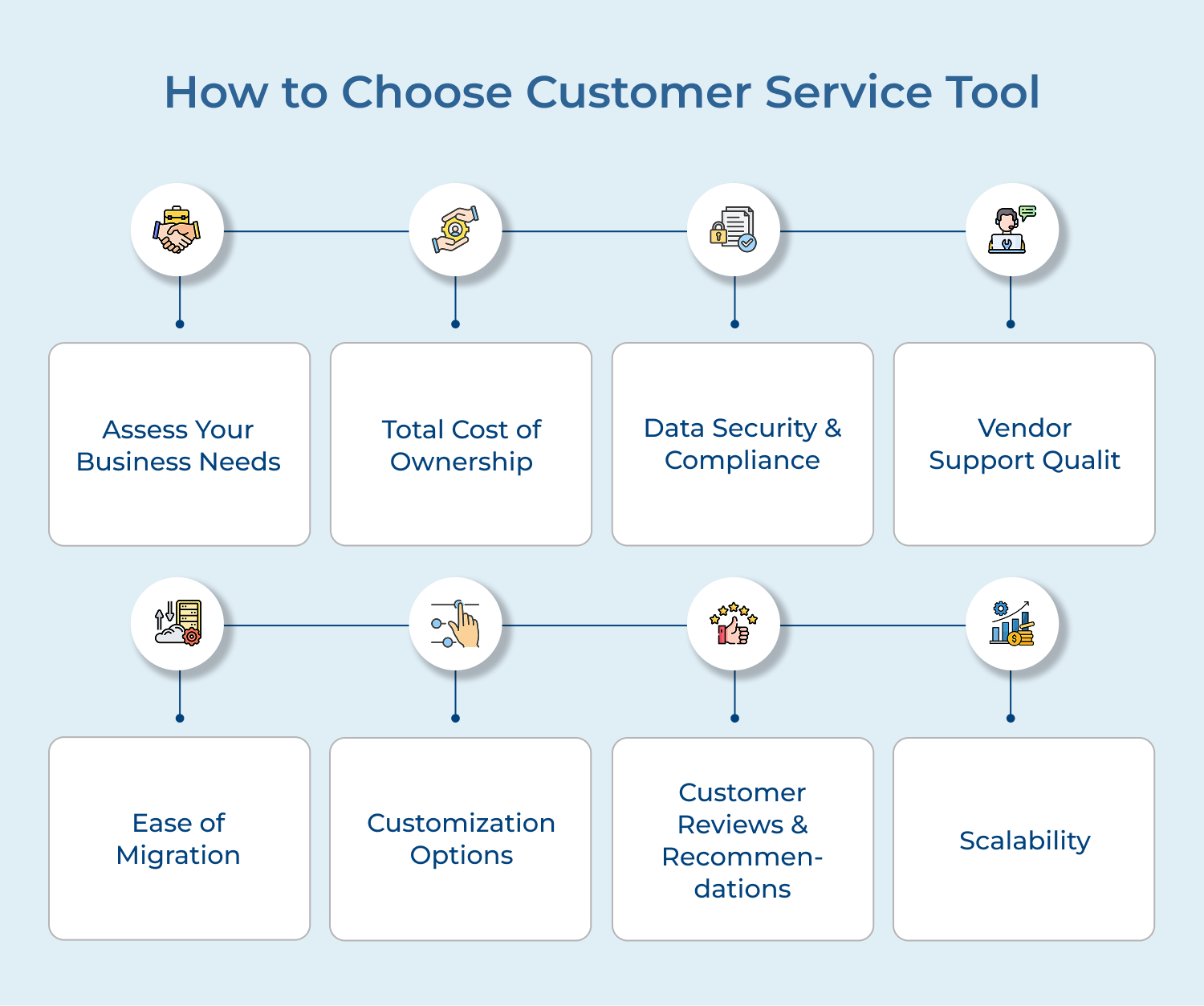
Before diving into the plethora of options, take the time to assess your business needs. Consider how many customer service agents you have, the size of your customer base, the volume of inquiries you receive and the specific features you require.
Understanding your unique requirements will guide you in selecting a tool that aligns with your business goals.
Look beyond the advertised price per seat, as onboarding fees, add-on costs for extra channels, and premium automation can push your monthly bill well past what the pricing page suggested during sign-up.
Many vendors also raise prices at renewal once your team is fully dependent on the platform. Ask directly about renewal pricing history and request cost estimates based on your projected team size.
Customer service tools handle sensitive data such as customer emails, payment details and other personal information during support conversations. Look for recognized certifications such as SOC 2 or ISO 27001 to establish a baseline before trusting any vendor with that data.
Businesses with international customers operating within a regulated industry are worth confirming GDPR compliance, role-based access controls and data residency upfront. This early step can create legal exposure that becomes more expensive and complicated to fix later.
Many customer service platforms offer fairly mediocre support, so before signing up, test their live chat or email response times to see how quickly they can respond during the evaluation stage. It also helps to review their onboarding process, training resources and documentation quality closely.
Good software will easily import your existing tickets, contacts and conversation history, since poor migration will permanently lose valuable customer context in the process. Confirm whether the tool locks your data into hard-to-export formats.
Every business has unique needs and requirements when it comes to customer service. It is essential to choose a tool that offers customization options. Look for a tool that allows you to tailor the functionalities to align with your business goals.
Customization options can include personalized chatbots, customizable ticketing systems and workflow processes. A customizable tool will enable you to create a customer service experience that aligns with your brand and meets your specific business needs.
An important factor to consider is customer reviews and recommendations. While researching different customer service tools, pay close attention to the reviews and experiences shared by other businesses. Look for positive feedback regarding the user interface, reliability and customer support provided by the tool.
Customer reviews can provide a helpful perspective into the tool’s strengths and weaknesses. They can also highlight specific features that are particularly useful or aspects that need improvement. Considering the experiences of others, you can make a more informed decision and choose a tool that has a proven track record of customer satisfaction.
As your business grows, your customer service needs are likely to expand as well. It is essential to select a tool that can accommodate your future growth. Look for a tool that offers different pricing plans or packages based on the size of your business or the volume of customer interactions.
Consider the tool’s ability to handle increasing customer inquiries and provide support across multiple channels, such as email, live chat, social media and phone calls. A scalable customer service tool will ensure that you can effectively manage your growing customer base without experiencing limitations or disruptions in service.
Businesses can improve customer satisfaction, build stronger relationships, drive revenue and profitability with the right tools.
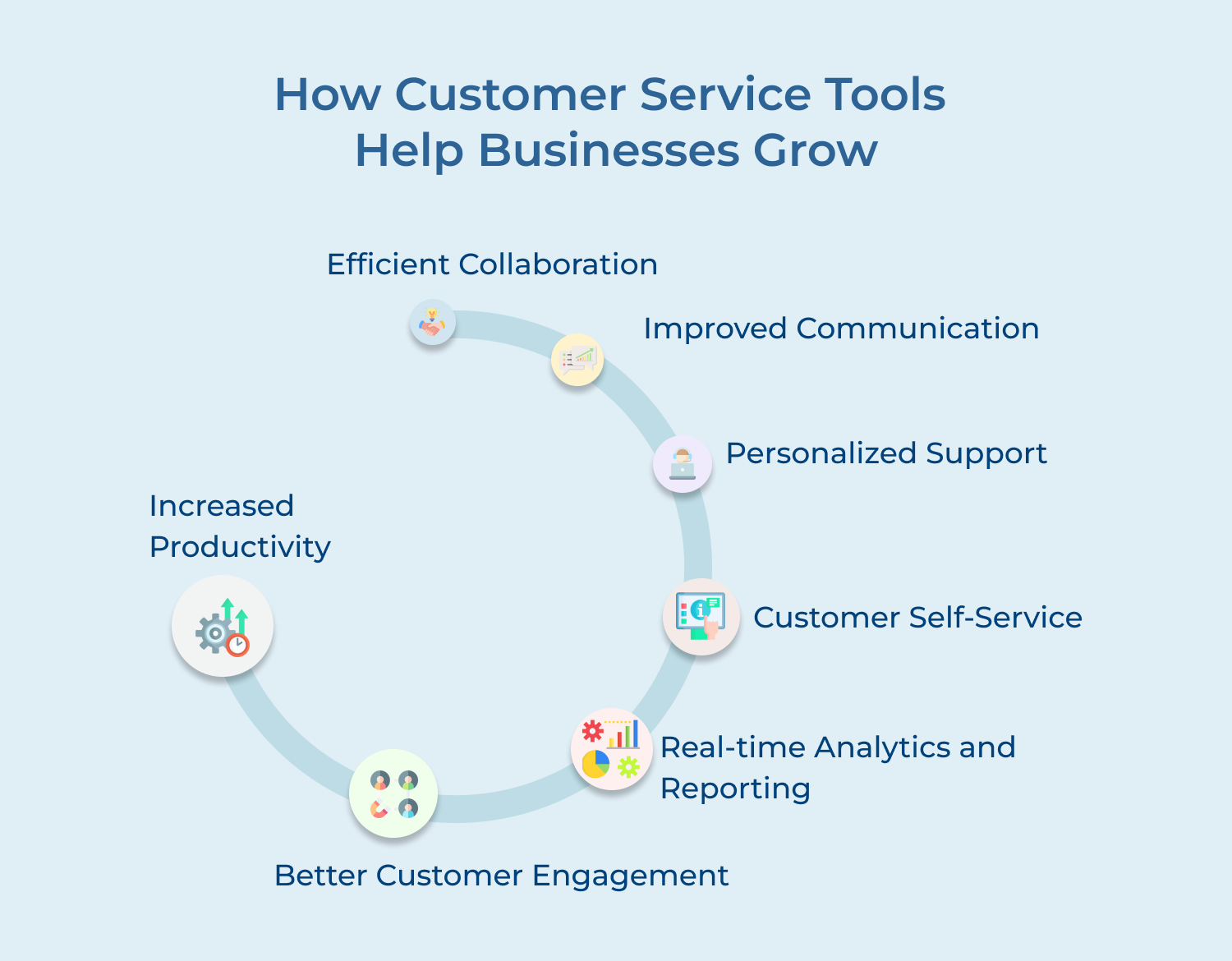
1. Increased Productivity
Customer service tools help agents to handle multiple queries simultaneously, resulting in increased productivity. Tools like ticketing systems allow agents to manage and prioritize customer inquiries effectively.
Tools can access all relevant information about a customer’s previous interactions, purchase history and preferences, enabling them to provide personalized as well as efficient support.
2. Better Customer Engagement
Enabling businesses to engage with customers on multiple channels, customer service tools turn out to be more productive. Social media management tools help companies monitor and respond to customer queries.
It enhances customer engagement and shows that the company values their opinions as well as concerns.
3. Real-time Analytics and Reporting
Customer service tools provide real-time analytics and reporting features that help businesses measure their performance while also identifying areas for improvement. By tracking metrics like response time, customer satisfaction ratings and resolution rates.
Companies can identify bottlenecks, monitor agent performance and make data-driven decisions to enhance the overall customer experience.
4. Customer Self-Service
Self-service tools like knowledge bases and FAQs empower customers to find answers to their queries independently. The resources can be easily accessed on the company’s website or through a mobile app, reducing the need for direct customer support.
These tools empower customers to find information at their convenience. Hence,saves time for both customers and agents.
5. Personalized Support
The customer support tools often include features that allow businesses to track customer interactions and gather data about their preferences along with needs.
The data can be used to deliver personalized support, tailor recommendations and proactively address customer concerns. Offering personalized support enhances the customer experience and builds long-lasting relationships with customers.
6. Improved Communication
Live chat platforms enable real-time conversations, allowing customers to get immediate assistance. Customer service tools facilitate seamless communication between customers and support teams.
The tools like email management systems provide a centralized platform for organizing and responding to customer emails, ensuring consistent communication. It also allows customer service representatives to respond efficiently, leading to higher customer satisfaction.
7. Efficient Collaboration
Offering collaboration among team members, customer support tools allow them to share information and work together to resolve customer issues. The tools often have features like internal chat systems, shared inboxes and task assignment capabilities.
Collaborative work environments improve communication within the team, avoid duplication of effort, and ensure that customers receive consistent information.
The right customer service tools not only resolve tickets but also build the loyalty and trust that sustain long-term growth. The features include features such as omnichannel support, AI automation or real-time analytics that cover every major use case based on team size.
Ready to see the difference? Start your 14-day free trial of Omni24 to understand its use cases. Invest in the best customer service solution to make the clearest path to scalable, consistent customer satisfaction.
Omni24’s customer engagement platform harnesses automation and AI to deliver unified customer experiences across digital channels, while keeping human touch
A good customer service tool should be user-friendly, efficient and scalable. It should offer features such as ticket management, automation, analytics and integrations with other business tools. It should provide a seamless omnichannel experience, allowing customers to interact through multiple channels like email, chat and social media
Proper Implementation timelines depend on the tool’s complexity and how much existing data needs to be migrated. It ranges from same-day setup for simple platforms up to several weeks for enterprise deployments with custom workflows.
Most modern customer support tools offer integrations with CRMs, ecommerce platforms and communication apps for customer data to flow smoothly between departments. The connectivity gives your team a comprehensive view of each customer without switching between separate systems across the system.
Free plans can work well for very small teams handling low inquiry volumes, offering basic ticketing, a shared inbox and limited automation with no cost. It is the practical way to test a platform before committing financially to a paid subscription.
This usually cap users, contacts or channels and lack advanced automation, reporting or AI features. The growing inquiry volume typically forces most businesses to upgrade to a paid plan to maintain efficient support operations.
Investing in customer service tools is essential for businesses that prioritize customer satisfaction and want to stay competitive in today’s market. The tools streamline support processes, improve efficiency and enable businesses to deliver timely support. By investing in the right tools, build long-term customer relationships and drive successful growth.
 https://omni24.io/wp-content/uploads/2026/09/Social-commerce-scaled.png
1340
2560
Webvision Solution
https://omni24.io/wp-content/uploads/2023/04/Omni-Logo-1.svg
Webvision Solution2026-10-23 12:18:272026-10-23 12:18:27What is Social Commerce and Why Does It Matter?
https://omni24.io/wp-content/uploads/2026/09/Social-commerce-scaled.png
1340
2560
Webvision Solution
https://omni24.io/wp-content/uploads/2023/04/Omni-Logo-1.svg
Webvision Solution2026-10-23 12:18:272026-10-23 12:18:27What is Social Commerce and Why Does It Matter? https://omni24.io/wp-content/uploads/2026/08/AI-Customer-Service-Agents.png
1256
2400
Webvision Solution
https://omni24.io/wp-content/uploads/2023/04/Omni-Logo-1.svg
Webvision Solution2026-09-21 04:48:512026-09-21 04:48:51How to Build an AI Customer Service Agents: 8 Key Steps
https://omni24.io/wp-content/uploads/2026/08/AI-Customer-Service-Agents.png
1256
2400
Webvision Solution
https://omni24.io/wp-content/uploads/2023/04/Omni-Logo-1.svg
Webvision Solution2026-09-21 04:48:512026-09-21 04:48:51How to Build an AI Customer Service Agents: 8 Key Steps https://omni24.io/wp-content/uploads/2026/08/Omnichannel-Conversational-AI.png
1256
2400
Tushar Joshi
https://omni24.io/wp-content/uploads/2023/04/Omni-Logo-1.svg
Tushar Joshi2026-09-16 03:51:072026-09-16 03:51:07How to Build Omnichannel Conversational AI Strategy
https://omni24.io/wp-content/uploads/2026/08/Omnichannel-Conversational-AI.png
1256
2400
Tushar Joshi
https://omni24.io/wp-content/uploads/2023/04/Omni-Logo-1.svg
Tushar Joshi2026-09-16 03:51:072026-09-16 03:51:07How to Build Omnichannel Conversational AI Strategy
Whether it’s about acquire, engage or support – Omni24 covers all your customer engagement needs in one complete platform.

Copyright ©2026 Veemo All rights reserved.
CA, Los Angeles, Hall Ave, 19011