Chatbot Integration For Automating Your Customer Support
Boost customer experience with strategic chatbot integration for automated, efficient support and seamless engagement.

Boost customer experience with strategic chatbot integration for automated, efficient support and seamless engagement.
Customers today expect fast help—not hours of waiting. In fact, 90% want an “immediate” response (usually under two minutes) when they reach out. Yet many brands still take around 12 hours or more just to send a first answer. That kind of delay hurts sales, reputation and team morale.
But here’s what’s changing: smart automation. Tools like AI chatbots are slashing response times from a full day to roughly 3 minutes, while boosting support-team efficiency by about 40%. When routine questions are handled instantly, your team gets space to solve the tough stuff and your customers stay happier.
Chatbot integration connects automated conversation systems directly into your existing business platforms and workflows. This integration allows the chatbot to access your business data, process customer requests and provide responses without human intervention.
The chatbot connects to your business systems through APIs and webhooks that act like digital bridges. When a customer asks a question, the bot pulls information from your databases, processes the request using natural language understanding and delivers personalized responses.
Key principles:
Understanding both sides helps you make smarter decisions about implementing chatbot technology. Here are some pros and cons to better your customer engagement:
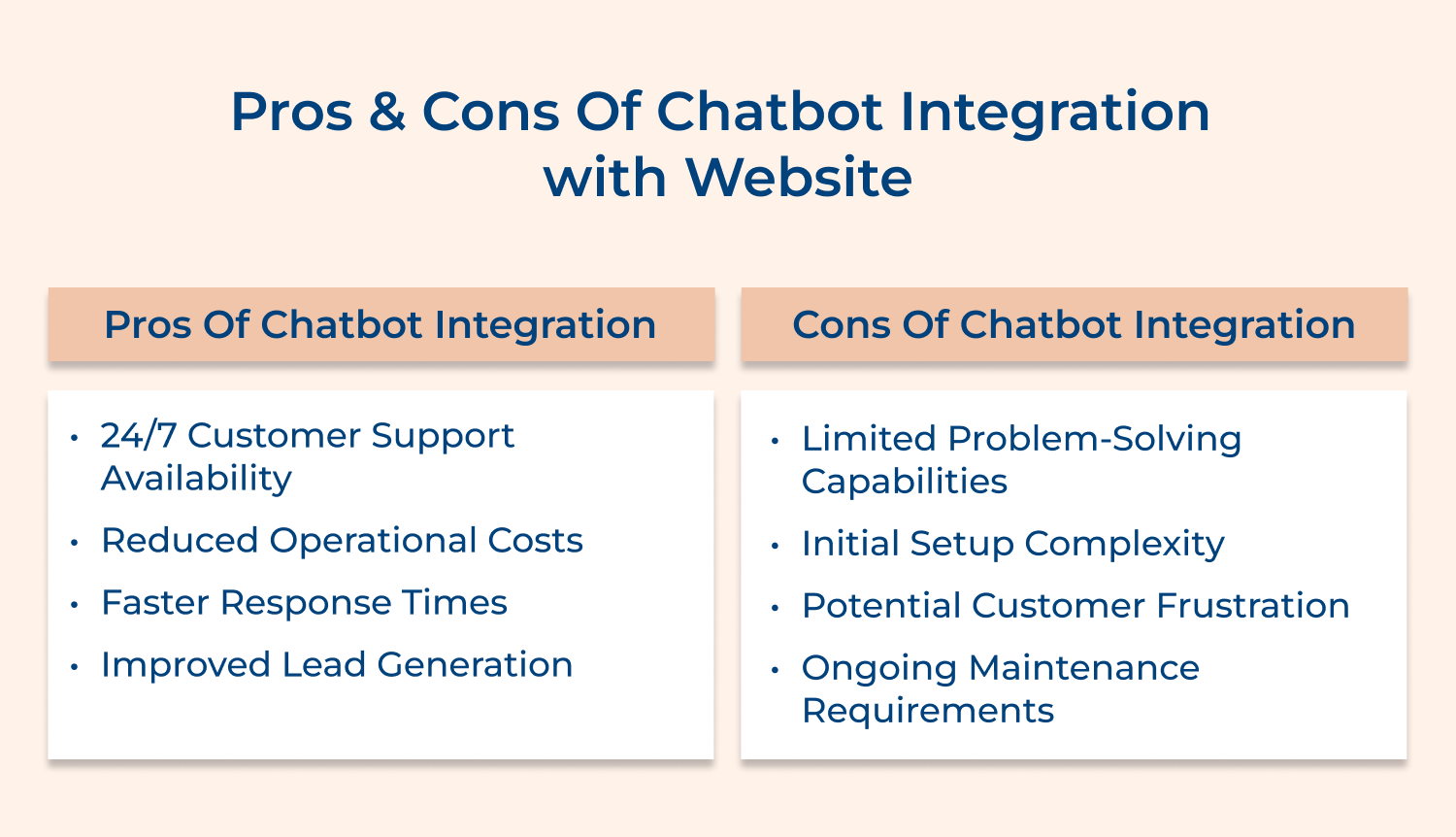
24/7 customer support availability: Your website visitors get instant help at any hour without waiting for business hours or human agents. This constant availability increases customer satisfaction and captures leads that might otherwise slip away during off-hours.
Reduced operational costs: Chatbots handle multiple conversations simultaneously without requiring salaries, benefits, or breaks like human staff. Automation significantly cuts your customer service expenses while maintaining consistent service quality across all interactions.
Faster response times: Customers receive immediate answers to common questions instead of waiting in phone queues or email responses. The speed creates better user experiences and keeps potential buyers engaged when they’re ready to make purchasing decisions.
Improved lead generation: Smart chatbots qualify visitors by asking targeted questions and collecting contact information naturally through conversation. The proactive approach captures more leads than passive contact forms while providing valuable customer insights for your sales team.
Businesses must prioritize customer experience because today’s consumers expect instant gratification and personalized interactions. A well-designed chatbot creates smoother customer journeys by providing quick solutions while maintaining engagement throughout the buying process.
Limited problem-solving capabilities: Complex customer issues often require human empathy and creative thinking that chatbots cannot provide. When customers face unique problems or emotional situations, automated responses can feel frustrating and inadequate for their needs.
Initial setup complexity: Creating effective chatbots requires technical expertise, content planning and integration with existing systems. Many businesses underestimate the time and resources needed to build chatbots that actually help customers rather than annoy them.
Potential customer frustration: Poorly designed chatbots that misunderstand questions or provide irrelevant answers can damage your brand reputation. Customers may feel trapped in conversation loops or frustrated when they cannot easily reach human assistance.
Ongoing maintenance requirements: Chatbots need regular updates, monitoring and improvements to stay effective as your business evolves. Without consistent attention, they quickly become outdated and provide incorrect information that hurts rather than helps your customer relationships.
We’ve outlined an 8-step guide to integrating a chatbot with your website for enhanced customer interactions.
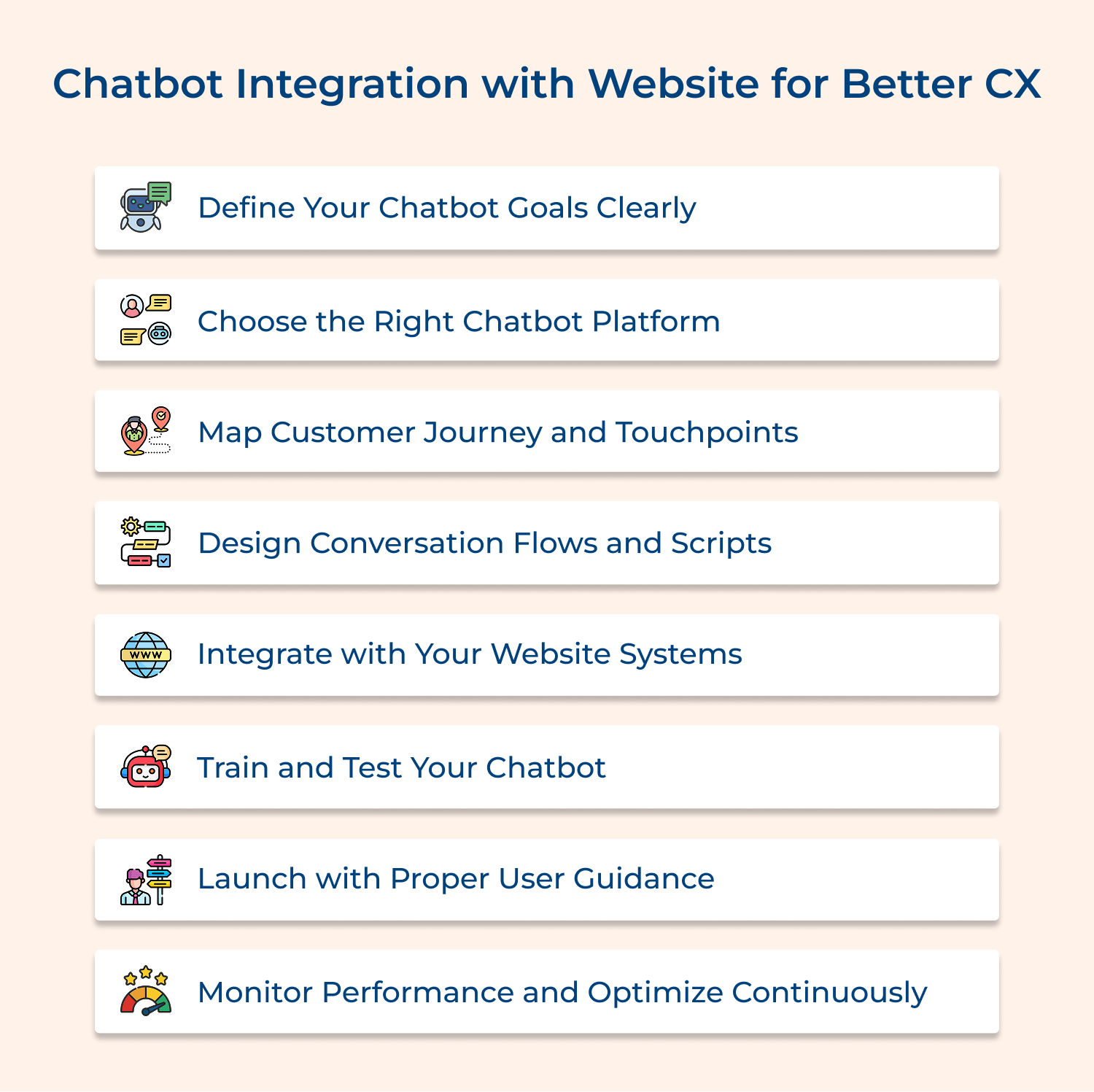
Setting clear chatbot goals is like creating a roadmap for your integration journey. Without specific objectives, you risk building a chatbot that confuses customers rather than helping them solve problems effectively.
Key Questions to Consider for Goal Definition. These strategic questions will guide your chatbot planning and ensure alignment with customer needs:
These questions help you avoid the common mistake of building chatbots without purpose. Here are practical examples of why businesses choose chatbot integration:
Implementation Tip: Start with one primary goal rather than trying to solve everything at once. A focused chatbot that excels at one task creates better customer experiences than a complicated system that handles multiple functions poorly.
Selecting the right platform determines whether your chatbot integration succeeds or becomes a costly mistake. The platform you choose affects everything from user experience to maintenance costs and future scalability options.
Consider these essential elements when evaluating different chatbot platforms for your business:
Why does platform choice matter so much? The right platform saves you months of frustration and ensures your chatbot actually helps customers instead of driving them away to competitors.
Customer journey mapping reveals exactly where chatbots can create the most value in your website experience. This process identifies the moments when customers need immediate help and shows you the optimal places to position your chatbot.
Understanding these mapping strategies helps you place chatbots where they provide maximum customer value:
For example, an e-commerce site discovered through journey mapping that 60% of cart abandonment happened on the shipping information page, so they placed a chatbot there to answer delivery questions instantly.
Conversation flow design creates the blueprint for how your chatbot will interact with customers throughout their journey. This step transforms your goals and customer insights into actual conversations that feel natural as well as helpful rather than robotic or frustrating.
Your chatbot uses these predetermined paths to guide customers toward solutions while maintaining a conversational tone that matches your brand personality.
Best Practices:
System integration connects your chatbot to existing business tools so it can access customer data and provide personalized responses. Without proper integration, your chatbot becomes an isolated tool that cannot deliver the seamless experience customers expect from modern businesses.
Pre-Integration Checklist Questions:
Answering them upfront ensures your technical team has everything needed for smooth integration without last-minute surprises.
Ready to Start Integration? Now that you’ve answered these foundational questions, your technical team can begin connecting systems with confidence. The implementation process becomes much smoother when you’ve planned for these technical requirements in advance.
Chatbot training involves feeding your system the knowledge it needs to handle customer conversations effectively. Without proper training, even the most sophisticated chatbot platform will provide irrelevant or unhelpful responses that frustrate customers and damage your reputation.
Essential Training Resources for Your Chatbot. Your chatbot needs comprehensive knowledge sources to provide accurate and helpful customer responses:
Now that you have trained your chatbot, perform testing to ensure your chatbot handles real customer scenarios without breaking down or providing incorrect information. Some of the testing scenarios that you can use are,
A strategic launch introduces your chatbot gradually while providing clear instructions that help customers understand how to use this new feature. Rushing the launch without proper guidance often leads to customer confusion as well as negative first impressions that are difficult to overcome.
Start with a soft launch to a small segment of website visitors so you can identify and fix issues before full deployment. This approach lets you gather real user feedback and make improvements without affecting your entire customer base during the learning process.
Pro Tips:
Continuous monitoring ensures your chatbot maintains effectiveness and improves over time based on real customer interactions. Without ongoing optimization, chatbots quickly become outdated and provide responses that no longer match customer needs or business changes.
Key Performance Metrics for Chatbot Success. These essential metrics help you understand how well your chatbot serves customers:
Why Do These Metrics Matter? They show you exactly where improvements are needed and help you make data-driven decisions about updates.
How Should You Use These Insights for Optimization? Regular analysis of these metrics reveals patterns in customer behavior and chatbot performance. It guides your improvement efforts toward the areas that will have the biggest impact on customer experience.
Understanding these applications helps you see how chatbot APIs transform business operations and customer experiences. Let’s explore them all:
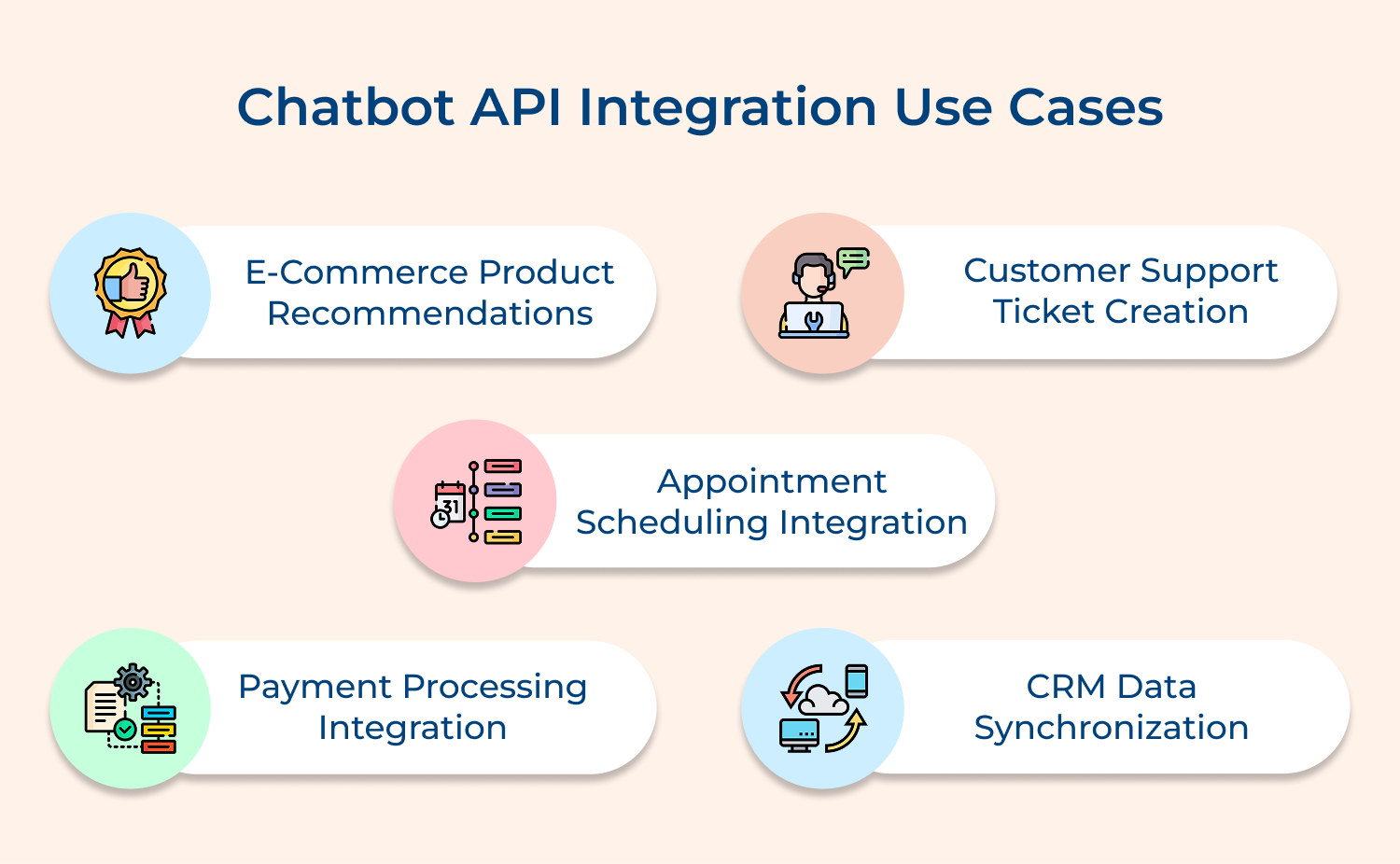
Chatbot APIs connect directly to your product catalog and customer purchase history to provide personalized shopping recommendations. When customers ask about products, the chatbot instantly accesses inventory data, pricing information and customer preferences to suggest relevant items that match their needs as well as budget.
Think of this like having a knowledgeable sales associate who remembers every customer’s preferences and can instantly check what’s in stock across your entire inventory.
Integration with helpdesk systems allows chatbots to automatically create support tickets when issues require human intervention. The chatbot gathers initial problem details, customer information and relevant context before seamlessly transferring everything to your support team with all conversation history preserved for efficient resolution.
This eliminates the frustrating experience of customers having to repeat their problems multiple times to different people.
Chatbots connect to your calendar systems to check availability and book appointments without human involvement. Customers can schedule services, meetings or consultations by simply conversing with the chatbot, which then updates your scheduling system and sends confirmation emails automatically.
This works like having a dedicated receptionist available around the clock who never makes scheduling mistakes or double-books appointments.
Secure API connections enable chatbots to process payments directly within conversations for simple transactions. Customers can complete purchases, pay bills, or renew subscriptions without leaving the chat interface, while the chatbot handles payment verification and receipt generation through your existing payment gateway.
The integration creates a seamless shopping experience where customers never have to navigate away from the conversation to complete their purchase.
Chatbot APIs sync customer interactions with your CRM system to maintain comprehensive customer profiles and conversation history. Every chat conversation automatically updates customer records with new information, preferences and interaction data, ensuring your sales as well as support teams have complete context for future engagements.
It ensures that every team member who interacts with a customer has access to their complete conversation history and preferences.
These successful business implementations show how different industries use chatbot integration to solve specific customer challenges and streamline operations.
Sephora’s Beauty Assistant Integration
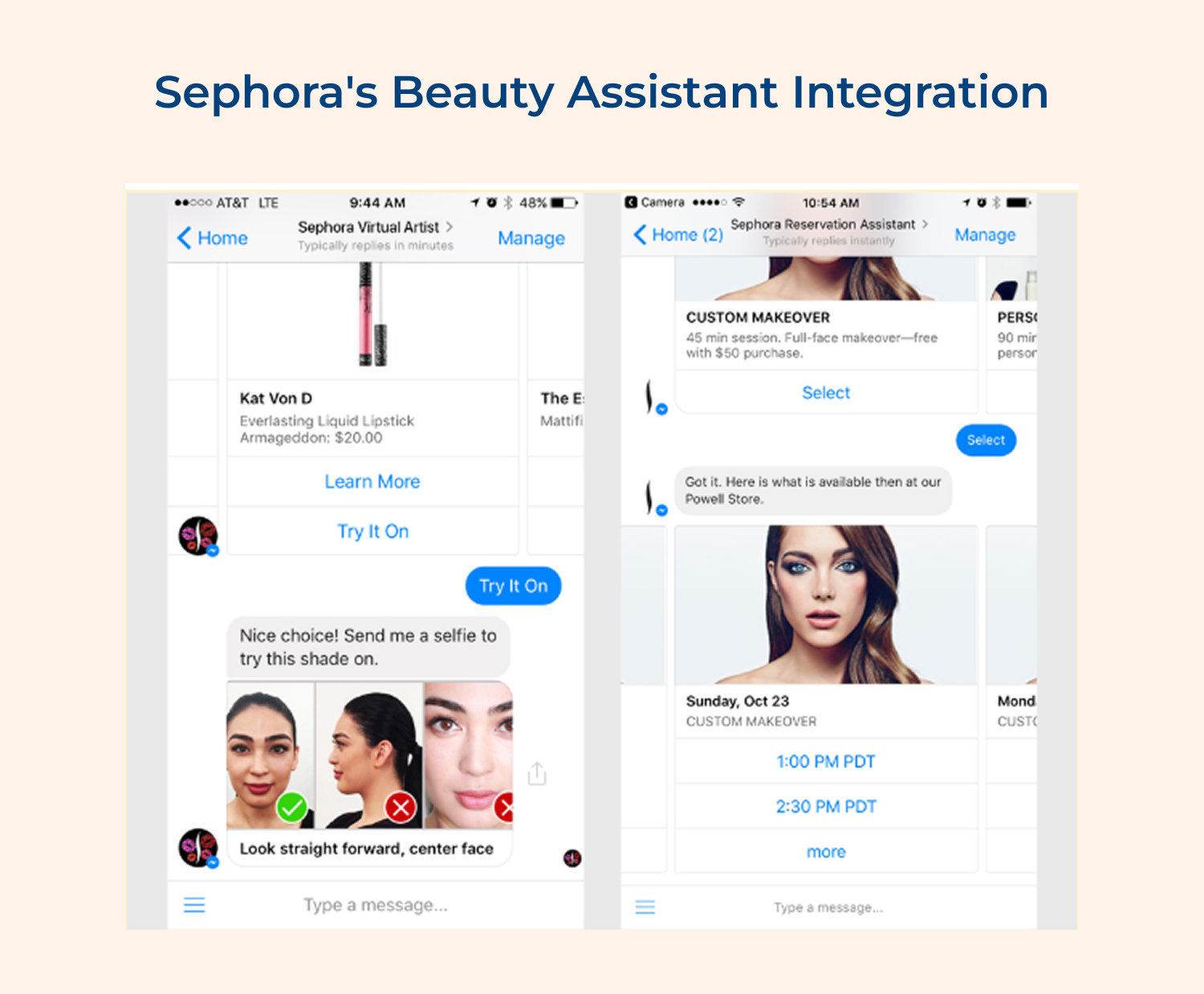
Sephora turned beauty shopping into a personalized experience with its AI-powered assistant.
Features:
Benefits:
Domino’s Pizza Ordering Bot
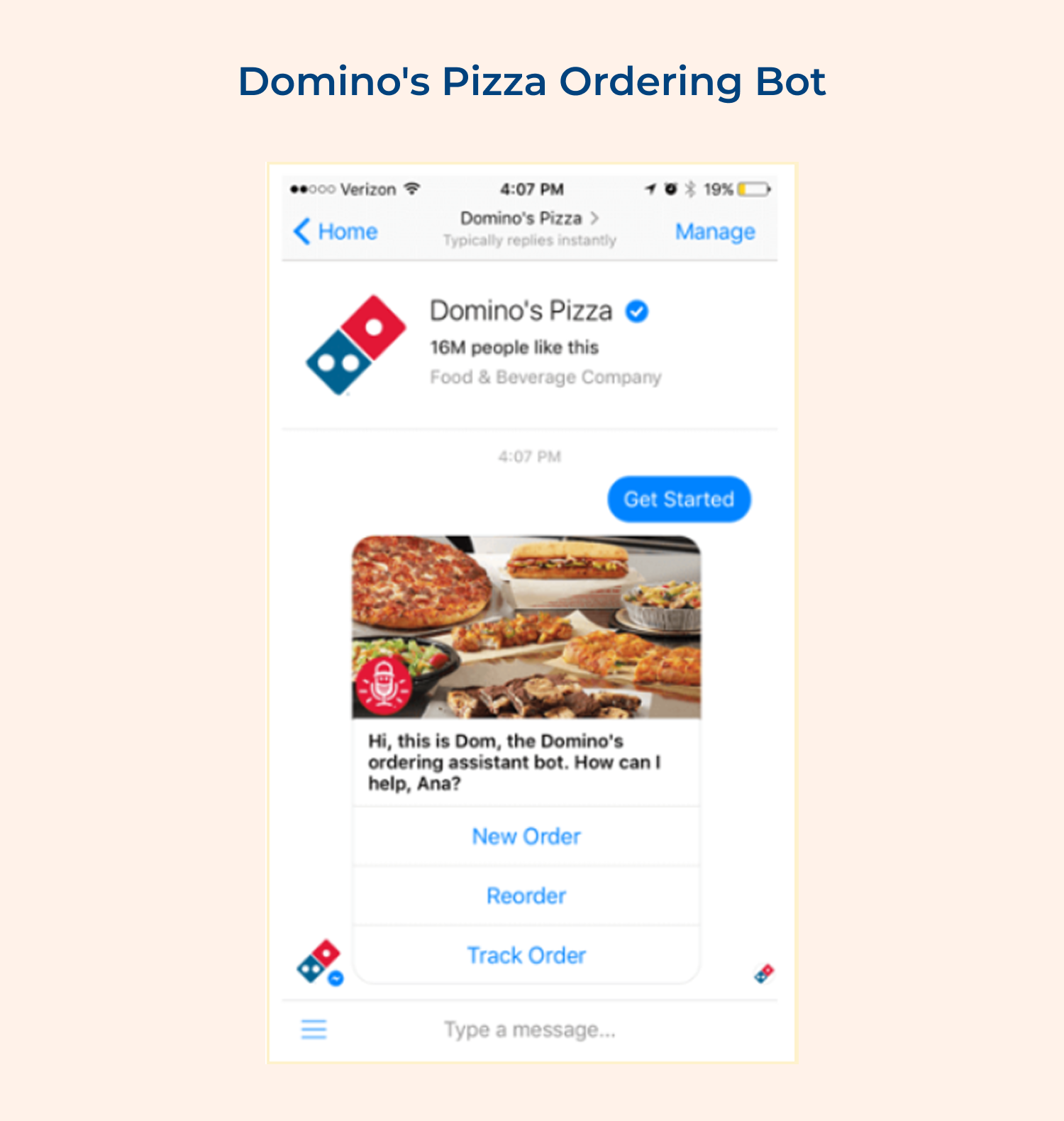
Domino’s made ordering pizza as simple as sending a message.
Features:
Benefits:
H&M’s Style Advisor Chatbot
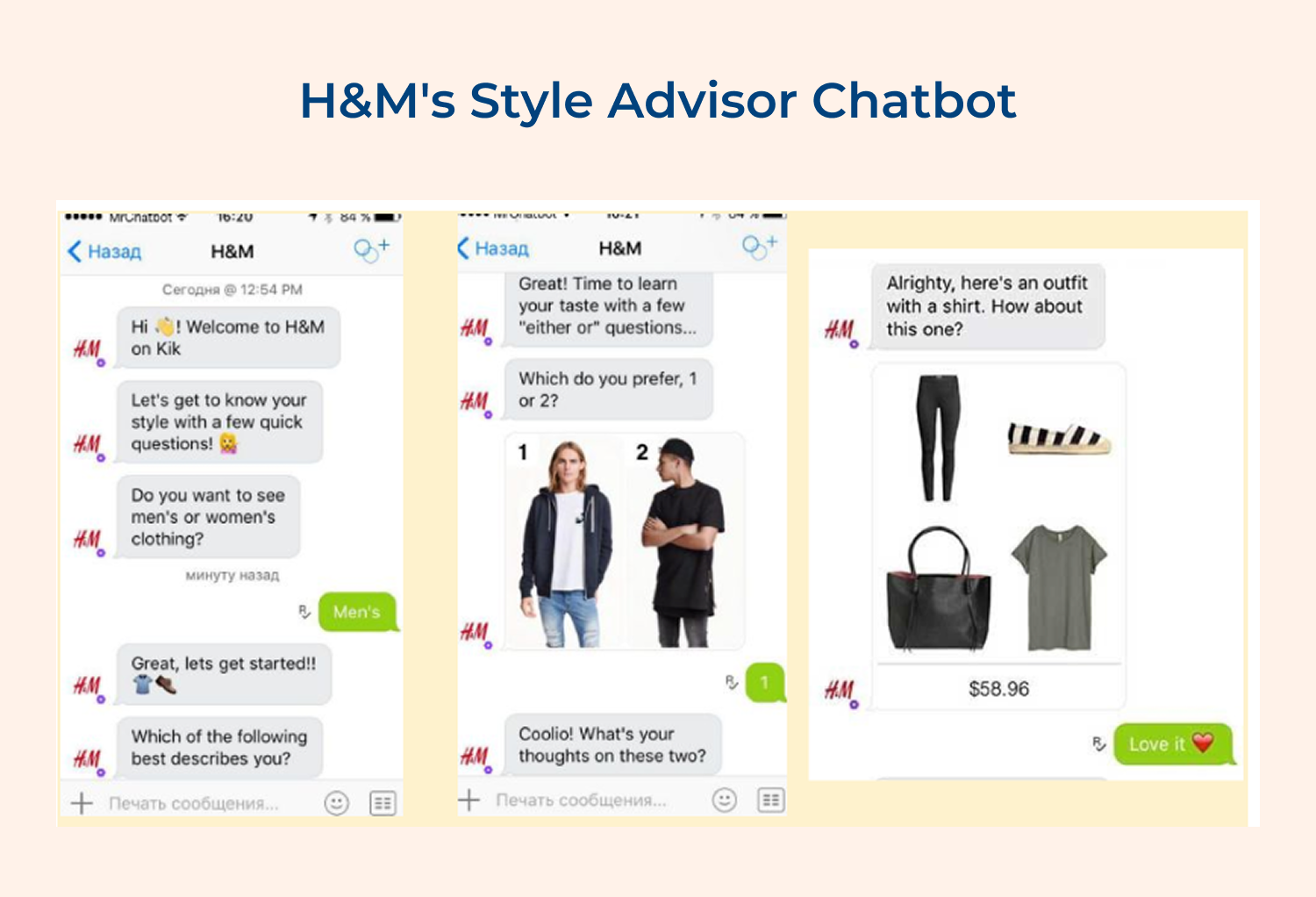
H&M brought the in-store stylist experience online with a digital advisor.
Features:
Benefits:
Chatbot integration represents a fundamental shift in how businesses connect with their customers by creating seamless digital conversations that feel natural and helpful. When implemented thoughtfully with clear goals and proper system connections, chatbots transform routine customer interactions into personalized experiences that build loyalty.
The key to successful chatbot integration lies in understanding your customers’ journey and designing conversations that genuinely solve their problems rather than creating additional friction. Businesses that approach integration strategically see improved customer satisfaction while reducing operational costs and creating scalable support systems.

How Many Types Of Chatbots Are There?
There are three main types of chatbots for business integration. Rule-based chatbots follow predetermined conversation paths and work well for simple customer service tasks. AI-powered chatbots use machine learning to understand natural language while providing more sophisticated responses. Hybrid chatbots combine both approaches to balance simplicity with intelligence based on your specific business needs.
Where Can I Integrate Chatbots?
You can integrate chatbots across multiple digital touchpoints where your customers interact with your business. Popular integration locations include your website, mobile applications, social media platforms like Facebook Messenger, WhatsApp, email marketing campaigns and customer support portals. The key is choosing platforms where your target audience already spends time communicating and seeking assistance.
How Do You Integrate A Chatbot?
Chatbot integration follows a systematic process starting with defining your goals and selecting the right platform for your needs. Next you connect the chatbot to your existing business systems through APIs, design conversation flows that match customer journeys and train the bot with relevant business knowledge. Finally you test thoroughly before launching with proper user guidance and ongoing performance monitoring.
How To Integrate Chatbots For Your Business?
Business chatbot integration begins with analyzing your customer support needs and identifying repetitive tasks that automation can handle effectively. Choose a chatbot platform that integrates smoothly with your current systems like CRM and databases. Design conversations that sound natural and helpful rather than robotic, then gradually roll out the chatbot while monitoring customer feedback to make continuous improvements based on real usage patterns.
How Much Does Chatbot Integration Cost?
Chatbot integration costs vary widely depending on complexity and platform choice, ranging from free basic solutions to enterprise systems costing thousands monthly. Consider expenses for platform subscriptions, development time, system integration work and ongoing maintenance requirements. Many businesses start with affordable solutions and scale up as they see results, making chatbot integration accessible for companies of all sizes as well as budgets.
 https://omni24.io/wp-content/uploads/2026/05/Compassionate-Customer-Service.png
1256
2400
Tushar Joshi
https://omni24.io/wp-content/uploads/2023/04/Omni-Logo-1.svg
Tushar Joshi2026-06-19 07:33:132026-06-19 07:33:13How to Deliver Compassionate Customer Service: Top 8 Strategies
https://omni24.io/wp-content/uploads/2026/05/Compassionate-Customer-Service.png
1256
2400
Tushar Joshi
https://omni24.io/wp-content/uploads/2023/04/Omni-Logo-1.svg
Tushar Joshi2026-06-19 07:33:132026-06-19 07:33:13How to Deliver Compassionate Customer Service: Top 8 Strategies https://omni24.io/wp-content/uploads/2026/06/Social-CRM.png
1256
2400
Tushar Joshi
https://omni24.io/wp-content/uploads/2023/04/Omni-Logo-1.svg
Tushar Joshi2026-06-18 04:32:482026-06-19 10:15:22What Is Social CRM & How to Choose the Best One?
https://omni24.io/wp-content/uploads/2026/06/Social-CRM.png
1256
2400
Tushar Joshi
https://omni24.io/wp-content/uploads/2023/04/Omni-Logo-1.svg
Tushar Joshi2026-06-18 04:32:482026-06-19 10:15:22What Is Social CRM & How to Choose the Best One? https://omni24.io/wp-content/uploads/2026/06/Predictive-Customer-Service.png
1258
2400
Tushar Joshi
https://omni24.io/wp-content/uploads/2023/04/Omni-Logo-1.svg
Tushar Joshi2026-06-16 04:17:312026-06-16 04:17:31How to Create a Predictive Customer Service Strategy?
https://omni24.io/wp-content/uploads/2026/06/Predictive-Customer-Service.png
1258
2400
Tushar Joshi
https://omni24.io/wp-content/uploads/2023/04/Omni-Logo-1.svg
Tushar Joshi2026-06-16 04:17:312026-06-16 04:17:31How to Create a Predictive Customer Service Strategy?
Whether it’s about acquire, engage or support – Omni24 covers all your customer engagement needs in one complete platform.

Copyright ©2026 Veemo All rights reserved.
CA, Los Angeles, Hall Ave, 19011