Help Desk Migration: A Step-by-Step Guide for Support Teams
Help desk migration boosts support efficiency, improves data management and optimizes customer interactions for better service and seamless user experience.

Help desk migration boosts support efficiency, improves data management and optimizes customer interactions for better service and seamless user experience.
As companies grow, their software needs evolve — especially help desk systems, which are vital for efficient customer support. However, migrating data from one platform to another can be daunting.
Help desk migration offers a valuable advantage for businesses looking to switch. With 64% of businesses planning to increase their IT budgets, investment in better customer service solutions is a growing trend. A seamless migration process allows companies to upgrade their help desk systems without the typical headaches and risks associated with data migration. Let’s explore the benefits of Help Desk Migration and how it can streamline your help desk operations.
A help desk is defined as a centralized resource that provides support to users who encounter technical issues or need help with a product or service. Help desks can be found in various organizations, such as companies, educational institutions and government agencies.
In the last few years, new tools like AI have changed help desks. They make answers fast and keep work smooth. These smart tools can deal with common questions easily without involving them. This mix helps businesses keep their customers happy and take care of tech problems well.
Help Desk Migration refers to a process of transferring data from one help desk software to another. It can be a complex task, as it involves moving large amounts of data such as tickets, contacts, knowledge base articles and more from one system to another without losing any information or causing any disruptions to the workflow.
The need for help desk change is key as it keeps work going while meeting new customer needs. As firms get big, their first help desk setups may not be enough for more work or needed parts. A good change keeps all important old talks with customers and gets ready for better service using the new system’s strong points.
Key objectives:
Planning to migrate your help desk software? This step-by-step guide ensures a smooth transition, whether you’re upgrading or exploring new features.
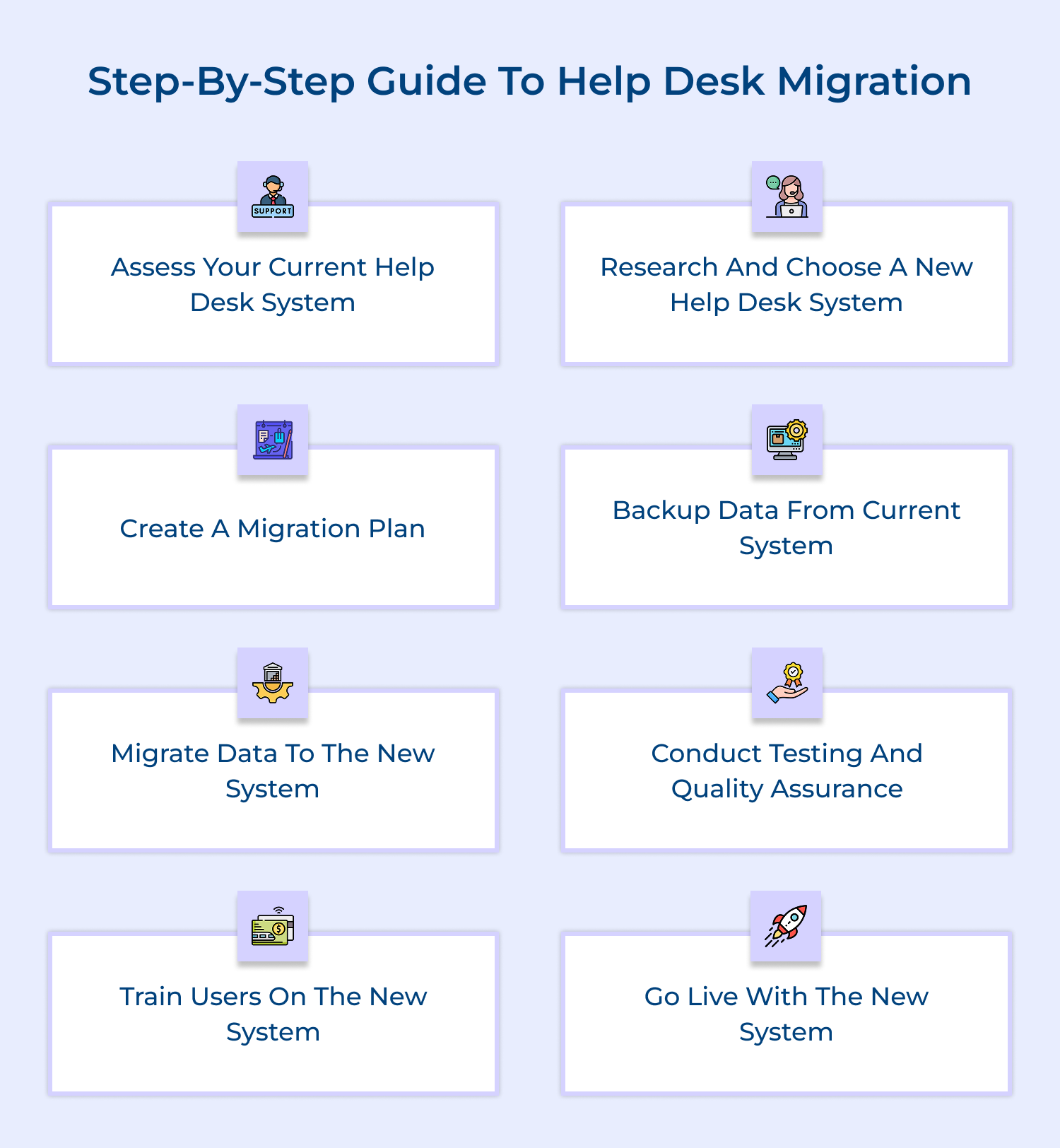
Before starting the migration process, it’s crucial to evaluate your current help desk system. Start with identifying the key features and workflows that need to be migrated to the new system. Make a note of any customizations or integrations that are currently in place.
Understanding the current help desk system is crucial in determining what aspects are working well and what needs improvement.
Conduct in depth research and identify a suitable help desk software that meets the needs of your business. Consider factors such as ease of use, scalability, customization options, cost and integration capabilities.
Note: Once you have selected a new system, schedule a demo to familiarize yourself with the platform.
Develop a comprehensive migration plan that outlines the tasks, timelines, responsibilities and resources required for the migration process.
Consider factors such as data mapping, data cleansing, testing and training for users. You can engage key stakeholders in the planning process to ensure a smooth transition.
Before making any changes to your help desk system, it’s essential to back up all your data.
The backup process includes ticket history, customer information, knowledge base articles and any other relevant data. Ensure that you have a secure backup in case of any unexpected issues during the migration process.
Once you have backed up your data, start migrating it to the new help desk system. Follow the pro tips below:
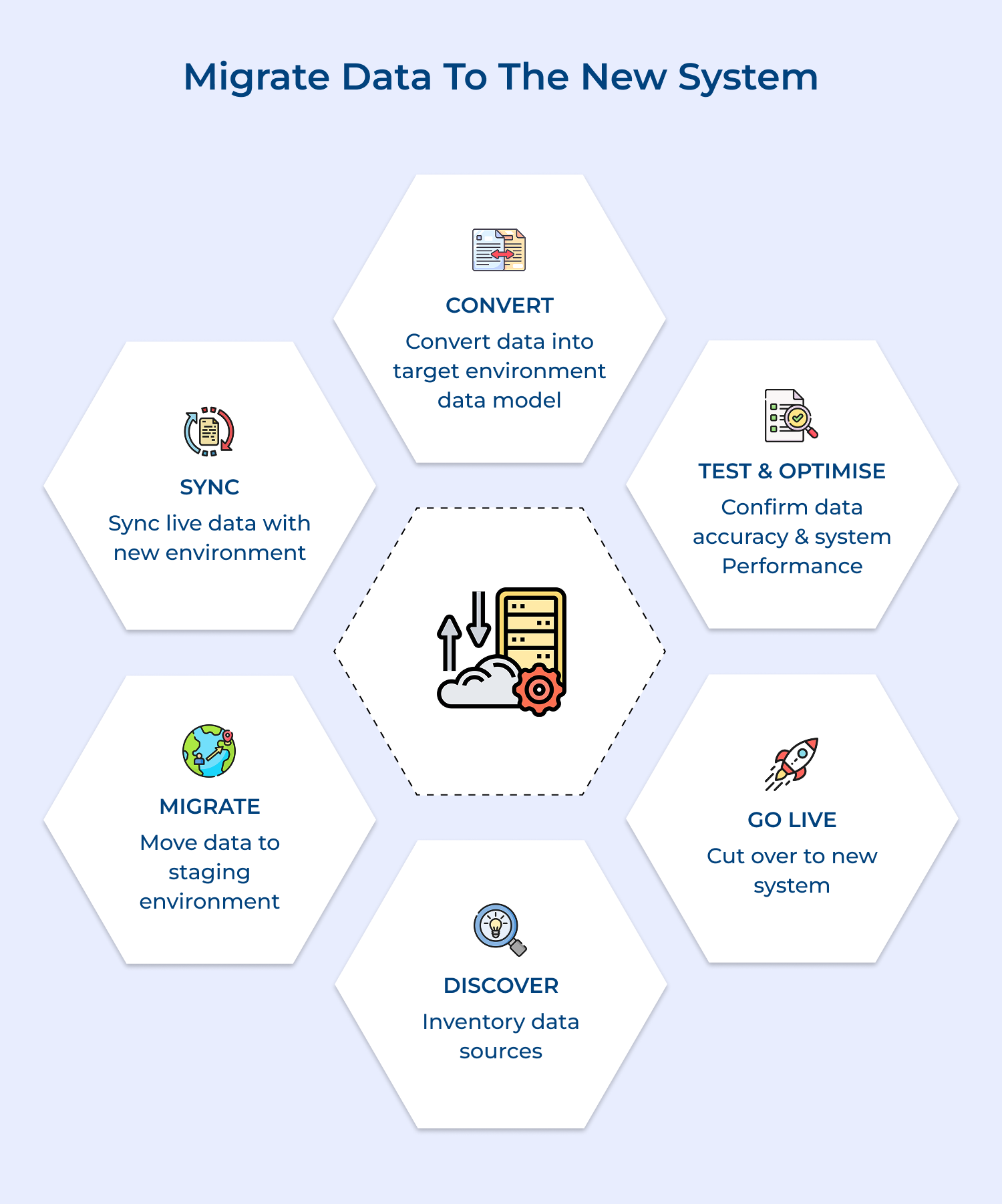
Migrating data to the new system is a critical step in ensuring that your help desk operations continue seamlessly post-migration. It involves transferring all relevant information from the old system to the new one, including customer details, ticket history and other important data.
Before fully transitioning to the new help desk system, conduct thorough testing and quality assurance to ensure that everything is functioning correctly. Test different features, workflows, integrations and user permissions to identify any issues that need to be addressed.
Provide training sessions for users to familiarize them with the new help desk system. Offer tutorials, user guides and hands-on training to ensure that employees are comfortable using the new platform. Address any questions or concerns that users may have during the training process.
Once you have completed testing, training and addressed any issues, it’s time to go live with the new help desk system. Monitor the system closely in the initial days to identify any hiccups and provide support to users as needed.
Going live with the new system marks the completion of the migration project and signifies the beginning of a new chapter for the help desk. It is a critical milestone that requires careful planning and coordination to ensure a successful transition. Communicate the transition to stakeholders and encourage feedback for further improvements.
Migrating a help desk system can be challenging for any organization. Whether switching platforms or consolidating systems, the process often comes with hurdles to overcome.
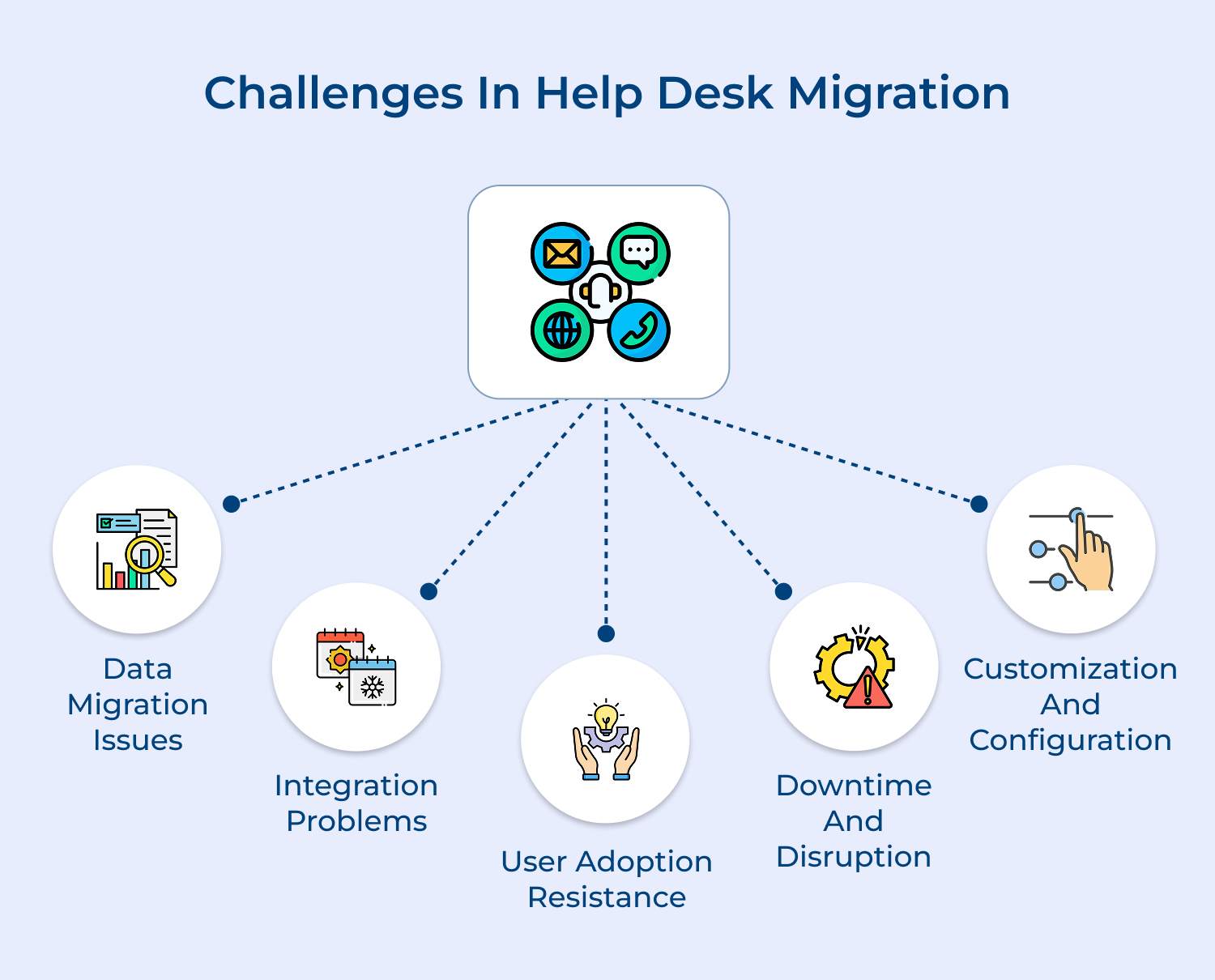
One of the biggest challenges in help desk migration is ensuring that all of your data is accurately transferred to the new system. It includes ticket histories, customer information and other important data.
Solution: It is important to thoroughly plan and test the data migration process. Make sure that all data is properly backed up before starting the migration and double-check that everything has been successfully transferred once the process is complete.
If you are migrating to a new help desk system that needs to integrate with other software or systems, you may encounter integration problems. Usually, it can lead to issues with data syncing, reporting and workflow automation.
Solution: Work closely with your IT team and the help desk provider to ensure that all integrations are properly set up before going live.
Another common challenge in help desk migration is user adoption resistance. Employees may be hesitant to switch to a new system, especially if it requires additional training or changes to their workflow.
Solution: Provide thorough training to your team before and after the migration. Communicate the benefits of the new system and address any concerns or questions that employees may have.
During the migration process, there may be some downtime and disruption to your help desk operations. It leads to delays in customer support and impacts overall productivity.
Solution: Schedule the migration at a time when it will have the least impact on your business. Prepare a contingency plan in case of any unexpected issues and communicate with customers as well as employees about any potential downtime or disruptions.
If your business has specific workflows or requirements that need to be met in the new help desk system, customization and configuration can be a challenge.
Solution: work closely with the help desk provider to ensure that the system can be tailored to meet your organization’s needs. Provide clear guidelines for customization and configuration and test the system thoroughly before going live.
Help desk migration offers valuable benefits despite the challenges. Whether switching platforms, it can lead to improved efficiency, better support, and streamlined operations.
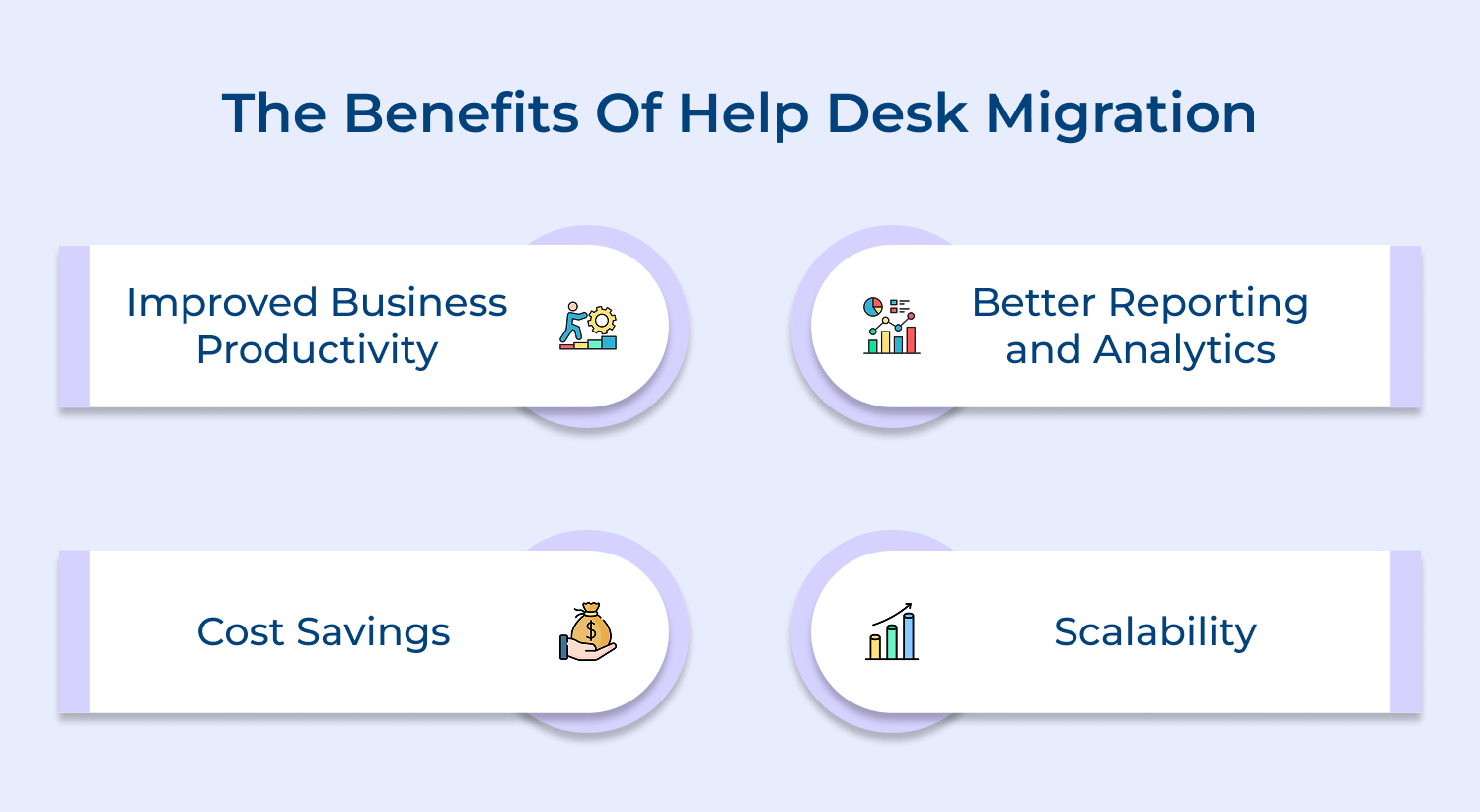
Leveraging a help desk software that is more user-friendly and intuitive, your support team can work more efficiently. It leads to faster response times, quicker problem resolution and ultimately, happier customers.
Implementing a help desk software helps you to track metrics such as ticket volume, response times, customer satisfaction and more. The data can help you identify trends, make informed decisions and improve your overall customer support strategy.
Switching to an efficient help desk software helps businesses to reduce the number of support staff needed or the amount of time spent on repetitive tasks. It can result in lower operational costs and higher profitability.
As your business grows, you may need to scale up your help desk operations to meet increasing customer demands. Help desk migration can help you easily scale your support team to accommodate growth. Whether you are adding new support agents or integrating new channels, a help desk software can make the process seamless.
Help Desk Migration offers a unique advantage in elevating customer experience through seamless and efficient data migration for help desk software. By simplifying the process and ensuring a smooth transition, businesses can focus on delivering top-notch customer service without the hassle of data migration challenges.
Help Desk Migration empowers businesses to enhance their customer experience and streamline their help desk operations. Choose Help Desk Migration for a hassle-free migration process and take your customer experience to new heights.

Why might a company decide to migrate their help desk?
There are several reasons why a company may decide to migrate their help desk. Some common reasons include upgrading to a more advanced help desk software, consolidating multiple help desk systems into one, improving efficiency and productivity, or simply wanting to switch to a more cost-effective solution.
How can one prepare for a help desk migration?
To prepare for a help desk migration, it’s important to first assess your current help desk system and identify any issues or areas for improvement. You should also create a detailed migration plan, set up a test environment to ensure everything runs smoothly and communicate the migration process to your team.
What happens in a help desk migration?
During a help desk migration, all of your existing data, tickets, user information and configurations are transferred from your old help desk system to the new one. This process can vary depending on the complexity of your system and the software you are migrating to, but generally involves exporting data, mapping fields, testing the migration.
When should you migrate your help desk?
The timing of a help desk migration can vary depending on your company’s needs and priorities. It’s generally recommended to migrate during a time when ticket volumes are lower to minimize disruptions and to allow ample time for training. It’s also important to consider any upcoming changes in your business that may affect the migration process.
What would be an example of a migration?
An example of a help desk migration could be a company that is currently using a basic email system for customer support and decides to migrate to a more robust help desk software that offers features. By migrating to a new system, the company can improve efficiency, track customer inquiries more effectively, and provide better support to their users.
 https://omni24.io/wp-content/uploads/2026/09/Social-commerce-scaled.png
1340
2560
Webvision Solution
https://omni24.io/wp-content/uploads/2023/04/Omni-Logo-1.svg
Webvision Solution2026-10-23 12:18:272026-10-23 12:18:27What is Social Commerce and Why Does It Matter?
https://omni24.io/wp-content/uploads/2026/09/Social-commerce-scaled.png
1340
2560
Webvision Solution
https://omni24.io/wp-content/uploads/2023/04/Omni-Logo-1.svg
Webvision Solution2026-10-23 12:18:272026-10-23 12:18:27What is Social Commerce and Why Does It Matter? https://omni24.io/wp-content/uploads/2026/08/AI-Customer-Service-Agents.png
1256
2400
Webvision Solution
https://omni24.io/wp-content/uploads/2023/04/Omni-Logo-1.svg
Webvision Solution2026-09-21 04:48:512026-09-21 04:48:51How to Build an AI Customer Service Agents: 8 Key Steps
https://omni24.io/wp-content/uploads/2026/08/AI-Customer-Service-Agents.png
1256
2400
Webvision Solution
https://omni24.io/wp-content/uploads/2023/04/Omni-Logo-1.svg
Webvision Solution2026-09-21 04:48:512026-09-21 04:48:51How to Build an AI Customer Service Agents: 8 Key Steps https://omni24.io/wp-content/uploads/2026/08/Omnichannel-Conversational-AI.png
1256
2400
Tushar Joshi
https://omni24.io/wp-content/uploads/2023/04/Omni-Logo-1.svg
Tushar Joshi2026-09-16 03:51:072026-09-16 03:51:07How to Build Omnichannel Conversational AI Strategy
https://omni24.io/wp-content/uploads/2026/08/Omnichannel-Conversational-AI.png
1256
2400
Tushar Joshi
https://omni24.io/wp-content/uploads/2023/04/Omni-Logo-1.svg
Tushar Joshi2026-09-16 03:51:072026-09-16 03:51:07How to Build Omnichannel Conversational AI Strategy
Whether it’s about acquire, engage or support – Omni24 covers all your customer engagement needs in one complete platform.

Copyright ©2026 Veemo All rights reserved.
CA, Los Angeles, Hall Ave, 19011