How Self-Service Automation Streamlines Customer Service
Self-service automation empowers customers, reduces support workload and enhances experience through smart automated workflows.
Self-service automation empowers customers, reduces support workload and enhances experience through smart automated workflows.
Customer-service teams often get swamped — long ticket queues, angry customers waiting hours and exhausted agents tackling the same repetitive issues. Self-service automation solves that by giving customers instant access to answers via smart chatbots, knowledge bases and seamless workflows that run 24/7 without burnout.
Studies show AI-driven tools can cut support costs by up to 30% and reduce ticket volume by 25–30 %. Moreover, many organizations report a 50% boost in first-contact resolution and significantly faster response times when using automation.
Automation helps customers get quicker solutions and teams save time as well as money while focusing on complex issues.
Customer self-service automation is technology that enables customers to resolve their own issues and complete tasks without human assistance. It combines digital tools like chatbots and knowledge bases with automated workflows to guide customers through common processes.
The system operates by analyzing customer inquiries and matching them with pre-built solutions or workflows. When a customer submits a question or request the automation identifies their intent and presents relevant options through interactive menus or conversational interfaces.
Key objectives:
Self-service automation transforms how customers interact with businesses by putting control directly in their hands. Let’s look into some of the benefits:
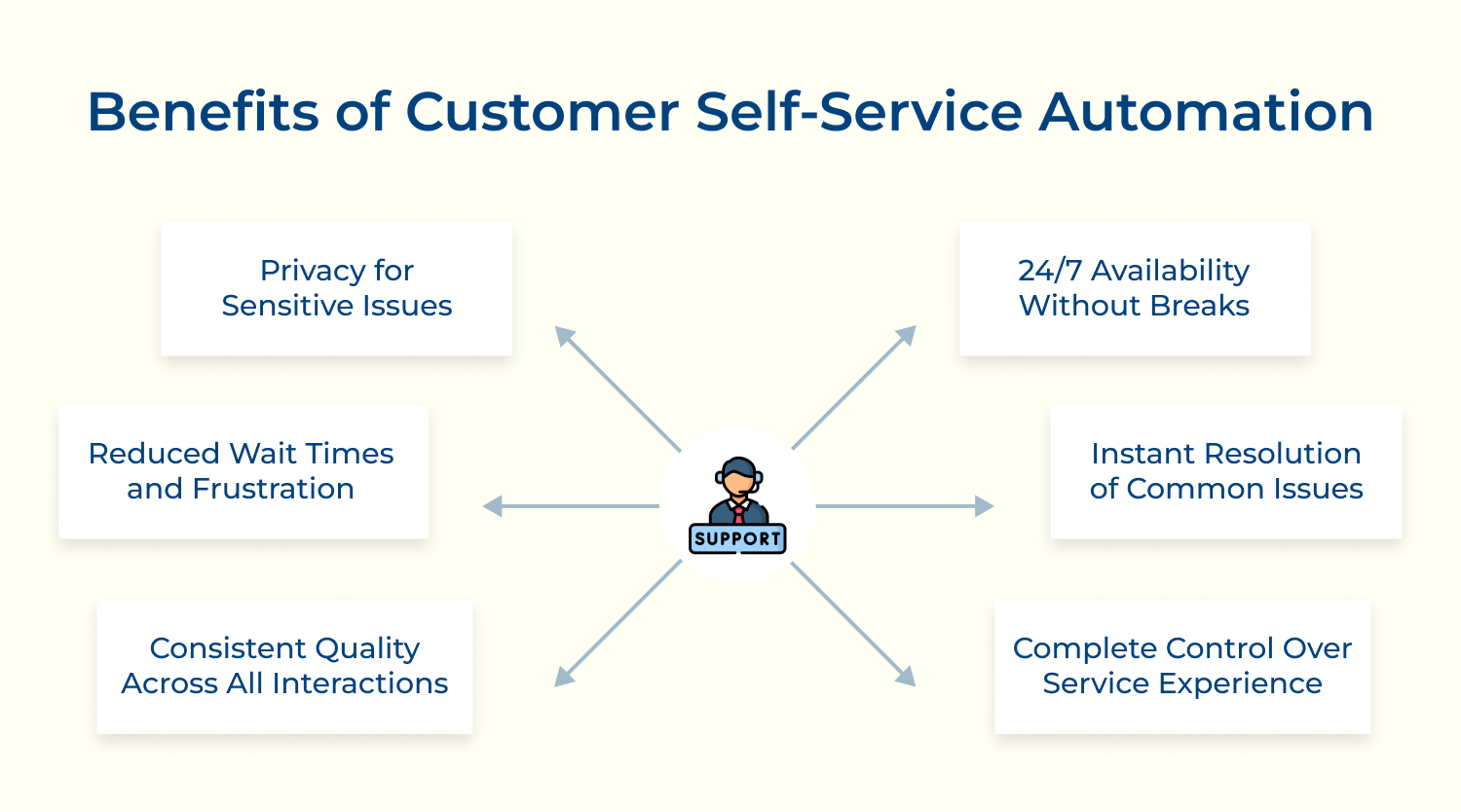
24/7 Availability Without Breaks
Customers can access help whenever they need it regardless of time zones or business hours. This round-the-clock availability eliminates frustrating wait times and lets people solve problems when it’s convenient for them rather than when support staff happens to be available.
Instant Resolution of Common Issues
Simple questions get answered immediately without queuing or waiting for human agents. Customers can reset passwords, check order status or find basic information in seconds rather than spending minutes or hours waiting for traditional support channels to respond.
Complete Control Over Service Experience
People can work through problems at their own pace without feeling rushed by busy agents. They can revisit information multiple times, explore different options and take breaks without losing their place in the conversation or feeling pressured to wrap up quickly.
Consistent Quality Across All Interactions
Automated systems deliver the same high-quality information every time without variations in agent knowledge or mood. Customers receive accurate standardized responses that don’t depend on which human representative they happen to reach or how busy the support team might be.
Reduced Wait Times and Frustration
Self-service eliminates the common pain points of holding music busy signals and transferring bouncing between departments. Customers can jump straight to solutions without navigating complex phone trees or waiting in digital queues behind dozens of other people.
Privacy for Sensitive Issues
Some customers prefer handling certain problems privately without explaining personal situations to human agents. Self-service options let people resolve account issues, billing questions or troubleshoot problems without the potential embarrassment of discussing sensitive topics with strangers.
Let’s delve into how self-service automation is reshaping customer interactions, making them more efficient and satisfying for everyone involved.
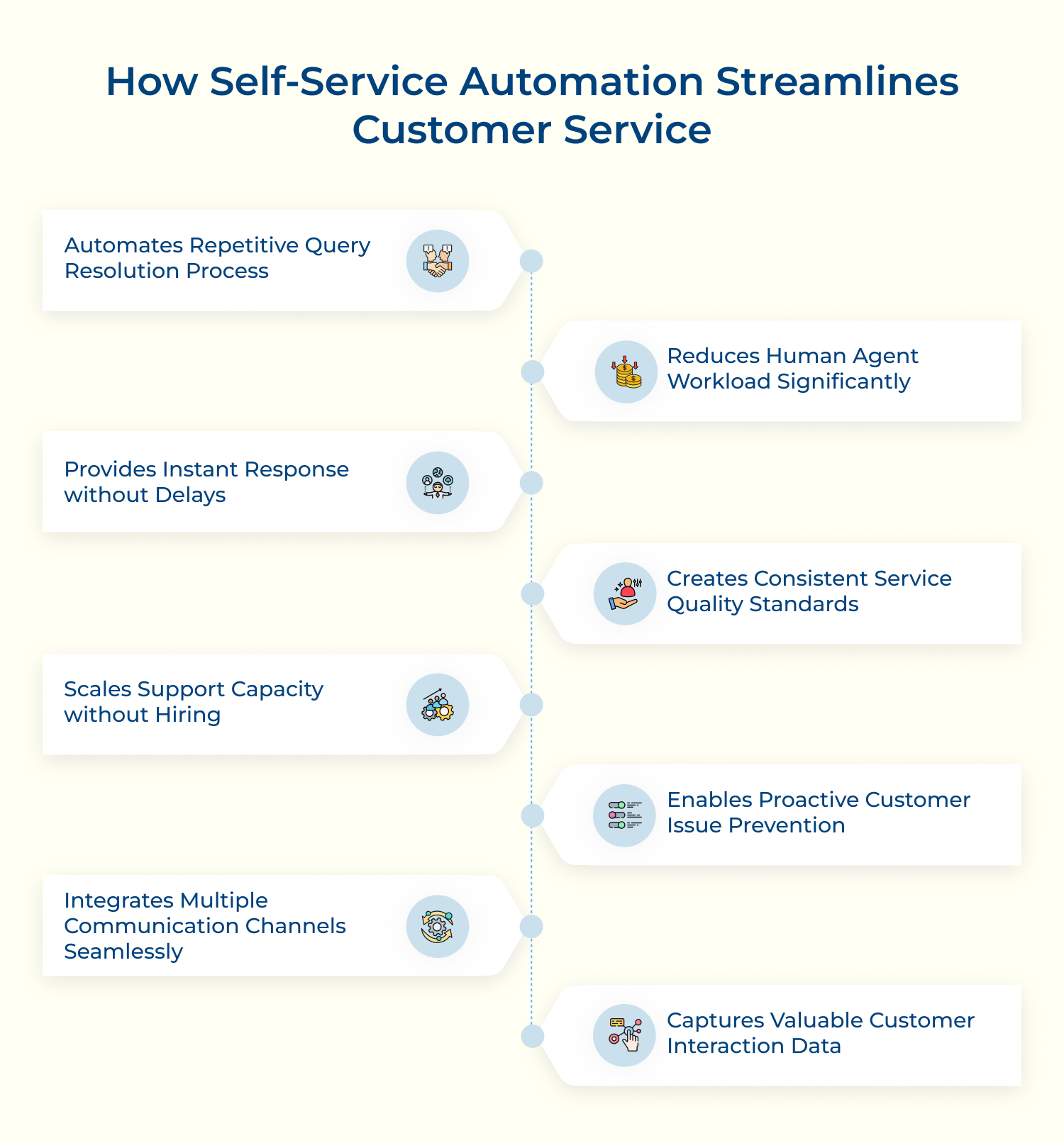
Think about the last time you needed to reset a password. In the old days, you’d call support, wait on hold, verify your identity with an agent and then wait for email instructions. Now automation handles this entire process in seconds through structured workflows that never vary in quality or speed.
Implementation Readiness Checklist:
Smart systems learn from successful resolution patterns to create streamlined processes. Password resets now verify identity through security questions, instantly send reset links and confirm completion without any human involvement. Order tracking automation works similarly by providing real-time updates and proactive delay notifications without overwhelming support teams with status inquiries.
Picture a busy emergency room where triage nurses quickly assess which patients need immediate doctor attention versus those who can wait or handle minor issues themselves. Customer service automation works the same way by filtering requests and routing them appropriately.
These three principles enable effective workload distribution using smart technology:
This approach transforms support teams from order-takers handling repetitive requests into strategic advisors who build lasting customer relationships and drive business growth.
Customers today expect immediate responses. When someone has an urgent account issue at midnight, they don’t want to wait until business hours for help. Automation delivers answers in milliseconds rather than hours or days.
Understanding these technical foundations helps maximize response speed:
Emergency situations like account lockouts or billing emergencies benefit enormously from immediate responses that prevent frustration and potential customer loss. During high-traffic periods like Black Friday sales, automated systems maintain consistent speed while human agents would become completely overwhelmed.
Human agents naturally differ in how they explain things, communicate and solve problems. One may give thorough details while another keeps answers short — and that inconsistency can frustrate customers who expect the same level of clarity every time.
Automation solves this by giving identical, accurate responses to repeated questions. It also pushes teams to maintain a clean, up-to-date knowledge base that supports both automated replies and agent training.
Quality Assurance Essentials:
Standardized workflows also guide customers through the right troubleshooting steps, preventing confusion caused by inconsistent agent approaches.
Traditional support scaling requires extensive hiring, training and infrastructure investment that takes months to implement. During seasonal peaks or rapid growth, companies often can’t scale fast enough to maintain service quality.
Scalability Evaluation Framework:
Automated systems handle unlimited simultaneous conversations without quality degradation. Software companies launching products, e-commerce platforms during holidays and service providers expanding into new markets maintain excellent support without proportional human team scaling costs as well as delays. Automation provides variable cost structures that align support expenses with actual customer demand.
Instead of waiting for customers to encounter problems, smart automation analyzes patterns to predict and prevent issues before they occur. This shift from reactive firefighting to proactive care dramatically improves customer experience while reducing support volume.
These approaches enable effective proactive support through sophisticated analysis:
Prevention extends beyond immediate problem avoidance to include customer education and engagement. Automated systems guide customers toward optimal product usage and suggest complementary services that enhance their overall experience.
Customers want to start conversations on one platform and continue them seamlessly on another without repeating information. Someone might begin a chat inquiry on your website, continue via email when they leave their computer and complete resolution through your mobile app.
These components enable successful integration across all customer touchpoints:
Technical sophistication requires real-time data synchronization and intelligent routing between channels based on customer preferences as well as issue complexity.
Every automated interaction generates detailed analytics about customer behavior, problem patterns and resolution effectiveness that would be impossible to collect manually. This data becomes the foundation for continuous improvement across your entire support operation.
Data Analytics Performance Checklist:
Interaction analytics reveal customer satisfaction trends, identify automation gaps and highlight process improvement opportunities. Businesses track which automated responses successfully resolve issues and where customers frequently request human escalation.
Strategic data applications extend to product development, marketing insights, and customer experience optimization across entire organizations. Support interaction patterns inform feature prioritization and training program design while customer sentiment analysis provides early warning systems for product issues as well as competitive threats.
Implementing effective self-service automation requires strategic planning and careful attention to UX design principles that build customer confidence.
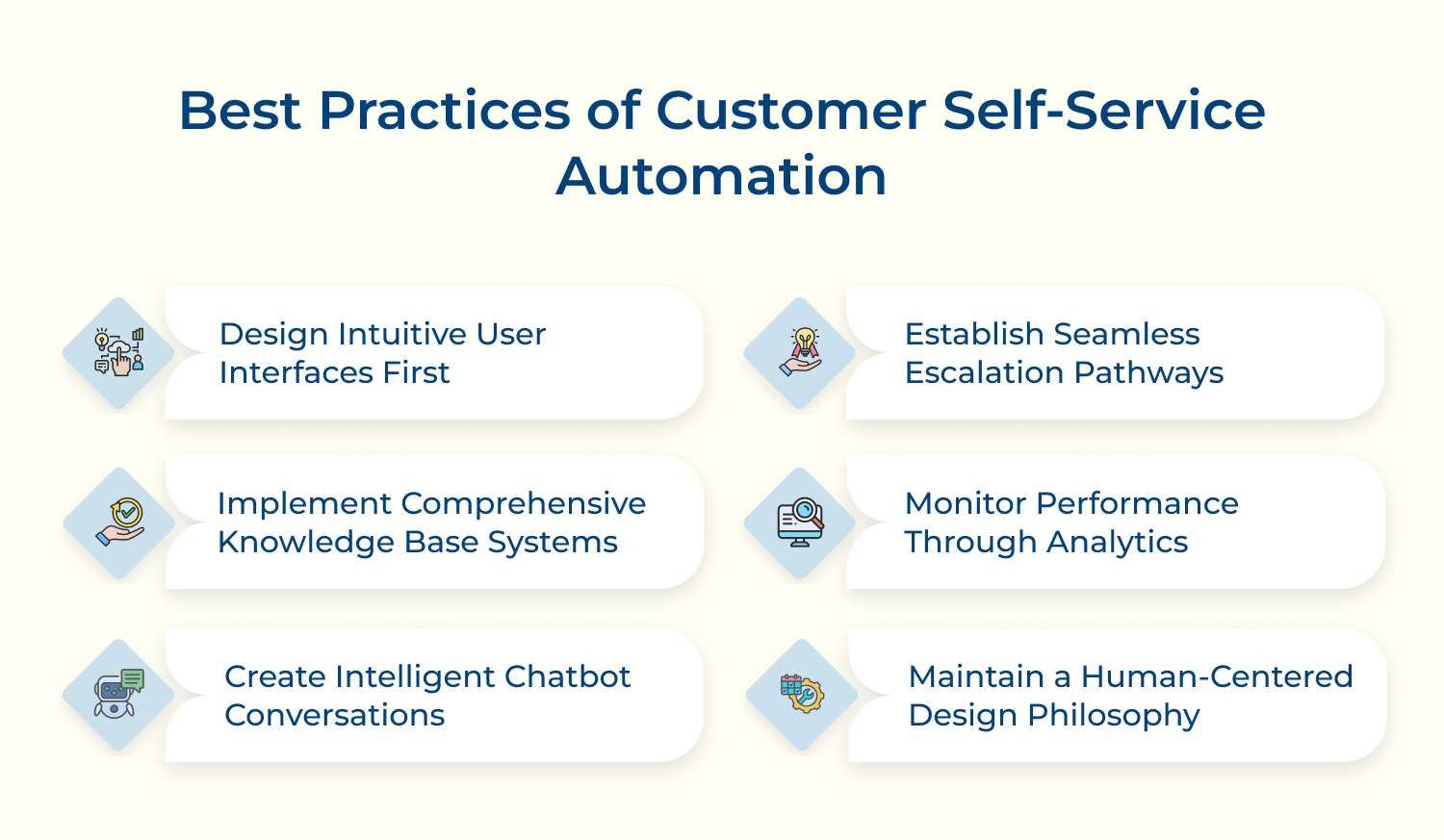
Design Intuitive User Interfaces First
Clear, simple interfaces are the backbone of effective self-service portals. Easy navigation, logical flows and accessible layouts help customers find answers quickly without extra support. Good design also guides users toward the right actions, prevents common mistakes and reduces drop-offs.
Implement Comprehensive Knowledge Base Systems
A solid knowledge base ensures customers always get accurate, updated information. To make it work well:
Using customer-friendly language and updating content regularly strengthens Automated Self-Service performance.
Create Intelligent Chatbot Conversations
Smart chatbots powered by AI-powered tools handle routine queries while understanding context, intent and limits. When needed, they hand off conversations smoothly to human agents with full context. These bots learn over time, improving accuracy and identifying content gaps.
Establish Seamless Escalation Pathways
Customers should move from automation to human support without losing momentum. Strong systems rely on:
This ensures customers reach the right experts quickly.
Monitor Performance Through Analytics
Use analytics to track what’s working across your automation platform:
You get to refine automation tools and spot new improvement opportunities.
Maintain a Human-Centered Design Philosophy
Even in automated systems, human needs come first. Prioritizing empathy, clarity and accessibility ensures technology supports customers—not the other way around. When designed with people in mind, automated experiences feel helpful, supportive and genuinely problem-solving.
Many organizations rush into automation without proper planning, leading to frustrated customers and wasted resources that undermine the entire initiative.
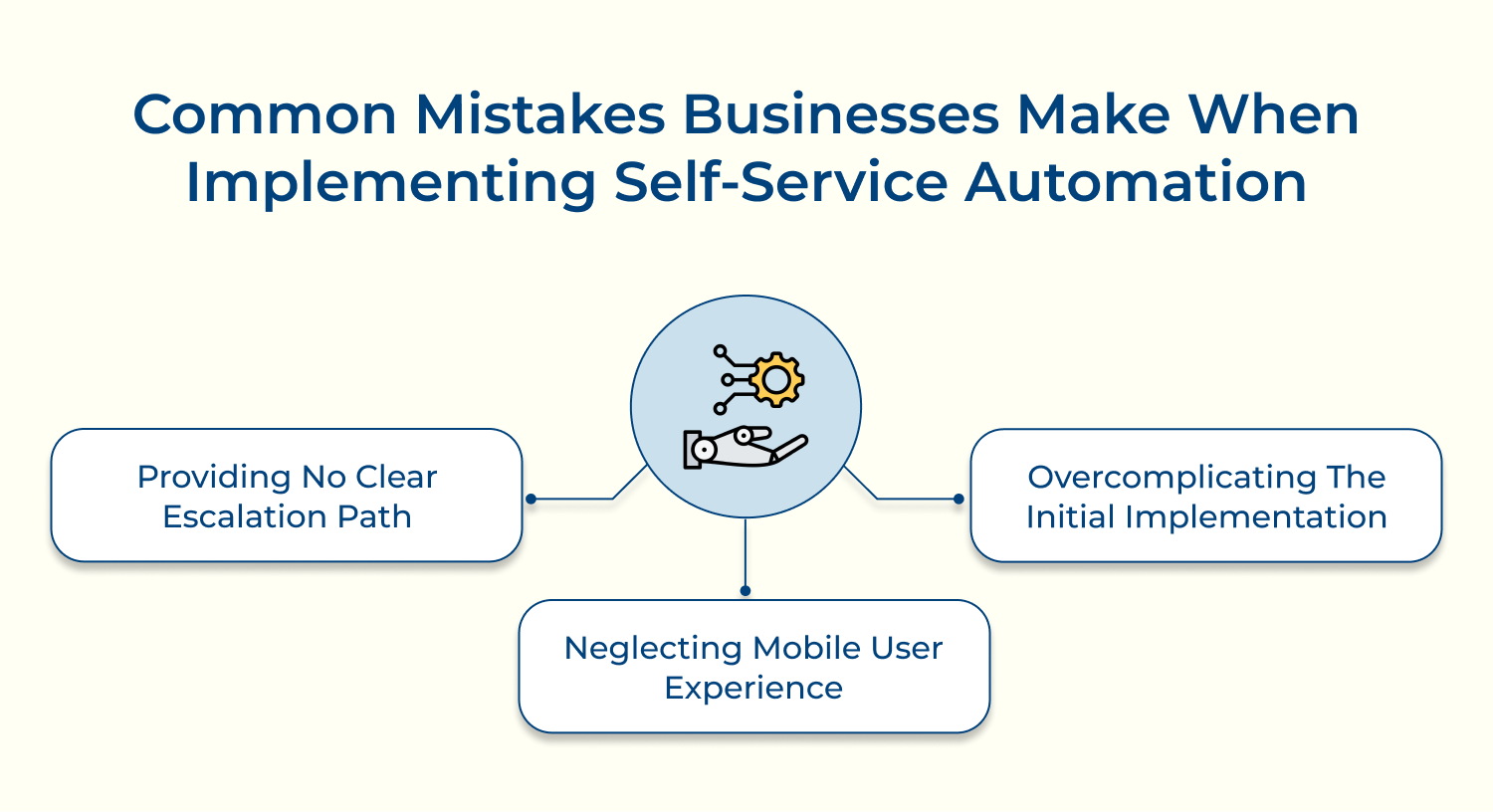
Businesses often try to automate every possible customer interaction from day one, creating complex systems that confuse customers and overwhelm internal teams. This approach leads to poor user adoption rates as well as increased support tickets as customers struggle to navigate overly sophisticated interfaces that should simplify their experience.
Companies frequently design self-service systems for desktop users while ignoring the reality that most customers access support through mobile devices. Poor mobile optimization creates frustrating experiences with tiny buttons, unreadable text and slow loading times that drive customers away from self-service options back to traditional support channels.
Companies create automation systems that trap customers in endless loops without offering obvious ways to reach human assistance when needed. Customers become frustrated when they cannot escape automated workflows that fail to address their specific situations, leading to negative experiences that damage brand reputation.
Addressing these common pitfalls requires a methodical approach that prioritizes customer needs over internal operational goals while building sustainable improvement processes.
Customer self-service automation represents a fundamental shift from reactive support models to proactive problem-solving systems that empower customers while reducing operational overhead and improving satisfaction rates.
Modern automation technologies create seamless experiences where customers resolve issues independently through intelligent interfaces, comprehensive knowledge bases and conversational AI that understands context as well as provides accurate solutions instantly.
Organizations implementing thoughtful automation strategies witness transformed customer relationships, reduced support costs and enhanced agent productivity as teams focus on complex relationship-building activities rather than routine inquiries.

How will your business use self-service automations?
Self-service automation transforms business operations by handling routine customer inquiries like password resets, order tracking, while billing questions through intelligent chatbots and knowledge bases. Organizations deploy these systems to reduce support costs while improving response times, allowing human agents to focus on complex relationship-building activities that generate higher customer value and satisfaction.
What is Generative AI for automated customer self-service?
Generative AI creates human-like conversational experiences that understand customer intent and generate personalized responses in real-time rather than relying on pre-written scripts. This technology analyzes customer questions using natural language processing to produce contextually relevant answers, troubleshooting steps and recommendations that feel like talking with a knowledgeable human representative who understands their specific situation.
What is the role of the service desk in self-service automation?
The service desk evolves from handling routine requests to managing escalations and complex problem-solving that requires human expertise as well as emotional intelligence. Service desk teams focus on maintaining automation systems, analyzing customer feedback to improve self-service capabilities and providing specialized support for situations where automated solutions cannot adequately address customer needs or technical complexity.
How can self-service automation be used to reduce waiting times?
Self-service automation eliminates waiting times by providing instant responses to customer inquiries through chatbots, knowledge bases and automated workflows that operate continuously without human intervention. Customers receive immediate answers to common questions while complex issues get routed efficiently to available agents with complete context, reducing overall resolution time and improving satisfaction.
How do you measure success in self-service automation implementation?
Success measurement focuses on key performance indicators including resolution rates, customer satisfaction scores and reduction in support ticket volume handled by human agents. Organizations track metrics like first-contact resolution, average handling time and customer effort scores to understand automation effectiveness. It also monitors adoption rates and identifies areas where automated solutions need improvement or human intervention remains necessary.
 https://omni24.io/wp-content/uploads/2026/08/Enterprise-Customer-Engagement.png
1256
2400
Tushar Joshi
https://omni24.io/wp-content/uploads/2023/04/Omni-Logo-1.svg
Tushar Joshi2026-09-02 05:29:412026-09-02 05:29:41How to Scale Enterprise Customer Engagement Strategies
https://omni24.io/wp-content/uploads/2026/08/Enterprise-Customer-Engagement.png
1256
2400
Tushar Joshi
https://omni24.io/wp-content/uploads/2023/04/Omni-Logo-1.svg
Tushar Joshi2026-09-02 05:29:412026-09-02 05:29:41How to Scale Enterprise Customer Engagement Strategies https://omni24.io/wp-content/uploads/2026/08/Client-vs-Customer.png
1256
2400
Tushar Joshi
https://omni24.io/wp-content/uploads/2023/04/Omni-Logo-1.svg
Tushar Joshi2026-09-01 03:57:222026-09-01 03:59:31Client vs Customer: What’s the Difference & Why Does it Matter?
https://omni24.io/wp-content/uploads/2026/08/Client-vs-Customer.png
1256
2400
Tushar Joshi
https://omni24.io/wp-content/uploads/2023/04/Omni-Logo-1.svg
Tushar Joshi2026-09-01 03:57:222026-09-01 03:59:31Client vs Customer: What’s the Difference & Why Does it Matter? https://omni24.io/wp-content/uploads/2026/08/Benefits-of-Conversational-AI.png
1256
2400
Webvision Solution
https://omni24.io/wp-content/uploads/2023/04/Omni-Logo-1.svg
Webvision Solution2026-08-31 04:29:522026-08-31 04:29:52Benefits of Conversational AI: What You Should Know
https://omni24.io/wp-content/uploads/2026/08/Benefits-of-Conversational-AI.png
1256
2400
Webvision Solution
https://omni24.io/wp-content/uploads/2023/04/Omni-Logo-1.svg
Webvision Solution2026-08-31 04:29:522026-08-31 04:29:52Benefits of Conversational AI: What You Should Know
Whether it’s about acquire, engage or support – Omni24 covers all your customer engagement needs in one complete platform.

Copyright ©2026 Veemo All rights reserved.
CA, Los Angeles, Hall Ave, 19011