How to Improve Customer Service Knowledge Management: 8 Key Steps
Customer service knowledge management streamlines information access, empowering teams to resolve issues efficiently. It drives consistent support and strengthens loyalty.

Customer service knowledge management streamlines information access, empowering teams to resolve issues efficiently. It drives consistent support and strengthens loyalty.
Exceptional customer service is crucial than ever in a fast-paced digital landscape. A robust customer service knowledge management system serves as the backbone for delivering efficient support.
35% of organizations see gains in customer support thanks to effective knowledge management, including lower service volumes and faster resolutions.
Centralizing information to resources empowers support teams to resolve inquiries swiftly and effectively. With the right knowledge management practices in place, organizations can drive customer satisfaction.
Explore the essential components and benefits of knowledge management in customer service to elevate your support strategy.
Knowledge management in customer service refers to the systematic process of creating, organizing, storing and sharing information within an organization to improve customer support efficiency. It involves collecting and distributing valuable insights or solutions across the customer service team.
Knowledge management is important in customer service because it enables faster problem resolution and enhances customer satisfaction. By centralizing information and making it easily accessible, organizations can empower their support teams to provide timely assistance, improving customer experiences.
Key objectives:
Knowledge management streamlines information sharing, enhances efficiency and empowers teams, ultimately leading to improved customer satisfaction. Here are the benefits.
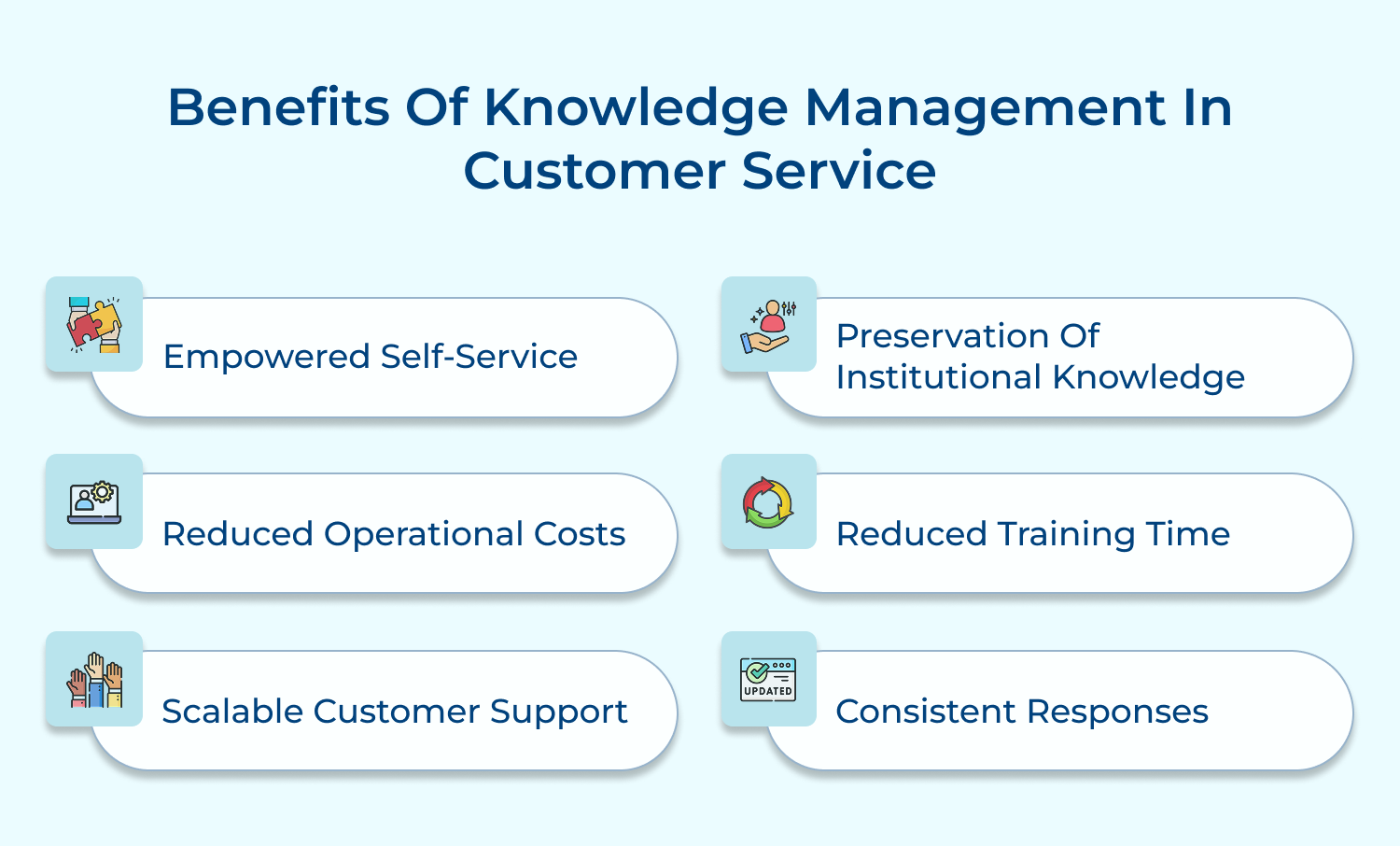
1. Empowered Self-Service
Knowledge management enables customers to access a centralized knowledge base, empowering them to find answers independently. The self-service approach enhances customer satisfaction while reducing the burden on support teams. When customers can resolve issues themselves, they feel more in control of their experience.
2. Reduced Operational Costs
Implementing effective knowledge management strategies significantly lowers operational costs. Minimizing repetitive inquiries and streamlining processes allows organizations to allocate resources more efficiently. The reduction in service demands leads to lower staffing costs and improved productivity, enabling businesses to focus on growth.
3. Scalable Customer Support
A robust knowledge management system supports scalable customer service solutions. As businesses expand, updating and distributing knowledge resources accommodates a growing customer base. The scalability ensures that customer support remains effective and responsive, even as service demands increase over time.
4. Preservation of Institutional Knowledge
Knowledge management helps preserve valuable institutional knowledge within an organization. Documenting processes, best practices and customer interactions safeguards expertise. The preservation ensures that critical information remains accessible, even when employees leave, encouraging continuity and stability in customer service operations.
5. Reduced Training Time
Effective knowledge management significantly reduces training time for new employees. Comprehensive knowledge resources allow new hires to learn quickly and efficiently, enhancing their ability to assist customers from the outset. The streamlined onboarding process saves time and improves overall service quality.
6. Provide Consistent Responses
A well-organized knowledge management system ensures that customer service teams provide consistent responses across all channels. Access to accurate and standardized information enables agents to address inquiries confidently. This consistency builds customer trust and reinforces a reliable brand image.
Effective knowledge management provides agents with quick access to accurate information, enabling faster resolutions and enhancing the overall customer experience. Here are the details.
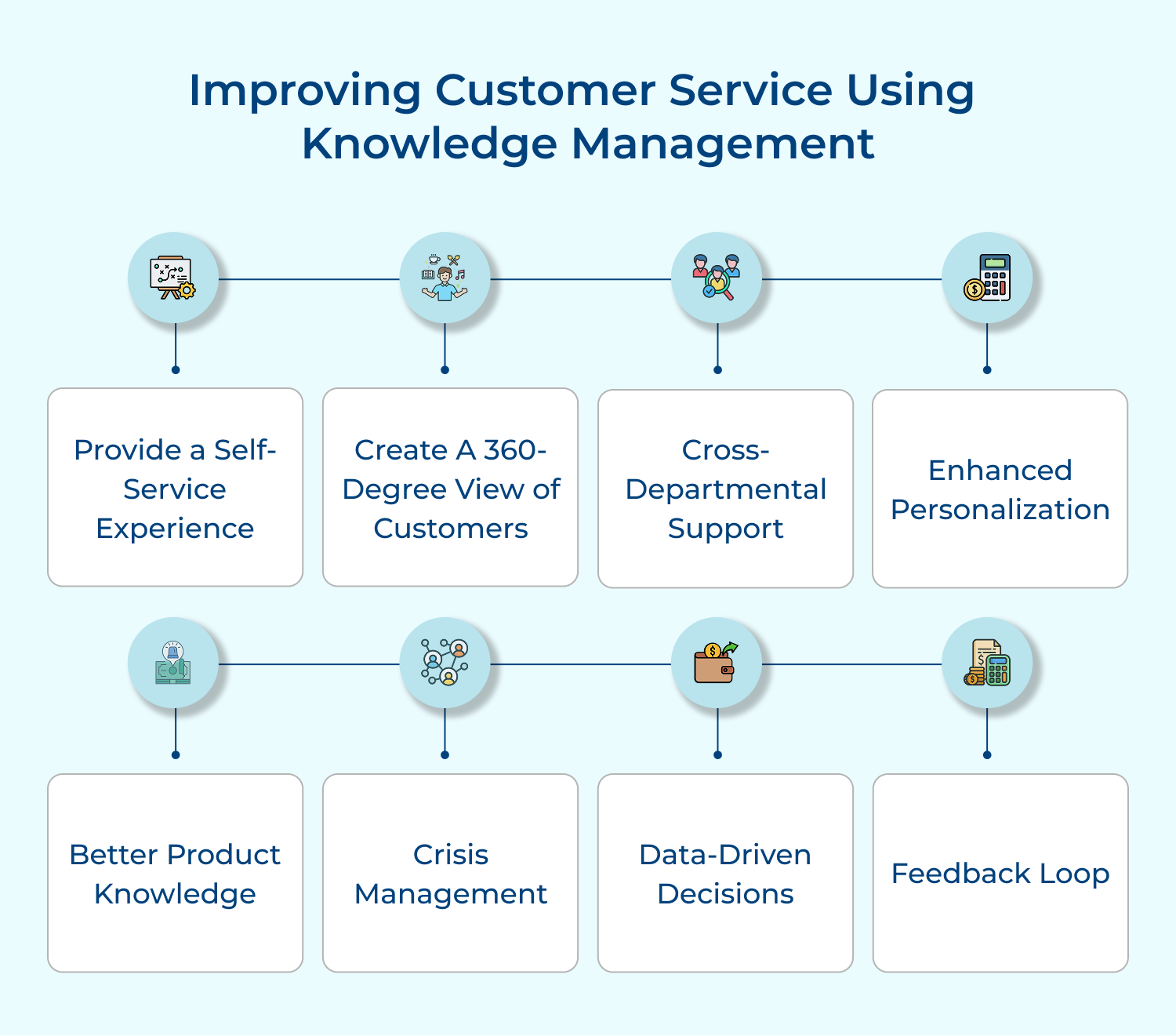
Self-service experiences are crucial in today’s fast-paced world where customers expect instant solutions. It reduces the workload on customer service teams, allows for 24/7 support and caters to customers who prefer finding answers independently. This approach significantly improves customer satisfaction and reduces operational costs.
Implement a comprehensive, searchable knowledge base on your website or app. Include FAQs, troubleshooting guides and how-to articles. Use chatbots or virtual assistants to guide customers through this information. Ensure the content is regularly updated and easily navigable.
Tips for effective implementation:
A 360-degree customer view provides a complete understanding of each customer’s history, preferences and needs. It enables personalized service, anticipates customer needs and ensures consistency across touchpoints. This comprehensive view is essential for delivering exceptional customer experiences and building long-term customer relationships.
Integrate data from all customer touchpoints (sales, support, marketing) into a centralized CRM system. Use this data to provide context-aware support, personalized recommendations and proactive service. Train customer service representatives to utilize this information effectively.
Actionable Tips:
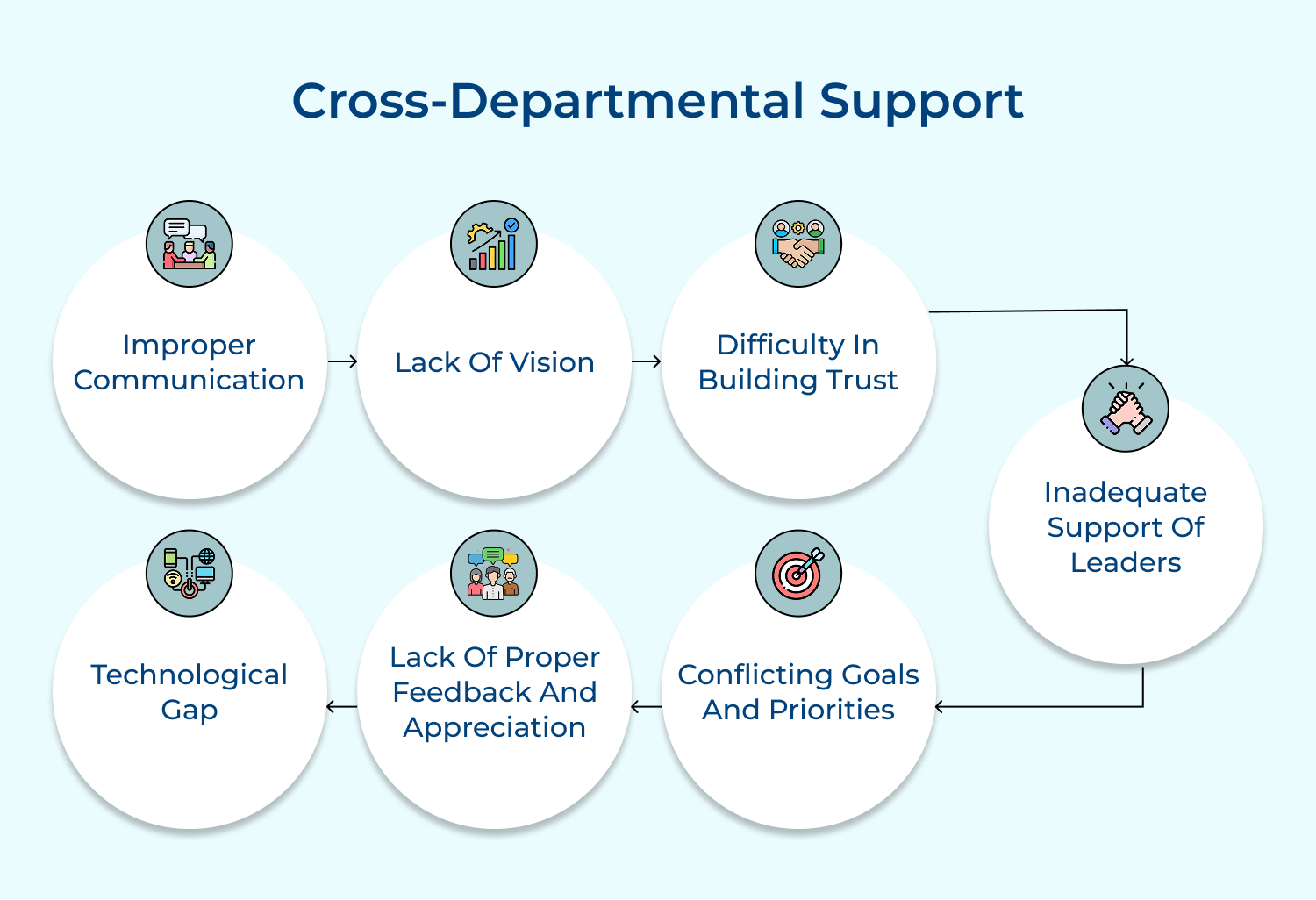
Cross-departmental support ensures that customer issues are resolved efficiently, regardless of which department they originate from. It prevents customers from being bounced between departments and provides a seamless experience. The approach improves resolution times and enhances overall operational efficiency.
Implement a centralized knowledge management system accessible to all departments. Encourage knowledge sharing and collaboration between teams. Create clear escalation paths for complex issues. Use case routing systems to direct queries to the most appropriate department.
Pro Tips:
Enhanced personalization is crucial in today’s customer-centric market. It makes customers feel valued and understood, leading to increased loyalty. Personalized experiences can significantly improve engagement, conversion rates and customer lifetime value.
Utilize customer data to tailor interactions, recommendations and offers. Implement AI and machine learning algorithms to analyze customer behavior and preferences. Use this information to personalize email communications, product recommendations and support interactions.
Tips for effective implementation:
Comprehensive product knowledge is essential for providing accurate and helpful customer support. It enables representatives to answer queries confidently, troubleshoot effectively and provide valuable product recommendations. Better product knowledge leads to faster resolution times, increased customer trust and improved overall customer satisfaction.
Develop a centralized product information database accessible to all customer-facing staff. Create detailed product guides, FAQs and troubleshooting resources. Implement regular product training sessions for staff. Use e-learning platforms for continuous education.
Best practices to follow:
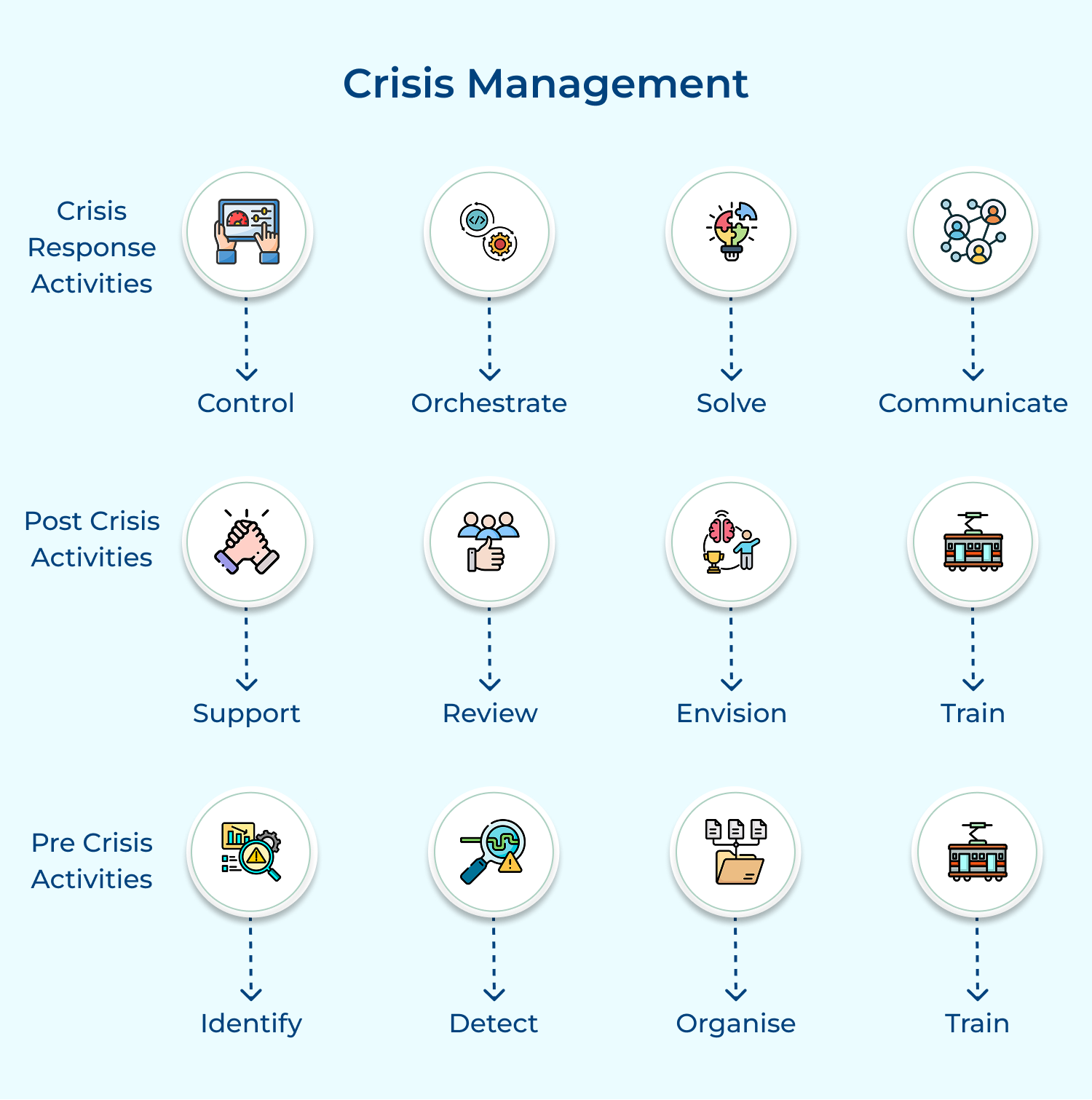
Effective crisis management is crucial for maintaining customer trust and minimizing damage during challenging times. It ensures consistent communication, prevents the spread of misinformation and demonstrates the company’s commitment to customer welfare.
Develop a crisis communication plan within your knowledge management system. Create pre-approved message templates for various scenarios. Implement a rapid information dissemination process to all customer-facing channels. Use your knowledge base to provide up-to-date information to customers and employees.
Tips for effective implementation:
Data-driven decision-making is essential for continuous improvement in customer service. It helps identify trends, predict customer needs and measure the effectiveness of service strategies. By basing decisions on concrete data rather than assumptions, companies can optimize their operations, reduce costs and enhance customer satisfaction.
Implement analytics tools to track key customer service metrics (response times, satisfaction scores, resolution rates). Use AI and machine learning to analyze customer interaction data and identify patterns. Create dashboards for real-time monitoring of service performance.
Actionable Tips:
A feedback loop is crucial for continuous improvement in customer service. It helps identify areas of strength and weakness, uncover customer pain points as well as drive innovation. By actively seeking and incorporating customer feedback, companies can adapt their products and services to better meet customer needs.
Implement various feedback collection methods (surveys, ratings, social media monitoring). Use text analysis tools to process open-ended feedback. Integrate feedback data into your knowledge management system. Create processes for reviewing and acting on feedback.
Pro Tips:
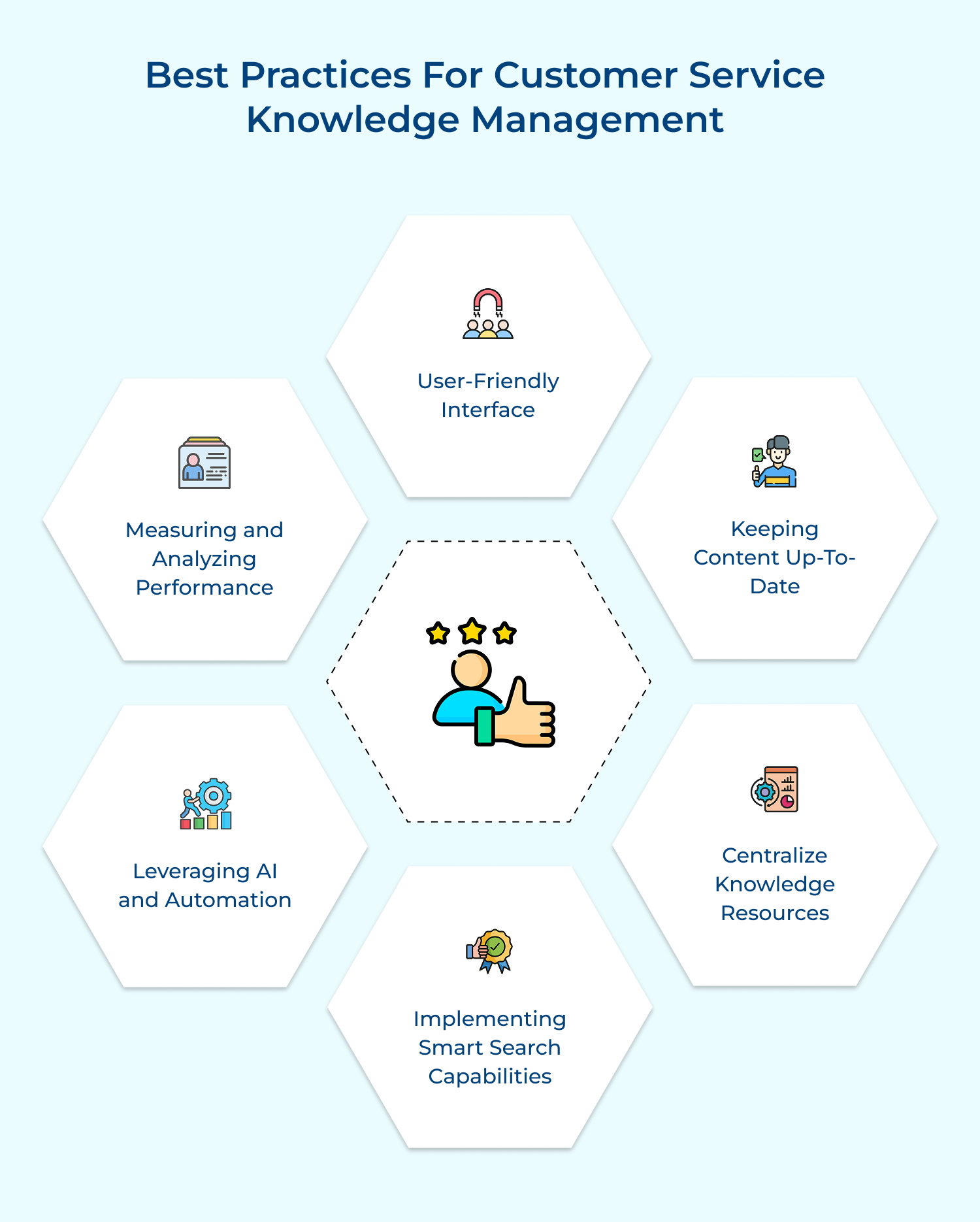
Implementing best practices in knowledge management ensures that information is up-to-date, accessible and easy to navigate for both agents as well as customers. Here are the recommendations.
Choosing the right software for knowledge management can significantly enhance customer service operations, providing tools for collaboration, self-service and data analysis.
Omni24 is a customer experience software that combines a shared inbox, knowledge base and ticketing functionality. The platform is known for its intuitive interface, making it suitable for businesses of all sizes seeking to improve knowledge sharing.
Key features :
Pricing: Omni24’s pricing starts from $29/user/month and goes up to $149/user/month based on the features and add-ons. All plans come with 14 day free trial and include a shared inbox, known base base and omnichannel support.
Veemo Support is part of the Veemo suite, a customer engagement platform that helps businesses maintain internal and external knowledge bases. The platform also provides a self-service option, allowing customers to find answers independently. It’s particularly popular among businesses for its simplicity and effectiveness.
Key features:
Pricing: Veemo’s pricing plans start from $29/user/month and go up to $129/user/month based on the features and add-ons. The software pricing is also customizable as per business requirements.
Zendesk Guide is a self-service knowledge base software that empowers customers to find answers on their own. It integrates seamlessly with Zendesk’s customer service platform, allowing for easy access to information while improving customer experience and reducing support ticket volume.
Offers customizable templates, AI-powered suggestions and article feedback. It allows for multi-language support and integrates with existing Zendesk tools, enhancing the customer service experience.
Freshdesk provides a robust knowledge management solution within its customer support platform. It enables teams to create, manage knowledge articles easily, helping agents and customers access information quickly to improve service efficiency.
Features include a user-friendly interface, multi-channel support and powerful search functionality. It also supports collaborative editing and allows customers to submit feedback on articles.
KnowledgeOwl is a user-friendly customer service knowledge base that allows businesses to create and manage online documentation. It focuses on providing customers with self-service options, improving their overall support experience.
Features include customizable themes, SEO-friendly content, and comprehensive analytics. It allows easy content organization and offers options for embedding documentation in other platforms, enhancing accessibility.
Real-world examples of knowledge management showcase its impact on customer service, illustrating successful strategies and the benefits of effective information sharing.
1. IBM:
2. Spotify:
3. Tesla:
4. LinkedIn:
A robust Customer Service Knowledge Management System is essential for enhancing customer experiences and streamlining support operations. By centralizing information, enabling self-service options and building collaboration among team members, organizations can significantly improve response times.
Effective KM practices not only empower customers to find solutions independently but also equip agents with the tools they need to resolve issues efficiently. As businesses continue to prioritize customer satisfaction, investing in a comprehensive knowledge management system will be key to building loyalty, reducing operational costs and staying competitive in a fast-paced market. Embracing KM is a strategic move toward excellence in customer service.

What does successful knowledge management in customer service look like?
Successful knowledge management in customer service is characterized by a centralized, easily accessible knowledge base that’s regularly updated. It enables quick, accurate responses to customer queries across all channels. It empowers both customers and agents with self-service options, reduces resolution times and improves consistency in service delivery. The system learns from each interaction, continuously improving its effectiveness and adapting to changing customer needs.
What are the best practices of knowledge management for customer service?
Best practices include centralizing information in a user-friendly platform, regularly updating content and ensuring easy searchability. Encourage knowledge sharing among team members and implement a feedback loop for continuous improvement. Use AI for personalized content delivery and smart search capabilities. Integrate the knowledge base with other systems like CRM. Measure performance through analytics and optimize accordingly.
How does knowledge management in customer service create customer loyalty?
Knowledge management in customer service creates loyalty by providing consistent, accurate, and timely responses across all touchpoints. It enables personalized experiences based on customer history and preferences. Quick resolution times and effective self-service options increase customer satisfaction. Anticipating needs and proactively providing relevant information, it demonstrates value to customers.
 https://omni24.io/wp-content/uploads/2026/08/AI-Customer-Service-Agents.png
1256
2400
Webvision Solution
https://omni24.io/wp-content/uploads/2023/04/Omni-Logo-1.svg
Webvision Solution2026-09-21 04:48:512026-09-21 04:48:51How to Build an AI Customer Service Agents: 8 Key Steps
https://omni24.io/wp-content/uploads/2026/08/AI-Customer-Service-Agents.png
1256
2400
Webvision Solution
https://omni24.io/wp-content/uploads/2023/04/Omni-Logo-1.svg
Webvision Solution2026-09-21 04:48:512026-09-21 04:48:51How to Build an AI Customer Service Agents: 8 Key Steps https://omni24.io/wp-content/uploads/2026/08/Omnichannel-Conversational-AI.png
1256
2400
Tushar Joshi
https://omni24.io/wp-content/uploads/2023/04/Omni-Logo-1.svg
Tushar Joshi2026-09-16 03:51:072026-09-16 03:51:07How to Build Omnichannel Conversational AI Strategy
https://omni24.io/wp-content/uploads/2026/08/Omnichannel-Conversational-AI.png
1256
2400
Tushar Joshi
https://omni24.io/wp-content/uploads/2023/04/Omni-Logo-1.svg
Tushar Joshi2026-09-16 03:51:072026-09-16 03:51:07How to Build Omnichannel Conversational AI Strategy https://omni24.io/wp-content/uploads/2026/08/Customer-Service-Teams.png
1256
2400
Tushar Joshi
https://omni24.io/wp-content/uploads/2023/04/Omni-Logo-1.svg
Tushar Joshi2026-09-15 04:01:522026-09-15 04:02:16How to Build Customer Service Teams: 6 Key Steps
https://omni24.io/wp-content/uploads/2026/08/Customer-Service-Teams.png
1256
2400
Tushar Joshi
https://omni24.io/wp-content/uploads/2023/04/Omni-Logo-1.svg
Tushar Joshi2026-09-15 04:01:522026-09-15 04:02:16How to Build Customer Service Teams: 6 Key Steps
Whether it’s about acquire, engage or support – Omni24 covers all your customer engagement needs in one complete platform.

Copyright ©2026 Veemo All rights reserved.
CA, Los Angeles, Hall Ave, 19011