What is Ecommerce Automation & How Does It Work?
Ecommerce automation boosts efficiency and accuracy, allowing businesses to prioritize growth, customer satisfaction and innovation.

Ecommerce automation boosts efficiency and accuracy, allowing businesses to prioritize growth, customer satisfaction and innovation.
Are you struggling to keep up with the growing demands of your ecommerce business? Manual processes are eating into your valuable time, errors are creeping in and customer expectations are rising faster than you can meet them.
89% of companies in the retail and CPG sectors are actively using or testing AI automation, spanning marketing, customer service, predictive analytics or supply chain.
But what if you could multiply your efficiency, eliminate errors and delight customers – all while you sleep?
By leveraging intelligent systems as well as workflows, automation empowers you to streamline operations and scale your business like never before.
Ecommerce automation refers to the use of software and technology to automate various processes within online retail operations. It can include tasks such as inventory management, order processing, customer service and marketing campaigns. By implementing automation tools, businesses can enhance efficiency and improve overall operational productivity.
The importance of e-commerce automation lies in its ability to save time & resources, allowing businesses to focus on growth and customer engagement rather than repetitive tasks. Automation helps enhance the customer experience by providing timely responses and ensuring accurate order fulfillment that leads to increased customer satisfaction.
Key objectives:
Discover the key advantages that automation brings to ecommerce, enhancing efficiency, customer satisfaction and overall business growth. Here are the benefits.
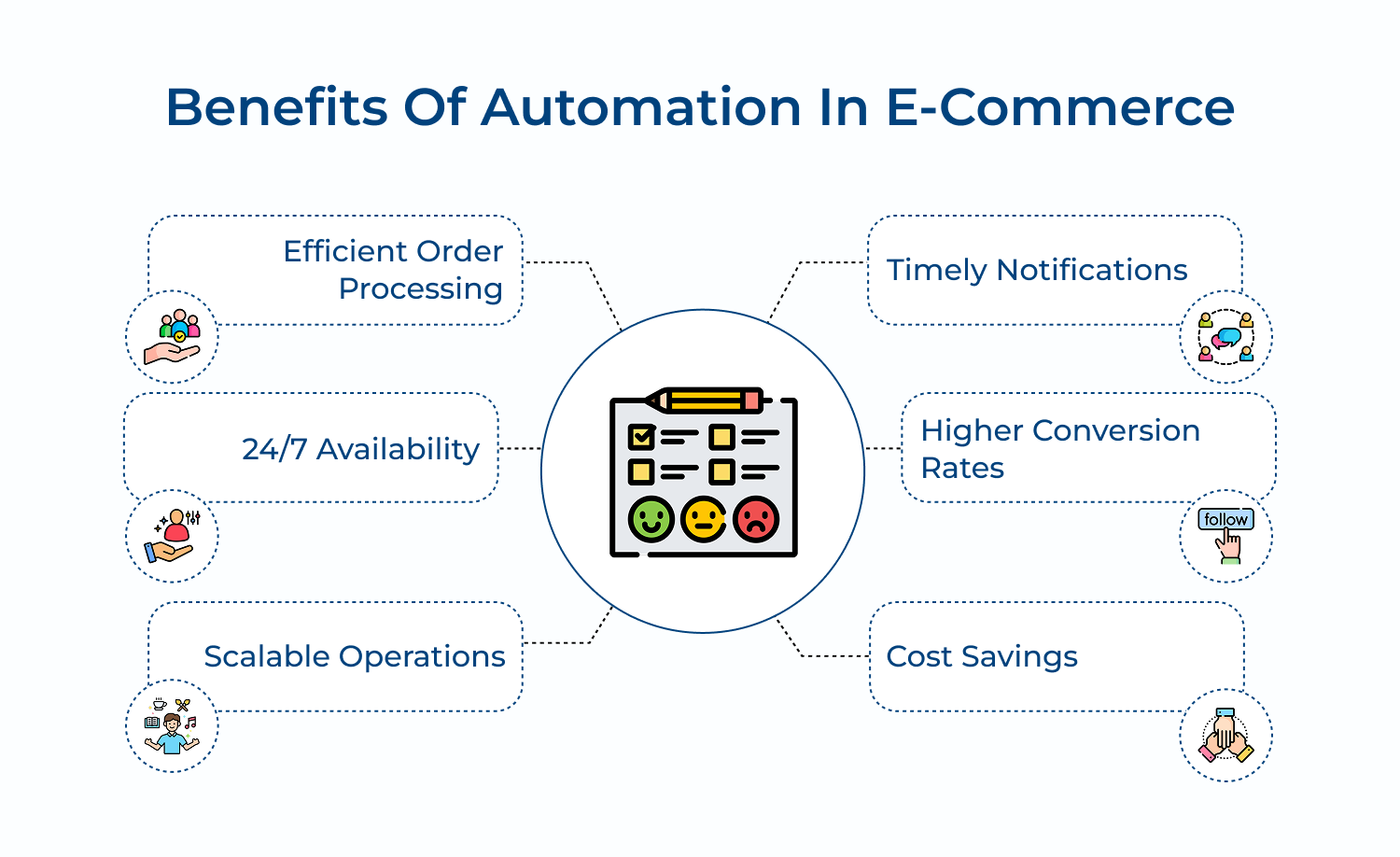
1. Efficient order processing: E-commerce automation streamlines order processing by eliminating manual data entry and reducing human errors. It enables instant order confirmation, automated inventory updates and seamless integrations. The efficiency leads to faster fulfillment, reduced processing times and improved customer satisfaction.
2. 24/7 availability: Automated e-commerce systems operate round-the-clock, allowing businesses to serve customers at any time. The constant availability ensures that orders are processed, inquiries are addressed and inventory is updated continuously. It maximizes sales opportunities and enhances customer experience by providing immediate service or support.
3. Scalable operations: E-commerce automation facilitates easy scalability, allowing businesses to handle increased order volumes without proportionally increasing staff or resources. Automated systems can effortlessly manage peak seasons, sales events and business growth. The scalability enables companies to expand their product lines and enter new markets.
4. Timely notifications: Automated notifications keep customers informed throughout their purchasing journey. From order confirmations to shipping updates and delivery alerts, timely communications enhance transparency. These notifications also reduce customer service inquiries, as buyers can track their orders independently.
5. Higher conversion rates: E-commerce automation tools can optimize pricing strategies in real-time. By tailoring the shopping experience, implementing targeted marketing campaigns, businesses can significantly increase conversion rates. Automated A/B testing and performance tracking further refine strategies to maximize sales opportunities.
6. Cost savings: E-commerce automation significantly reduces manual labor and minimizes errors. The need for extensive customer service teams decreases, while operational expenses are lower and inventory management improves, preventing overstocking. Fulfillment costs are reduced through automated processes and marketing spend is optimized.
Explore how implementing automation can revolutionize your ecommerce operations, streamline processes and elevate customer experiences to new heights. Here are the insights.
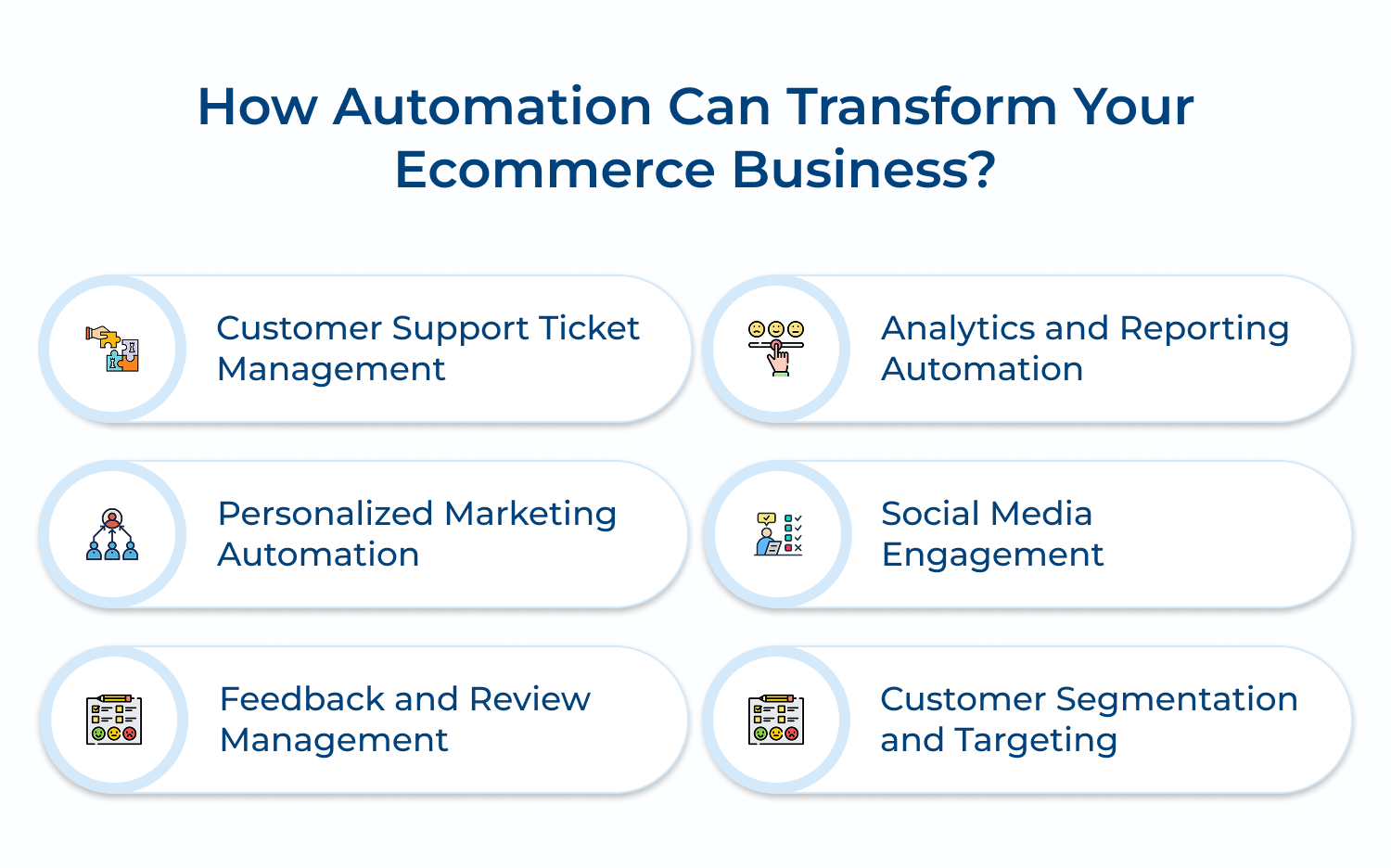
Automated ticket management is crucial for efficient customer support. It ensures that customer inquiries are promptly addressed and routed to the right team members. The system reduces response times and helps maintain consistent service quality, improving customer satisfaction.
Automation can be used to categorize incoming tickets based on keywords, assign priority levels, route tickets to appropriate departments and even provide instant responses to common queries. It can also track response times, escalate unresolved issues and provide customers with real-time updates on their ticket status.
Actionable tips:
Personalized marketing automation is essential for creating relevant, timely communications that resonate with individual customers. It helps businesses cut through the noise of generic marketing messages and builds stronger customer relationships.
Automation tools can analyze customer data, purchase history and browsing behavior to segment audiences or deliver tailored content. It can trigger personalized email campaigns, push notifications and on-site content based on specific customer actions in their journey.
Actionable tips:
Automated feedback and review management are crucial for maintaining a positive online reputation and improving products/services. It helps businesses quickly identify issues, showcase positive experiences and demonstrate responsiveness to customer opinions.
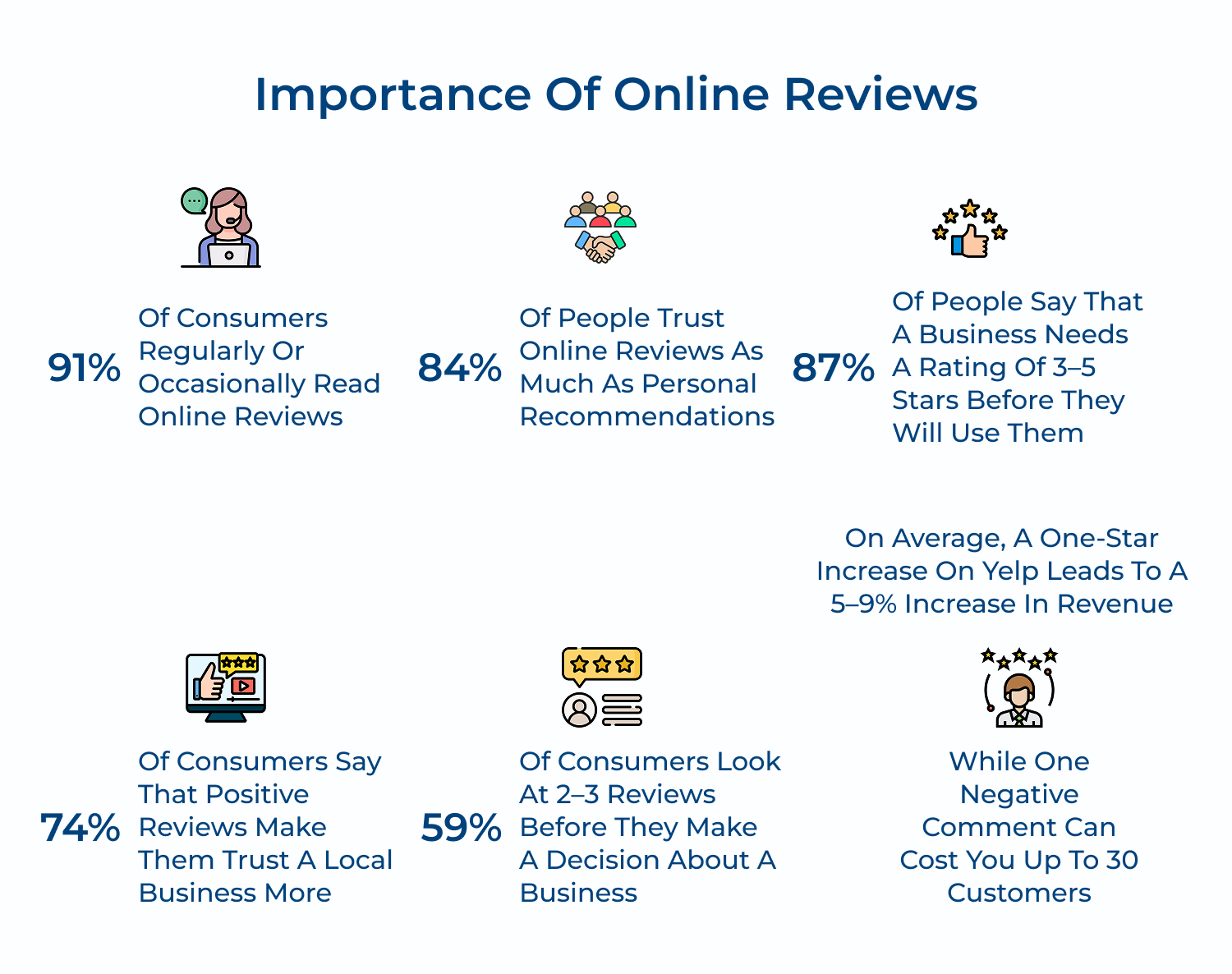
Automation can be used to solicit reviews post-purchase, monitor review platforms for new feedback, categorize reviews based on sentiment and flag critical issues for immediate attention. It can also automate responses to common types of feedback and generate reports on overall customer satisfaction trends.
Actionable tips:
Automated analytics & reporting are essential for gaining timely insights into customer behavior, preferences and satisfaction levels. It enables data-driven decision-making, helps identify trends quickly and allows for proactive improvements to the customer experience.
Automation can generate regular reports on key metrics like customer satisfaction scores, response times and resolution rates. It can also create dashboards with real-time data on customer interactions across various channels, track the performance of marketing campaigns and provide predictive analytics for customer behavior.
Actionable tips:
Automated social media engagement is crucial for maintaining a consistent and responsive presence across multiple platforms. It helps businesses engage with customers in real-time, manage brand reputation and leverage social media as an effective customer support channel.
Automation tools can monitor brand mentions across social platforms, categorize and route social media inquiries to appropriate team members. So that they can provide instant responses to common questions. They can also schedule and publish content, track engagement metrics trending topics or sentiment shifts related to the brand.
Actionable tips:
Automated customer segmentation and targeting are essential for delivering relevant experiences to different customer groups. It allows businesses to tailor their marketing efforts, product recommendations and customer service approaches based on specific customer characteristics.
Automation can analyze customer data to create dynamic segments based on demographics, purchase history, browsing behavior and engagement levels. These segments can then be used to automate targeted email campaigns, personalize website content, adjust pricing strategies and prioritize customer support efforts for high-value segments.
Actionable tips:
Uncover the top tools available for ecommerce automation, designed to optimize workflows, improve customer engagement and boost overall efficiency. Here are the tools.
Omni24 is an AI powered omnichannel customer experience platform to help businesses deliver superior CX and help desk management with an omnichannel approach. The platform leverages automation to enhance customer engagement, improve operational efficiency and deliver personalized experiences at scale.
Omni24’s intuitive design, coupled with powerful features, makes it a great choice for brands looking to enhance their CX capabilities and deliver exceptional customer service.
Key features:
Veemo Support is an omnichannel help desk software to streamline support operations into a centralized interface. The software is a part of Veemo’s customer engagement suite of products designed to streamline and enhance various aspects of business operations. Veemo Support offers a range of tools to automate workflows, manage tickets efficiently and provide self-service options to customers.
Key features:
Inventory Planner is an automated inventory management and demand forecasting tool for ecommerce businesses. It helps merchants optimize their inventory levels, reduce stockouts or overstock situations and make data-driven purchasing decisions. The software integrates with various ecommerce platforms and accounting systems to provide accurate, real-time inventory insights.
Inventory Planner offers demand forecasting based on historical data & trends, automated purchase order generation, and multi-channel inventory tracking. It provides customizable reports, variant-level forecasting and supplier management tools. The software also considers factors like seasonality and product life cycles in its forecasting algorithms.
Zapier is a web-based automation tool that connects different apps and services to create automated workflows called “Zaps”. While not exclusively for ecommerce, it’s widely used by online retailers to automate tasks across various platforms. Zapier allows businesses to create complex automations without coding, improving efficiency and data consistency.
Zapier offers connections to thousands of apps, multi-step Zaps for complex workflows and filters to create conditional logic. It provides options for delayed actions, formatting of data between apps and built-in apps for more advanced functions. Zapier also offers team collaboration features and shared workflow templates.
Omnisend is an omnichannel marketing automation platform designed for ecommerce businesses. It allows merchants to create seamless, personalized customer experiences across email, SMS, push notifications and other channels. Omnisend helps businesses increase sales by delivering the right message to the right customer at the right time.
Omnisend provides a drag-and-drop automation workflow builder, pre-built automation templates and advanced segmentation tools. It offers personalized product recommendations, dynamic email content and campaign booster with send-time optimization. The platform also includes A/B testing, performance analytics and integrations with major ecommerce platforms.
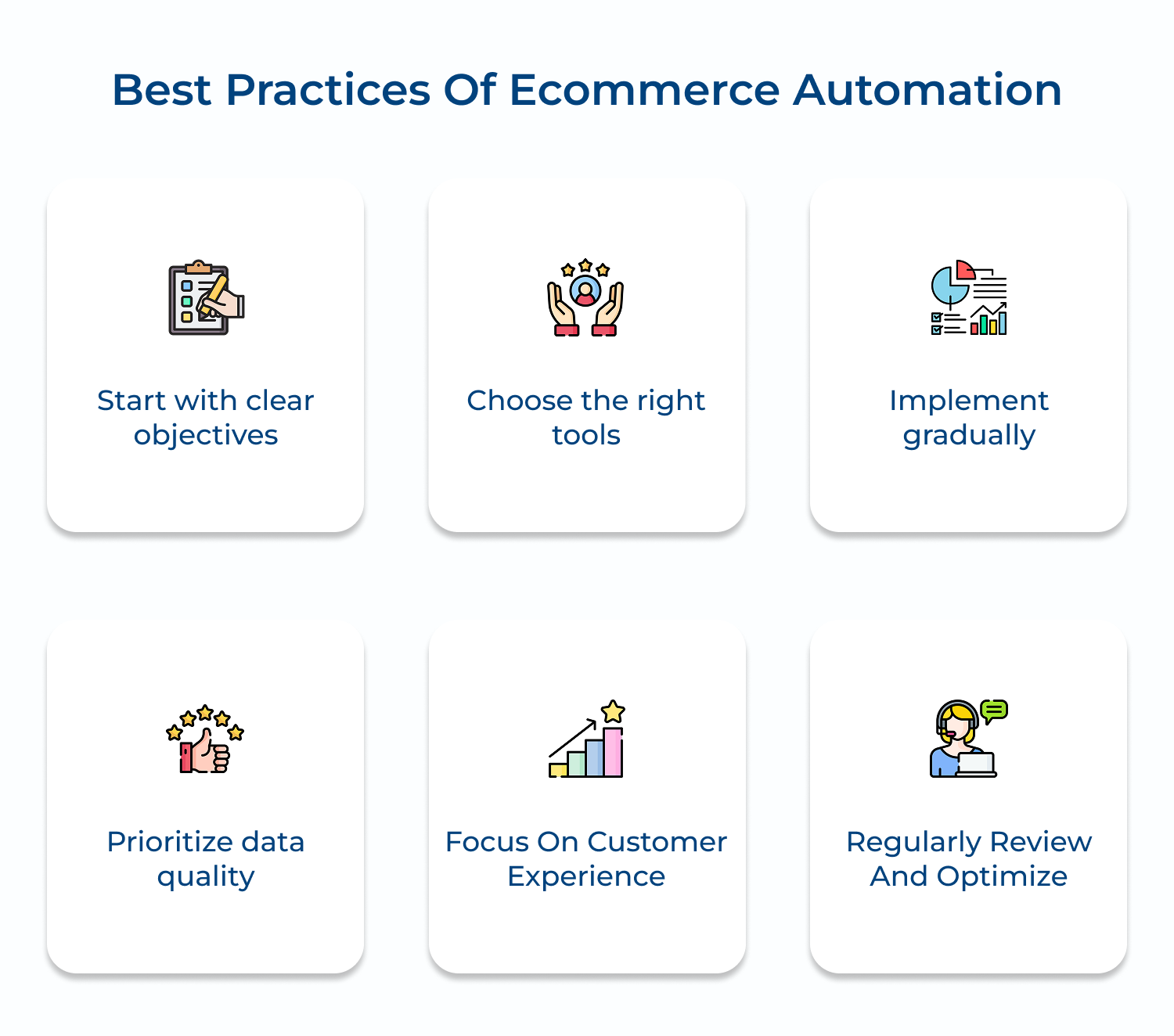
Learn essential practices for successfully implementing ecommerce automation, ensuring seamless integration and maximizing the benefits for your business. Here are the practices:
Examine real-world examples of ecommerce automation in action, showcasing how businesses leverage technology to enhance operations and customer experiences. Here are the examples.
1. Amazon’s Order Fulfillment
Amazon utilizes sophisticated automation in its warehouses, employing robots to sort and package products. This system accelerates the order fulfillment process, ensuring customers receive their packages quickly. Automated inventory management keeps track of stock levels in real time, minimizing the risk of stockouts and optimizing warehouse space.
2. Zalando’s Personalized Marketing
Zalando, an online fashion retailer, uses automation to personalize marketing campaigns. By analyzing customer behavior or purchase history, the platform automatically sends tailored recommendations and targeted emails. This approach enhances customer engagement and increases conversion rates by presenting relevant products to individual users.
3. Sephora’s Chatbot Integration
Sephora has integrated a chatbot on its website and mobile app to provide instant customer support. This automation helps answer frequently asked questions, book appointments and offer personalized product recommendations. By handling common inquiries, the chatbot frees up human agents for more complex customer issues, improving overall service efficiency.
4. Shopify’s Abandoned Cart Recovery
Shopify automates the process of recovering abandoned carts through email reminders. When a customer leaves items in their cart without completing the purchase, the system automatically sends a follow-up email encouraging them to finalize their order. This simple automation has been shown to significantly increase conversion rates and recover lost sales.
Ecommerce automation is essential for businesses aiming to thrive in a competitive landscape. Streamlining operations enhances customer experiences and optimizes resource allocation, helping retailers respond quickly to market demands.
Automation reduces manual errors, increases efficiency and facilitates personalized marketing strategies that boost customer engagement. It also enables businesses to scale seamlessly, adapt to changing consumer preferences and gain valuable insights through data analysis.

How do I start using ecommerce automation?
To start using ecommerce automation, begin by identifying repetitive tasks in your business that consume time and are prone to human error. Research automation tools that integrate with your ecommerce platform. Start small with basic automations like order confirmation emails or inventory updates. As you become comfortable, gradually implement more complex automations like personalized marketing campaigns or dynamic pricing. Always monitor and refine your automated processes for optimal performance.
How do you automate ecommerce customer service?
Automate ecommerce customer service by implementing AI-powered chatbots for instant responses to common queries. Use automated ticket routing systems to direct complex issues to appropriate team members. Set up automated email responses for order confirmations, shipping updates and frequently asked questions. Implement a knowledge base with self-service options. Use automated post-purchase follow-ups and satisfaction surveys. Remember to maintain a balance between automation and human touch for complex or sensitive issues.
How do I start a successful automated ecommerce business?
To start a successful automated ecommerce business, first choose a niche and reliable suppliers. Select an ecommerce platform with strong automation capabilities. Implement automated inventory management and order fulfillment systems. Set up marketing automation for personalized customer communications. Use analytics tools to track performance and customer behavior. Automate customer service where possible, but maintain human oversight. Continuously optimize your processes based on data insights. Remember, automation should enhance, not replace, the human elements of your business.
How does automation help ecommerce?
Automation helps ecommerce by increasing efficiency and reducing human error in repetitive tasks. It enables personalized marketing at scale, improving customer engagement and conversion rates. Automation streamlines inventory management, reducing stockouts and overstock situations. It facilitates faster order processing and shipping, enhancing customer satisfaction. Automated customer service provides instant responses, improving response times. Overall, automation allows ecommerce businesses to operate more efficiently, scale effectively and provide better customer experiences.
Why is automation important for online businesses?
Automation is crucial for online businesses because it allows them to scale operations efficiently without a proportional increase in costs. It improves accuracy in tasks like order processing and inventory management. Automation enables personalized customer experiences at scale, enhancing engagement and loyalty. It frees up human resources to focus on strategic tasks that require creativity and complex decision-making. Ultimately, automation helps online businesses stay competitive by improving operational efficiency, customer satisfaction and the ability to quickly adapt to market changes.
What ecommerce customer service tasks should not be automated?
While automation is beneficial, certain customer service tasks should retain a human touch. Complex problem-solving, especially for high-value customers or unique situations, should be handled by humans. Emotionally charged interactions or complaints require empathy and nuanced communication that AI can’t fully replicate. Personalized consultations for premium products or services benefit from human expertise. Negotiations, particularly for B2B ecommerce, often require human judgment. Always provide an option for customers to speak with a human representative if desired.
 https://omni24.io/wp-content/uploads/2026/08/AI-Customer-Service-Agents.png
1256
2400
Webvision Solution
https://omni24.io/wp-content/uploads/2023/04/Omni-Logo-1.svg
Webvision Solution2026-09-21 04:48:512026-09-21 04:48:51How to Build an AI Customer Service Agents: 8 Key Steps
https://omni24.io/wp-content/uploads/2026/08/AI-Customer-Service-Agents.png
1256
2400
Webvision Solution
https://omni24.io/wp-content/uploads/2023/04/Omni-Logo-1.svg
Webvision Solution2026-09-21 04:48:512026-09-21 04:48:51How to Build an AI Customer Service Agents: 8 Key Steps https://omni24.io/wp-content/uploads/2026/08/Omnichannel-Conversational-AI.png
1256
2400
Tushar Joshi
https://omni24.io/wp-content/uploads/2023/04/Omni-Logo-1.svg
Tushar Joshi2026-09-16 03:51:072026-09-16 03:51:07How to Build Omnichannel Conversational AI Strategy
https://omni24.io/wp-content/uploads/2026/08/Omnichannel-Conversational-AI.png
1256
2400
Tushar Joshi
https://omni24.io/wp-content/uploads/2023/04/Omni-Logo-1.svg
Tushar Joshi2026-09-16 03:51:072026-09-16 03:51:07How to Build Omnichannel Conversational AI Strategy https://omni24.io/wp-content/uploads/2026/08/Customer-Service-Teams.png
1256
2400
Tushar Joshi
https://omni24.io/wp-content/uploads/2023/04/Omni-Logo-1.svg
Tushar Joshi2026-09-15 04:01:522026-09-15 04:02:16How to Build Customer Service Teams: 6 Key Steps
https://omni24.io/wp-content/uploads/2026/08/Customer-Service-Teams.png
1256
2400
Tushar Joshi
https://omni24.io/wp-content/uploads/2023/04/Omni-Logo-1.svg
Tushar Joshi2026-09-15 04:01:522026-09-15 04:02:16How to Build Customer Service Teams: 6 Key Steps
Whether it’s about acquire, engage or support – Omni24 covers all your customer engagement needs in one complete platform.

Copyright ©2026 Veemo All rights reserved.
CA, Los Angeles, Hall Ave, 19011