How Digital Communication Channels Boost Team Efficiency
Discover how digital communication channels improve customer engagement, streamline teamwork and drive business growth with strategic implementation.
Discover how digital communication channels improve customer engagement, streamline teamwork and drive business growth with strategic implementation.
Many businesses face confusion and delays because their communication systems are scattered. This leads to frustrated customers, missed sales and unproductive teams. When teams aren’t aligned and customer questions go unanswered, it directly affects growth as well as profits.
Meanwhile, your competitors stay ahead by using smarter communication tools. Without digital channels in place, your business loses both time and money every day.
This guide breaks down nine essential digital communication channels and shows how to use each one effectively. Learn how to streamline communication, improve teamwork and keep customers happy as well as engaged.
Digital communication channels are the electronic pathways businesses use to connect with customers, employees and partners. These include email, social media platforms, websites, mobile apps, video calls and messaging services.
Digital channels transform how businesses operate by enabling instant global reach and real-time customer interactions. They reduce communication costs while increasing speed and efficiency. Companies can now build stronger relationships, gather immediate feedback and adapt quickly to market changes.
Key objectives:
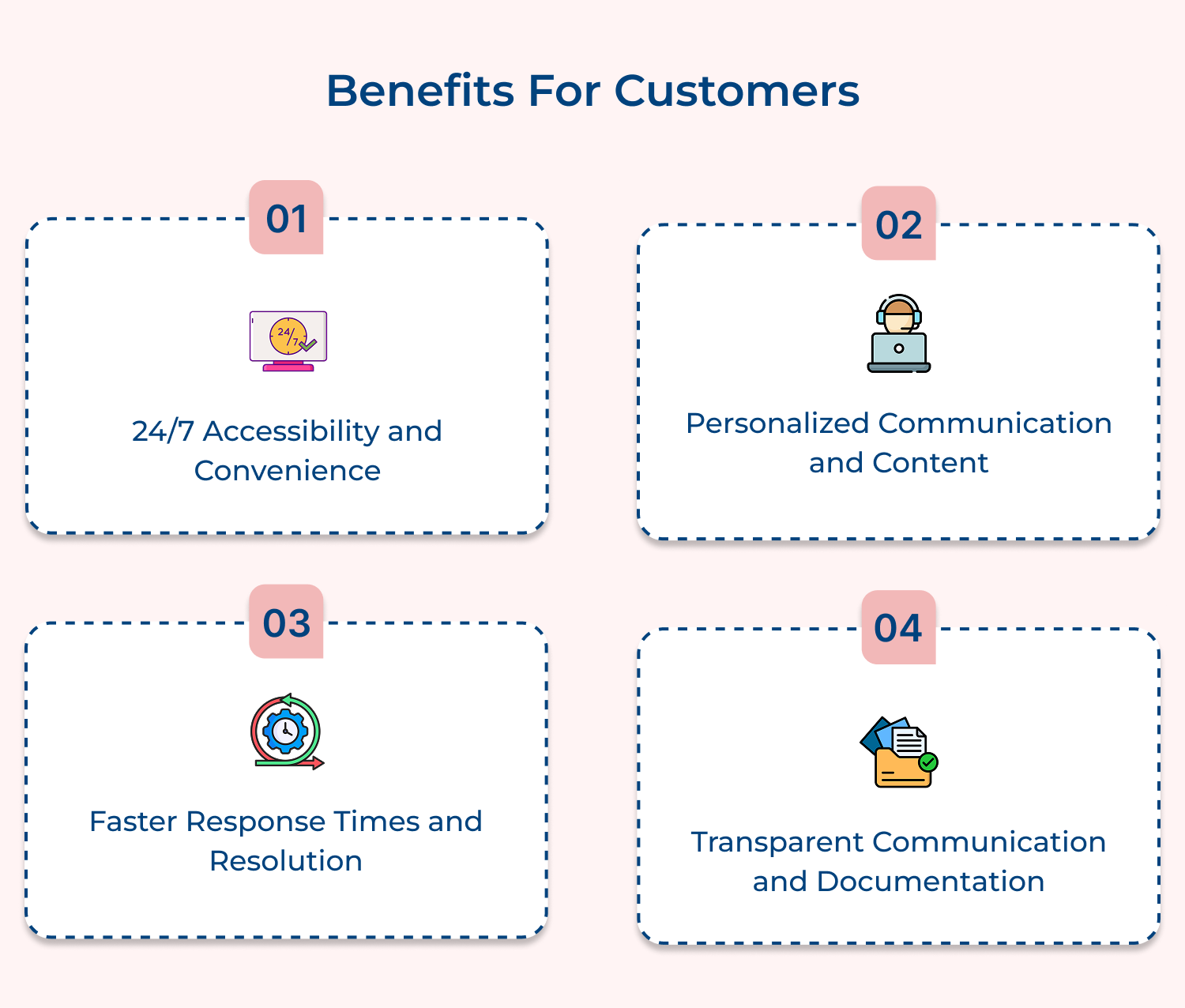
According to McKinsey’s 2024 B2B research, companies using integrated digital channels see faster deal closures than those relying solely on traditional methods. Here are some pros:
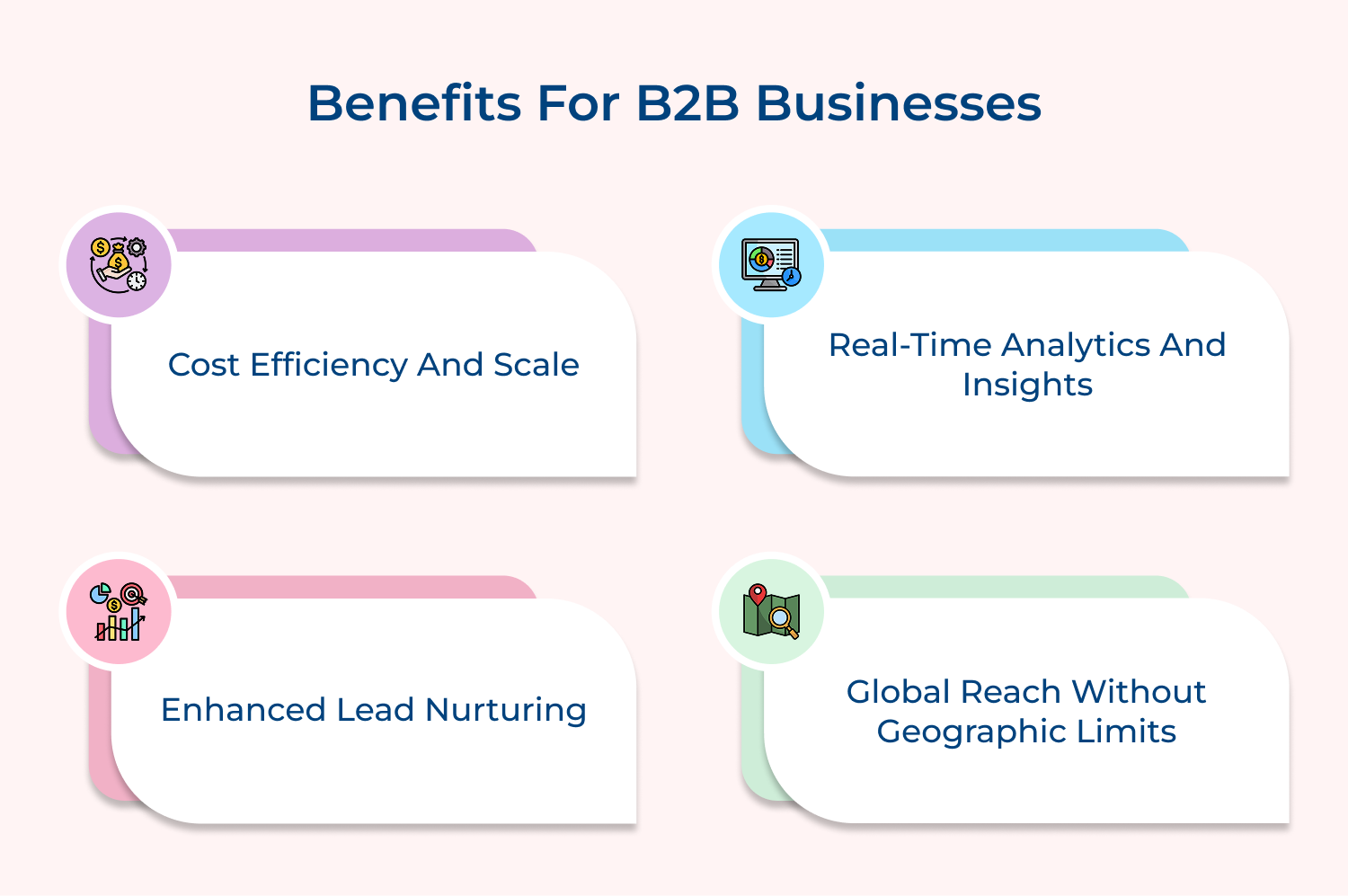
Brands must prioritize customer experience because today’s B2B buyers expect the same seamless digital interactions they receive as consumers in their personal lives.
While digital communication channels offer speed and convenience, they’re not without drawbacks. It’s important to understand the risks before full adoption.
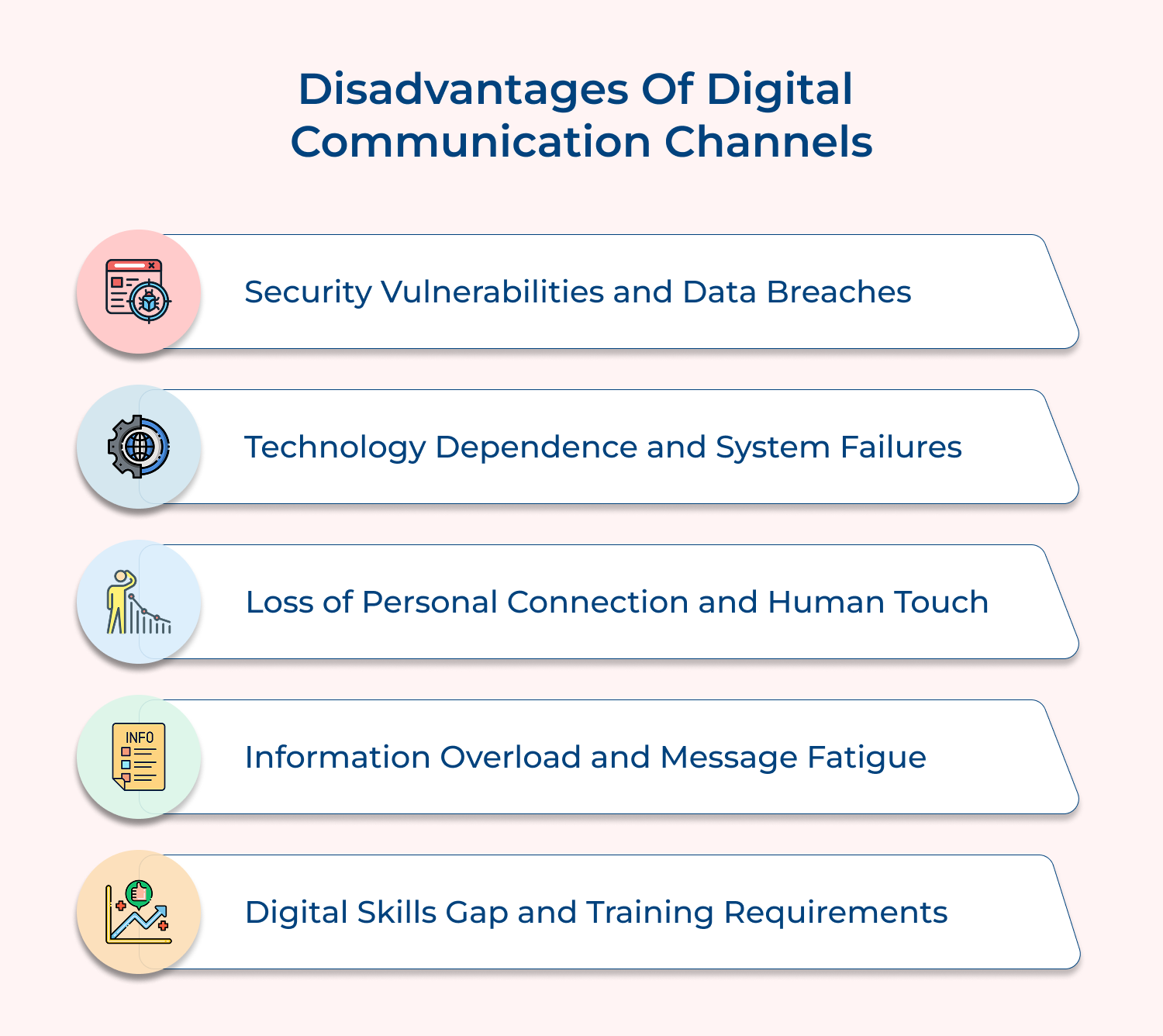
Security Vulnerabilities and Data Breaches
Digital platforms create multiple entry points for cybercriminals to access sensitive business information and customer data. Companies face constant threats from phishing attacks and malware while regulatory compliance becomes increasingly complex as well as expensive to maintain properly.
Technology Dependence and System Failures
Businesses become heavily reliant on digital infrastructure that can fail unexpectedly due to server outages or internet connectivity issues. When systems crash during critical business hours companies lose revenue opportunities while frustrated customers seek alternatives from more reliable competitors.
Loss of Personal Connection and Human Touch
Digital interactions lack the warmth and trust-building power of face-to-face meetings particularly in relationship-driven B2B environments. Important nuances in communication get lost through screens while building genuine rapport becomes significantly more challenging without physical presence and body language cues.
Information Overload and Message Fatigue
Multiple digital channels create overwhelming volumes of messages that employees struggle to manage effectively throughout their workday. Important communications get buried in crowded inboxes while customers become desensitized to digital outreach and begin ignoring business messages entirely.
Digital Skills Gap and Training Requirements
Many employees lack the technical expertise needed to use digital communication tools effectively in their daily work. Companies must invest heavily in ongoing training programs while productivity temporarily decreases as staff members learn new platforms and adapt to constantly evolving digital technologies.
Choosing the right tools is key to building strong connections. Here are 10 effective communication channels every business should consider using.
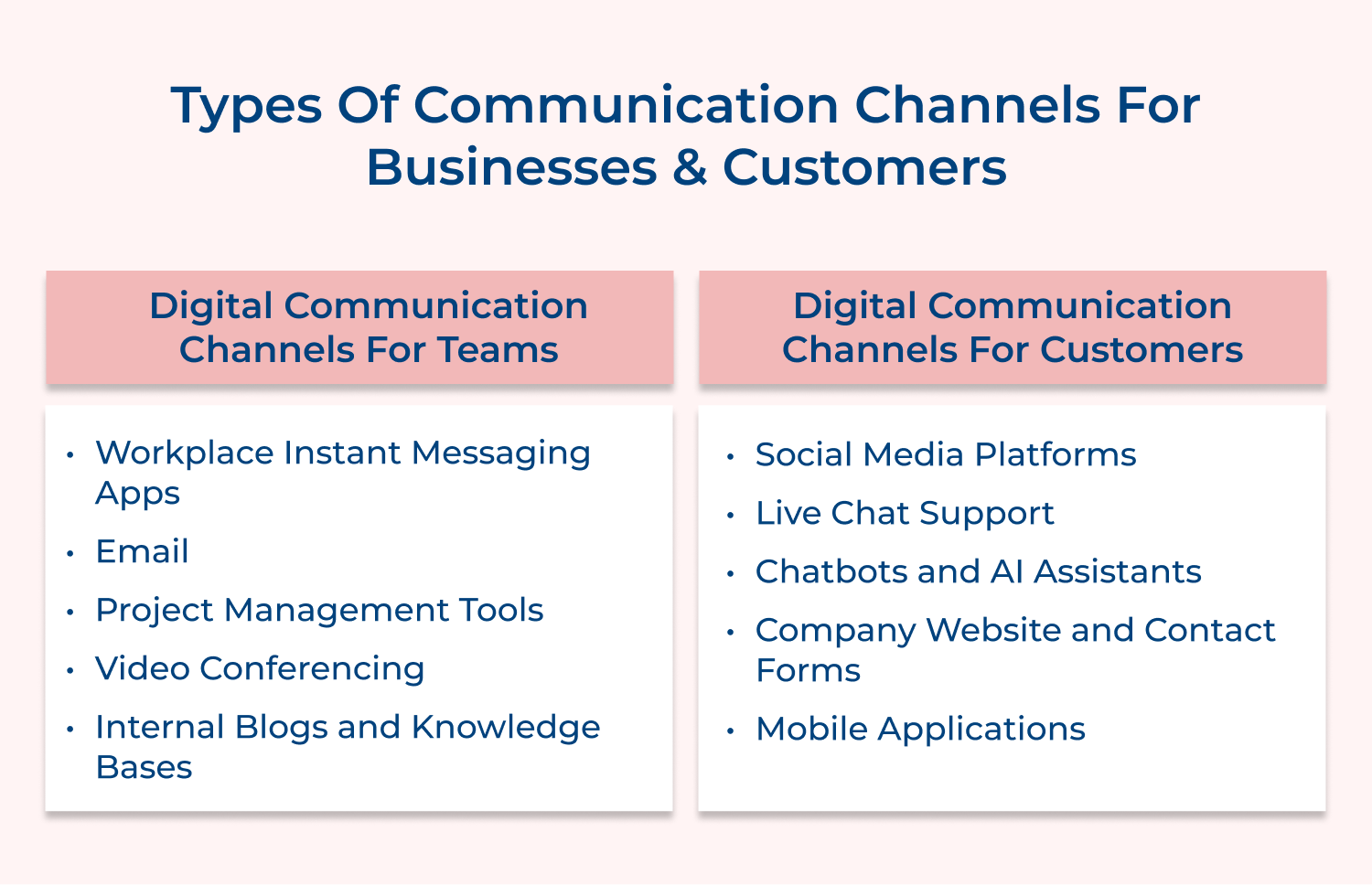
Instant messaging apps are now essential for fast-paced workplace communication. They allow teams to stay connected in real time, helping them respond quickly, clarify tasks and maintain momentum on active projects. These platforms bridge the gap between formal emails and informal conversations, making collaboration seamless.
Key features:
By eliminating delays and supporting immediate access to information, these apps help reduce miscommunication while driving team efficiency. With less back-and-forth, everyone stays aligned as well as on track.
Email remains the go-to for formal, professional communication in the workplace. It’s widely adopted, accessible across devices and offers a clear audit trail. Unlike chat apps, emails provide structure and permanency, making them ideal for official documentation, proposals, as well as client updates.
Why email still matters:
Despite the rise of new tools, studies like McKinsey’s 2024 report show that professionals spend an average of 2.6 hours daily on emails. With 89% still calling it essential, email remains a cornerstone of effective communication channels in modern businesses.
Project management platforms function as digital command centers. They centralize team communication, track progress and keep everyone accountable. Ideal for growing teams juggling multiple projects, these tools eliminate the chaos of scattered updates.
Key considerations before choosing a tool:
Benefits:
These tools improve productivity by keeping communication structured and contextualized, helping teams collaborate better without losing key information.
Video conferencing brings face-to-face connection to remote work, building trust and clarity that text-based communication often lacks. Seeing facial expressions as well as body language makes complex discussions easier and more personal.
Advantages of video conferencing:
This channel is essential for teams that need to stay aligned while working remotely. It ensures facial expressions and non-verbal cues are part of the conversation, enhancing mutual understanding while also reducing the risk of miscommunication.
Internal blogs and knowledge bases store as well as share organizational knowledge. They help teams capture expertise, document processes and provide easy access to information that empowers employees to work independently.
Best practices:
Why it matters:
When well maintained, knowledge bases improve collaboration by making useful information accessible and reducing repeated questions or dependency on key individuals.
Social media platforms are informal yet powerful spaces where businesses and customers build real-time connections. Customers expect brands to be active on these platforms, making them essential for communication and engagement. Each platform offers unique advantages:
Customers prefer social media because they get fast answers and visibility into how companies treat others. Thus, building trust through openness and tone.
Live chat support gives customers real-time help while they browse your website. It’s a must-have for companies looking to reduce cart abandonment and increase satisfaction.
Customers turn to live chat for:
The challenge? Managing multiple chats at once. Delays (especially when facial expressions or tone can’t be read) can frustrate users expecting instant replies. Ensure agents communicate clearly and empathetically to overcome these barriers.
Chatbots and AI assistants provide round-the-clock service without relying on live agents. They’re ideal for businesses managing large volumes of routine queries and looking to streamline support.
Key advantages:
Though facial expressions can’t be read in chatbot interactions, brands can build trust by using friendly language and fast, accurate responses. It results in a more efficient support experience that blends automation with empathy.
Your website is your brand’s digital headquarters. Contact forms create a structured way for customers to get in touch without needing to call or email.
Benefits of this communication channel include:
Since websites lack facial expressions and tone, clarity in design as well as copy is essential. Add a human touch with friendly language and visuals that build trust. A well-optimized site increases engagement and boosts conversions dramatically.
Mobile apps are direct, always-on communication tools that let businesses stay connected with customers anywhere, anytime.
Why customers love them:
Mobile apps lack in-person facial expressions, so interface design and messaging tone carry more weight. Clean navigation and timely responses enhance user experience while reducing frustration. Mobile-first businesses gain loyalty by keeping communication personal, convenient and always accessible.
Selecting the right digital communication channels requires careful analysis of your business needs and customer preferences. Here are a few tips on how to choose the right channel.
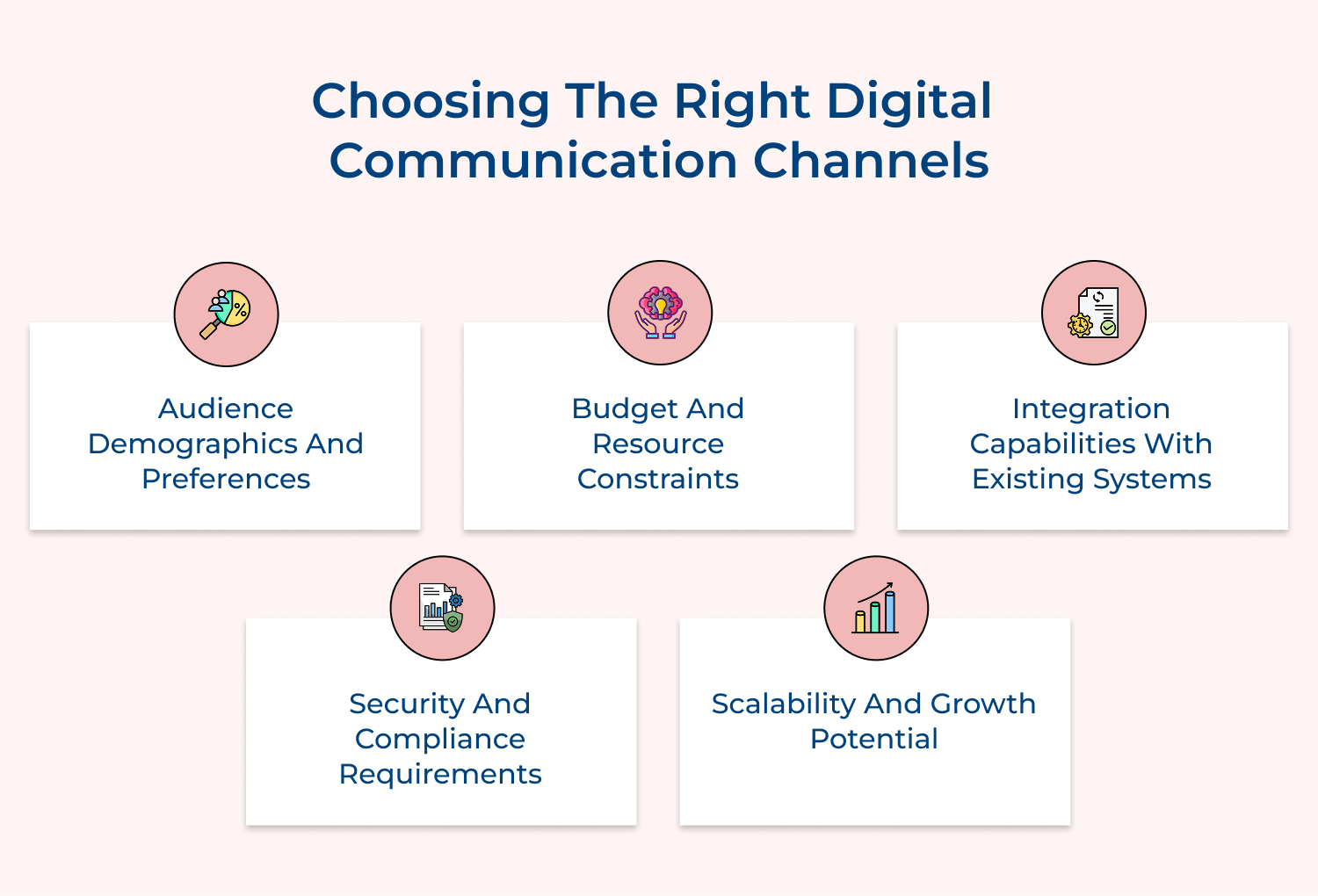
Audience demographics and preferences: Understanding where customers and team members spend time online determines engagement rates. Different age groups gravitate toward specific platforms, so matching channel selection to preferences increases adoption success.
Budget and resource constraints: Consider setup costs as well as ongoing expenses including subscriptions, training and staff requirements. Some channels need minimal investment while others demand substantial resources for effective implementation.
Integration capabilities with existing systems: Choose channels connecting seamlessly with current technology including CRM systems and databases. Poor integration creates silos while smooth connectivity enhances efficiency and comprehensive views.
Security and compliance requirements: Evaluate security features and certifications especially for sensitive data or regulated industries. Different channels offer varying encryption and protection levels meeting industry standards.
Scalability and growth potential: Select channels accommodating business growth without requiring complete platform changes. Consider user limits, feature availability and platform track records for handling increased usage volumes.
Mastering digital communication requires more than selecting tools, it demands strategic implementation and consistent execution. These practices help create meaningful connections and achieve better outcomes.
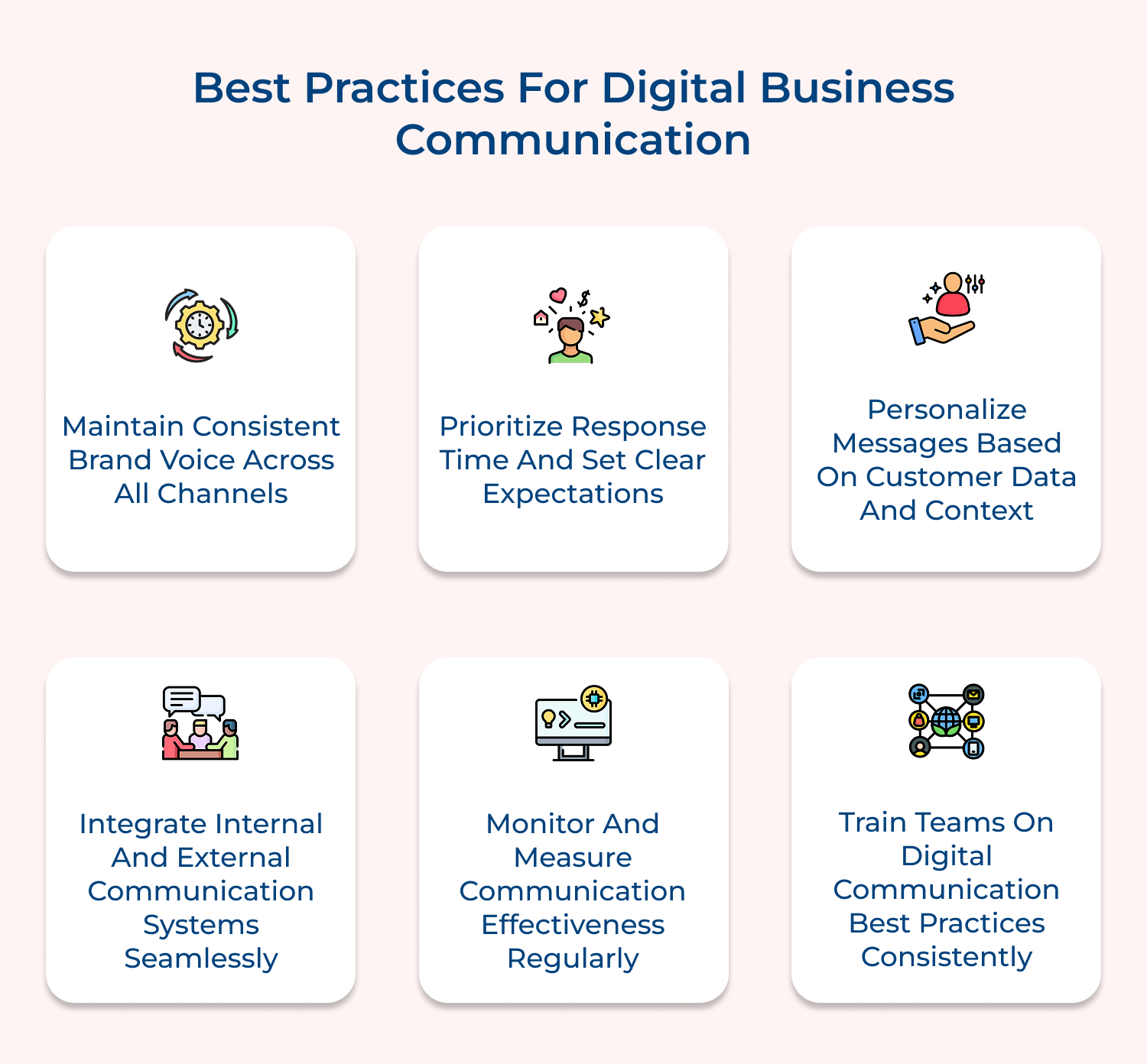
Maintain Consistent Brand Voice Across All Channels
Your tone and messaging should remain recognizable whether customers use social media, email or chat. Consistency builds trust and reinforces identity while preventing confusion from inconsistent communication styles.
Prioritize Response Time and Set Clear Expectations
Establish specific timeframes for different inquiries and communicate these standards clearly. Quick acknowledgments followed by detailed responses work better than delayed comprehensive answers that create uncertainty.
Personalize Messages Based on Customer Data and Context
Use customer preferences, purchase history and previous interactions to tailor communications appropriately. Customized content demonstrates understanding and value while generic messages feel impersonal as well as disconnected.
Integrate Internal and External Communication Systems Seamlessly
Ensure information flows smoothly between customer-facing channels and internal coordination tools without creating silos. Comprehensive access enables teams to deliver better experiences through informed interactions.
Monitor and Measure Communication Effectiveness Regularly
Track response rates, satisfaction scores and resolution times to identify improvement areas in your strategy. Regular analysis reveals which channels perform best and where adjustments enhance effectiveness.
Train Teams on Digital Communication Best Practices Consistently
Provide ongoing education about proper tone, platform etiquette and escalation procedures to ensure quality interactions. Well-trained teams represent your brand professionally while preventing relationship damage.
Digital communication channels have fundamentally transformed how businesses operate by creating seamless connections between teams and customers across all touchpoints. These tools enable real-time collaboration, instant customer support and data-driven insights that drive competitive advantages in today’s marketplace.
Success requires strategic channel selection, consistent implementation and ongoing optimization based on your specific business needs along with audience preferences. Companies that master digital communication create stronger relationships, improve operational efficiency and position themselves for sustainable growth in an increasingly connected world.

Which communication channels are most effective?
The effectiveness of communication channels depends on matching them to your specific audience and communication goals. Email works exceptionally well for formal documentation and detailed information sharing because it creates permanent records that people can reference later. Social media platforms excel at building community engagement and brand awareness through visual storytelling as well as real-time interactions with customers.
How has the Internet affected business communication?
The Internet has fundamentally transformed business communication by removing geographical boundaries and enabling instant global connectivity. Companies can now maintain continuous relationships with international clients and remote teams. This eliminates the delays and costs associated with traditional mail or long-distance phone calls. Digital platforms also provide detailed analytics about communication effectiveness that help businesses refine their messaging strategies.
How does a company manage business communications?
Successful communication management requires establishing clear guidelines for when and how to use different channels appropriately. Companies need to train their teams on maintaining consistent brand voice across all platforms while ensuring information flows smoothly between internal systems and customer-facing channels. Regular monitoring of response times and customer satisfaction helps identify areas where communication processes need improvement.
What are different Internal and External Communication Channels?
Internal communication channels include workplace messaging applications and project management platforms that help teams coordinate their daily activities while sharing important updates. External channels encompass social media platforms and customer support systems that connect businesses directly with their customers as well as prospects. Understanding this distinction helps companies select the right tools for reaching specific audiences effectively.
 https://omni24.io/wp-content/uploads/2026/09/Social-commerce-scaled.png
1340
2560
Webvision Solution
https://omni24.io/wp-content/uploads/2023/04/Omni-Logo-1.svg
Webvision Solution2026-10-23 12:18:272026-10-23 12:18:27What is Social Commerce and Why Does It Matter?
https://omni24.io/wp-content/uploads/2026/09/Social-commerce-scaled.png
1340
2560
Webvision Solution
https://omni24.io/wp-content/uploads/2023/04/Omni-Logo-1.svg
Webvision Solution2026-10-23 12:18:272026-10-23 12:18:27What is Social Commerce and Why Does It Matter? https://omni24.io/wp-content/uploads/2026/08/AI-Customer-Service-Agents.png
1256
2400
Webvision Solution
https://omni24.io/wp-content/uploads/2023/04/Omni-Logo-1.svg
Webvision Solution2026-09-21 04:48:512026-09-21 04:48:51How to Build an AI Customer Service Agents: 8 Key Steps
https://omni24.io/wp-content/uploads/2026/08/AI-Customer-Service-Agents.png
1256
2400
Webvision Solution
https://omni24.io/wp-content/uploads/2023/04/Omni-Logo-1.svg
Webvision Solution2026-09-21 04:48:512026-09-21 04:48:51How to Build an AI Customer Service Agents: 8 Key Steps https://omni24.io/wp-content/uploads/2026/08/Omnichannel-Conversational-AI.png
1256
2400
Tushar Joshi
https://omni24.io/wp-content/uploads/2023/04/Omni-Logo-1.svg
Tushar Joshi2026-09-16 03:51:072026-09-16 03:51:07How to Build Omnichannel Conversational AI Strategy
https://omni24.io/wp-content/uploads/2026/08/Omnichannel-Conversational-AI.png
1256
2400
Tushar Joshi
https://omni24.io/wp-content/uploads/2023/04/Omni-Logo-1.svg
Tushar Joshi2026-09-16 03:51:072026-09-16 03:51:07How to Build Omnichannel Conversational AI Strategy
Whether it’s about acquire, engage or support – Omni24 covers all your customer engagement needs in one complete platform.

Copyright ©2026 Veemo All rights reserved.
CA, Los Angeles, Hall Ave, 19011