How a Unified Customer View Transforms Customer Experience
A unified customer view unites customer data across every touchpoint, enabling AI-powered personalization, faster resolutions and proactive, consistent experiences.

A unified customer view unites customer data across every touchpoint, enabling AI-powered personalization, faster resolutions and proactive, consistent experiences.
Your customers are talking to your support team, browsing your website and opening your emails but your business is treating them like three different strangers. That disconnected experience is exactly what drives customers away silently.
Research from Salesforce’s State of the Customer report (2024) found that 76% of customers expect consistent interactions across every department, yet most businesses still operate from fragmented and siloed data. When your teams cannot see the full customer picture, every interaction starts from zero and trust erodes faster than you realize.
In this guide, you will learn exactly what a unified customer view is, why it sits at the heart of excellent customer service, and how to build one that actually works across your entire organization. We cover everything from key components and strategies to tools and best practices giving you a complete roadmap to deliver the connected experience your customers already expect.
A unified customer view is a single, consolidated profile of each customer built by pulling together data from every touchpoint purchases, support tickets, browsing behavior and feedback into one accessible place. It gives your team a complete, real-time picture of who the customer is and where they stand in their journey with your brand.
AI does the heavy lifting that humans simply cannot do at scale; it continuously scans, then stitches, data from CRMs, support platforms, marketing tools, transaction systems into one living customer profile. Without AI, this process would take hours of manual work and still deliver an incomplete picture.
AI also identifies behavioral patterns that your team would otherwise miss — like a customer who browses three times before buying or one who goes quiet right before churning. Why does this matter? Because acting on these signals before the customer reaches out is what separates a reactive team from a truly customer-centric one.
Key Factors:
When every team has the same complete picture of the customer, the entire experience shifts from reactive to intentional. These six benefits show exactly where that impact lands.
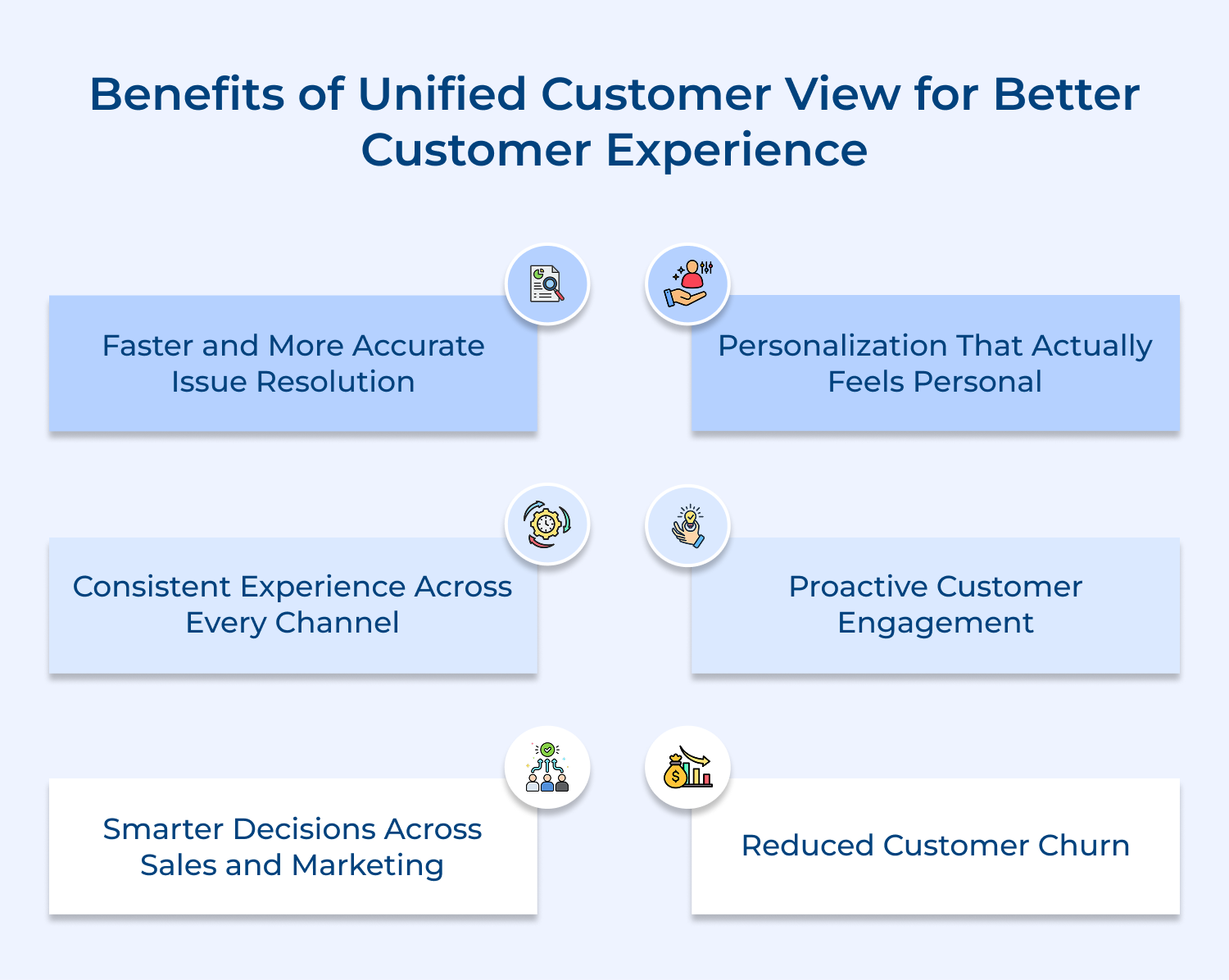
1. Faster and More Accurate Issue Resolution
When a support agent can see the full customer history in one glance, they stop asking repetitive questions and start solving the real problem immediately. Customers notice this difference and it directly builds trust with your brand.
2. Personalization That Actually Feels Personal
Generic personalization like “Hi [First Name]” no longer impresses anyone — but recommending a product based on past behavior and recent browsing does. A unified view gives your team the context to make every interaction feel genuinely tailored.
3. Consistent Experience Across Every Channel
Nothing frustrates a customer more than repeating their issue every time they switch from chat to email to a phone call. With a unified customer view, every channel picks up exactly where the last one left off.
4. Proactive Customer Engagement
Instead of waiting for a complaint to arrive, your team can spot early warning signs — like a drop in engagement or a missed renewal — and reach out before the customer even realizes there is a problem. This kind of proactive service is what turns ordinary customers into loyal advocates.
5. Smarter Decisions Across Sales and Marketing
When sales-marketing teams work from the same customer data, their outreach becomes sharper, better timed. You stop wasting budget on audiences who already converted and start focusing energy where it actually moves the needle.
6. Reduced Customer Churn
Churn rarely happens overnight it builds quietly through unresolved frustrations and feelings of being misunderstood. A unified customer view helps you catch those signals early and respond with the right action before the customer decides to leave.
A unified customer view is only as strong as the data layers that build it. These five components are the foundation that makes a customer profile genuinely complete and actionable.
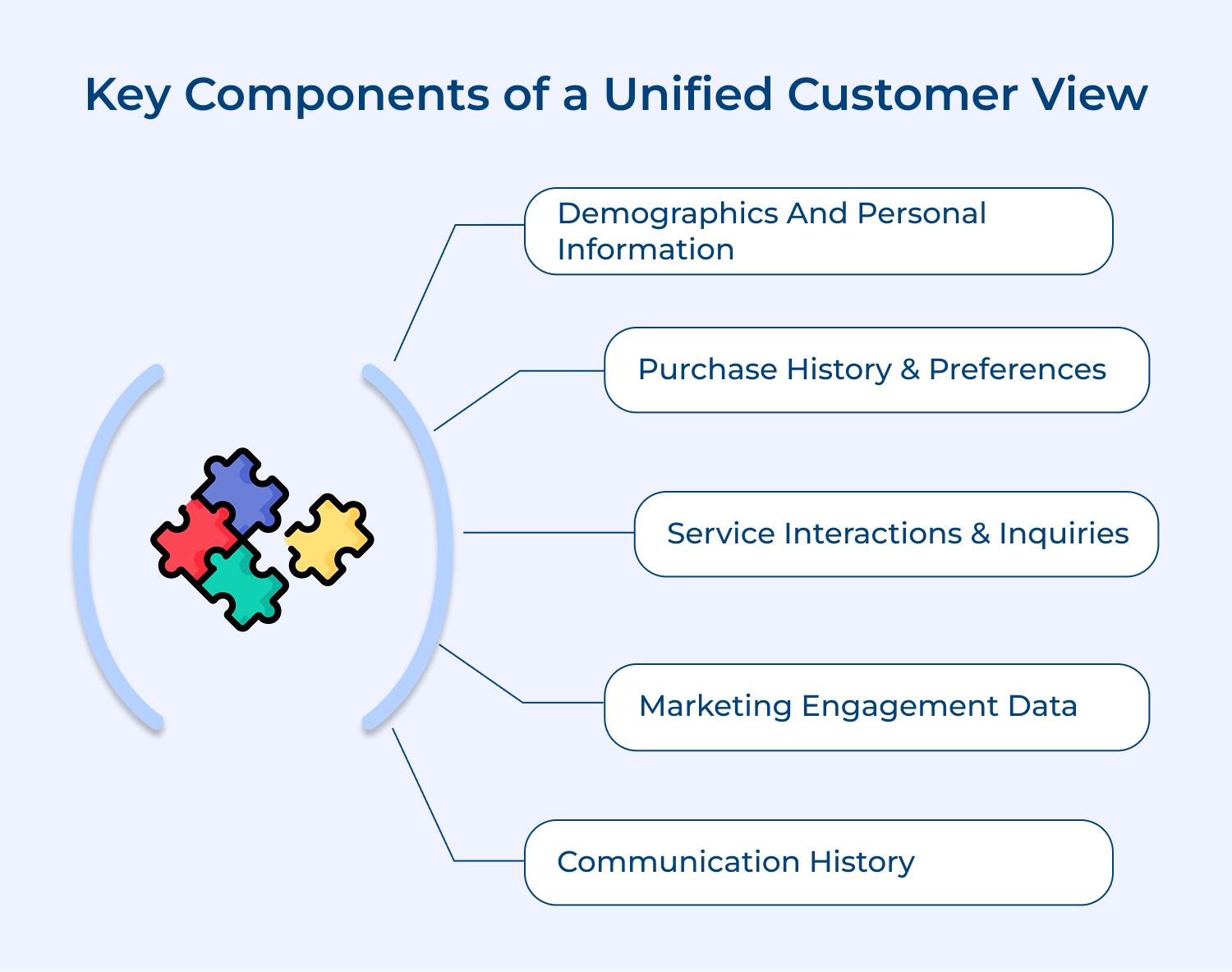
This is your starting point knowing who your customer is beyond just a name and email address. Age, location, preferred language and life stage all shape how a customer wants to be approached and what they actually need from you.
When you treat demographic data as a living layer rather than a one-time form fill, it starts driving smarter segmentation and more relevant outreach. A 28-year-old first-time buyer and a 55-year-old loyal customer simply do not want the same experience.
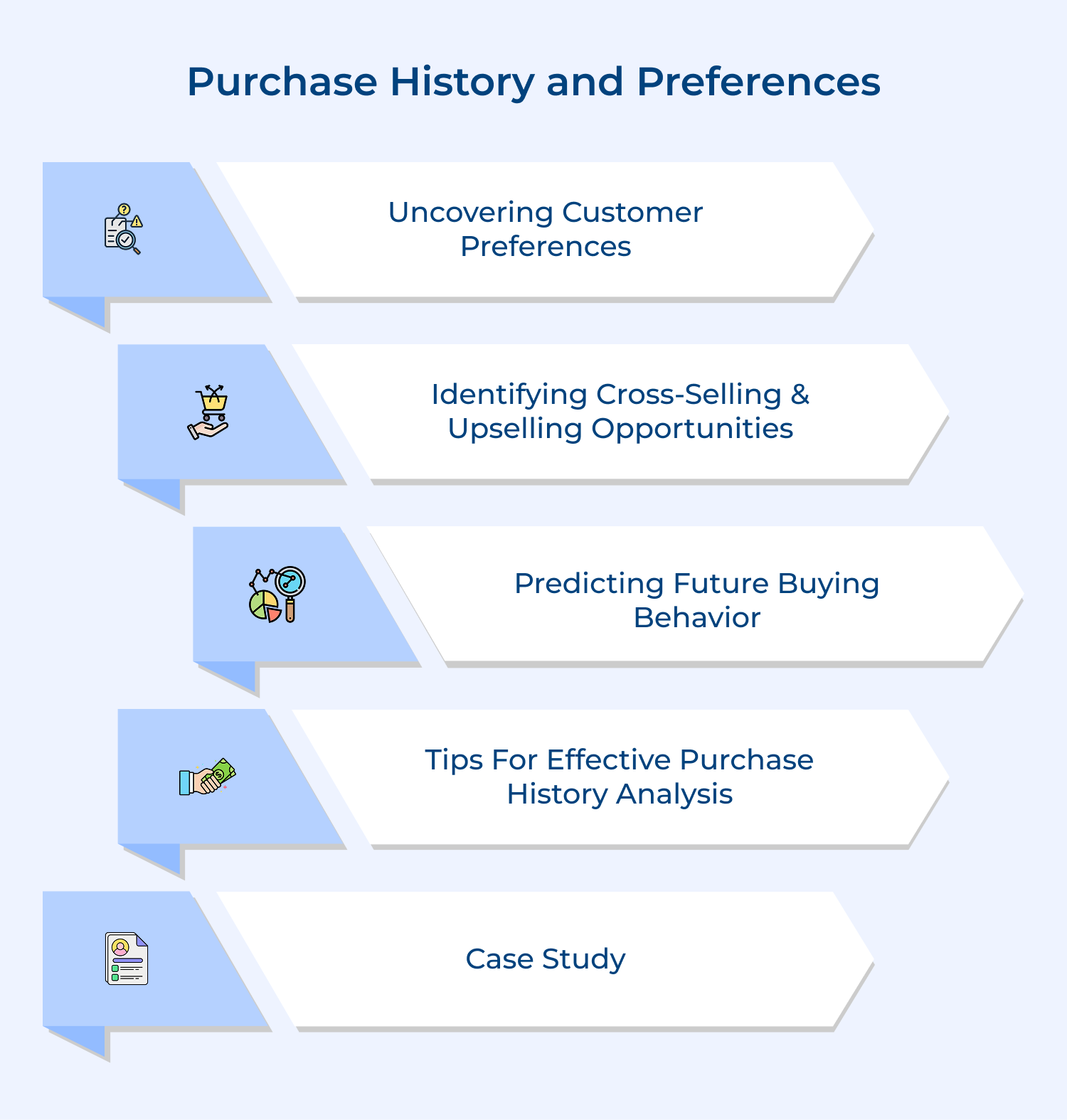
What has this customer bought, how often do they buy and what do they always skip? Purchase history answers these questions and tells you more about a customer’s priorities than any survey ever could.
What makes purchase data truly powerful in a unified view? It is the ability to connect past buying behavior with current intent signals so your team can recommend the right product at the right moment without guessing.
Every support ticket, complaint and help request is a data point that reveals where your product or experience is falling short. Tracking these interactions inside the unified profile means no agent ever walks into a conversation blind.
More importantly, patterns in service inquiries tell you something bigger if fifty customers are asking the same question, that is not a support problem. That is a product or communication gap your team needs to fix.
Knowing which emails a customer opened, which offers they clicked, and which campaigns they completely ignored is incredibly telling. This data helps you understand what resonates with each customer and what is just adding noise to their inbox.
Does marketing engagement data really influence the customer experience? Absolutely — because when your marketing team knows a customer ignored three discount emails but always opens product update newsletters, they can shift the approach before the customer tunes out entirely.
Every conversation your customer has had with your brand whether through chat, email, phone or social carries context that shapes the next interaction. Losing that context is one of the fastest ways to make a customer feel invisible and undervalued.
A complete communication history inside the unified profile means your team always knows the last thing that was said, the tone of that conversation and what was promised. That continuity is what makes customers feel genuinely heard across every single touchpoint.
A traditional customer database stores data and a unified customer view activates it. Understanding this distinction is what separates teams that merely manage customers from teams that truly serve them.
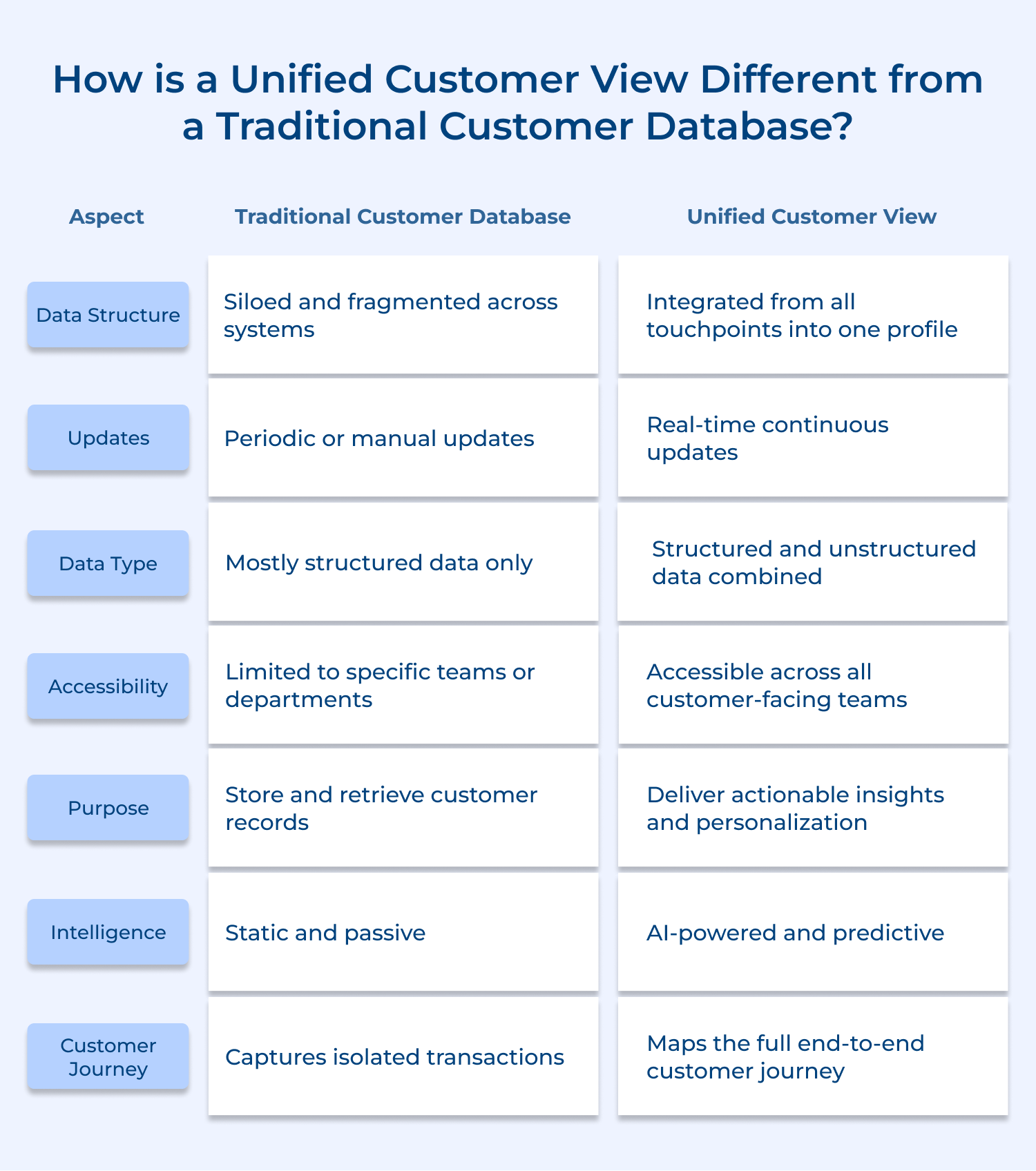
1. Data Structure: Siloed vs. Integrated
A traditional database stores customer information in separate systems your CRM holds one slice, your support tool holds another and your e-commerce platform holds yet another. Nobody gets the full picture because the data was never designed to talk to each other.
A unified customer view breaks down those walls by pulling every data source into a single connected profile. Your sales rep, support agent and marketing manager are all working from the exact same customer reality.
2. Updates: Periodic vs. Real-Time
Traditional databases are often updated in batches — meaning the data your team is acting on could already be hours or even days old. In fast-moving customer interactions, outdated data leads to outdated decisions.
A unified customer view updates continuously as the customer interacts with your brand. If a customer just raised a complaint thirty minutes ago, your sales team will see it before making that upsell call.
3. Data Type: Structured vs. Combined
Traditional databases are built to handle structured data clean fields like name, email and order number. Anything outside that structure, like a support chat transcript or a social media comment, simply gets left out.
A unified customer view captures both structured and unstructured data together. That support conversation, that frustrated tweet becomes part of the customer profile, giving your team crucial context they would otherwise never see.
4. Accessibility: Departmental vs. Cross-Functional
In a traditional setup, the marketing team sees marketing data, the support team sees support tickets, rarely does either team know what the other is seeing. This creates blind spots that directly hurt the customer experience.
A unified customer view is built for every customer-facing team to access simultaneously. When everyone operates from the same profile, the experience your customer receives feels seamless, coordinated rather than fragmented, repetitive.
5. Purpose: Storage vs. Action
A traditional database answers the question “what do we know about this customer?” and stops right there. It is essentially a filing cabinet that holds records without telling you what to do with them.
A unified customer view goes further by answering “what should we do next for this customer?” It turns stored data into real direction — surfacing the right insight to the right team member at exactly the right moment.
Explore these seven proven strategies to cut through the noise, build a seamless, detailed customer portrait that enhances your marketing, boosts customer satisfaction and ultimately grows your business.
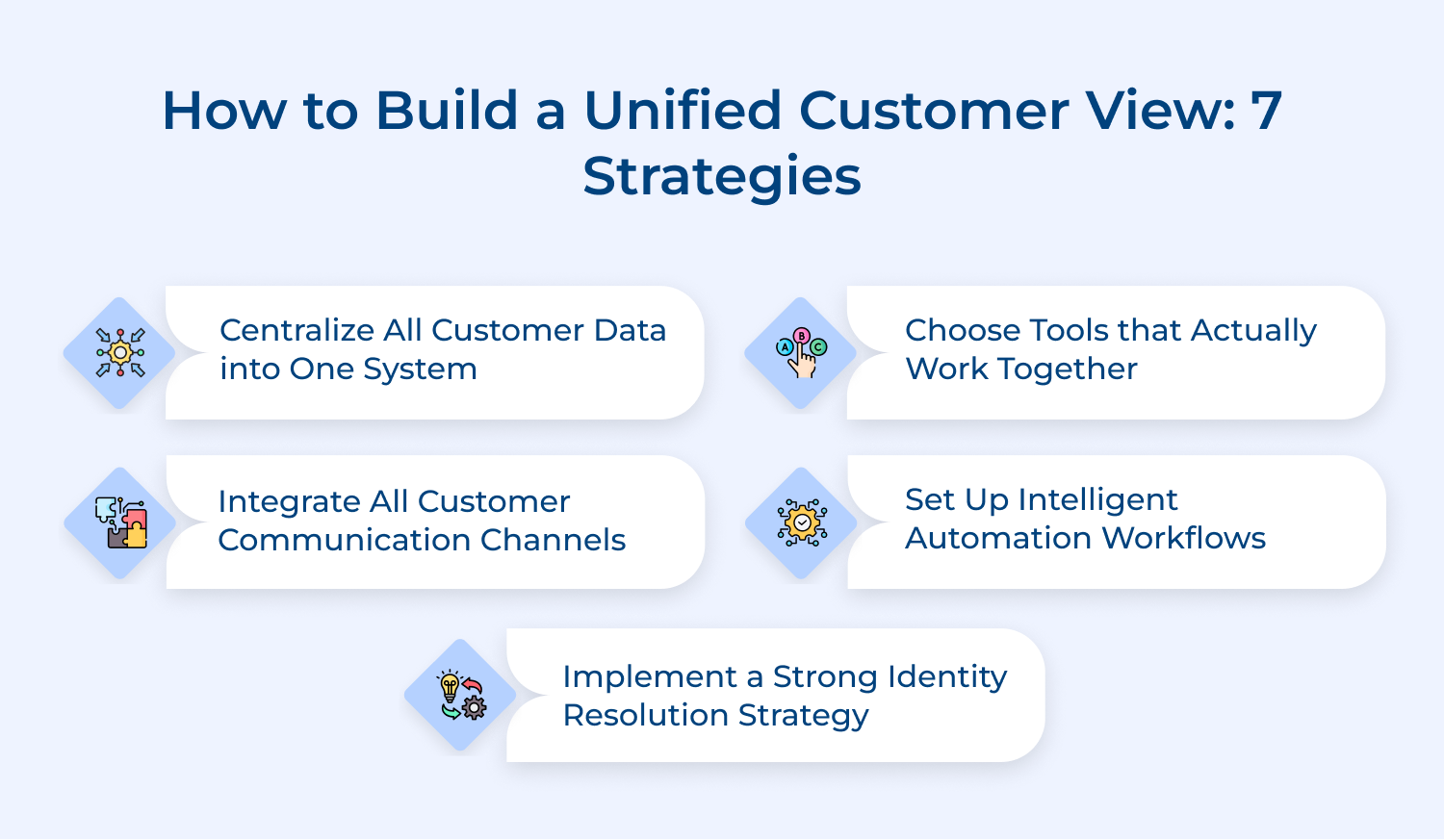
Centralizing customer data means pulling every scattered data point into one connected system your entire team can trust and act on. Without this foundation, every other strategy you build will eventually crack under inconsistent and conflicting information.
Here are 3 effective ways to centralize your customer data:
Think of a telecom company where billing, support and sales all operate on separate systems. When a customer calls about an overcharge, the agent cannot see last week’s service outage and that missing context changes everything.
Integrating communication channels means every conversation regardless of where it happens — feeds into the same unified profile without losing context. When a customer moves from chat to email to phone, your team should already know the full story before picking up.
Before implementing this strategy, run through this 5-point checklist:
So how do you use channel integration to build a unified customer view? Every channel should not just be a conversation space it should be a live data source that continuously enriches the customer profile. When a customer tweets a complaint and then calls support, the agent should already see that tweet before saying hello.
5 Customer Communication Channels and How Each Builds the Unified View:
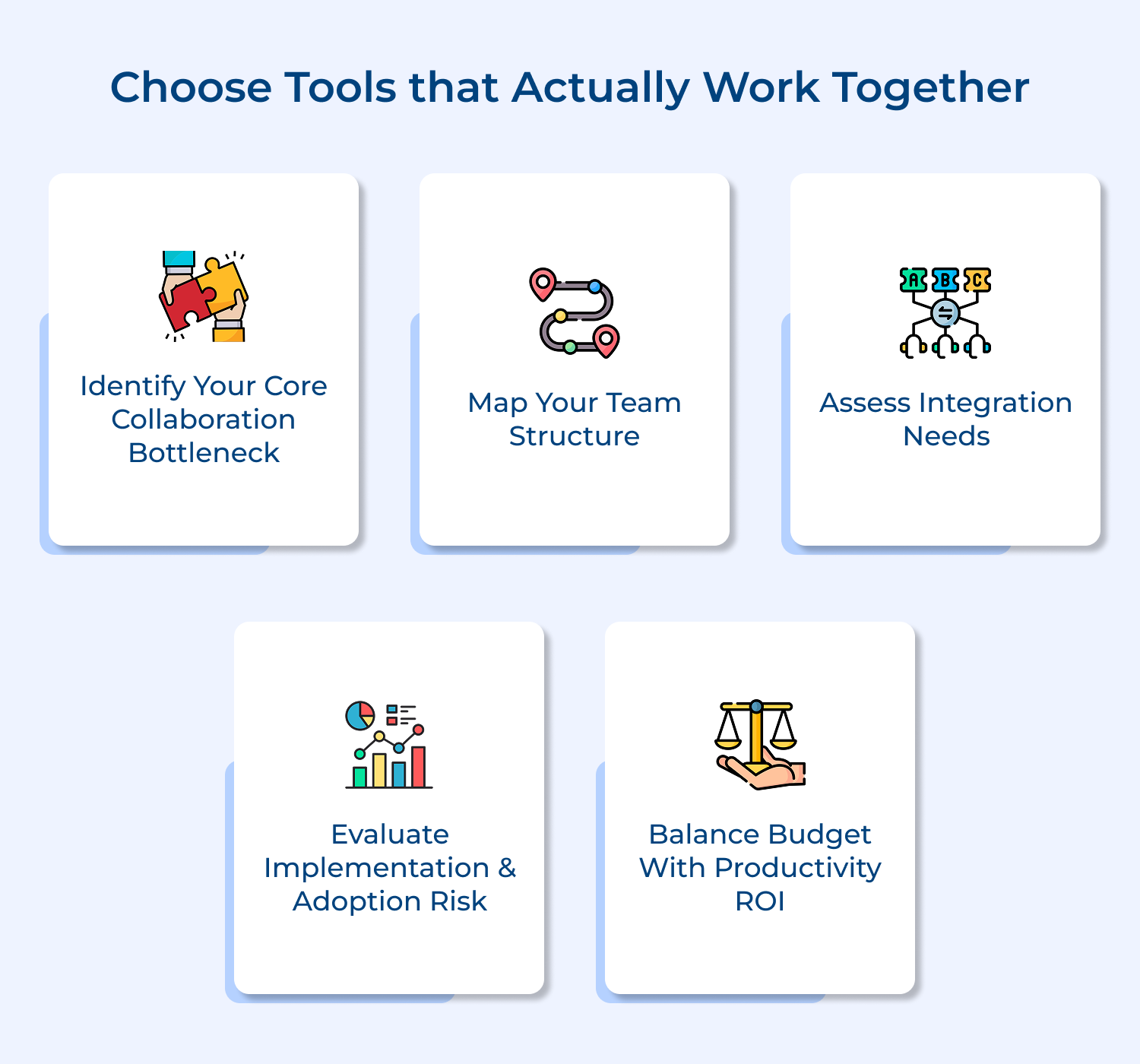
The tools you choose will either accelerate your unified customer view or quietly sabotage it from the inside. Even the best strategy collapses when the platforms underneath cannot share data with each other seamlessly.
Audit Your Existing Tools for Integration Compatibility First
Before buying anything new, map every tool your team uses and document exactly where data handoffs break down. Most organizations discover they are not missing tools they are missing proper connections between what they already have.
Prioritize Platforms With Open API Capabilities for Flexibility
A platform with strong open API capabilities gives you freedom to connect to any system in your stack without expensive custom builds. Treat API documentation and integration depth as non-negotiable criteria rather than a nice-to-have feature.
Avoid Tools That Quietly Create New Data Silos
Some tools look integrated on the surface but store data in formats that cannot connect to your core systems. Always ask vendors specifically how data flows out of their system and whether your team fully owns that data.
Intelligent automation ensures every customer interaction gets recorded and acted on without your team doing it manually every single time. This is what keeps your unified customer view accurate and alive rather than a snapshot that ages, becoming unreliable.
So what are the key factors to consider before setting up automation workflows? The most critical factor is defining your triggers precisely. Automation is only as smart as the rules you build into it. You need clarity on which behaviors update a profile and which ones need a human review step before any action fires.
Here are 4 real use cases of Intelligent Automation in building a unified customer view:
How do you implement automation workflows that genuinely serve the unified customer view? Start by identifying the three or four manual data tasks your team repeats every single day and automate those first. Rushed and untested automation will corrupt your customer data far faster than having no automation at all.
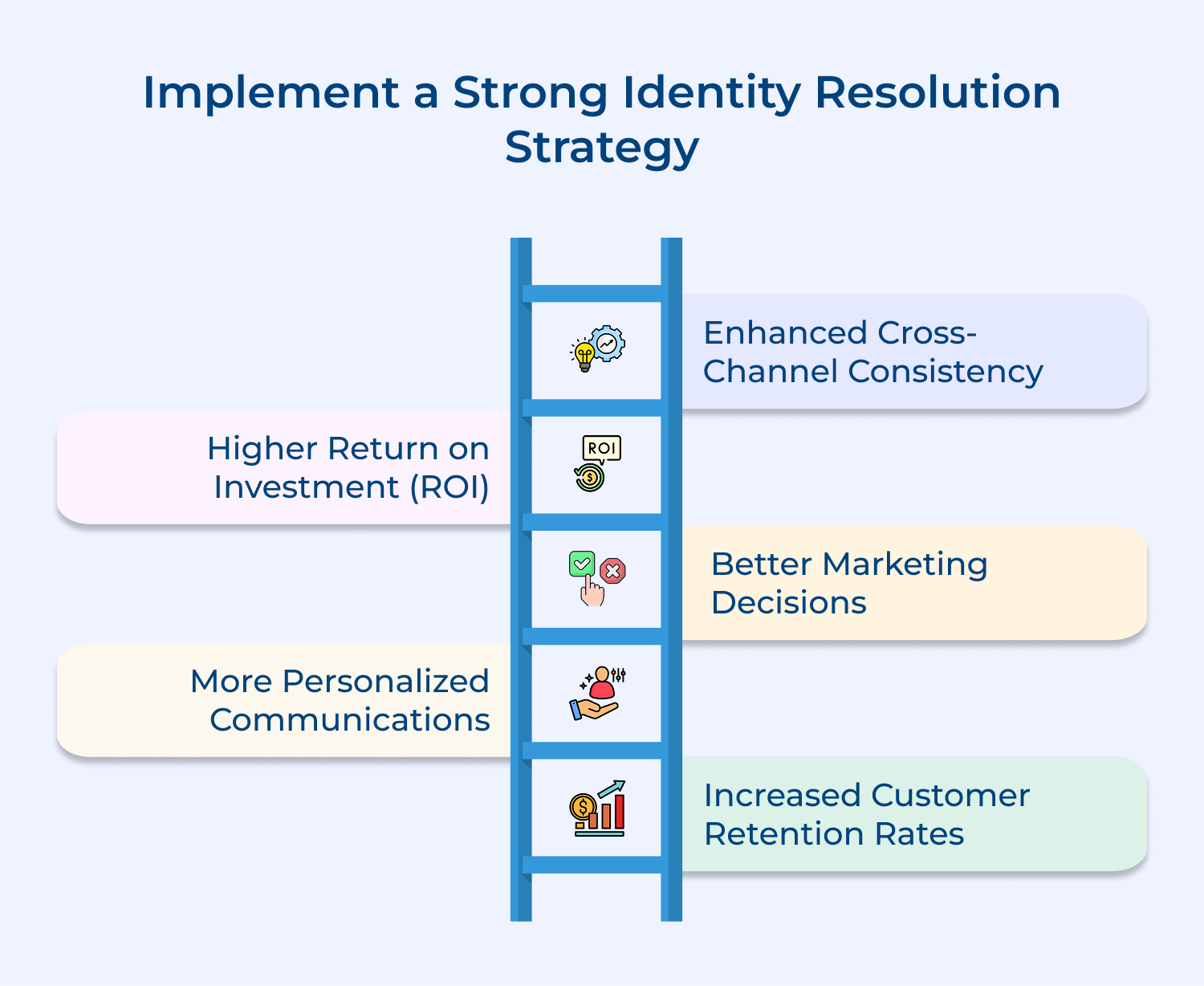
Identity resolution is the process of accurately recognizing the same customer across multiple devices and touchpoints without creating duplicate profiles. Without it, the same person appears as three different records and your unified view is built on fundamentally broken data.
So what makes identity resolution so critical? A customer who browses on mobile, purchases on desktop and calls support looks like three different people to a system that cannot connect the dots. Identity resolution collapses those records into one accurate and complete profile.
core ways to implement a strong identity resolution strategy:
A retail brand once discovered 22% of their database were duplicates created by guest checkouts their personalization engine was sending irrelevant recommendations to real loyal customers as a direct result.
When sales, support, marketing operate from different data sets, the customer pays the price through repetitive questions, disconnected interactions. Aligning all teams around one shared data source transforms a fragmented experience into a seamless one.
So why do most teams struggle with this alignment? Data silos are rarely a technology problem they are a culture problem that technology alone cannot fix. Teams protect their own data simply because nobody has given them a compelling reason to change.
3 effective ways to align customer-facing teams around shared data:
Think about a marketing team running a win-back campaign on a customer who raised an unresolved complaint four days ago. That disconnect happens daily in organizations where teams are not looking at the same customer reality.
A unified customer view degrades the moment you stop actively maintaining it data decays faster than most teams expect. The impact shows up directly in the quality of every customer interaction your team delivers.
So what does continuous auditing actually look like? It means scheduling regular reviews to check accuracy, flag outdated records and identify incomplete profiles. The frequency should match the speed at which your customer base evolves.
Effective ways to continuously audit and enrich your data:
Research shows B2B data decays at roughly 30% annually — meaning nearly a third of your database becomes inaccurate within twelve months. Teams that treat enrichment as a continuous process are the ones whose unified customer view genuinely gets stronger over time.
Building a unified customer view is one thing — maintaining its quality and impact over time is another. These five best practices are what separate organizations that sustain excellence from those that plateau after the initial setup.
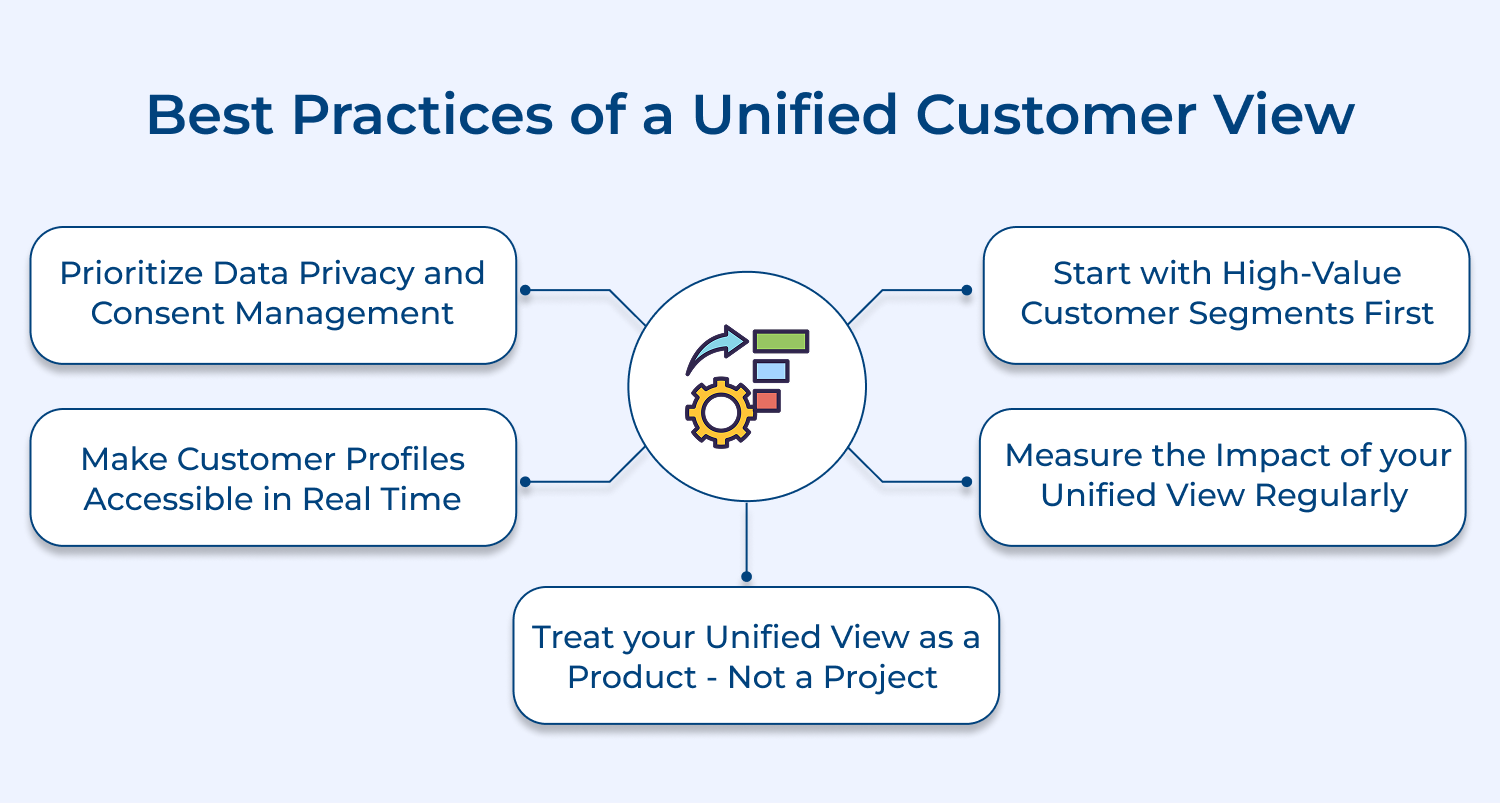
1. Prioritize Data Privacy and Consent Management
Collecting customer data without clear consent is not just a compliance risk — it is a trust problem that damages your brand permanently. Every data point in your unified view should have a clear and documented consent trail behind it.
2. Start With High-Value Customer Segments First
Trying to unify data for your entire customer base at once is a fast path to overwhelm and poor execution. Start with your highest-value segments, prove the model works, then scale confidently.
3. Make Customer Profiles Accessible in Real Time
A customer profile that updates every 24 hours is not a unified view; it is a delayed snapshot that misleads your team. Real-time accessibility is what makes the difference between reactive service and genuinely proactive engagement.
4. Measure the Impact of Your Unified View Regularly
If you are not tracking how the unified customer view is influencing resolution time, churn rate, and satisfaction scores, you cannot improve it. Define clear metrics from day one and review them consistently.
5. Treat Your Unified View as a Product — Not a Project
Projects have end dates; products evolve continuously based on feedback, performance. The organizations that get the most value treat their unified customer view as something that always needs iteration and improvement.
A unified customer view is not a luxury for modern businesses — it is the foundation every great customer experience is built on. Organizations that invest in it today are the ones setting the standard their competitors will scramble to match tomorrow.
A 360-degree customer perspective is what empowers your team to move from reacting to customer problems toward anticipating and solving them proactively. When every touchpoint connects and every team aligns, the customer experience your brand delivers becomes your strongest competitive advantage.

What data sources are used in a unified customer view?
A unified customer view pulls data from CRM systems, support tickets, purchase history, website behavior and social interactions. Every customer-facing touchpoint becomes a data source that continuously enriches and updates the central customer profile.
How does a unified customer view improve personalization?
When you can see every interaction a customer has had with your brand, personalization stops being generic and starts being genuinely relevant. You are no longer guessing what a customer wants the data tells you directly and clearly.
Can a unified customer view enhance customer service?
Absolutely when a support agent sees the complete customer history before a conversation starts, resolution becomes faster and far more accurate. Customers stop repeating themselves and agents stop asking questions they should already know the answers to.
What tools help build a unified customer view?
Customer Data Platforms, CRM systems with strong integration capabilities and AI-powered analytics tools are the core building blocks. The key is choosing tools that share data openly rather than locking it inside their own ecosystem.
Is a unified customer view secure and compliant?
A well-built unified customer view is designed with data privacy and consent management at its core not added as an afterthought. Every data layer should meet GDPR, CCPA and relevant regional compliance standards to protect both your customers and your business.
 https://omni24.io/wp-content/uploads/2026/09/Social-commerce-scaled.png
1340
2560
Webvision Solution
https://omni24.io/wp-content/uploads/2023/04/Omni-Logo-1.svg
Webvision Solution2026-10-23 12:18:272026-10-23 12:18:27What is Social Commerce and Why Does It Matter?
https://omni24.io/wp-content/uploads/2026/09/Social-commerce-scaled.png
1340
2560
Webvision Solution
https://omni24.io/wp-content/uploads/2023/04/Omni-Logo-1.svg
Webvision Solution2026-10-23 12:18:272026-10-23 12:18:27What is Social Commerce and Why Does It Matter? https://omni24.io/wp-content/uploads/2026/08/AI-Customer-Service-Agents.png
1256
2400
Webvision Solution
https://omni24.io/wp-content/uploads/2023/04/Omni-Logo-1.svg
Webvision Solution2026-09-21 04:48:512026-09-21 04:48:51How to Build an AI Customer Service Agents: 8 Key Steps
https://omni24.io/wp-content/uploads/2026/08/AI-Customer-Service-Agents.png
1256
2400
Webvision Solution
https://omni24.io/wp-content/uploads/2023/04/Omni-Logo-1.svg
Webvision Solution2026-09-21 04:48:512026-09-21 04:48:51How to Build an AI Customer Service Agents: 8 Key Steps https://omni24.io/wp-content/uploads/2026/08/Omnichannel-Conversational-AI.png
1256
2400
Tushar Joshi
https://omni24.io/wp-content/uploads/2023/04/Omni-Logo-1.svg
Tushar Joshi2026-09-16 03:51:072026-09-16 03:51:07How to Build Omnichannel Conversational AI Strategy
https://omni24.io/wp-content/uploads/2026/08/Omnichannel-Conversational-AI.png
1256
2400
Tushar Joshi
https://omni24.io/wp-content/uploads/2023/04/Omni-Logo-1.svg
Tushar Joshi2026-09-16 03:51:072026-09-16 03:51:07How to Build Omnichannel Conversational AI Strategy
Whether it’s about acquire, engage or support – Omni24 covers all your customer engagement needs in one complete platform.

Copyright ©2026 Veemo All rights reserved.
CA, Los Angeles, Hall Ave, 19011