How to Build Smooth Chatbot Flow: 8 Key Steps
Guide to building chatbot flow and chatbot conversation flow using proven steps, design tips, testing as well as best practices.

Guide to building chatbot flow and chatbot conversation flow using proven steps, design tips, testing as well as best practices.
Most businesses struggle when their chatbot flow feels robotic and frustrating, many customers simply give up before finding a solution. Roughly 30% abandon a brand after a bad chatbot experience and almost 40% of chatbot interactions are rated negative.
When a bot fails to understand user needs or gives irrelevant answers, it drives valuable prospects away as well as damages trust.
But following eight proven steps can turn your chatbot into a strong tool for customer engagement, helping users reach their goals smoothly while enhancing brand perception.
Chatbot conversation flows are the structured pathways that guide how your automated assistant interacts with customers. These flows determine what your chatbot says and how it responds based on what customers type or click. They create natural back-and-forth exchanges that feel human-like while solving specific business problems.
Conversation flows operate like a decision tree where each customer response triggers the next appropriate message or action. The chatbot follows pre-designed branches based on keywords or user choices. When someone asks a question the system matches their input to the closest flow path and delivers the relevant response.
Key Objectives:
Smart conversation flows transform basic chatbots into powerful business tools that deliver real results. Let me walk you through the benefits:
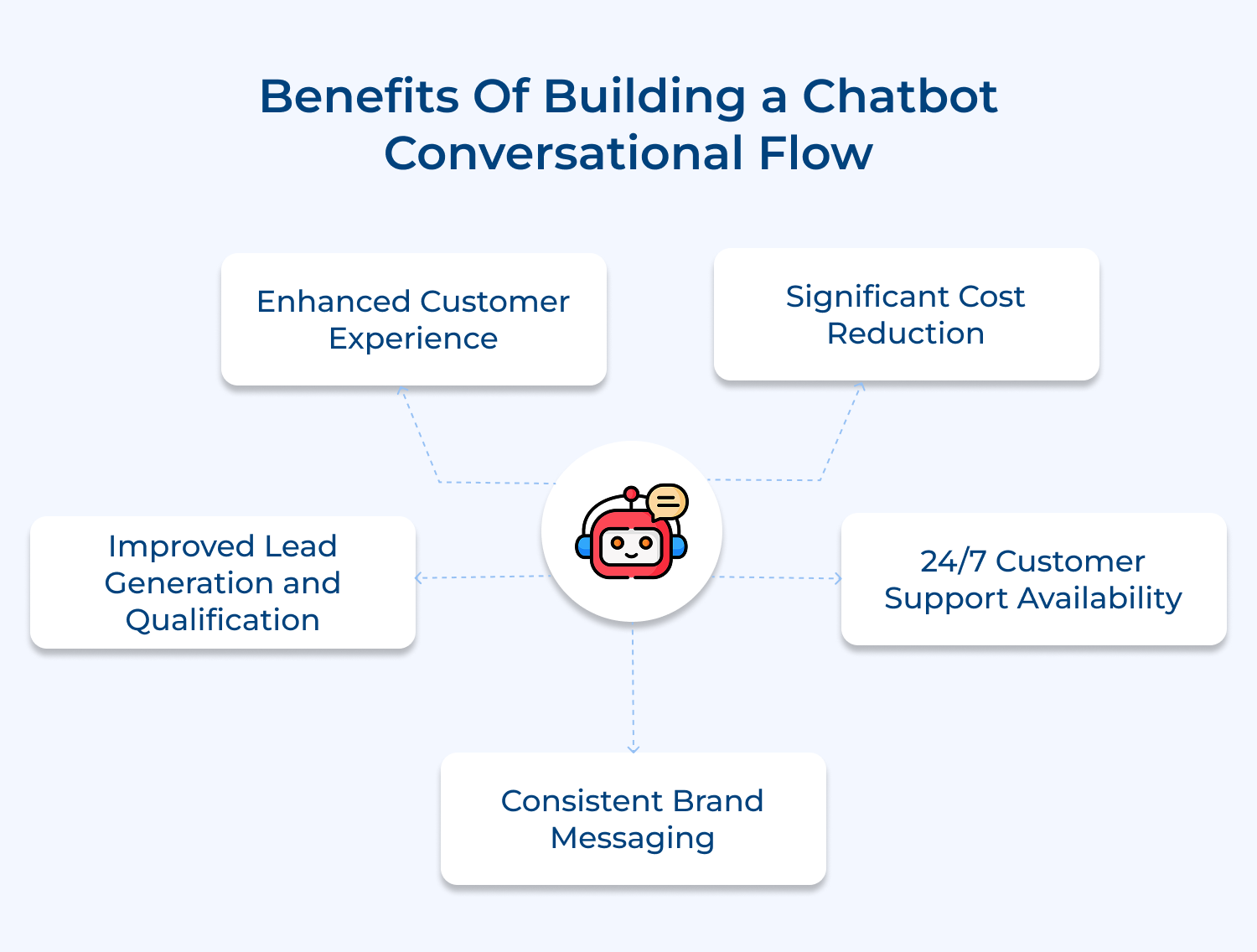
Enhanced Customer Experience
Well-designed conversation flows make chatbot interactions feel smooth and human. Customers get accurate answers fast, avoid dead ends and enjoy a seamless experience that builds trust in your brand.
Significant Cost Reduction
Automating routine questions reduces the load on your support team, letting them focus on complex issues. This efficiency not only saves time but also cuts operational costs and improves profit margins.
24/7 Customer Support Availability
Structured flows help your business assist customers anytime, across time zones. Immediate help is available even when your team is offline, giving you an edge in global markets.
Improved Lead Generation and Qualification
Chatbots can naturally guide visitors through qualification questions, capturing contact info and preferences. This ensures your sales team focuses on high-quality, ready-to-engage leads.
Consistent Brand Messaging
Predefined flows maintain a uniform brand voice across every interaction. Customers always get accurate, on-brand communication, which strengthens recognition and trust.
This article outlines eight essential steps to help you craft a chatbot experience that not only meets user expectations but exceeds them.
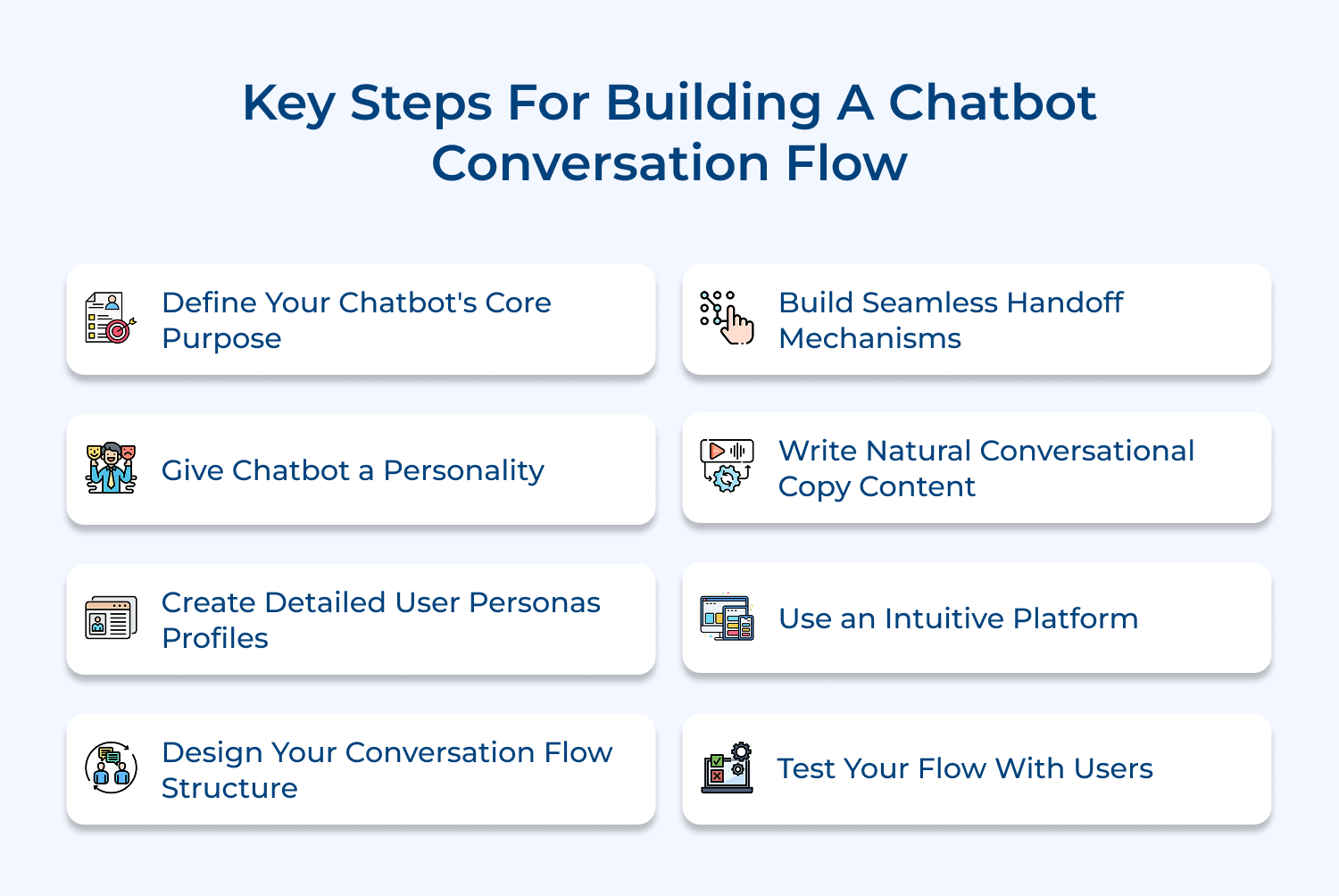
Before building your chatbot, be clear about what it’s meant to do. Without a defined purpose, it risks confusing customers instead of helping them.
Focus on creating interactions that deliver real value:
Your chatbot’s personality shapes every interaction and reflects your brand. A clear, well-defined personality makes conversations feel natural while building emotional connections. Without it, your bot can come across as robotic and distant.
Start by considering your audience and brand values: corporate clients may prefer a professional tone, while younger audiences respond better to a casual, friendly style.
Common personality types include:
Example: A fitness app bot with a motivational coach vibe could say, “Ready to crush today’s workout? Your session’s locked and loaded!”
User personas represent your ideal customers, their needs, behaviors and communication preferences. Designing conversation flows without them is like talking to imaginary people instead of real users.
Personas help you structure interactions effectively:
Create personas by analyzing support tickets, survey responses and website data. Interview real customers to understand their goals, challenges and expectations.
A well-organized flow is the backbone of your chatbot, guiding customers smoothly instead of leaving them frustrated. Every interaction should lead somewhere meaningful.
Map out paths: Document all routes a customer might take. Think of it like a roadmap with each question or response opening new directions. Consider multiple ways users approach the same problem.
Use decision trees: Visualize how conversations branch based on user responses. Build separate trees for different types of customers—new visitors, returning users, or technical support seekers.
Plan fallbacks: Prepare for unexpected inputs with graceful responses that acknowledge confusion and guide users to alternative solutions, keeping the experience positive.
Seamless handoffs transfer customers from chatbot to human agents without losing conversation context or customer patience. Poor handoffs create frustration and waste the relationship-building work your chatbot already accomplished. Smart handoff systems maintain continuity and enhance rather than interrupt the customer experience.
Consider these essential questions before building your handoff system:
Here are four proven methods to implement effective handoff mechanisms:
Natural conversational copy makes your chatbot feel like a helpful human rather than a robotic script reader. Poor copy creates awkward interactions that push customers away from your brand. Well-crafted dialogue builds trust and guides customers smoothly toward solutions.
This step provides two major benefits for your conversation flow development:
But how do you write a copy that sounds natural instead of scripted? The secret lies in reading your chatbot responses out loud and asking yourself whether you’d actually say those words. If something sounds stiff or overly formal when spoken it probably needs simplification.
Consider this example of natural versus robotic copy. Instead of “Please provide your order identification number for processing” try “What’s your order number? I’ll look that up for you right away.” The second version feels conversational and helpful.
An intuitive platform simplifies the technical complexity of building chatbots and lets you focus on creating great conversations. Without user-friendly tools you’ll spend more time wrestling with software than designing customer experiences. The right platform accelerates development as well as reduces the learning curve significantly.
When selecting your chatbot building platform, consider these essential factors:
Remember that the most feature-rich platform isn’t always the best choice for your specific needs. Sometimes a simpler tool that your team can master quickly delivers better results than a complex system that requires extensive training and technical support.
Testing uncovers gaps between your assumptions and how customers actually interact with your bot. Without it, even a perfectly designed chatbot can fail in real-world use.
Beta testing: Recruit a small group of users to try your chatbot and provide feedback on confusing or frustrating points.
A/B testing: Compare different conversation approaches to see which paths work best for real users.
This step helps you catch issues early, refine interactions and ensure your chatbot delivers a smooth, effective experience.
Pro tips:
Ending a chatbot conversation properly is just as important as starting one well. Here are a few ways how you end the chatbot flow:
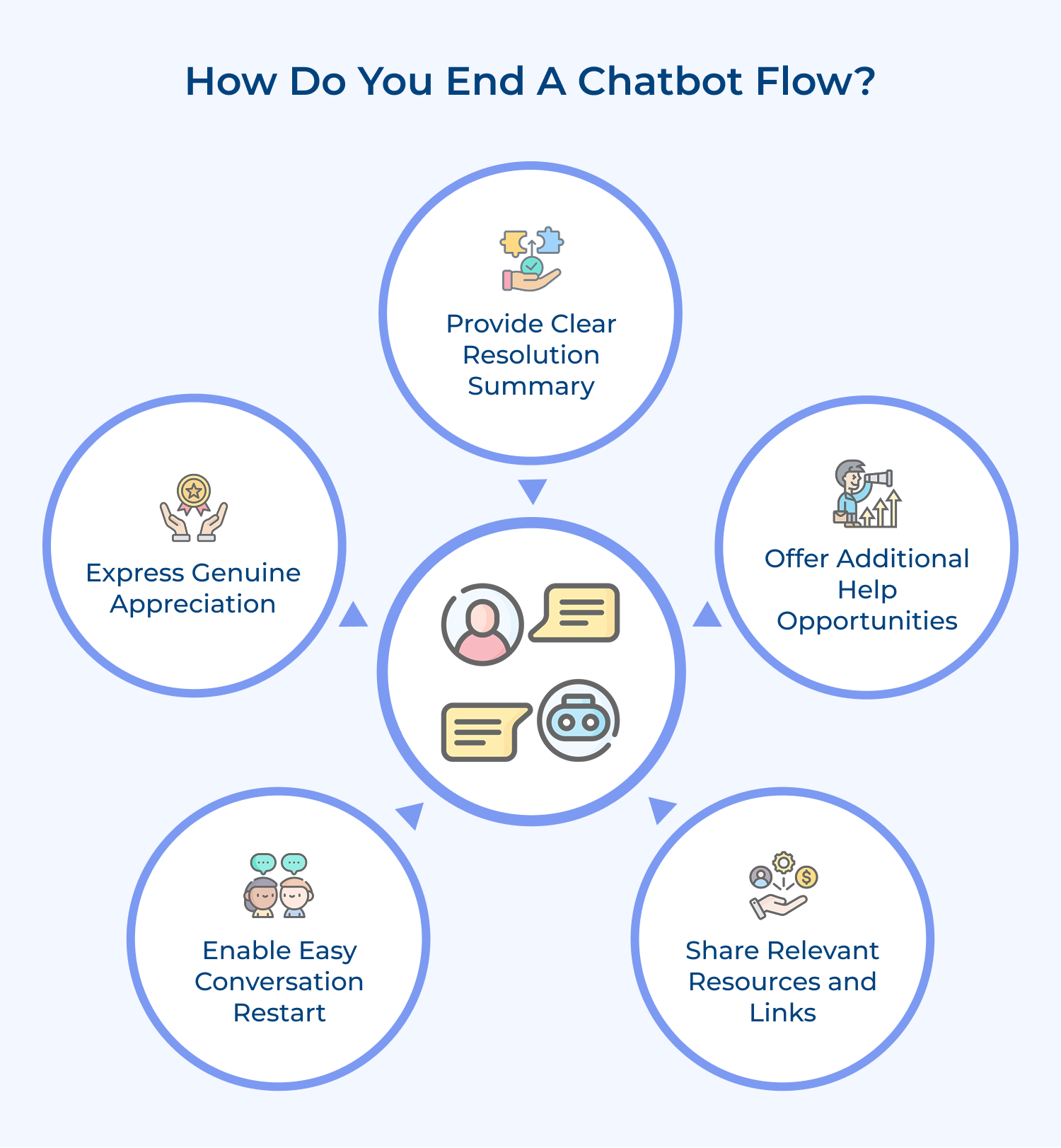
Always recap what was accomplished during the conversation and confirm the customer’s issue was addressed completely. This summary acts like a receipt that shows value was delivered. Include any reference numbers, follow-up actions or next steps the customer should expect from your team.
Before ending, ask if there’s anything else you can assist with today using natural language. The simple question often uncovers related concerns customers hadn’t mentioned initially. Give them a moment to think rather than rushing toward the exit door immediately.
Point customers toward helpful resources like FAQ pages, tutorial videos or contact information for future reference. Think of this as leaving breadcrumbs that help them find their way back when needed. These resources extend the conversation’s value beyond the immediate interaction.
Make it simple for customers to begin a new conversation or return to previous topics without starting completely over. Provide clear instructions on how to reconnect with the chatbot or access their conversation history. It reduces friction for customers who need ongoing support.
End with a warm thank you that acknowledges the customer’s time and reinforces positive brand feelings. Avoid generic corporate language and instead use conversational phrases that sound authentically grateful. The final impression often determines whether customers view the experience positively or negatively overall.
These real-world conversation flow examples demonstrate how different industries create engaging customer interactions. Let’s explore one at a time:
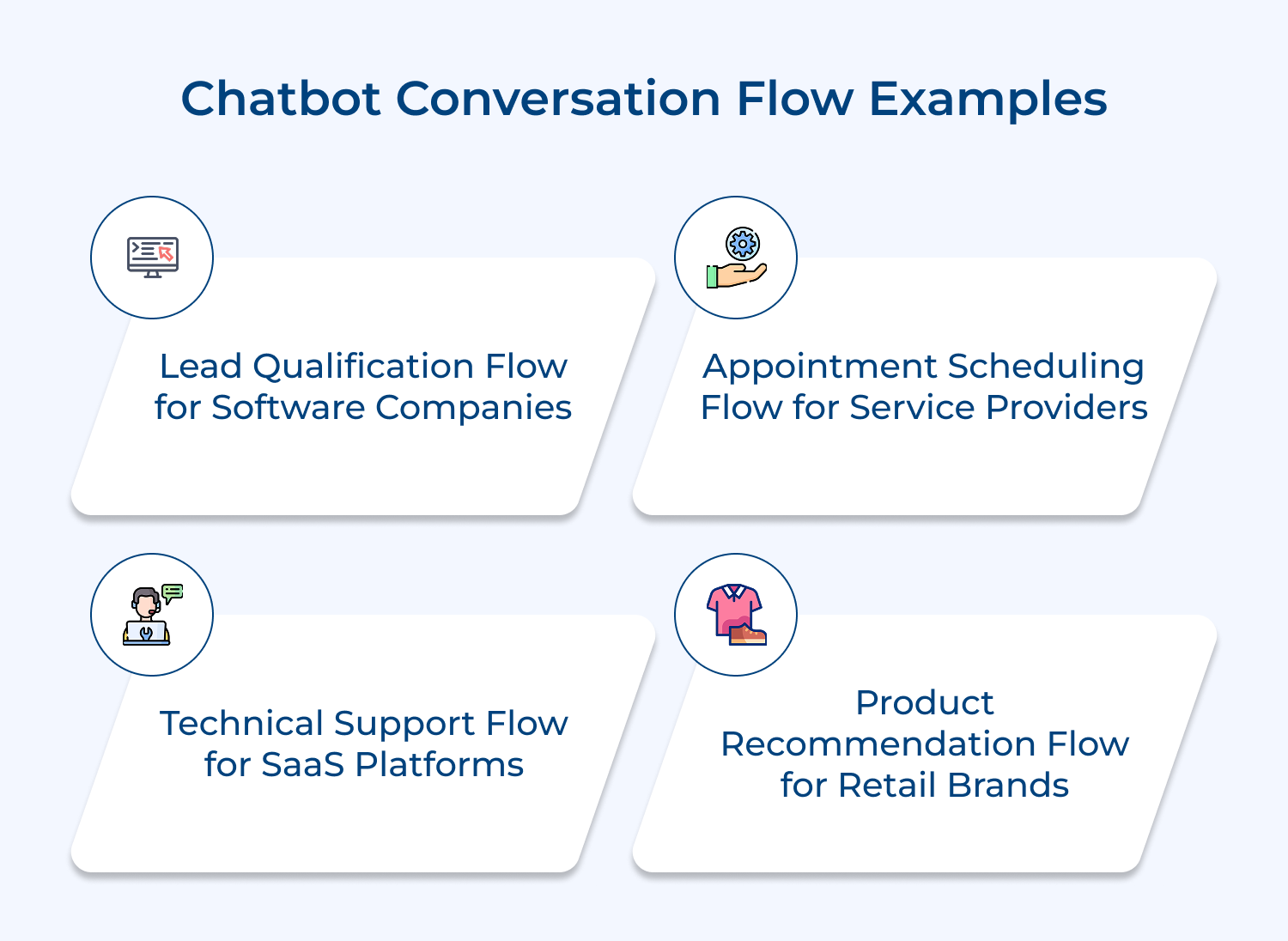
Lead Qualification Flow for Software Companies
This flow helps your chatbot identify serious prospects by asking key discovery questions. It covers company size, current tools and specific challenges. Qualified leads receive personalized demo invites, while others get helpful resources that guide them toward future engagement—keeping the conversation useful for everyone.
Appointment Scheduling Flow for Service Providers
Designed for convenience, this flow lets customers pick, reschedule, or cancel appointments through simple chat commands. It automatically confirms bookings and sends reminders, reducing no-shows while freeing your team from back-and-forth scheduling calls. Customers get flexibility and your operations run smoothly.
Technical Support Flow for SaaS Platforms
The chatbot diagnoses common technical issues through guided troubleshooting questions that narrow down root causes effectively. Users receive step-by-step solutions with screenshots or video links for complex procedures. When automated solutions don’t work the flow seamlessly transfers customers to human technicians with full context about attempted fixes.
Product Recommendation Flow for Retail Brands
The flow lets your chatbot understand each customer’s preferences, budget and intended use. It then suggests relevant products, complete with comparisons as well as reviews to help guide decisions. Customers can add items to their cart or save them for later—all directly within the chat, making shopping seamless and personalized.
These four platforms represent the gold standard for creating sophisticated conversation flows without requiring extensive programming knowledge.
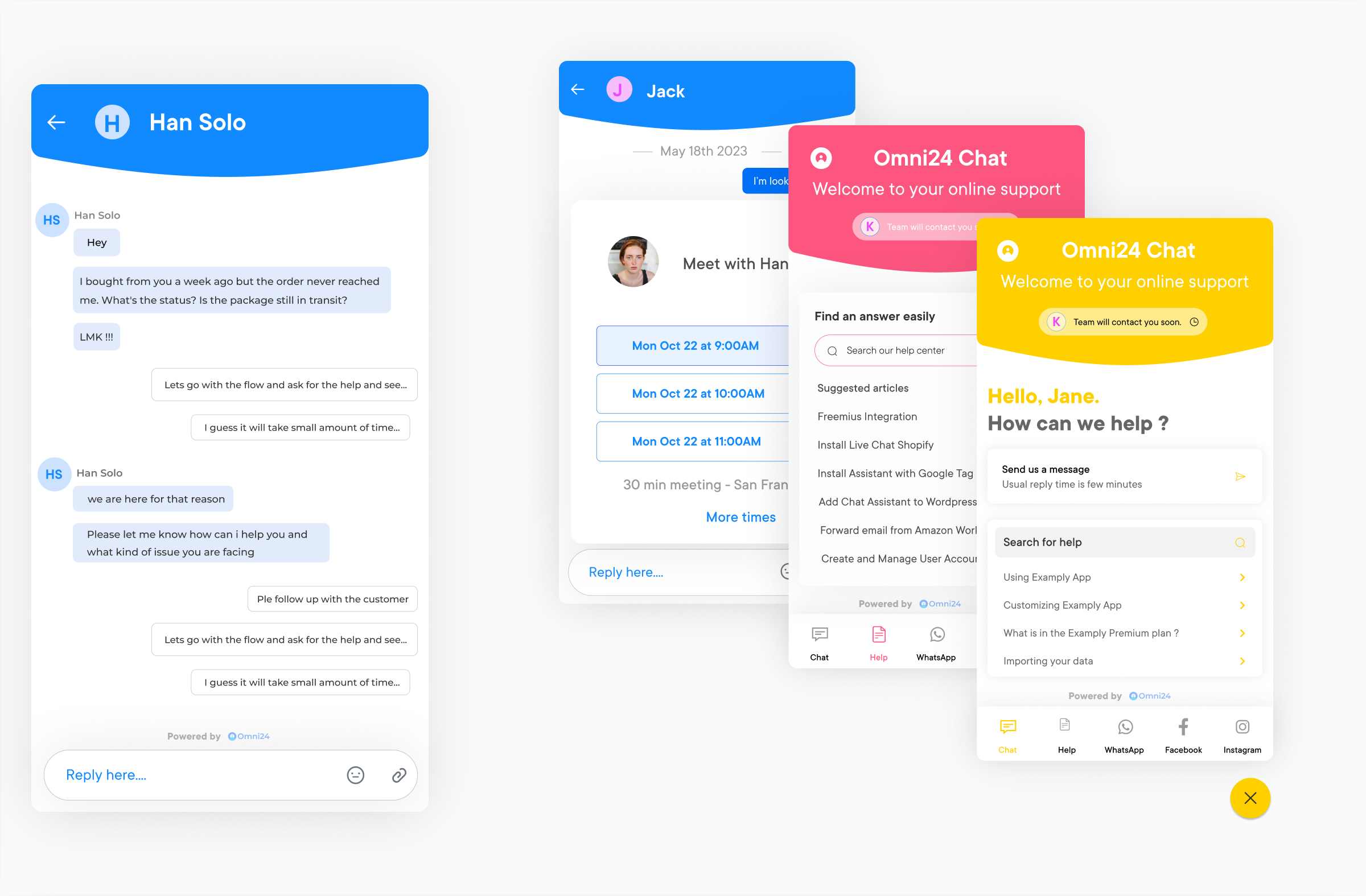
Omni24 operates as a comprehensive customer experience platform that seamlessly blends live chat capabilities with sophisticated chatbot conversation flow design tools. The software focuses on creating unified customer journeys where automated conversations transition smoothly into human agent interactions when needed. Its strength lies in maintaining conversation context across different support channels while providing businesses with detailed analytics to understand customer behavior patterns.
Key Features:
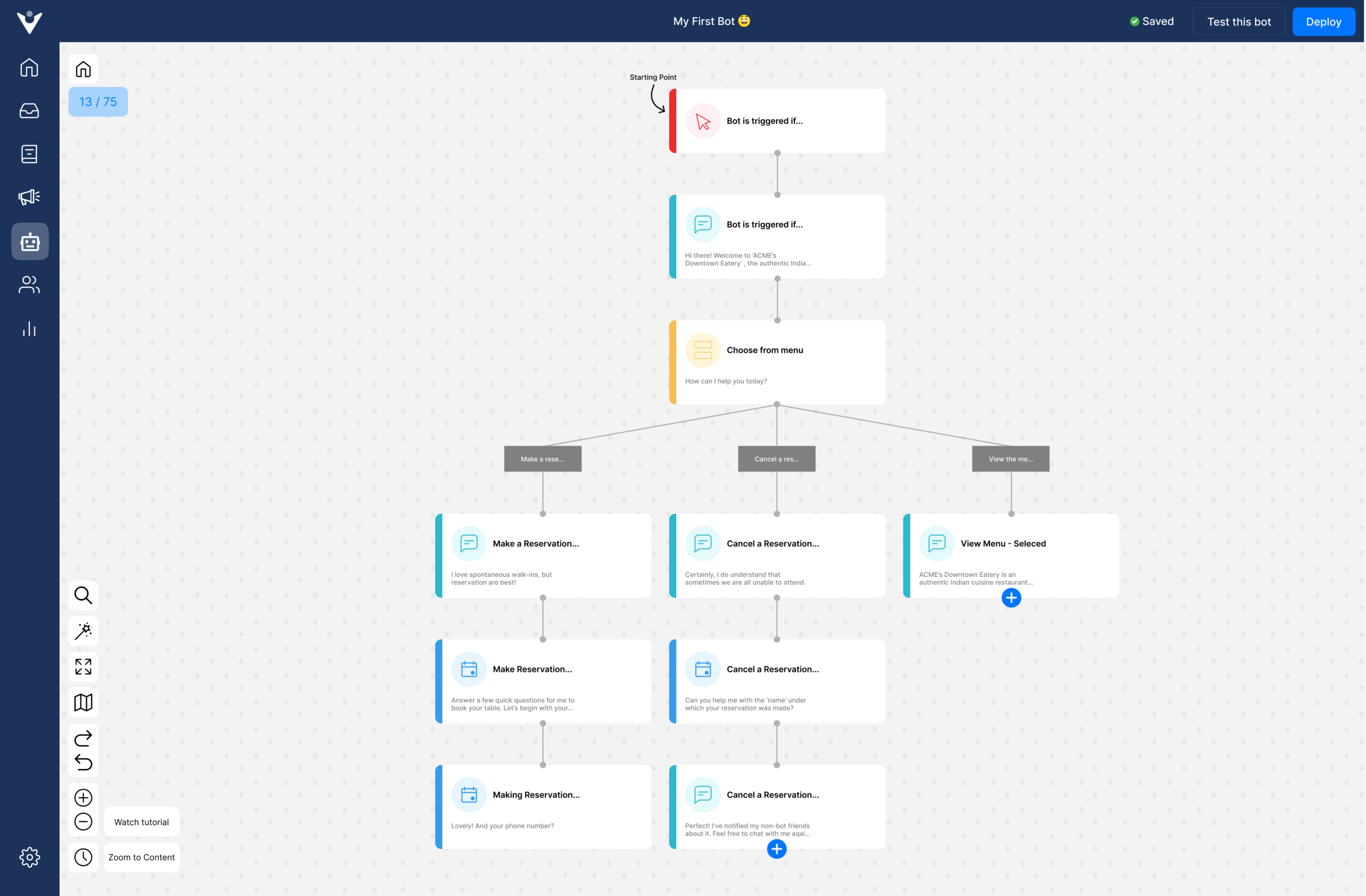
Veemo Chat stands out as a customer engagement platform that combines intuitive conversation flow design tools with powerful automation capabilities for businesses of all sizes. The platform eliminates technical barriers by providing visual drag-and-drop tools that let you create sophisticated chatbots without writing a single line of code. Its strength lies in making advanced chatbots accessible for marketing as well as support.
Key Features:
Chatfuel offers drag-and-drop functionality that makes conversation design accessible to non-technical users who want professional results quickly. The platform provides pre-built templates for common business scenarios and integrates seamlessly with Facebook Messenger as well as other popular channels. Its visual interface lets you see exactly how conversations branch and flow which helps identify potential user confusion points before launch.
ManyChat excels at creating conversation flows that drive sales and capture leads through strategic questioning along with engagement techniques. The platform includes advanced automation features like audience segmentation and behavioral triggers that personalize conversations based on user actions. Its analytics dashboard provides detailed insights into conversation performance and conversion rates that help optimize your flows over time.
Building effective chatbot conversation flows requires strategic planning that balances technical functionality with human-centered design principles. When you implement these structured approaches your automated conversations transform from robotic interactions into meaningful customer experiences that drive real business results.
Remember that successful chatbot flows evolve continuously through testing and refinement based on actual user behavior patterns. The investment you make in thoughtful conversation design pays dividends through improved customer satisfaction reduced support costs and stronger brand relationships that last.

What is the conversational flow of a chatbot?
Conversational flow is the structured pathway that guides how your chatbot interacts with customers from start to finish. Think of it as a roadmap that determines what your bot says and how it responds based on customer inputs. This flow includes decision points branching paths and fallback options that create natural dialogue experiences while solving specific business problems effectively.
How to design a chatbot conversation flow?
Start by defining your chatbot’s core purpose and mapping out all possible conversation pathways using visual tools or flowcharts. Create decision trees for different scenarios identify key user intents and plan responses for each situation. Test your flow with real users gather feedback as well as iterate based on actual conversation data to ensure smooth natural interactions.
What are the best practices for chatbot conversation flows?
Keep conversation paths short and focused using progressive disclosure to avoid overwhelming users with too much information at once. Implement context-aware responses that remember previous interactions design clear error recovery mechanisms and optimize response timing for natural conversation rhythm. Monitor real usage data continuously as well as iterate based on customer behavior patterns rather than assumptions.
What are the key components of effective chatbot flows?
Essential components include user intent recognition that understands what customers want conversation branching that offers multiple pathways and context preservation that maintains conversation history. You also need fallback mechanisms for unexpected inputs escalation protocols for human handoffs and analytics integration that tracks performance metrics for continuous improvement along with optimization efforts.
How long should chatbot conversation flows be?
Aim for conversation flows that reach resolution within three to five exchanges to maintain user engagement and prevent abandonment. Break complex processes into smaller digestible chunks rather than creating long winding paths that overwhelm customers. Remember that attention spans are short in digital interactions so prioritize efficiency while ensuring thoroughness in addressing customer needs.
When should a chatbot escalate to human agents?
Escalation should occur when the chatbot encounters complex technical issues that require human expertise emotional situations that need empathy or requests outside its programmed knowledge scope. Set up automatic triggers for frustrated language repeated failed attempts or explicit requests for human help. Always preserve conversation context during handoffs to prevent customers from repeating their concerns.
 https://omni24.io/wp-content/uploads/2026/09/Social-commerce-scaled.png
1340
2560
Webvision Solution
https://omni24.io/wp-content/uploads/2023/04/Omni-Logo-1.svg
Webvision Solution2026-10-23 12:18:272026-10-23 12:18:27What is Social Commerce and Why Does It Matter?
https://omni24.io/wp-content/uploads/2026/09/Social-commerce-scaled.png
1340
2560
Webvision Solution
https://omni24.io/wp-content/uploads/2023/04/Omni-Logo-1.svg
Webvision Solution2026-10-23 12:18:272026-10-23 12:18:27What is Social Commerce and Why Does It Matter? https://omni24.io/wp-content/uploads/2026/08/AI-Customer-Service-Agents.png
1256
2400
Webvision Solution
https://omni24.io/wp-content/uploads/2023/04/Omni-Logo-1.svg
Webvision Solution2026-09-21 04:48:512026-09-21 04:48:51How to Build an AI Customer Service Agents: 8 Key Steps
https://omni24.io/wp-content/uploads/2026/08/AI-Customer-Service-Agents.png
1256
2400
Webvision Solution
https://omni24.io/wp-content/uploads/2023/04/Omni-Logo-1.svg
Webvision Solution2026-09-21 04:48:512026-09-21 04:48:51How to Build an AI Customer Service Agents: 8 Key Steps https://omni24.io/wp-content/uploads/2026/08/Omnichannel-Conversational-AI.png
1256
2400
Tushar Joshi
https://omni24.io/wp-content/uploads/2023/04/Omni-Logo-1.svg
Tushar Joshi2026-09-16 03:51:072026-09-16 03:51:07How to Build Omnichannel Conversational AI Strategy
https://omni24.io/wp-content/uploads/2026/08/Omnichannel-Conversational-AI.png
1256
2400
Tushar Joshi
https://omni24.io/wp-content/uploads/2023/04/Omni-Logo-1.svg
Tushar Joshi2026-09-16 03:51:072026-09-16 03:51:07How to Build Omnichannel Conversational AI Strategy
Whether it’s about acquire, engage or support – Omni24 covers all your customer engagement needs in one complete platform.

Copyright ©2026 Veemo All rights reserved.
CA, Los Angeles, Hall Ave, 19011