How to Design a Feedback Form Templates: 7 Key Steps
A complete guide to feedback form templates with examples, tips and tools to collect actionable customer insights effectively.

A complete guide to feedback form templates with examples, tips and tools to collect actionable customer insights effectively.
Most businesses struggle with creating effective feedback forms that actually generate useful customer insights instead of generic responses. In fact, average survey and feedback form completion rates typically hover around just 20–30%, meaning roughly 70–80 % of potential insights slip through the cracks before a single answer arrives.
You’re flying blind while competitors who understand their customers pull ahead in satisfaction when there is no proper feedback collection. Every missed day means lost opportunities to fix problems and strengthen relationships.
This comprehensive guide provides seven proven steps and ready-to-use feedback form templates that transform feedback collection into a strategic advantage.
A customer feedback form is a structured tool that businesses use to collect opinions and experiences from their customers about products or services. These forms help companies understand whether they’re meeting expectations or missing the mark entirely.
Customers receive questions through surveys, emails or website pop-ups and share their honest thoughts about their experience. The business then analyzes these responses to spot patterns and identify areas that need improvement. This creates a continuous loop where customer voices directly influence business decisions and future improvements.
Key Goals:
A customer feedback form template is a pre-designed framework that provides ready-made questions and structure for collecting customer opinions. These templates come with proven question formats and layouts that have worked well for other companies in similar situations.
Templates dramatically speed up the feedback collection process while ensuring important questions don’t get overlooked during creation. They help maintain consistency across different feedback campaigns and reduce the risk of asking confusing or biased questions.
Key Aspects:
66% of people will abandon a form entirely if it’s too hard or time-consuming to complete. That’s why using pre-built templates transforms feedback collection that delivers better results.
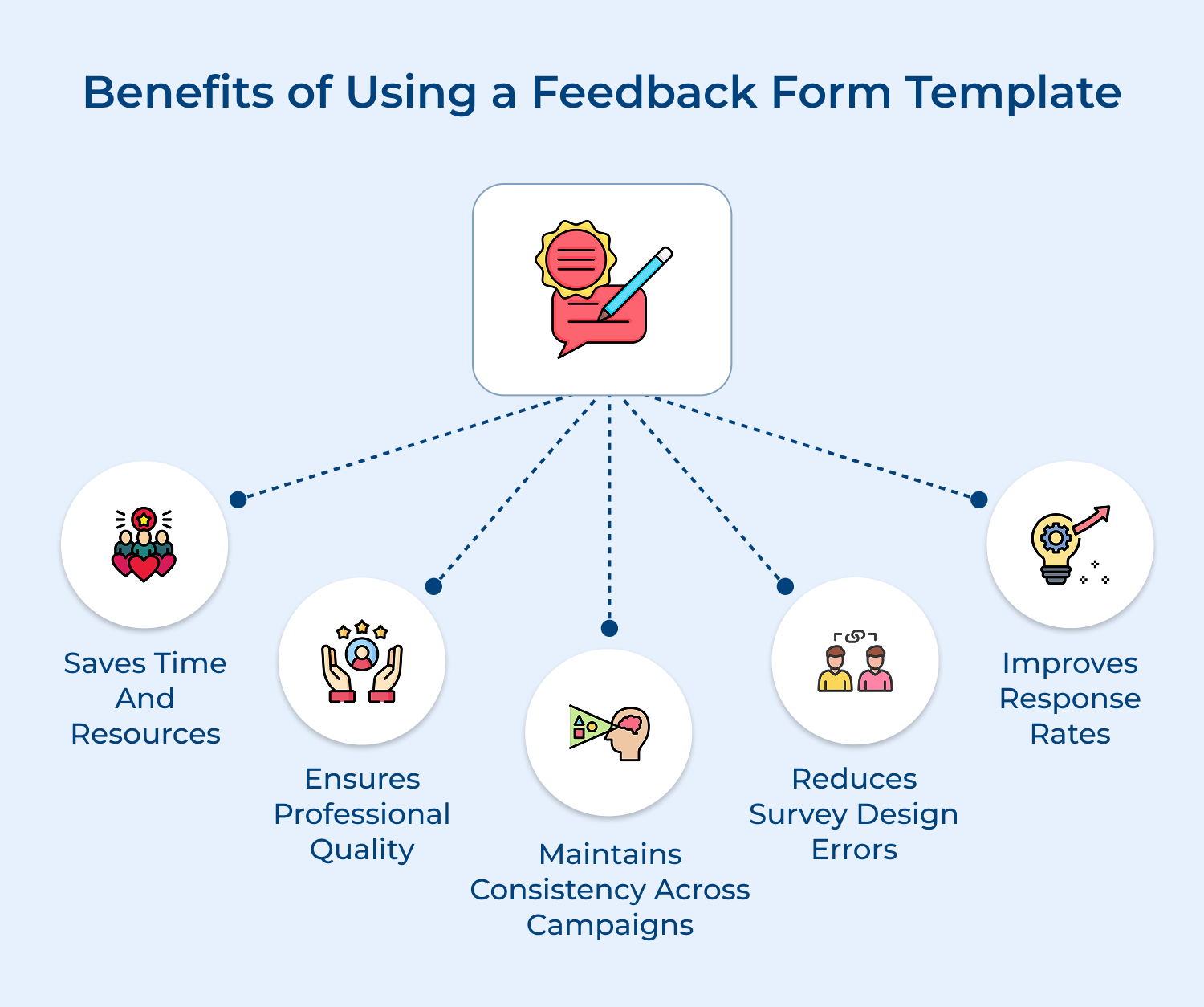
Saves Time and Resources
Templates eliminate the lengthy process of creating surveys from scratch and reduce the need for design expertise. Your team can launch feedback campaigns within hours instead of spending days or weeks on development and testing phases.
Ensures Professional Quality
Pre-designed templates come with polished layouts and proven question structures that create a professional impression. This attention to visual appeal and logical flow helps build customer trust as well as encourages honest participation in your feedback process.
Reduces Survey Design Errors
Templates include tested question formats that avoid common pitfalls like leading questions or confusing language. The built-in quality control helps ensure you collect accurate data instead of skewed responses that could mislead your business decisions.
Maintains Consistency Across Campaigns
Using the same template structure for different feedback initiatives creates standardized data that’s easier to compare over time. This consistency helps you track improvements and identify trends without worrying about variations caused by different survey formats.
Improves Response Rates
Well-designed templates optimize question flow and visual presentation to keep customers engaged throughout the entire survey experience. The proven layouts reduce abandonment rates while encouraging complete responses that provide more valuable insights for your business.
Let’s walk you through eight essential steps to design a feedback form that not only captures valuable insights but also encourages respondents to share their honest opinions.
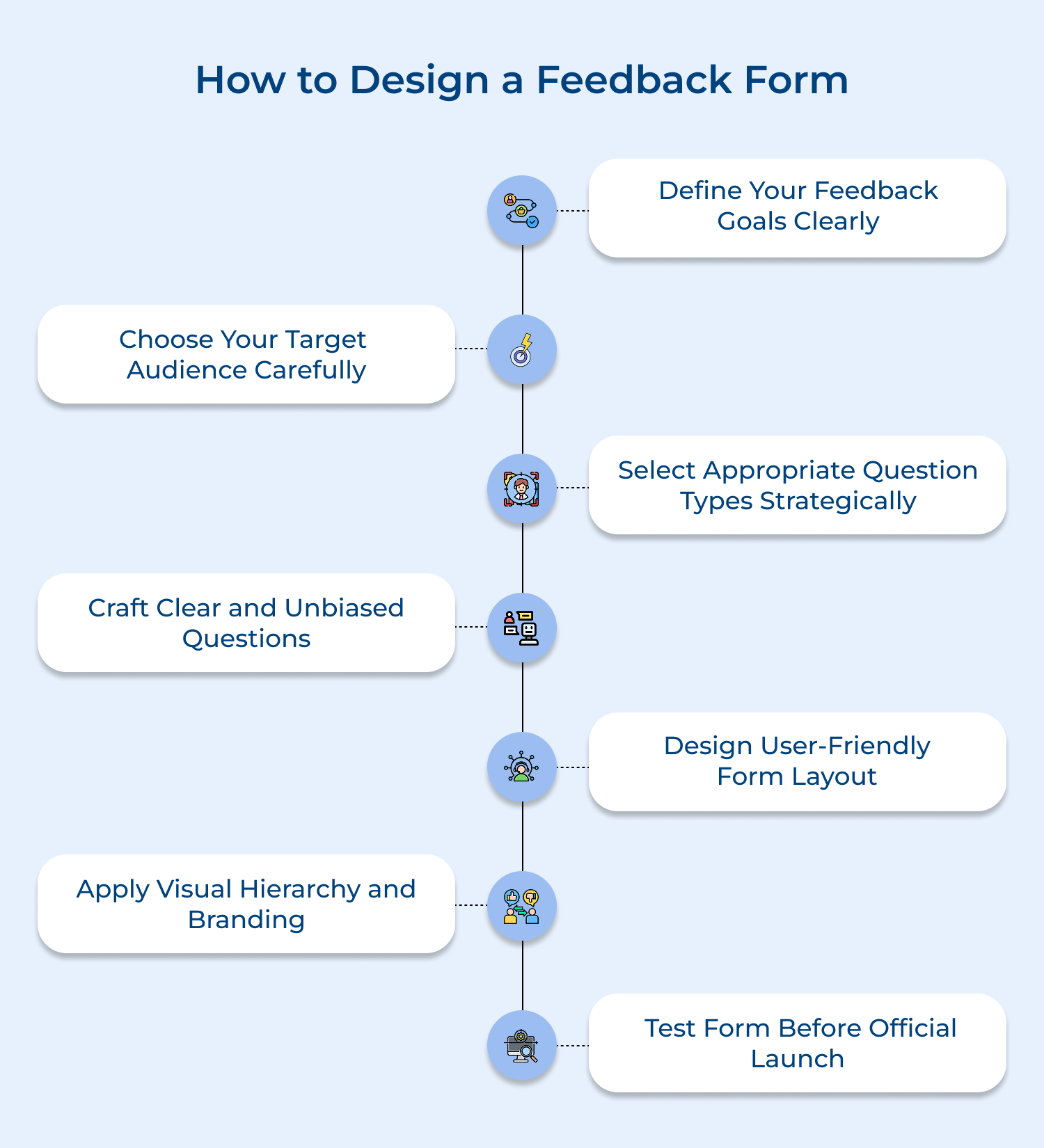
Starting without clear goals is like sailing without a compass – you might move but you won’t reach your intended destination effectively. Defining specific feedback goals ensures every question serves a purpose and drives meaningful business improvements rather than collecting random data.
Essential Questions to Identify Your Customer Feedback Goals. Understanding your specific needs helps create focused surveys that deliver actionable insights for business growth.
When you can clearly explain how each response will influence decisions, your survey becomes a strategic tool rather than a data collection exercise. Beyond these foundational questions, identifying specific business objectives creates the framework for meaningful feedback collection.
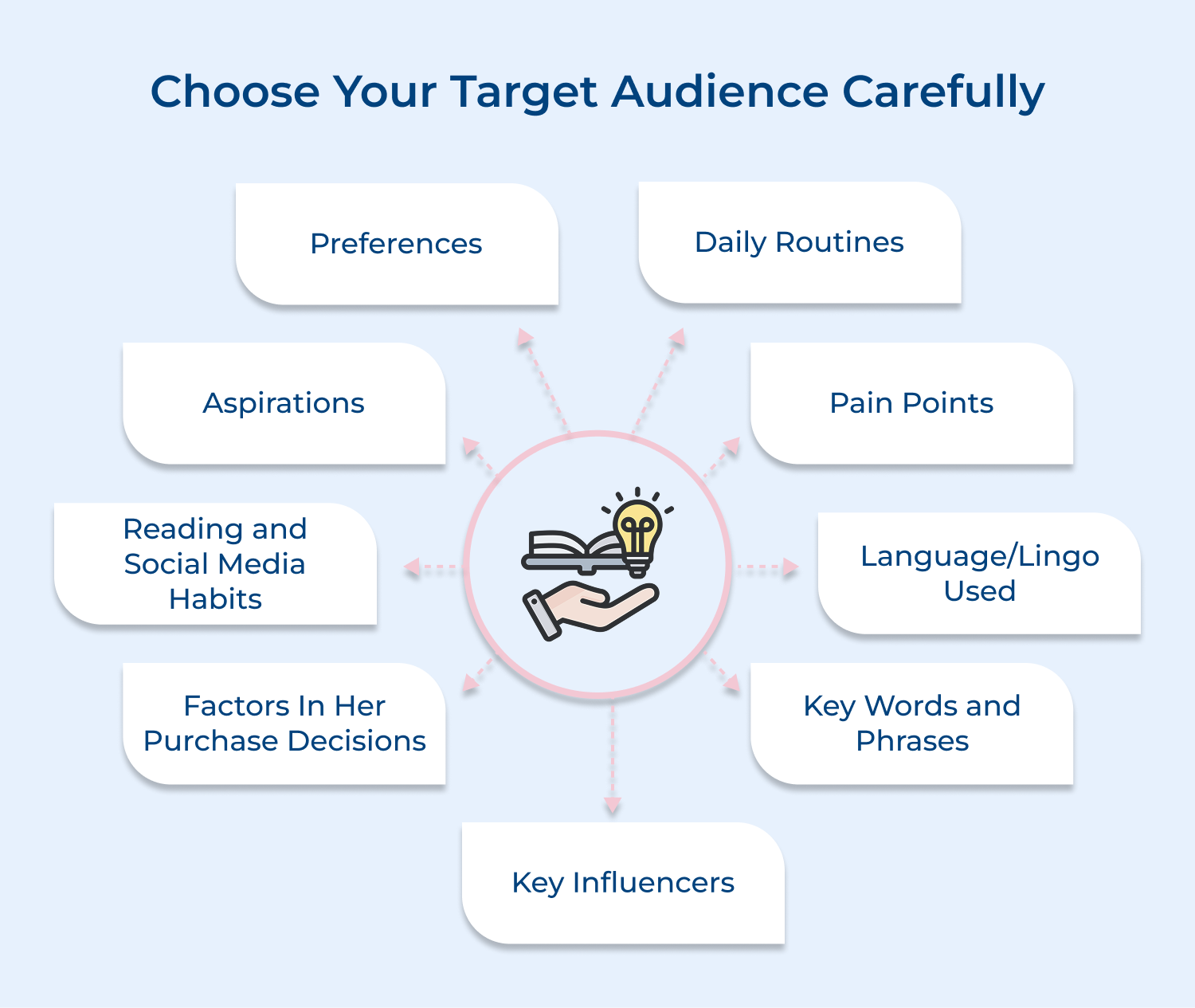
Selecting the right audience determines whether your feedback provides valuable insights or misleading information that could harm business decisions. The wrong audience might give responses that don’t represent your actual customer base or fail to address the specific issues you need to understand.
Three Effective Methods for Choosing Your Target Audience:
The biggest challenge here involves avoiding selection bias while maintaining focus on relevant customer segments. Overcome this by clearly defining why each chosen segment matters for your goals and ensuring your sample represents the diversity within those groups.
Question type selection shapes the quality and usefulness of responses you receive from your carefully chosen audience members. Different question formats encourage different types of thinking and provide varying levels of detail that support specific analysis approaches.
Selecting question types based on your targeted audience ensures responses match how your customers naturally think and communicate. For instance, if you’re surveying busy executives, would you ask them to write long explanations or choose from quick rating scales that respect their time constraints?
Different question formats serve specific purposes and work better with certain audiences and feedback objectives. Here are four appropriate question types for customer feedback survey,
You’ve explored all possible question types, but do you know how to select the right format for your specific audience?
The key lies in matching question complexity to your audience’s expertise and available time. Tech-savvy users might handle complex conditional flows easily, while general consumers prefer straightforward rating scales that don’t require much cognitive effort to complete.
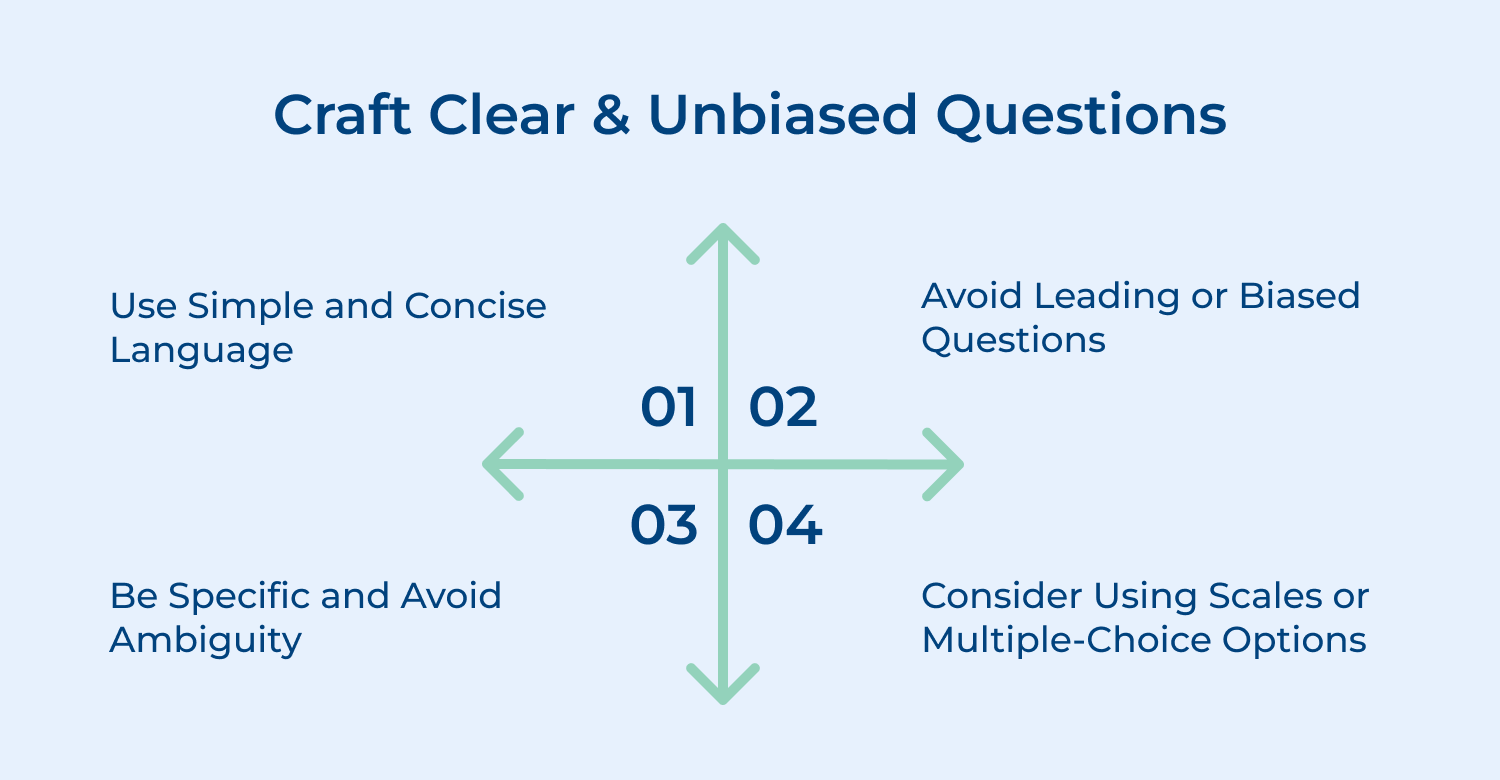
Clear and unbiased questions form the foundation of reliable feedback because poorly worded questions lead to misleading responses that can damage business decisions. Well-crafted questions eliminate confusion as well as avoid pushing customers toward specific answers that don’t reflect their genuine experiences.
Open-Ended Questions for Deep Customer Insights:
These questions encourage customers to share detailed thoughts and unexpected insights about their experiences with your business.
Closed-Ended Questions for Quick Quantifiable Data:
These structured questions provide measurable responses that help track performance trends and compare different customer segments effectively.
Consider a software company asking “How intuitive is our interface?” versus “What made certain features easy or difficult to find?” The first question assumes the interface has intuitive elements while the second explores the actual user experience without predetermined assumptions about quality.
Follow these best practices to ensure your questions collect accurate data that truly represents customer opinions and experiences.
User-friendly form layout determines whether customers complete your survey or abandon it halfway through their responses. Poor layout creates frustration and cognitive overload that leads to incomplete data and skewed results from only the most patient respondents.
Organize Questions in Logical Flow Pattern
Start with broad general questions about overall experience before diving into specific details about particular features or interactions. This natural progression feels conversational and helps customers warm up to sharing more detailed feedback. Beginning with complex or sensitive questions can overwhelm respondents and reduce completion rates significantly.
Use White Space and Visual Breaks
Strategic white space prevents visual clutter and gives customers’ eyes places to rest between different sections of your form. Visual breaks like divider lines or spacing help separate topics and make the survey feel shorter even when it contains many questions. Dense layouts without breathing room create anxiety and make forms appear longer than they actually are.
Visual hierarchy and branding create professional credibility that encourages customers to trust your feedback process while providing honest responses. Consistent design elements reinforce your brand identity while guiding customers through the survey experience in a way that feels familiar and trustworthy.
Key Elements for Visually Appealing Feedback Forms:
When customers see familiar branding and professional design, they feel more confident about sharing personal opinions because the form appears trustworthy rather than a random internet survey.
Testing prevents embarrassing technical failures and confusing questions that could damage your brand reputation while wasting valuable customer goodwill. Thorough testing identifies problems before they affect real customers and ensures your feedback collection process works smoothly from the first day of launch.
Essential Areas to Check Before Sharing Your Feedback Form.
Recruit a small group of customers or friends who match your target audience and ask them to complete the survey while thinking out loud about their experience. Watch for hesitation, confusion, or frustration as they navigate through questions and note where they struggle to understand what you’re asking.
These specialized feedback form templates address different feedback collection needs and help businesses gather targeted insights. Let’s explore each example, one at a time:
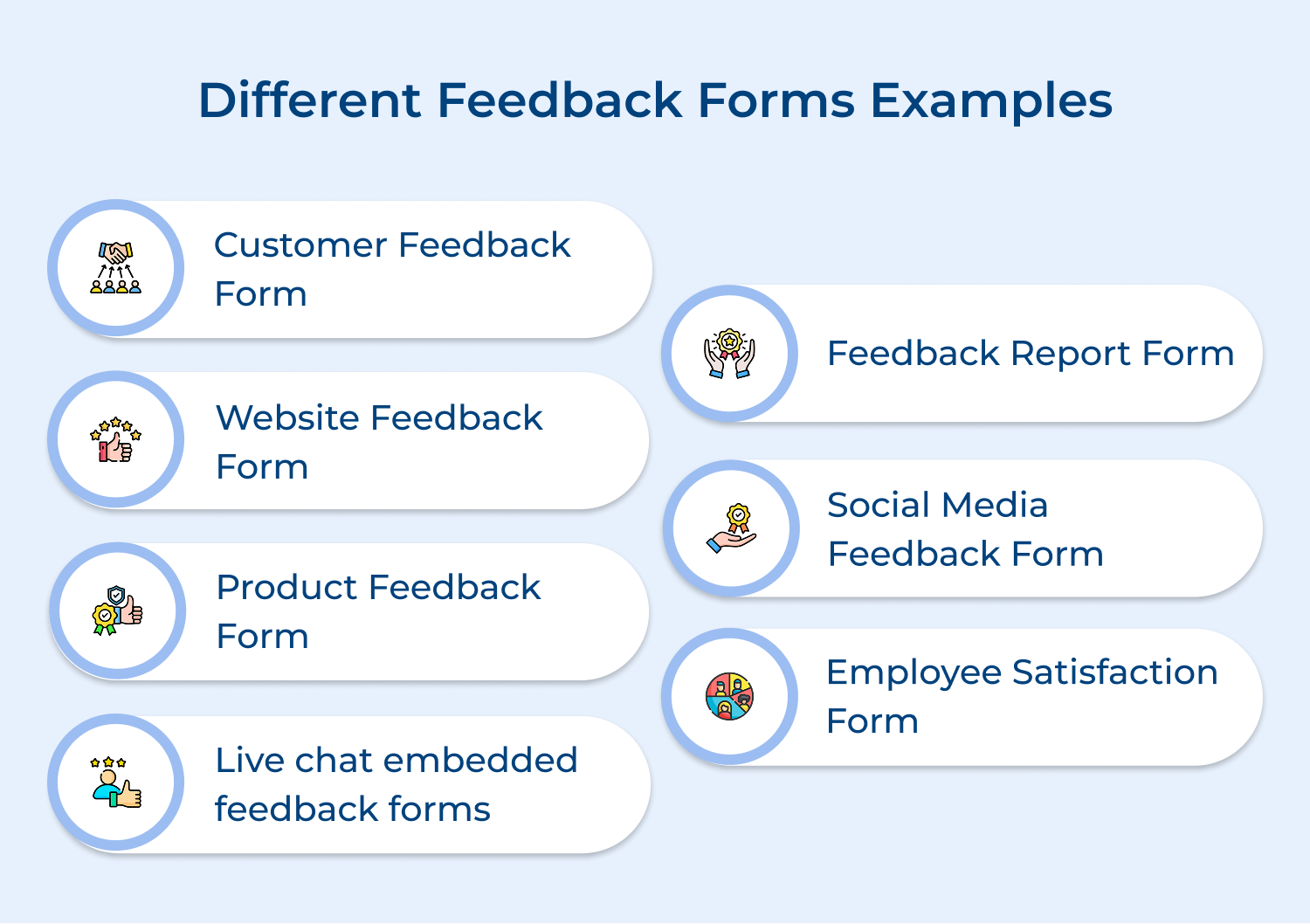
A website feedback form captures visitor experiences and usability issues while users navigate through your digital presence. This template focuses on understanding how effectively your website serves visitors and identifies specific areas where the user experience could improve for better engagement.
The template includes questions about site navigation, content clarity, loading speed, mobile responsiveness, and overall user satisfaction with the browsing experience. The structure covers both technical performance issues and subjective user preferences to provide comprehensive insights about your website’s effectiveness.
Example Structure:
Website Experience Feedback
– Overall Rating: [5-star rating]
– What could we improve? [Text area]
– Would you like us to contact you? [Optional email]
[Submit Button]
Best practices:
A customer feedback survey template serves as a comprehensive tool for gathering general opinions about your business relationship and service quality. This template addresses the complete customer journey from initial contact through ongoing support interactions and helps identify trends in customer satisfaction levels.
It includes questions about service quality, communication effectiveness, problem resolution, value for money, and likelihood to recommend your business to others. The structure balances quantitative ratings with qualitative insights to understand both satisfaction levels and the reasons behind customer opinions.
Example Structure:
Customer Experience Survey
– How satisfied are you with our service? [Rating scale 1-10]
– Which services did you use? [Multiple checkboxes]
– What could we do better? [Text area]
– Would you recommend us? [Yes/No with comment box]
[Submit Button]
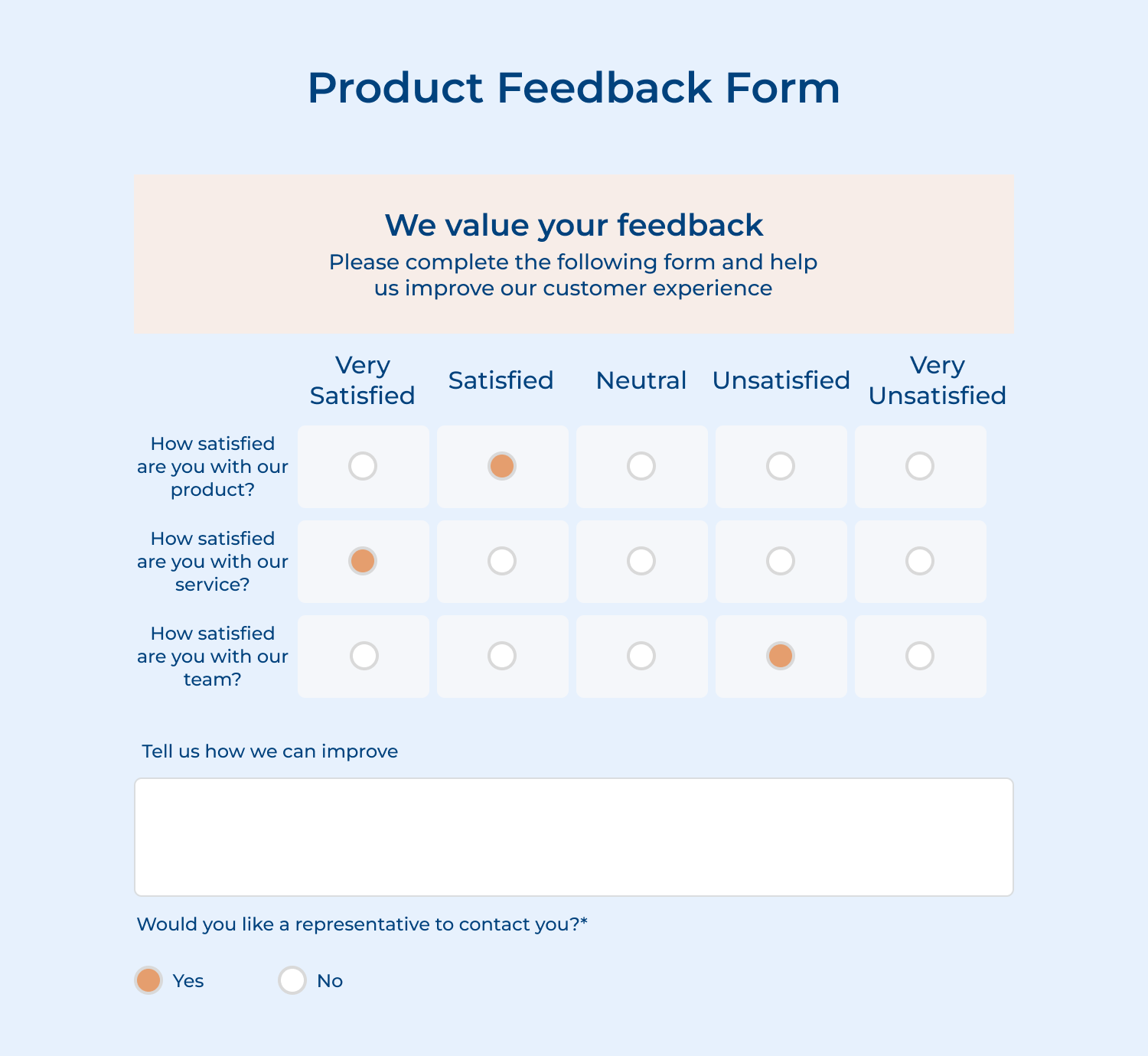
A product feedback form helps you collect clear insights about how customers feel about your product. It focuses on features, usability, and overall satisfaction with both physical as well as digital products. This makes it easier for product teams to see what’s working and where improvements are needed.
The template asks simple questions about performance, ease of use, favorite features, and how the product compares to other options. It also invites suggestions for improvements, helping you understand how well the product fits customer needs and what changes could boost satisfaction along with repeat use.
Example Structure:
Product Experience Survey
– Product purchased: [Dropdown list]
– Overall satisfaction: [5-star rating]
– Would you buy again? [Yes/No]
– Additional comments: [Text area]
[Submit Button]
Pro tips:
Live chat embedded feedback forms show up during or right after a support conversation. They capture immediate reactions while the experience is still fresh, making feedback more accurate and useful. This helps teams spot issues and improve support processes quickly.
For example, a tech support team may learn that customers value their technical expertise but expect faster first responses. Using this insight, they can adjust staffing during busy hours and add automated replies to set clearer response expectations.
Example Structure:
Chat Support Feedback
– Was your issue resolved? [Yes/No]
– Agent response time: [Excellent/Good/Fair/Poor]
– Overall chat experience: [5-star rating]
– Additional feedback: [Text area]
[Submit Button]
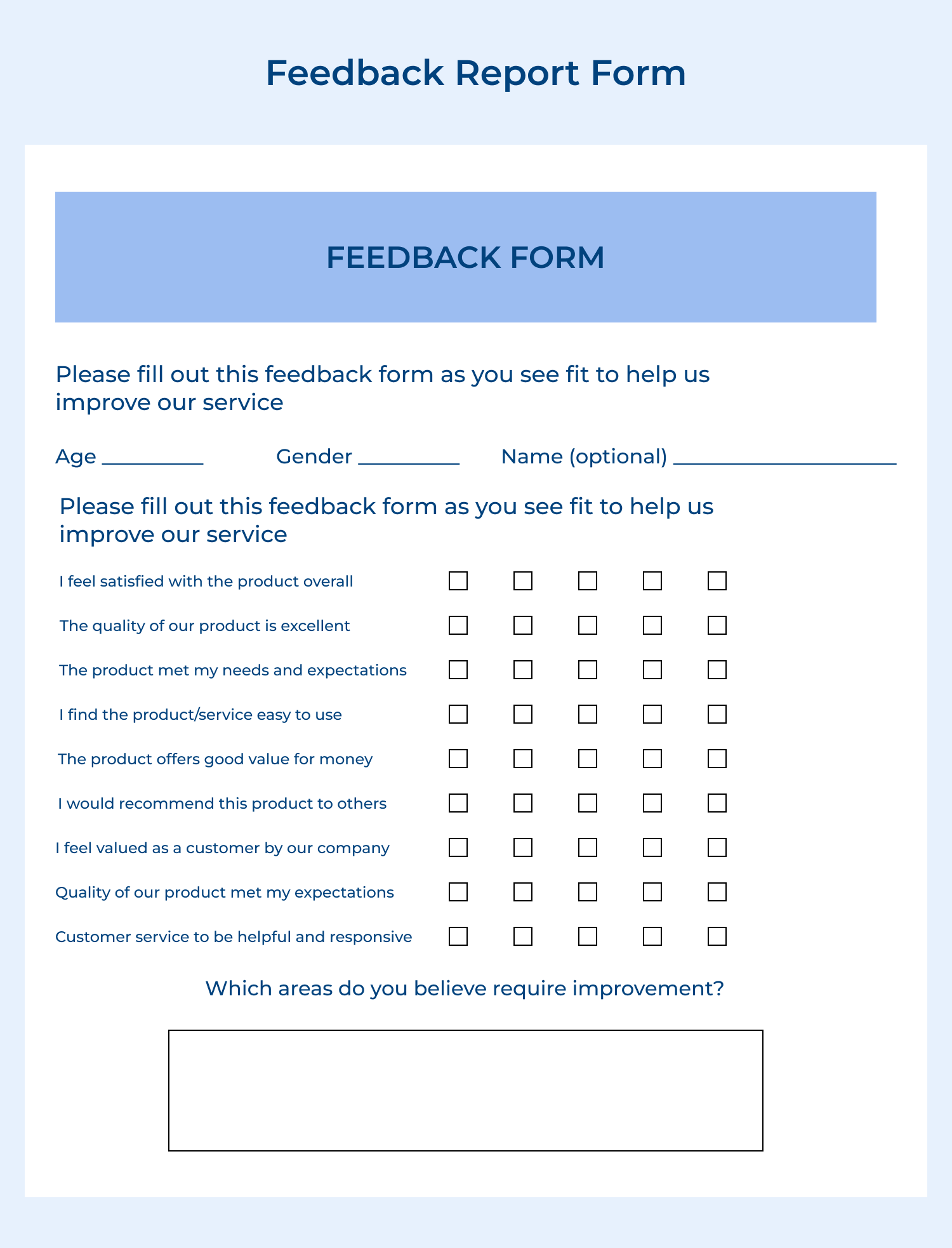
A feedback report form is used to formally record detailed feedback, complaints, or suggestions that need follow-up. It helps teams document issues clearly, track patterns over time, and ensure nothing slips through the cracks.
The template includes sections for classifying the issue, describing it in detail, noting its impact, and assigning ownership. It also tracks action steps and resolution progress, making it easier to manage workflows while staying accountable while addressing customer concerns.
Example Structure:
Feedback Report Documentation
1. Report Overview
– Report ID: [Auto-generated]
– Department: [Dropdown]
2. Incident Details
– Category: [Multiple choice]
– Description: [Large text area]
– Impact Level: [Rating scale]
3. Resolution
– Action Taken: [Text area]
– Status: [Dropdown]
– Completion Date: [Date picker]
[Submit Button]
A social media feedback form captures opinions and experiences from customers who engage with your brand through social platforms. This template helps understand how your social media presence influences brand perception as well as identifies opportunities to improve your digital community engagement strategies.
This template includes
The structure addresses both content effectiveness and community management quality to optimize social media strategies for better customer engagement.
Example Structure:
Social Media Experience Survey
– Which platforms do you follow us on? [Multiple checkboxes]
– Content quality rating: [5-star rating]
– Suggestions for improvement: [Text area]
[Submit Button]
An employee satisfaction form measures internal team happiness, engagement levels, and workplace experience quality to identify areas for improving company culture. This template helps organizations understand what motivates their workforce and address issues that could impact productivity, retention, along with overall job satisfaction.
Example Structure:
Employee Satisfaction Survey
– Overall job satisfaction: [Rating scale 1-10]
– What would improve your experience? [Text area]
– Anonymous feedback: [Large text area]
[Submit Button]
Pro tips:
These leading platforms offer comprehensive solutions for creating professional feedback forms without requiring technical expertise. Each tool brings unique strengths for every business need.
Omni24 is an AI-powered customer experience platform that streamlines feedback collection through intuitive form builders. Hence, enabling businesses to gather and act on customer insights to drive meaningful improvements while building lasting relationships. Understanding what makes Omni24 stand out requires looking at how its features work together to create a complete feedback ecosystem.
Key feature:
Veemo Survey revolutionizes traditional survey experiences by transforming boring questionnaires into engaging conversational interfaces that feel like friendly chats. This innovative platform combines advanced survey logic with intuitive design tools, making it particularly effective for businesses seeking higher response rates and meaningful customer engagement.
Key features:
SurveyMonkey offers an intuitive drag-and-drop interface that makes form building accessible to beginners. The platform provides template libraries, real-time analytics and business tool integrations, making it ideal for small to medium businesses seeking straightforward feedback collection.
Qualtrics represents the premium tier designed for enterprise-level organizations requiring advanced research capabilities and sophisticated data analysis. This platform excels in complex survey logic and comprehensive reporting, making it preferred for detailed market research as well as customer experience programs.
These industry leaders demonstrate how strategic feedback collection drives business excellence and customer loyalty.
Toyota
Toyota uses post-purchase and service feedback forms to understand the full customer journey, from dealership visits to vehicle ownership. The forms cover sales experience, vehicle performance, service quality and likelihood to recommend. This feedback helps Toyota improve staff training, refine processes and build long-term customer loyalty across its dealer network.
Airbnb
Airbnb collects feedback from both guests and hosts after every stay. The forms focus on cleanliness, communication, location accuracy and overall experience, using ratings with optional comments. The system maintains quality standards, builds trust and helps users make confident booking decisions.
Netflix
Netflix gathers feedback through ratings, surveys and viewing behavior. Thumbs ratings capture direct opinions, while watch history and completion rates show what viewers actually enjoy. These insights power recommendations and guide content investment, keeping experiences personalized as well as engaging.
Think of feedback form templates as your strategic foundation for understanding customer experiences and driving meaningful business improvements. These pre-built frameworks eliminate guesswork while ensuring you ask the right questions that generate actionable insights for growth.
Remember that successful feedback collection combines thoughtful template selection with strategic implementation that respects your customers’ time and preferences. The examples from industry leaders demonstrate how customized approaches create competitive advantages through deeper customer understanding.

What should you include in your feedback forms?
Include specific questions about your customer’s actual experience rather than general satisfaction ratings that don’t provide actionable insights. Focus on recent interactions, specific product features and improvement suggestions while keeping the form short enough to encourage completion without overwhelming respondents.
What Types of Feedback Forms Are There?
Different feedback forms serve specific purposes: website forms capture user experience issues, product forms evaluate feature satisfaction, service forms assess support quality and post-purchase forms measure overall transaction satisfaction. Each type targets particular customer touchpoints for focused insights.
How Can I Encourage More People to Fill Out Customer Feedback Forms?
Make participation effortless by keeping forms short, explaining the time commitment upfront, and showing how previous feedback created real improvements. Offer genuine value like exclusive insights or small incentives while ensuring mobile-friendly design that works across all devices seamlessly.
Who can benefit from a customer feedback form?
Any business that serves customers can benefit from small local shops wanting to improve service to large corporations tracking satisfaction across multiple touchpoints. Even internal teams use feedback forms to understand employee experiences and identify workplace improvement opportunities effectively.
Should I respond to a customer feedback form when it comes in?
Always acknowledge feedback to show customers their input matters, even if it’s just a simple thank-you message confirming receipt. For negative feedback or specific complaints, respond personally with solutions or explanations to demonstrate your commitment to continuous improvement and customer satisfaction.
 https://omni24.io/wp-content/uploads/2026/07/Customer-Data-Platform.png
1256
2400
Tushar Joshi
https://omni24.io/wp-content/uploads/2023/04/Omni-Logo-1.svg
Tushar Joshi2026-07-08 03:58:592026-07-08 03:58:59How a Customer Data Platform Unlocks Unified Customer Insights
https://omni24.io/wp-content/uploads/2026/07/Customer-Data-Platform.png
1256
2400
Tushar Joshi
https://omni24.io/wp-content/uploads/2023/04/Omni-Logo-1.svg
Tushar Joshi2026-07-08 03:58:592026-07-08 03:58:59How a Customer Data Platform Unlocks Unified Customer Insights https://omni24.io/wp-content/uploads/2026/07/Unified-Customer-View.png
1256
2400
Tushar Joshi
https://omni24.io/wp-content/uploads/2023/04/Omni-Logo-1.svg
Tushar Joshi2026-07-07 03:37:342026-07-07 03:37:34How a Unified Customer View Transforms Customer Experience
https://omni24.io/wp-content/uploads/2026/07/Unified-Customer-View.png
1256
2400
Tushar Joshi
https://omni24.io/wp-content/uploads/2023/04/Omni-Logo-1.svg
Tushar Joshi2026-07-07 03:37:342026-07-07 03:37:34How a Unified Customer View Transforms Customer Experience https://omni24.io/wp-content/uploads/2026/06/Omnichannel-CRM.png
1256
2400
Tushar Joshi
https://omni24.io/wp-content/uploads/2023/04/Omni-Logo-1.svg
Tushar Joshi2026-07-06 03:49:012026-07-06 04:00:22How to Implement Omnichannel CRM Strategy: 7 Key Steps
https://omni24.io/wp-content/uploads/2026/06/Omnichannel-CRM.png
1256
2400
Tushar Joshi
https://omni24.io/wp-content/uploads/2023/04/Omni-Logo-1.svg
Tushar Joshi2026-07-06 03:49:012026-07-06 04:00:22How to Implement Omnichannel CRM Strategy: 7 Key Steps
Whether it’s about acquire, engage or support – Omni24 covers all your customer engagement needs in one complete platform.

Copyright ©2026 Veemo All rights reserved.
CA, Los Angeles, Hall Ave, 19011