What is the Customer Service Ticketing System & How it Works?
A structured guide to customer service ticketing systems covering features, benefits, workflows and top platforms for modern support teams.

A structured guide to customer service ticketing systems covering features, benefits, workflows and top platforms for modern support teams.
Every business loses customers because of broken support experiences that leave issues unresolved and customers feeling ignored. The real problem is the absence of a structured system to handle queries effectively.
Without a central system, customer service teams operate reactively where missed tickets and SLA breaches become a daily reality. This inconsistency quietly erodes customer trust in ways that are hard to recover from.
A customer service ticketing system fixes this by bringing every interaction into one trackable workflow. Nothing gets missed, accountability improves and resolution speeds increase. That’s why 81% of businesses using support software report higher customer satisfaction.
A customer service ticketing system is a centralized platform that captures, tracks and resolves every customer issue from the first contact to final resolution. It ensures no customer query gets lost in scattered emails or untracked conversations.
When a B2B software company manages hundreds of client accounts, one missed support request can damage a contract worth thousands of dollars. A ticketing system ensures every issue is logged, assigned and resolved within a defined timeline.
Key Objectives:
A ticketing system is only as good as the features powering it. The right set of capabilities can transform how a support team operates and delivers value to customers every single day.
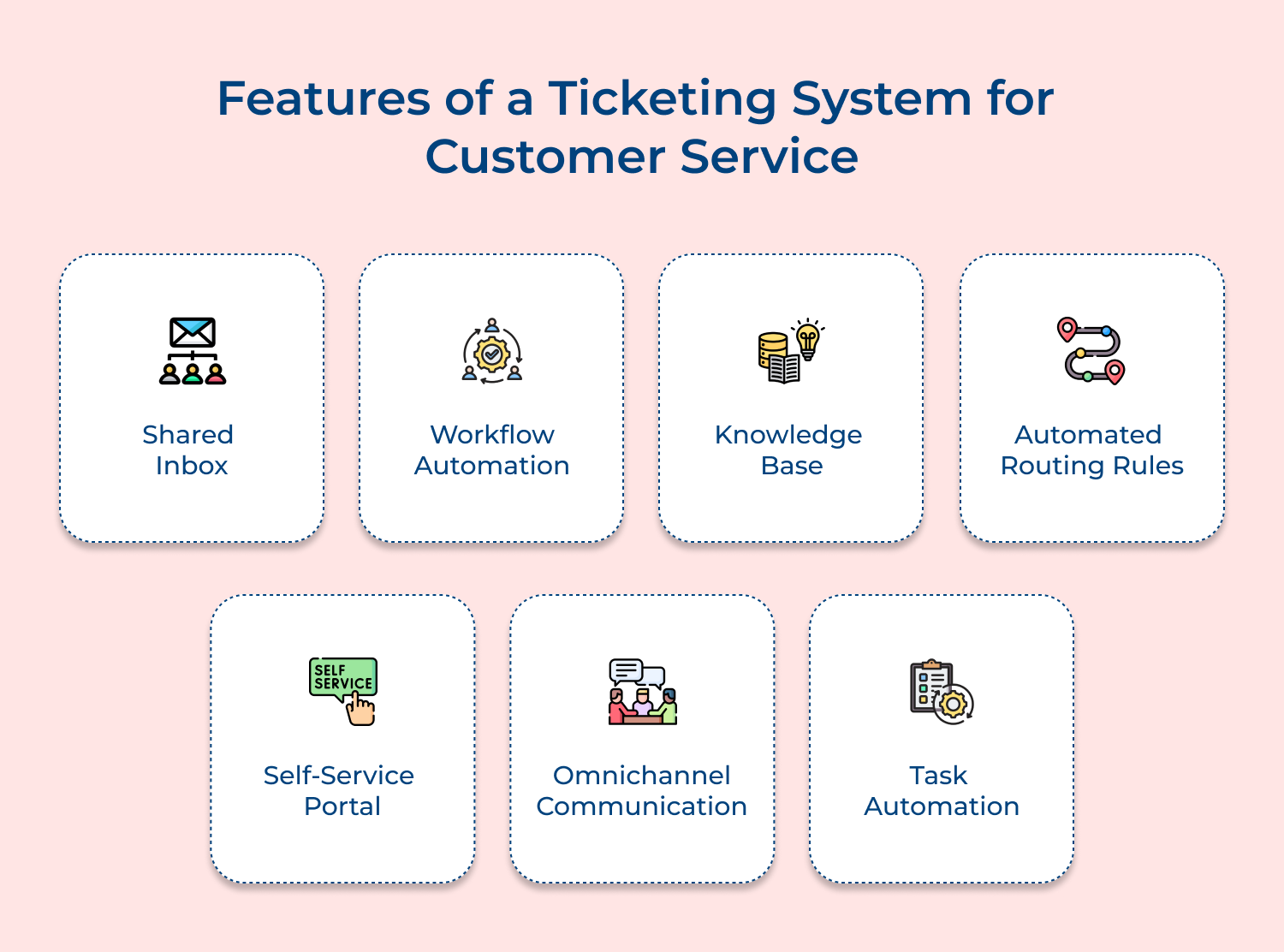
A shared inbox brings all customer conversations from emails, chats and support channels into one unified view for the entire team. Every agent knows what is open, what is pending and what needs immediate attention without chasing down threads.
When support teams lack a shared inbox, these common problems tend to surface quickly:
A shared inbox eliminates these friction points by giving the entire team real-time visibility into every conversation. It builds a culture of accountability where nothing gets missed and no customer feels ignored.
Workflow automation removes the manual effort of assigning, escalating and updating tickets so agents can focus on actual problem-solving. It allows teams to define rules that trigger specific actions based on ticket conditions like priority, source or customer type.
When there’s no automation, a support team handling 500 tickets a day will always struggle with consistency in response quality and resolution time. Automation standardizes the process so the experience a customer gets on Monday is the same as what they get on Friday.
A knowledge base is an internal and external repository of solutions, guides along with FAQs that empowers both agents as well as customers to find answers faster. It directly reduces ticket volume by deflecting repetitive queries before they even reach the support queue.
Before building or expanding a knowledge base, customer service teams should ask themselves:
Answering these questions honestly helps teams build a knowledge base that actually works in practice. A well-maintained knowledge base cuts resolution time and raises the confidence of every agent handling a complex query.
Automated routing ensures every incoming ticket lands with the right agent or team based on predefined criteria like issue type, customer segment or language. It eliminates the manual triage process that slows down first response time significantly.
Here is what smart routing can look like in practice for a structured support team:
A self-service portal gives customers the ability to raise tickets, track resolution status and find answers without needing to contact a customer service agent directly. It puts control in the hands of the customer while reducing inbound ticket pressure on the support team.
For B2B customers especially, a self-service portal is not a nice-to-have but a baseline expectation. Enterprise clients want to log issues at midnight and check progress by morning without waiting for business hours to resume.
Omnichannel communication means capturing while also managing customer interactions from email, chat, phone, social media and messaging apps within a single ticketing interface. It ensures a customer who starts a conversation on chat and follows up on email gets a seamless experience without repeating their issue.
Here is where most teams struggle when omnichannel is not properly configured:
Solving these gaps requires more than just connecting channels. It requires a unified conversation thread that gives agents the full history regardless of where the customer reached out from.
Task automation handles repetitive operational actions like sending acknowledgment emails, updating ticket status or triggering follow-up reminders without any manual input from agents. It keeps the support workflow moving even during high-volume periods when agents are stretched thin.
Over 78% of large enterprises rely on help desk software. Understanding how a ticketing system works helps teams implement it with purpose rather than just plugging in a tool.
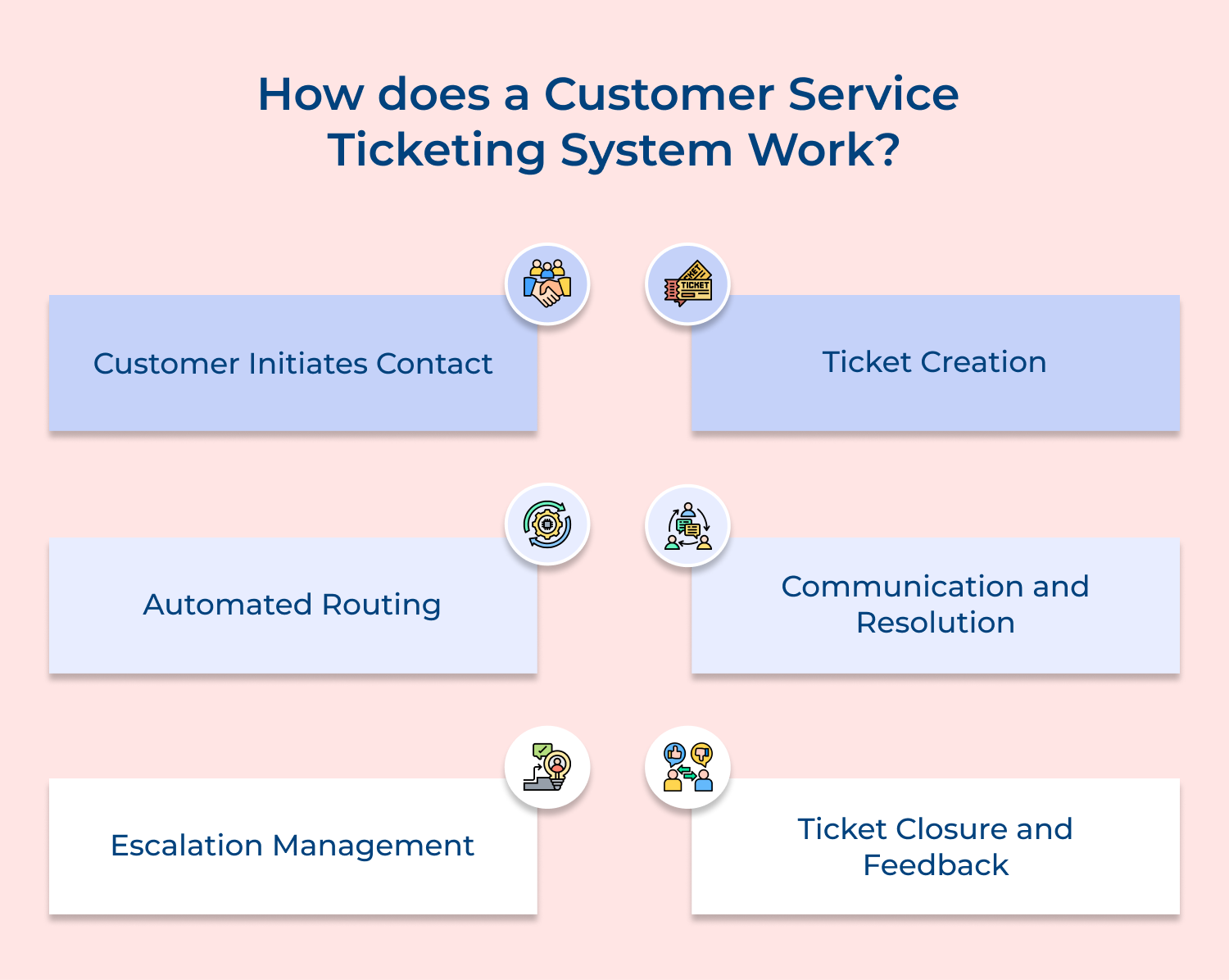
Every support interaction begins the moment a customer decides their issue is worth reaching out about. That decision point is critical because how easy or difficult the process feels right from the start shapes the entire customer experience.
Customers today do not stick to one channel when they need help. Here is where they typically reach out from:
So what happens if a business is only accessible on one or two of these channels? Customers who cannot reach out through their preferred channel either escalate their frustration or take their business elsewhere. A ticketing system captures every incoming contact regardless of the channel it comes from.
The moment a customer sends a message, the system registers that interaction as a potential ticket. No message sits in an unmonitored inbox and no request gets lost between channels because everything flows into a centralized queue automatically.
Best Practices:
Once a customer reaches out, the system automatically generates a unique ticket that becomes the single source of truth for that entire interaction. This ticket carries the customer’s details, issue description, contact channel and timestamp from the very first moment it is created.
Does every ticket look the same? Absolutely not. Here is what a well-structured ticket typically captures:
For example, a SaaS company managing enterprise clients can configure the ticketing system to auto-tag any ticket from a premium account as high priority. This means when a CTO raises a login access issue at 9 AM, the ticket is already categorized, tagged and carrying the full account history before any agent even opens it.
Once a ticket is created, the system does not wait for a manager to manually assign it to an agent. Automated routing rules take over immediately and direct the ticket to the most suitable agent or team based on predefined logic.
Before routing rules can work effectively, customer service teams need to ask themselves:
These questions matter because poorly configured routing is one of the most common reasons tickets get delayed or mishandled.
Best Practices:
This is where the actual work of customer service happens. Once a ticket reaches the right agent, the resolution process begins with the agent reviewing the full ticket context before sending a single response.
What does an effective resolution workflow look like in practice?
Good communication during resolution is not just about answering the question. It is about keeping the customer informed at every stage so they never feel like their issue has gone silent. Here is a practical checklist customer service agents should follow during every resolution:
Once the issue is resolved and confirmed, the ticket moves naturally into the next critical stage. Not every ticket closes smoothly at this point and that is exactly where escalation management becomes essential.
Not every issue can be resolved at the first point of contact and a well-designed ticketing system accounts for that reality. Escalation management ensures that when a ticket exceeds its resolution timeline or requires specialized expertise, it moves to the right person without any manual intervention.
How does a team know when a ticket genuinely needs escalation? Here are the clearest signals:
The real measure of a good escalation process is whether the customer even notices it happened. A seamless escalation feels like a natural progression toward resolution while a poor one feels like the customer is being passed around without anyone truly owning their problem.
Closing a ticket is not just about marking it resolved in the system. It is the final opportunity to confirm that the customer’s issue was fully addressed and to gather insights that help the team improve future service delivery.
Before a ticket is closed, customer service agents should run through this checklist:
What happens to all this feedback once it is collected? It flows directly into the reporting and analytics layer of the ticketing system. Customer service teams use this data to spot recurring issues, identify training gaps and measure whether service quality is improving over time.
Here is how customer service teams can implement a strong ticket closure and feedback strategy:
Ticket closure done well does two things simultaneously. It gives the customer a sense of completion and it gives the team the data they need to make every future interaction faster as well as better than the last.
A ticketing system does more than just organize queries. It fundamentally changes how a customer service team delivers experiences that keep customers coming back.
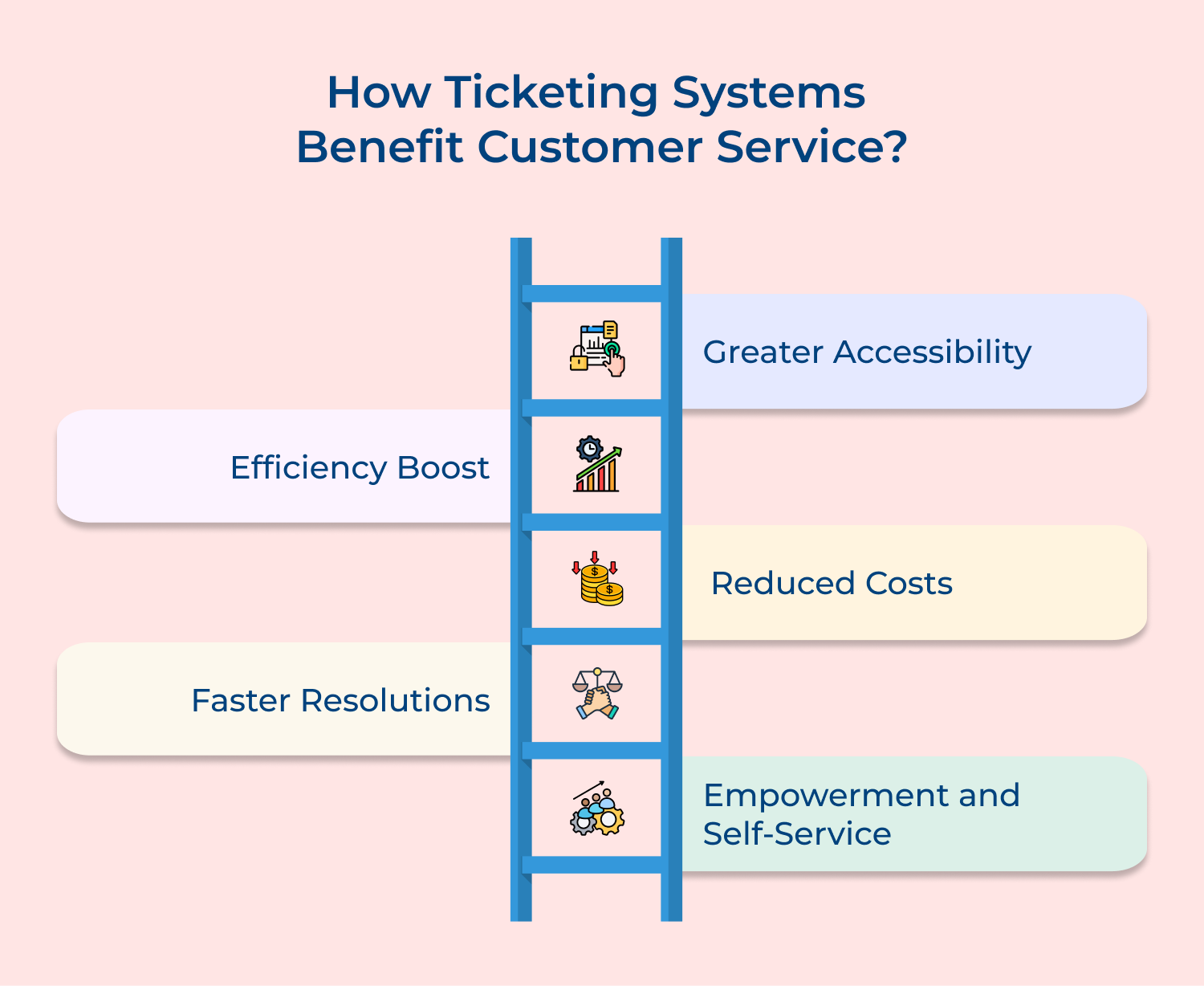
1. Greater Accessibility
Customers reach out via email, chat, phone and social media, expecting consistency. A ticketing system centralizes all interactions, ensuring no query is missed. Agents get complete visibility, respond faster and deliver a seamless experience across every communication channel.
2. Efficiency Boost
Support teams often lose time managing tickets manually. A ticketing system automates routing, prioritization and follow-ups. Agents focus on solving issues instead of admin tasks, enabling them to handle more queries efficiently without affecting response quality.
3. Reduced Costs
Growing ticket volumes usually demand larger teams. A ticketing system improves agent productivity through automation and self-service options. Businesses reduce operational costs while maintaining service quality, allowing support teams to scale efficiently without significantly increasing headcount.
4. Faster Resolutions
Customers value quick resolutions over complex explanations. A ticketing system provides agents with context, priority flags and past interactions. This clarity speeds up decision-making and helps resolve issues faster, improving response times as well as overall customer satisfaction.
5. Empowerment and Self-Service
Customers prefer having control over their support journey. A ticketing system offers self-service portals and knowledge bases for instant answers. This reduces dependency on agents, minimizes frustration and builds confidence while still keeping support accessible when needed.
Choosing the right ticketing system is not about picking the most popular tool. It is about finding a solution that fits your team’s workflow, customer expectations and long-term business goals.
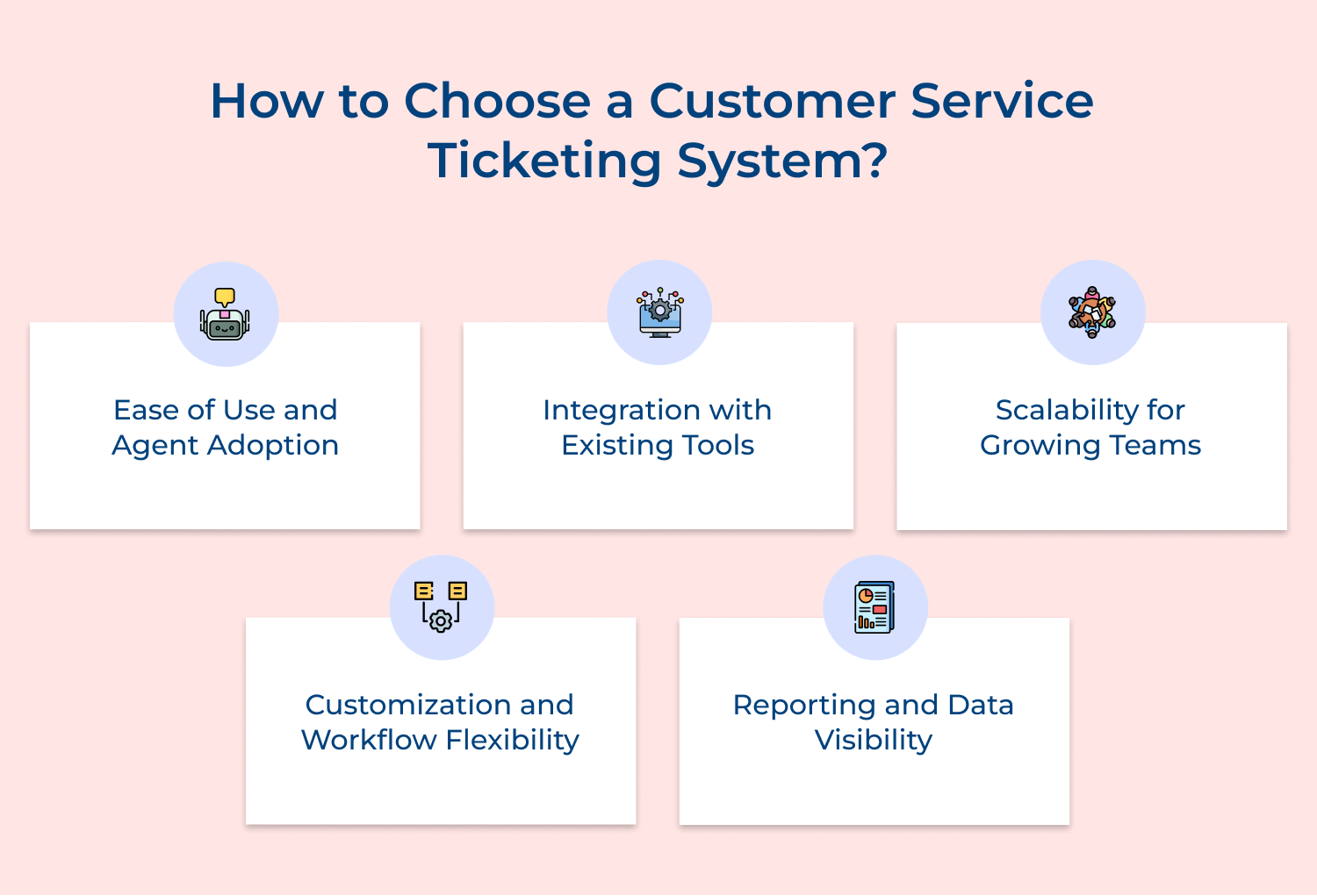
1. Ease of Use and Agent Adoption
Ease of use plays a critical role in how quickly teams adopt a new tool. Customer service agents need a clean, intuitive interface that helps them resolve issues faster instead of slowing them down. Quick adoption keeps productivity high and support consistent.
2. Integration with Existing Tools
Seamless integration with CRM, communication tools and billing software keeps operations connected. Systems that work well together eliminate data silos and reduce manual effort, allowing teams to access complete customer information without constantly switching between platforms.
3. Scalability for Growing Teams
Growth demands systems that can keep up with increasing ticket volumes and expanding teams. Platforms should handle higher workloads without performance issues, ensuring consistent service quality as businesses scale and customer expectations continue to rise.
4. Customization and Workflow Flexibility
Flexibility allows teams to work the way they already do. Custom workflows, ticket fields and automation rules help align the platform with existing processes, making it easier to manage tickets efficiently without forcing teams to adapt to rigid structures.
5. Reporting and Data Visibility
Clear reporting gives teams the insights needed to improve performance. Access to metrics like resolution times, agent productivity and ticket trends helps identify gaps, optimize workflows, while delivering a more reliable customer service experience.
Here are four ticketing systems that consistently deliver strong results for customer service teams.
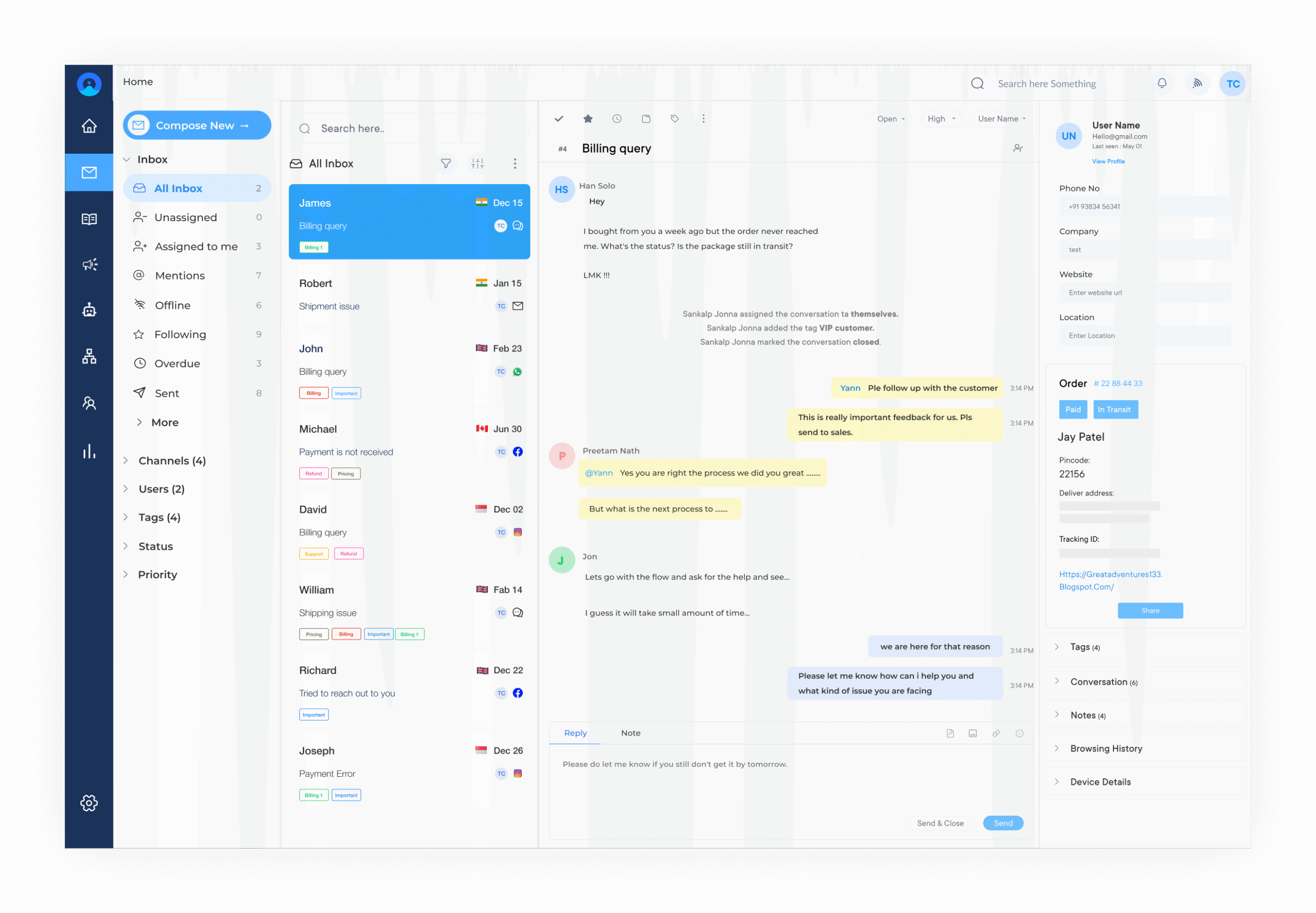
Omni24 Ai-powered customer service software brings every support interaction into a single intelligent workspace. It gives customer service teams the context and automation needed to resolve issues faster while maintaining consistent service quality at every touchpoint.
Key Features:
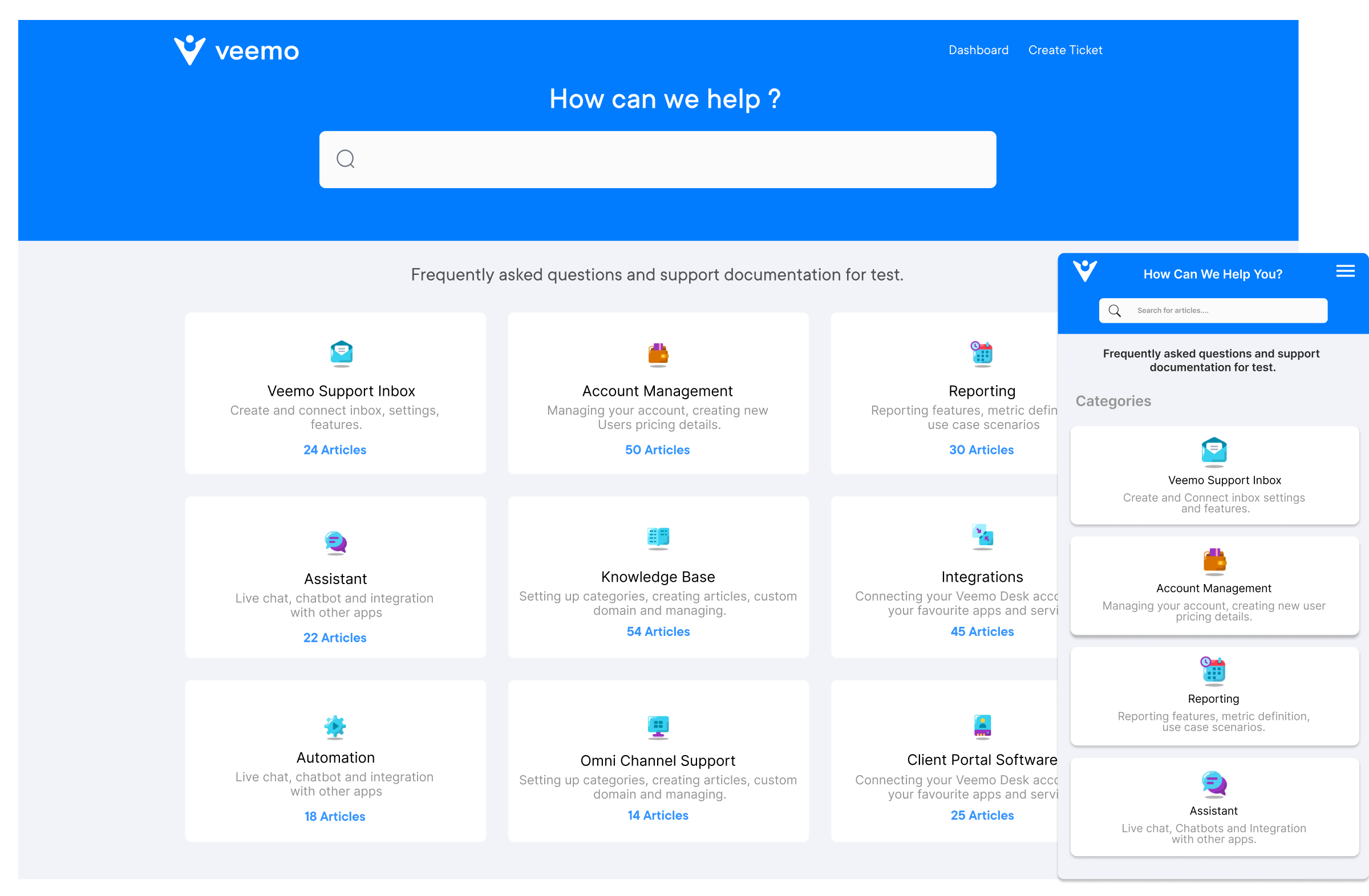
Veemo Support is a help desk and customer support ticketing platform built for teams that need strong workflow control without the complexity of enterprise-level tools. It delivers reliable ticket management, smart automation and a clean agent interface that helps teams stay organized during peak support volumes.
Key Features:
Zendesk handles enterprise-level ticket volumes without breaking down under pressure which makes it a reliable choice for scaling customer service operations. Where it truly stands out is in its conditional ticket routing and SLA management capabilities that give customer service teams full control over prioritization at every stage.
Zoho Desk’s sentiment analysis capability gives customer service teams an edge by flagging emotionally charged tickets before they escalate into bigger problems. Its Blueprint feature allows teams to map out exact resolution workflows so every agent follows a consistent process regardless of experience level or ticket complexity.
A ticketing system is not just a tool for managing queues. It is the operational backbone that determines whether a customer service team consistently delivers experiences that build long-term trust and loyalty.
Getting ticket management right means every interaction is tracked, every commitment is honored and every customer feels heard. Teams that invest in the right system do not just resolve issues faster but they build the kind of service reputation that becomes a genuine business advantage.

Which is the best customer service ticketing system?
The best ticketing system depends on team size, ticket volume and the channels a business needs to support daily. Platforms like Omni24, Zendesk and Freshdesk perform consistently well but the right choice depends on how well it fits the team’s actual workflow.
How does a customer service ticketing system improve response time?
A ticketing system eliminates manual triage by routing every incoming request to the right agent automatically based on skill set and priority. Customer service agents spend less time sorting tickets and more time resolving them which directly reduces average first response time.
Can a customer service ticketing system reduce support workload?
A well-configured ticketing system automates repetitive tasks like ticket assignment, status updates and follow-up reminders that otherwise consume agent time every day. Self-service portals and knowledge base integrations deflect common queries before they even reach the support queue reducing overall workload significantly.
Is a customer service ticketing system suitable for small businesses?
Small businesses benefit greatly because even a lean team cannot afford to lose a single customer request to inbox clutter or miscommunication. A ticketing system brings the same response consistency and accountability that larger teams rely on but scaled to fit smaller operations perfectly.
How does a customer service ticketing system track customer issues?
Every interaction is logged as a unique ticket with a timestamp, issue category and assigned agent making it fully traceable from first contact to resolution. Customer service teams get real-time visibility into every open and pending ticket so nothing gets missed without a clear record.
 https://omni24.io/wp-content/uploads/2026/09/Social-commerce-scaled.png
1340
2560
Webvision Solution
https://omni24.io/wp-content/uploads/2023/04/Omni-Logo-1.svg
Webvision Solution2026-10-23 12:18:272026-10-23 12:18:27What is Social Commerce and Why Does It Matter?
https://omni24.io/wp-content/uploads/2026/09/Social-commerce-scaled.png
1340
2560
Webvision Solution
https://omni24.io/wp-content/uploads/2023/04/Omni-Logo-1.svg
Webvision Solution2026-10-23 12:18:272026-10-23 12:18:27What is Social Commerce and Why Does It Matter? https://omni24.io/wp-content/uploads/2026/08/AI-Customer-Service-Agents.png
1256
2400
Webvision Solution
https://omni24.io/wp-content/uploads/2023/04/Omni-Logo-1.svg
Webvision Solution2026-09-21 04:48:512026-09-21 04:48:51How to Build an AI Customer Service Agents: 8 Key Steps
https://omni24.io/wp-content/uploads/2026/08/AI-Customer-Service-Agents.png
1256
2400
Webvision Solution
https://omni24.io/wp-content/uploads/2023/04/Omni-Logo-1.svg
Webvision Solution2026-09-21 04:48:512026-09-21 04:48:51How to Build an AI Customer Service Agents: 8 Key Steps https://omni24.io/wp-content/uploads/2026/08/Omnichannel-Conversational-AI.png
1256
2400
Tushar Joshi
https://omni24.io/wp-content/uploads/2023/04/Omni-Logo-1.svg
Tushar Joshi2026-09-16 03:51:072026-09-16 03:51:07How to Build Omnichannel Conversational AI Strategy
https://omni24.io/wp-content/uploads/2026/08/Omnichannel-Conversational-AI.png
1256
2400
Tushar Joshi
https://omni24.io/wp-content/uploads/2023/04/Omni-Logo-1.svg
Tushar Joshi2026-09-16 03:51:072026-09-16 03:51:07How to Build Omnichannel Conversational AI Strategy
Whether it’s about acquire, engage or support – Omni24 covers all your customer engagement needs in one complete platform.

Copyright ©2026 Veemo All rights reserved.
CA, Los Angeles, Hall Ave, 19011