How to Build a Winning Enterprise Ecommerce Tech Stack
Learn to create a powerful ecommerce tech stack that boosts performance, supports growth and delivers seamless customer experiences across channels.

Learn to create a powerful ecommerce tech stack that boosts performance, supports growth and delivers seamless customer experiences across channels.
Linnworks report highlights that many retailers rely on spreadsheets and multiple disconnected tools. Your inventory shows items available that are already sold while customers receive conflicting information across channels.
These technology gaps directly impact your bottom line through lost sales and poor customer experiences. Shoppers abandon carts when checkout fails or pages load slowly. Meanwhile your competitors leverage integrated systems to deliver seamless shopping experiences.
The solution lies in building a cohesive ecommerce technology stack where every component works together harmoniously. This guide reveals how to select, implement and optimize the right tools.
An e-commerce technology stack is the complete collection of software tools and platforms that power an online store. Think of it like building blocks – each layer handles a specific function from displaying products to processing payments. These technologies work together seamlessly to create the shopping experience customers see and the management systems businesses use behind the scenes.
The stack operates through interconnected layers that communicate with each other. Your frontend displays products while the backend manages inventory and orders. Payment gateways process transactions securely and APIs connect everything together like digital glue ensuring smooth data flow.
Key objectives:
Modern e-commerce tech stacks transform how customers interact with online stores. Here are four key statistics that highlight this transformation:
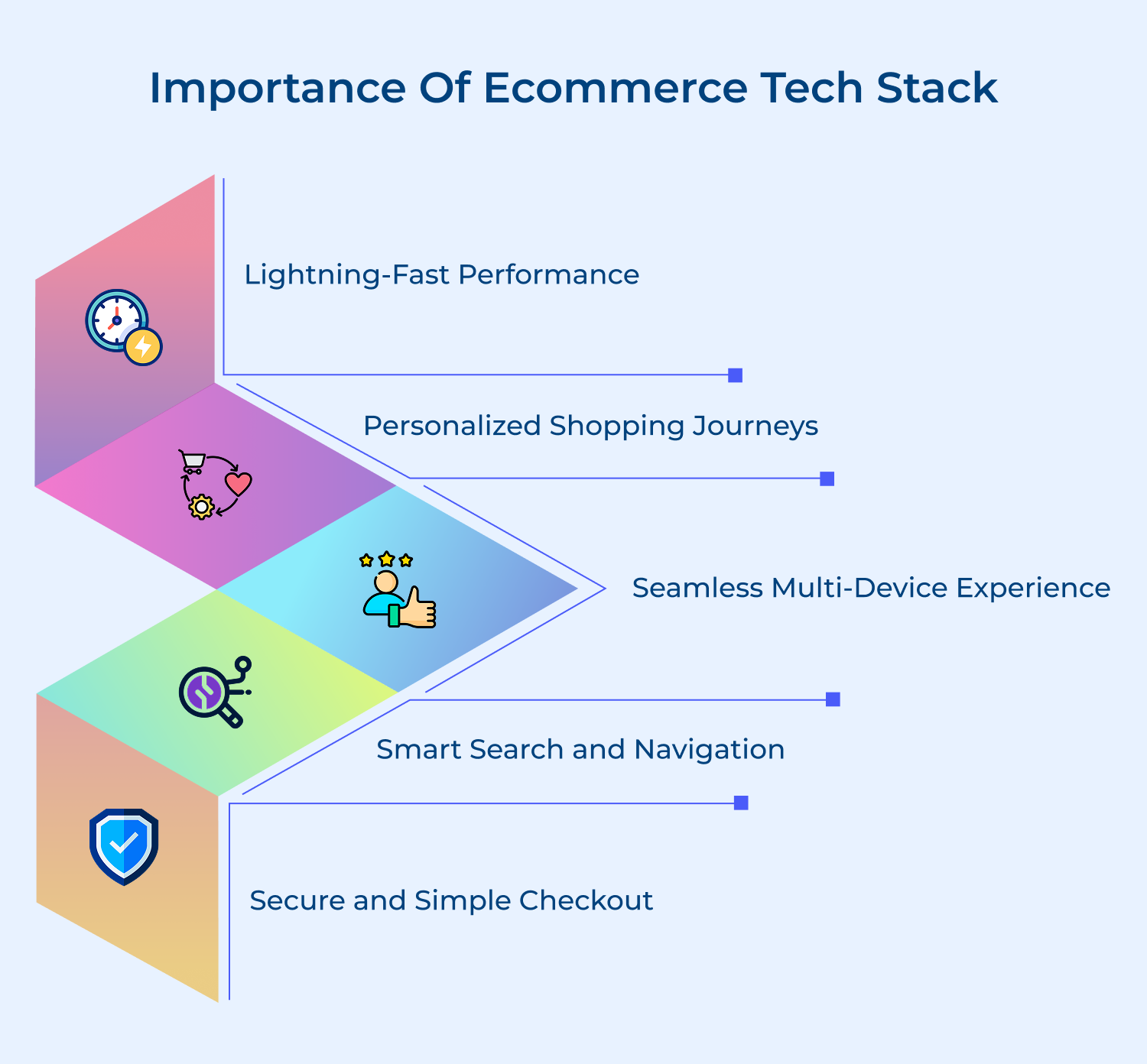
Lightning-Fast Performance
Modern tech stacks use CDNs and optimized databases to deliver pages in milliseconds. Customers browse products without frustrating delays and complete purchases quickly. This speed keeps shoppers engaged instead of bouncing to competitors. Fast-loading images and instant search results create smooth experiences.
Personalized Shopping Journeys
Advanced algorithms analyze browsing patterns and purchase history to show relevant products. Each customer sees items they actually want rather than random suggestions. This personal touch makes shopping feel curated just for them. Machine learning for ecommerce brands improves recommendations over time for increasingly accurate suggestions.
Seamless Multi-Device Experience
Responsive design ensures your store looks perfect on phones and tablets. Customers can start shopping on their lunch break and finish on their laptop at home. Their cart as well as preferences follow them everywhere. Synchronized wishlists and saved searches work across all devices effortlessly.
Smart Search and Navigation
AI-powered search understands typos and suggests alternatives when items aren’t available. Customers find what they need even with vague descriptions. Filters and categories adapt based on their shopping behavior. Voice search and visual search capabilities make product discovery feel natural.
Secure and Simple Checkout
One-click payments and saved card details remove friction from purchasing. Multiple payment options accommodate different preferences while encryption keeps data safe. Customers complete orders confidently without second thoughts. Guest checkout options and progress indicators reduce abandonment rates during the payment process.
Let’s outline key tips to build a winning ecommerce solution that not only meets your current needs but also sets the stage for future growth.
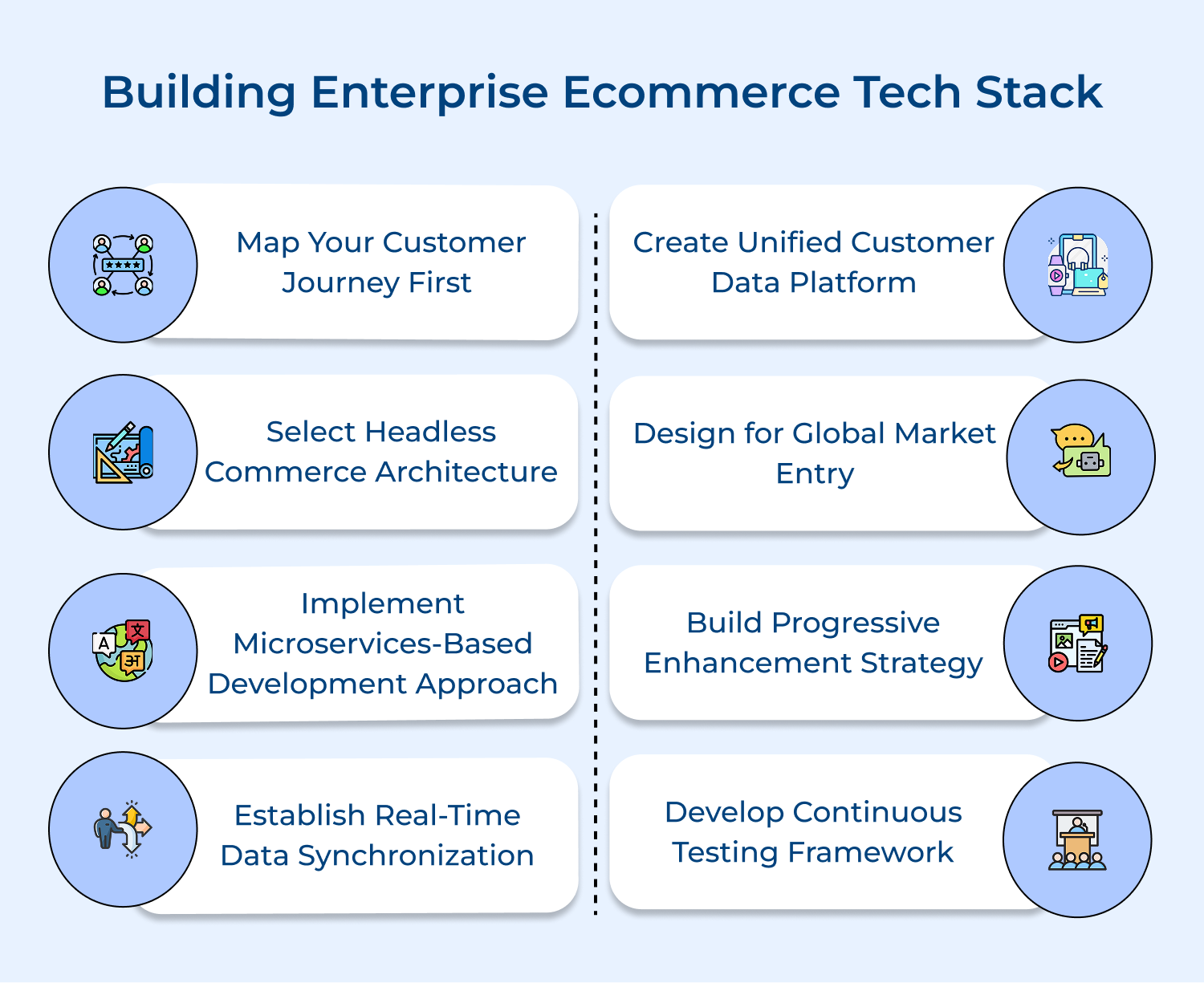
Understanding how customers move through your store is key to making perfect tech stack choices. Journey mapping helps you see exactly what tools are needed, right from first click to post-purchase support. Skip this step and you risk building features no one uses.
Here are three proven ways to map the journey effectively:
With this clarity, every tech decision you make solves a real customer problem.
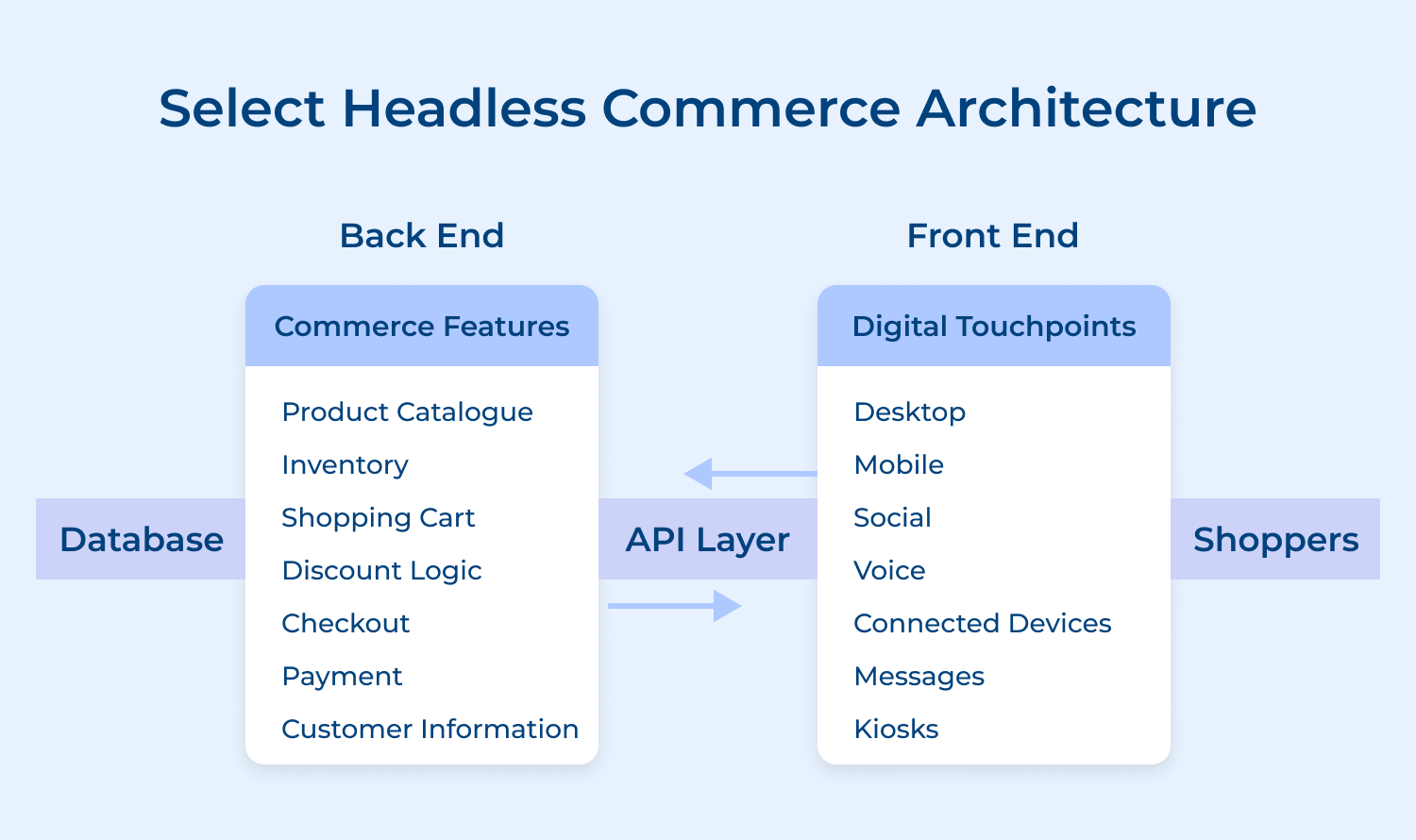
Headless commerce lets you decouple your storefront from backend systems using APIs. Thus, giving you the freedom to build custom shopping experiences without disrupting core operations. It speeds up changes and keeps things stable behind the scenes.
Before diving in, ask yourself:
If the answer to any of these is yes, headless might be a smart move. It’s ideal for brands needing speed and flexibility. Start small, like with a mobile app pilot, so you can validate the approach before committing fully. Careful planning ensures a smoother transition.
Microservices architecture breaks your ecommerce platform into smaller, focused services (like checkout or inventory) that communicate via APIs. Unlike monolithic systems, where one change risks everything, microservices let teams update parts independently and deploy faster with less risk.
To transition smoothly, try these proven steps:
1. Start with edge services: Begin by splitting off user login or session handling. Its low-risk, high-impact services with minimal dependencies.
2. Use event-driven communication: Message queues let services talk without tight coupling, preventing one failure from breaking everything.
3. Add a service mesh: Tools like Istio manage how your services communicate, route requests, and stay secure.
For shared data, platforms like Kafka act as the backbone that stream info in real time without stepping on each other’s toes.
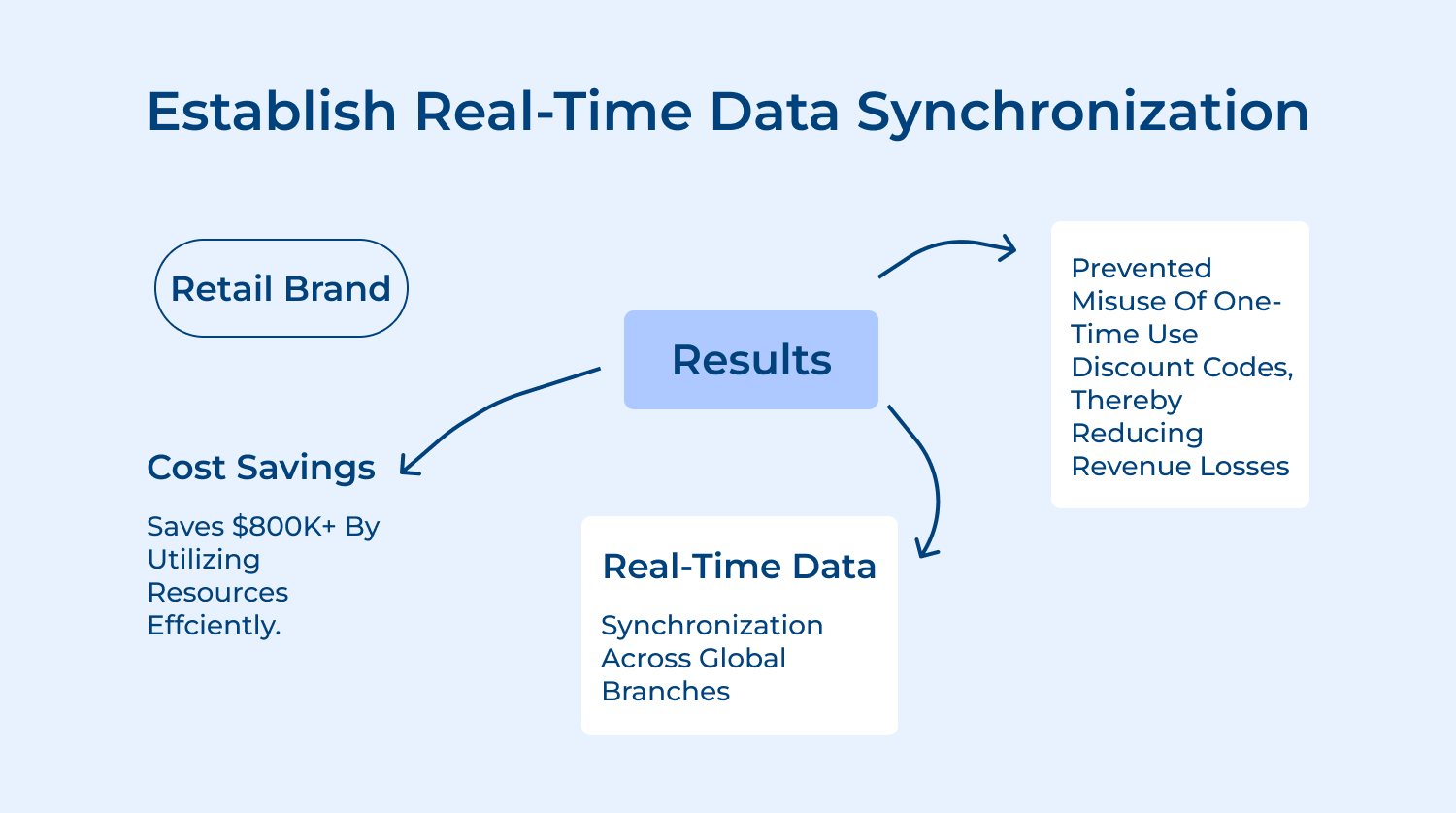
Real-time synchronization ensures inventory levels and customer data stay consistent across all channels instantly. Without this customers see different information on mobile versus desktop creating confusion and abandoned carts when items show available but aren’t.
Implementation starts by identifying critical data that needs immediate updates like inventory counts and pricing. Use webhooks or event streams to push changes instantly rather than batch processing. Modern platforms offer built-in synchronization but require careful configuration to avoid data conflicts.
Best Practices:
A unified customer data platform (CDP) brings together information from all channels into a single, actionable profile. It eliminates data silos and ensures every interaction. Whether on mobile, web, or support, it feels connected as well as personalized.
Link your CRM, analytics and transaction tools to capture the full customer story. When systems stay siloed, you miss valuable patterns. Integration tools help automate this process and ensure accuracy.
Turn scattered data into live profiles showing preferences and purchase history. Marketing teams use these for targeted campaigns, while support teams gain full context to solve issues faster.
Use unified data to deliver consistent experiences across devices. Personalized content and recommendations boost engagement, loyalty, along with lifetime value.
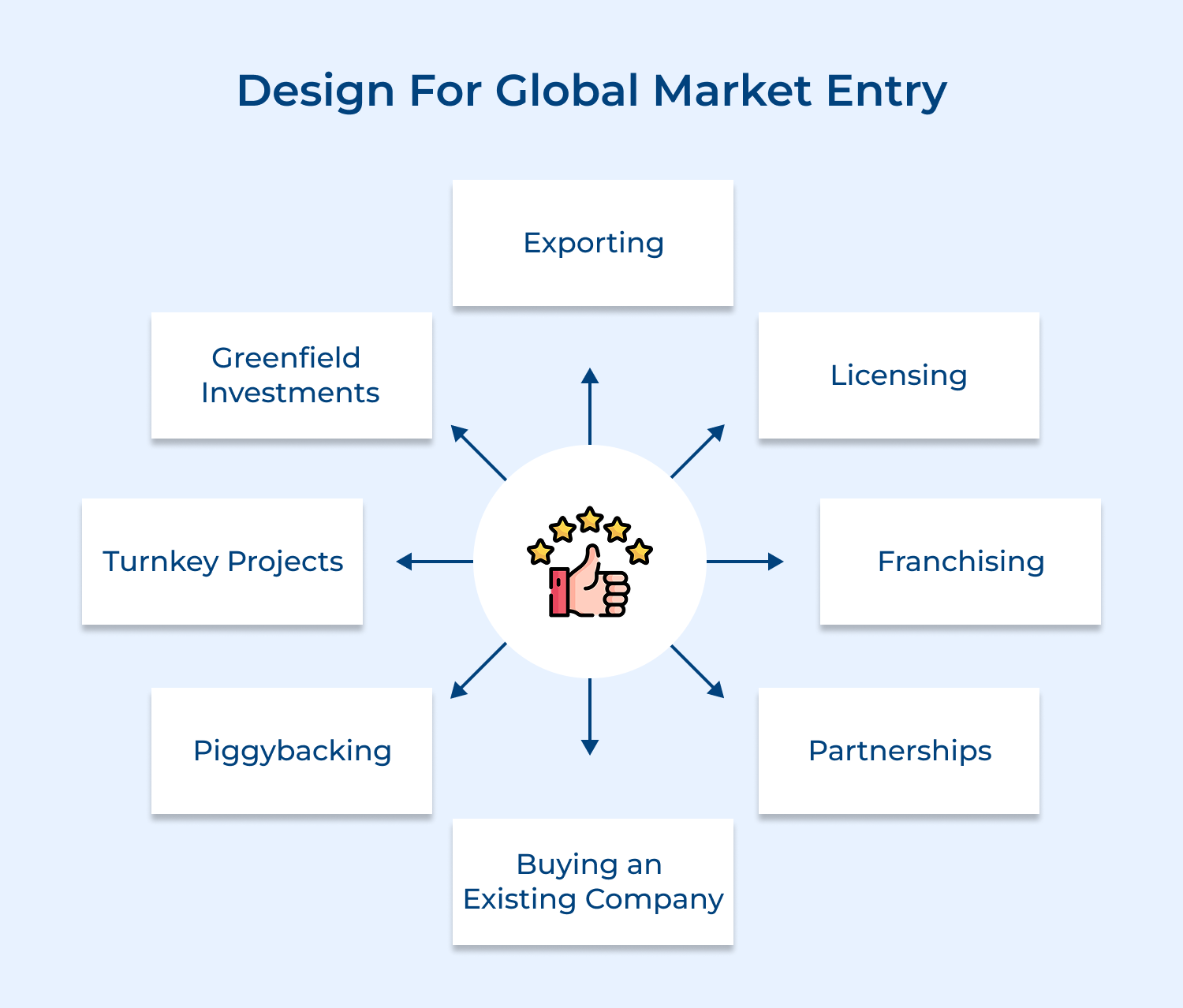
Expanding globally means more than just shipping overseas. It requires infrastructure built for currencies, languages and regional compliance from day one. Without it, growth stalls and retrofitting later becomes costly.
Start by asking:
Think of how Amazon does it. Japanese users see yen and Germans see Euros. Payment methods are localized and logistics are region-specific. Now, that’s strategic tech planning!
To build a global-ready stack:
Progressive enhancement starts with building the essentials first. Every customer, on any device or connection, can shop without issues. Then, you add modern features where they’re supported. The result? A fast, reliable and accessible experience for all.
Why it works:
Start with a basic, universal checkout form. Once that’s solid, add enhancements like autofill or live validation for modern browsers.
Proven steps to implement:
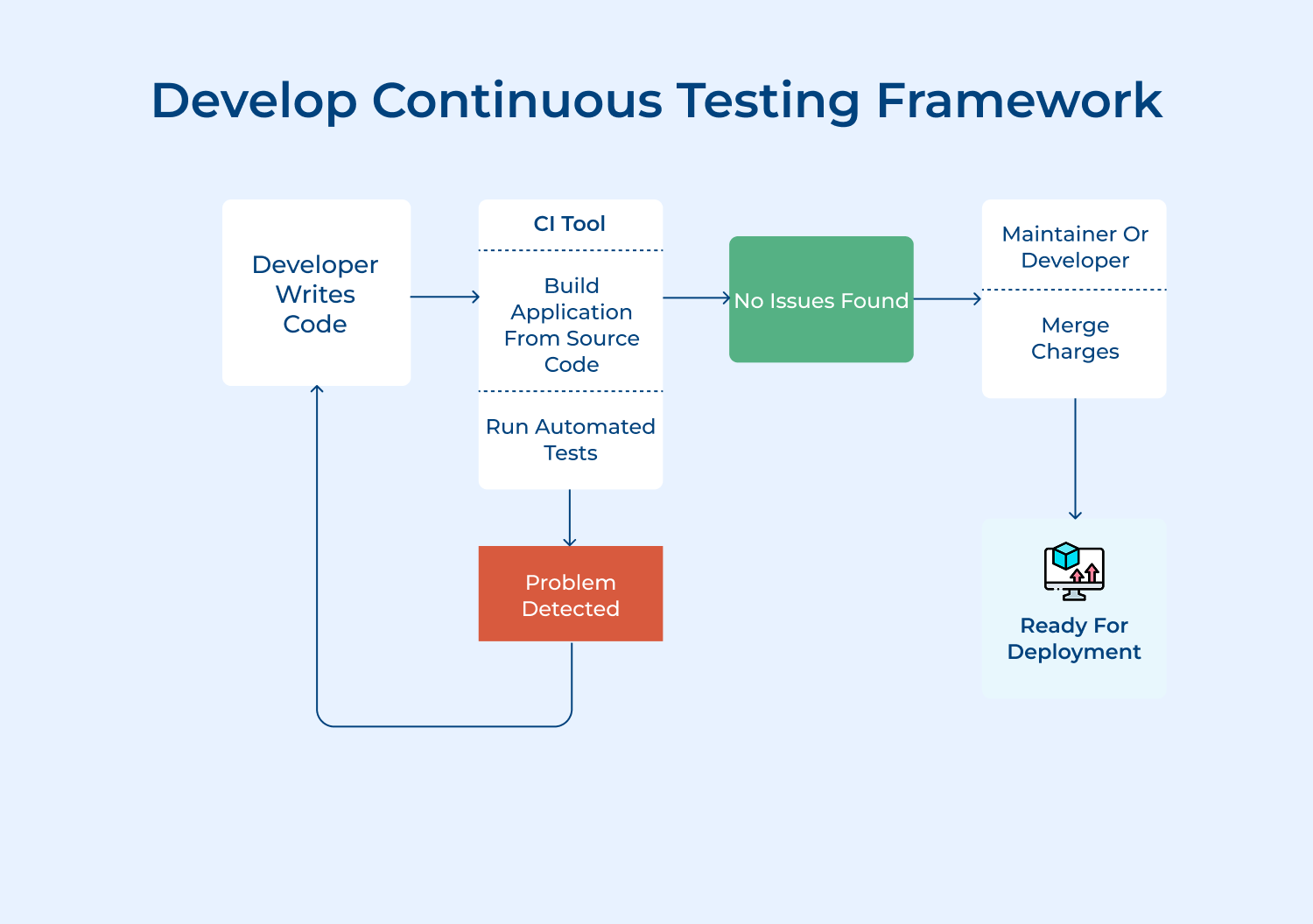
Continuous testing integrates quality checks throughout development rather than treating testing as a final step. This approach catches issues early when fixes cost less and prevents broken features from reaching customers damaging their trust.
Key metrics to monitor through your continuous testing framework include:
Implementation requires connecting testing tools to your deployment pipeline so tests run automatically with each code change. Set up alerts for metric deviations and create dashboards showing trends over time. This visibility helps teams spot problems before customers complain about slow checkouts.
Robust ecommerce solutions combine essential technologies that work together to create seamless shopping experiences. Here is how you consider each component:
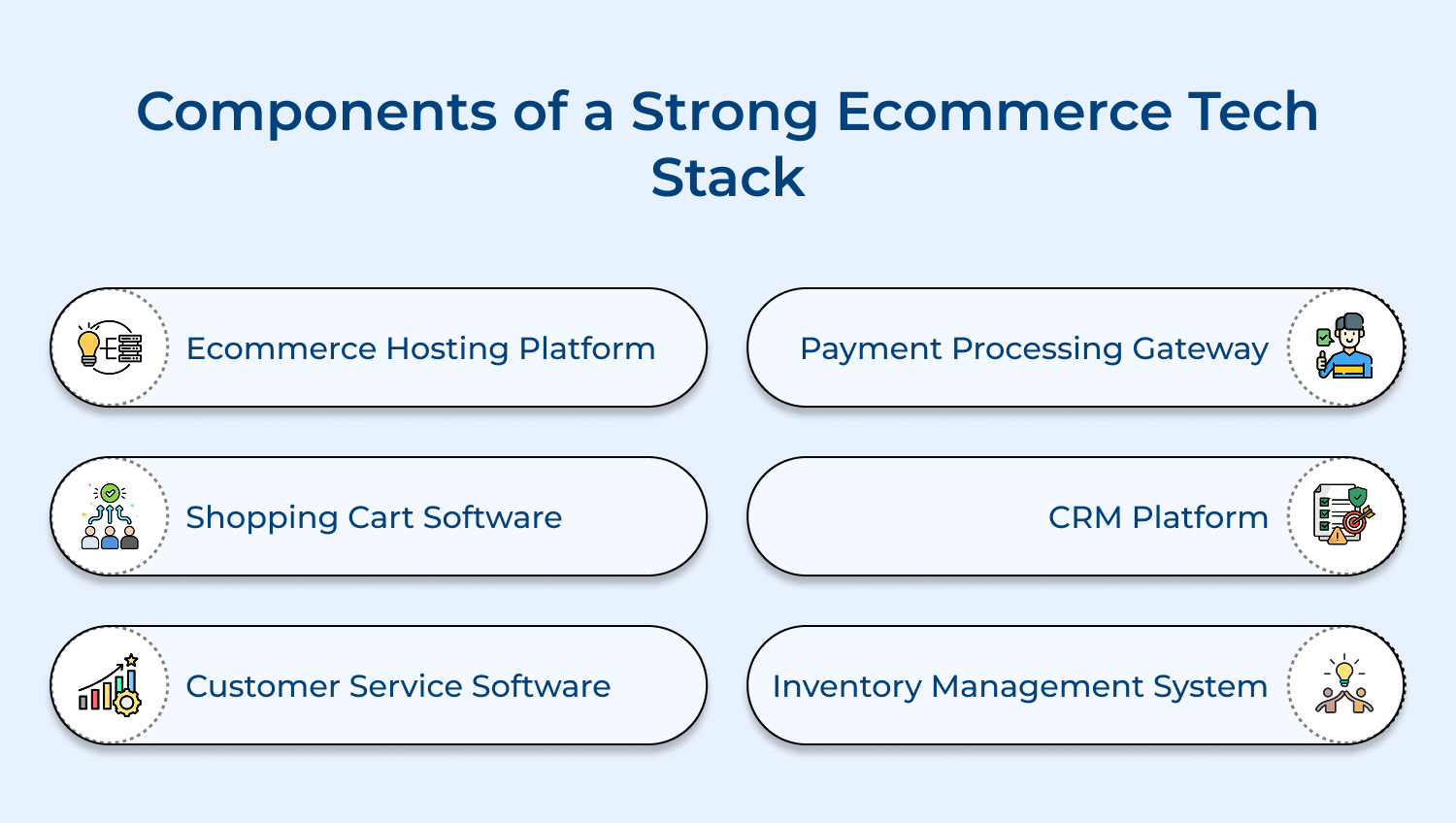
Your hosting platform forms the foundation where all other components operate. Modern platforms offer cloud-based infrastructure that scales automatically during traffic spikes. This flexibility prevents crashes during sales events when customer demand peaks unexpectedly. Consider these critical factors when evaluating hosting options:
Platform selection impacts every aspect of performance from page load speeds to checkout reliability. Cloud providers like AWS and Google Cloud offer specialized ecommerce configurations. These pre-optimized environments reduce setup complexity while maintaining flexibility for future growth needs.
Shopping cart software manages the critical journey from product selection to purchase completion. Modern solutions handle complex scenarios like abandoned cart recovery and multi-currency transactions. The best platforms integrate seamlessly with inventory systems preventing overselling situations. When evaluating cart software options, ask yourself these key questions:
Advanced cart systems now include AI-powered features like predictive search and personalized recommendations. These capabilities transform browsing into guided shopping experiences. Integration APIs ensure smooth data flow between your cart and other essential systems.
Customer service platforms centralize support interactions across email, chat and social channels. Unified dashboards give agents complete customer histories enabling faster problem resolution. Modern systems include self-service options reducing support ticket volumes significantly. Here’s what separates good service software from great:
The best platforms now incorporate AI chatbots handling routine questions while escalating complex issues. This hybrid approach maintains personal touch for important interactions. Integration with your CRM ensures support teams access purchase history and preferences instantly.
Payment gateways handle the sensitive transfer of financial data between customers and banks. Modern processors support dozens of payment methods from credit cards to digital wallets. Security remains paramount with tokenization protecting stored payment information.
Leading gateways now offer advanced features like one-click checkout and saved payment methods. These conveniences significantly reduce cart abandonment rates. API flexibility allows custom checkout flows matching your brand experience perfectly.
Customer relationship management systems transform scattered data into actionable customer insights. Modern CRMs track every interaction building comprehensive profiles over time. This intelligence powers personalized marketing campaigns and targeted product recommendations effectively. CRM selection requires answering these strategic questions:
Advanced platforms incorporate predictive analytics identifying customers likely to churn or upgrade. These insights enable proactive retention strategies. Real-time synchronization ensures all teams work from current customer information.
Inventory management prevents the costly mistakes of overselling or stock outs across channels. Real-time tracking synchronizes availability between warehouses and sales channels instantly. Modern systems predict demand patterns optimizing stock levels automatically. What distinguishes professional inventory management from basic tracking?
Integration with your shopping cart ensures accurate availability displays preventing customer disappointment. Advanced systems now include drop-shipping coordination and supplier portals. These features streamline complex supply chains while maintaining visibility throughout.
Building an effective ecommerce technology stack requires careful evaluation of multiple interconnected factors that will shape your platform’s capabilities for years to come.
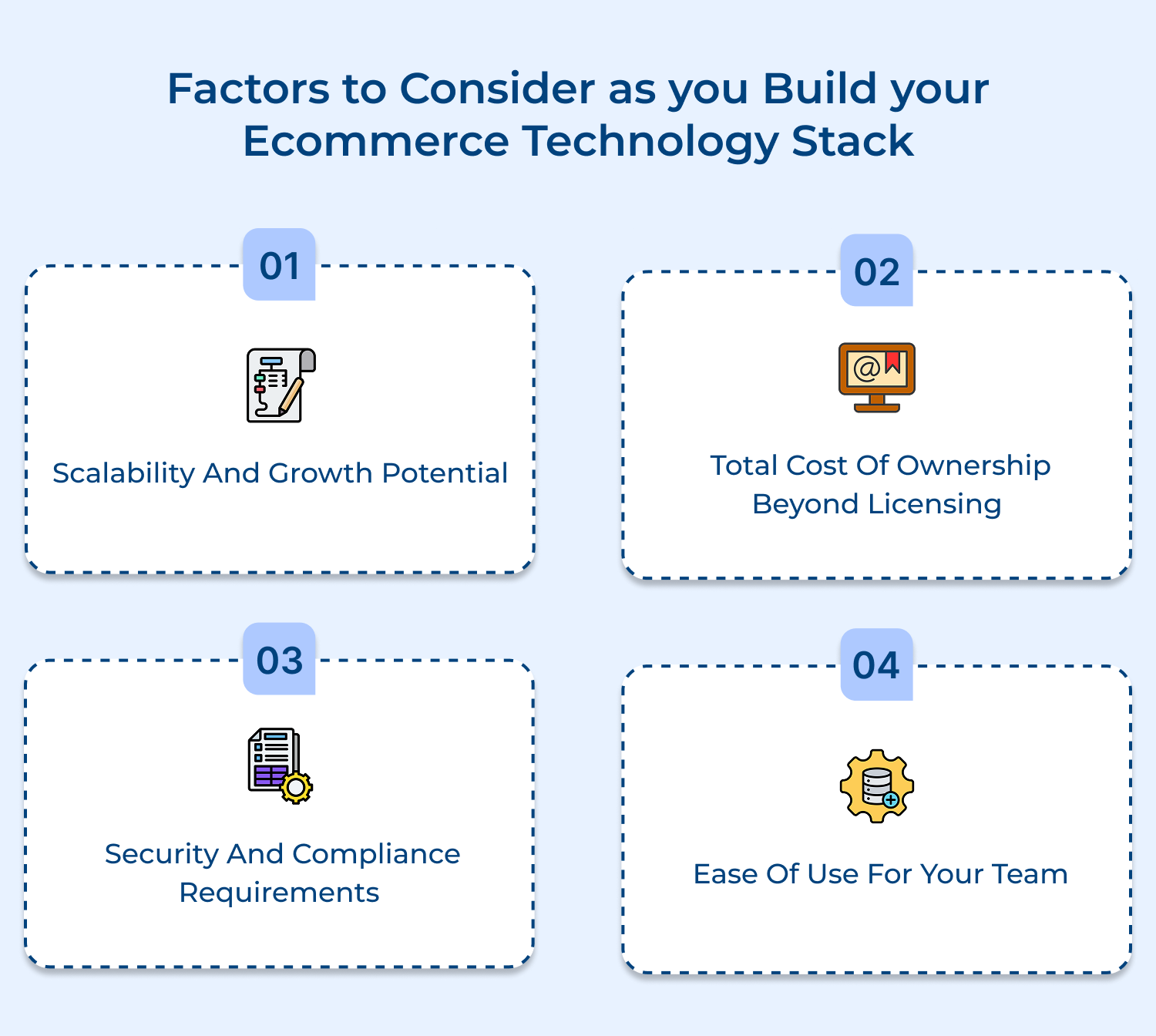
1. Scalability and Growth Potential
Choose tech that works now and later. Can it handle 10x more orders or support new regions and products? Cloud-based tools usually scale better than on-premise ones. Planning for growth from day one saves you from painful rebuilds when things take off.
2. Total Cost of Ownership Beyond Licensing
Tech costs don’t stop at licensing. You’ve also got implementation, support, training and scaling fees to think about. A cheap solution upfront might cost more long-term. Sometimes, investing more early means fewer headaches (and expenses) down the line.
3. Security and Compliance Requirements
Data security isn’t optional. Make sure your tools follow PCI standards, use encryption and are GDPR-ready if you serve Europe. Regulations keep evolving, so pick platforms that can adapt quickly to stay compliant and protect customer trust.
4. Ease of Use for Your Team
If your team struggles to use a tool, it’s not the right one—no matter how powerful. Choose platforms with intuitive interfaces that new team members can learn fast. A user-friendly system boosts productivity, cuts training costs and reduces dependency on IT support.
These additional best practices will help you maximize the value of your technology investments while avoiding common pitfalls that can derail even well-planned initiatives.
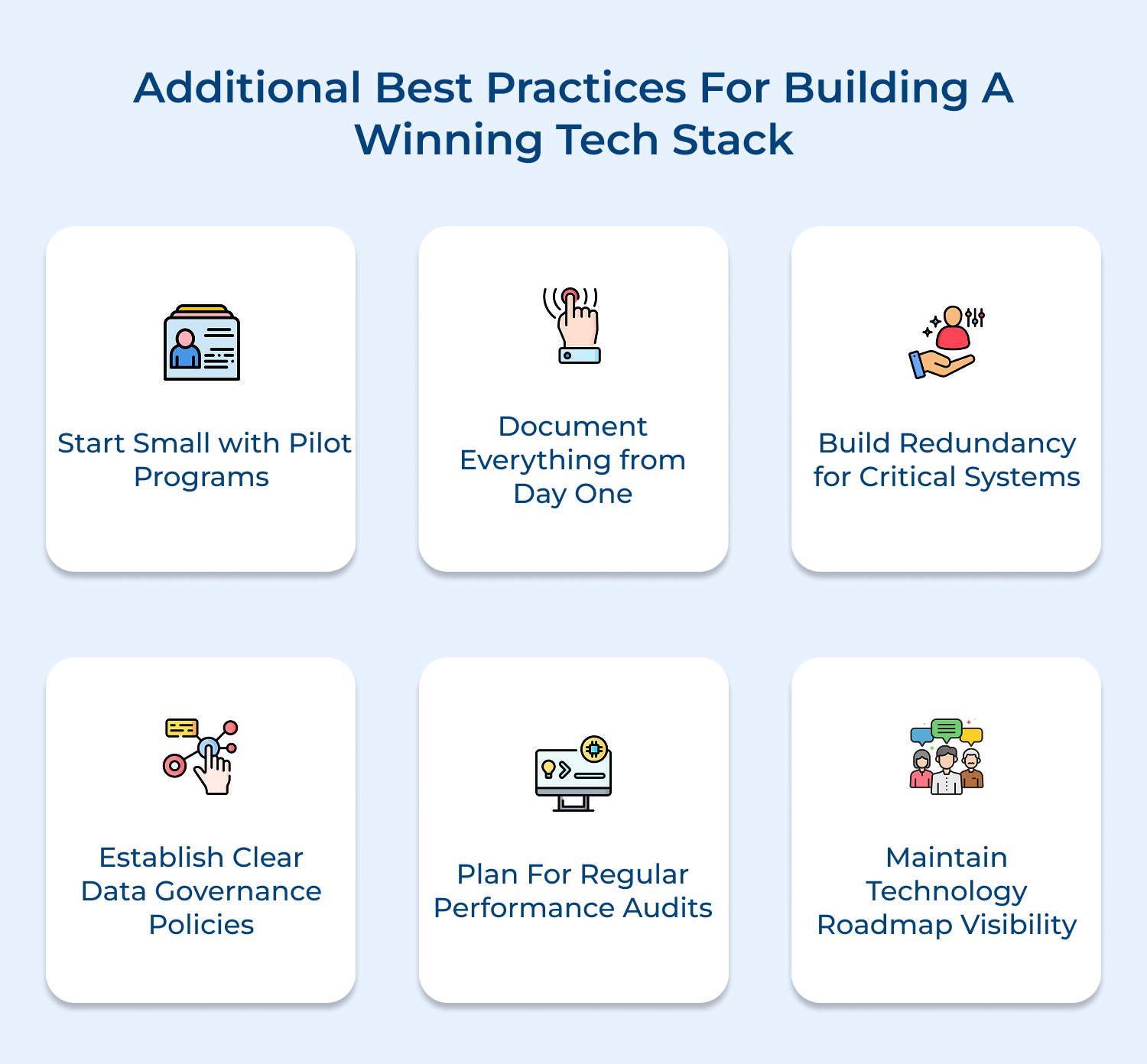
1. Start Small with Pilot Programs
Testing new technologies through limited pilot programs reduces risk while proving concepts work for your specific needs. Choose one department or product category to validate assumptions before committing to full-scale implementation across your entire operation.
2. Document Everything from Day One
Comprehensive documentation becomes invaluable when troubleshooting issues or onboarding new team members months later. Create clear records of configuration decisions, integration points and customizations to prevent knowledge loss when key employees leave.
3. Build Redundancy for Critical Systems
Single points of failure can cripple your entire operation during peak selling periods. Implement backup systems for payment processing and hosting while establishing failover procedures that activate automatically when primary systems experience issues.
4. Establish Clear Data Governance Policies
Define who owns different data types and how information flows between systems to prevent conflicts. Clear governance prevents duplicate customer records and ensures teams work from consistent information rather than conflicting data sources.
5. Plan for Regular Performance Audits
Technology performance degrades over time as databases grow and usage patterns change unexpectedly. Schedule quarterly reviews examining page load speeds, API response times, and system resource usage to identify optimization opportunities proactively.
6. Maintain Technology Roadmap Visibility
Share your technology evolution plans with all stakeholders to align expectations and budget planning. Regular roadmap reviews ensure technology investments support business strategy rather than becoming disconnected technical exercises without clear business value.
Building an advanced technology stack transforms your ecommerce platform from a simple online store into a sophisticated selling machine. The right combination of tools creates experiences that delight customers while streamlining operations behind the scenes effortlessly.
Your technology decisions today determine competitive advantages tomorrow. Investment in scalable infrastructure and intelligent integrations positions your business for sustainable growth. Start mapping your ideal tech stack now to capture emerging opportunities before competitors do.

How do I choose the right ecommerce tech stack for my business?
Start by assessing your current needs and future growth plans rather than choosing trendy technologies. Map your customer journey to identify essential functionalities then evaluate platforms based on scalability, integration capabilities and your team’s technical expertise. Consider your budget for both implementation and ongoing maintenance costs.
How often should I review and update my ecommerce tech stack?
Conduct comprehensive reviews annually while monitoring performance metrics monthly to spot emerging issues early. Technology evolves rapidly and customer expectations shift constantly so staying current matters. Schedule major updates every 2-3 years but implement security patches and minor improvements continuously to maintain optimal performance.
What are key areas to build your tech stack around?
Focus on five core areas that directly impact customer experience and operational efficiency. These include hosting infrastructure for reliability, payment processing for secure transactions, and inventory management for accurate availability. It also has customer data platforms for personalization and analytics tools for data-driven decisions. Each area should integrate seamlessly.
What is the difference between a tech stack and a service?
A tech stack represents the complete collection of technologies powering your ecommerce platform working together as an integrated system. A service is an individual component within that stack handling specific functions like email marketing or payment processing. Your stack combines multiple services into one cohesive operational framework.
Which tech stack is best for ecommerce?
No universal “best” stack exists since optimal choices depend on your specific business model and requirements. However successful modern stacks typically include cloud hosting, headless commerce architecture, API-first integrations and composable components. Popular combinations include Shopify Plus with custom integrations or AWS hosting offering microservices architecture.
 https://omni24.io/wp-content/uploads/2026/08/AI-Customer-Service-Agents.png
1256
2400
Webvision Solution
https://omni24.io/wp-content/uploads/2023/04/Omni-Logo-1.svg
Webvision Solution2026-09-21 04:48:512026-09-21 04:48:51How to Build an AI Customer Service Agents: 8 Key Steps
https://omni24.io/wp-content/uploads/2026/08/AI-Customer-Service-Agents.png
1256
2400
Webvision Solution
https://omni24.io/wp-content/uploads/2023/04/Omni-Logo-1.svg
Webvision Solution2026-09-21 04:48:512026-09-21 04:48:51How to Build an AI Customer Service Agents: 8 Key Steps https://omni24.io/wp-content/uploads/2026/08/Omnichannel-Conversational-AI.png
1256
2400
Tushar Joshi
https://omni24.io/wp-content/uploads/2023/04/Omni-Logo-1.svg
Tushar Joshi2026-09-16 03:51:072026-09-16 03:51:07How to Build Omnichannel Conversational AI Strategy
https://omni24.io/wp-content/uploads/2026/08/Omnichannel-Conversational-AI.png
1256
2400
Tushar Joshi
https://omni24.io/wp-content/uploads/2023/04/Omni-Logo-1.svg
Tushar Joshi2026-09-16 03:51:072026-09-16 03:51:07How to Build Omnichannel Conversational AI Strategy https://omni24.io/wp-content/uploads/2026/08/Customer-Service-Teams.png
1256
2400
Tushar Joshi
https://omni24.io/wp-content/uploads/2023/04/Omni-Logo-1.svg
Tushar Joshi2026-09-15 04:01:522026-09-15 04:02:16How to Build Customer Service Teams: 6 Key Steps
https://omni24.io/wp-content/uploads/2026/08/Customer-Service-Teams.png
1256
2400
Tushar Joshi
https://omni24.io/wp-content/uploads/2023/04/Omni-Logo-1.svg
Tushar Joshi2026-09-15 04:01:522026-09-15 04:02:16How to Build Customer Service Teams: 6 Key Steps
Whether it’s about acquire, engage or support – Omni24 covers all your customer engagement needs in one complete platform.

Copyright ©2026 Veemo All rights reserved.
CA, Los Angeles, Hall Ave, 19011