How AI in CRM Transforms Customer Relationships in 2026
A complete guide to AI in CRM covering benefits, implementation steps, use cases, top tools and best practices.
A complete guide to AI in CRM covering benefits, implementation steps, use cases, top tools and best practices.
Sales teams lose hours daily to manual data entry, misrouted leads and gut-feel forecasting — problems AI in CRM is built to solve. AI in CRM is the integration of artificial intelligence into CRM platforms to help businesses capture, analyze and act on customer data more intelligently.
The momentum is significant: Businesses using generative AI in their CRM are 83% more likely to exceed their sales goals and it is easy to see why.
This guide covers key use cases, platform comparisons, implementation best practices, and ROI benchmarks — a complete foundation for understanding how AI in CRM drives measurable growth.
AI in CRM is the integration of artificial intelligence technologies into customer relationship management systems to automate decisions and personalize customer interactions at scale. It moves CRM from a passive data storage tool to an active system that thinks, predicts and acts on customer behavior in real time.
AI in CRM continuously pulls data from every customer touchpoint and runs it through machine learning models to find patterns humans would easily miss. These patterns then drive automated actions like follow-up triggers, lead scoring updates and personalized content delivery.
Key AI Capabilities in CRM:
Having worked across multiple CRM implementations, I can tell you that AI does not just improve CRM, it fundamentally changes how your team builds and maintains relationships.
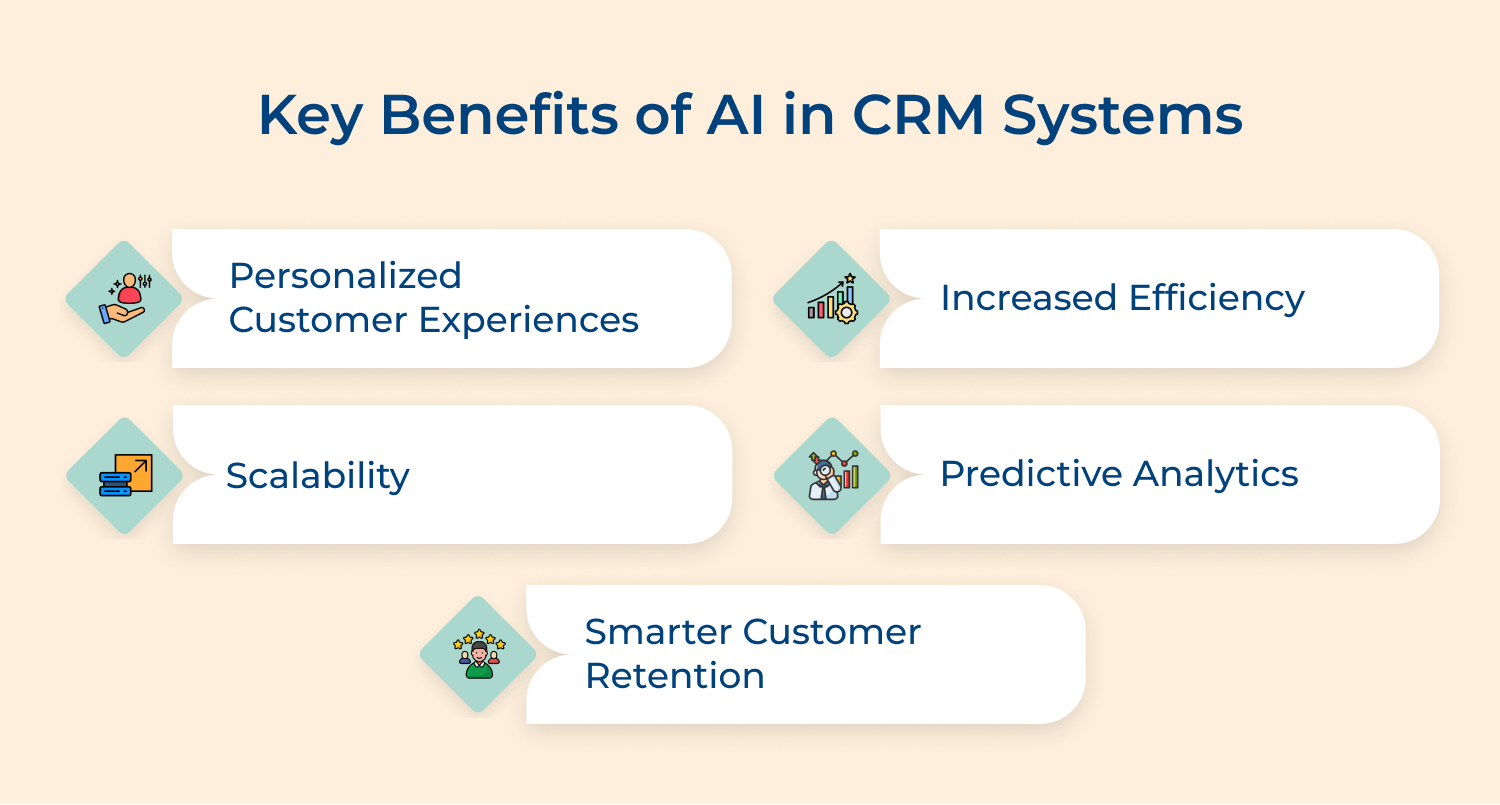
Personalized Customer Experiences
AI analyzes each customer’s purchase history and engagement behavior to deliver interactions that feel individually crafted rather than mass-produced. When a customer feels understood without repeating themselves, your retention rate reflects that directly.
Increased Efficiency
AI eliminates the manual work that quietly drains your sales and support teams – like logging calls, updating contact records as well as sending routine follow-ups. Your team shifts from administrative tasks to high-value conversations that actually move deals forward.
Scalability
Growing your customer base used to mean proportionally growing your team, but AI breaks that equation entirely. Your CRM can now handle thousands of personalized interactions simultaneously without any drop in response quality or consistency.
Predictive Analytics
AI processes historical data and real-time behavioral signals to surface insights that help your teams make faster as well as more confident decisions. Your leaders stop relying on end-of-quarter guesswork and start operating with a forward-looking view that is built on actual customer patterns.
Smarter Customer Retention
AI continuously monitors engagement signals across sales, support and marketing touchpoints to flag at-risk customers before they actually churn. This gives your entire customer-facing team a real window to act, reaching out with the right message at the right moment rather than reacting after the customer has already left.
Now, let me get you through the essential steps for implementing AI in your CRM system. Hence, ensuring you harness its full potential to revolutionize your business
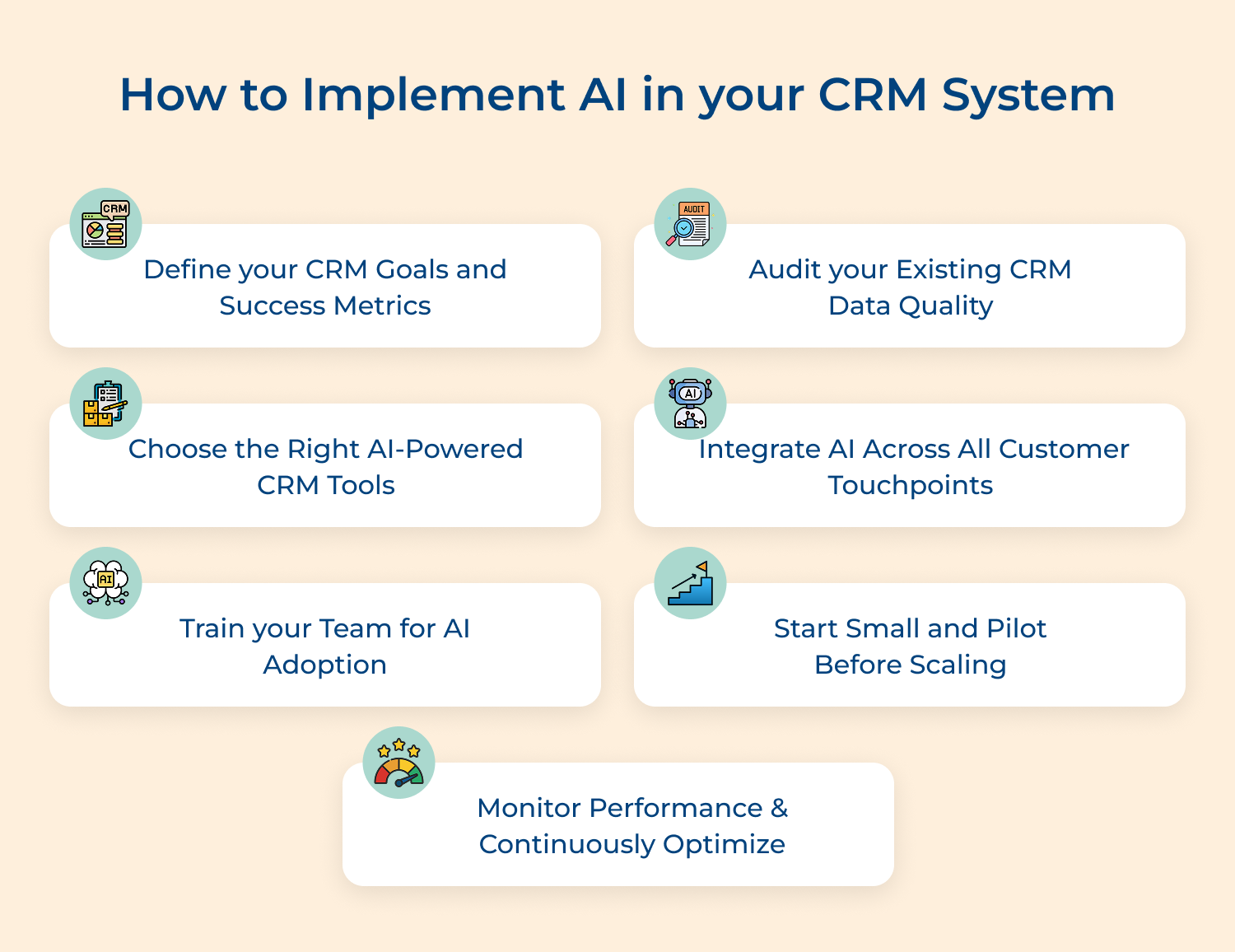
Before touching any AI tool or platform, getting absolute clarity on what you want AI to solve inside your CRM is the most critical starting point. Without defined goals, even the most powerful AI implementation becomes an expensive experiment with no direction.
Most teams rush into AI adoption without asking what specific customer experience problem they are actually solving. Defining your CRM goals upfront ensures every AI decision you make is tied to a real business outcome rather than just a technology trend.
Here are the different CRM goals you can define:
Sit with your sales, support and marketing leaders as well as map where your customer experience is breaking down today. That breakdown point is exactly where your AI goal should begin.
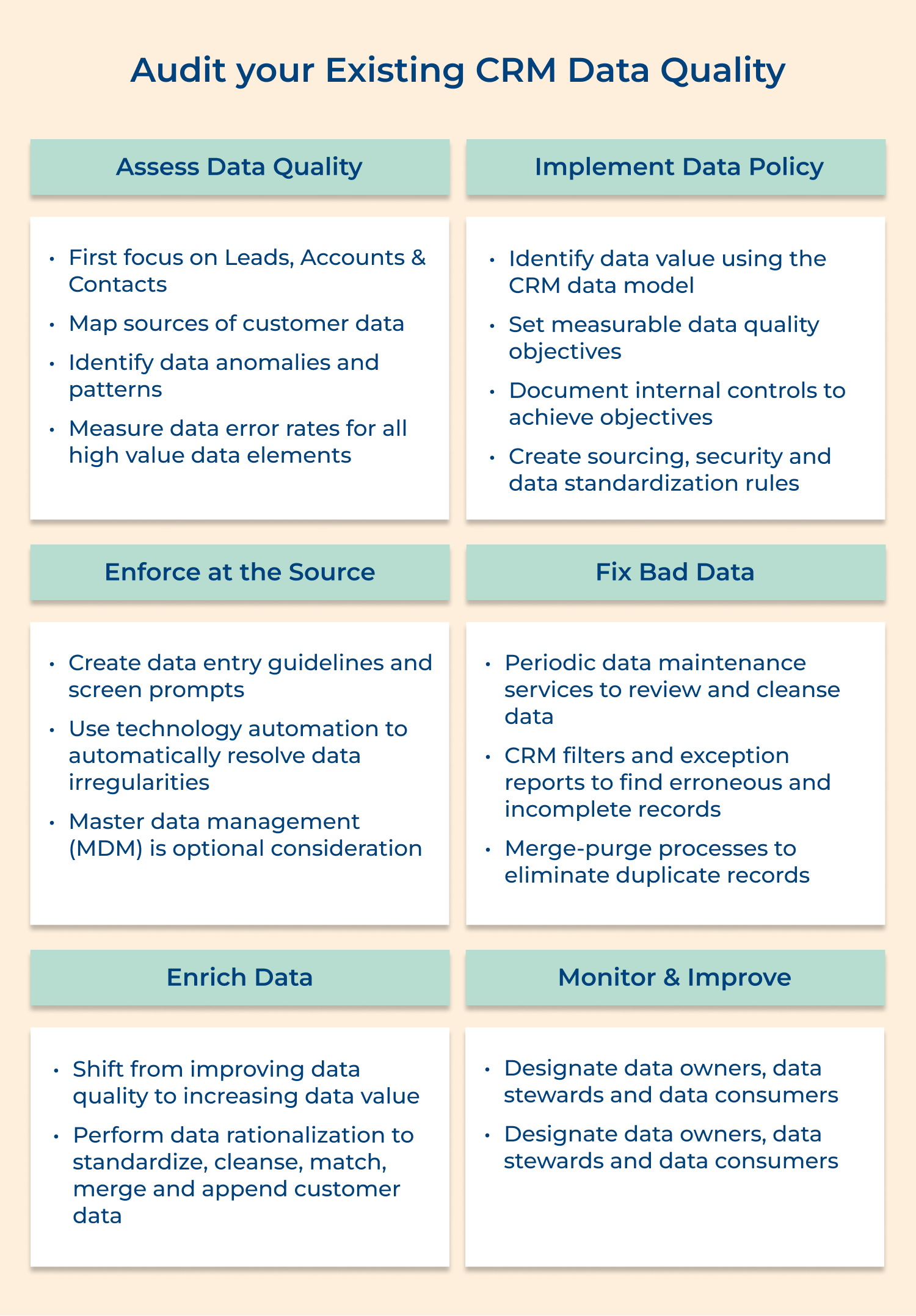
AI in CRM is only as reliable as the data it learns from and poor data quality is the single most common reason AI implementations underdeliver. Before configuring any AI model, you need a brutally honest assessment of what is actually sitting inside your CRM today.
Start your data audit with these 4 questions:
These questions do more than surface data problems — they reveal exactly where your team’s CRM habits have created gaps that will directly compromise AI accuracy. Answering them honestly gives you a precise starting point rather than a vague cleanup task.
A structured data audit helps you prioritize which records and fields need immediate attention before your AI models are trained on them. This step essentially protects your entire AI investment by ensuring the foundation it runs on is solid and trustworthy.
Best practices:
Choosing the wrong AI-powered CRM tool is a mistake that costs you far more than money, it costs your team months of lost productivity and your customers a degraded experience. The right tool should fit how your business actually operates today while being capable of growing with where you are headed.
4 key factors for choosing the right AI-powered CRM tools:
What are the biggest pitfalls teams fall into at this stage? They evaluate CRM tools based on feature lists rather than actual use case fit – and the fix is simple: always run a structured pilot with real customer data from your own business before making a final platform decision.
Integration is where AI in CRM either delivers its full potential or gets confined to just one department while the rest of the business operates in silos. When AI has visibility across every customer touchpoint, it builds a complete picture of each customer that no single team could construct on their own.
3 effective methods for integrating AI across all customer touchpoints:
Why does cross-touchpoint integration matter so much in practice? Because a customer who just raised a support ticket should never receive a sales upsell call the same afternoon. Without integrated AI, that disconnect happens more often than most businesses realize.
A strong example of this is Cisco, which integrated AI across its B2B CRM to connect support history with account management workflows. This allowed their teams to flag renewal risks early based on support ticket frequency before the customer relationship reached a breaking point.
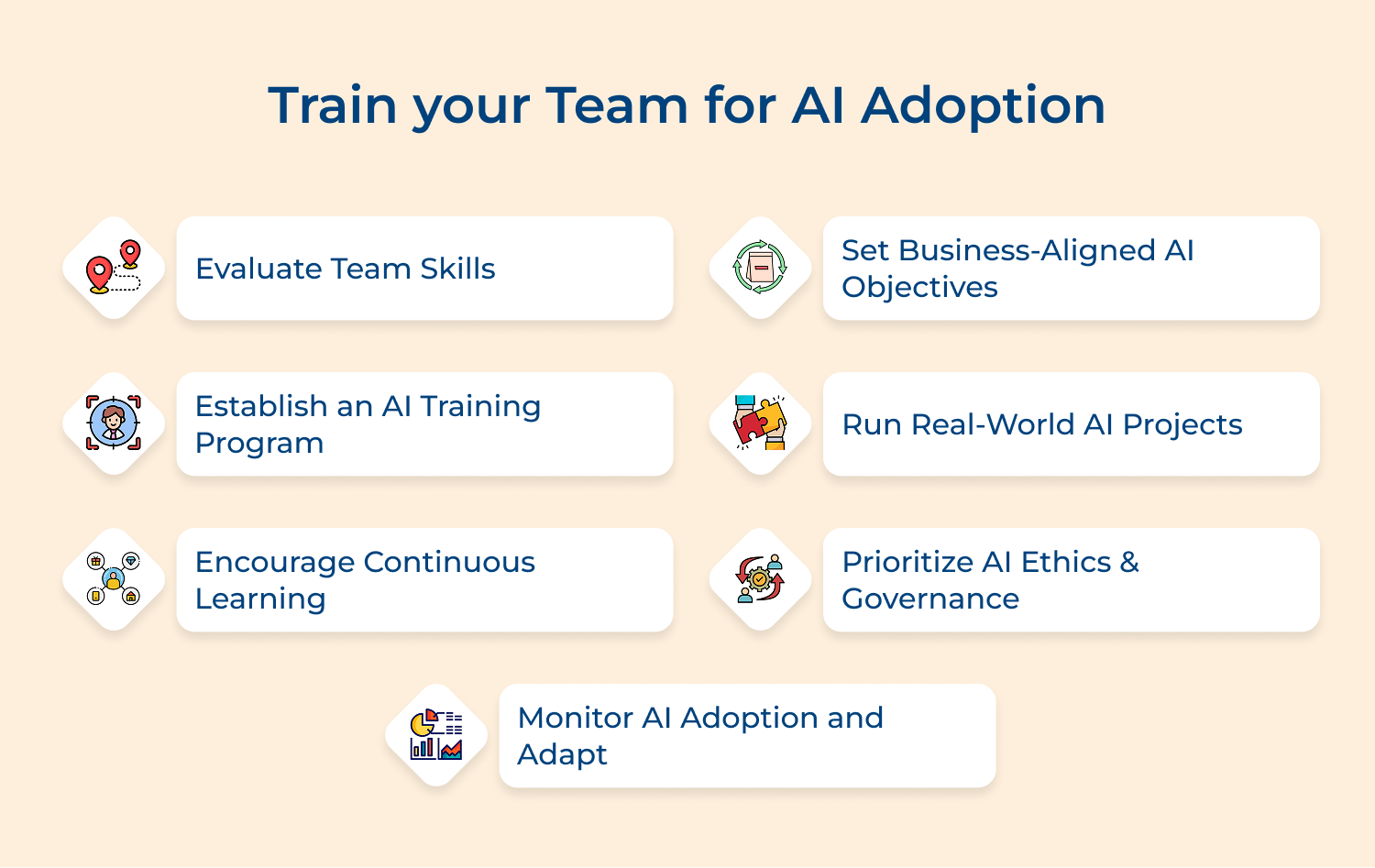
A CRM AI implementation without proper team training leaves significant value on the table regardless of how advanced the technology is. Your team’s confidence in using AI tools daily directly determines the quality of customer interactions your business delivers.
The training should focus on showing each role how AI makes their specific daily job easier and their customer interactions more effective.
Here are proven training methods for AI-CRM adoption:
The goal of training is building a team culture where AI is trusted as a reliable input for customer decisions. Without that trust, even the most capable AI tool gets underused and your customer experience suffers quietly.
Jumping into a full-scale AI-CRM rollout without a pilot exposes your customers to avoidable experience gaps. A focused pilot gives you controlled evidence of what works before committing your entire operation to a new way of working.
Ask these questions before launching your AI-CRM pilot:
Running a tight pilot protects your customer experience by catching any AI behavior issues in a contained environment. The insights from even a 60-day pilot will reshape your broader rollout in ways no amount of planning can replicate.
Key actions to take during your pilot phase:
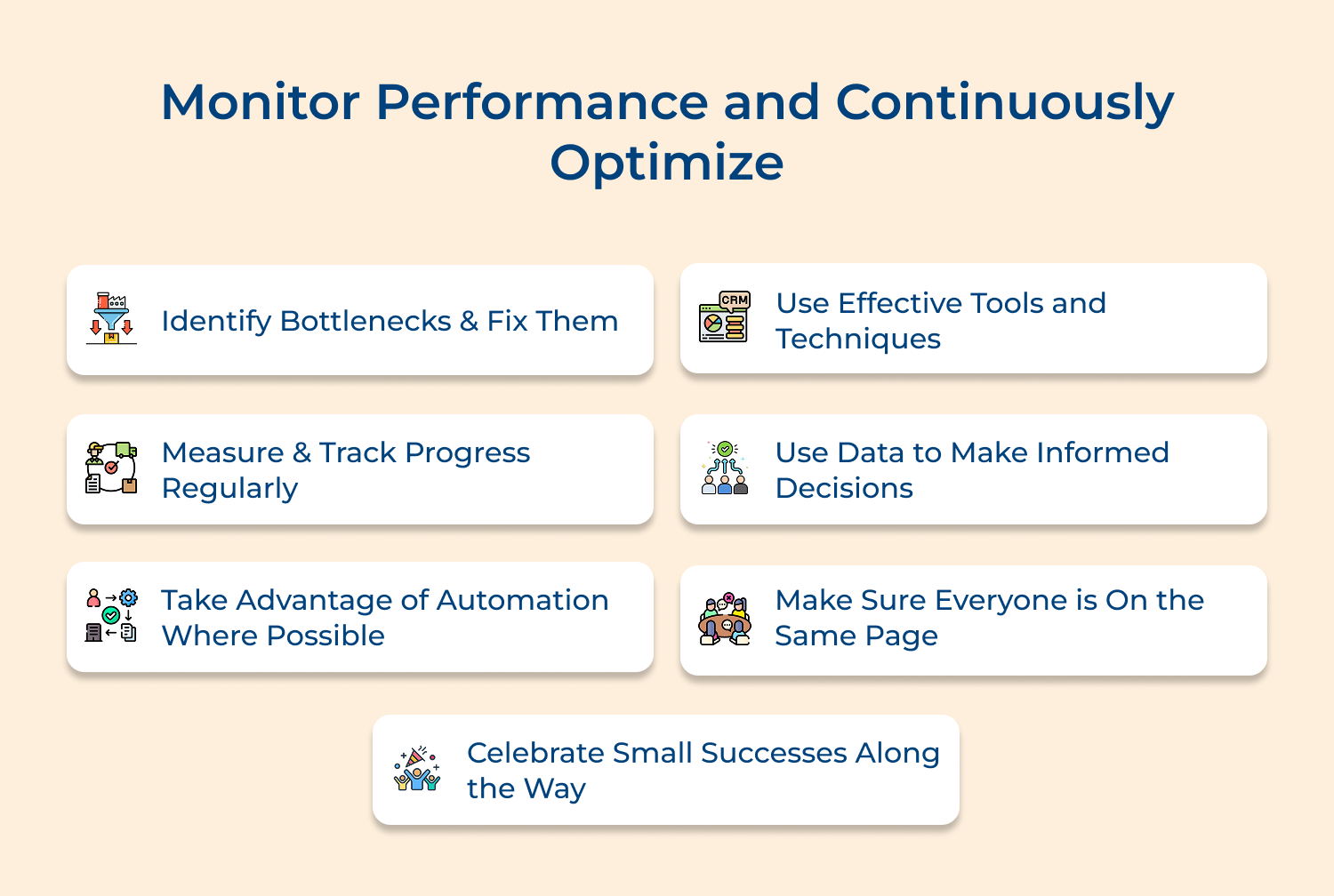
AI in CRM is a living system that needs consistent monitoring to stay aligned with customer behavior. The teams that get the highest long-term ROI treat optimization as a permanent operational responsibility.
3 effective ways to monitor performance and continuously optimize:
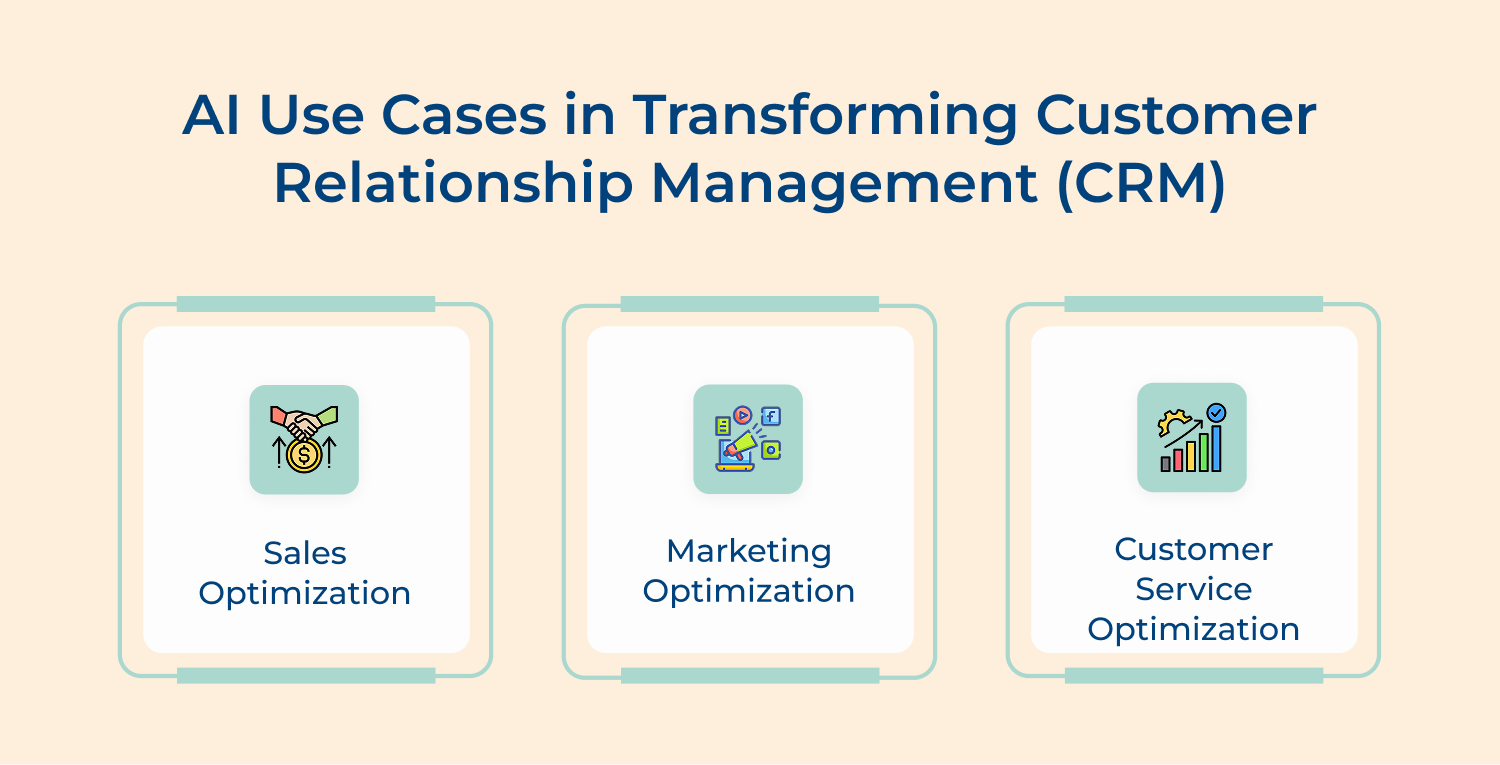
AI transforms customer relationship management by turning raw customer data into precise actions that drive revenue as well as loyalty across sales, marketing and customer service.
Here are four tools that are genuinely delivering results across different business sizes and industries.
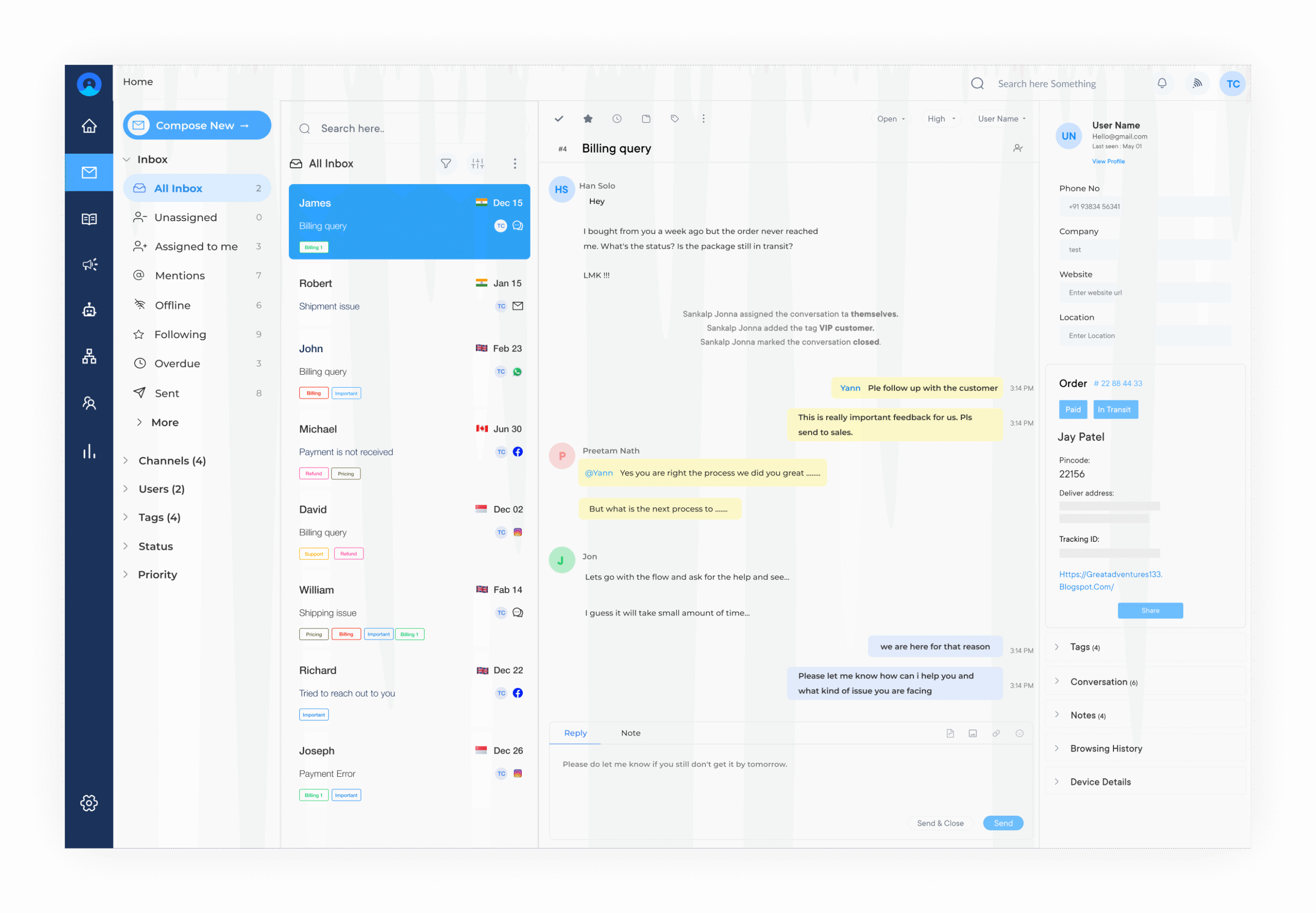
Omni24 is the best AI-powered customer experience software for customer relationship management that unifies every customer interaction across channels into a single intelligent workspace. It is built for teams that need complete visibility into customer conversations while letting AI handle the heavy lifting of routing, responding and analyzing in real time.
Key Features:
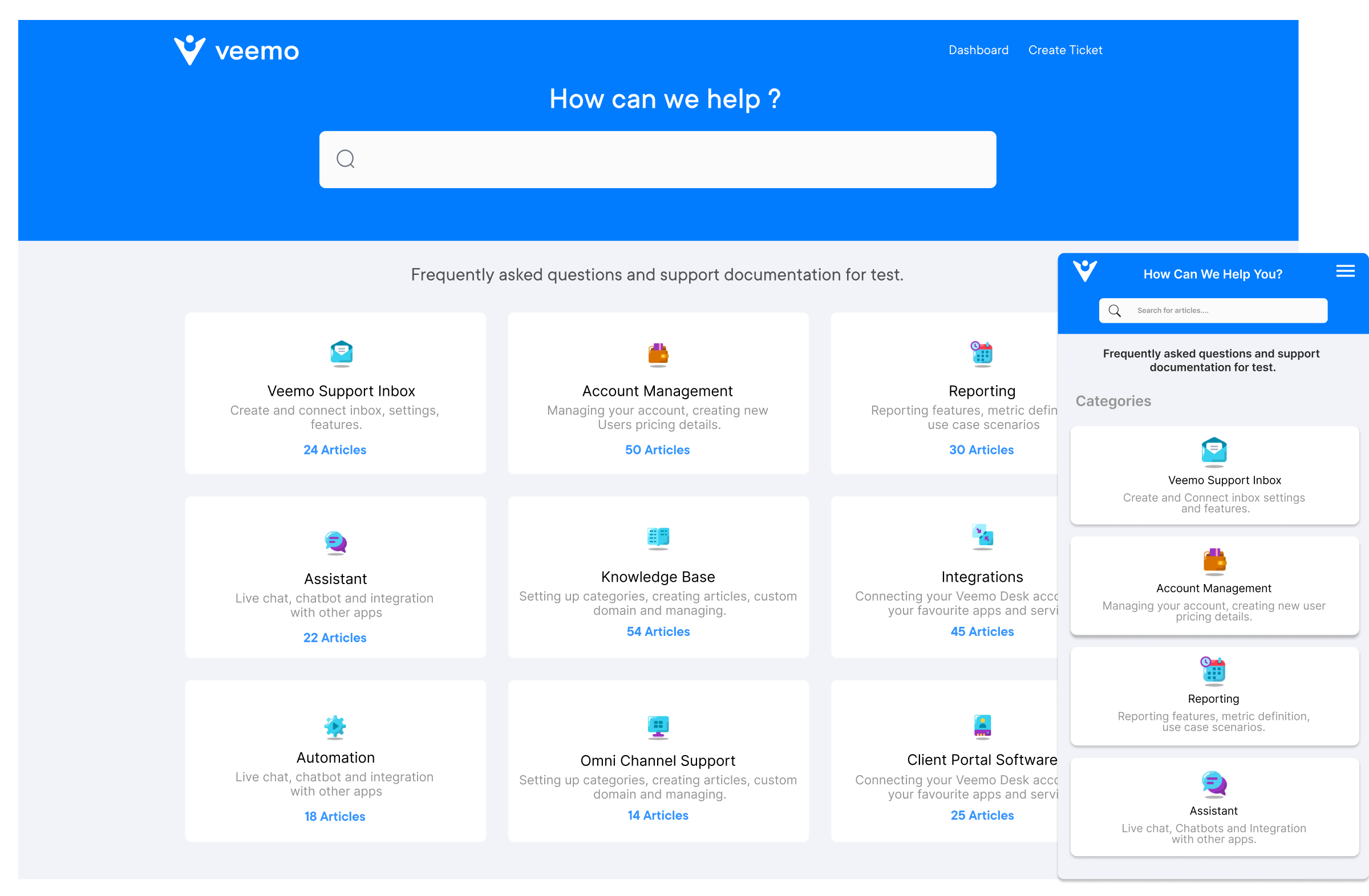
Veemo offers an AI-powered customer relationship management suite covering sales, marketing and support tools that gives businesses a fully connected view of every customer relationship in one place. It is designed for teams that want AI working across the entire customer lifecycle rather than just one isolated department.
Key Features:
HubSpot’s AI capabilities make it one of the most accessible entry points for teams looking to bring intelligence into their sales and marketing workflows without heavy technical implementation. Its AI tools handle everything from email optimization and lead scoring to conversation intelligence that helps your team refine how they engage prospects.
Zoho’s built-in AI assistant Zia brings predictive sales insights, anomaly detection and sentiment analysis into a CRM that is already known for its flexibility across business sizes. What makes Zia particularly valuable is its ability to flag unusual changes in customer behavior before your team would naturally notice them.
Getting AI right in CRM goes beyond the implementation steps — these best practices are what separate a sustainable AI-driven CRM from one that loses momentum quickly.
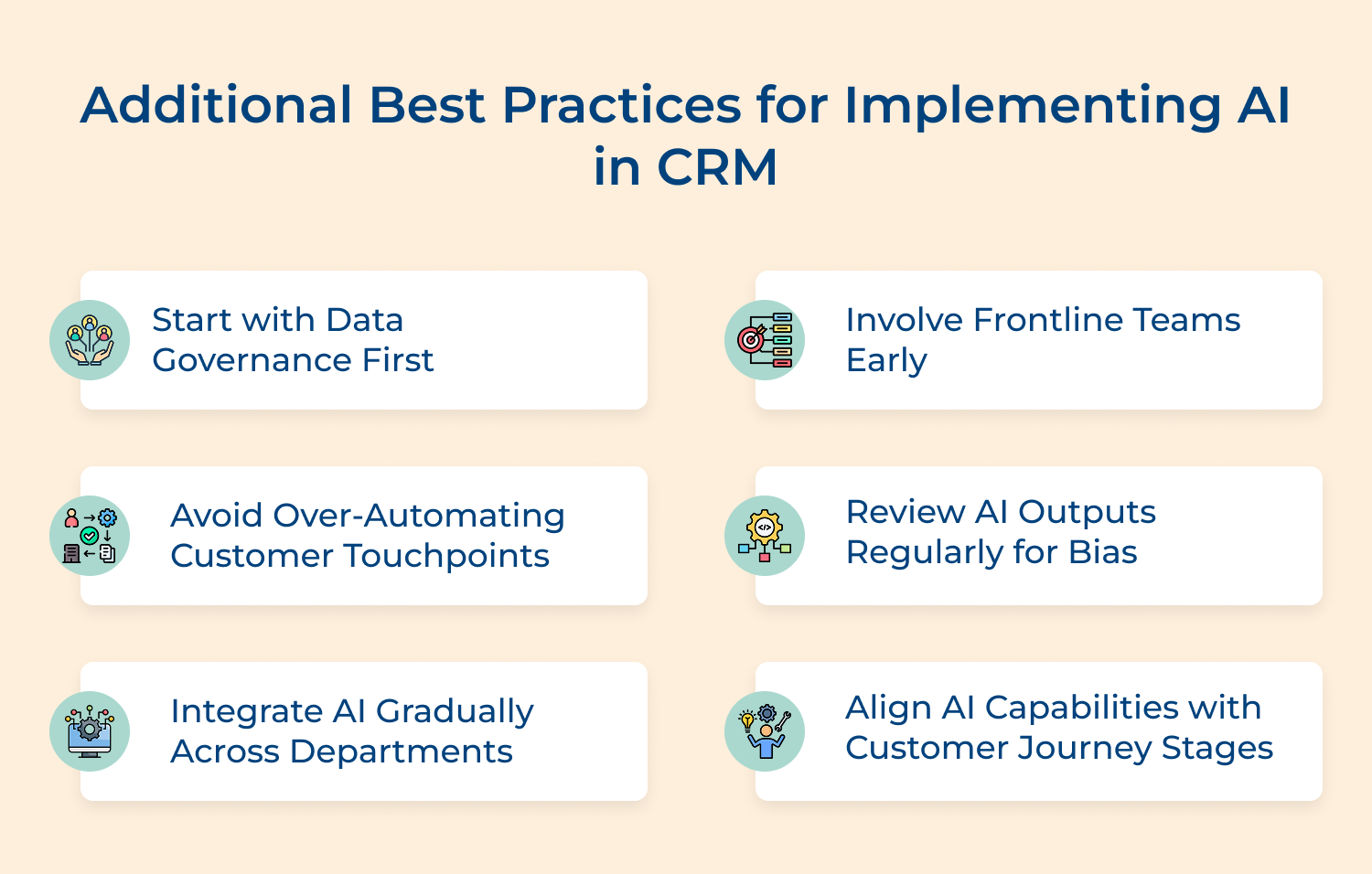
AI-powered CRM is the operating standard that separates businesses winning customer loyalty from those steadily losing it. The teams that implement AI thoughtfully across their sales, marketing and support functions are the ones delivering experiences that actually make customers stay.
Start small, stay focused on customer outcomes and treat AI as a continuous capability rather than a one-time deployment. The businesses that commit to that mindset are the ones that will build customer relationships strong enough to withstand any market shift.

How does AI in CRM automate customer interactions?
AI in CRM automates customer interactions by triggering responses, follow-ups and updates based on real-time behavioral signals without waiting for human input. This means your customers get timely and relevant communication at every stage while your team focuses on conversations that genuinely need a human touch.
Can AI in CRM improve lead scoring accuracy?
AI improves lead scoring accuracy by continuously analyzing dozens of behavioral and demographic signals that a human scoring model would never consistently track. The result is a prioritized pipeline where your sales team spends time on leads that data confirms are closest to making a buying decision.
How to Overcome Challenges in AI-Driven CRM?
The most common challenges in AI-driven CRM are poor data quality, low team adoption and misaligned implementation goals — all three are avoidable with the right preparation. Start with clean data, involve your frontline teams early and tie every AI feature directly to a customer experience outcome your business actually measures.
How does AI in CRM enhance personalization?
AI enhances personalization by building a dynamic profile of each customer using their interaction history, purchase behavior and engagement patterns across every channel. Your teams can then deliver messaging and offers that feel individually relevant rather than mass-produced which directly impacts both conversion as well as retention rates.
How does AI in CRM integrate with existing systems?
Most modern AI-powered CRM platforms integrate with existing tools through native connectors and open APIs that require minimal technical configuration to set up. The key is to map your current tech stack before integration so data flows cleanly between systems and your AI has complete customer context to work from.
 https://omni24.io/wp-content/uploads/2026/09/Social-commerce-scaled.png
1340
2560
Webvision Solution
https://omni24.io/wp-content/uploads/2023/04/Omni-Logo-1.svg
Webvision Solution2026-10-23 12:18:272026-10-23 12:18:27What is Social Commerce and Why Does It Matter?
https://omni24.io/wp-content/uploads/2026/09/Social-commerce-scaled.png
1340
2560
Webvision Solution
https://omni24.io/wp-content/uploads/2023/04/Omni-Logo-1.svg
Webvision Solution2026-10-23 12:18:272026-10-23 12:18:27What is Social Commerce and Why Does It Matter? https://omni24.io/wp-content/uploads/2026/08/AI-Customer-Service-Agents.png
1256
2400
Webvision Solution
https://omni24.io/wp-content/uploads/2023/04/Omni-Logo-1.svg
Webvision Solution2026-09-21 04:48:512026-09-21 04:48:51How to Build an AI Customer Service Agents: 8 Key Steps
https://omni24.io/wp-content/uploads/2026/08/AI-Customer-Service-Agents.png
1256
2400
Webvision Solution
https://omni24.io/wp-content/uploads/2023/04/Omni-Logo-1.svg
Webvision Solution2026-09-21 04:48:512026-09-21 04:48:51How to Build an AI Customer Service Agents: 8 Key Steps https://omni24.io/wp-content/uploads/2026/08/Omnichannel-Conversational-AI.png
1256
2400
Tushar Joshi
https://omni24.io/wp-content/uploads/2023/04/Omni-Logo-1.svg
Tushar Joshi2026-09-16 03:51:072026-09-16 03:51:07How to Build Omnichannel Conversational AI Strategy
https://omni24.io/wp-content/uploads/2026/08/Omnichannel-Conversational-AI.png
1256
2400
Tushar Joshi
https://omni24.io/wp-content/uploads/2023/04/Omni-Logo-1.svg
Tushar Joshi2026-09-16 03:51:072026-09-16 03:51:07How to Build Omnichannel Conversational AI Strategy
Whether it’s about acquire, engage or support – Omni24 covers all your customer engagement needs in one complete platform.

Copyright ©2026 Veemo All rights reserved.
CA, Los Angeles, Hall Ave, 19011