What is a User Experience Survey & How to Design it?
Explore UX survey benefits, best practices and types to capture valuable user insights as well as enhancing product success.

Explore UX survey benefits, best practices and types to capture valuable user insights as well as enhancing product success.
Creating a seamless user experience is key to business success, but many companies miss out by not using a user experience survey. 55% of companies aren’t conducting UX testing, missing critical opportunities.
Talking to your actual users helps uncover pain points you can’t see from data alone. Without feedback, you risk frustrating users and losing them altogether.
A good UX survey that has open-ended questions lets users share real thoughts. These insights reveal what’s working, what’s not and where to improve. What does it result in? Actionable insights that shape better products, happier users and smarter decisions.
A User Experience (UX) Survey is a systematic method of collecting feedback and data from users about their interactions, satisfaction levels, as well as experiences with a product, service, website or application. It encompasses structured questionnaires designed to gather both quantitative along with qualitative insights about how users perceive, interact and feel about a specific offering.
UX surveys serve as valuable tools for tracking changes in user satisfaction over time. They provide a voice to users and make them feel valued as well as heard, which can improve overall user satisfaction. Regular UX surveys also help organizations stay competitive by keeping them attuned to evolving user needs and expectations.
Key objectives:
UX surveys are a powerful way to turn survey responses into valuable user insights. Here’s how it benefits your organization in the long run.
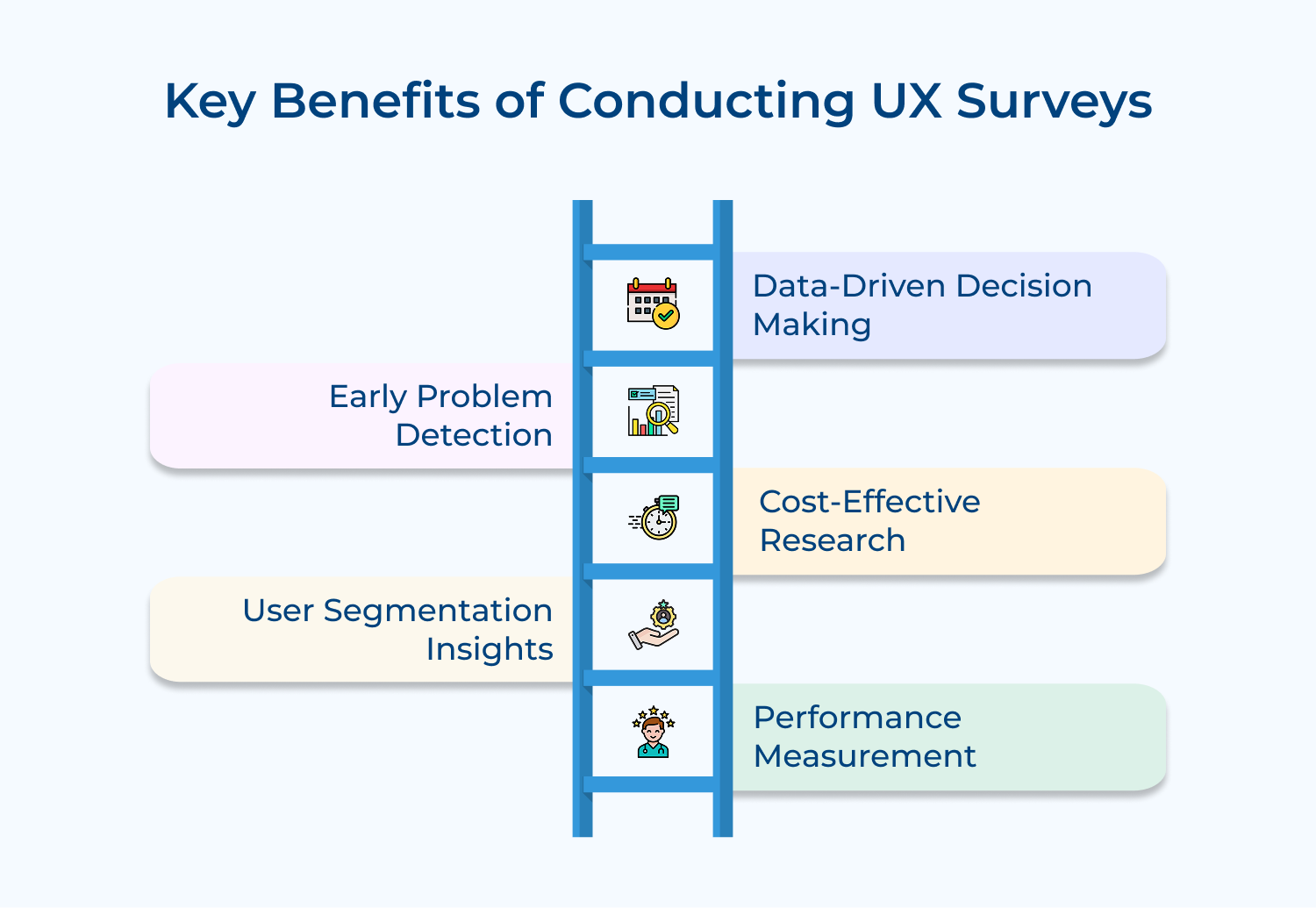
Data-Driven Decision Making
Organizations leverage UX surveys to gather quantifiable data about user preferences and behaviors. Teams make informed decisions about product development and improvements based on real feedback rather than assumptions, leading to more effective resource allocation as well as risk management.
Early Problem Detection
Regular survey feedback identifies usability issues and pain points at their initial stages. Organizations can address concerns early in development cycles, significantly reducing time and resources spent on future redesigns while maintaining user satisfaction.
Cost-Effective Research
UX surveys stand out as an economical alternative to expensive research methods like usability testing or focus groups. Organizations can collect substantial user feedback quickly, gaining valuable insights while maintaining budget efficiency.
User Segmentation Insights
Detailed survey data illuminates how various user groups interact with products differently. Organizations can craft tailored experiences and features for specific user segments, maximizing satisfaction across diverse customer bases.
Performance Measurement
Ongoing UX surveys establish clear metrics for tracking improvements over time. Organizations can measure the success of updates and modifications with concrete data, supporting continuous product enhancement efforts.
Designing a great UX survey takes more than just asking questions. These best practices help you get meaningful responses and deeper user insights.
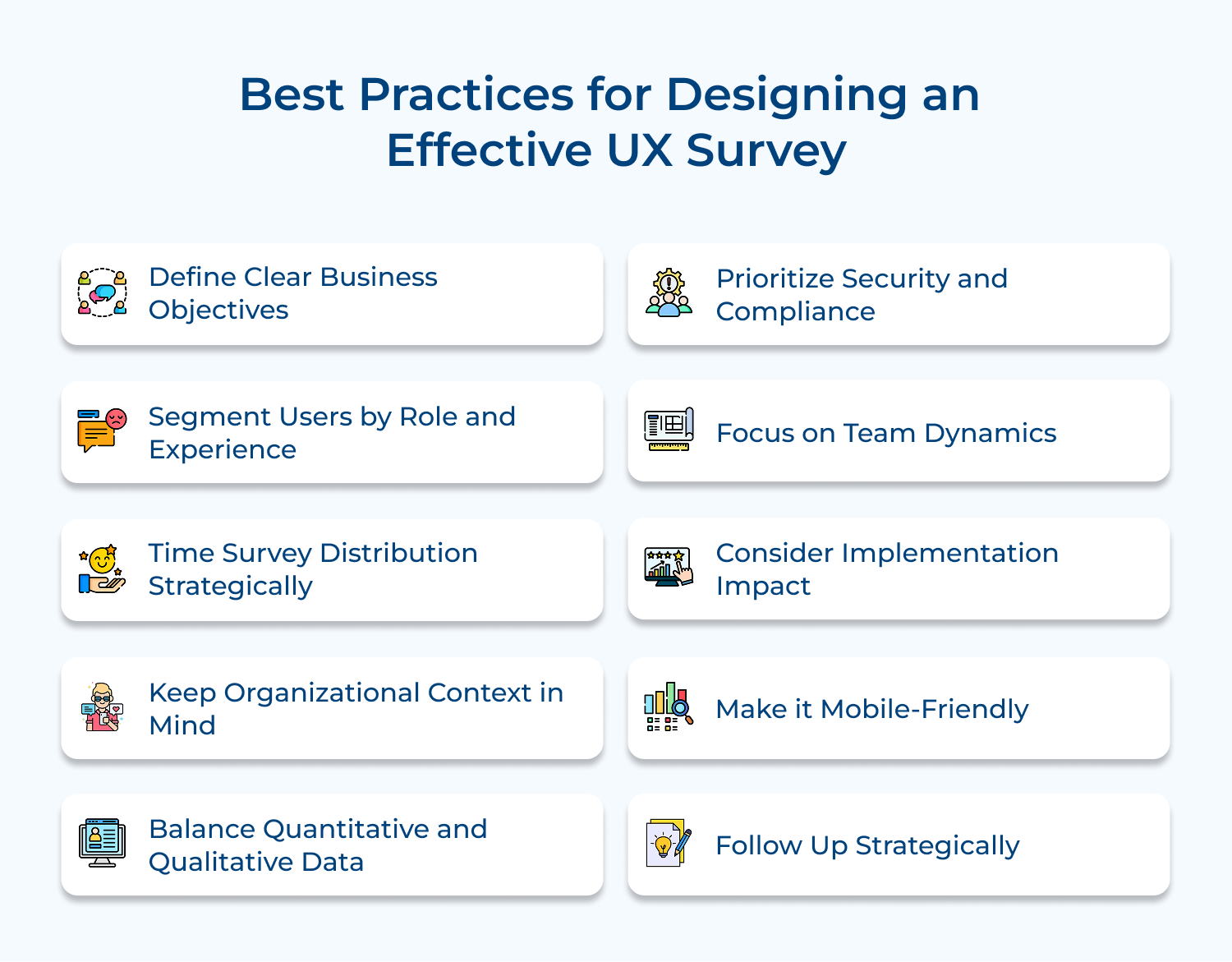
Before launching a UX survey, it’s crucial to set clear, measurable goals that align with your business objectives. Why? Because without them, your survey can go off track and collect data that doesn’t really help you make better product decisions.
Each question should serve a specific purpose—whether it’s improving a feature, solving a user pain point, or refining the user journey. Think of your survey like a blueprint, every question should map directly to a decision or outcome. This keeps your survey focused and ensures you’re respecting users’ time.
Actionable insights:
Segmenting your survey audience is key to collecting meaningful feedback. Different users engage with your product in different ways, what’s important to a power user may not matter to a first-time visitor.
By dividing respondents based on roles, usage patterns, or technical know-how, you can tailor questions to their experiences. This makes your survey more relevant, increases response quality and avoids annoying users with irrelevant questions.
Actionable insights:
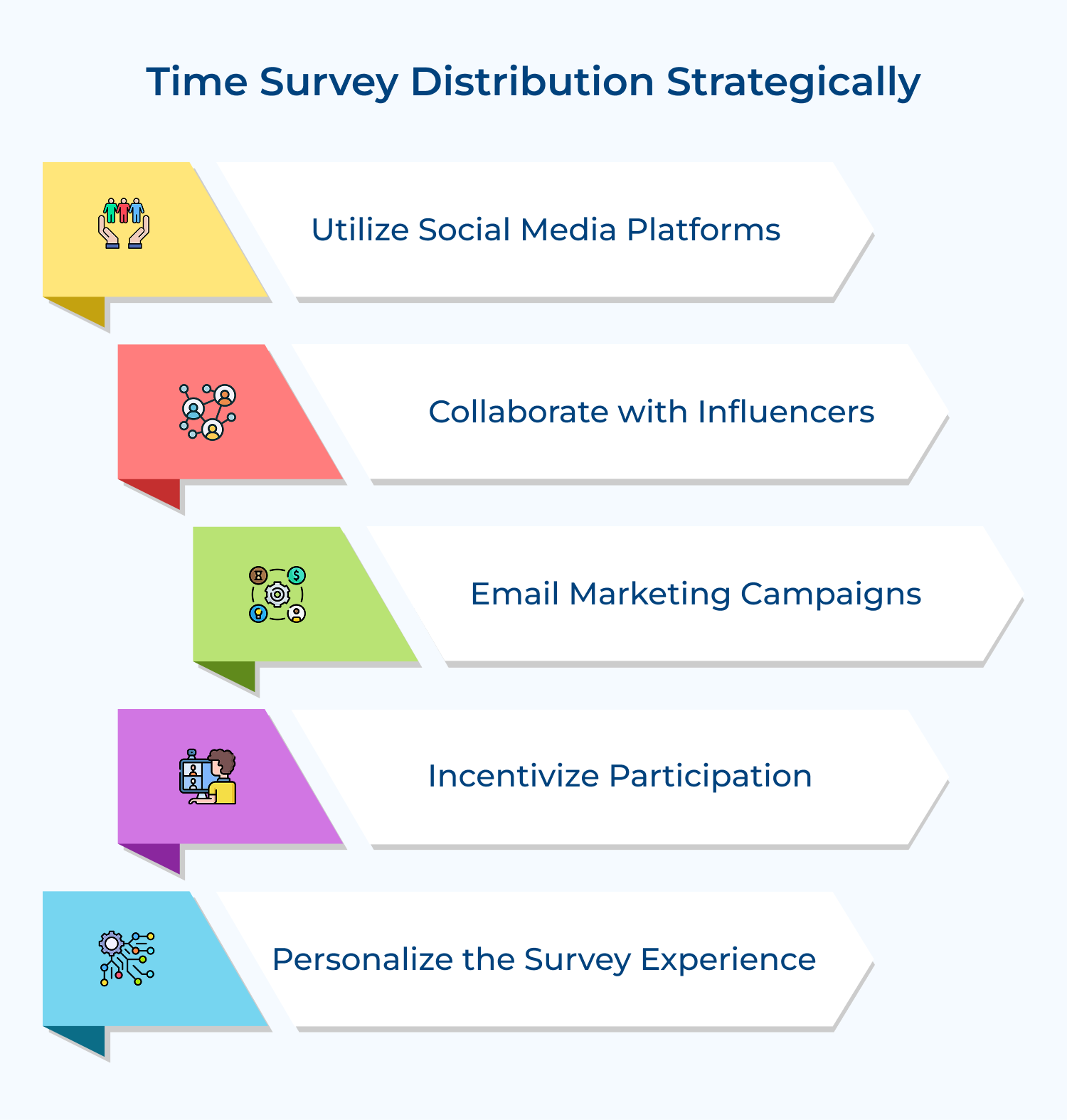
When you send your UX survey matters just as much as what you ask. Distributing surveys during busy periods or before users have had enough time with a new feature can result in poor-quality feedback.
Instead, time your surveys thoughtfully around product releases, user behavior and business cycles. The goal is to catch users when they’re most engaged and able to provide meaningful input.
Actionable insights:
When designing UX surveys for enterprise users, it’s important to think beyond individual preferences. Enterprise tools affect entire teams, workflows and business processes. So, your survey should reflect that.
Questions should focus on how well the product supports real-world team dynamics, integrations, and cross-functional tasks, not just personal convenience or satisfaction.
Actionable insights:
To truly understand your users, it’s important to go beyond just the numbers. While metrics like satisfaction scores and usage frequency help benchmark performance, they don’t reveal the “why” behind user behavior.
Pairing quantitative questions with open-ended ones gives you a fuller, richer picture of the user experience. It helps uncover issues you may not have thought to ask about and adds context to the data.
Actionable insights:
When collecting survey data in an enterprise environment, security and compliance can’t be an afterthought. Your users need to trust that their feedback is being handled responsibly.
Any misstep can lead to legal risks, damaged credibility and loss of stakeholder confidence. Make sure your survey tools as well as processes meet your organization’s security standards and any relevant regulations (like GDPR or HIPAA).
Actionable insights:
Designing surveys for enterprise users means looking beyond individual usage. It’s crucial to understand how teams collaborate and how the product fits into those workflows. When multiple departments interact with the same tools, their experiences can vary widely.
Capturing feedback on how teams work together, share information and navigate the platform reveals important insights for improving collaboration as well as overall adoption.
Actionable insights:
Understanding how new product features or changes affect existing systems and workflows is key to smooth enterprise adoption. Implementation is about integration, customization and ongoing usability across departments.
Overlooking this can lead to friction, delayed adoption, or breakdowns in daily operations. Capturing feedback from both end-users and technical teams helps identify hidden roadblocks as well as opportunities to improve support, training along with system compatibility.
Actionable insights:
Optimizing your UX surveys for mobile is essential, users are often on the go and switching between devices. A clunky mobile experience can discourage participation and lead to incomplete or low-quality responses. A mobile-friendly survey ensures convenience, accessibility, and accurate feedback, no matter what device your users are on.
Design surveys that load quickly, display cleanly, and are easy to navigate on smaller screens. Simplify layouts, avoid heavy question formats and test thoroughly across devices.
Actionable insights:
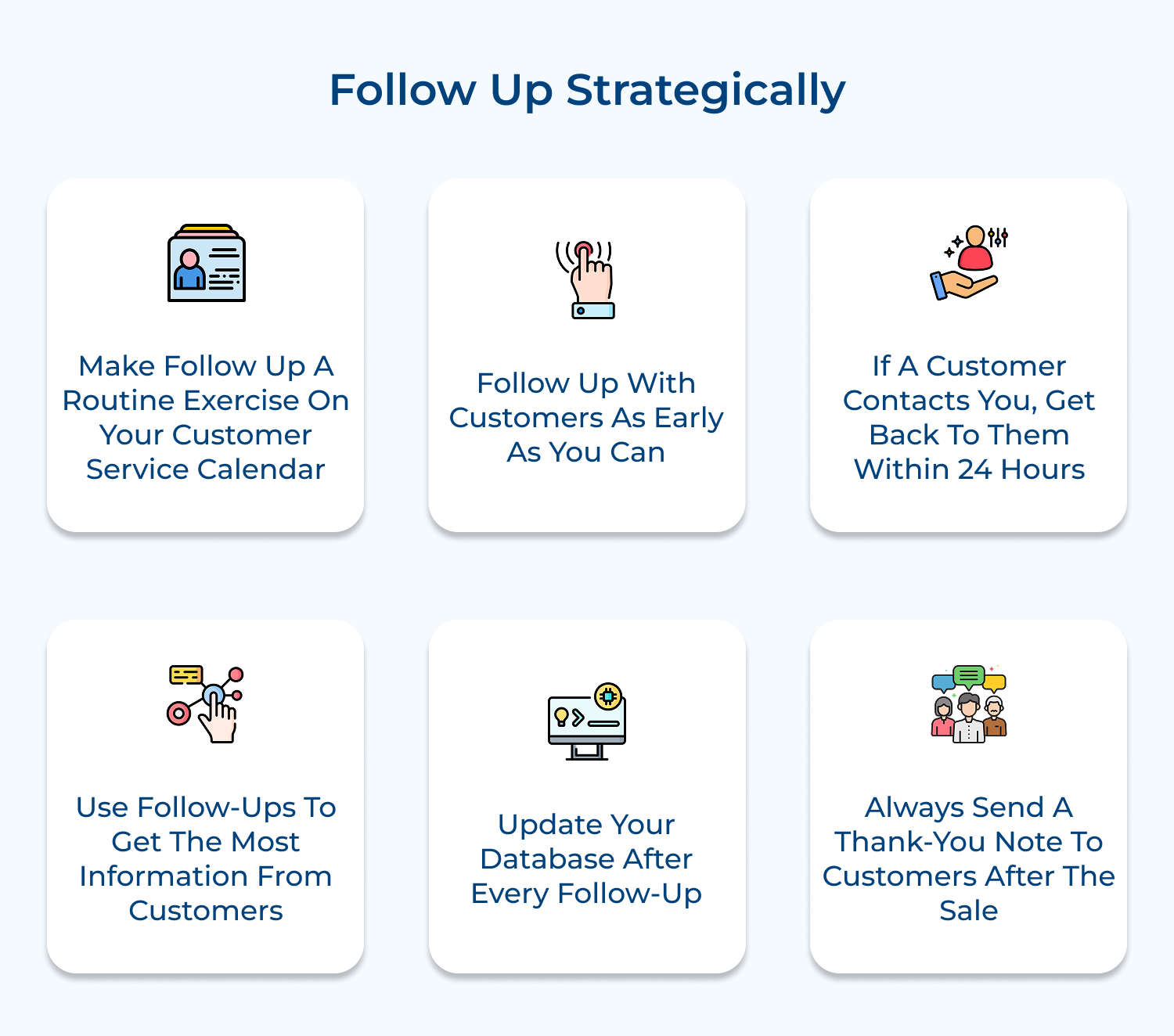
Closing the loop on your UX survey is just as important as designing it well. If users don’t see outcomes from their feedback, they’re less likely to engage next time. A structured follow-up process shows you’re listening and builds long-term trust. It also helps stakeholders stay aligned on what’s changing and why.
Share key takeaways, explain what will be improved and outline next steps. Where possible, involve users in follow-up discussions or testing. Keep the conversation going.
Actionable insights:
UX surveys come in various formats, each designed to capture different aspects of the user experience. Choosing the right type helps you gather targeted insights efficiently.
Satisfaction Surveys
Satisfaction surveys evaluate how users feel about a product or service, often asking them to rate their overall experience or specific features. Feedback about aspects such as ease of use, design and functionality provides insights into both strengths as well as areas for improvement. Analyzing this data helps businesses refine the user experience, increasing customer retention and satisfaction over time.
Usability Surveys
Usability surveys focus on how easily users can navigate a product or service. Users are asked about the difficulty or ease of completing tasks within the product, shedding light on potential friction points. Identifying these challenges enables businesses to make design adjustments that improve accessibility, smooth out navigation, and create a more efficient user journey.
Net Promoter Score (NPS) Surveys
NPS surveys measure user loyalty and the likelihood that a user will recommend a product or service. A scale of 1-10 is used to assess this, with follow-up questions that ask why users gave their score. The resulting data highlights overall sentiment, identifies brand advocates, and reveals detractors, allowing businesses to focus on strengthening relationships with loyal users while addressing concerns from less satisfied ones.
Customer Effort Score (CES) Surveys
CES surveys gauge how much effort users need to exert to complete a specific task, such as finding information or resolving an issue. High effort typically indicates frustration or obstacles, while low effort signals a smoother experience. Identifying areas where users face challenges helps businesses optimize those pain points, making the product easier to use and improving user satisfaction.
Feature Feedback Surveys
Feature feedback surveys gather insights on specific product features from users. Questions typically ask about which features are most useful, which are underused, and what additional features users would like to see. Feedback from these surveys allows businesses to prioritize which features to develop or improve, ensuring the product remains aligned with users’ needs and expectations.
Post-Interaction Surveys
Post-interaction surveys are sent immediately after a user engages with a product or service. They assess specific experiences, focusing on aspects like satisfaction, efficiency and effectiveness. Real-time feedback helps businesses quickly identify any issues, adjust workflows and optimize the user experience based on recent interactions, leading to ongoing improvements.
Demographic Surveys
Demographic surveys collect background information about users, such as age, location, and occupation. While not directly related to user experience, demographic data helps businesses understand their user base more effectively. Tailoring UX strategies to different demographic groups ensures that the product meets the needs of a diverse audience and provides a more personalized experience.
Even well-intentioned UX surveys can miss the mark due to common pitfalls. Knowing these mistakes helps you design surveys that deliver clear, actionable insights.
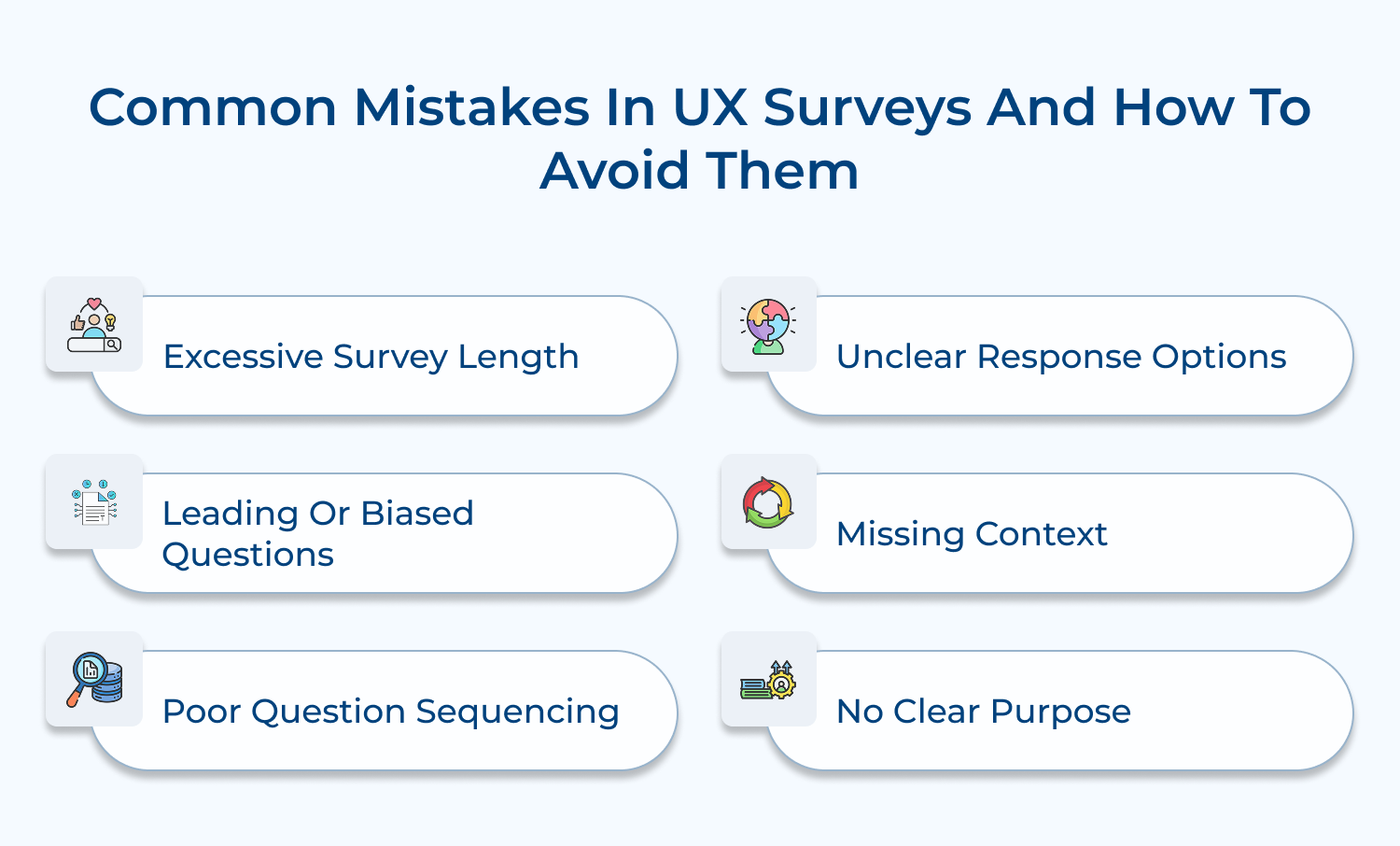
Excessive Survey Length
Creating lengthy surveys that overwhelm users, leading to survey fatigue and abandoned responses.
Solution: Keep surveys focused and concise. Break long surveys into shorter, targeted questionnaires. Aim for completion times under 10 minutes. Use branching logic to show only relevant questions. Remove redundant or non-essential questions.
Leading or Biased Questions
Writing questions that inadvertently guide users toward specific answers or reflect internal biases.
Solution: Use neutral language in questions. Have multiple stakeholders review questions for bias. Test surveys with a diverse pilot group. Frame questions objectively without suggesting preferred answers. Avoid loaded terms or assumptions.
Poor Question Sequencing
Organizing questions illogically, jumping between topics, or asking sensitive questions too early.
Solution: Group related questions together. Start with simple, engaging questions before moving to complex ones. Place demographic or sensitive questions at the end. Create a natural flow that follows the user’s mental model of the product.
Unclear Response Options
Providing ambiguous or overlapping response choices that confuse respondents or produce unreliable data.
Solution: Ensure response options are mutually exclusive and comprehensive. Use clear, specific language. Include “Not Applicable” or “Other” options when appropriate. Test response options with users to verify clarity.
Missing Context
Failing to provide necessary context for questions, leading to confused responses or inaccurate data.
Solution: Include brief explanations or examples where needed. Define technical terms or complex concepts. Provide screenshots or references for feature-specific questions. Ensure questions specify the relevant timeframe or scenario.
No Clear Purpose
Collecting data without a clear plan for analysis or action, resulting in unused insights and wasted effort.
Solution: Define specific objectives for each question. Plan analysis methods before launching surveys. Link questions to actionable outcomes. Create a clear plan for implementing insights gained from responses.
User experience surveys are invaluable tools for understanding how users interact with a product or service. They provide direct insights into usability, satisfaction, and potential areas of improvement. Regularly gathering feedback ensures that user needs are met, enhancing engagement and driving product success.
Integrating survey results into product development leads to continuous improvement and more satisfied, loyal users. Prioritizing user feedback keeps businesses competitive and responsive to user expectations.

Why should businesses conduct user experience surveys?
User experience surveys provide direct insights into how customers interact with products and services. They help identify pain points, validate design decisions and uncover opportunities for improvement. These surveys bridge the gap between assumed and actual user needs, enabling data-driven decisions that enhance customer satisfaction as well as reduce development waste.
How do user experience surveys benefit product development?
UX surveys guide product development by providing quantifiable data about user preferences, behaviors, and challenges. They help prioritize feature development, validate design hypotheses and identify areas needing improvement. Survey insights reduce the risk of building unwanted features and ensure development resources focus on genuine user needs.
What are the common methods used to conduct user experience surveys?
Methods include in-app surveys, email questionnaires, phone interviews, and usability testing sessions. Online survey tools offer features like logic branching and response analytics. Moderated sessions provide deeper insights through direct user observation, while automated tools capture large-scale quantitative data efficiently.
Why is it important to design user experience surveys effectively?
Well-designed surveys ensure accurate, actionable data collection while respecting users’ time. Poor survey design can lead to biased responses, low completion rates, or misleading conclusions. Effective design considers question flow, response options, timing and user context to gather meaningful insights that drive improvements.
How can businesses ensure high response rates for user experience surveys?
Success requires strategic timing, clear communication of survey purpose, and respect for user time. Offering incentives, keeping surveys concise, and showing how previous feedback led to improvements helps maintain engagement. Mobile-friendly design and multiple response channels increase accessibility as well as participation rates.
 https://omni24.io/wp-content/uploads/2026/08/AI-Customer-Service-Agents.png
1256
2400
Webvision Solution
https://omni24.io/wp-content/uploads/2023/04/Omni-Logo-1.svg
Webvision Solution2026-09-21 04:48:512026-09-21 04:48:51How to Build an AI Customer Service Agents: 8 Key Steps
https://omni24.io/wp-content/uploads/2026/08/AI-Customer-Service-Agents.png
1256
2400
Webvision Solution
https://omni24.io/wp-content/uploads/2023/04/Omni-Logo-1.svg
Webvision Solution2026-09-21 04:48:512026-09-21 04:48:51How to Build an AI Customer Service Agents: 8 Key Steps https://omni24.io/wp-content/uploads/2026/08/Omnichannel-Conversational-AI.png
1256
2400
Tushar Joshi
https://omni24.io/wp-content/uploads/2023/04/Omni-Logo-1.svg
Tushar Joshi2026-09-16 03:51:072026-09-16 03:51:07How to Build Omnichannel Conversational AI Strategy
https://omni24.io/wp-content/uploads/2026/08/Omnichannel-Conversational-AI.png
1256
2400
Tushar Joshi
https://omni24.io/wp-content/uploads/2023/04/Omni-Logo-1.svg
Tushar Joshi2026-09-16 03:51:072026-09-16 03:51:07How to Build Omnichannel Conversational AI Strategy https://omni24.io/wp-content/uploads/2026/08/Customer-Service-Teams.png
1256
2400
Tushar Joshi
https://omni24.io/wp-content/uploads/2023/04/Omni-Logo-1.svg
Tushar Joshi2026-09-15 04:01:522026-09-15 04:02:16How to Build Customer Service Teams: 6 Key Steps
https://omni24.io/wp-content/uploads/2026/08/Customer-Service-Teams.png
1256
2400
Tushar Joshi
https://omni24.io/wp-content/uploads/2023/04/Omni-Logo-1.svg
Tushar Joshi2026-09-15 04:01:522026-09-15 04:02:16How to Build Customer Service Teams: 6 Key Steps
Whether it’s about acquire, engage or support – Omni24 covers all your customer engagement needs in one complete platform.

Copyright ©2026 Veemo All rights reserved.
CA, Los Angeles, Hall Ave, 19011