How to Measure and Improve Email Response Times?
Quick email response times are essential for maintaining strong customer relationships. They reflect professionalism, improve satisfaction and can directly influence customer loyalty.

Quick email response times are essential for maintaining strong customer relationships. They reflect professionalism, improve satisfaction and can directly influence customer loyalty.
Email response times significantly shape workplace communication and efficiency. Delays in email responses can lead to misunderstandings, missed opportunities, and eroded trust.
Businesses risk a 15% higher customer churn rate with slow email lead responses and timed replies can boost conversions by 49%.
Quick replies showcase professionalism and strengthen relationships with clients, colleagues, and stakeholders. Timely responses build collaboration and boost productivity. Recognizing the impact of email response times is key for businesses looking to streamline operations.
Let’s dive into the implications of response times and explore effective strategies for improvement.
Email response time refers to how long it takes for someone to reply to an email. In workplace communication, this measure is important because it impacts interactions and overall effectiveness. Quick responses can enhance satisfaction, strengthen relationships and show reliability.
Understanding email response times helps keep conversations engaging and shows you value the recipient’s time. It can prevent issues from growing. Faster responses contribute to a positive image, signaling attentiveness and dependability. Tracking these times can also help to spot communication slowdowns and improve overall efficiency.
Key objectives:
Email response times significantly affect the various aspects of business operations. Understanding its impact can help organizations optimize communication.
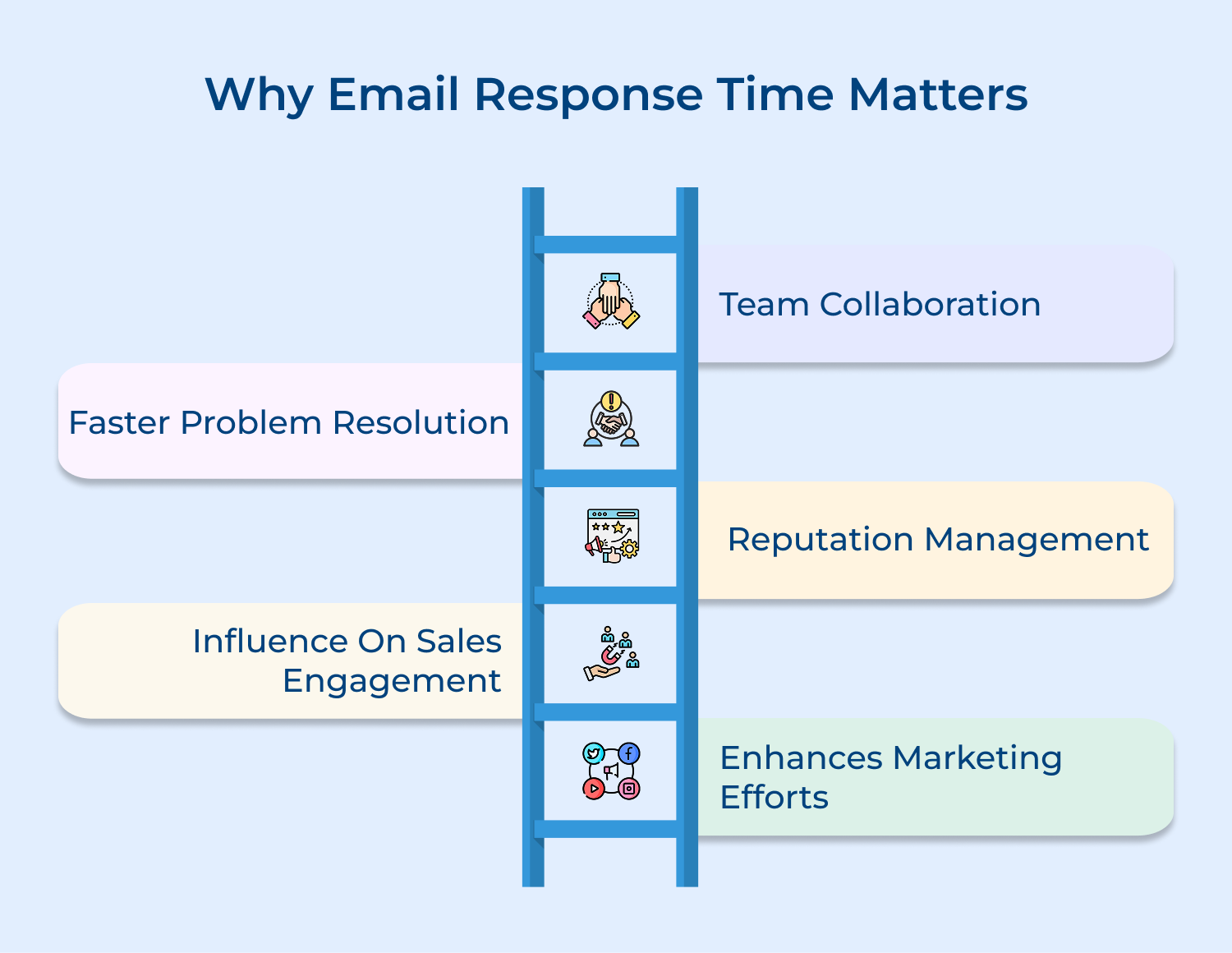
1. Team collaboration: Quick email responses facilitate information sharing, streamline decision-making, and ensure everyone stays aligned. Delays can lead to misunderstandings, stalled projects, and decreased morale. Cultivating a culture of responsiveness builds a cohesive work environment and enhances overall productivity.
2. Faster problem resolution: Quick replies can prevent minor problems from escalating, leading to increased customer satisfaction. Efficient problem resolution builds trust and loyalty, ensuring clients feel valued and heard, which ultimately benefits long-term relationships.
3. Reputation management: A company’s reputation is closely tied to its communication practices. Slow email responses can convey a lack of professionalism and attentiveness, damaging credibility. Conversely, timely replies enhance a brand’s image, portraying it as reliable and customer-focused.
4. Influence on sales engagement: Prompt email responses can significantly impact conversion rates. Quick follow-ups demonstrate attentiveness, encouraging prospects to engage further. Statistics show that leads are more likely to convert when they receive timely replies, highlighting the importance of speed in the sales process.
5. Enhances marketing efforts: Timely responses to inquiries related to marketing campaigns can greatly enhance engagement and conversion rates. Quick replies provide prospects with the information they need to make informed decisions, maximizing the effectiveness of marketing efforts. This responsiveness can lead to increased customer interest and sales growth.
Tracking email response time is crucial for boosting communication efficiency and ensuring customer satisfaction. Let’s explore how to do it effectively.
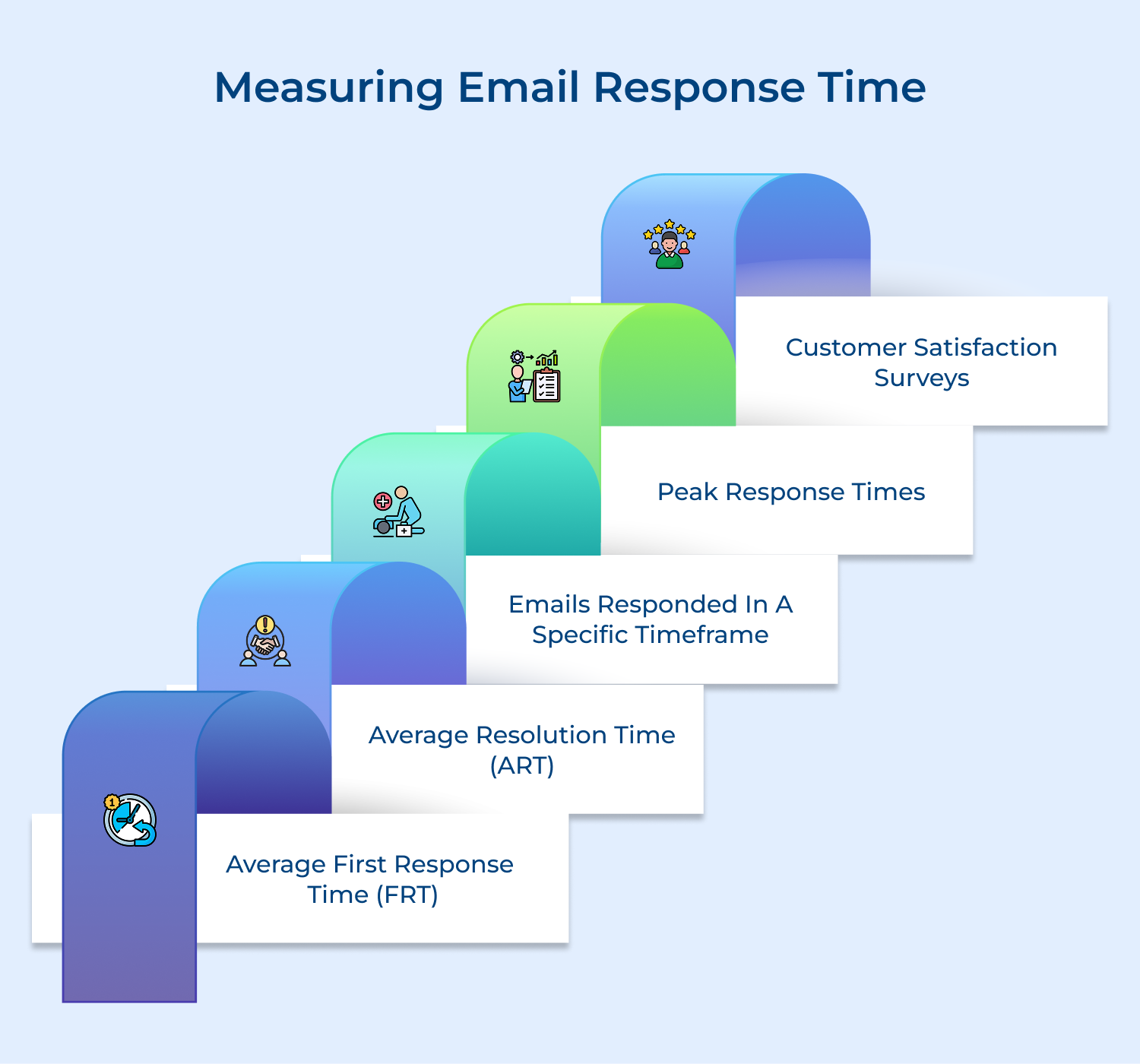
One of the most commonly used metrics to measure email response time is the Average First Response Time (FRT). FRT refers to the average amount of time it takes for a team member to send an initial response to an incoming email. This metric helps businesses assess how quickly they are acknowledging and addressing customer inquiries or concerns.
To calculate FRT, simply track the time between when an email is received and when the first response is sent, then average those times over a specific period, such as a day, week, or month.
Tips:
While FRT focuses on the initial response, Average Resolution Time (ART) measures the entire duration from when an email is received until the issue or inquiry is fully resolved. ART provides insights into the efficiency of the overall email support process, including any back-and-forth communication that may occur.
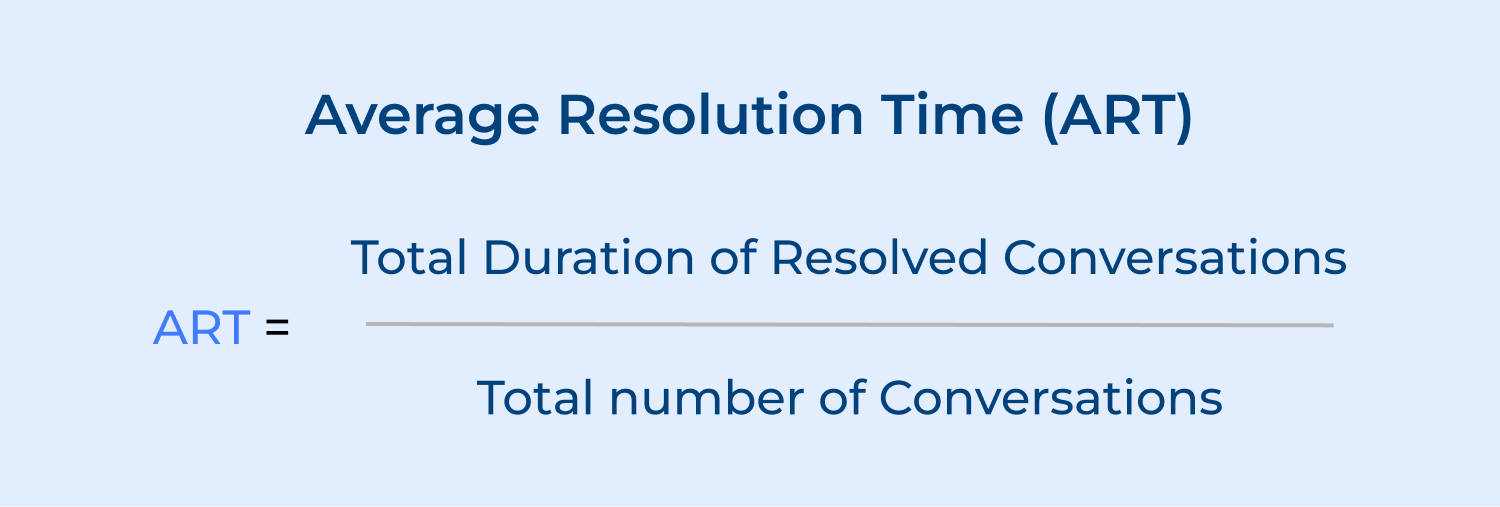
To calculate ART, track the time from the receipt of an email until the final resolution is provided, then average those times over a desired period. This metric helps identify areas where the support process can be streamlined to reduce the time it takes to resolve customer issues.
Tips:
Another valuable metric is the percentage of emails responded to within a specific timeframe. This metric sets a benchmark for acceptable response times and measures the team’s ability to meet those standards consistently.
For example, a business may set a target of responding to 90% of emails within 24 hours. By tracking the percentage of emails that meet this criteria, businesses can assess their responsiveness and identify any areas where improvement is needed.
Tips:
Analyzing peak response times can provide valuable insights into the workload and efficiency of the email support team. Peak response times refer to the periods when email volume is highest and response times may be longer.
Identifying the peak times help businesses to allocate resources accordingly, ensuring that adequate staffing is available to handle the increased volume and maintain acceptable response times.
Tips:
While not a direct measure of email response time, customer satisfaction surveys can provide valuable feedback on the perceived timeliness and effectiveness of email support. By including questions related to response times and the overall email experience, businesses can gather insights directly from customers.
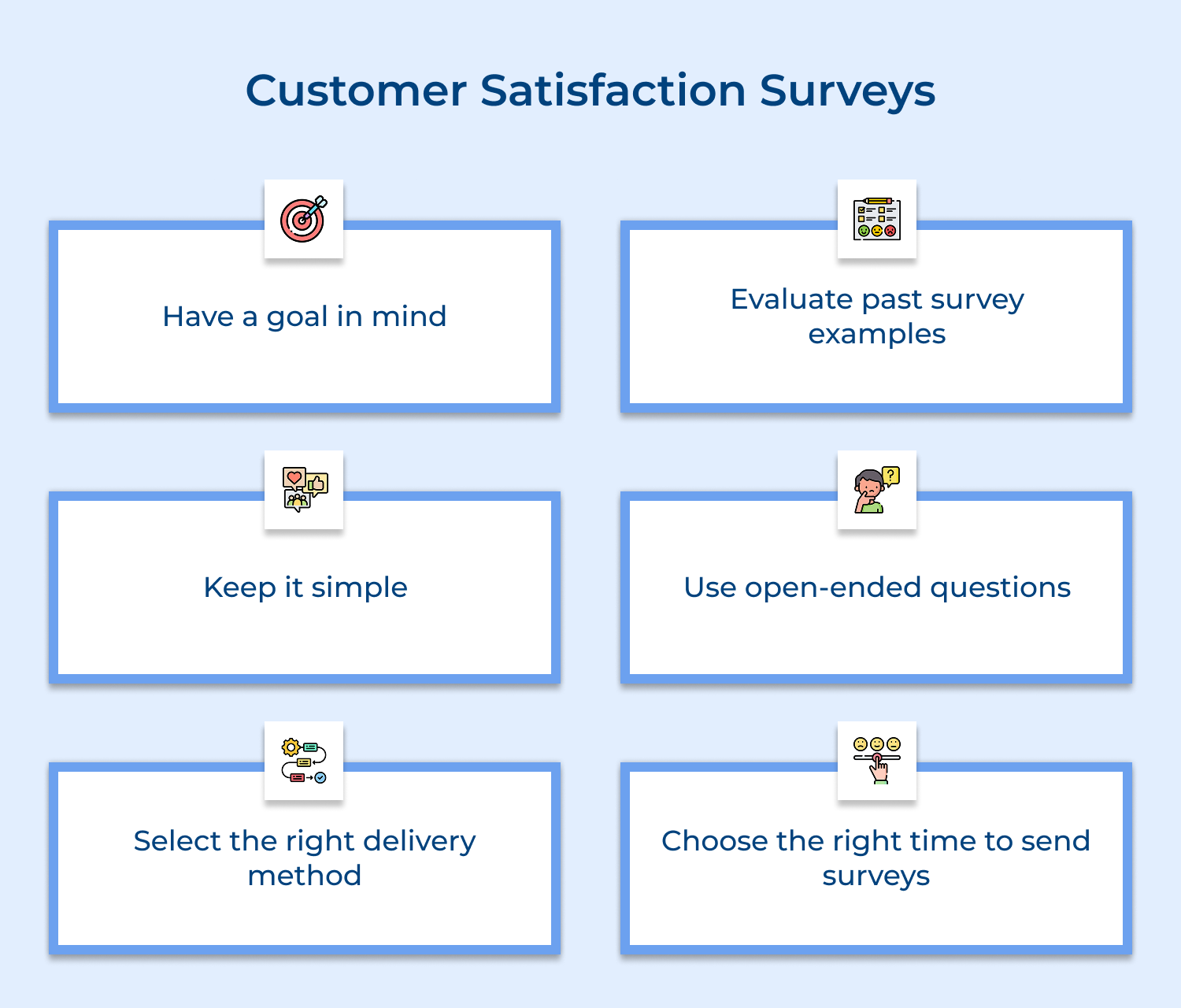
The feedback can be used to identify areas where response times may be falling short of customer expectations and guide improvements in the email support process.
Tips:
Boosting your email response time is key to enhancing communication and delighting customers. Here are some powerful strategies to get you started.
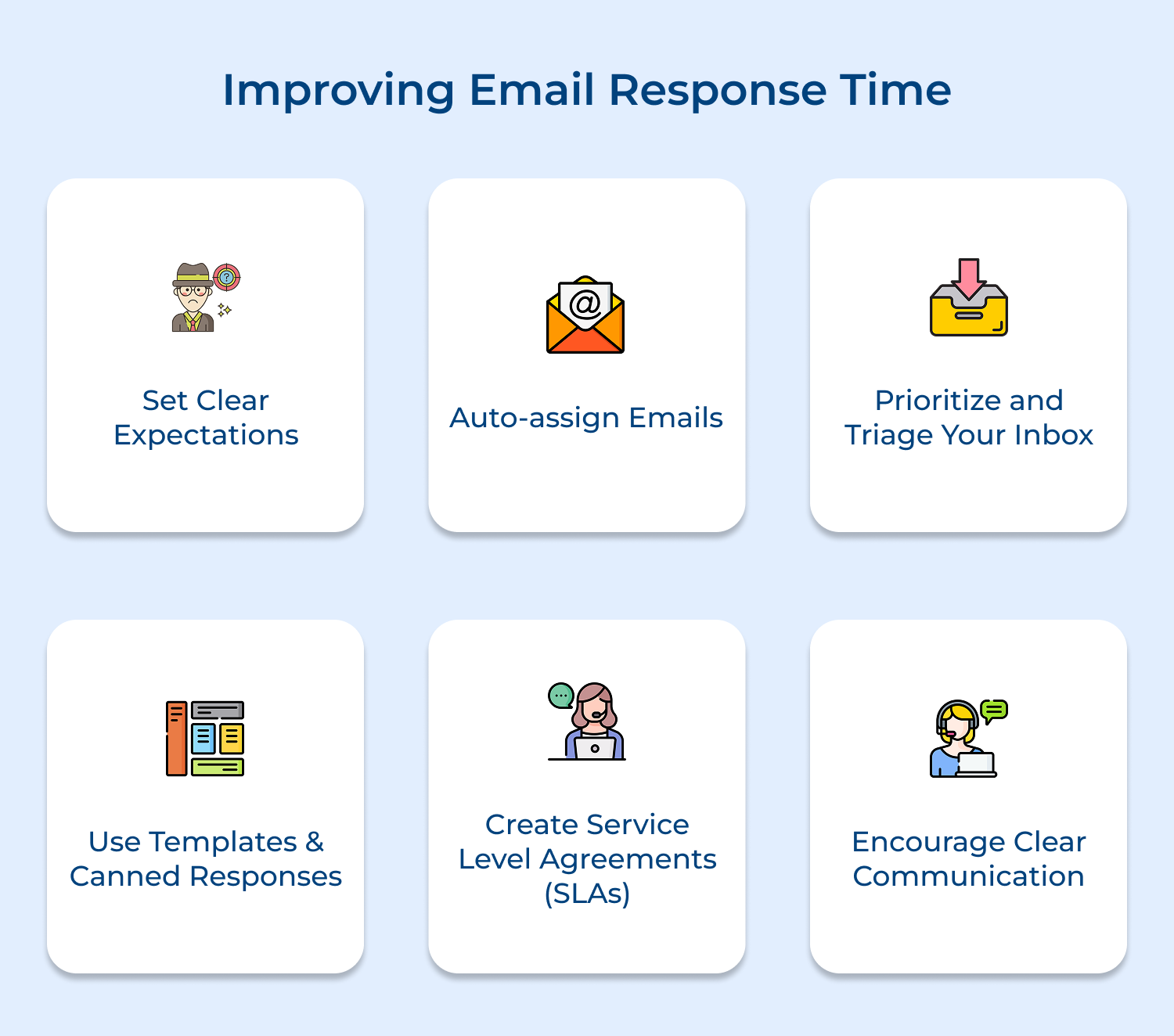
Establish clear expectations and guidelines for email response times within your organization. Communicate these expectations to your team members and ensure that everyone understands the importance of timely email responses.
Consider setting specific targets, such as responding to all emails within 24 hours or addressing urgent matters within a few hours. By having well-defined standards, you create a shared sense of accountability and prioritize prompt communication.
Implement an email assignment system that automatically routes incoming emails to the appropriate team members based on predefined criteria. This can be achieved through email management software or by setting up rules in your email client.
Auto-assigning emails ensures that the right person handles each inquiry, reducing the time spent manually forwarding or delegating emails. It also helps distribute the workload evenly among team members, preventing any individual from becoming overwhelmed with email responses.
Not all emails require an immediate response. Develop a system to prioritize and triage your inbox based on the urgency and importance of each message. Identify emails that demand a quick reply, such as those from high-priority clients or time-sensitive matters, and tackle them first.
For less urgent emails, set aside dedicated time slots throughout the day to respond to them in batches. This approach allows you to focus on critical messages while managing your time effectively.
Save time by creating email templates and canned responses for frequently asked questions or common scenarios. These pre-written responses can be easily customized and personalized for each specific situation.
By having a library of templates at your disposal, you can quickly address common inquiries, provide standard information, or acknowledge receipt of an email without starting from scratch each time. This practice significantly reduces the time spent drafting repetitive responses.
Develop Service Level Agreements (SLAs) that outline the expected response times for different types of emails. SLAs provide a clear framework for prioritizing and handling emails based on their urgency and importance.
For example, you can establish an SLA that requires a response to high-priority customer inquiries within 2 hours, while less urgent internal emails can be addressed within 24 hours. By defining and adhering to SLAs, you set clear expectations and ensure that critical emails receive the necessary attention.
Foster a culture of concise and clear email communication within your team. Encourage employees to write emails that are short, focused, and easy to understand. Avoid lengthy or ambiguous messages that may lead to confusion or prolonged back-and-forth exchanges.
Provide training or guidelines on effective email writing techniques, such as using bullet points, highlighting key information, and clearly stating any action items or deadlines. Clear communication reduces the need for clarification and enables faster responses.
Related Articles: Want to reduce email response times effectively? Consider using customer service email management software to automate workflows and enhance productivity.
Optimizing email response time is essential for maximizing a company’s efficiency and streamlining operations. Timely communication enhances customer satisfaction and accelerates decision-making processes. Implementing strategies such as utilizing automation and prioritizing urgent inquiries can reduce delays.
Prioritizing prompt email responses creates a more agile environment that enables businesses to respond quickly to market demands and client needs, driving growth and success in a competitive landscape.

What is a typical average email response time?
A typical average email response time in professional settings is 24-48 hours.This can vary depending on the industry, company culture, and urgency of the email. Some organizations aim for faster response times, such as within 4 hours during business hours, while others may have longer acceptable time frames.
How do I find my average response time?
To find your average response time, review your sent emails over a specific period and calculate the time between receiving and responding to each message. Many email clients offer analytics features that can automate this process. Alternatively, you can use third-party email analytics tools to track and analyze your response times more comprehensively.
How long should you wait for an email response?
Generally, it’s reasonable to wait 24-48 hours for an email response in professional contexts. If the matter is urgent, you may follow up sooner. For non-urgent matters, consider waiting up to a week before sending a polite reminder. Always consider the recipient’s workload and the importance of your request when deciding how long to wait.
What is the 24-hour rule for emails?
The 24-hour rule for emails suggests responding to all emails within 24 hours of receiving them, even if it’s just to acknowledge receipt and provide an estimated time for a more detailed response. This practice helps maintain good communication, shows professionalism and prevents important messages from being overlooked or forgotten in a busy inbox.
 https://omni24.io/wp-content/uploads/2026/09/Social-commerce-scaled.png
1340
2560
Webvision Solution
https://omni24.io/wp-content/uploads/2023/04/Omni-Logo-1.svg
Webvision Solution2026-10-23 12:18:272026-10-23 12:18:27What is Social Commerce and Why Does It Matter?
https://omni24.io/wp-content/uploads/2026/09/Social-commerce-scaled.png
1340
2560
Webvision Solution
https://omni24.io/wp-content/uploads/2023/04/Omni-Logo-1.svg
Webvision Solution2026-10-23 12:18:272026-10-23 12:18:27What is Social Commerce and Why Does It Matter? https://omni24.io/wp-content/uploads/2026/08/AI-Customer-Service-Agents.png
1256
2400
Webvision Solution
https://omni24.io/wp-content/uploads/2023/04/Omni-Logo-1.svg
Webvision Solution2026-09-21 04:48:512026-09-21 04:48:51How to Build an AI Customer Service Agents: 8 Key Steps
https://omni24.io/wp-content/uploads/2026/08/AI-Customer-Service-Agents.png
1256
2400
Webvision Solution
https://omni24.io/wp-content/uploads/2023/04/Omni-Logo-1.svg
Webvision Solution2026-09-21 04:48:512026-09-21 04:48:51How to Build an AI Customer Service Agents: 8 Key Steps https://omni24.io/wp-content/uploads/2026/08/Omnichannel-Conversational-AI.png
1256
2400
Tushar Joshi
https://omni24.io/wp-content/uploads/2023/04/Omni-Logo-1.svg
Tushar Joshi2026-09-16 03:51:072026-09-16 03:51:07How to Build Omnichannel Conversational AI Strategy
https://omni24.io/wp-content/uploads/2026/08/Omnichannel-Conversational-AI.png
1256
2400
Tushar Joshi
https://omni24.io/wp-content/uploads/2023/04/Omni-Logo-1.svg
Tushar Joshi2026-09-16 03:51:072026-09-16 03:51:07How to Build Omnichannel Conversational AI Strategy
Whether it’s about acquire, engage or support – Omni24 covers all your customer engagement needs in one complete platform.

Copyright ©2026 Veemo All rights reserved.
CA, Los Angeles, Hall Ave, 19011