How to Create a Knowledge Management Portal: 7 Key Steps
A Knowledge Management Portal like Omni24 centralizes knowledge to enhance decision-making. It offers search, content management and self-service support.

A Knowledge Management Portal like Omni24 centralizes knowledge to enhance decision-making. It offers search, content management and self-service support.
Imagine a world where all your organization’s knowledge is at your fingertips – instantly accessible and seamlessly shared. That’s the power of a Knowledge Management (KM) Portal.
Having the right knowledge at the right time is a game-changer, given the fact that 89% of millennials use search engines to find answers rather than staying on call. It’s the difference between informed decisions and shot-in-the-dark guesses.
A well-designed KM Portal acts as your company’s “knowledge hub” – a one-stop-shop for collective wisdom and expertise. Let’s harness the full potential of your organization’s knowledge. Discover how it transforms the way you work and learn.
Knowledge Management Portal is a centralized digital platform designed to capture, organize, store and share an organization’s collective knowledge as well as information resources. It serves as a comprehensive repository for documents, best practices, procedures and expertise, making it easily accessible to employees across the organization.
The portal typically includes features like search functionality, collaboration tools, content management systems and user-friendly interfaces. It enables efficient knowledge sharing, facilitates learning and promotes innovation by breaking down information silos. By consolidating institutional knowledge in one place, it enhances decision-making, improves productivity as well as ensures continuity of knowledge even as employees come and go.
key objectives:
A knowledge management portal offers numerous benefits for both customers and businesses. Here are the key advantages:
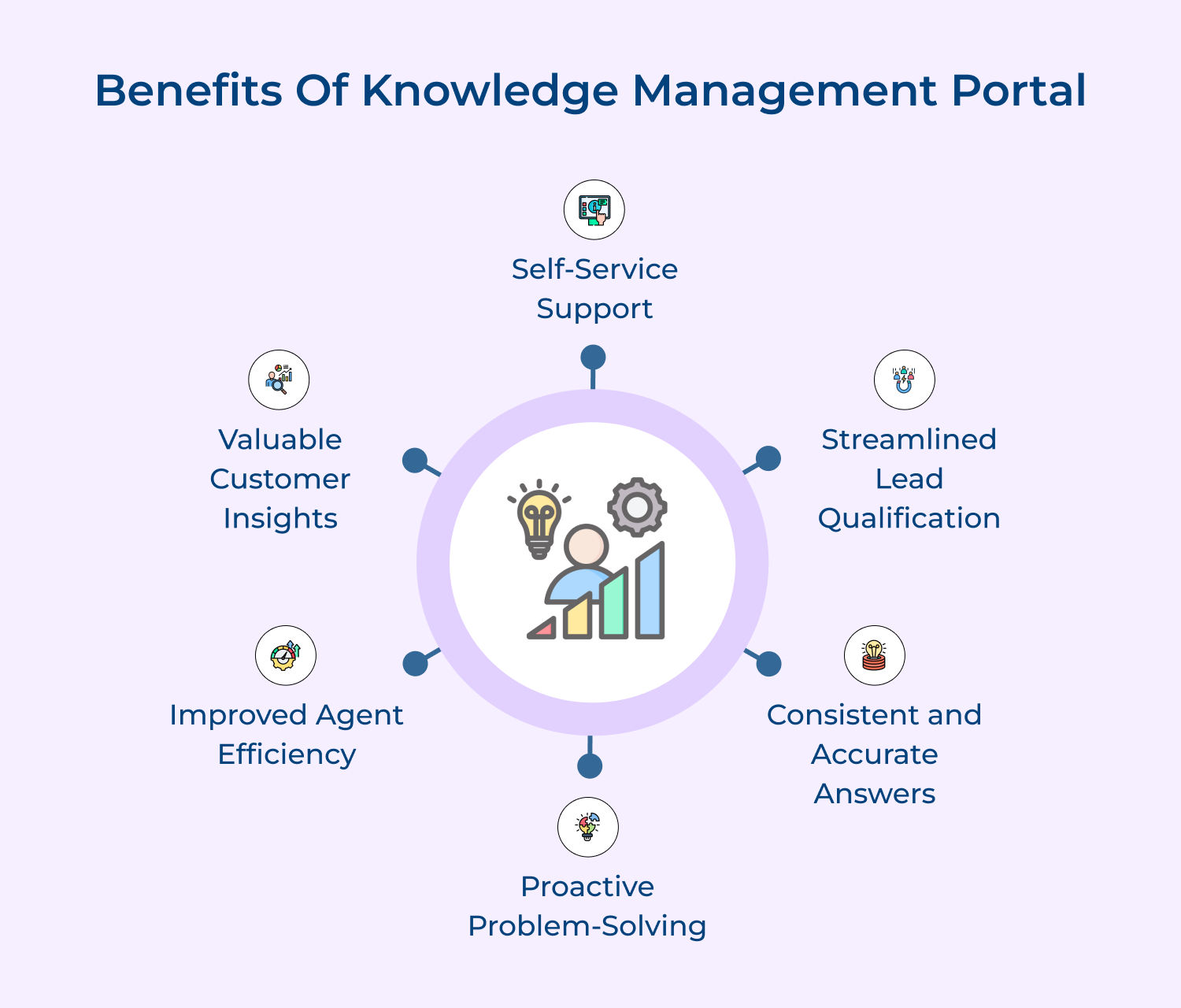
Self-Service Support
A knowledge management service portal enables customers to find answers to their questions quickly and independently, without needing to contact support. The self-service capability empowers customers, reduces their wait times and allows them to resolve issues on their own schedule, leading to increased satisfaction as well as a more positive experience.
Streamlined Lead Qualification
The portal can incorporate tools that assess visitor engagement and interactions, helping to qualify leads based on their behavior as well as interests. It allows sales teams to focus on high-potential leads who have shown genuine interest in your products.
Consistent and Accurate Answers
A robust knowledge management portal ensures that customers receive consistent and accurate information. By centralizing knowledge and keeping it up-to-date, businesses can avoid providing contradictory or outdated responses, which can frustrate customers. Consistency builds trust and confidence in the brand, leading to higher customer satisfaction.
Proactive Problem-Solving
The knowledge management systems help customers proactively solve problems before they escalate. By providing troubleshooting guides, FAQ sections and preventive maintenance tips, businesses empower customers to address potential issues early on. The proactive approach reduces the likelihood of customer dissatisfaction and the need for costly support interventions.
Improved Agent Efficiency
Not only does the customer benefit from knowledge base software but it also helps support agents find information quickly. With a centralized knowledge repository, agents can easily access the most up-to-date answers, reducing the time spent searching for information. The improved efficiency allows agents to handle more cases and provide faster resolutions.
Valuable Customer Insights
A knowledge management portal provides useful insights into customer needs and behaviors.
Right from search query analysis to understanding feedback, businesses get to identify trending issues, knowledge gaps and improvement opportunities. These insights can inform product development, service enhancements and proactive customer communication, leading to better customer experiences.
Creating a Knowledge Management (KM) portal involves several key steps to ensure it effectively supports information sharing and collaboration.
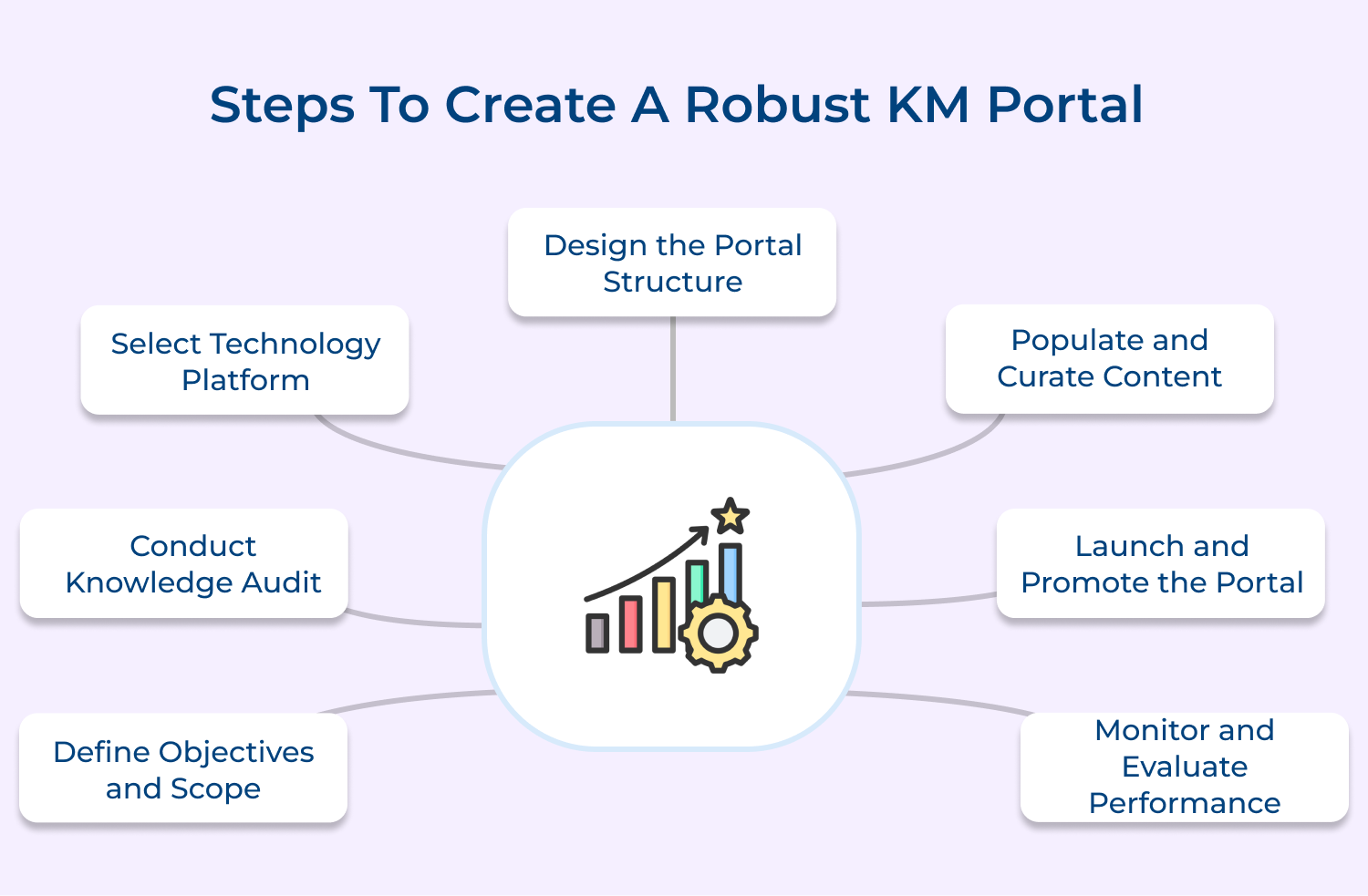
Clearly articulate the purpose and goals of your KM portal. Determine the types of knowledge it will include and the target audience it will serve. Establish the portal’s scope in terms of departments, geographies, or business functions. Engage key stakeholders to align the portal’s objectives with organizational priorities. Develop success metrics to track progress.
Pro Tips:
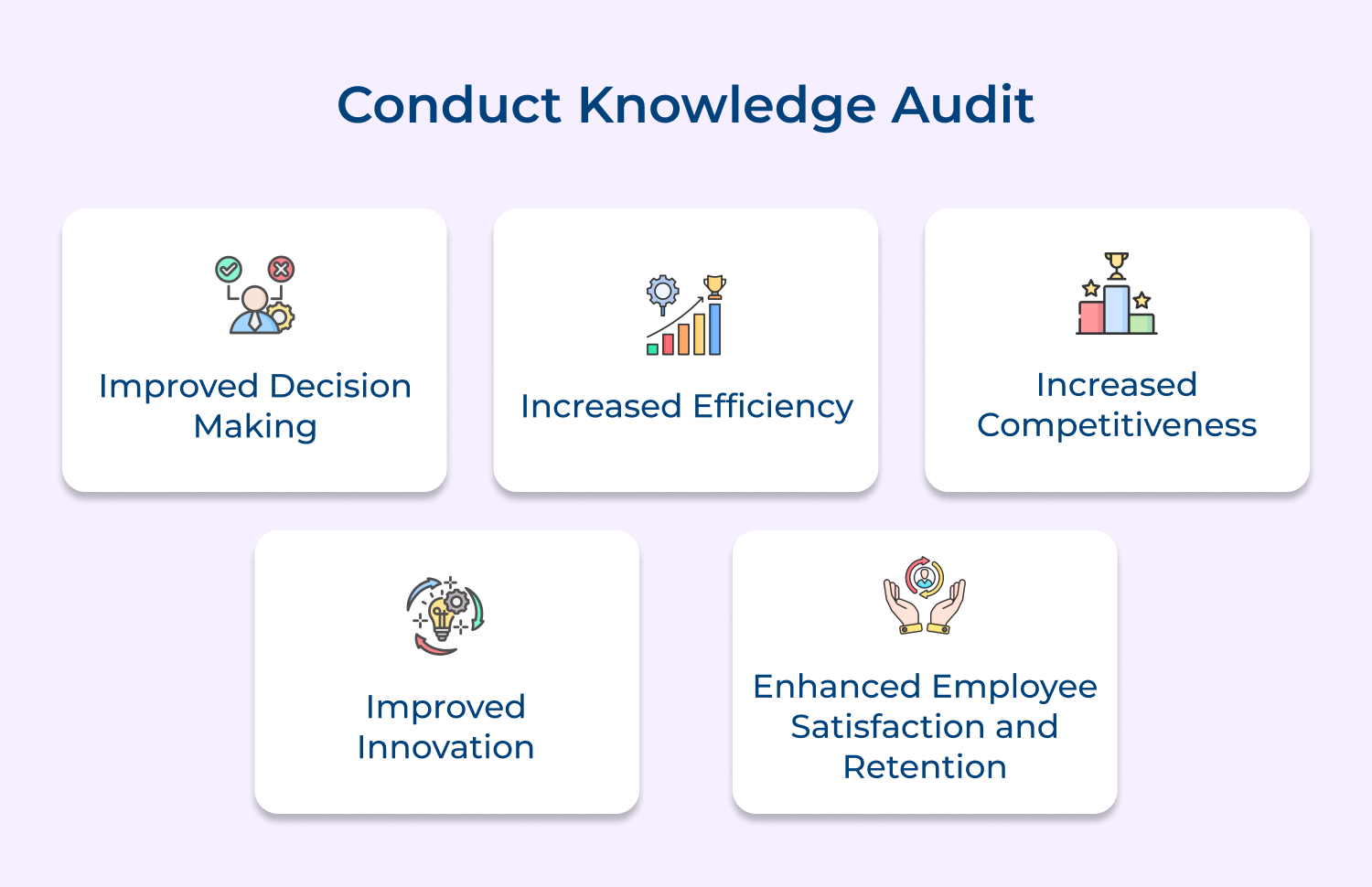
Assess your current knowledge landscape. Identify existing knowledge assets, repositories and systems to evaluate their relevance, quality as well as accessibility. Map knowledge flows and gaps to synchronize internal knowledge base along with the external knowledge base. Understand user behaviors and preferences through surveys. Use insights from the audit to inform portal design and content strategy. Determine what content to migrate, archive, or create.
Pro Tips:
Choose a technology platform that supports your portal’s requirements and integrates with existing IT systems. Consider factors like scalability, search, collaboration, mobile access, etc. to evaluate build vs. buy options. Involve IT to ensure compatibility, security and support. Plan for data migration, single sign-on and user management. Establish governance policies around the platform.
Pro Tips:
Create an intuitive information architecture and navigation to define taxonomies as well as metadata. Design the portal interface and branding. Develop wireframes along with prototypes. Conduct usability testing to validate design decisions. Ensure responsive design for access from any device. Optimize the search experience, incorporate personalization, recommendations and social features where relevant.
Pro Tips:
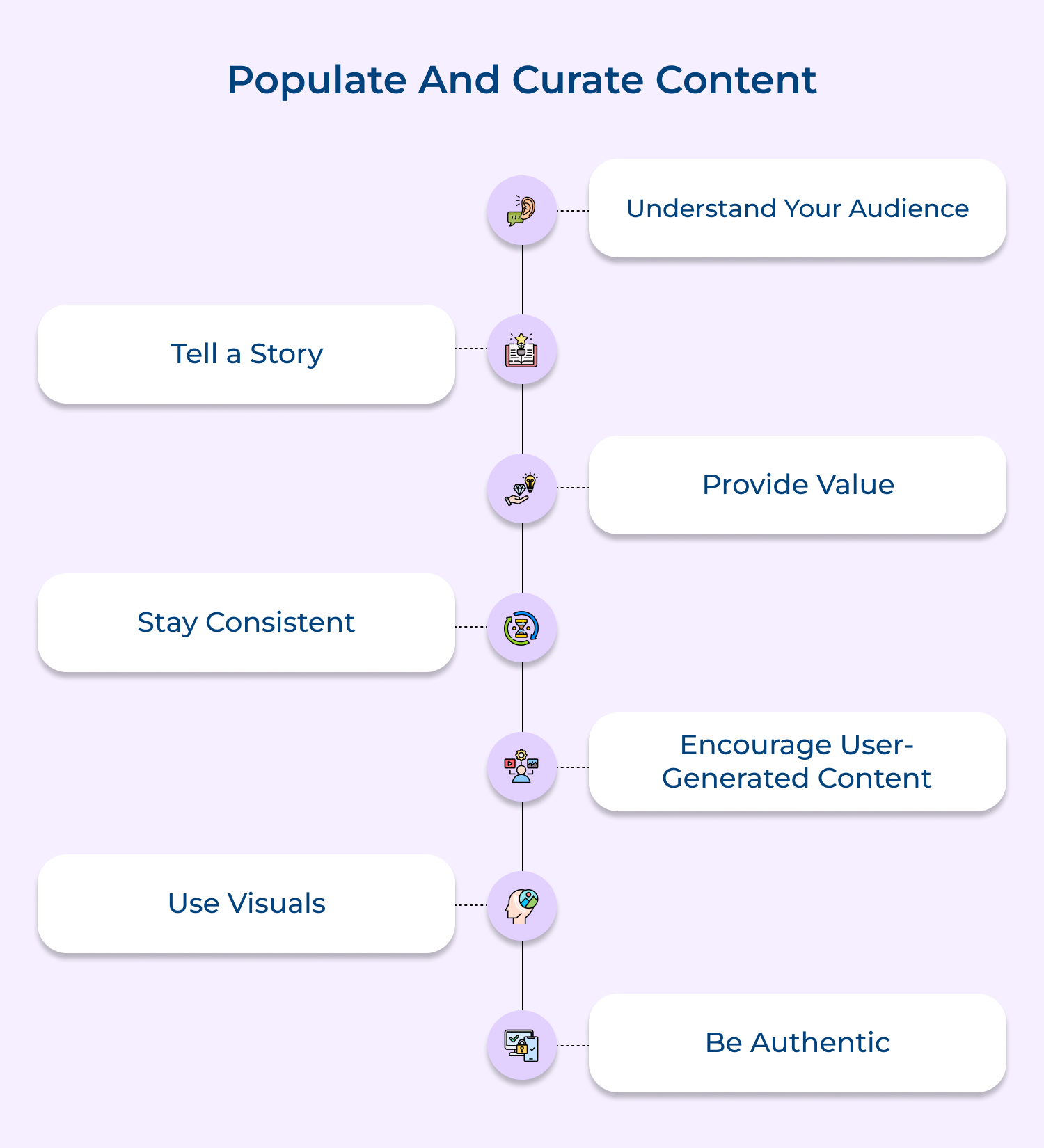
Do not miss out on migrating prioritized content. Establish standards for content structure, format and metadata. Put content creation and curation processes in place. Identify content gaps and develop new content. Implement content workflows, versioning and archival. Enlist subject matter experts to help populate the portal. Provide authoring guidelines and templates.
Pro Tips:
Develop a go-live plan. Train and support users. Recruit champions in each area to drive adoption. Implement a communications and engagement strategy. Host launch events to build awareness and excitement. Provide incentives for contribution as well as use. Make the portal the default place to find information. Integrate portal use into business processes.
Pro Tips:
Track portal usage and content metrics. Gather user feedback through surveys, interviews and focus groups. Assess impact on business metrics to help identify areas for improvement. Prioritize enhancements based on user needs and business value. Continue to refine content, functionalities and user experience. Communicate success stories and benefits realized.
Pro Tips:
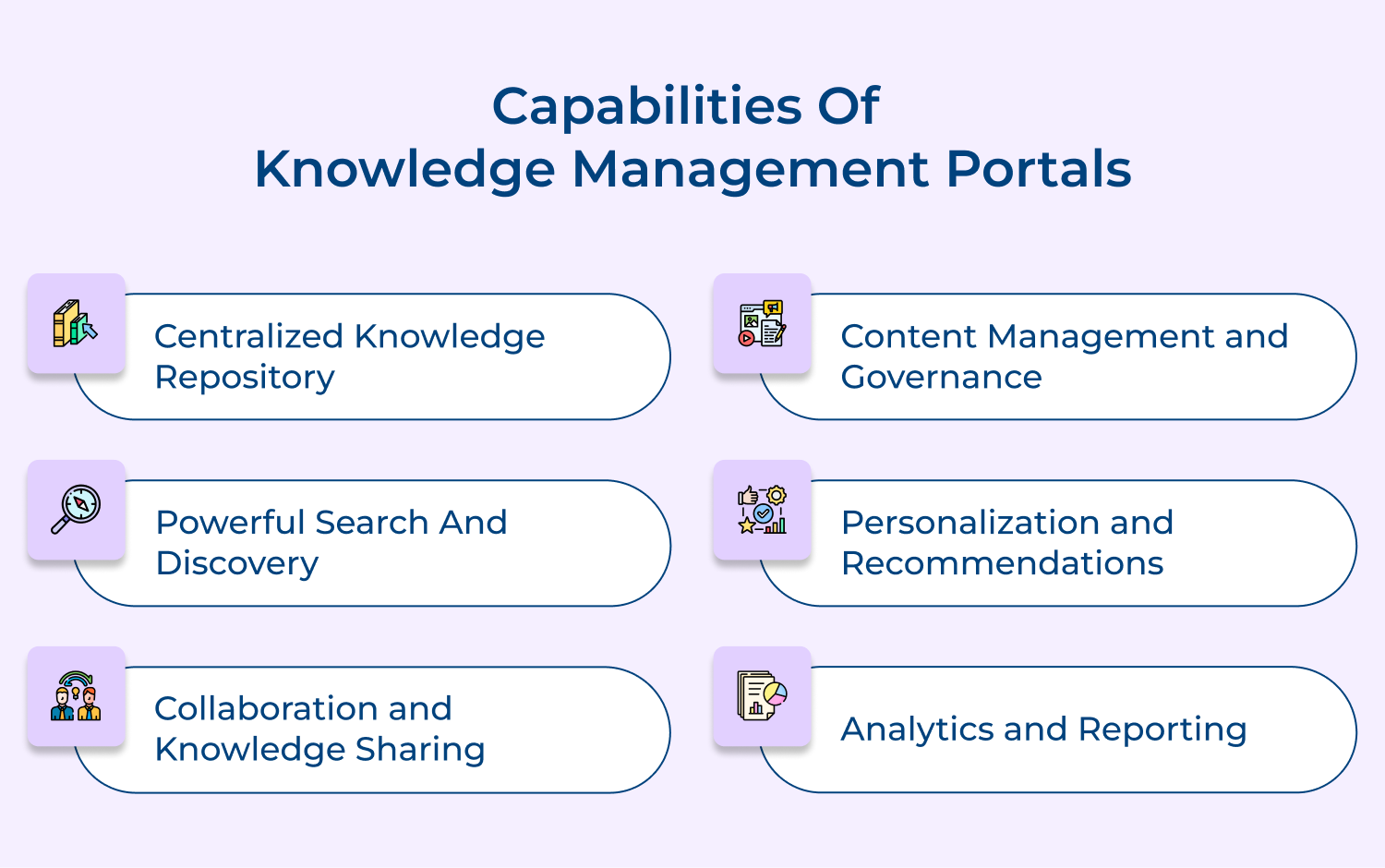
Knowledge management portals offer a range of powerful capabilities to support effective knowledge sharing, application and discovery across organizations.
Centralized Knowledge Repository
A KM portal serves as a centralized hub for storing and organizing an organization’s knowledge assets. It provides a single point of access to documents, templates, best practices, lessons learned and other types of explicit knowledge. Users can easily contribute, search for and retrieve relevant content, reducing duplication while enabling knowledge reuse across the enterprise.
Powerful Search and Discovery
Advanced search capabilities are critical for finding relevant knowledge quickly. KM portals offer intelligent search features like keyword search, filtered search, faceted navigation and search recommendations. They may leverage AI technologies like natural language processing and machine learning to understand user intent as well as deliver more accurate, context-aware search results, making it easier to discover the right knowledge at the right time.
Collaboration and Knowledge Sharing
KM portals enable collaboration and knowledge sharing among employees. They provide features like discussion forums, commenting, rating, social sharing, etc. to facilitate knowledge exchange and dialog. Users can connect with experts, ask questions and share insights. Collaboration spaces support team and project-based knowledge sharing. Expert location features help identify and connect people based on their skills along with experience.
Content Management and Governance
Effective content management capabilities ensure the quality and relevance of portal content over time. KM portals support content creation, review, approval, archival processes, etc. They enable version control, access control and content lifecycle management. Governance features like content ownership, auditing and reporting help maintain content accuracy, freshness, as well as compliance with organizational standards.
Personalization and Recommendations
Customers received personalized experiences based on a user’s role, interests and behavior. They may recommend relevant content, people, or discussions based on a user’s profile, search history, or interaction patterns. Personalized homepages and alerts keep users informed about new or updated content in their areas of interest. Personalization helps increase portal engagement and relevance for individual users.
Analytics and Reporting
KM portals provide analytics and reporting capabilities to track portal usage, user engagement, as well as content effectiveness. Dashboards and reports offer insights into popular content, search queries, user activity, knowledge flow, etc. Analytics help identify knowledge gaps, content improvement opportunities and user training needs. Reporting supports data-driven decisions to optimize the portal and measure the impact of knowledge management initiatives.
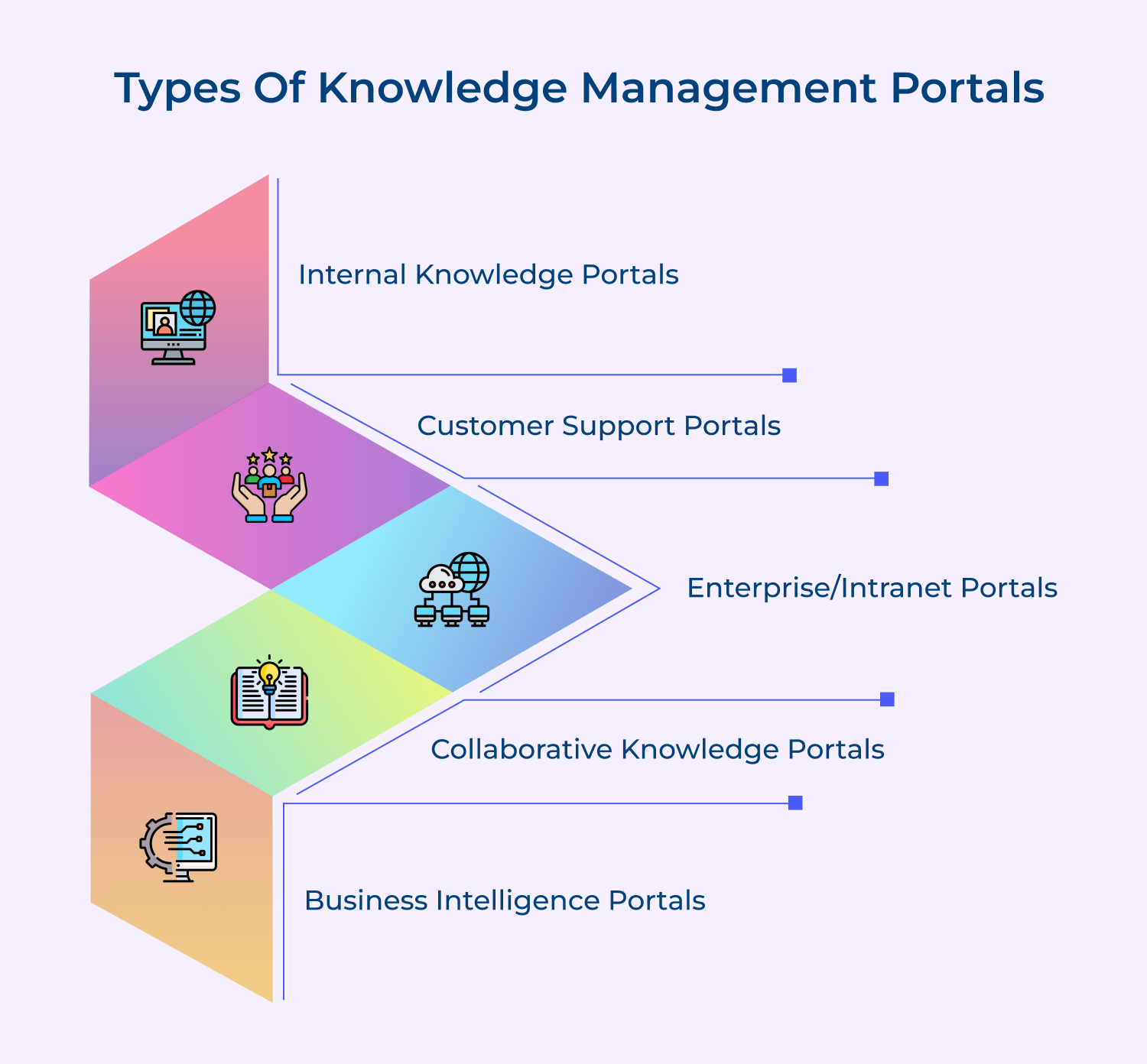
Knowledge management portals empower organizations to capture, share and apply knowledge effectively. Several types exist, each serving distinct purposes. Let’s learn more about them:
Internal Knowledge Portals
Internal knowledge portals provide a centralized platform for employees to access, share and manage organizational knowledge assets. They commonly include searchable document repositories, curated content, expert directories and collaboration tools.
For example, a company may use an internal portal to store standard operating procedures, product specifications, market research and training materials. Employees can easily find and reference this information to perform their jobs effectively, make informed decisions, while efficiently onboarding new team members.
Customer Support Portals
Customer support portals extend knowledge management to an organization’s clientele. They act as self-service hubs where customers can access FAQs, troubleshooting guides, product manuals, training videos and community forums. By enabling customers to find answers independently, support portals reduce the volume of repetitive queries handled by service teams.
For instance, a software company may provide an online support portal where users can search a knowledge base, submit tickets and interact with other customers to resolve common issues.
Enterprise/Intranet Portals
Enterprise or intranet portals are a gateway to an organization’s collective knowledge and resources. They integrate disparate information systems, applications and databases into a unified interface. Employees use these portals to access company news, policies, employee directories, project workspaces and business intelligence dashboards.
For example, a global consulting firm may leverage an enterprise portal to create cross-functional collaboration, disseminate best practices and provide personalized views of KPIs across different service lines.
Collaborative Knowledge Portals
Collaborative knowledge portals focus on facilitating knowledge co-creation and sharing among employees. They provide tools like wikis, blogs, discussion forums and virtual workspaces to capture tacit knowledge, discuss ideas, as well as solve problems collectively. These portals are particularly valuable for geographically dispersed teams and communities of practice.
Let’s consider a pharmaceutical company. It may use a collaborative portal to enable scientists to document experiments, share research findings and innovate together across different labs as well as therapeutic areas.
Business Intelligence Portals
Business Intelligence (BI) portals enable organizations to derive insights from structured data and make data-driven decisions. They provide tools for data integration, analysis, visualization, and reporting. Decision-makers use BI portals to access real-time dashboards, drill-down reports and self-service analytics.
For example, a retail chain may deploy a BI portal that integrates sales, inventory and customer data from multiple stores. Category managers can monitor key metrics, identify trends and optimize merchandise planning as well as promotions based on the insights that surfaced through the portal.
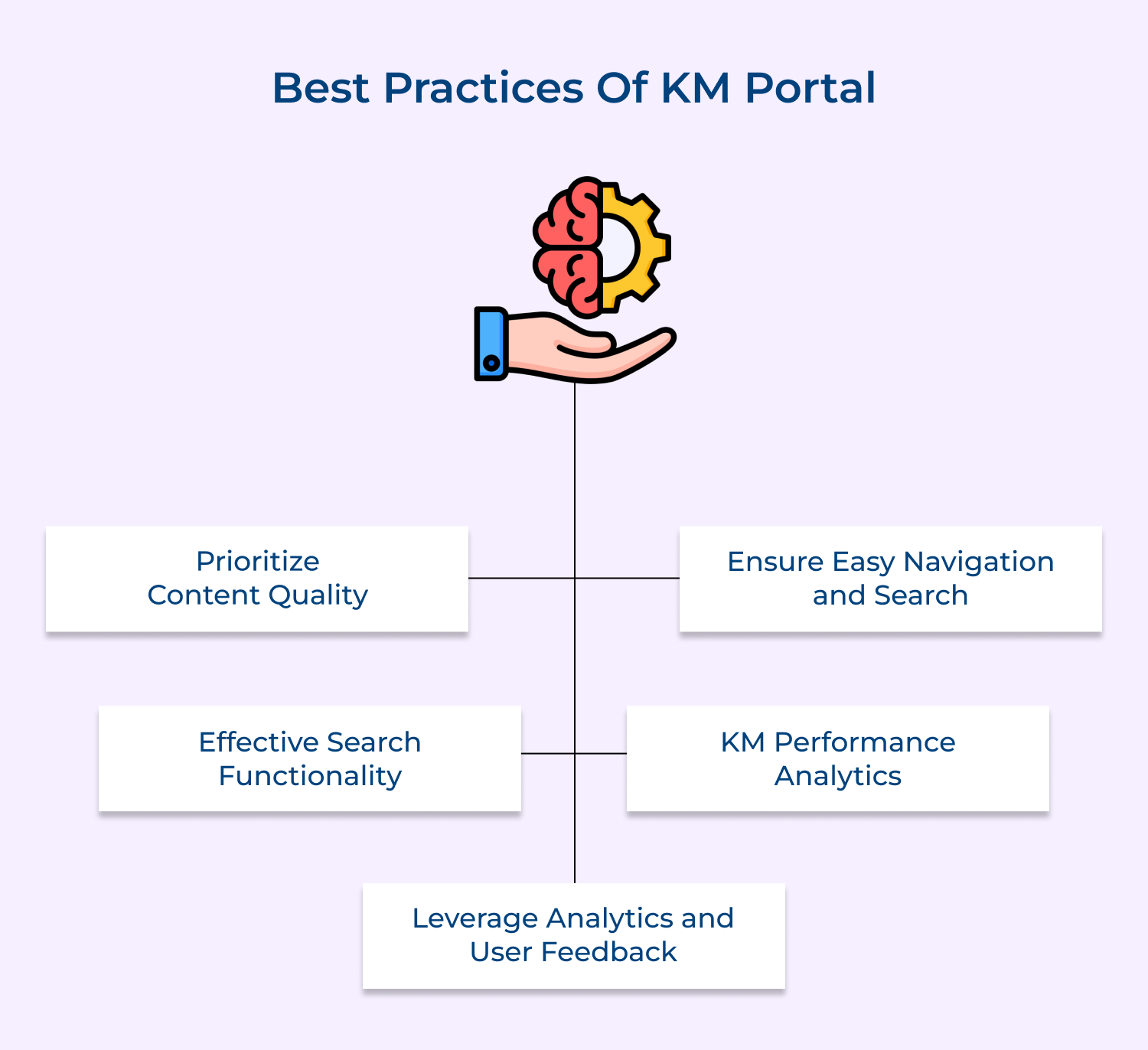
Implementing a knowledge management portal effectively requires adherence to best practices to maximize its utility and impact. Here are the key practices:
Prioritize Content Quality
The quality of content in a knowledge management portal is crucial. Ensure that articles are well-written, clear and concise. Use a consistent style/tone and include visual aids like screenshots or videos when appropriate. Implement a review process to maintain content accuracy and relevance.
Ensure Easy Navigation and Search
A knowledge management portal is only useful if users can easily find the information they need. Implement a clear, intuitive navigation structure and a powerful search engine that can handle natural language queries. Use tags, categories and metadata to make content more discoverable along with search results more relevant.
Effective Search Functionality
A robust search function is the backbone of a successful knowledge management portal. Implement advanced search features like natural language processing, synonyms and autocomplete. Use metadata and tags to improve search accuracy. Regularly analyze search logs to identify content gaps and optimize search performance based on user behavior.
KM Performance Analytics
Implementing comprehensive analytics is crucial for measuring the performance and impact of a knowledge management portal. Track key metrics like search effectiveness, content usage, user engagement and self-service resolution rates. Use this data to demonstrate the portal’s ROI, identify areas for improvement and make data-driven decisions for future enhancements.
Leverage Analytics and User Feedback
Use analytics to track how users interact with the knowledge management portal. Identify popular articles, search terms and user journeys. Collect user feedback through surveys or rating systems. This data can provide insights into content gaps, user needs and improvement opportunities. Use these insights to continuously refine the portal.
Well-designed knowledge management portals enhance organizational efficiency. Here are a few real-life examples of effective KM portals:
Omni24’s Customer Support Portal
Omni24’s portal provides customers with a comprehensive knowledge base, including FAQs and troubleshooting guides. The self-service model helps users resolve issues independently, reducing support ticket volume and enhancing customer satisfaction. The portal’s easy-to-navigate design ensures users find solutions quickly.
IBM’s Internal Knowledge Portal
IBM’s internal portal offers a centralized hub for company policies, project documentation and collaborative tools. Employees can access resources, share knowledge and collaborate seamlessly. The portal supports efficient workflow and ensures consistency across teams, reflecting IBM’s commitment to leveraging internal knowledge for operational excellence.
World Bank’s Open Knowledge Repository
The World Bank’s Open Knowledge Repository (OKR) is a public KM portal that provides free access to the bank’s research outputs and development knowledge. It includes over 23,000 publications, reports, data sets and other resources. The OKR’s intuitive search, filtering along with visualization tools make it easy for users to find and explore relevant content.
Accenture’s Knowledge Exchange
Accenture’s Knowledge Exchange portal connects over 500,000 employees across 120 countries. It provides access to a vast library of reusable assets, methodologies and client deliverables. The portal‘s success lies in its tight integration with Accenture’s project lifecycle and its ability to surface relevant knowledge at the point of need.
A company’s ability to effectively leverage its collective intelligence is a key driver of growth and competitiveness. A well-designed Knowledge Management Portal is not just a technology solution – it’s a strategic asset that can accelerate innovation, improve decision-making and boost productivity across the organization.
KM portals enable companies to work smarter and deliver greater value to customers by making critical knowledge easily accessible. They help organizations avoid costly mistakes, duplicate efforts and lost opportunities. Investing in a KM portal is not just about managing information, it’s about unleashing the full potential of a company’s knowledge assets to drive business success.

How can a knowledge management portal decrease staff training costs?
A knowledge management portal centralizes essential information, making it easily accessible to all employees. It reduces the need for extensive in-person training sessions, as staff can self-learn at their own pace. It also ensures consistency in training materials and allows for quick updates. By providing on-demand access to resources, it minimizes productivity loss during training periods and reduces the costs associated with organizing while conducting traditional training programs.
How can a knowledge management portal improve team productivity?
A knowledge management portal improves team productivity by providing quick access to crucial information, reducing time spent searching for data or solutions. It facilitates knowledge sharing across teams, preventing duplication of efforts. The portal also enables faster onboarding of new employees and supports continuous learning. By centralizing best practices and lessons learned, it helps teams avoid repeating past mistakes as well as accelerates decision-making processes, ultimately boosting overall productivity.
How does a knowledge management portal provide better customer insight?
A knowledge management portal can aggregate customer data from various touchpoints, providing a comprehensive view of customer interactions, preferences and behaviors. It allows for easy analysis of customer feedback, support tickets and sales data. By centralizing this information, it enables teams across the organization to access and derive insights from customer data. The comprehensive view helps in identifying trends, anticipating customer needs and tailoring products or services accordingly, leading to improved customer satisfaction.
How can a knowledge management portal lead to higher company revenue?
A knowledge management portal can lead to higher company revenue by improving operational efficiency, reducing costs and enhancing customer satisfaction. It enables faster problem-solving and decision-making, accelerating product development as well as time-to-market. By providing better customer insights, it allows for more effective marketing and sales strategies. The portal also supports innovation by facilitating knowledge sharing and collaboration. Improved customer service and product quality, driven by better knowledge management, can lead to increased customer retention/acquisition.
 https://omni24.io/wp-content/uploads/2026/08/AI-Customer-Service-Agents.png
1256
2400
Webvision Solution
https://omni24.io/wp-content/uploads/2023/04/Omni-Logo-1.svg
Webvision Solution2026-09-21 04:48:512026-09-21 04:48:51How to Build an AI Customer Service Agents: 8 Key Steps
https://omni24.io/wp-content/uploads/2026/08/AI-Customer-Service-Agents.png
1256
2400
Webvision Solution
https://omni24.io/wp-content/uploads/2023/04/Omni-Logo-1.svg
Webvision Solution2026-09-21 04:48:512026-09-21 04:48:51How to Build an AI Customer Service Agents: 8 Key Steps https://omni24.io/wp-content/uploads/2026/08/Omnichannel-Conversational-AI.png
1256
2400
Tushar Joshi
https://omni24.io/wp-content/uploads/2023/04/Omni-Logo-1.svg
Tushar Joshi2026-09-16 03:51:072026-09-16 03:51:07How to Build Omnichannel Conversational AI Strategy
https://omni24.io/wp-content/uploads/2026/08/Omnichannel-Conversational-AI.png
1256
2400
Tushar Joshi
https://omni24.io/wp-content/uploads/2023/04/Omni-Logo-1.svg
Tushar Joshi2026-09-16 03:51:072026-09-16 03:51:07How to Build Omnichannel Conversational AI Strategy https://omni24.io/wp-content/uploads/2026/08/Customer-Service-Teams.png
1256
2400
Tushar Joshi
https://omni24.io/wp-content/uploads/2023/04/Omni-Logo-1.svg
Tushar Joshi2026-09-15 04:01:522026-09-15 04:02:16How to Build Customer Service Teams: 6 Key Steps
https://omni24.io/wp-content/uploads/2026/08/Customer-Service-Teams.png
1256
2400
Tushar Joshi
https://omni24.io/wp-content/uploads/2023/04/Omni-Logo-1.svg
Tushar Joshi2026-09-15 04:01:522026-09-15 04:02:16How to Build Customer Service Teams: 6 Key Steps
Whether it’s about acquire, engage or support – Omni24 covers all your customer engagement needs in one complete platform.

Copyright ©2026 Veemo All rights reserved.
CA, Los Angeles, Hall Ave, 19011