How to Implement Help Desk SLA: Benefits & Best Practices
Boost customer support with help desk sla to set clear expectations, ensure accountability and efficiency, driving satisfaction and business success.

Boost customer support with help desk sla to set clear expectations, ensure accountability and efficiency, driving satisfaction and business success.
Are you struggling to provide efficient customer support? How can you ensure that all customer queries are addressed in a timely manner, without overwhelming your team? The answer lies in implementing a Help desk Service Level Agreement (SLA).
According to ITIL 4, a service level agreement (SLA) is “A documented agreement between a service provider and a customer that identifies both services required as well as the expected level of service.”
A Help desk SLA sets clear expectations for response times and resolution, ensuring that customer issues are handled promptly. In this article, we’ll explore the reasons why implementing a Help desk SLA can be a game-changer for your business.
A help desk SLA (Service Level Agreement) is a contractual agreement between a help desk provider and its customers. It outlines the level of support or assistance that will be provided as well as the expected response and resolution times. It serves as a guarantee for both parties to ensure efficient help desk services.
For customers, it provides assurance about the quality and timeliness of support they can expect, reducing uncertainty and frustration when dealing with technical issues. SLAs help in building trust between the service provider and customers by creating transparency in service delivery and setting realistic expectations for issue resolution.
Key objectives:
A Service Level Agreement outlines the specific service expectations and performance standards that the help desk team must meet. Let’s learn how it benefits business in the long run.
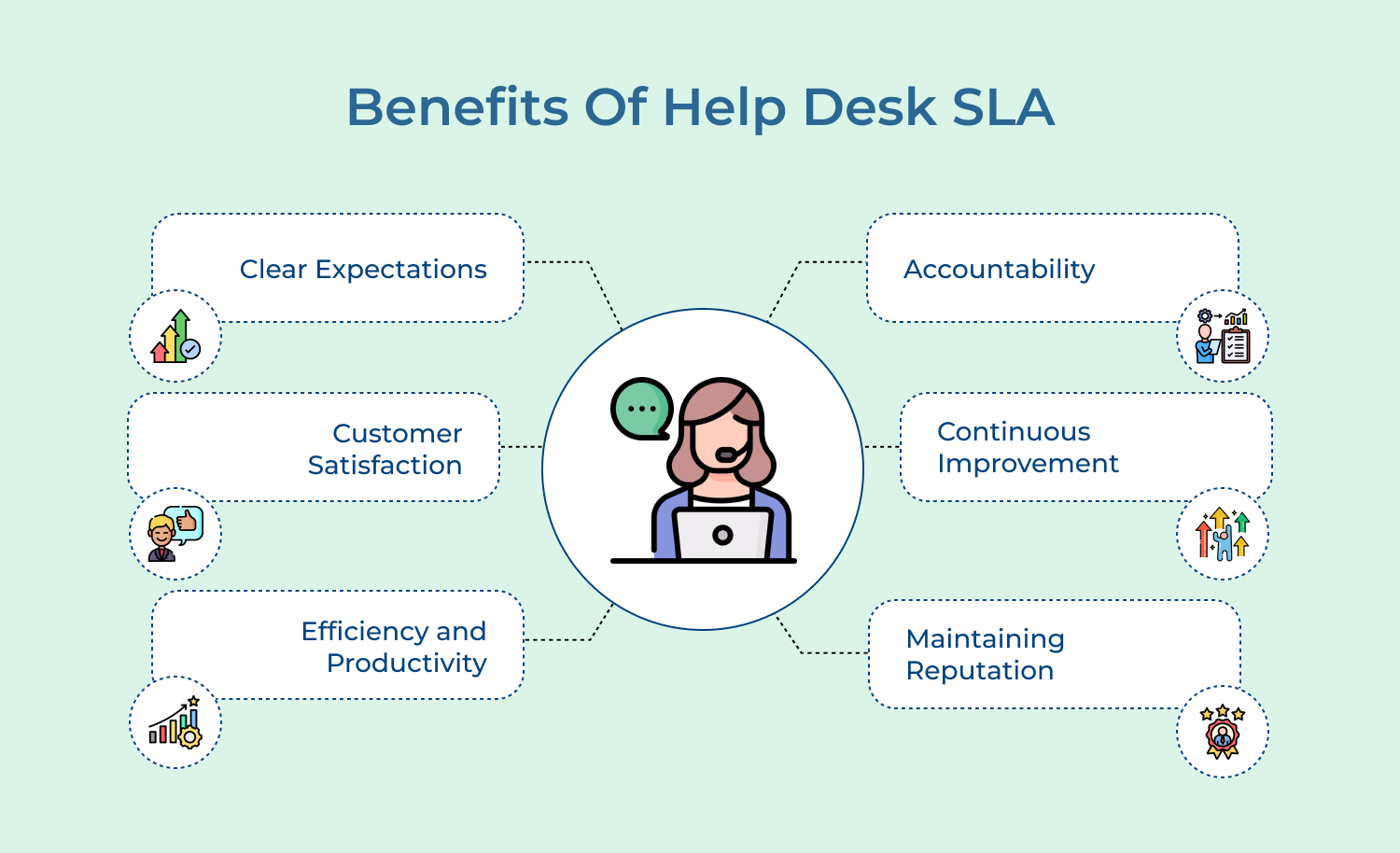
An SLA outlines the expectations as well as responsibilities of both the service provider and the customer. But, how do we implement it effectively? Let’s learn here!
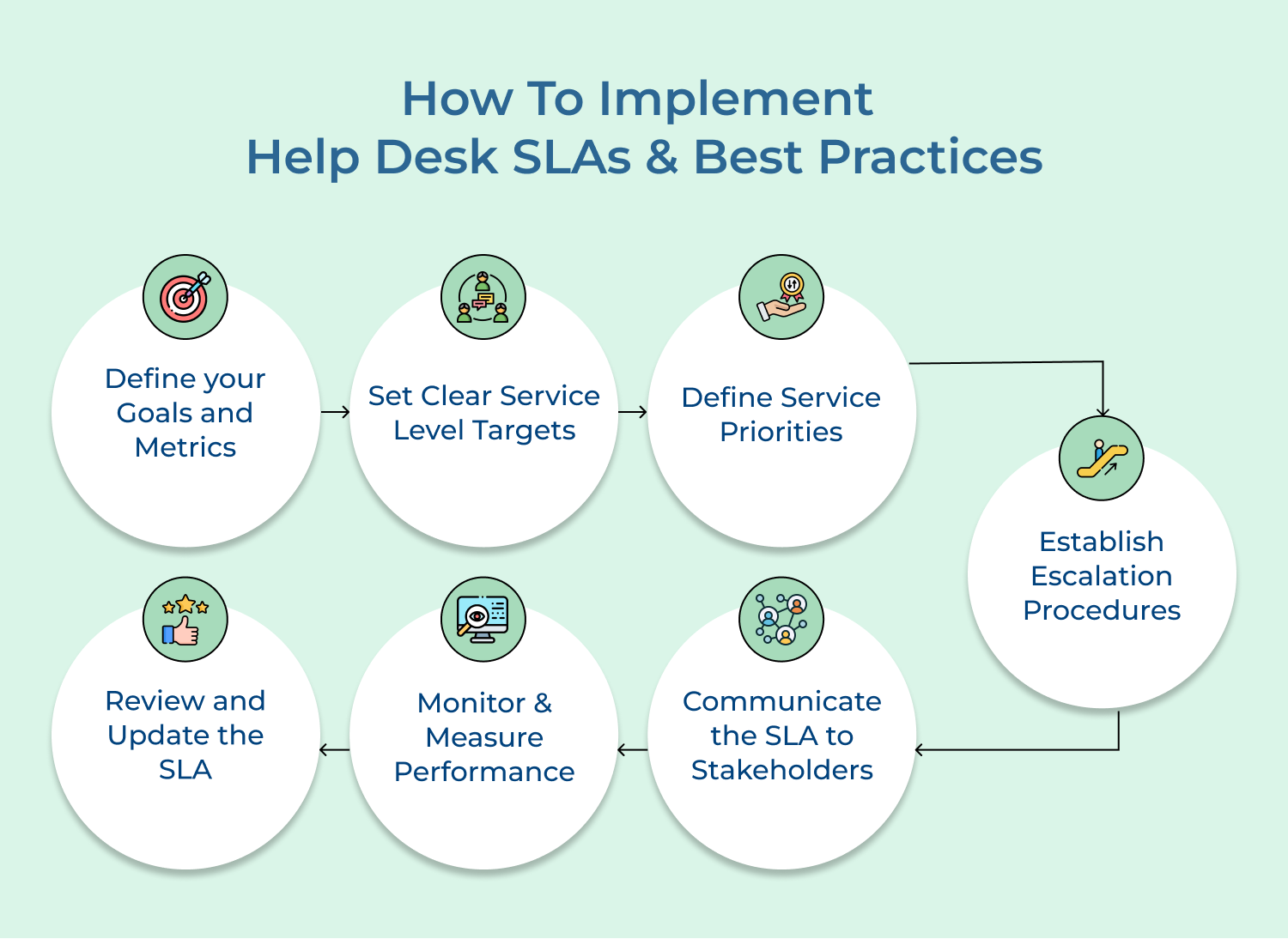
Start by identifying the goals and objectives of your Help Desk SLA. Determine what metrics you will use to measure your team’s performance, such as response time, resolution time, customer satisfaction and first-call resolution rate. These metrics will serve as benchmarks for evaluating your team’s performance.
Best practices to follow:
Once you have identified the metrics, establish realistic targets for each of them. For example, you may set a target of responding to customer inquiries within 24 hours or resolving issues within a specific time frame based on their severity level. Ensure that these targets align with customer expectations and are achievable by your support team.
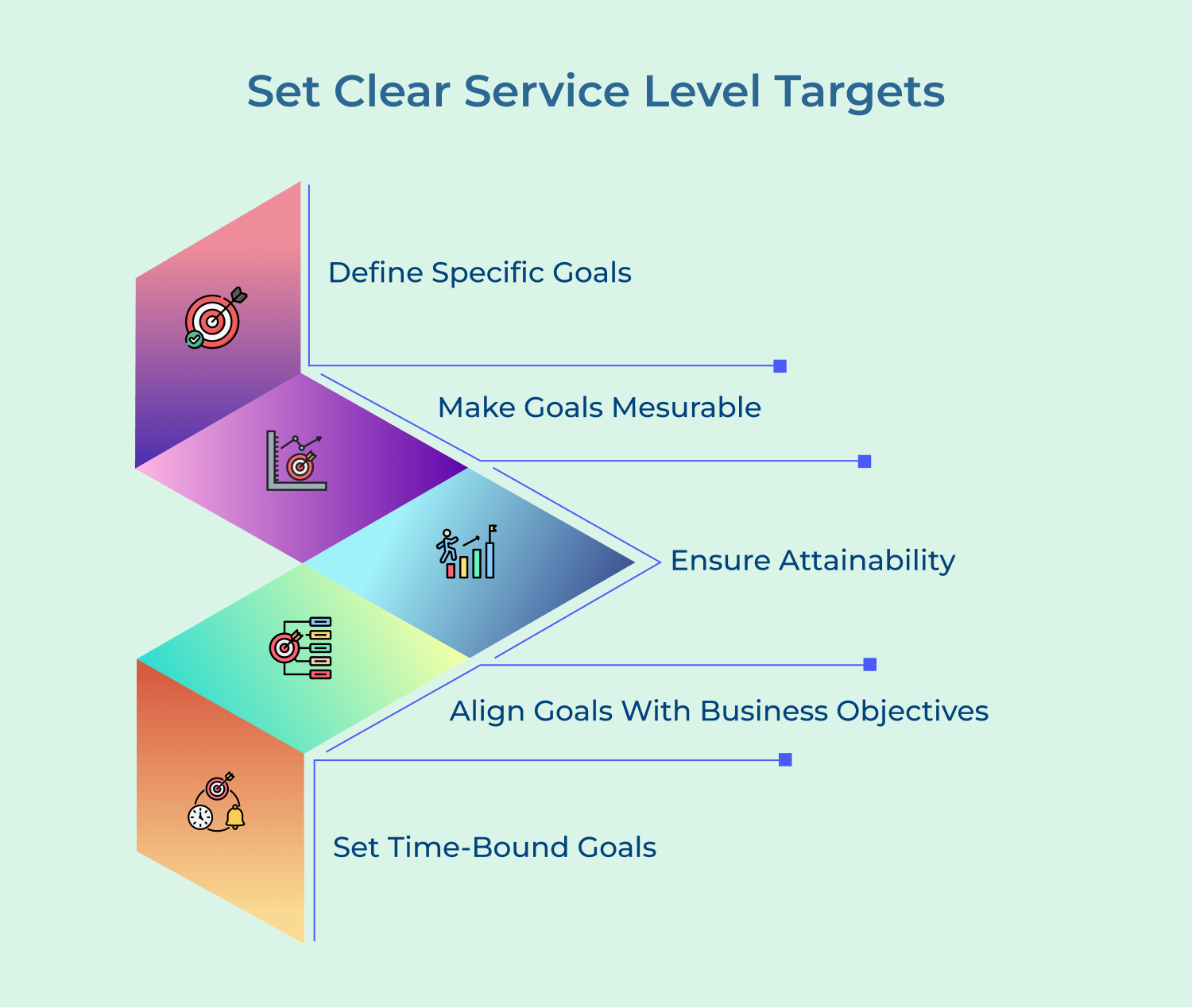
Best practices to follow:
Categorize different types of support requests based on their severity, urgency, or impact on the customer’s business. For example, you can have categories like low, medium , high priority or define response and resolution times for each category. The categorization will help your team prioritize their work accordingly and ensure that critical issues are addressed promptly.
Best practices to follow:
Determine how and when to escalate issues that cannot be resolved within the defined timeframes or by the assigned support agents. Clearly define the escalation path, including the roles and responsibilities of each level. It ensures that complex issues receive the necessary attention and are resolved in a timely manner.
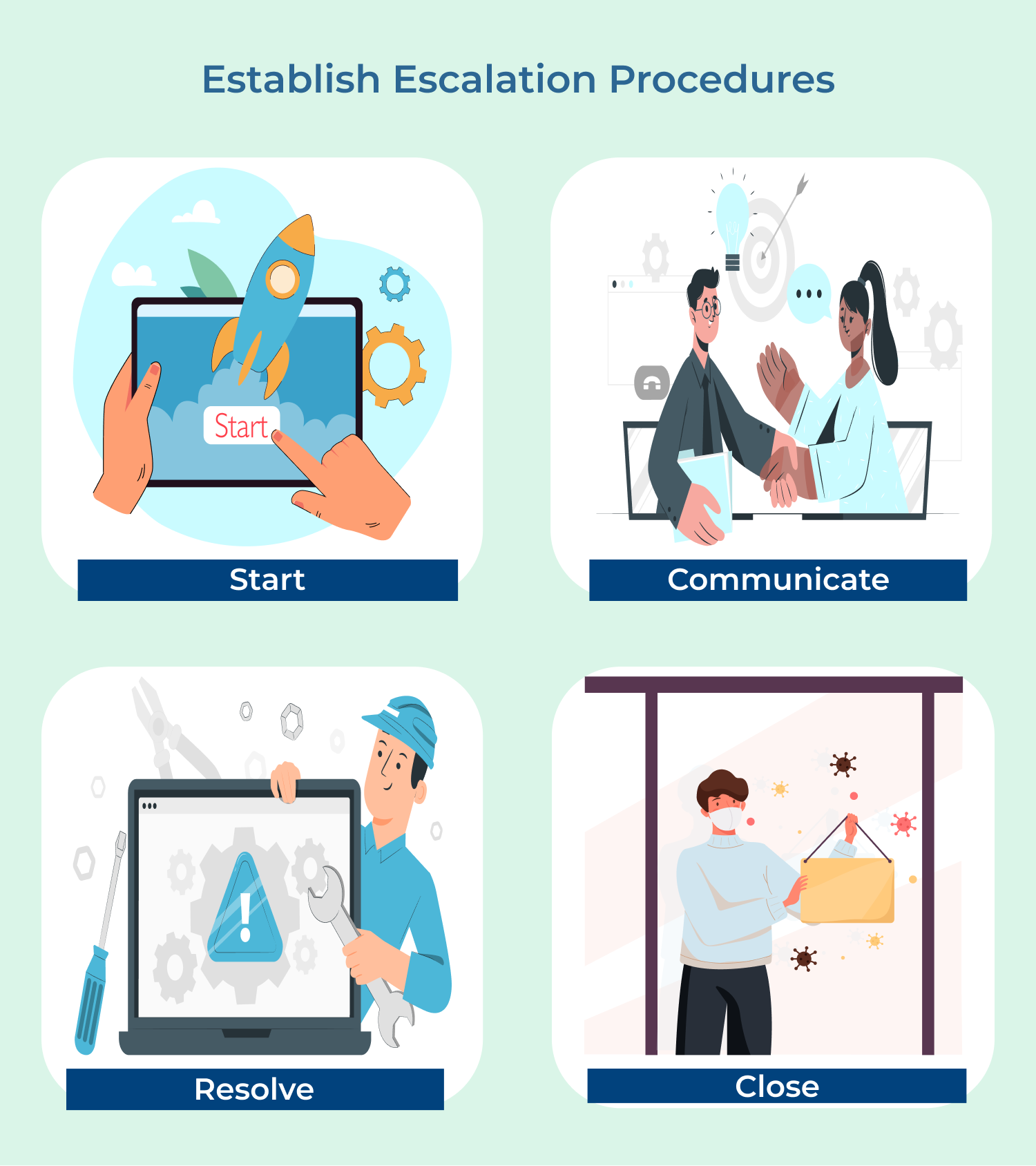
Best practices to follow:
Communicate the Help Desk SLA to both your internal team and your customers. Make sure that everyone understands the agreed-upon service level targets, response times and escalation procedures. Regularly share reports as well as updates with stakeholders to keep them informed about the team’s performance and any changes to the SLA.
Best practices to follow:
Continuously monitor the performance of your help desk team against the defined targets and metrics. Use a ticketing system or help desk software to track response and resolution times, customer feedback, as well as other relevant data. Regularly analyze the data to identify any areas for improvement and take necessary actions to address them.
Best practices to follow:
As your business evolves, customer needs may change, or new technologies may emerge, requiring you to revise your Help Desk SLA. Regularly review the SLA to ensure that it remains relevant and aligned with your organization’s goals. Seek feedback from both your support team as well as customers to identify areas that need improvement and make necessary adjustments.
Best practices to follow:
Measuring help desk SLA performance is crucial for maintaining high-quality service and customer satisfaction.
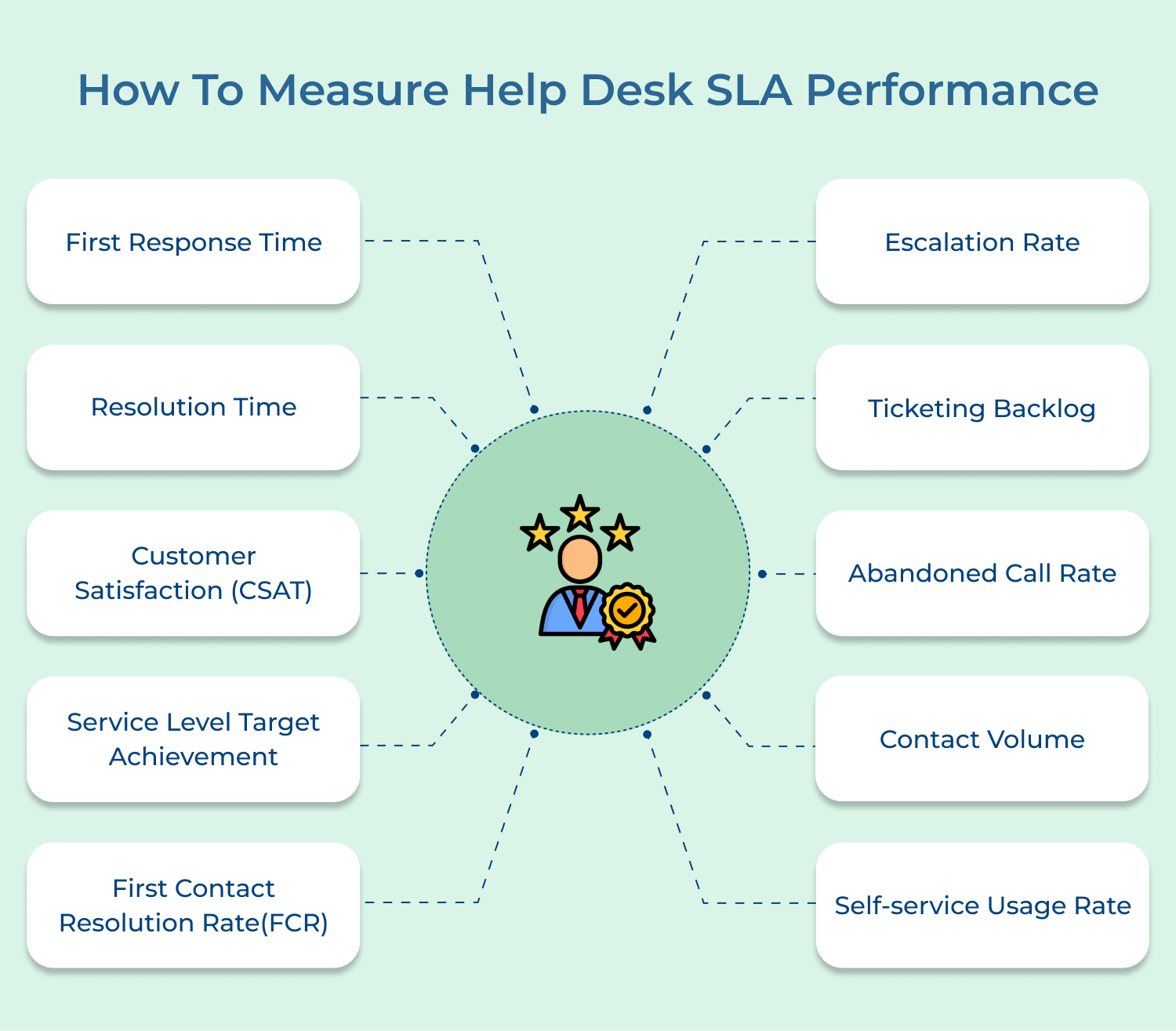
First Response time is the duration between when a customer submits a support ticket or raises a query and when they receive the initial response from the help desk team. It reflects the speed at which the support team acknowledges the customer’s request.
Example: Let’s imagine a company that has a help desk SLA in place. According to their agreement, the response time should be within 2 hours. A customer encounters an issue and submits a support ticket at 9:00 AM. The help desk team promptly acknowledges the ticket and sends an initial response with a query clarification at 9:30 AM. Here, the response time is 30 minutes, well within the agreed 2-hour timeframe.
Resolution time is the duration between when a customer raises a support ticket or issue and when the help desk team successfully resolves it, providing a solution or answer to the customer. It exemplifies the efficiency of the help desk team in addressing and resolving customer problems.
Example: Suppose a customer reports a network connectivity problem. The help desk SLA might have a target resolution time of 24 hours. If the help desk team manages to solve the issue as well as restore network connectivity within 12 hours, it indicates a high level of proficiency and customer satisfaction. If the resolution exceeds the specified timeframe, it can lead to negative customer experiences and potentially impact business operations.
Score is a metric that measures how satisfied customers are with the service they received from the help desk. It usually involves a survey that asks customers to rate their experience on a scale of 1 to 5, with 5 representing the highest level of satisfaction. The CSAT Score can be calculated by dividing the total number of satisfied responses (e.g., ratings of 4 or 5) by the total number of survey responses and then multiplying by 100 to get a percentage.
Example: Let’s say a help desk receives 100 survey responses from customers. Out of those 100, 80 customers rate their experience as either a 4 or a 5. To calculate the CSAT Score, divide 80 by 100 and multiply by 100, resulting in a CSAT Score of 80%
Service Level Target Achievement is a metric that measures a help desk’s ability to meet the agreed-upon response time and resolution time for customer requests. It is usually defined in the form of Service Level Agreements (SLAs) that outline the maximum time allowed for responding to and resolving different types of issues.
Example: Let’s say a help desk has an SLA of responding to customer inquiries within 8 hours and resolving them within 24 hours. Over the course of a month, the help desk receives 200 inquiries, and it responds to 190 of them within the designated 8-hour timeframe. The help desk also resolves 180 of the inquiries within the allotted 24-hour timeframe. It results in a Service Level Target Achievement of 95% for response time and 90% for resolution time.
The First Contact Resolution Rate (FCR) is a crucial metric that measures the percentage of customer issues or inquiries that are resolved in a single interaction, without any need for escalation or further assistance. A high FCR indicates that the help desk is effective at resolving customer problems promptly, leading to increased customer satisfaction.
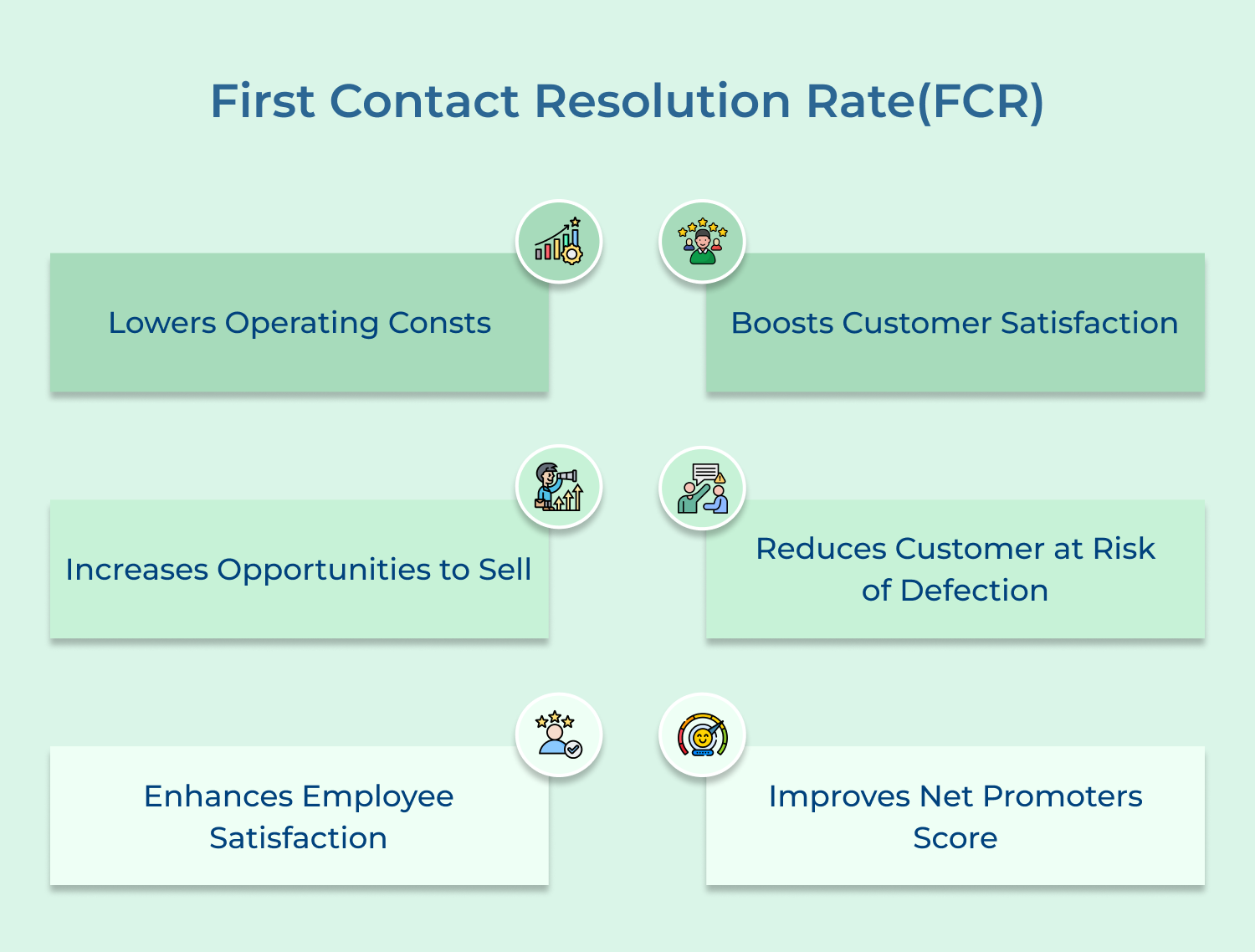
Example: Consider a software help desk. In a given month, the help desk receives 200 customer tickets. Out of these, 160 tickets are resolved satisfactorily during the first customer interaction, while the remaining 40 tickets require further escalation or back-and-forth communication. The FCR can be calculated as (160/200) * 100 = 80%. It means that 80% of the customer issues were resolved during their initial contact with the help desk.
The Escalation Rate measures the percentage of customer issues or inquiries that require escalation to higher-level support or management. A low escalation rate suggests that the help desk has well-trained agents who can handle most customer issues independently, reducing the need for escalation and minimizing customer frustration.
Example: If out of the 200 customer tickets received, only 40 required escalation, then the Escalation Rate would be (40/200) * 100 = 20%. It indicates that only 20% of customer issues required further escalation beyond the initial point of contact.
Ticket Backlog is a metric that reveals the number of unresolved or pending tickets at any given time. It reflects the workload and efficiency of the help desk team. A high ticket backlog indicates that the team is struggling to keep up with the incoming support requests, potentially resulting in longer response times and dissatisfied customers.
Example: Let’s say a help desk starts the day with 20 open tickets. Throughout the day, the team resolves 12 tickets, but another 10 tickets are received. By the end of the day, the number of open tickets is:
Starting Open Tickets: 20
Resolutions: -12
Incoming Tickets: +10
Total Open Tickets: 18
Therefore, the ticket backlog at the end of the day is 18.
The Abandoned Call Rate metric measures the percentage of incoming calls that are abandoned by customers before they are answered by a help desk agent. It is usually as high as 9.6%! A high abandoned call rate indicates that customers are not getting the timely support they need, which can lead to frustration and dissatisfaction.
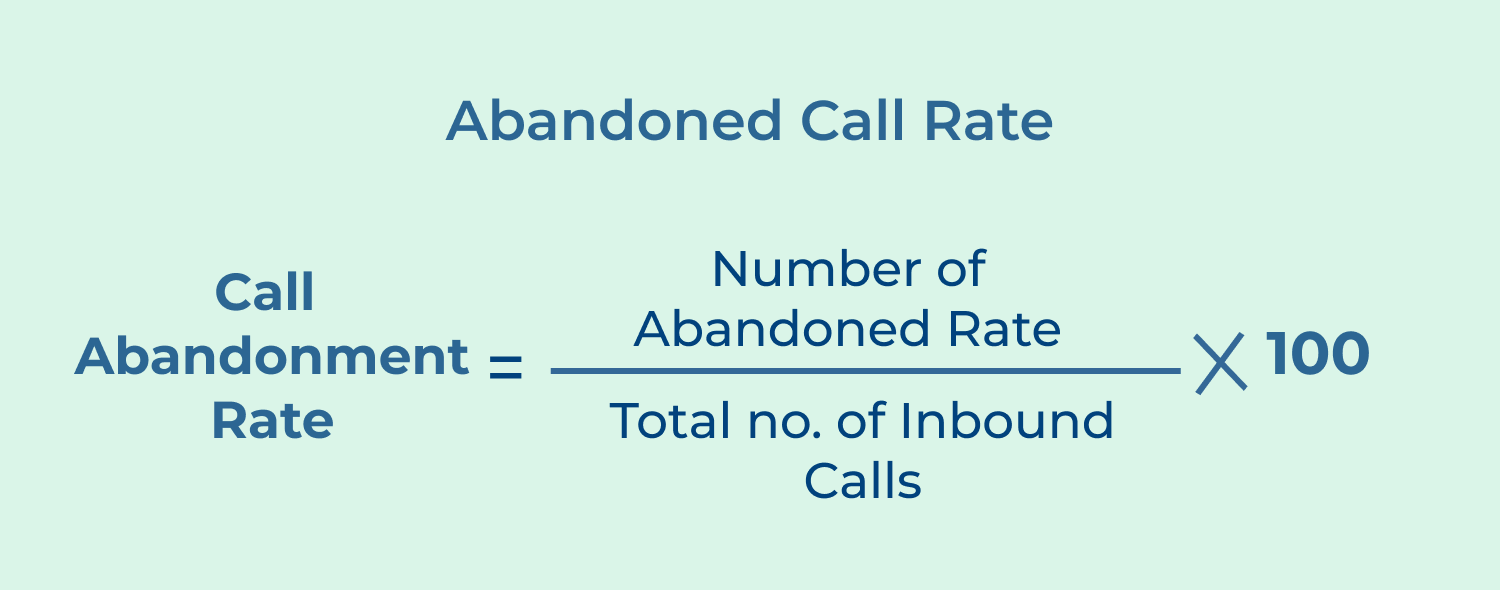
Example: let’s say a help desk receives 100 calls in a day, out of which 20 calls are abandoned by customers. The abandoned call rate would be calculated as:
Abandoned Call Rate = (Number of calls abandoned / Total number of calls) * 100
Abandoned Call Rate = (20 / 100) * 100
Abandoned Call Rate = 20%
Here, a 20% abandoned call rate implies that one-fifth of the customers who called the help desk did not receive assistance, which needs improvement to reduce customer dissatisfaction.
Contact Volume metric measures the total number of customer contacts received by the help desk team over a specific period. It helps in understanding the workload and resource requirements of the help desk.
Example: let’s consider a help desk that receives customer inquiries via various channels like phone calls, emails and live chats. In a month, they handle:
– 500 phone calls
– 300 emails
– 200 live chats
The total Contact Volume would be:
Total Contact Volume = Total number of phone calls + Total number of emails + Total number of live chats
Total Contact Volume = 500 + 300 + 200
Total Contact Volume = 1000
Here, the help desk received a total of 1000 customer contacts in a month, which can be used to determine the team’s resourcing needs and plan accordingly.
The Self-Service Usage Rate metric measures the percentage of customers who utilize self-service resources, such as knowledge bases or FAQs, to find solutions to their problems without needing assistance from the help desk. A higher self-service usage rate indicates that customers are finding the information they need independently, reducing the workload on the help desk team.
Example: let’s say a help desk has 1000 customer contacts in a month and out of those contacts,
300 were resolved using self-service resources.
Self-Service Usage Rate = (Number of contacts resolved using self-service / Total number of contacts) * 100
Self-Service Usage Rate = (300 / 1000) * 100
Self-Service Usage Rate = 30%
Here, a 30% self-service usage rate implies that 30% of customers were able to find solutions independently, reducing the burden on the help desk team and improving overall efficiency.
Implementing help desk SLAs is crucial for providing quality support service as well as maintaining customer satisfaction and loyalty. One effective way to ensure that your support team delivers timely and efficient assistance is by establishing help desk Service Level Agreements (SLAs).
Setting clear expectations help the support team and the customers to work together efficiently. It leads to improved customer satisfaction and long-term success for your business. Remember to regularly review as well as update your SLAs to adapt to changing needs while ensuring continued excellence in customer support.

How much does a help desk sla cost?
The cost of a help desk SLA can vary depending on various factors such as the complexity of your organization’s needs, the number of users or customers you support and the level of service required. Assess your specific requirements and budget to determine the best pricing structure for your help desk SLA. Generally, there are software solutions available that offer different pricing tiers to cater to different business sizes.
What is the best help desk sla software?
The best Help Desk SLA software depends on your specific needs and preferences. Some popular options include Omni24, Veemo and Jira Service Desk. These software solutions offer features like ticket management, automation, reporting, collaboration tools, etc. It’s essential to evaluate your requirements or consider factors such as scalability, ease of use, and integration capabilities before selecting the best software for your organization.
How to measure help desk sla performance?
To measure Help Desk SLA performance, you need to establish key performance indicators (KPIs) that align with your SLA goals. Common metrics to consider include response time, resolution time, customer satisfaction ratings, and ticket escalation rates. Monitoring these metrics regularly will help you identify areas of improvement and ensure that you are meeting your SLA commitments.
What is the average wait time for help desk sla?
The average wait time for a Help Desk SLA can vary depending on several factors such as the nature of the issue, the priority level of the ticket, and the resources available. Organizations aim to keep wait times as low as possible to provide prompt support. The specific target wait time should be defined in your SLA based on your business requirements and customer expectations.
What is the best practice for setting up a help desk sla?
Setting up a Help Desk SLA involves careful planning and consideration. Here are some best practices to follow. Clearly define the scope and objectives of your SLA. Establish measurable metrics to evaluate performance. Communicate service level management terms and expectations to both internal and external stakeholders. Regularly review as well as update your SLA to ensure it remains relevant and aligned with business objectives.
 https://omni24.io/wp-content/uploads/2026/07/Web-Self-Service.png
1257
2400
Webvision Solution
https://omni24.io/wp-content/uploads/2023/04/Omni-Logo-1.svg
Webvision Solution2026-07-23 05:39:582026-07-23 05:39:58Web Self Service: What it is, Features and its Benefits
https://omni24.io/wp-content/uploads/2026/07/Web-Self-Service.png
1257
2400
Webvision Solution
https://omni24.io/wp-content/uploads/2023/04/Omni-Logo-1.svg
Webvision Solution2026-07-23 05:39:582026-07-23 05:39:58Web Self Service: What it is, Features and its Benefits https://omni24.io/wp-content/uploads/2026/07/Knowledge-Base-SEO-1.png
1396
2400
Webvision Solution
https://omni24.io/wp-content/uploads/2023/04/Omni-Logo-1.svg
Webvision Solution2026-07-22 09:44:572026-07-23 06:16:41What is Knowledge Base SEO & How to Create it?
https://omni24.io/wp-content/uploads/2026/07/Knowledge-Base-SEO-1.png
1396
2400
Webvision Solution
https://omni24.io/wp-content/uploads/2023/04/Omni-Logo-1.svg
Webvision Solution2026-07-22 09:44:572026-07-23 06:16:41What is Knowledge Base SEO & How to Create it? https://omni24.io/wp-content/uploads/2026/07/customer-experience-benefits.png
1257
2400
Tushar Joshi
https://omni24.io/wp-content/uploads/2023/04/Omni-Logo-1.svg
Tushar Joshi2026-07-20 06:28:322026-07-20 06:28:32What are the Benefits of Customer Experience for Business?
https://omni24.io/wp-content/uploads/2026/07/customer-experience-benefits.png
1257
2400
Tushar Joshi
https://omni24.io/wp-content/uploads/2023/04/Omni-Logo-1.svg
Tushar Joshi2026-07-20 06:28:322026-07-20 06:28:32What are the Benefits of Customer Experience for Business?
Whether it’s about acquire, engage or support – Omni24 covers all your customer engagement needs in one complete platform.

Copyright ©2026 Veemo All rights reserved.
CA, Los Angeles, Hall Ave, 19011