5 Best Appointment Booking Chatbot in 2026
Appointment booking chatbots solve scheduling problems; explore top tools to deliver real‑time service and an amazing experience for your customers.
Appointment booking chatbots solve scheduling problems; explore top tools to deliver real‑time service and an amazing experience for your customers.
Businesses are adopting appointment booking chatbots to cut manual scheduling work and improve response time. More than 34% of consumers report finding AI chatbots genuinely helpful in customer service, signaling real adoption rather than a passing trend.
These AI assistants handle the full booking process, freeing staff from repetitive tasks while reducing no-shows through automated reminders. They also offer round-the-clock availability, letting customers book outside standard hours.
An appointment booking chatbot is a conversational interface that lets customers check availability, select a time slot and confirm a booking without human intervention. It syncs directly with a business’s calendar to confirm slots in real time.
A regular booking form only collects information and submits it for manual review, so confirmation is not instant. A chatbot checks real-time availability, negotiates conflicts and confirms the slot within the same conversation.
Where Can You Embed It?
Appointment booking bots streamline scheduling by automating processes, integrating with calendars and improving customer interactions. Here are their core features.
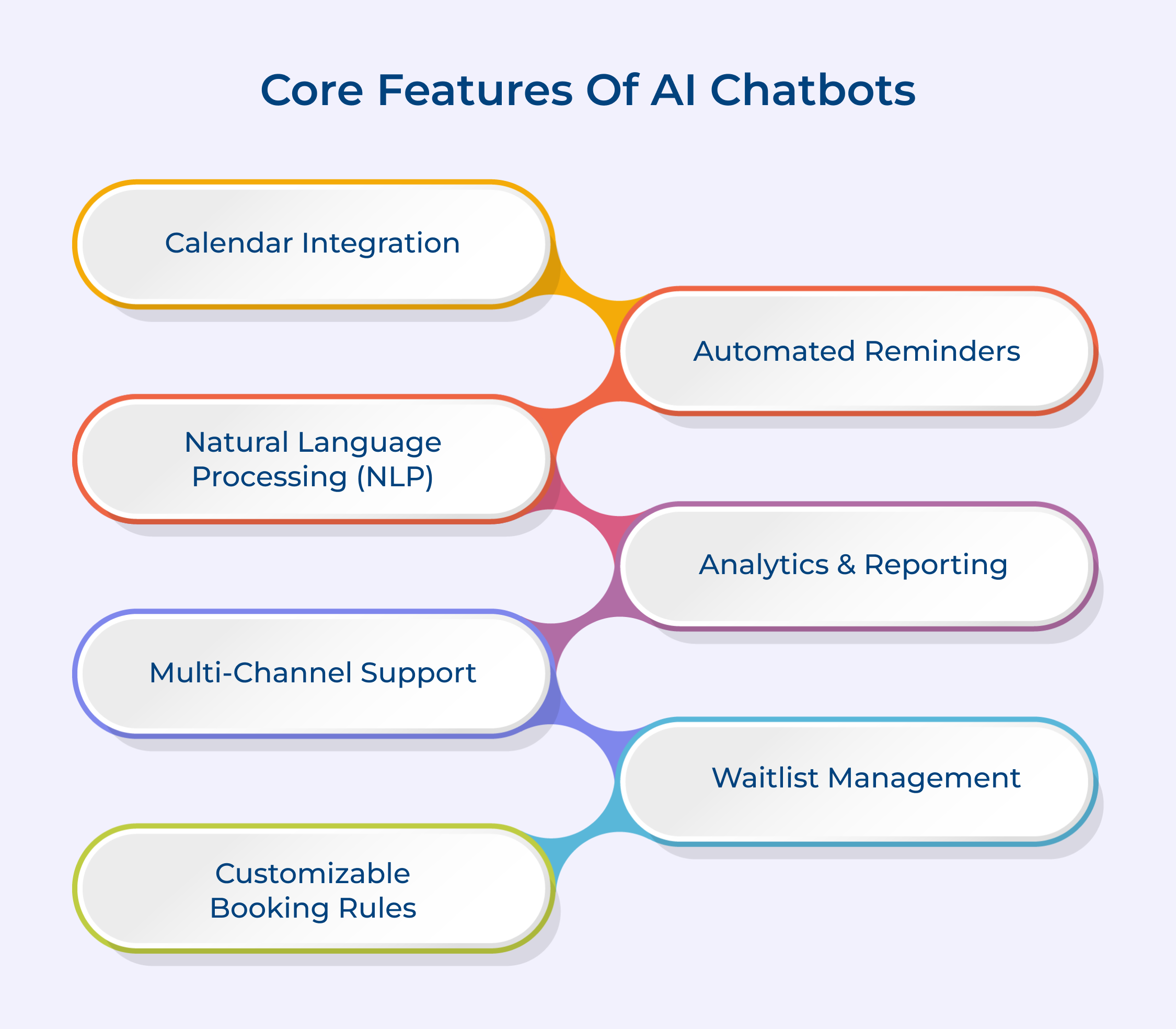
The chatbot must read and write directly to your calendar, not a delayed copy of it. Without live sync, two customers can claim the same slot before the system catches the conflict. This is the single feature that determines whether the tool actually prevents double-bookings.
The system should send confirmation messages the moment a booking is made, followed by reminders 24 hours and 1 hour before the appointment. Reminders sent through SMS tend to get opened faster than email. This directly reduces no-show rates without staff having to call anyone.
A chatbot that only works on your website misses customers who prefer WhatsApp or Messenger. Look for software that runs the same booking logic across every channel, not a stripped-down version for each. Consistency across channels matters more than the number of channels supported.
Customers should be able to change or cancel a booking without calling the front desk or emailing support. This feature alone removes a large share of manual admin work for service-based businesses. The chatbot should also notify staff automatically when a change occurs.
Some platforms offer waitlists, deposit collection or double-confirmation prompts to cut down on missed appointments. Deposits work particularly well for high-value services like consultations or medical visits. This feature pays for the software cost on its own in most cases.
Provides comprehensive insights into booking patterns, popular time slots, cancellation rates, and other key metrics. The data helps businesses make informed decisions about resource allocation, marketing strategies, and service offerings, leading to improved operational efficiency and customer satisfaction.
Here are the top chatbot software solutions that excel in appointment scheduling, streamlining the booking process for various industries:
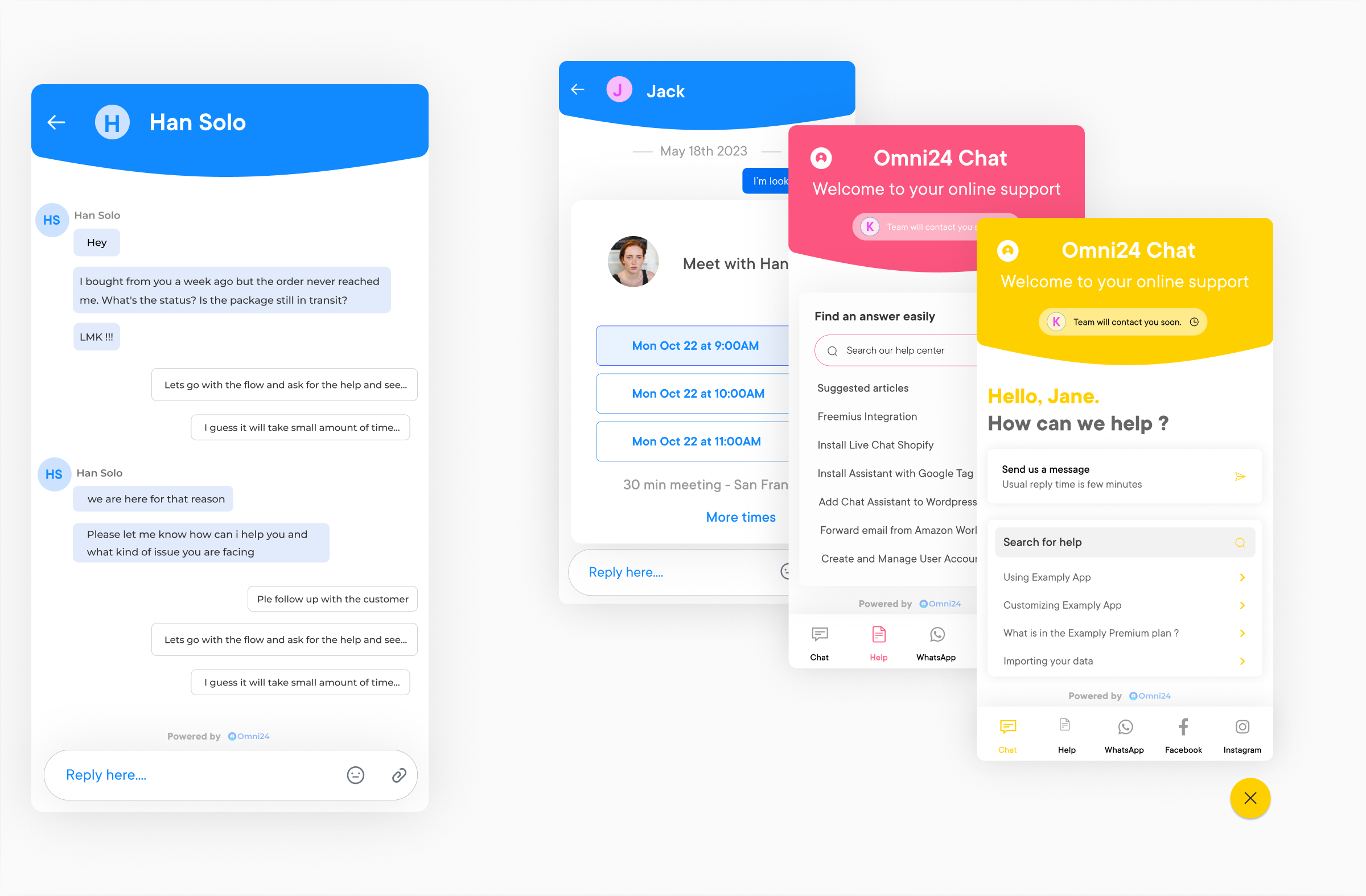
Omni24 is an AI-powered customer engagement platform that combines Support, Sales, and Marketing suites into one unified interface. With AI, automation, and omnichannel connectivity working together, Omni24 helps teams deliver faster, more personalized experiences across the entire customer journey.
Omni24’s AI-powered chatbot can be configured to handle appointment booking directly within conversations, letting customers check availability and confirm bookings without ever leaving the chat. The chatbot syncs with business calendars in real time, sends automated reminders to reduce no-shows, freeing up staff from manual scheduling tasks.
Key features:

Veemo Chat is a business messaging platform built for seamless communication with customers across every channel. It’s part of Veemo’s broader customer engagement suite, which also covers support, sales and marketing, giving businesses a connected system for managing every customer touchpoint.
Businesses can deploy Veemo’s chatbot across their website, WhatsApp or social channels to capture booking requests the moment a customer shows interest, rather than losing them to a slow follow-up. Once a time slot is confirmed, the bot handles reminders and rescheduling automatically, keeping calendars accurate without pulling staff away from other work.
Key Features:
ManyChat is a flow-based chatbot builder designed for Instagram, WhatsApp and Messenger automation. It is best for comment-to-DM automation, lead magnet delivery, basic e-commerce flows, and simple audience engagement campaigns rather than native appointment scheduling.
Appointment booking works only through a redirect to an external scheduling tool, since ManyChat can send a link to a tool like Calendly or Acuity, but cannot check calendar availability or confirm appointments inside the conversation. This extra step can lower booking completion during peak inquiry hours.
Key Features
Intercom is an AI-first customer service platform built around Fin, its AI Agent, and layered with live chat and workflow automation. Appointment scheduling typically runs through integrations with tools like Calendly rather than a native booking engine inside the platform.
Best for: mid-size to enterprise support teams that need AI-assisted resolution alongside a shared inbox. Service businesses wanting simple appointment booking may find the per-resolution pricing structure difficult to justify against dedicated scheduling tools.
Pros
Cons
Tidio combines live chat, an AI agent called Lyro and multichannel messaging into one small-business platform. A service business like a plumbing or HVAC company can use Tidio for appointment booking, where the bot asks location and availability before scheduling and dispatching.
Key Features:
Feature lists look similar across most scheduling chatbots, so the real differences surface once you map the tool against your team’s actual workflow.
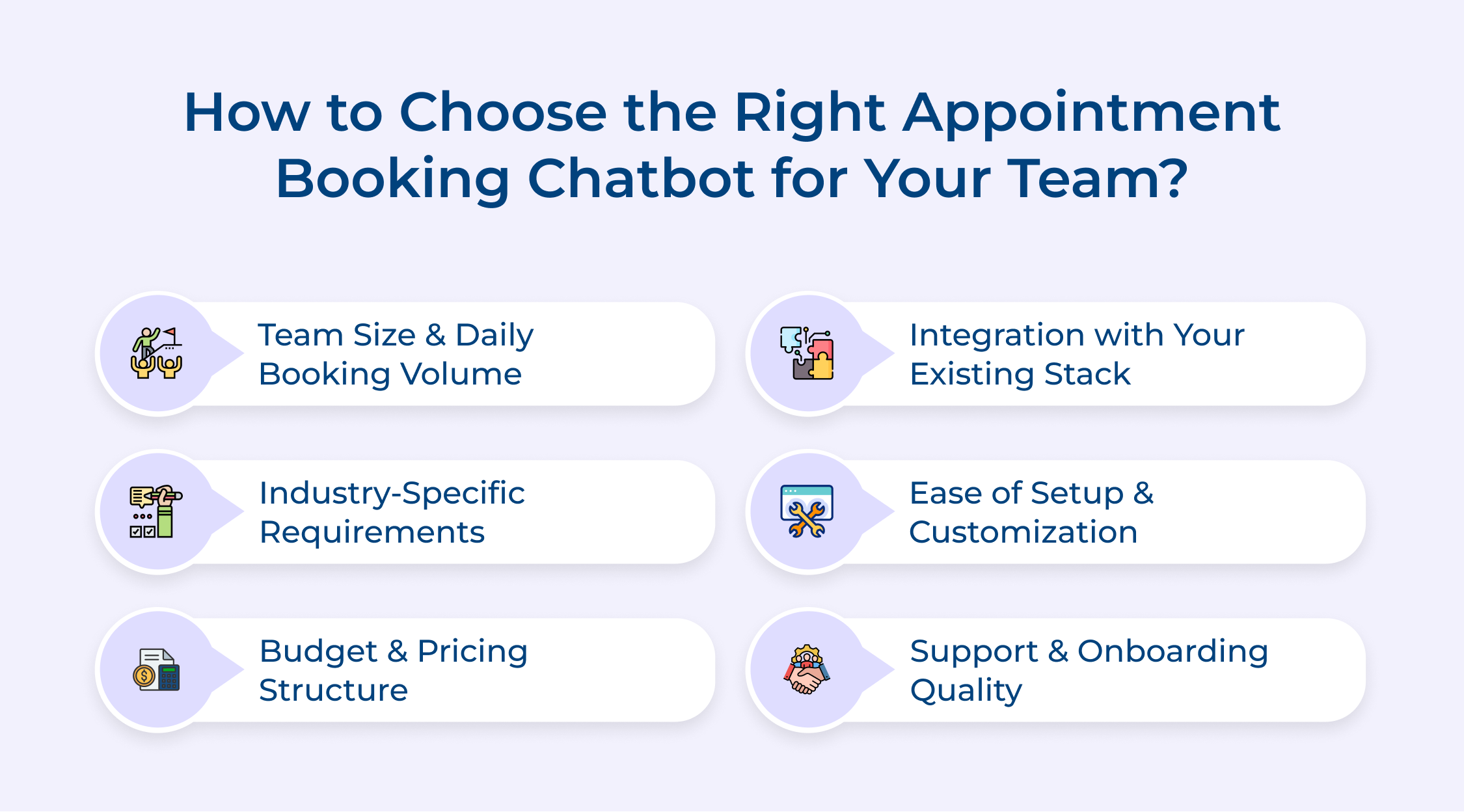
A solo consultant handling 5 bookings a week has different needs than a clinic managing 200. Higher volume demands software built for concurrent bookings without lag or sync delays, since even a few seconds of delay can cause double-booking during peak hours. Check the platform’s stated booking capacity before assuming it scales with your business.
Healthcare practices need HIPAA-compliant data handling, while salons prioritize staff-specific calendars for different stylists. Consultants often need buffer time built between calls automatically, and real estate agents need location-based slot availability. Match the tool to your industry’s operational quirks, not just general scheduling features.
Vendors price differently: some charge per seat, others per booking or per calendar. A per-seat model can get expensive fast for teams with many staff members but low individual booking volume, while a per-booking model favors small teams with high traffic. Calculate cost against your actual usage pattern, not the advertised starting price.
The chatbot is only useful if it connects cleanly to tools your team already relies on, and this is where many platforms quietly fall short. Here’s what to verify before signing up:
Teams without in-house developers should prioritize no-code platforms, since anything requiring custom API work adds ongoing maintenance cost. Here’s what separates a quick rollout from a multi-week implementation headache:
A chatbot that breaks during peak booking hours needs fast support, not a 48-hour ticket queue. Vendors offering dedicated onboarding calls tend to have lower setup failure rates, since misconfigured calendar sync is the most common launch issue. Consider these before finalizing a vendor:
Appointment scheduling chatbots serve almost any business that runs on time slots, but the exact value differs by industry. Here are four sectors where the use case goes beyond simple calendar booking.
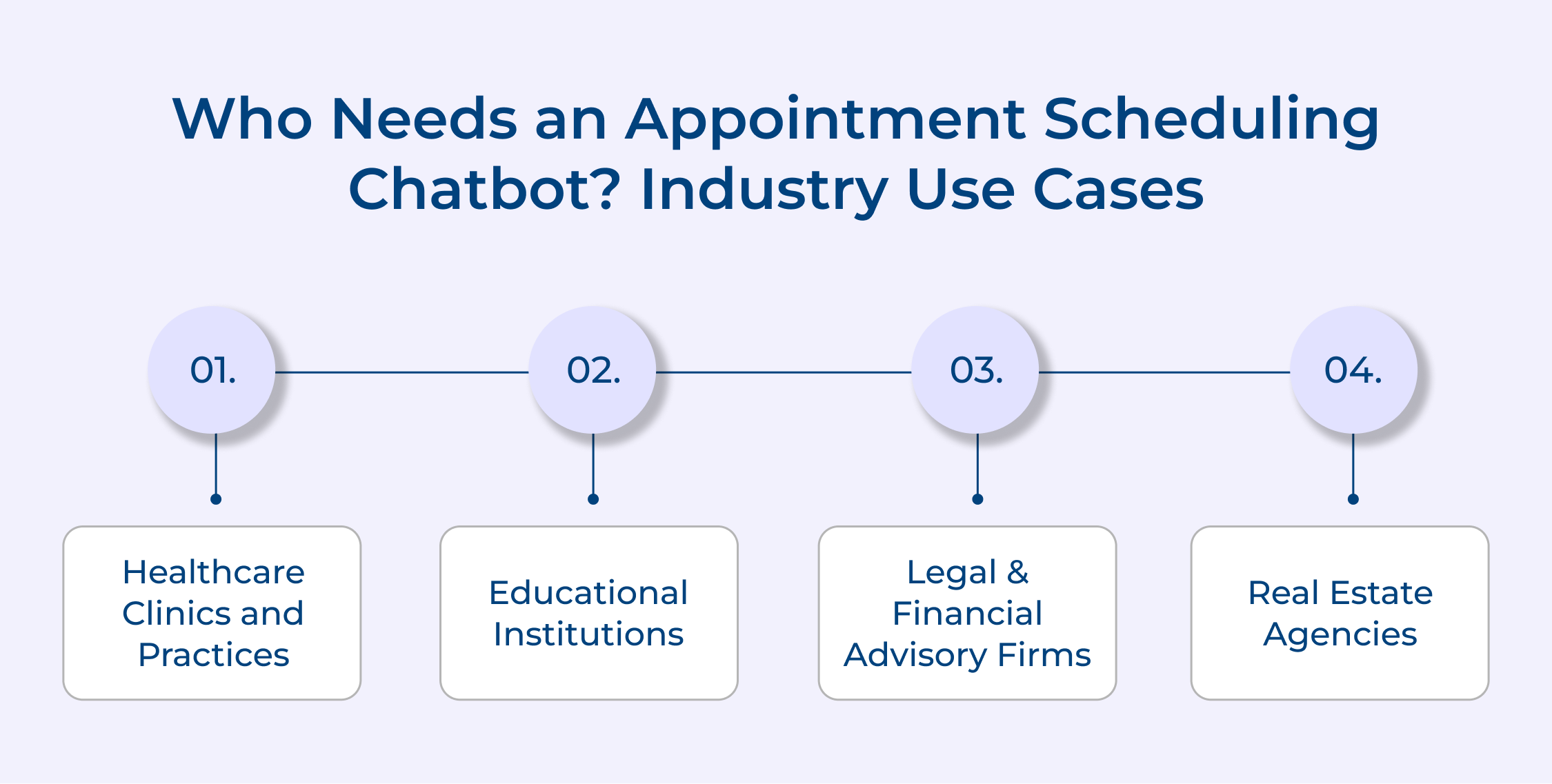
Medical practices deal with appointment types that vary widely in duration, since a follow-up consultation and a new-patient intake need different time allocations. A chatbot that asks the visit reason upfront can route patients to the correct slot length instead of defaulting to a standard 15-minute block.
Compliance also matters more here than in most industries, since patient data collected during booking often falls under HIPAA or equivalent regulations. Clinics need to verify the chatbot vendor supports compliant data handling before collecting any health-related information through chat.
Schools and universities use scheduling chatbots for parent-teacher meetings, campus tours and academic advising, each with different booking patterns. A chatbot handling parent-teacher conferences needs to manage dozens of concurrent time slots across multiple teachers within a single evening window.
Admissions offices use a similar setup for campus tours, where prospective students book slots that must account for guide availability and group size limits. Advisors, meanwhile, benefit from chatbots that block recurring office hours automatically, cutting down on the email back-and-forth that usually precedes a meeting.
Law firms and financial advisors deal with consultations that require pre-screening, since not every inquiry is a fit for the practice’s specialization. A chatbot can ask qualifying questions before offering a slot, filtering out mismatched leads before they reach a lawyer’s calendar.
Confidentiality adds another layer here, since intake conversations often touch sensitive financial or legal details before a formal client relationship exists. Firms typically need a chatbot that supports encrypted data handling and clear disclaimers about attorney-client or advisory privilege not yet applying.
Real estate scheduling involves property viewings tied to a specific location and a narrow availability window, unlike a fixed-location service business. A chatbot connected to listing data can offer viewing slots only for properties still on the market, avoiding the common error of booking a showing for a home already under contract.
Agents also use chatbots to qualify buyers before confirming a viewing, asking about budget range and financing status upfront. This keeps agent calendars focused on serious inquiries rather than casual browsing appointments.
Manual scheduling consumes staff hours that could go toward billable work or customer service, and every missed call during business hours is a potential lost booking. An automated system removes this bottleneck by handling availability checks and confirmations around the clock.
Beyond the operational savings, the data collected through every booking interaction becomes a growing record of customer preferences and visit patterns. Businesses that review this data periodically can spot peak demand windows and staff accordingly.
An appointment booking chatbot removes the manual work behind scheduling and lets customers book at any hour without staff involvement. The right choice depends on calendar sync, channel coverage and pricing structure rather than feature count alone.
Start with a free trial to test real-time sync before rolling out an appointment booking chatbot business-wide. Bottom line: the best appointment booking chatbot is the one that confirms bookings instantly, not just collects requests..

What are the best practices for setting up an appointment booking chatbot?
Setting up an effective appointment booking chatbot starts with connecting it to a live calendar rather than a static list of slots, so availability stays accurate. The conversation flow should stay short, ask only necessary questions, and confirm details before finalizing a booking. Testing across every channel you deploy on catches sync issues before customers do.
How to create an appointment booking chatbot?
Creating an appointment booking chatbot involves several steps: First, choose a suitable chatbot platform or framework. Define your booking process and design conversation flows. Integrate with your existing calendar system.
Implement natural language processing capabilities. Set up appointment rules and reminders. Test thoroughly across various scenarios. Finally, deploy and continuously monitor and improve based on user feedback and performance metrics.
How does an appointment booking chatbot work?
An appointment booking chatbot uses natural language processing to understand what a customer is asking for, then checks real-time calendar availability before confirming a slot. It follows predefined booking rules to guide the conversation and prevent conflicts. Once confirmed, the system handles the follow-up automatically.
How do you choose the best appointment-booking chatbot for your business?
Consider your specific business needs, such as integration capabilities with existing systems, customization options, and scalability to choose the best appointment-booking chatbot . Evaluate features like multi-channel support, analytics, and language capabilities. Check for user-friendliness, both for customers and administrators. Consider the provider’s reputation, support quality, and pricing structure. Finally, test the chatbot thoroughly to ensure it aligns with your workflow and customer expectations.
How do I make an appointment with the chatbot?
Start by initiating a conversation on the platform where it’s available (website, app, or messaging platform) to make an appointment with a chatbot. Follow the chatbot’s prompts, providing necessary information like service type, preferred date and time.
The chatbot will check availability and offer options. Select your preferred slot, confirm any additional details required, and the chatbot will finalize your booking, sending a confirmation message with all relevant information.
 https://omni24.io/wp-content/uploads/2026/09/Social-commerce-scaled.png
1340
2560
Webvision Solution
https://omni24.io/wp-content/uploads/2023/04/Omni-Logo-1.svg
Webvision Solution2026-10-23 12:18:272026-10-23 12:18:27What is Social Commerce and Why Does It Matter?
 https://omni24.io/wp-content/uploads/2026/08/AI-Customer-Service-Agents.png
1256
2400
Webvision Solution
https://omni24.io/wp-content/uploads/2023/04/Omni-Logo-1.svg
Webvision Solution2026-09-21 04:48:512026-09-21 04:48:51How to Build an AI Customer Service Agents: 8 Key Steps
 https://omni24.io/wp-content/uploads/2026/08/Omnichannel-Conversational-AI.png
1256
2400
Tushar Joshi
https://omni24.io/wp-content/uploads/2023/04/Omni-Logo-1.svg
Tushar Joshi2026-09-16 03:51:072026-09-16 03:51:07How to Build Omnichannel Conversational AI Strategy

Whether it’s about acquire, engage or support – Omni24 covers all your customer engagement needs in one complete platform.

Copyright ©2026 Veemo All rights reserved.
CA, Los Angeles, Hall Ave, 19011