How to Create Helpdesk Chatbots: 10 Key Steps
Helpdesk chatbots are useful but not flawless understanding their limitations helps teams plan better and improve performance over time.
Helpdesk chatbots are useful but not flawless understanding their limitations helps teams plan better and improve performance over time.
Customer support teams often get swamped with repetitive questions — long wait times and frustrated users follow, draining both customer satisfaction as well as agent morale.
But help-desk chatbots can change that. Modern data show that bots now handle up to 80% of routine queries without human help. They respond almost instantly (often in ~1 second) and cut average handling time by roughly 35–40%. As a result, businesses report faster complaint resolution and a noticeable boost in customer satisfaction (CSAT).
By automating recurring issues, chatbots free support agents to concentrate on complex or sensitive problems. Hence, giving your team time to deliver thoughtful, human-level support where it matters most.
A helpdesk chatbot is an AI-powered software application designed to simulate human-like conversations and provide automated customer support through text-based interactions. It serves as a virtual assistant that can understand user queries, provide instant responses and handle basic customer service tasks without human intervention.
Chatbots also significantly reduce operational costs by automating routine inquiries, allowing human agents to focus on more complex issues that require personal attention. Additionally, they maintain consistent service quality and can handle multiple conversations simultaneously, eliminating customer wait times while improving overall satisfaction.
Key objectives:
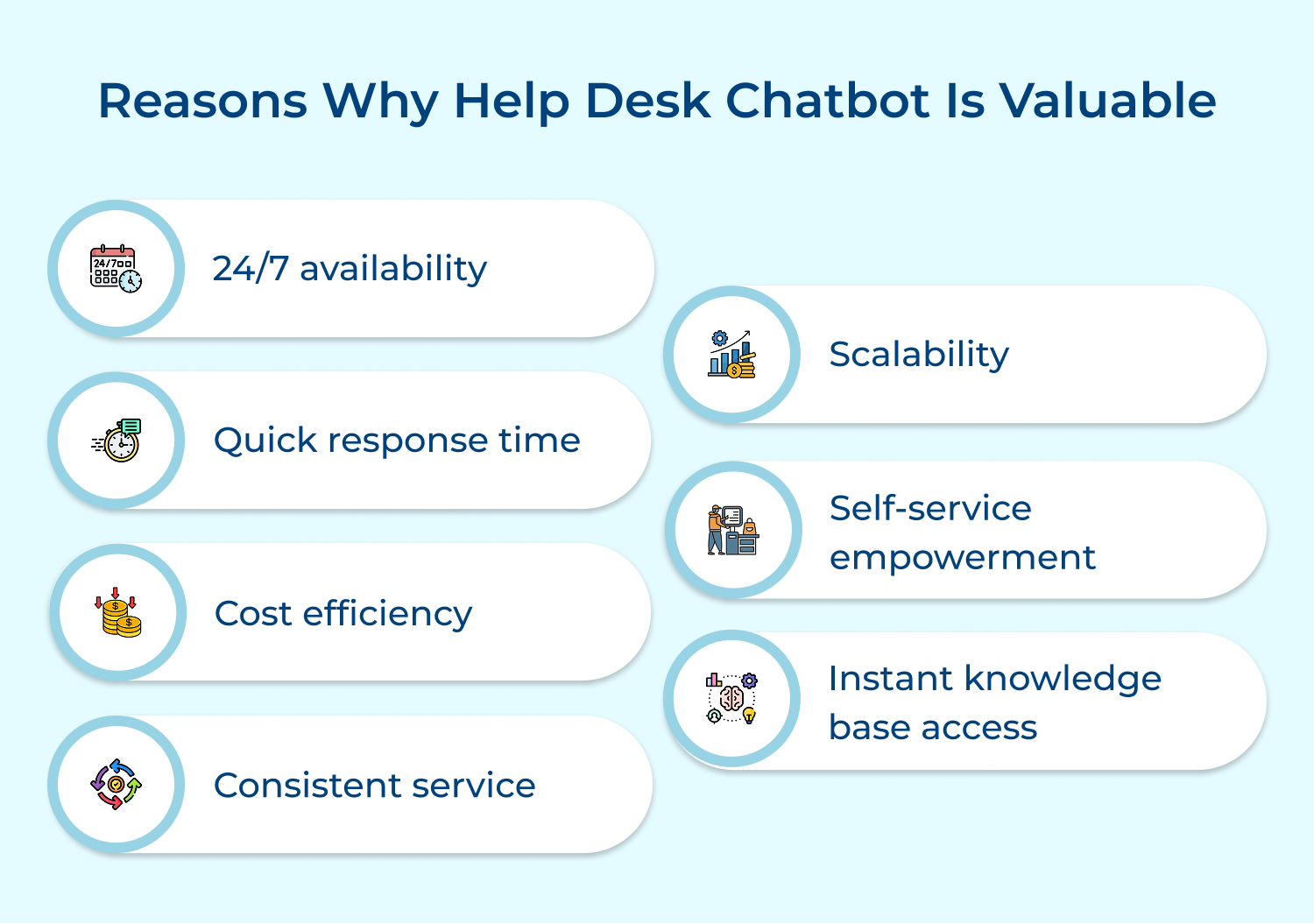
A helpdesk chatbots transforms how your support team operates. Here are seven reasons why it’s becoming a must-have for fast, efficient and modern customer support.
Building a helpdesk chatbot isn’t just about adding automation, it’s about creating a reliable support experience for your users.
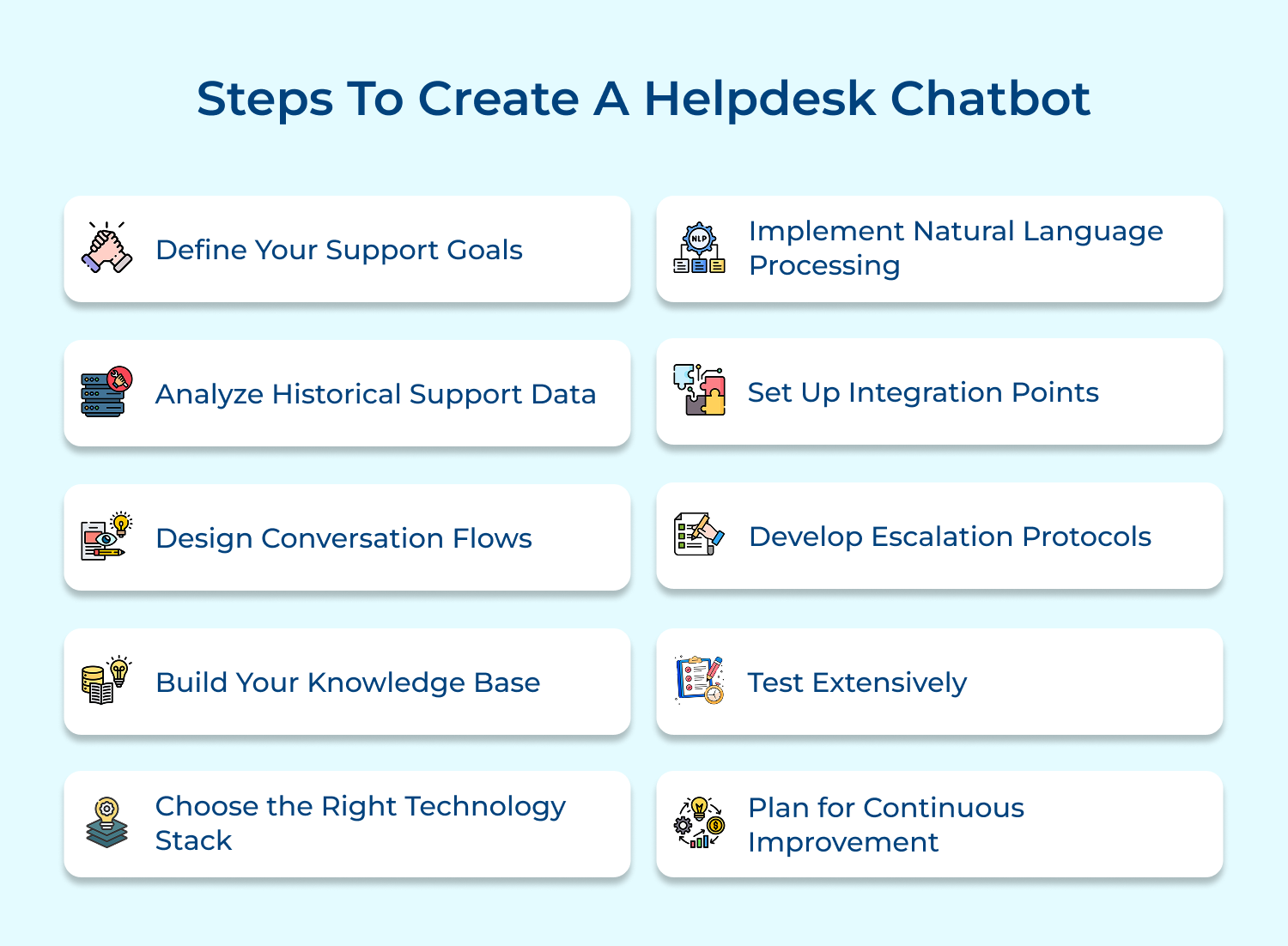
Start your project with a clear planning phase where you define what you want your helpdesk chatbot to achieve and how it fits into your overall support strategy. Setting concrete goals keeps the project focused and ensures your chatbot technology actually solves real support challenges.
Create a simple requirements document that spells out the scenarios your bot should handle. Set measurable targets like faster response times, higher resolution rates or reduced support costs. These numbers become your guide for development and your benchmarks for tracking ROI once the chatbot goes live.
Tips
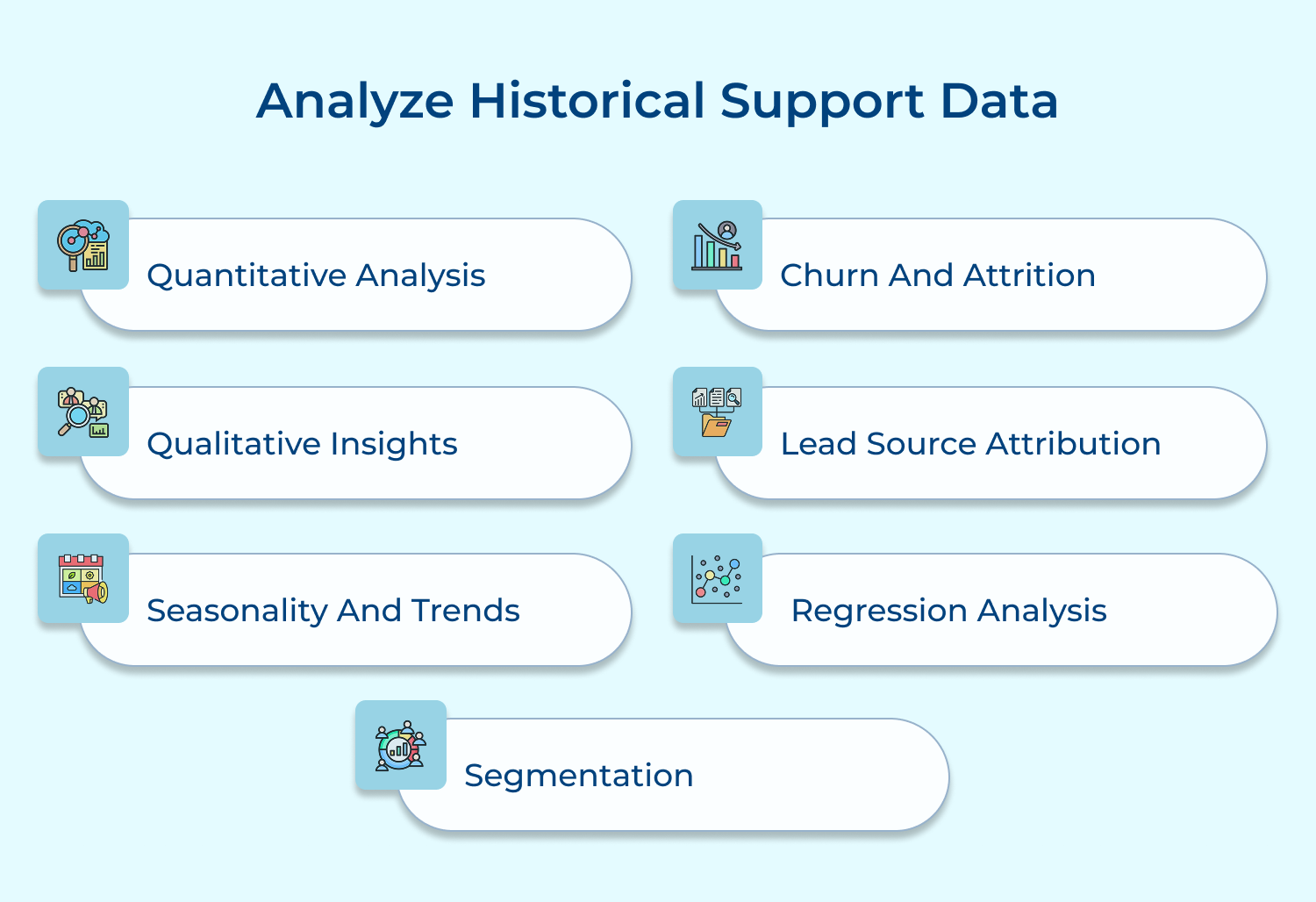
A comprehensive review of past support interactions, including ticket data, chat logs and customer inquiries, to understand patterns, common issues as well as user communication styles.
Historical data analysis reveals actual user needs and support trends, preventing assumptions about what the chatbot should handle. It helps prioritize features and ensures the chatbot addresses real-world scenarios.
Extract common queries, categorize issues and identify peak support times. Use this data to build conversation flows and response templates that match user expectations along with support patterns.
Actionable Tips:
The process of mapping out logical pathways for chatbot interactions, including question sequences, response options and decision points that guide users to solutions.
Well-designed conversation flows ensure smooth, natural interactions and prevent user frustration. They help maintain context and guide users efficiently toward resolution while handling unexpected inputs appropriately.
Create flowcharts mapping different conversation scenarios, including greetings, question types and resolution paths. Include error handling as well as escalation points for complex issues.
Tips
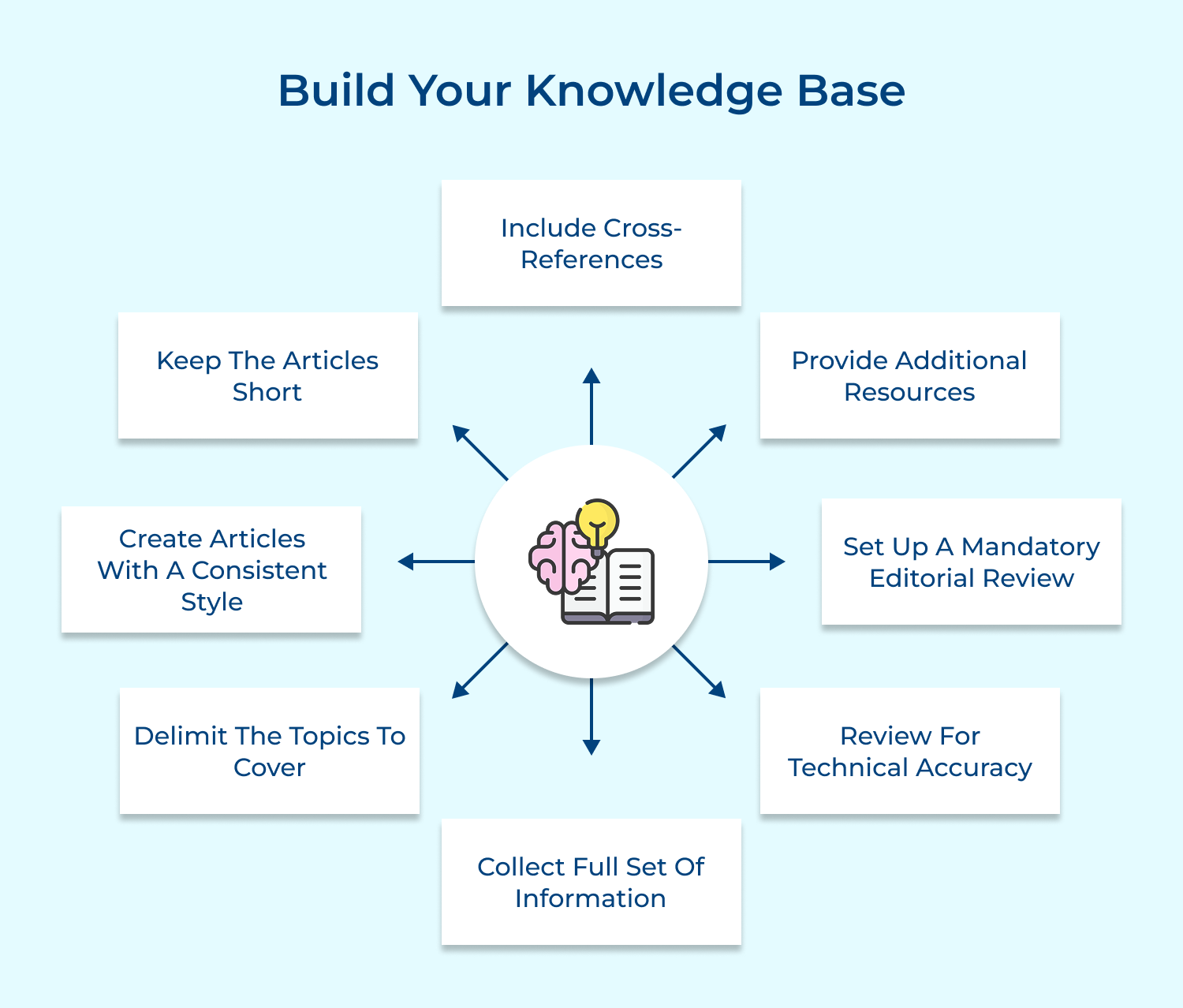
A well-organized knowledge base gives conversational chatbots the reliable information they need to deliver accurate, helpful answers. It acts as a central hub of support articles, solutions, and resources—making ticket resolution faster as well as reducing the number of queries that reach human agents.
Keep your knowledge base easy to search, categorize content by topic and update it regularly to avoid outdated responses. Add variations of common questions so the chatbot can recognize different phrasing and still provide the right solution. This ensures users get consistent, high-quality support every time.
Pro tips:
Choosing the right technology stack is key to building a helpdesk bot that works smoothly with your existing ticket management systems. This includes selecting NLP engines, hosting platforms and integration tools that support the bot’s core functions as well as overall performance.
A strong tech stack ensures your helpdesk bot can scale, stay secure and deliver fast, reliable responses. Compare options based on factors like language support, integration flexibility, along with long-term scalability. Also consider costs, maintenance needs and the expertise required to manage the tools you choose.
Actionable Tips:
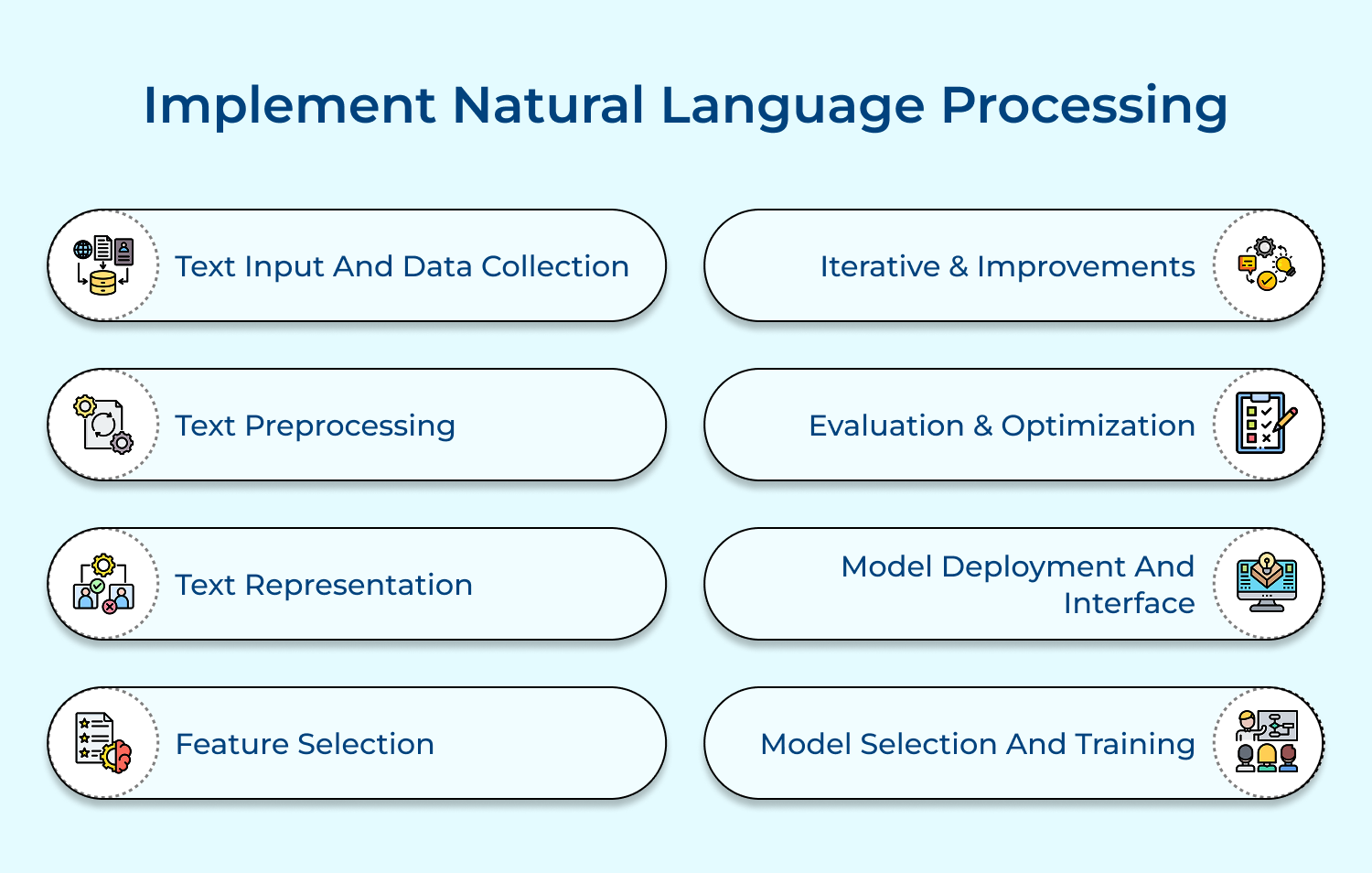
The technical implementation of language understanding capabilities that enable your chatbot to interpret user inputs, understand intent and provide contextually appropriate responses.
NLP capabilities allow the chatbot to understand various ways users might phrase questions and maintain natural conversations. It helps handle ambiguity and extract meaning from user inputs.
Train the NLP engine with sample conversations, implement intent recognition and configure entity extraction. Regular training with actual user interactions improves accuracy over time.
Tips
Integration connects your chatbot with systems like ticketing tools, CRM platforms, knowledge bases and authentication services to ensure smooth data flow. This allows the bot to access the right information and maintain context during user interactions.
Proper integration helps the chatbot automate actions, update records and support complete ticket tracking. Use APIs or existing connectors to link systems, enable secure data exchange and handle user authentication as well as authorization correctly.
Pro tips:
A defined set of rules for when and how the chatbot should transfer conversations to human agents, including handling of complex issues as well as user frustration.
Clear escalation protocols ensure smooth transitions when issues exceed chatbot capabilities. They maintain user satisfaction by providing appropriate human intervention when needed.
Define trigger conditions for escalation, implement handoff procedures and ensure context preservation. Create prioritization rules for urgent issues requiring immediate human attention.
Actionable Tips:
A comprehensive testing process to validate chatbot functionality, response accuracy, integration reliability and user experience across various scenarios as well as edge cases.
Thorough testing identifies issues before deployment and ensures the chatbot meets quality standards. It helps prevent user frustration while maintaining support efficiency.
Conduct unit tests, integration tests and user acceptance testing. Include load testing and security validation. Test with real users to gather feedback on usability.
Tips:
Continuous improvement means regularly monitoring and refining your chatbot based on real usage patterns, feedback, while changing support needs. This ensures the bot stays effective, adapts to user expectations, and closes any performance gaps over time.
Track analytics, review user feedback and evaluate key metrics to understand where the chatbot can do better. Update conversation flows, refine knowledge base content and make iterative adjustments to keep the bot accurate as well as aligned with evolving support goals.
Pro tips:
Help desk chatbots streamline multiple parts of the support workflow. Here are some practical use cases that show how they improve efficiency and enhance the user experience.
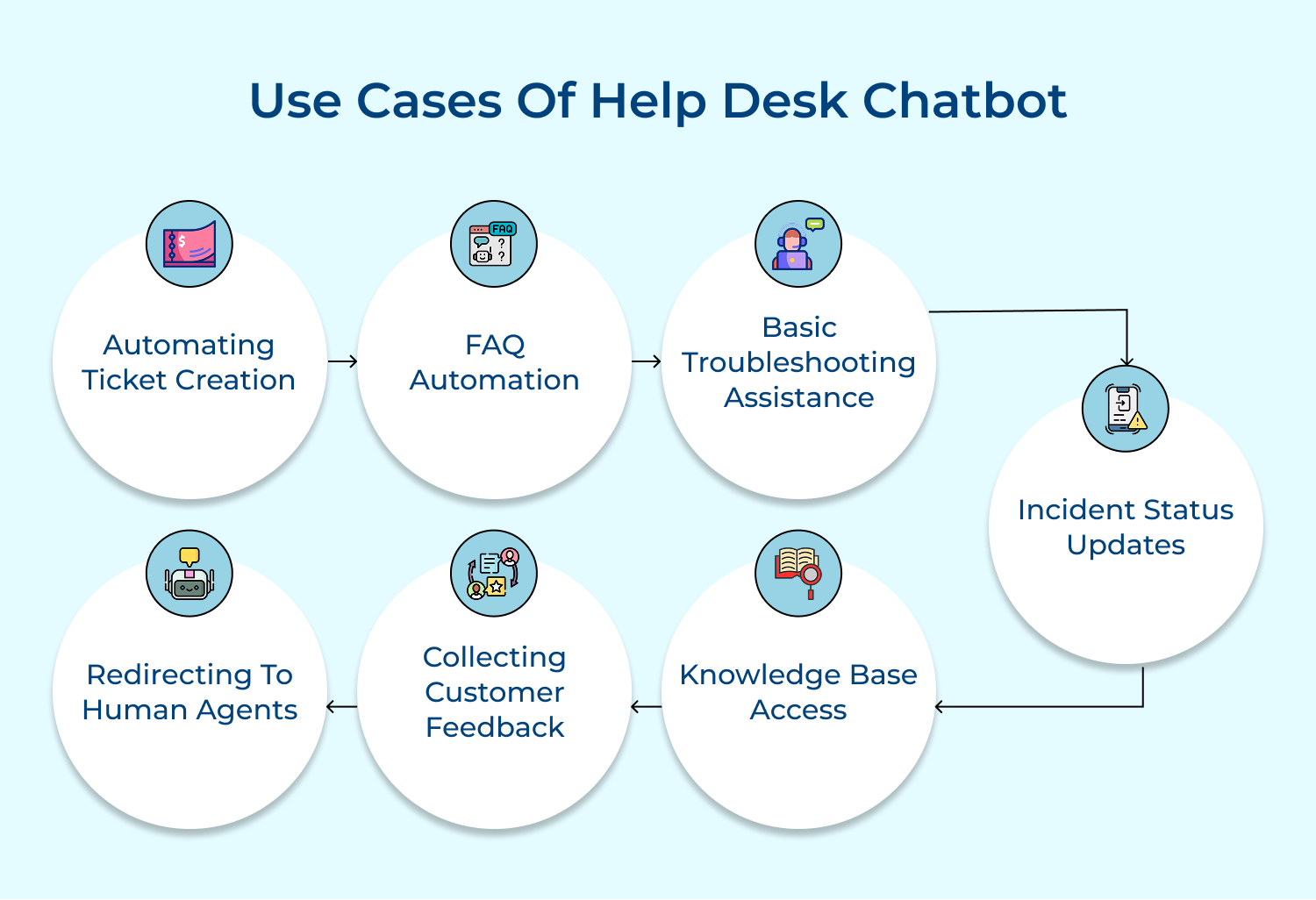
Automating Ticket Creation
Service desk chatbots automatically create support tickets when users report issues. The bot collects necessary details from the user, ensuring accurate information is logged into the helpdesk system. This streamlines ticket creation and reduces the need for manual input by agents.
FAQ Automation
Chatbots handle frequently asked questions, offering immediate responses to common inquiries about products, services and troubleshooting. Users can quickly resolve basic queries and agents are freed from handling repetitive questions. Hence, allowing them to focus on more complex issues.
Basic Troubleshooting Assistance
Chatbots guide users through simple technical issues with clear, step-by-step instructions. Whether it’s a connectivity problem or a software glitch, the bot helps users run basic checks, reducing the time agents spend on routine fixes.
Incident Status Updates
Users can quickly check the status of their support tickets through the chatbot. It shares real-time progress updates, improving transparency and cutting down on follow-up requests to human agents.
Knowledge Base Access
Chatbots point users to the right knowledge base articles or documentation based on their queries. This helps users find answers on their own while easing pressure on the support team.
Collecting Customer Feedback
After an interaction, the chatbot can ask short feedback questions to gauge user satisfaction. These insights help teams understand what’s working and identify areas for improvement.
Redirecting to Human Agents
If the chatbot reaches its limit, it smoothly hands the conversation over to a human agent. It also passes along the relevant context so agents can pick up the issue without delay.
Helpdesk chatbots offer big advantages, but they also come with their own set of challenges. Understanding these limitations helps you plan better and build a bot that supports users.
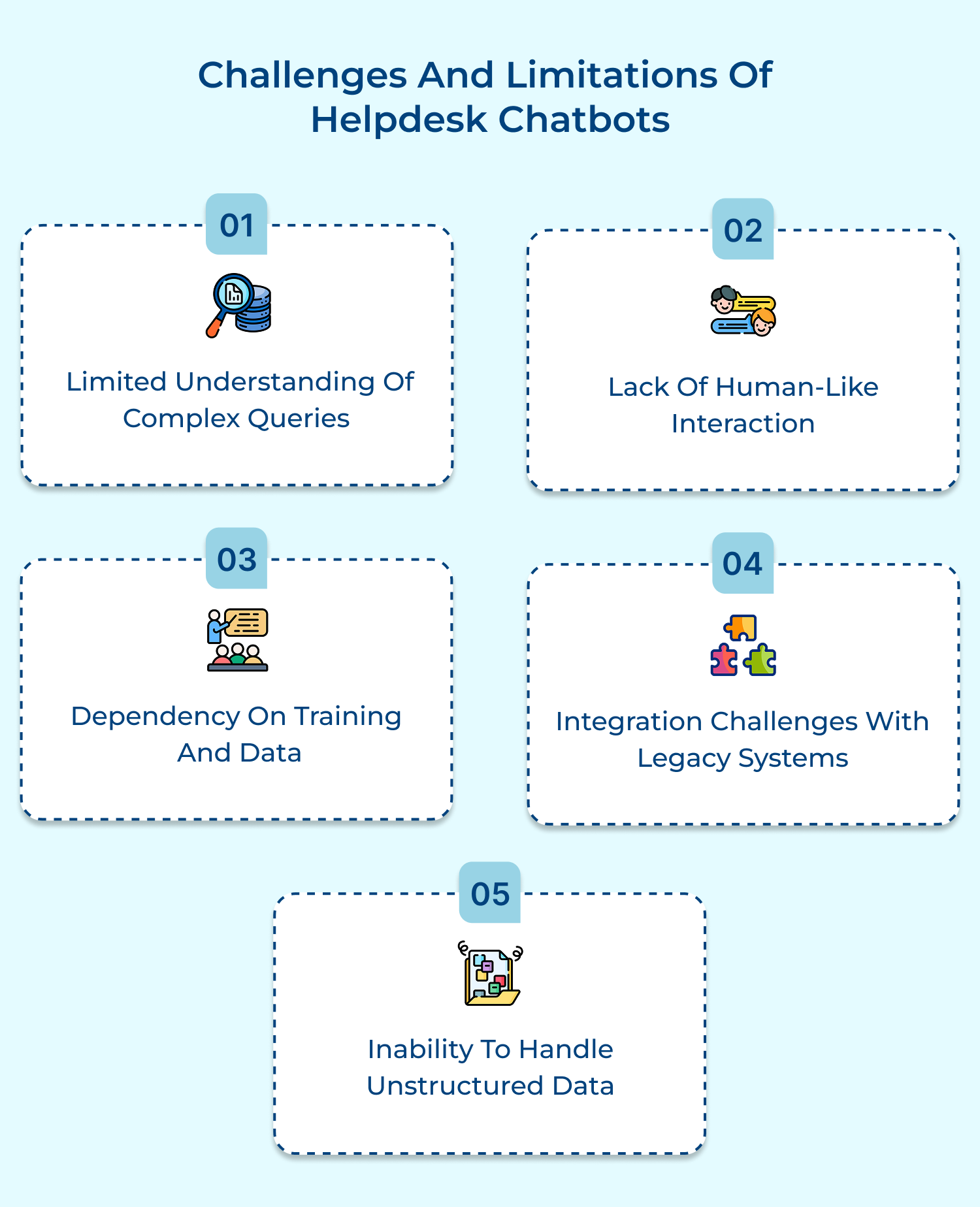
1. Limited Understanding of Complex Queries
Helpdesk chatbots may struggle with understanding intricate or highly specific issues, leading to inaccurate responses or frustration for users.
Solution: Continuously train the chatbot with diverse, real-world data and set up fallback options to escalate complex queries to human agents. Regular updates and machine learning can also improve the bot’s understanding over time.
2. Lack of Human-Like Interaction
Chatbots can sometimes provide robotic or overly scripted responses, which may not feel natural or empathetic to users.
Solution: Enhance the chatbot’s conversational tone and ensure it can handle more informal or context-driven interactions. Using natural language processing (NLP) models can make the interaction smoother and more human-like.
3. Dependency on Training and Data
Chatbots rely heavily on training data, meaning they may not perform well when faced with unfamiliar queries or issues that haven’t been anticipated during training.
Solution: Regularly update and expand the training data, using user interactions as well as feedback to refine the bot’s understanding. Implement continuous learning algorithms to allow the chatbot to adapt dynamically to new information.
4. Integration Challenges with Legacy Systems
Integrating a chatbot with existing helpdesk or CRM systems can be technically challenging, especially if the systems are outdated or lack proper APIs.
Solution: Choose a chatbot platform having robust integration capabilities and work closely with IT teams to ensure smooth connectivity. In some cases, middleware can be used to bridge compatibility gaps between systems.
5. Inability to Handle Unstructured Data
Many helpdesk queries involve unstructured data, such as vague descriptions or complex problems, that chatbots may have difficulty processing and understanding.
Solution: Leverage advanced machine learning and NLP techniques to help the bot understand unstructured data. Additionally, ensure that fallback options are in place for unclear or ambiguous queries.
Helpdesk chatbots are reshaping customer service, automating mundane tasks and offering immediate assistance. This allows support teams to focus on complex, high-priority issues while improving overall efficiency.
As AI technology continues to evolve, chatbots will further enhance their capabilities, delivering faster, more accurate responses. Businesses that adopt this technology will improve customer satisfaction, streamline their support processes and stay competitive in a fast-moving market.

How does a helpdesk chatbot understand user queries?
Helpdesk chatbots use Natural Language Processing (NLP) and machine learning algorithms to interpret user queries. They analyze keywords, context and sentence structure to understand user intent. The chatbot matches these patterns against its trained database to provide relevant responses and solutions.
Can chatbots handle complex technical issues?
While chatbots excel at resolving common and straightforward issues, they have limitations with complex problems. They’re designed to recognize when an issue exceeds their capabilities and smoothly escalate to human agents. They collect initial information and provide basic troubleshooting before escalation.
What happens if a chatbot can’t solve my problem?
When a chatbot encounters an issue beyond its scope, it automatically transfers the conversation to a human agent. The chatbot forwards the entire conversation history and collected information to ensure seamless transition. Users don’t need to repeat information already shared.
How secure is sharing information with a helpdesk chatbot?
Modern helpdesk chatbots incorporate robust security measures, including data encryption, secure authentication and compliance with privacy regulations. They follow the same security protocols as human agents and can be configured to handle sensitive information according to organizational policies.
Can chatbots work outside business hours?
Yes, chatbots operate 24/7 and can handle support requests at any time. They provide immediate responses to common issues, create tickets for complex problems and ensure urgent matters are properly flagged for review when support teams return.
How accurate are chatbot responses?
Chatbot accuracy depends on their training data and knowledge base quality. Well-maintained chatbots typically achieve high accuracy for common queries. They’re programmed to ask clarifying questions when uncertain as well as continuously improve through machine learning from interactions.
 https://omni24.io/wp-content/uploads/2026/08/AI-Customer-Service-Agents.png
1256
2400
Webvision Solution
https://omni24.io/wp-content/uploads/2023/04/Omni-Logo-1.svg
Webvision Solution2026-09-21 04:48:512026-09-21 04:48:51How to Build an AI Customer Service Agents: 8 Key Steps
https://omni24.io/wp-content/uploads/2026/08/AI-Customer-Service-Agents.png
1256
2400
Webvision Solution
https://omni24.io/wp-content/uploads/2023/04/Omni-Logo-1.svg
Webvision Solution2026-09-21 04:48:512026-09-21 04:48:51How to Build an AI Customer Service Agents: 8 Key Steps https://omni24.io/wp-content/uploads/2026/08/Omnichannel-Conversational-AI.png
1256
2400
Tushar Joshi
https://omni24.io/wp-content/uploads/2023/04/Omni-Logo-1.svg
Tushar Joshi2026-09-16 03:51:072026-09-16 03:51:07How to Build Omnichannel Conversational AI Strategy
https://omni24.io/wp-content/uploads/2026/08/Omnichannel-Conversational-AI.png
1256
2400
Tushar Joshi
https://omni24.io/wp-content/uploads/2023/04/Omni-Logo-1.svg
Tushar Joshi2026-09-16 03:51:072026-09-16 03:51:07How to Build Omnichannel Conversational AI Strategy https://omni24.io/wp-content/uploads/2026/08/Customer-Service-Teams.png
1256
2400
Tushar Joshi
https://omni24.io/wp-content/uploads/2023/04/Omni-Logo-1.svg
Tushar Joshi2026-09-15 04:01:522026-09-15 04:02:16How to Build Customer Service Teams: 6 Key Steps
https://omni24.io/wp-content/uploads/2026/08/Customer-Service-Teams.png
1256
2400
Tushar Joshi
https://omni24.io/wp-content/uploads/2023/04/Omni-Logo-1.svg
Tushar Joshi2026-09-15 04:01:522026-09-15 04:02:16How to Build Customer Service Teams: 6 Key Steps
Whether it’s about acquire, engage or support – Omni24 covers all your customer engagement needs in one complete platform.

Copyright ©2026 Veemo All rights reserved.
CA, Los Angeles, Hall Ave, 19011