Shared Mailbox Best Practices for Collaborative Teams
Companies often start customer support with a shared mailbox; using shared mailbox best practices keeps future customers as happy as current ones.

Companies often start customer support with a shared mailbox; using shared mailbox best practices keeps future customers as happy as current ones.
Are you struggling to manage your shared mailbox efficiently? Do you find it overwhelming to stay organized and respond to timely messages?
Shared mailboxes are a tool used by teams to collaborate and manage incoming messages. However, without defining a set of shared mailbox best practices, shared mailboxes can become chaotic and impact productivity.
According to recent studies, an average office worker spends around 2.5 hours per day dealing with emails. Inefficient email management can lead to a decrease in productivity by up to 40%. It is vital to implement shared mailbox management best practices to optimize your team’s email workflow.
Let’s explore the most effective strategies to help you streamline your shared mailbox management and improve overall productivity.
A shared mailbox is an email inbox that can be accessed by multiple users within a team. It allows team members to view and respond to emails sent to a specific email address, providing a centralized platform for efficient communication.
Having a shared mailbox eliminates the need for forwarding emails, ensuring that all team members have access to important information. Such mailbox promotes teamwork, improves efficiency and enhances customer service by enabling seamless communication within a group.
Key factors to consider:
Email is an essential communication tool for every business. But as the volume of emails continues to grow, managing them efficiently becomes a challenge. It is where a shared mailbox comes into play.

Shared mailboxes provide the ability to collaborate effectively within a team. There is no hassle of forwarding emails or duplicating information as team members can access a shared mailbox simultaneously. It facilitates streamlined communication and reduces the risk of important messages missing out.
Team members can work together on email responses, delegate tasks, and coordinate their efforts seamlessly with shared mailboxes. It eliminates the need for back-and-forth communication and reduces the time spent on managing emails. It also allows teams to focus on more critical tasks and increase overall efficiency.
Shared mailboxes are particularly beneficial for customer service departments. Team members can efficiently respond to customers’ emails promptly by centralizing customer support requests. Shared mailboxes enable employees to share information and collaborate on resolving customer issues, ensuring a consistent customer experience.
All team members have access to the same emails and can get a comprehensive understanding of the context when using a shared mailbox. It eliminates the need for forwarding emails or searching via individual inboxes, saving time and avoiding miscommunication. Easy access to information also aids in knowledge sharing and training new team members.
Shared mailboxes offer a centralized platform for managing workflow efficiently. Features like the assignment of emails to specific team members, message categorization, and tracking of team leaders can easily monitor the progress of tasks. The transparency helps ensure that nothing is missed and everyone is on top of their responsibilities.
Shared mailboxes provide a cost-effective alternative to individual email accounts, especially for small businesses and startups. Instead of creating separate accounts for each team member, a single shared mailbox can be created, reducing financial as well as administrative burden. The affordable solution allows businesses to allocate resources to other areas of importance while still maintaining efficient email management.
Shared mailboxes provide a centralized inbox for multiple users to access and manage emails.
Building out a shared mailbox workflow is one of the most powerful ways to ensure that you are always maintaining the same level of experience in every interaction.
Key features of shared mailbox:
Whether you are a small or a large business, you can easily adopt shared mailbox management best practices to streamline your email communication and ensure a seamless workflow.
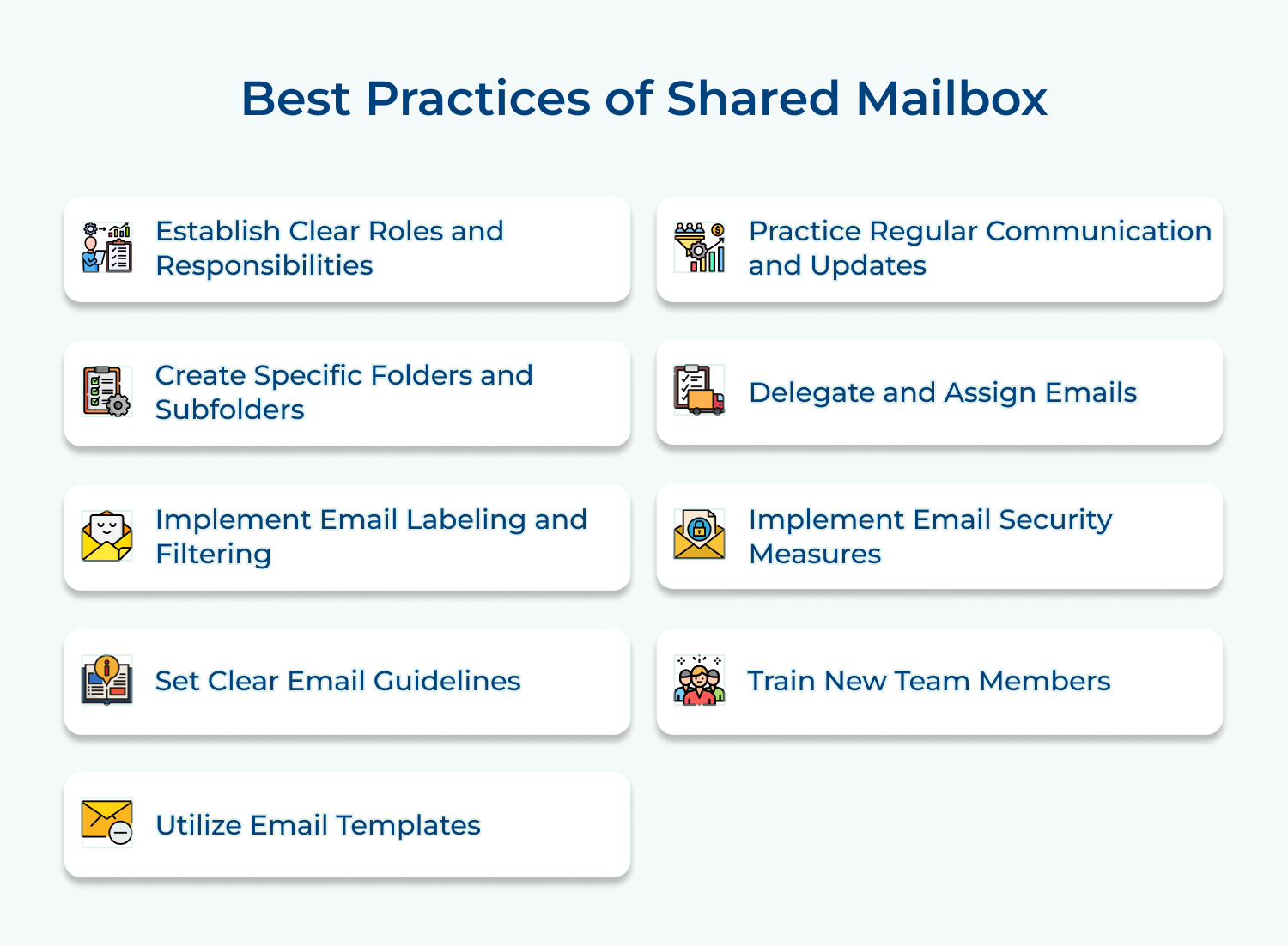
The first shared mailbox best practice is to define specific roles and responsibilities for each member using the shared mailbox.
Assigning roles, like “Responder”, “Follower” or “Delegate” ensures that everyone knows their responsibilities and reduces confusion about handling which emails.
Use Cases:

Outlining clear roles and responsibilities helps to streamline communication, ensure accountability as well as improve productivity within a team. It eliminates confusion, reduces duplication of efforts and promotes effective collaboration.
Tips for establishing clear roles and responsibilities in a shared mailbox:
Organize the shared mailbox by creating folders and subfolders that align with your organization’s structure. You can categorize emails based on topics, clients, projects, or departments, making it easier to locate and prioritize messages.
It is a crucial shared mailbox best practice as it allows efficient management of emails, ensuring that messages can be easily found and responded to promptly.
Use Cases:

Tips for establishing specific folders and subfolders in a shared mailbox:
Apply email labels and filters to automatically sort incoming messages into relevant folders that improve efficiency. Use features like rules and filters to categorize emails based on sender, subject or keywords. It saves time and enables quick access to important information.
The email labeling shared mailbox best practice helps team members easily prioritize messages by properly organizing emails. It results in improved productivity and efficiency.
Use cases:

Tips for email labeling and filtering in a shared mailbox:
Establish standardized guidelines for composing emails using the shared mailbox. It ensures consistent formatting, tone, and professionalism across all communications. It includes
instructions on how to prioritize, flag, or categorize emails appropriately.
Setting up guidelines also prevents confusion, fosters seamless cooperation, and can streamline email management processes.
Use Cases:

Tips for establishing clear email guidelines in a shared mailbox:
Create a repository of email templates for commonly used responses or inquiries. It helps streamline the response process, ensuring consistency and saving time for repetitive tasks. Templates can be modified and personalized as needed for each specific situation.
The use case of using an email template is it ensures consistency in communication. It showcases a strong brand image and avoids misunderstandings that can arise from each person having their own writing style.

Tips to use email templates:
Encourage team members to update each other through shared mailbox notes or comments. It keeps all stakeholders informed about the status of ongoing conversations or pending tasks.
Regular communication prevents duplication of effort and facilitates a smoother workflow. It fosters collaboration and transparency within the team, leading to improved productivity.
Use Cases:

Tips for Regular Communication and Updates in Shared Mailboxes:
Shared mailboxes often receive a high volume of incoming emails. Assign specific emails to responsible team members for timely response and resolution. Delegating emails allows for efficient workload distribution and ensures that no message goes unanswered.
Following this shared mailbox best practice is vital because it ensures that the workload is distributed evenly among team members, enhances efficiency, and promotes effective collaboration.
Use cases:

Tips to assign and delegate emails:
Shared mailboxes contain sensitive information, so it’s crucial to implement security measures. Enable two-factor authentication, regularly update passwords, and restrict access to authorized team members only.
Regularly audit mailbox access to prevent unauthorized personnel from accessing confidential data. Businesses can protect sensitive information and maintain the integrity of their systems by implementing email security measures. It ensures a safe and trustworthy communication environment.
Use cases:

Tips to implement email security measures effectively:
Provide comprehensive training on how to use the shared mailbox effectively when onboarding new team members. Familiarize them with the folder structure, email guidelines, and any specific best practices unique to your organization.
Training new team members is crucial to efficiently manage and respond to emails in a shared mailbox. It helps maintain consistency, improve workflow, and prevent any confusion among team members.
Use Cases:

Tips for training new hires about shared mailbox management:
Shared mailboxes allow multiple team members to access and respond to emails from a single email address.

Outlook offers a shared mailbox feature that allows team members to access and manage emails from a common email address. The potential features like shared calendars, contacts, and tasks, allow for efficient collaboration within the team.
The main features of Outlook include:
Formerly known as G Suite, Google Workspace provides shared mailboxes through Google Groups. With a shared inbox software, teams can easily collaborate, organize, and prioritize emails together. It also offers features such as shared calendars, Google Drive integration and real-time collaboration on documents.
Key features of Google Workspace include:
Microsoft Exchange is an email collaboration software as part of its business email solution. It allows multiple users to access to manage emails, calendar events and contacts from a shared email address. It also provides features like automatic email routing, shared folders, and message tracking.
The main features of Microsoft Exchange include
Zoho Mail offers shared mailbox functionality to facilitate team collaboration and streamline email management. It enables teams to handle customer inquiries, manage support tickets and organize projects efficiently. It also provides features like group-specific email addresses, email aliases, and customizable email templates.
Key features of Zoho Mail include:
Hiver has a shared mailbox solution built specifically for Gmail. It allows teams to collaborate on emails and delegate tasks easily. The main features include shared labels, email notes, collision alerts, and email templates. It integrates directly with Gmail, making it seamless for teams to work within their existing workflow.
The key features of Hiver include
Shared mailboxes streamline team communication by enabling multiple users to manage emails from a single address. However, they also present challenges that organizations must address for effective use.

One of the main challenges with shared mailboxes is the lack of accountability. Since multiple users have access to the mailbox, it can be difficult to track who has responded to a particular email or taken ownership of a task. It can lead to confusion and delays in response time.
Solution:
Another challenge of shared mailbox management is the possibility of users inadvertently sending duplicate or overlapping responses to the same email. It can create confusion for both the recipients and the team members.
Solution:
Tracking email conversations can be challenging hence ensuring everyone has visibility on important information with shared mailboxes. Some team members may miss out on crucial details, leading to misunderstandings or incomplete actions on emails.
Solution:
Shared mailboxes can pose security risks, especially when dealing with sensitive or confidential information. It is essential to ensure that only authorized users have access to the mailbox and that proper security measures are in place.
Solution:
Shared mailboxes can sometimes lack personalization, as multiple users use the same email address to send responses. It can lead to a less engaging and professional experience for recipients.
Solution:
As the volume of emails in a shared mailbox increases, it can become challenging to manage and organize them effectively. Searching for specific emails or finding relevant information in a cluttered mailbox can be time-consuming.
Solution:
Teams can effectively communicate and organize their shared inbox by implementing these practices like creating clear guidelines as well as using appropriate filtering systems. Regular maintenance and monitoring of the mailbox ensures that it remains organized. A well-managed shared mailbox can greatly improve communication flow, reduce redundancy, and facilitate seamless teamwork. So, whether you’re a small business or a large corporation, following these best practices will undoubtedly enhance your communication processes and streamline your operations.

Why Should Teams Use a Shared Mailbox?
Teams should use a shared mailbox for efficient communication and collaboration. It allows multiple team members to access and respond to emails, ensuring no messages are missed. It also helps in organizing and tracking team correspondence, providing a centralized platform for seamless teamwork.
How can shared mailboxes improve productivity and streamline email workflows?
Shared mailboxes can improve productivity and streamline email workflows by allowing multiple users to access and manage the same mailbox. This promotes collaboration, eliminates the need for forwarding or CC-ing emails, and ensures that all team members are on the same page reducing confusion.
How can shared mailboxes be integrated with other productivity tools or platforms for seamless workflow management?
Shared mailboxes can be integrated with productivity tools like project management software or customer relationship management systems to streamline workflow management. Teams can collaborate efficiently, track progress, and ensure seamless communication across platforms by syncing emails, tasks, and data.
What are some recommended practices for archiving and retaining emails in shared mailboxes?
Archiving and retaining emails in shared mailboxes is crucial for organizations to maintain proper record-keeping and ensure compliance with regulations. Use email archiving software to automatically capture and store emails, making them easily searchable for future reference. Regularly review and delete outdated or unnecessary emails to avoid clutter. Train employees on proper email management practices and maintain backups in case of data loss.
How can I prevent email overload in a shared mailbox?
Email overload is a common challenge in shared mailboxes where multiple individuals are managing the same account. To prevent this, follow these tips:
 https://omni24.io/wp-content/uploads/2026/09/Social-commerce-scaled.png
1340
2560
Webvision Solution
https://omni24.io/wp-content/uploads/2023/04/Omni-Logo-1.svg
Webvision Solution2026-10-23 12:18:272026-10-23 12:18:27What is Social Commerce and Why Does It Matter?
https://omni24.io/wp-content/uploads/2026/09/Social-commerce-scaled.png
1340
2560
Webvision Solution
https://omni24.io/wp-content/uploads/2023/04/Omni-Logo-1.svg
Webvision Solution2026-10-23 12:18:272026-10-23 12:18:27What is Social Commerce and Why Does It Matter? https://omni24.io/wp-content/uploads/2026/08/AI-Customer-Service-Agents.png
1256
2400
Webvision Solution
https://omni24.io/wp-content/uploads/2023/04/Omni-Logo-1.svg
Webvision Solution2026-09-21 04:48:512026-09-21 04:48:51How to Build an AI Customer Service Agents: 8 Key Steps
https://omni24.io/wp-content/uploads/2026/08/AI-Customer-Service-Agents.png
1256
2400
Webvision Solution
https://omni24.io/wp-content/uploads/2023/04/Omni-Logo-1.svg
Webvision Solution2026-09-21 04:48:512026-09-21 04:48:51How to Build an AI Customer Service Agents: 8 Key Steps https://omni24.io/wp-content/uploads/2026/08/Omnichannel-Conversational-AI.png
1256
2400
Tushar Joshi
https://omni24.io/wp-content/uploads/2023/04/Omni-Logo-1.svg
Tushar Joshi2026-09-16 03:51:072026-09-16 03:51:07How to Build Omnichannel Conversational AI Strategy
https://omni24.io/wp-content/uploads/2026/08/Omnichannel-Conversational-AI.png
1256
2400
Tushar Joshi
https://omni24.io/wp-content/uploads/2023/04/Omni-Logo-1.svg
Tushar Joshi2026-09-16 03:51:072026-09-16 03:51:07How to Build Omnichannel Conversational AI Strategy
Whether it’s about acquire, engage or support – Omni24 covers all your customer engagement needs in one complete platform.

Copyright ©2026 Veemo All rights reserved.
CA, Los Angeles, Hall Ave, 19011